🎉 Our Microsoft 365 Reporting & Management Tool is available in Marketplace 🚀
Free tool

Smarter Way to Route URLs on Windows

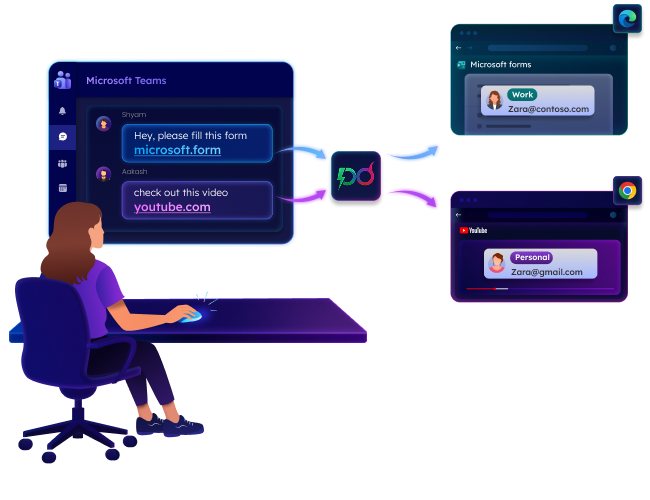
Stop dragging links between browsers and profiles. PowerDroid’s Smart Browse tool automatically routes every link to the right browser and profile based on the rules. Perfect for work, personal, and dev setups.

Download
Smarter Way to Route URLs on Windows

No cost

No ads

No tracking

No internet required
Why Choose Smart Browse?

Everything you need for smarter multi-browser management in one place — automated routing, simplified browser control, and effortless link handling.

Opens links in the right profile automatically

Auto-detects all browser profiles (personal, work, dev) and routes URLs to the correct profile using stable profile paths.

Bundle URLs into a group and route all at once

Create unlimited custom groups to organize related domains and control which browsers or profiles each link opens in.

Monitor URLs copied to the clipboard

Copy a URL and Smart Browse instantly checks your rules, shows the matching browser profile, and lets you open it with a single click.

Take instant action on URL routing events

Get instant toast alerts for unmatched URLs, disabled rules, clipboard matches, and turn them into rules in a single click.

Choose the exact profile without any conflicts

When multiple browser profiles are available for a matching rule, a visual picker lets you choose exactly where to open the link.

Experience Smart Browse in Action

A clean, intuitive interface for users juggling between 10+ tabs and 3+ browsers every day.

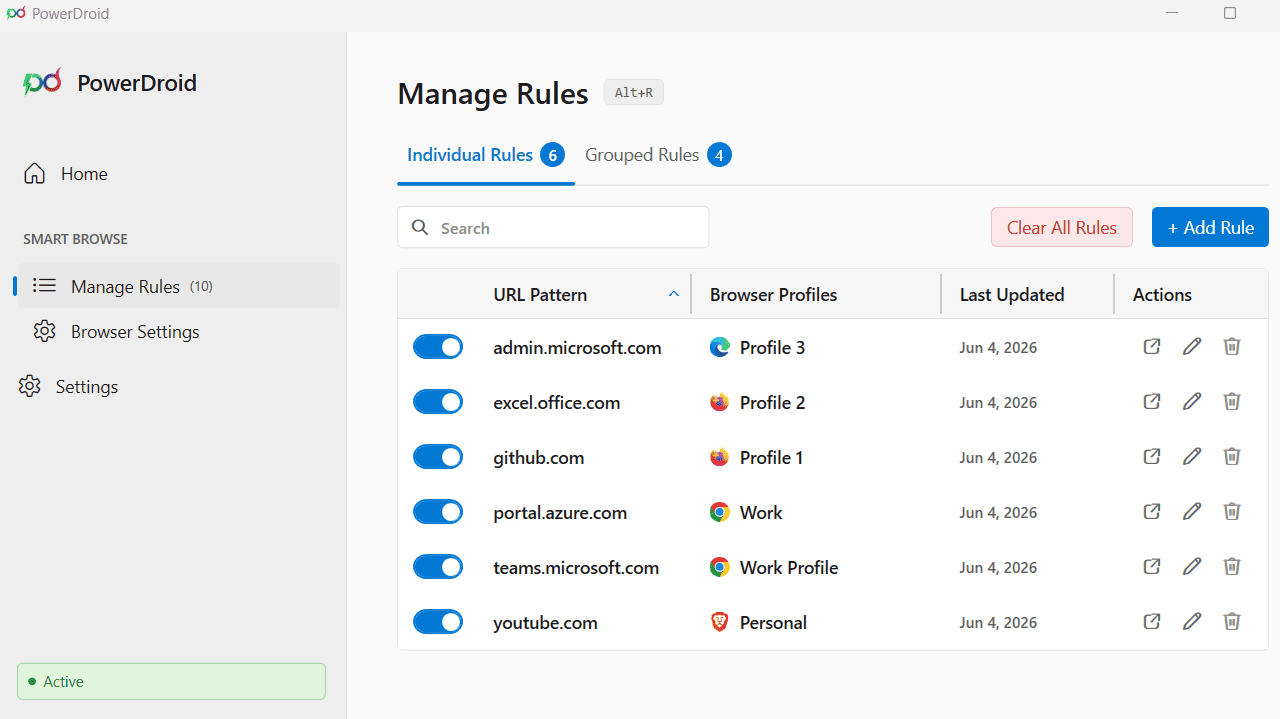
Rules Management

Flexible Routing Rules for Every URL

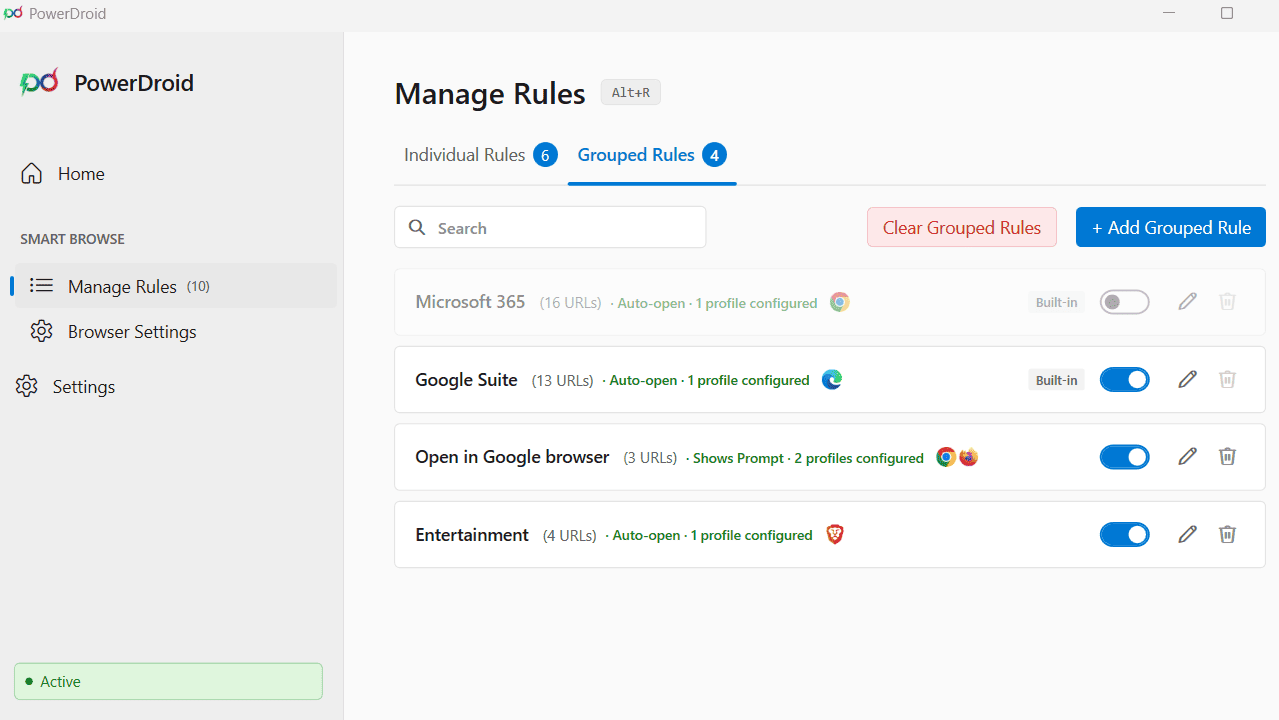
Create routing rules for any URL pattern individually or through grouped rules to control where should the link open across browsers and profiles.

  • Sortable and searchable rules grid with quick enable or disable toggles.
  • Quick controls to add, edit, or remove individual or grouped rules.
  • Support for moving rules between individual and grouped modes.
Flexible Routing Rules for Every URL
Organize Related Domains into Groups
Complete Control Over Your Setup
Your Routing Overview at a Glance
Settings Management

Complete Control Over Your Setup

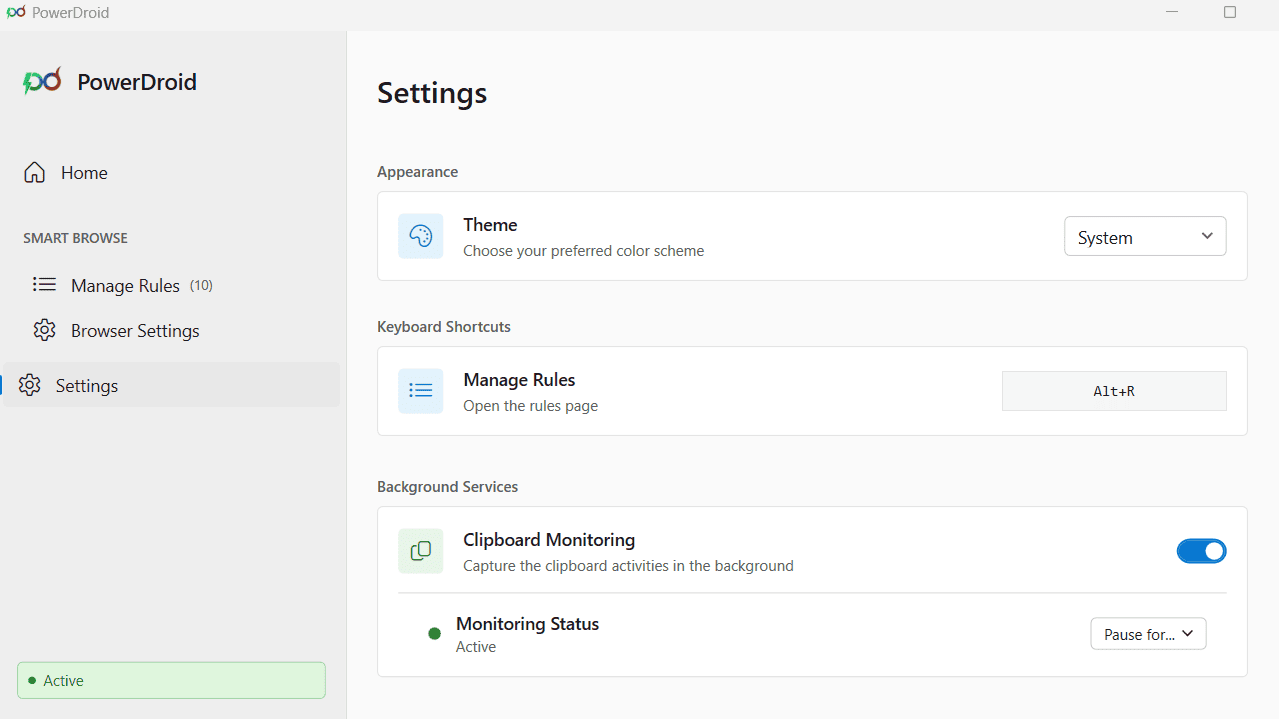
Configure every aspect of Smart Browse from a clean and organized settings experience.

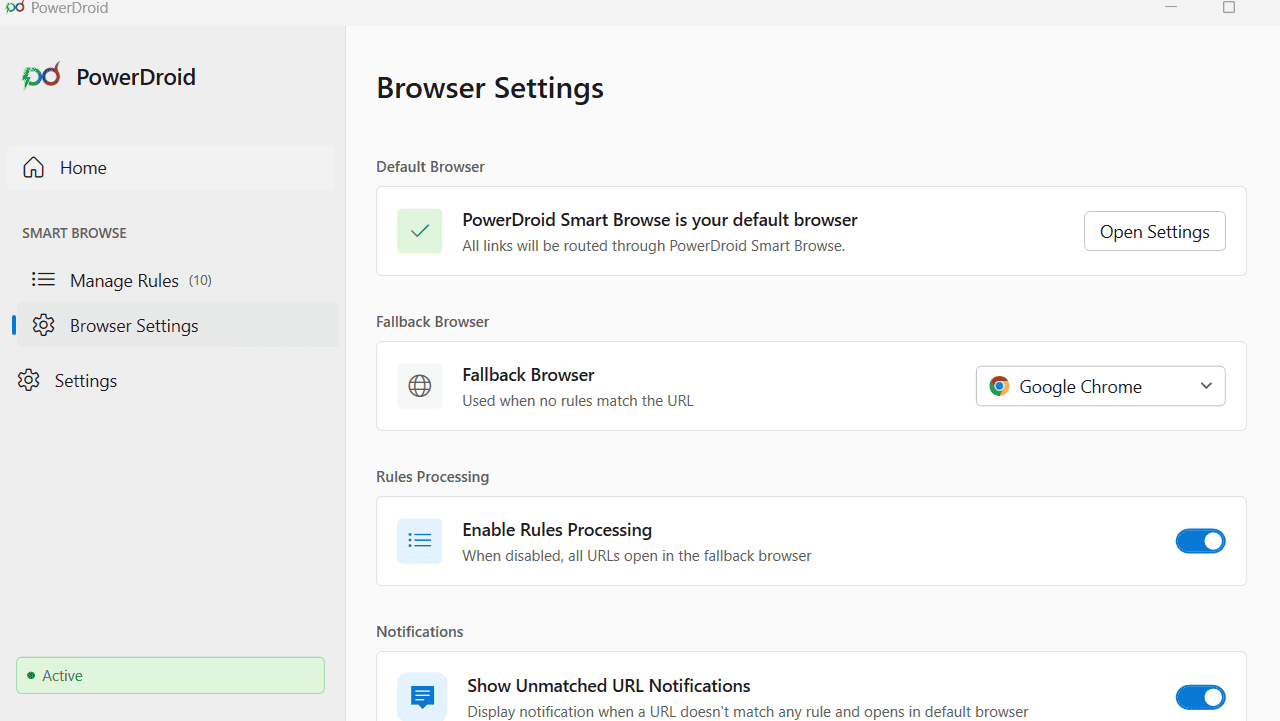
  • One-click selection for your preferred fallback browser.
  • Toggles to manage unmatched URL notifications and rule processing.
  • Turn clipboard monitoring on, off, or pause it temporarily with auto-resume.

Smarter Browsing for Multitaskers

Features that quietly do the heavy lifting every single day

Longest-match Wins for Rule Conflicts

The most specific URL pattern always takes priority. A rule for mail.google.com automatically overrides a broader google.com rule.

Instant Rule Creation from Notification

When you click a URL with no rule, a notification pops up with a “Create Rule” option to add and save a new rule without leaving your workflow.

Pause Clipboard Monitoring

Sharing your screen and don't want your routing rules to appear? Temporarily Pause clipboard monitoring right from the system tray. A live countdown shows when it will resume.

Export & Import Configurations

Backup all rules, groups, and settings to a single JSON file. Import backups anytime to replace your current configuration with one click.

Built-in URL Group Templates

Enable or disable built-in Microsoft 365 and Google Workspace groups, with full customization support for domains, browsers, and profiles.

Pattern Conflict Detection & Resolution

Get instant conflict alerts when a URL pattern already matches an existing rule. Choose to delete the old rule and create a new one or cancel the action.

Get Started in 2 Steps

Set it up once. Smart Browse handles every link from there

Step 1

Install & Setup

Download Smart Browse, run the installer, and set it as your default browser in Windows Settings with one click right inside the app.

Step 2

Create Your Rules

Use built-in templates or create custom individual rules and URL groups to route domains to specific browsers or profiles.

Manual Switching VS Smart Browse

Stop manually choosing browsers for every link. See how PowerDroid’s Smart Browse simplifies link routing

Feature
Manual Switching
Smart Browse
URL Routing
Manually copy links, switch browsers, and paste
Opens every link in the right browser automatically
Browser Profiles
Manually pick the right profile every time
Auto-detect profiles based on saved rules
Domain Grouping
Remember routing preference for each site individually
Group domains once and route them together
Clipboard URLs
No way to detect whether copied URLs belong to work or personal accounts
Auto-detect copied URLs and suggest the matching rule for quick access in a single click
New Domains
Manually select a browser each time for unfamiliar domains
Smart notification to create a rule once and automate it next time
Configuration Backup
No backup
Export and import routing configurations and settings anytime

Smart Browse works with every major browser you use

Chrome
Edge
Firefox
Brave
Opera

Take Control of Every Link You Click

Route every URL to the right browser and profile automatically. Set up rules, group your domains, and let Smart Browse do the rest.

100% Free

User-friendly

Open Source

Download