

No more wrestling with Event Viewer or PowerShell scripts
Stay ahead of threats with real-time auditing
Uncover the full story behind every change
Just like a well-structured control panel, AdminDroid breaks down Active Directory audit events into distinct, easy-to-follow sections for complete oversight.
Track every successful, failed, remote, and privileged logon in Active Directory using AdminDroid’s logon auditing tool to detect suspicious access across your domain.
Monitor all modifications to Active Directory objects like users, groups, OUs, DNS, and more with the Active Directory change tracking tool.
Identify who got locked out, why it happened, and which device triggered it with AdminDroid's lockout analyzer.
Stay informed on password change failures, successful resets, and compliance checks with AdminDroid's password audit collection.
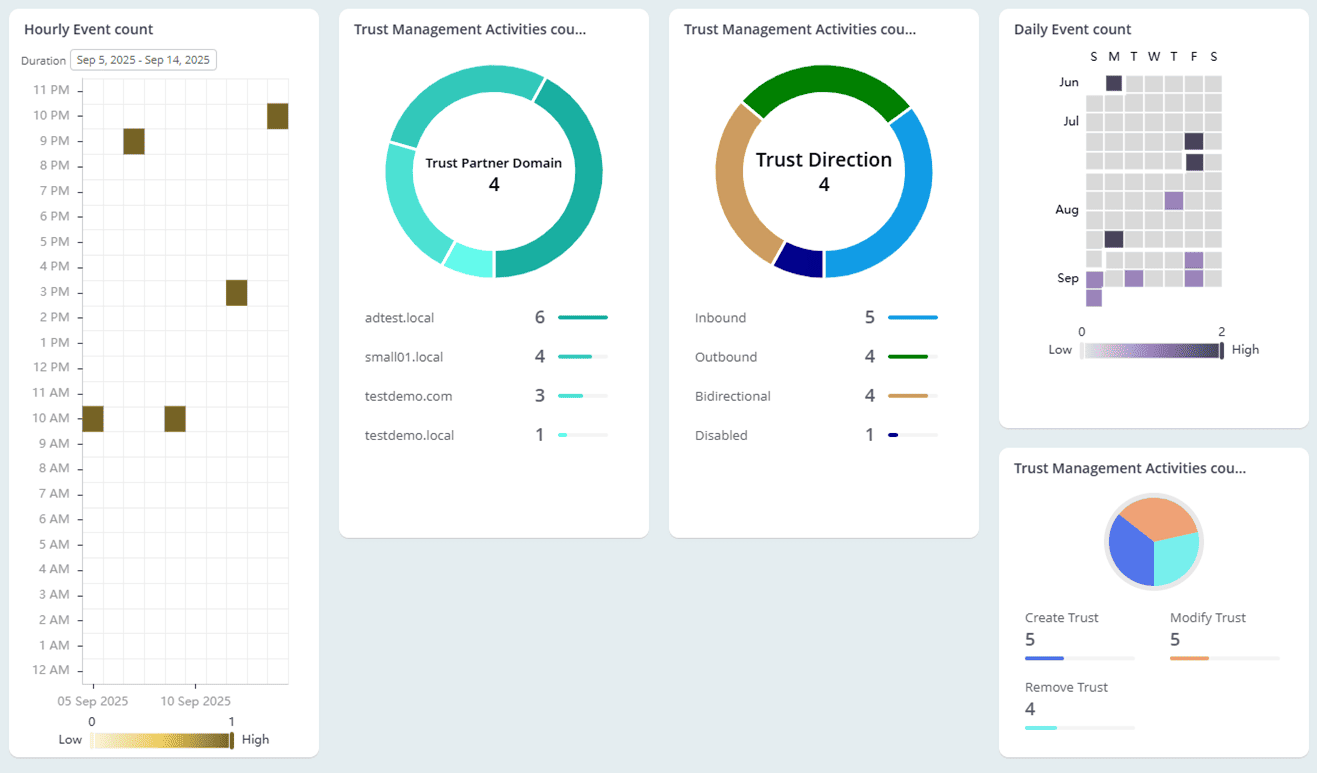
Keep an eye on domain and forest trust activities using AdminDroid’s trust relationship auditing to secure inter-domain communication and access paths.
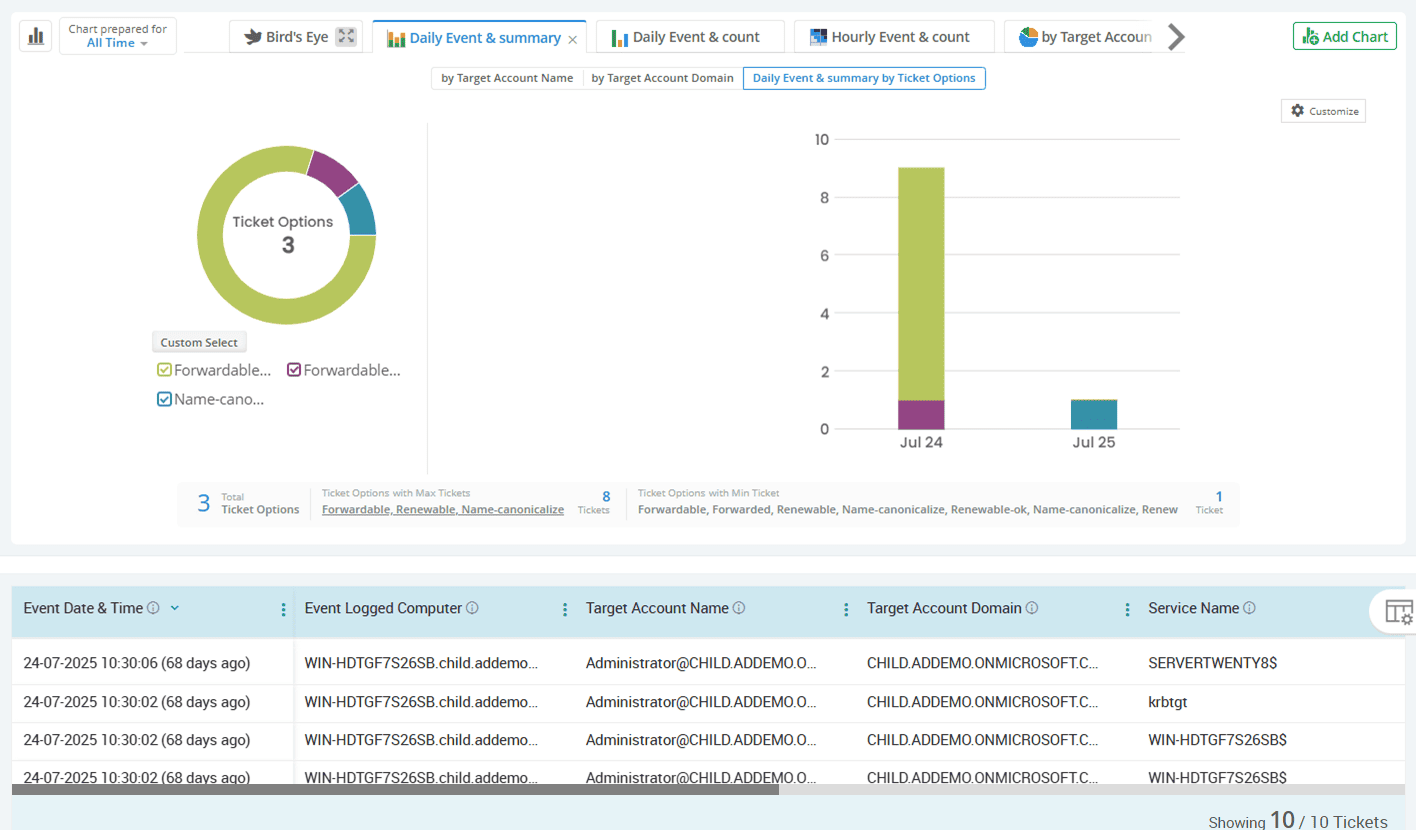
Get a detailed view of Kerberos ticket requests, authentication failures, encryption types, and privileged usage with AdminDroid’s in-depth Kerberos auditing reports.
Audit login activity, services, tasks, and privileged operations happening on your domain controllers and member servers with AdminDroid’s server activity auditing.
Track Windows-level changes like policy edits, event logs, process execution, and task scheduling through AdminDroid’s Windows auditing, designed to secure and streamline AD operations.
Active Directory
It starts with knowing who logged in, but it doesn’t stop there. AdminDroid brings clarity to Active Directory logon auditing by exposing the context behind every sign-in to detect anomalies and suspicious access patterns.
Gain insights into every user logon in Active Directory and its outcome
Identify the reasons behind users’ failed login attempts to mitigate risks
Monitor remote session-based logon activities in Active Directory
Keep privileged access in check by auditing high-risk sign-ins
Audit NTLM-based authentications with precision
Get clear insights into Active Directory user session behavior
Summarize user logon activity over time to identify unusual patterns
Gain insights into every user logon in Active Directory and its outcome
Every user's sign-in is a potential entry point, whether it's legitimate or unauthorized. AdminDroid captures complete user login history, including those made using explicit credentials. To quickly spot unusual login times or locations, it provides details such as logon type, time, user, source computer, source network address, source port, etc.
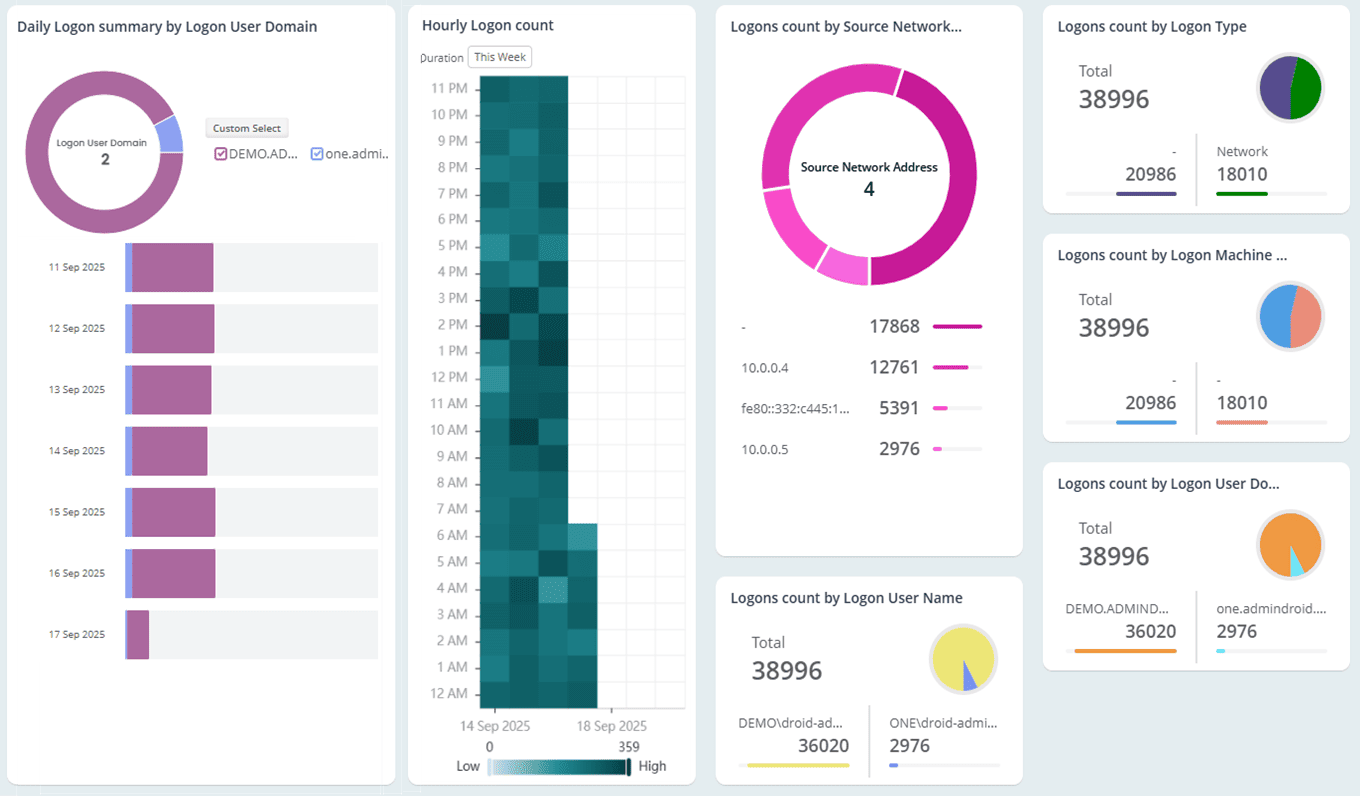
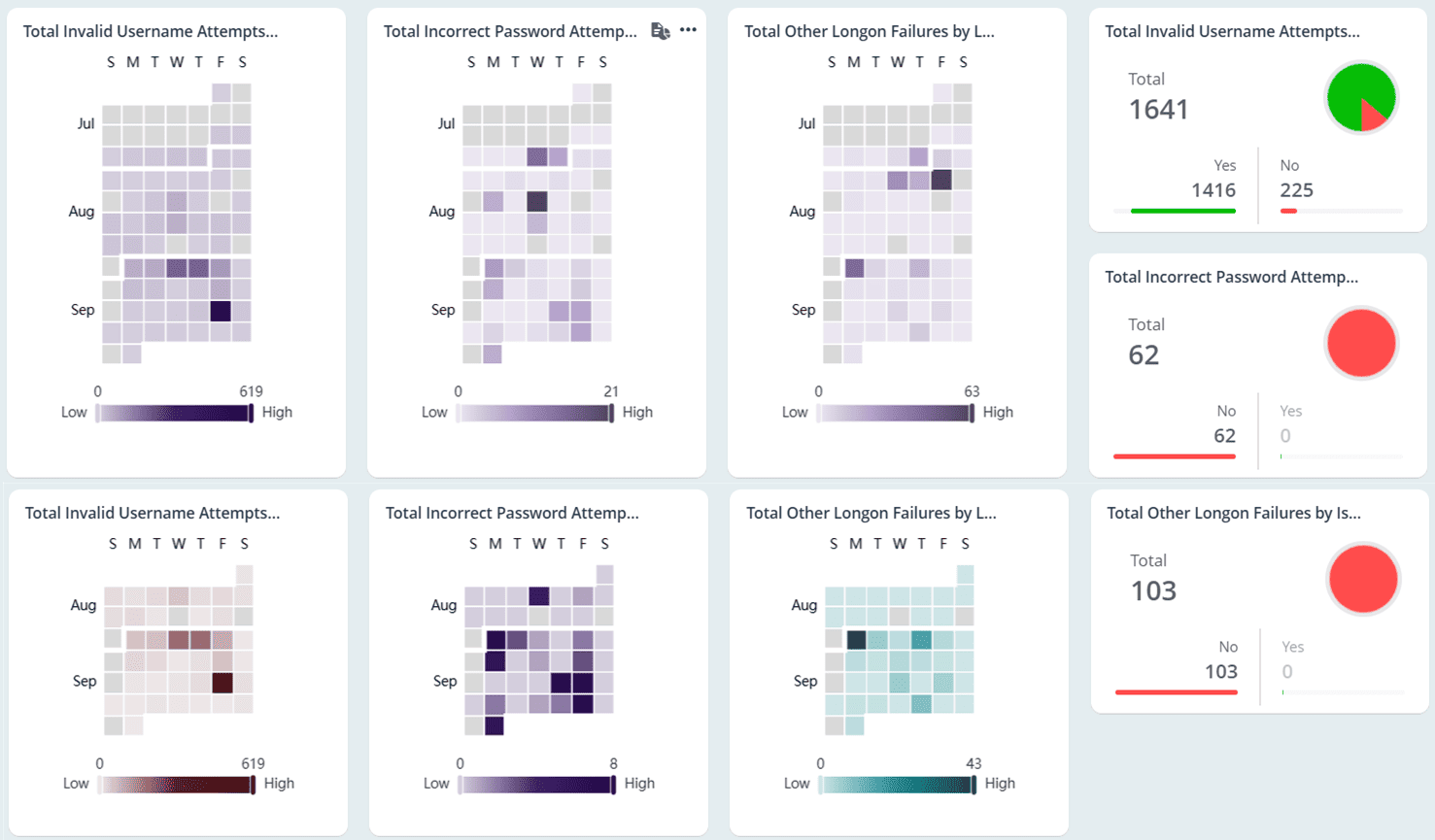
Identify the reasons behind users’ failed login attempts to mitigate risks
Not all failures are equal. AdminDroid breaks down failed login activity by reason, such as bad password attempts, expired accounts, locked-out users, logons outside allowed hours, and logons from unauthorized devices. This granularity helps you instantly pinpoint the issues and resolve them.
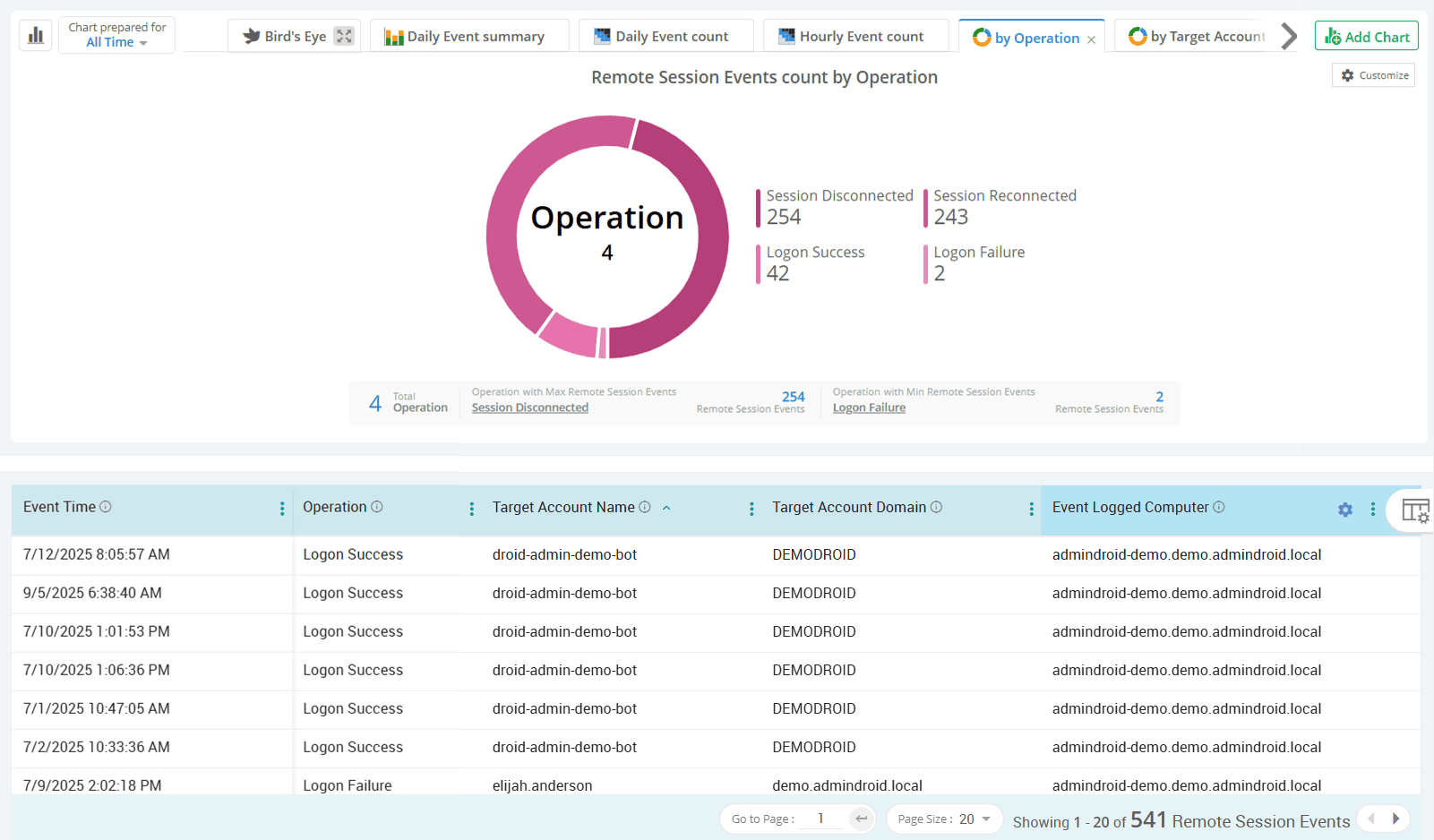
Monitor remote session-based logon activities in Active Directory
With the rise of remote work and VPN-based access, it’s essential to track the source computer of each login and whether those logins are legitimate. AdminDroid sheds light on every remote logon attempt, including session reconnections, disconnections, and logoffs to optimize session management in Active Directory.
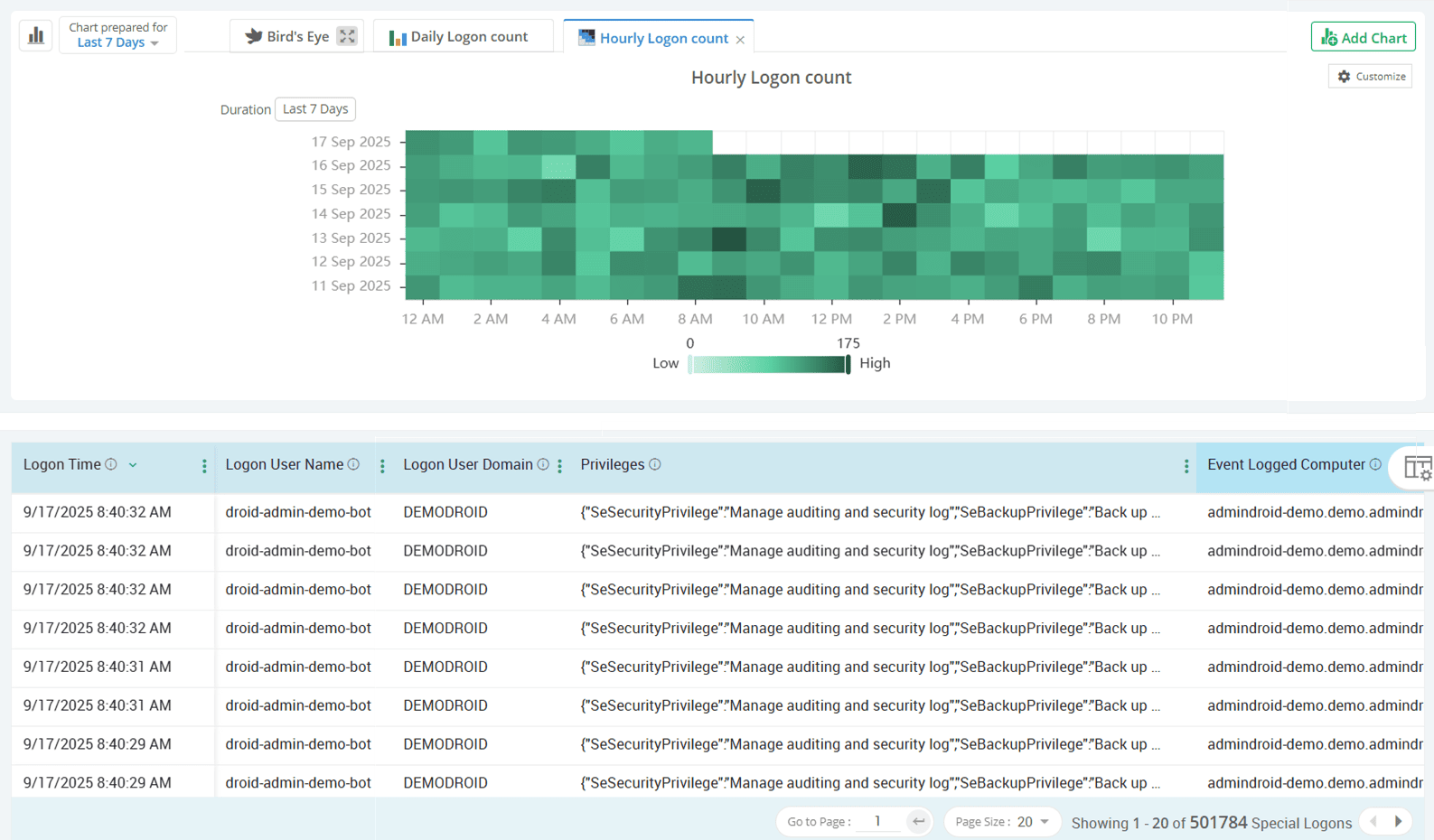
Keep privileged access in check by auditing high-risk sign-ins
Privileged accounts are prime targets for attackers, so their logons deserve special attention. AdminDroid separates logons from special group members and privileged users, helping you spot privilege misuse in a jiffy.
Audit NTLM-based authentications with precision
NTLM’s reliance on less secure password hashes makes it susceptible to replay and pass-the-hash attacks. AdminDroid tracks every successful and failed NTLM login to identify outdated protocols and helps you move toward Microsoft-recommended modern authentication.
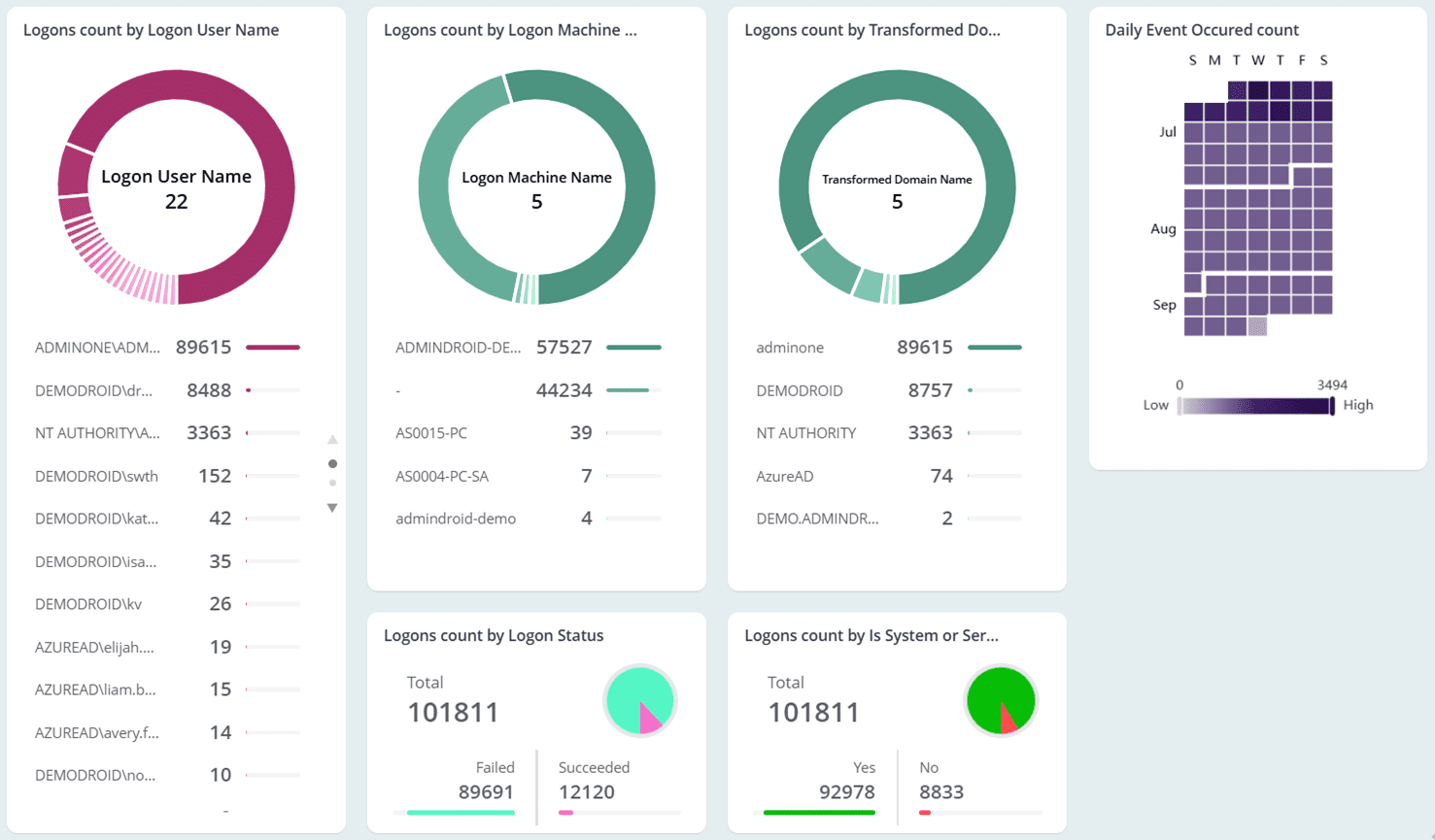
Get clear insights into Active Directory user session behavior
From session starts to disconnections and reconnections, AdminDroid sheds light on how users interact with their Active Directory sessions. These insights not only help detect abnormal activity or misuse but also assist admins in enforcing session time limits and optimizing sign-out policies.
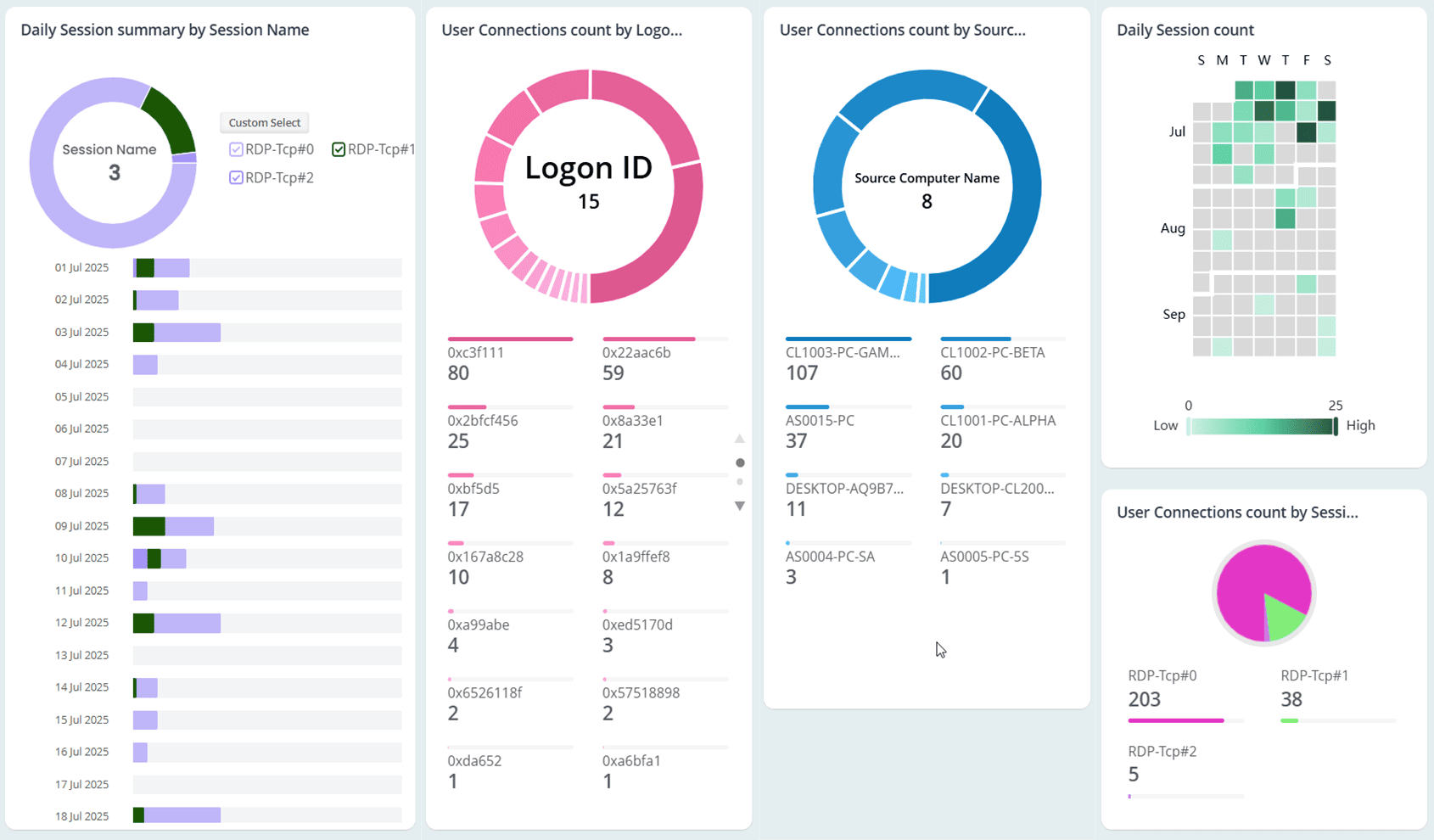
Summarize user logon activity over time to identify unusual patterns
Knowing when users log in and how often they access systems is essential for spotting anomalies. AdminDroid captures each user’s first logon of the day and compiles daily and monthly summaries to support long-term behavior analysis.
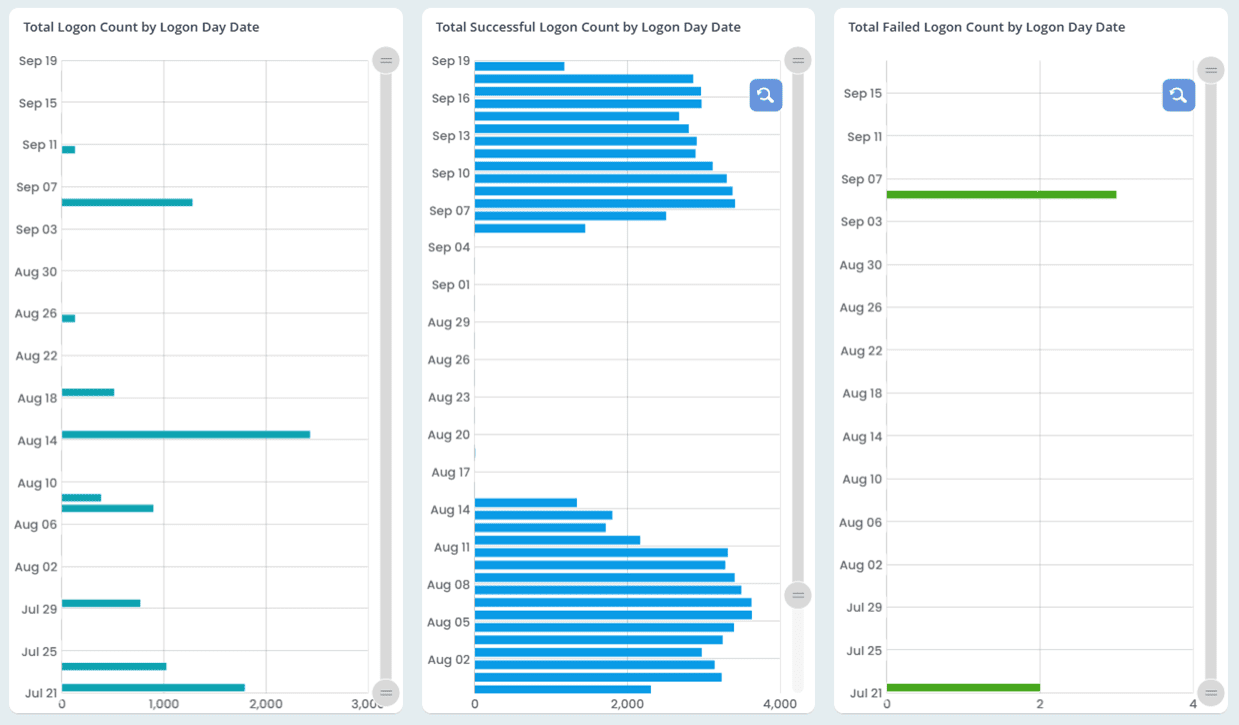
Active Directory
One small object change can set off a chain reaction in your Active Directory environment. AdminDroid keeps you informed before small ripples of AD object management activity turn into waves, enabling you to take timely action.
Sliced and diced reports on Active Directory user administration activities
Visibility into AD group management and membership changes
Monitor every Active Directory computer management activity
Catch organizational unit administration changes before they break things
Stay notified of Active Directory contact administration activities
Track every change in Active Directory DNS zones and nodes
Detect object-level permission changes without blind spots
Audit fine-grained password policy configuration and changes
Sliced and diced reports on Active Directory user administration activities
AdminDroid tracks changes to Active Directory users with full details on what changed, who made the change, and when it occurred. Easily track user creations, modifications, moves, renames, disables, unlocks, deletions, and restorations through dedicated reports to enhance Active Directory security.
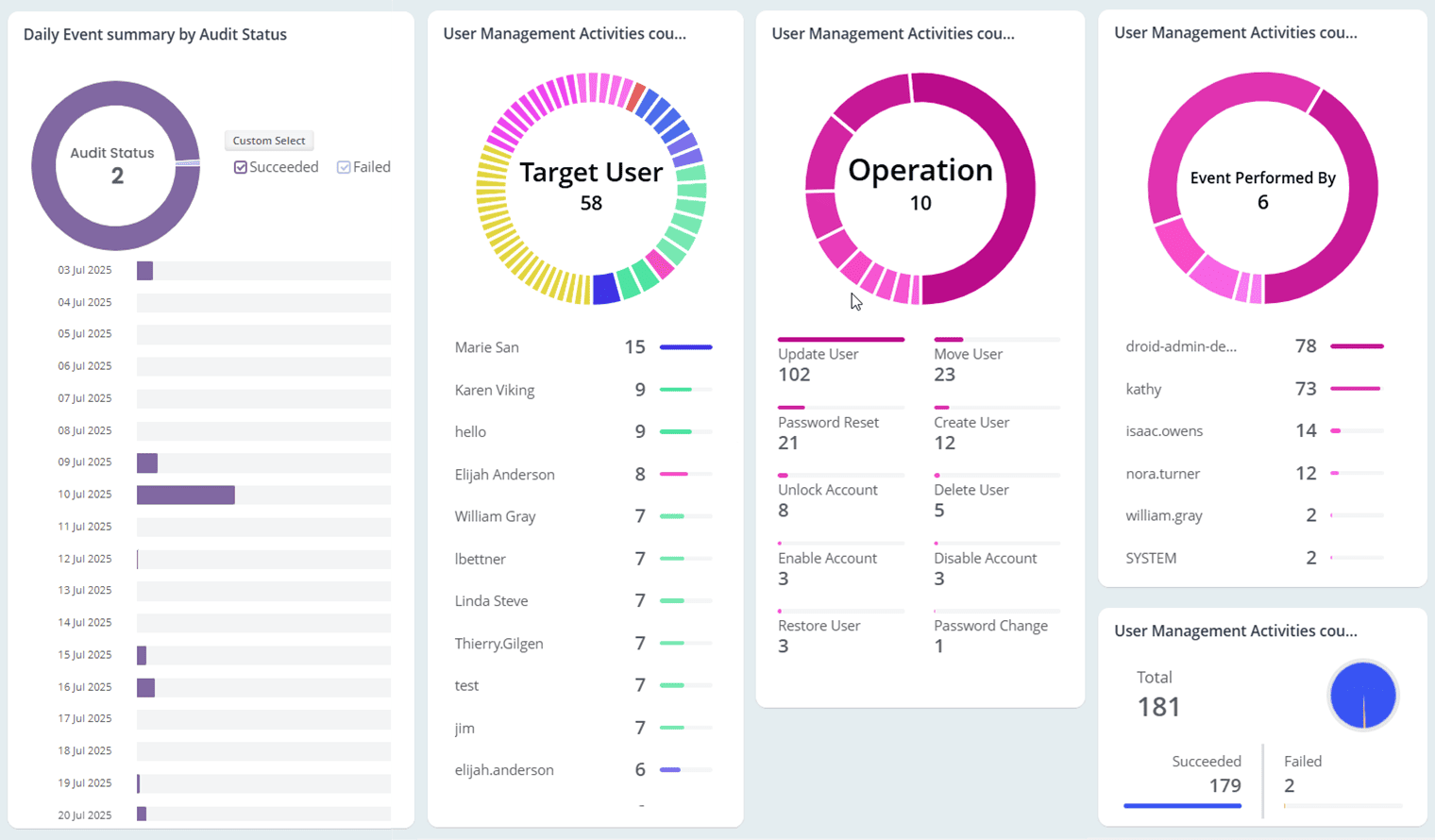
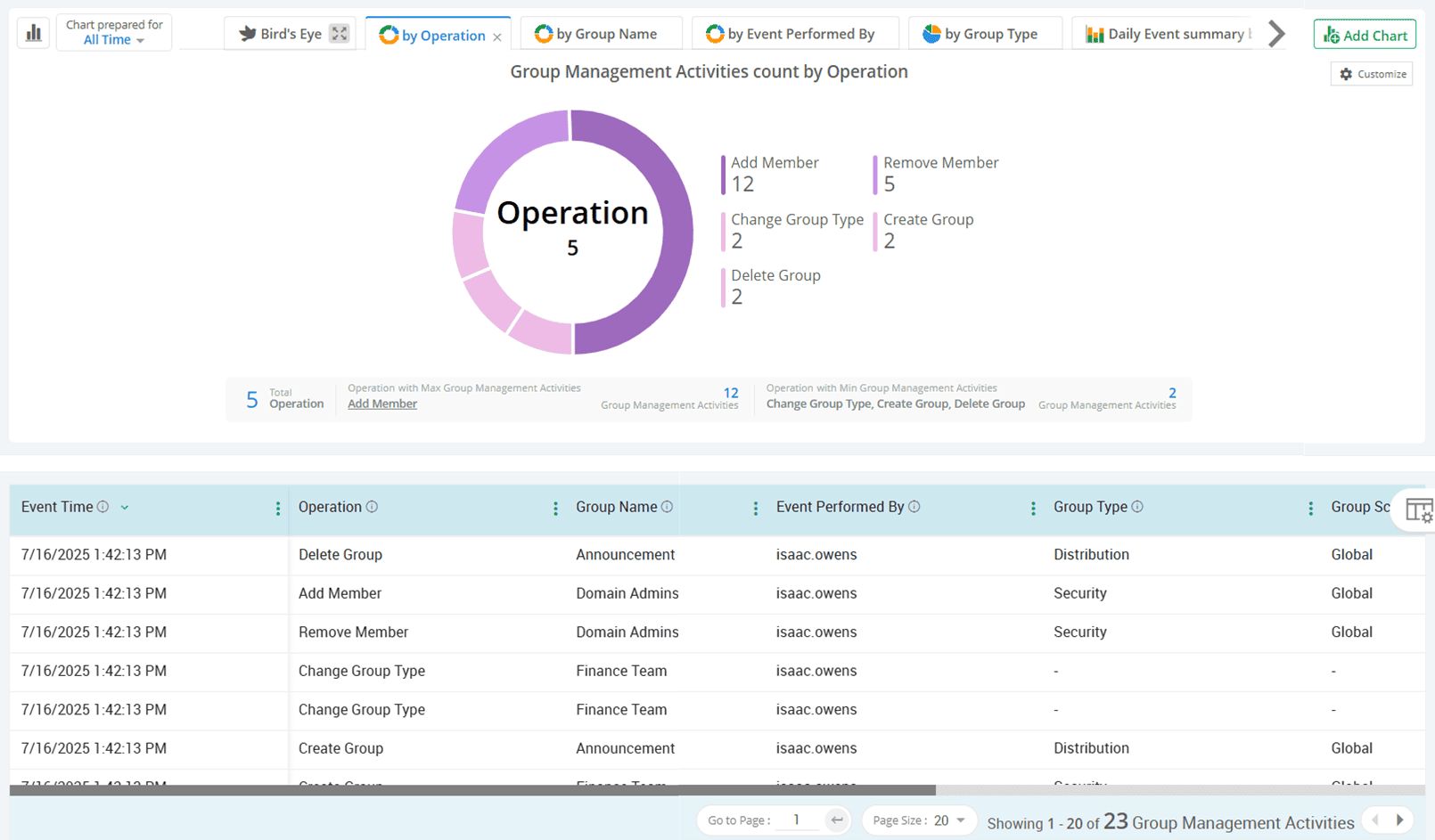
Visibility into AD group management and membership changes
Be alerted to configuration changes in Active Directory security and distribution groups through clearly organized reports, neatly formatted with AI-powered charts. From group creations, modifications, and deletions to group membership changes, every action is logged, so you can catch misconfigurations before they snowball into a ground-breaking disruption.
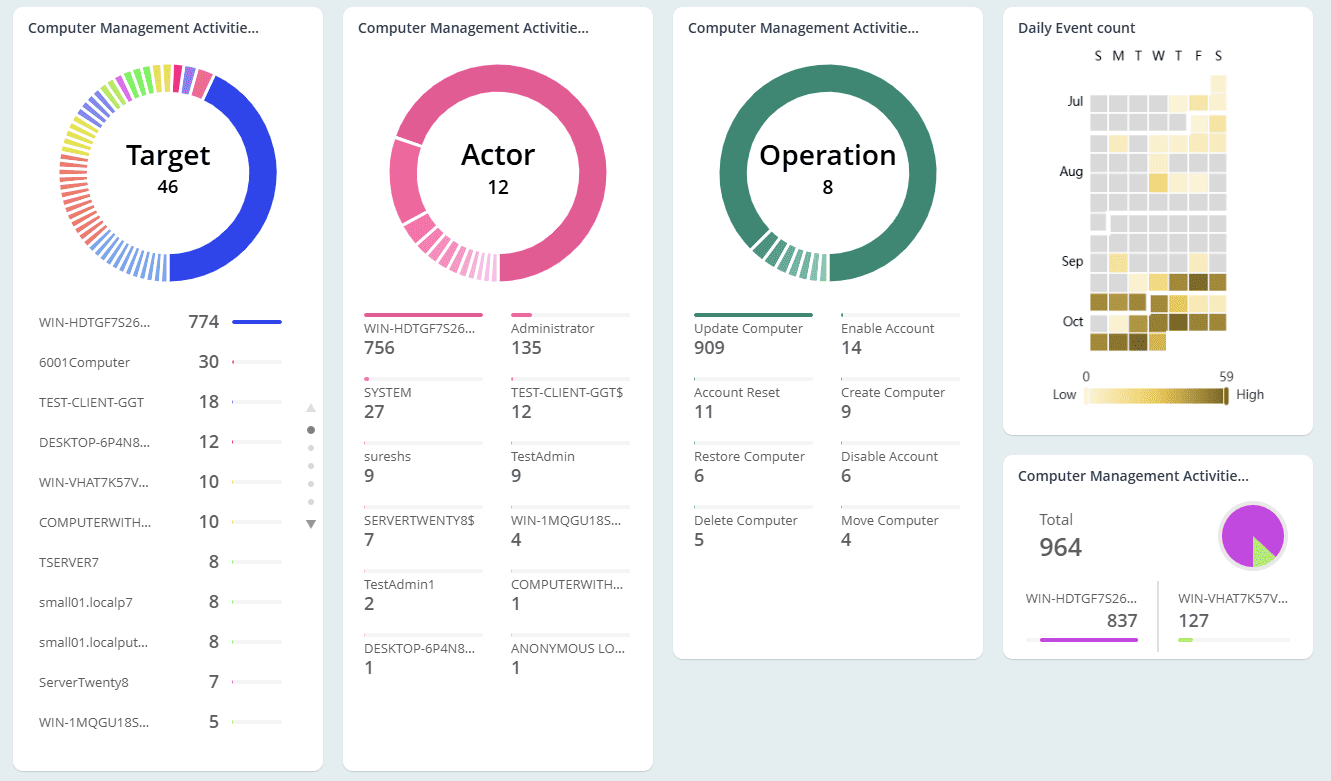
Monitor every Active Directory computer management activity
AdminDroid not only tracks newly created computers but also keeps a close watch on critical changes made to existing computer accounts. This includes resets, OU movements, renames, and disabled computers, helping you keep every system properly managed and secure.
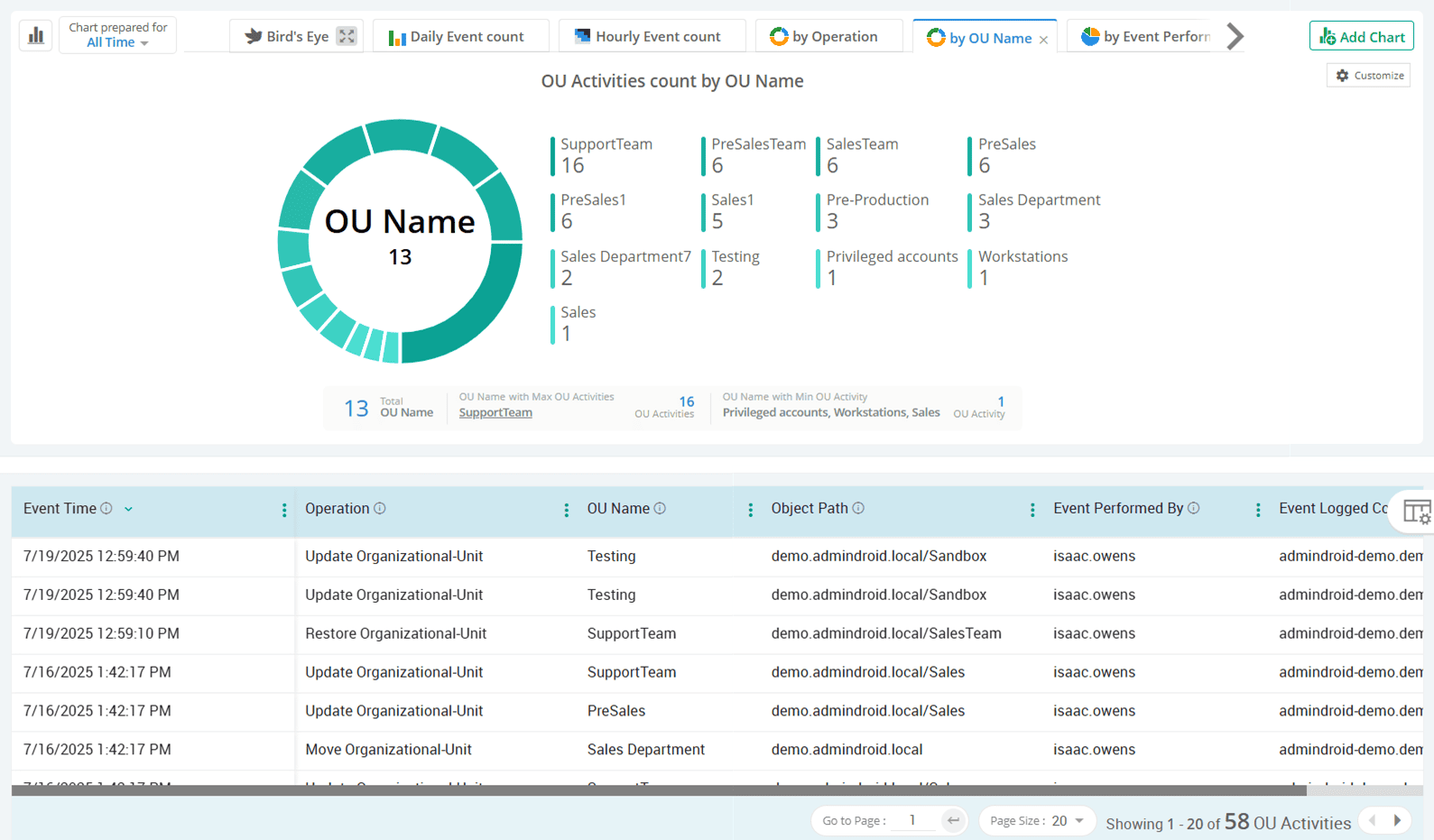
Catch organizational unit administration changes before they break things
Changes to Active Directory OU structures can affect delegation and policy enforcement. That’s why AdminDroid ensures nothing slips under the radar by auditing organizational unit creation, movement, deletion, and restoration activities to help maintain structural integrity. It also helps you identify what was changed in OU objects, showing the updated attribute, new value, and old value for easy comparison.
Stay notified of Active Directory contact administration activities
Be aware of every contact creation, modification, or deletion in Active Directory to maintain communication integrity and ensure compliance. Never let a single unnoticed contact change misdirect sensitive emails or unintentionally expose internal data to external domains.

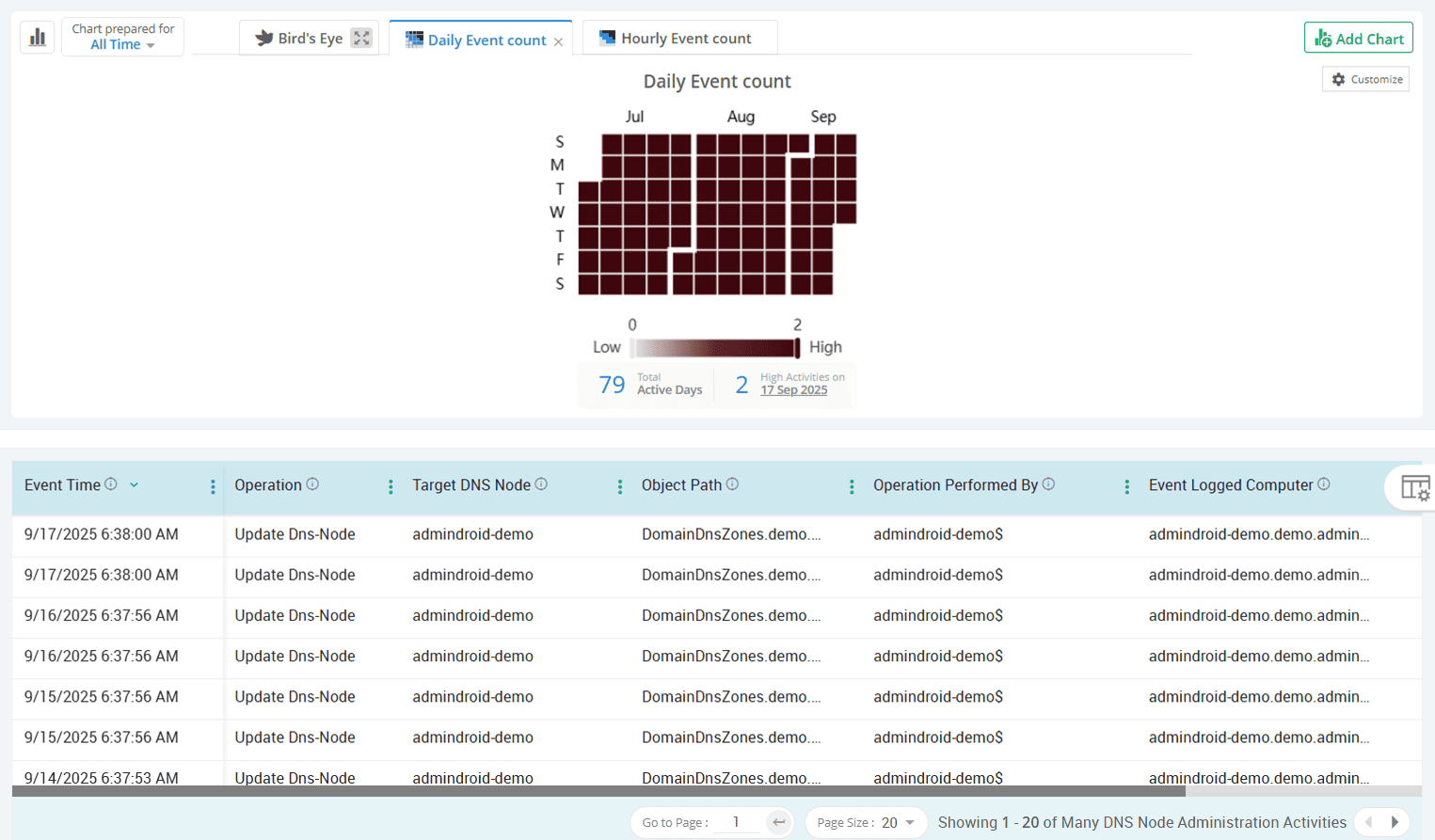
Track every change in Active Directory DNS zones and nodes
Even a minor DNS modification in Active Directory can disrupt domain trust or bring core services to a halt. AdminDroid tracks both DNS record changes and DNS permission changes in detail to ensure nothing goes unseen.
Detect object-level permission changes without blind spots
Unchecked permission changes in Active Directory objects can quietly erode your security foundation. AdminDroid breaks down SACL and DACL changes across users, groups, contacts, OUs, GPOs, DNS records, domain settings, and schema objects to provide a complete picture.
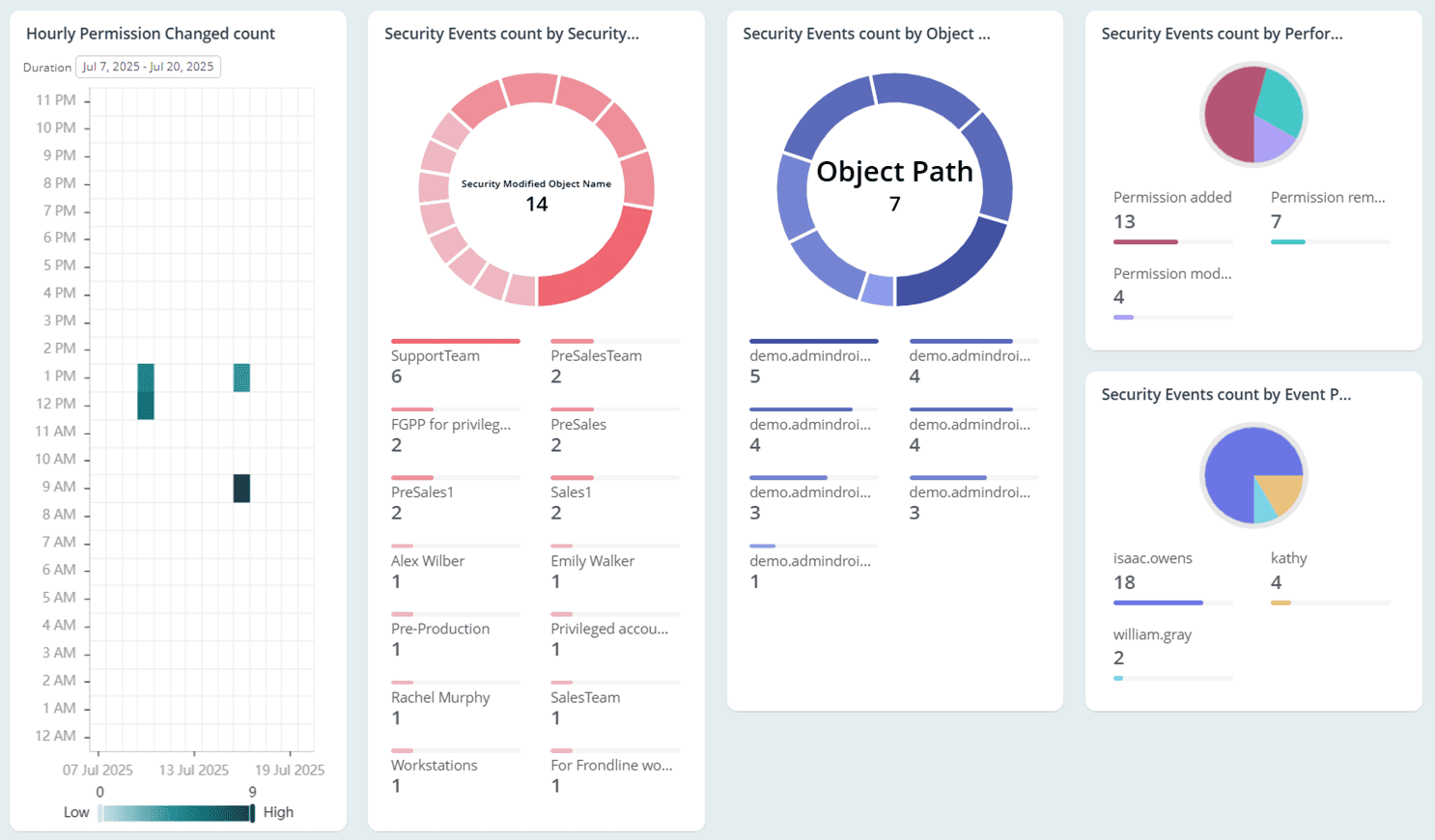
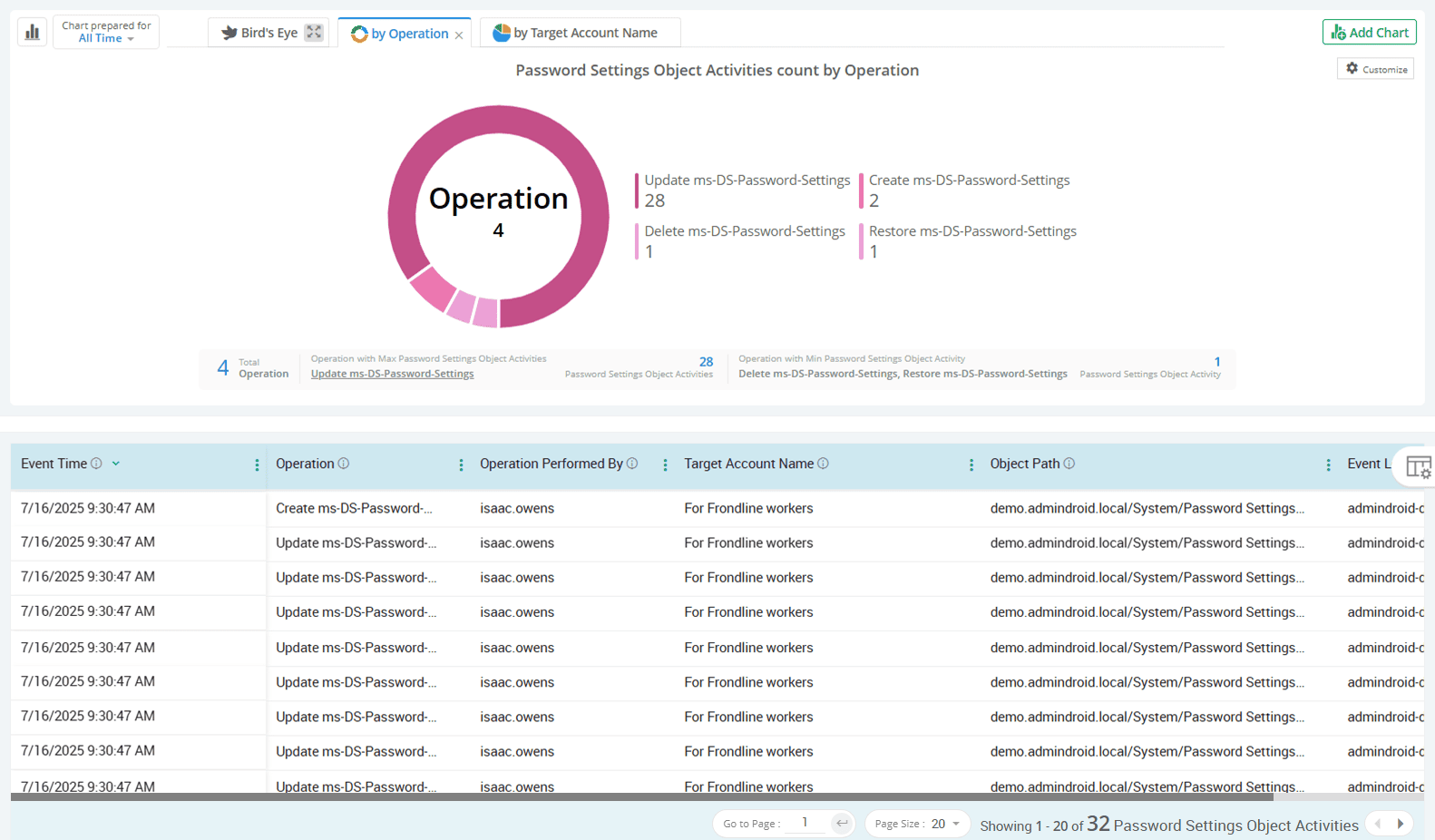
Audit fine-grained password policy configuration and changes
Active Directory fine-grained password policies let you define custom password rules for specific users or security groups to maintain the front line of account security. AdminDroid ensures compliance by tracking every creation, modification, deletion, and restoration of these policies.
Active Directory
Account lockouts may seem routine, but they often signal hidden threats. AdminDroid reveals the true cause behind every account lockout event through intuitive reports and dashboards.
Find recently locked-out users in your Active Directory domain
Pinpoint computers that triggered user account lockouts
Get a daily breakdown of user account lockouts across Active Directory
Investigate the reasons for account lockout in Active Directory
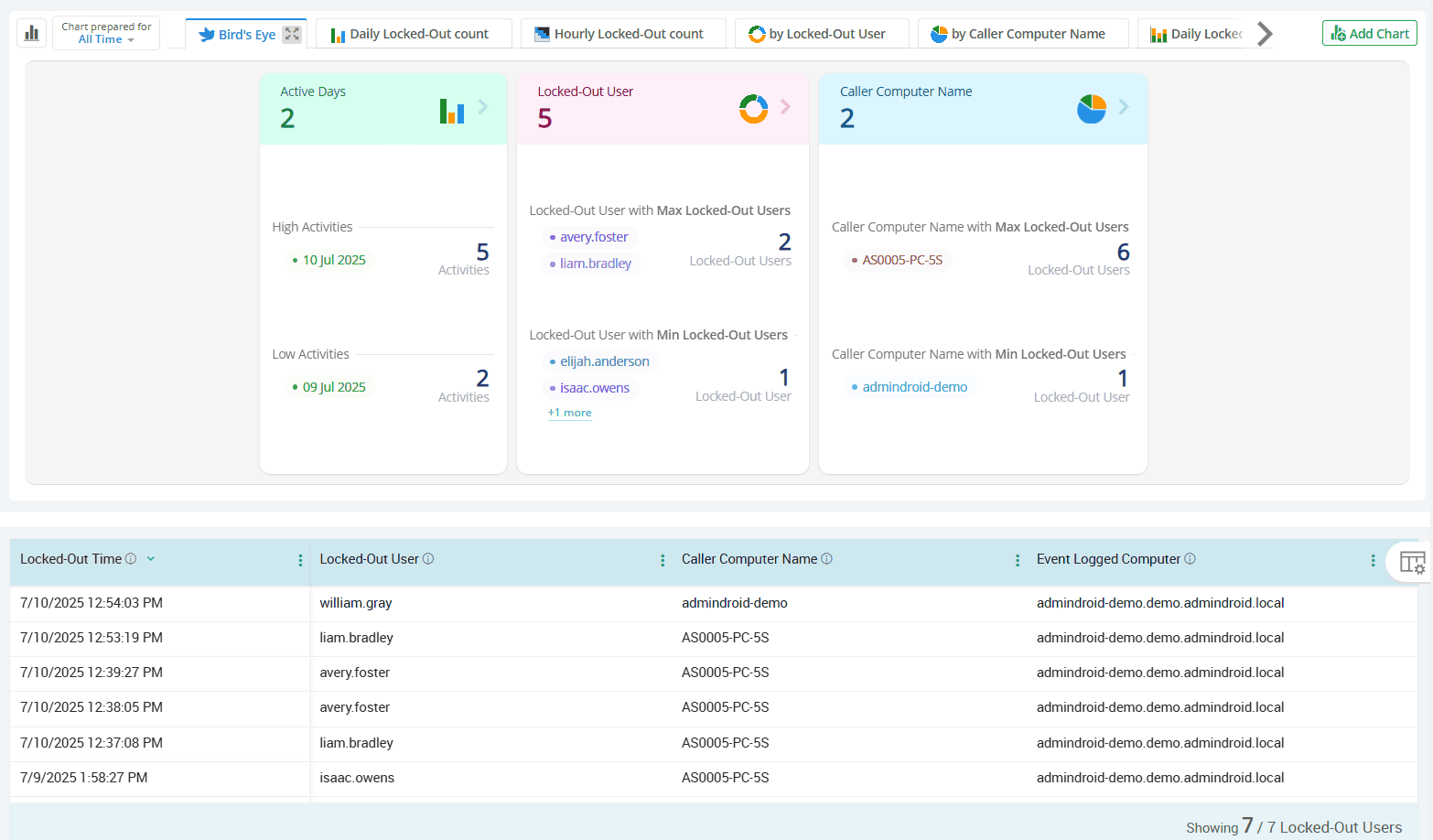
Find recently locked-out users in your Active Directory domain
By identifying lockouts in real time, you can reduce help desk workload, minimize user disruption, and investigate the root cause before it escalates into a broader issue. With AdminDroid, you can get a clear list of recently locked-out users and receive instant alerts with complete context to support quick and effective resolution.
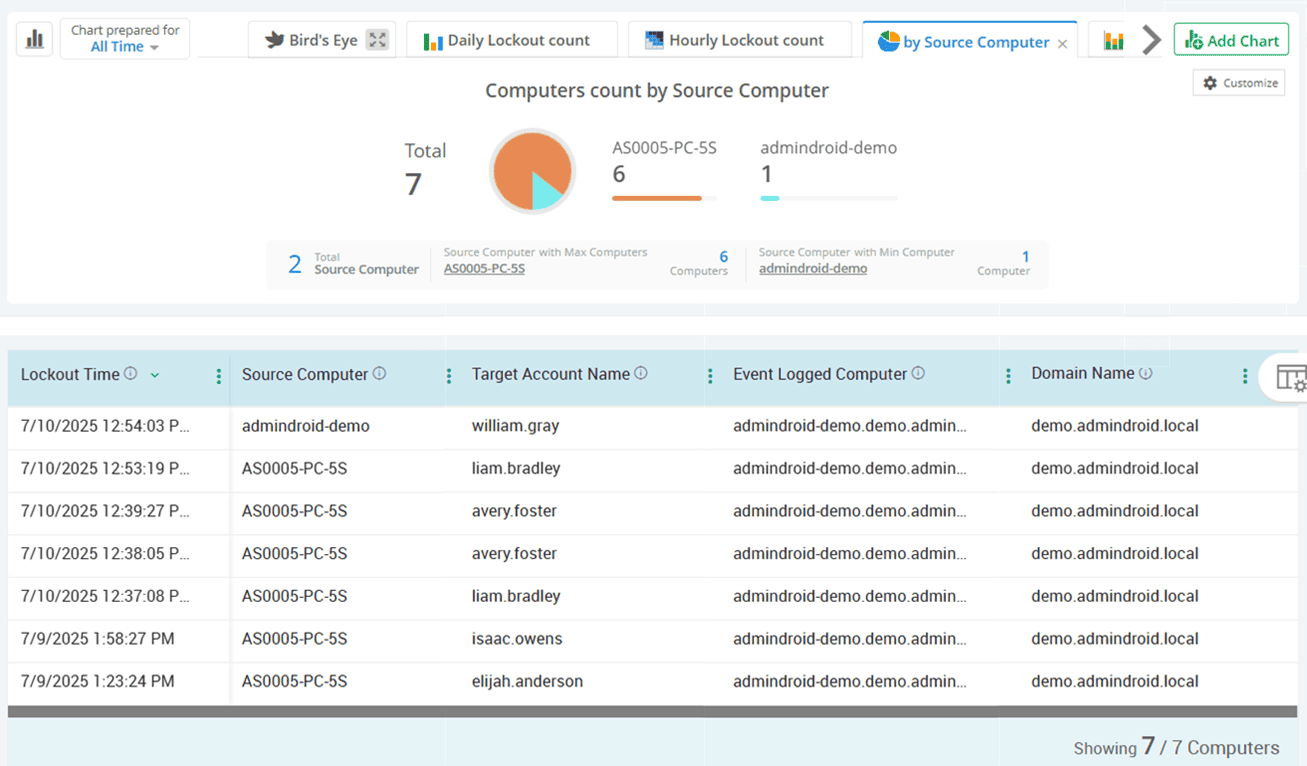
Pinpoint computers that triggered user account lockouts
Repeated lockouts from the same device often indicate cached credentials, outdated tasks, or misconfigured services. AdminDroid lockout auditing tool identifies the exact source machine of the user account lockout, so you can trace the issue and stop recurring disruptions.
Get a daily breakdown of user account lockouts across Active Directory
AdminDroid’s Active Directory auditing tool offers precise tracking of lockout trends with daily summaries that highlight spikes and unusual patterns. This empowers you to pinpoint misconfigurations, prioritize investigations, and prevent recurring issues before they impact productivity.
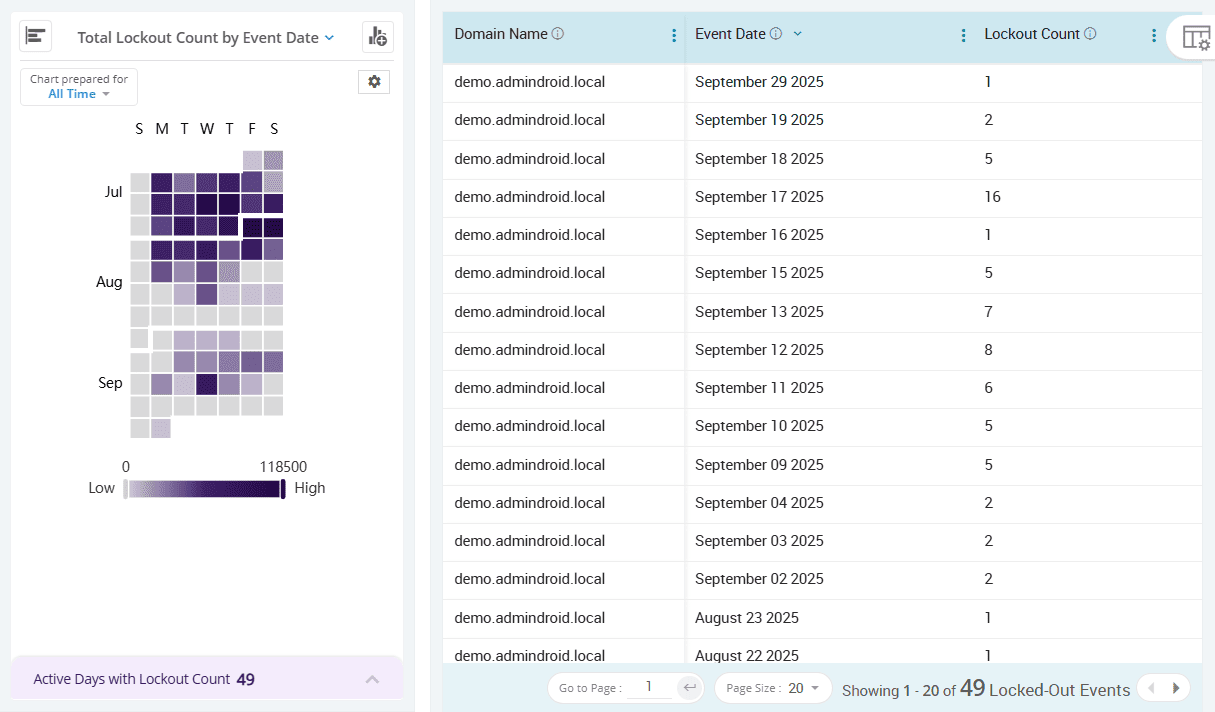
Investigate the reasons for account lockout in Active Directory
Not all lockouts are the same. AdminDroid reveals the reason for each lockout, such as incorrect passwords, cached credentials, password policy issues, scheduled tasks, and much more. This insight helps you quickly resolve issues and ensure top-level employees aren’t locked out of their accounts for long.

Active Directory
A simple password change in Active Directory could be the first sign of user account compromise. AdminDroid audit password changes to enhance visibility and support stronger account security in Active Directory.
Track user-initiated password changes in Active Directory
Monitor admin-triggered password resets in real-time
Catch failed password change and reset attempts in Active Directory
Uncover high-risk password activities across your domain
Get a clear picture of password compliance policy checks
Track user-initiated password changes in Active Directory
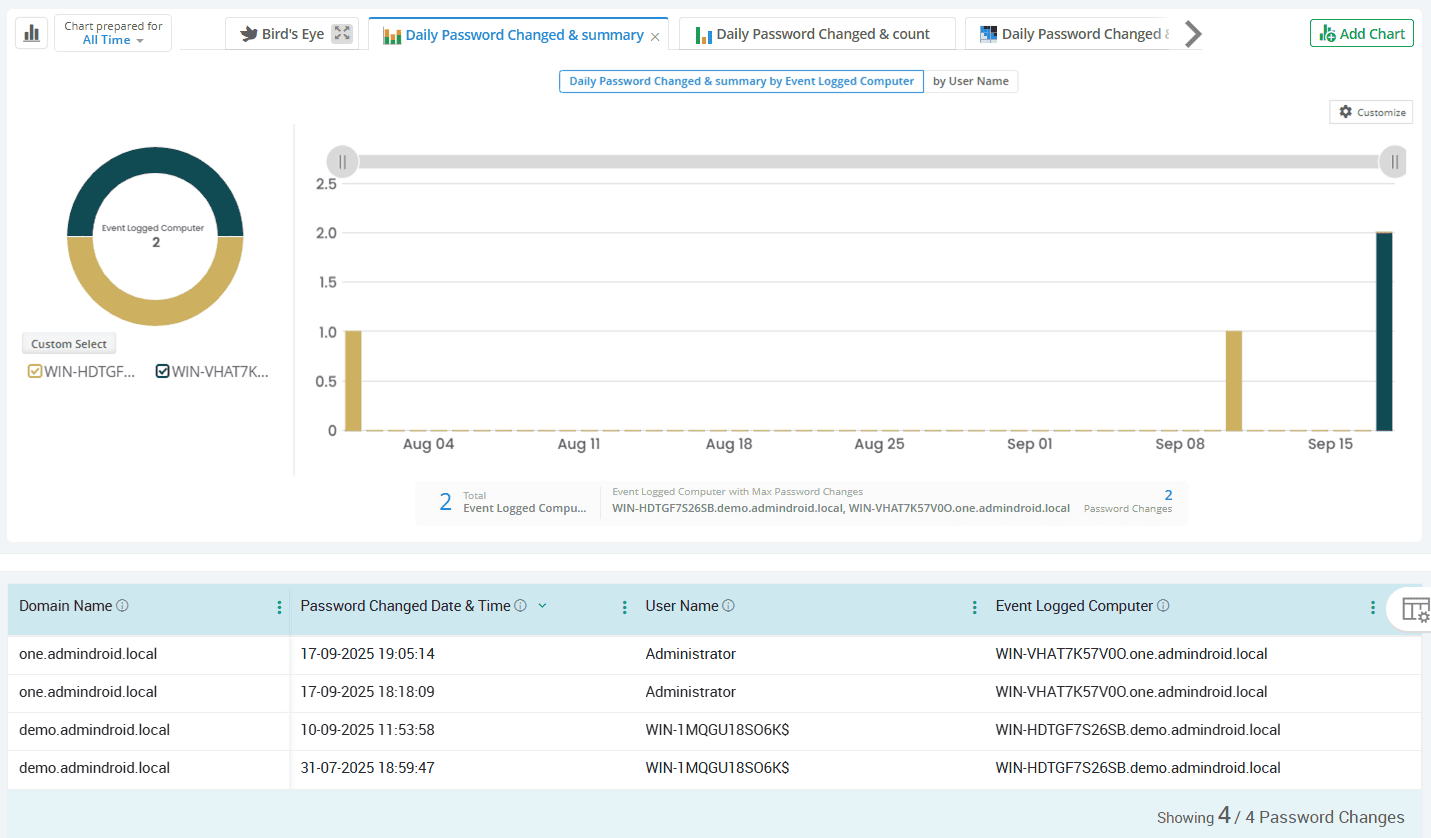
Stay informed when users change their own passwords with AdminDroid's Active Directory password change auditing tool. It helps detect abnormal behavior such as frequent changes or changes during non-business hours, offering insights into potentially compromised credentials.
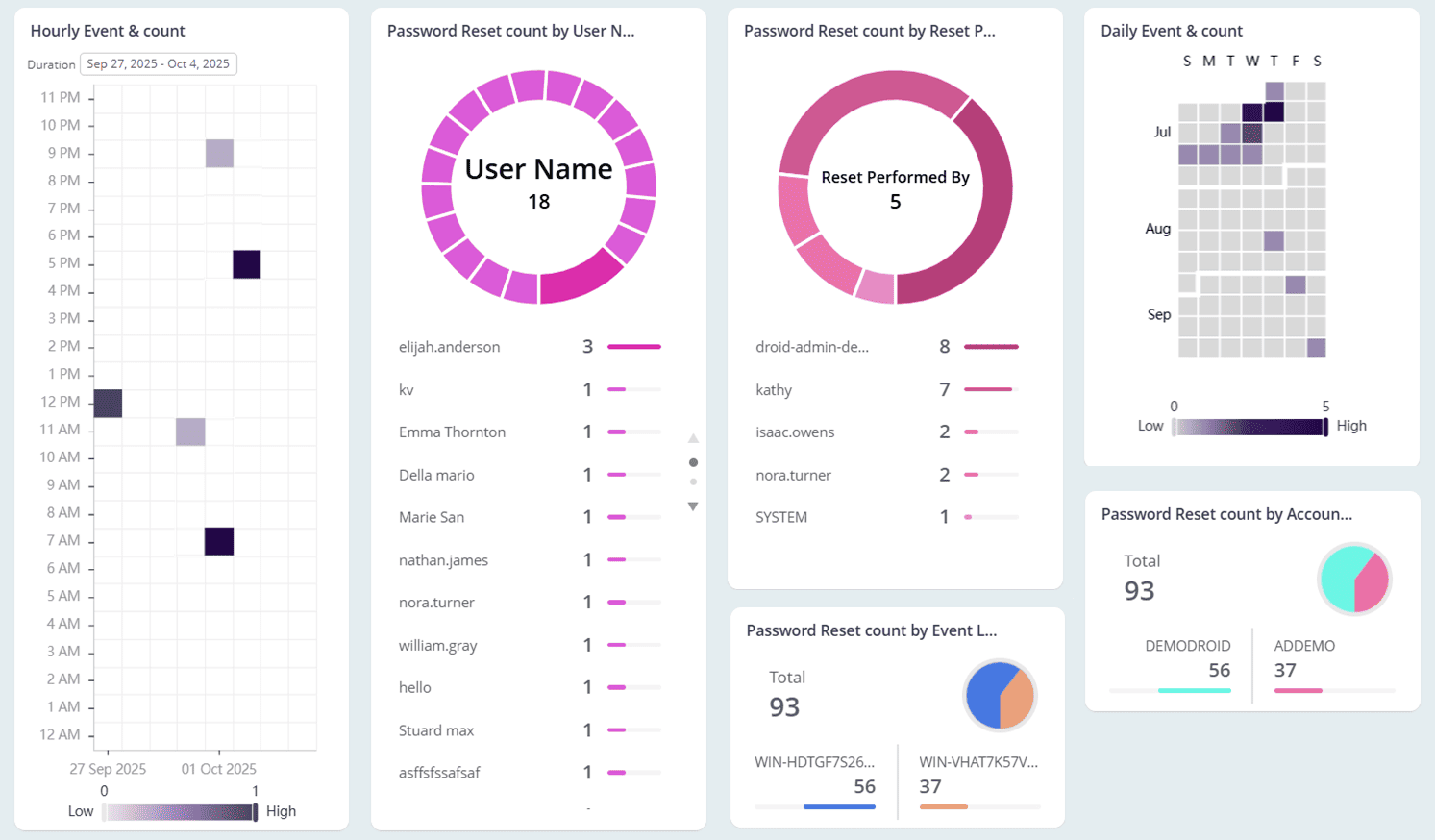
Monitor admin-triggered password resets in real-time
Password resets by admins are commonly triggered during user onboarding, forgotten credentials, or in response to a potential compromise. AdminDroid provides full context around all admin-initiated password reset events, helping you distinguish between routine actions and those that may indicate a security threat.
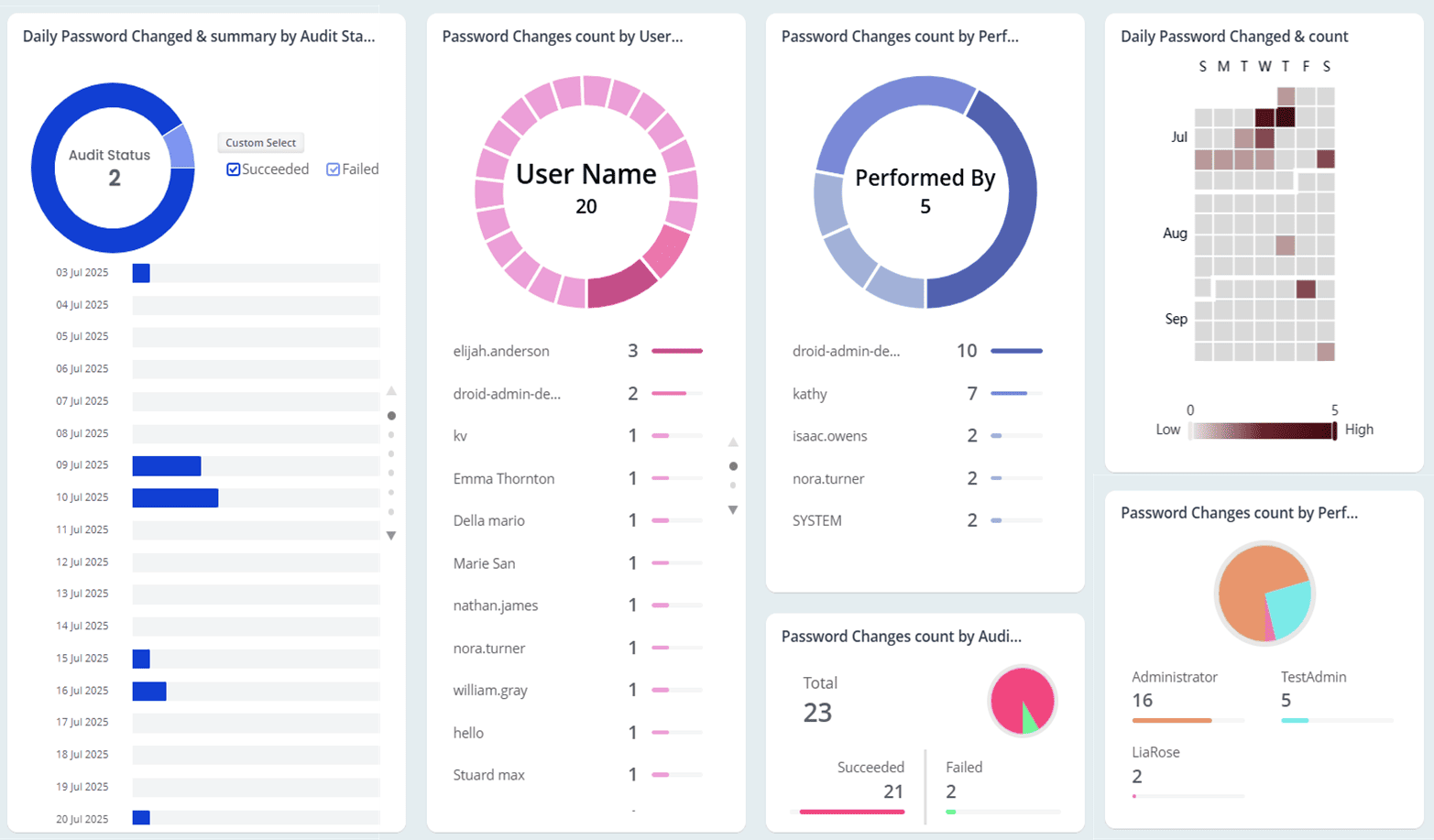
Catch failed password change and reset attempts in Active Directory
Password change or reset failure events often point to deeper issues like policy violations, sync delays, or brute-force activity. AdminDroid audits password changes and flags every failed password change or reset attempt, so administrators can drill down into root causes with precision.
Uncover high-risk password activities across your domain
The Directory Services Restore Mode (DSRM) account holds elevated privileges and is used during critical recovery operations in Active Directory. AdminDroid detects DSRM password resets and password hash migrations, giving you real time alerts on critical actions that often go unnoticed.
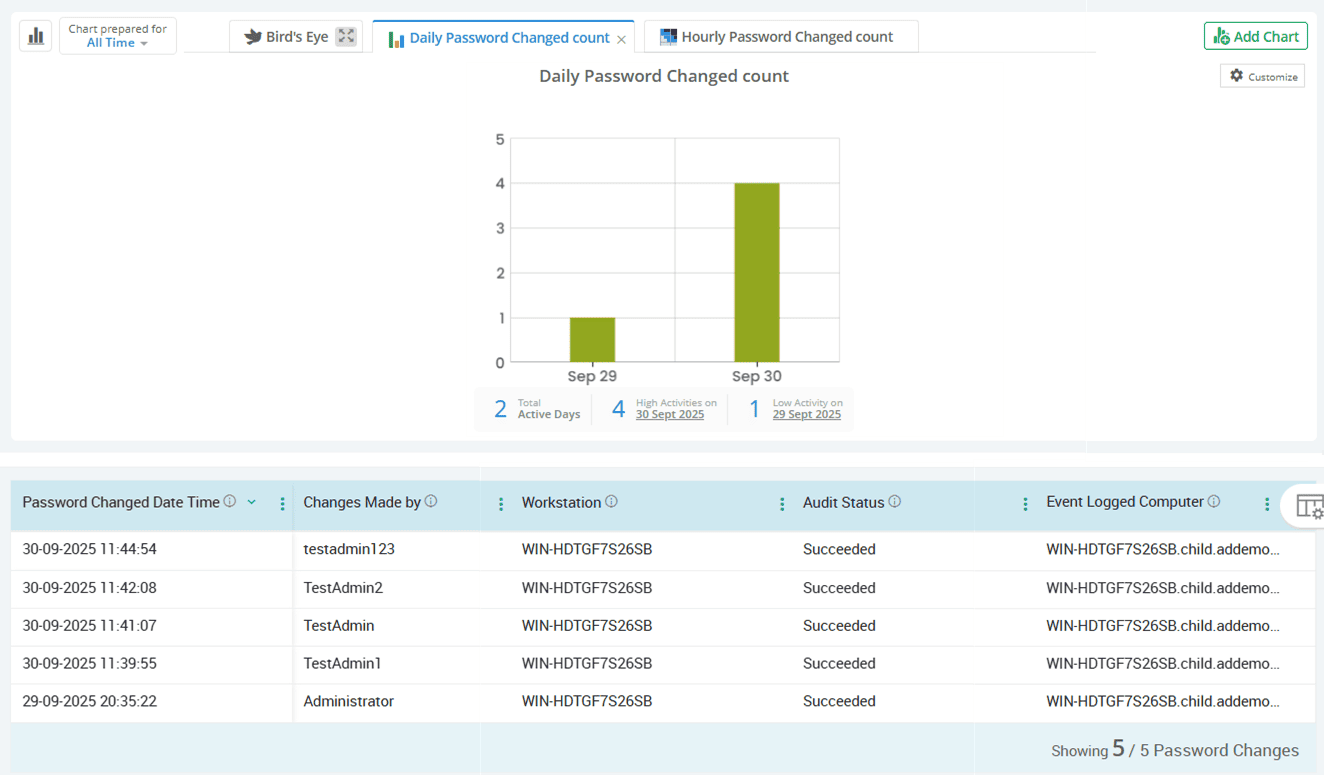
Get a clear picture of password compliance policy checks
AdminDroid provides detailed records of every time the Password Policy Checking API is called, showing instances where credentials are evaluated against current policies. Scheduling password policies report for regular monitoring helps verify password policy enforcement and spot repeated failures that could indicate compromise or misconfigurations.

Active Directory
Trust relationships connect domains, but when misconfigured, they can quietly open doors to unauthorized access. AdminDroid displays every Active Directory trust activity to secure domain communication.
Audit every trust relationship created between domains
Detect modifications to existing domain trust relationships
Know when Active Directory trust relationships are deleted
Track all additions, updates, and removals in Active Directory trusted forests
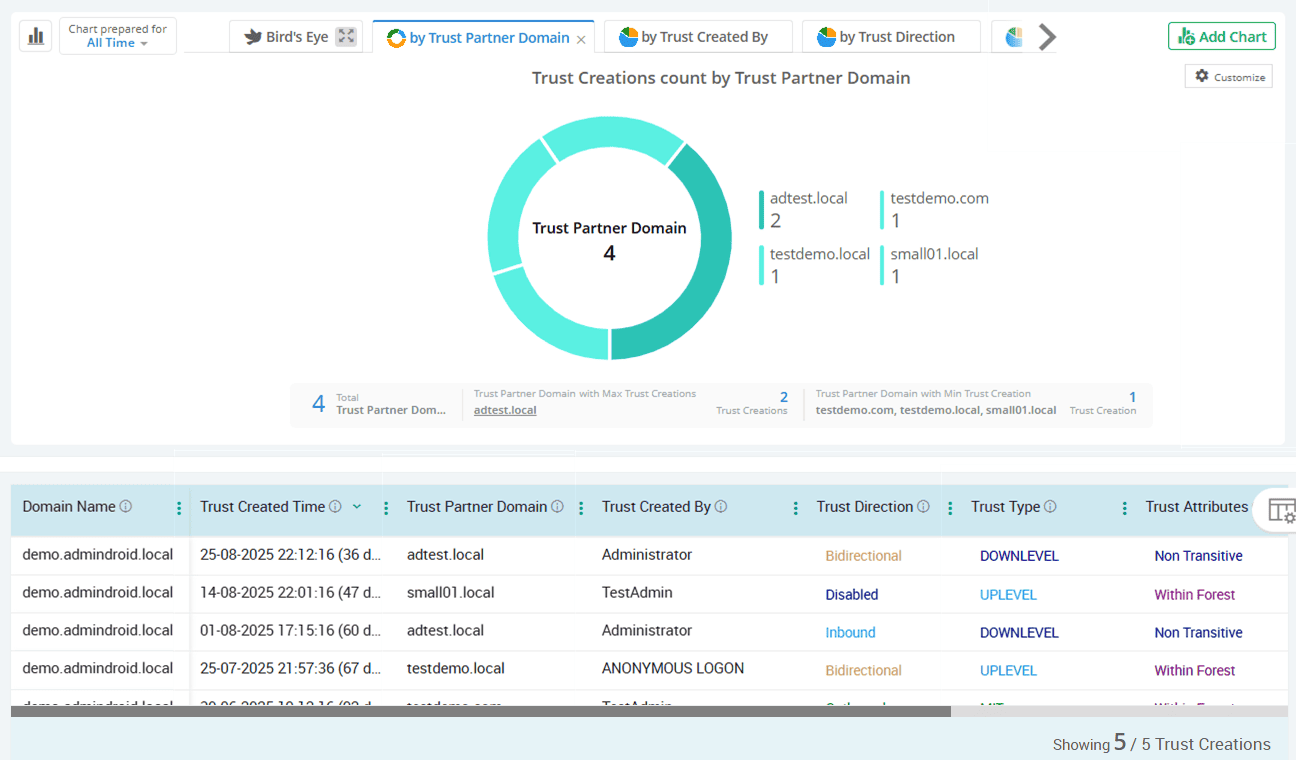
Audit every trust relationship created between domains
Whether it's inbound, outbound, or bidirectional trusts, AdminDroid tracks all trust creation events in an essential context. It helps you understand when trust paths are formed and keeps you informed about new inter-domain connections to verify delegated access and maintain secure cross-domain permissions.
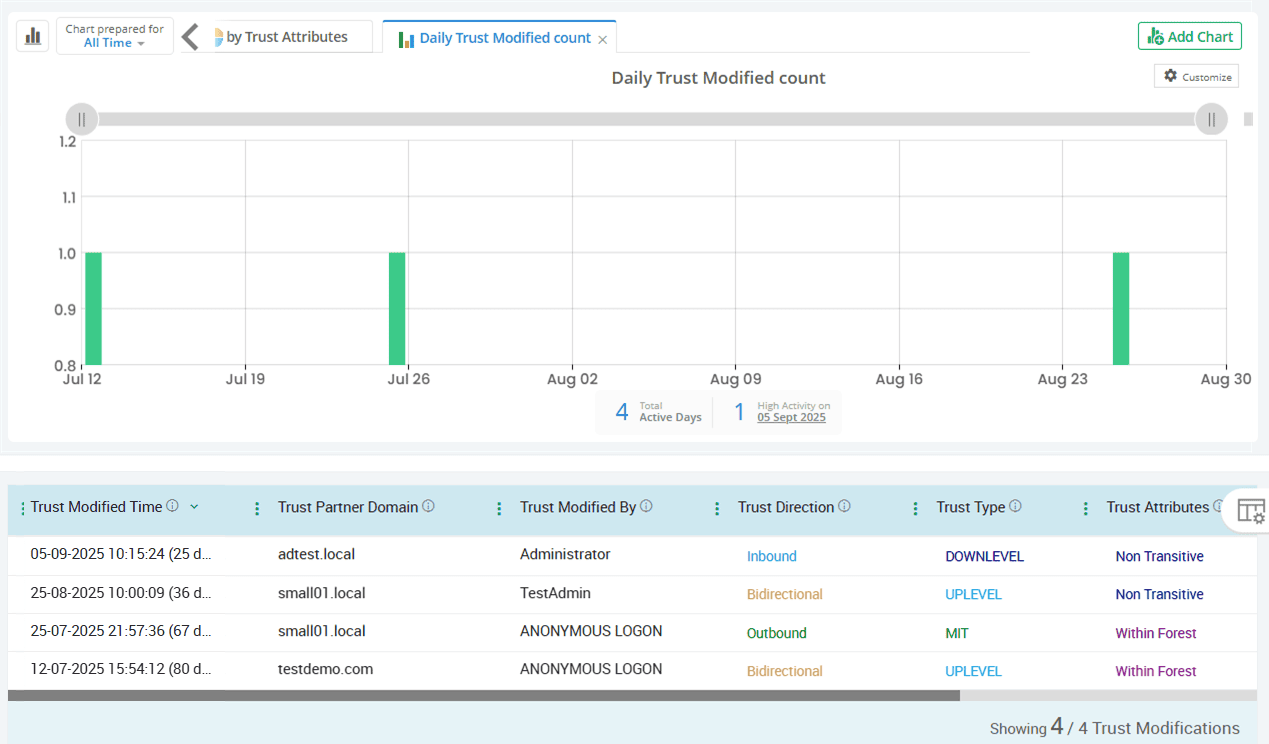
Detect modifications to existing domain trust relationships
Active Directory trust modifications can signal configuration drift or suspicious admin activity. AdminDroid captures every domain trust change, including who made the change, trust partner domain, trust type, trust attributes, etc., helping you verify if changes were intentional and secure.
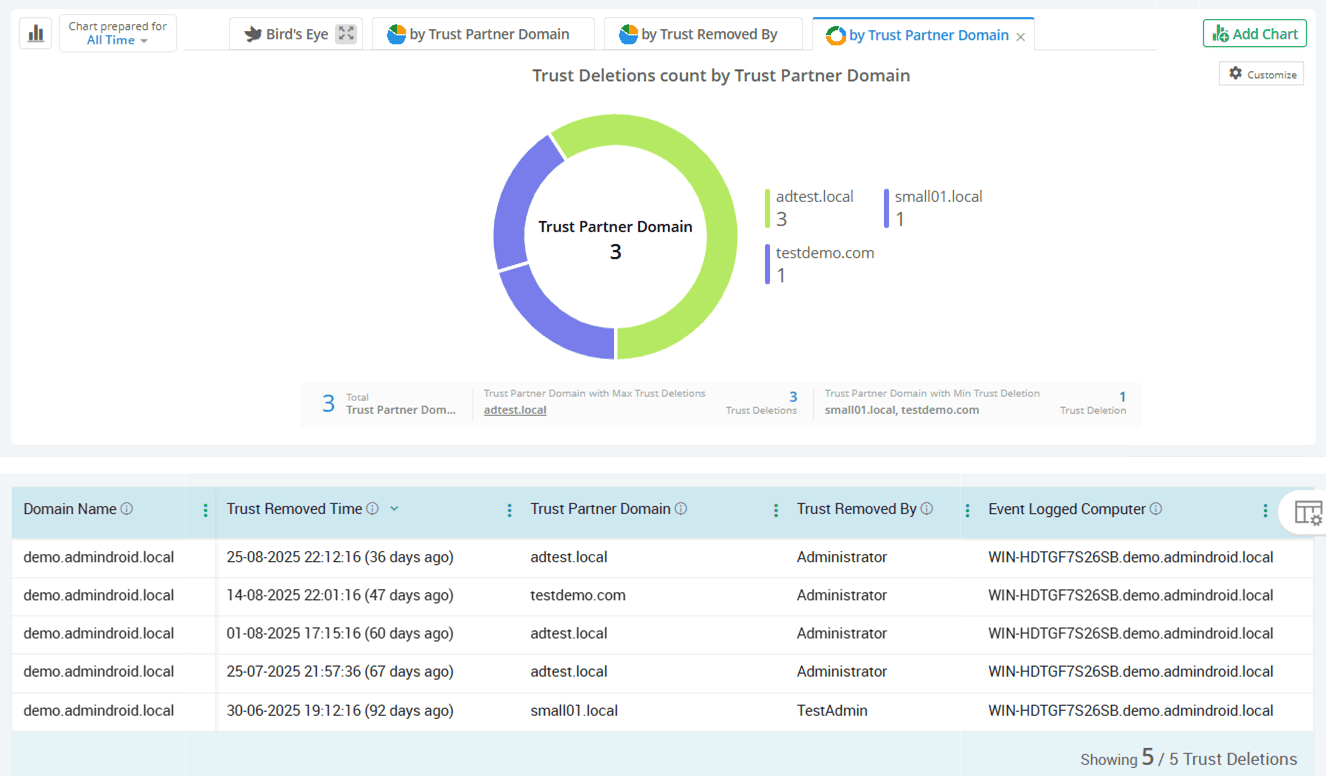
Know when Active Directory trust relationships are deleted
Trust relationships between domains enable seamless cross-domain access. If these trusts are unintentionally deleted, it can lead to a surge in helpdesk tickets and business disruptions. AdminDroid Active Directory Companion alerts you with a complete picture of every deleted trust to ensure legitimacy and act before disruptions spread.
Track all additions, updates, and removals in Active Directory trusted forests
AdminDroid audits the addition, modification, and removal of trusted forest entries in Active Directory. These unified reports help to identify forest relationship updates in multi-domain environments without switching between domain controllers. You can also export reports in various formats such as CSV, PDF, HTML, etc., for easy sharing and offline access.
Active Directory
Kerberos is at the heart of Active Directory authentication. AdminDroid decodes every Kerberos ticket request and failure to offer full transparency into your authentication landscape.
Detect Kerberos pre-authentication failures at the source
Track successful and failed TGT and TGS requests
Monitor Kerberos ticket renewals across your domain
Review privileged account ticket activity to monitor high-impact authentications
Identify Kerberos tickets using outdated RC4 encryption
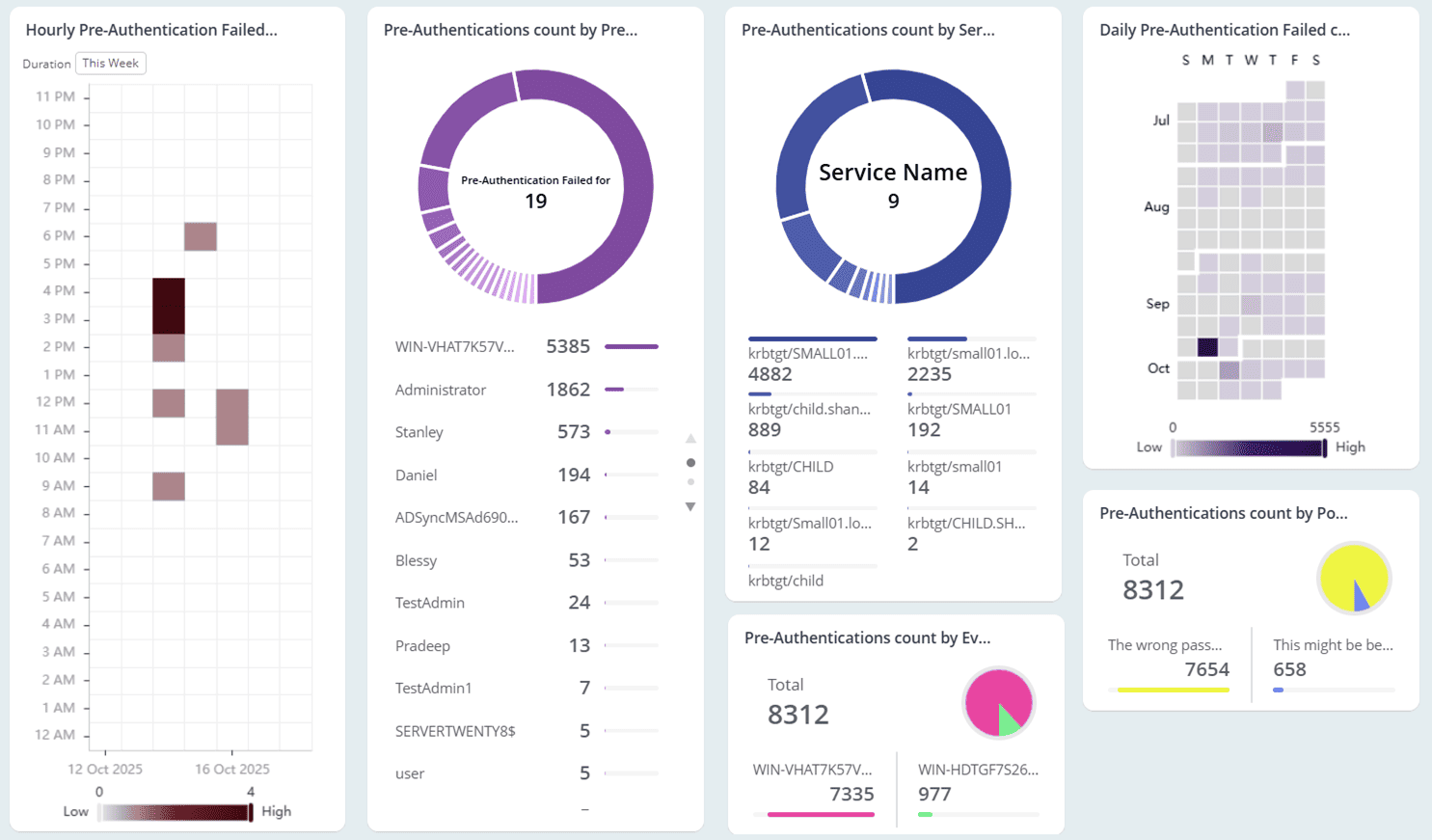
Detect Kerberos pre-authentication failures at the source
Pre-authentication failures often occur due to expired passwords, incorrect credentials, or missing smart card certificates on domain controllers. AdminDroid captures Kerberos pre-authentication failures to trace misconfigurations or spot early signs of account misuse.
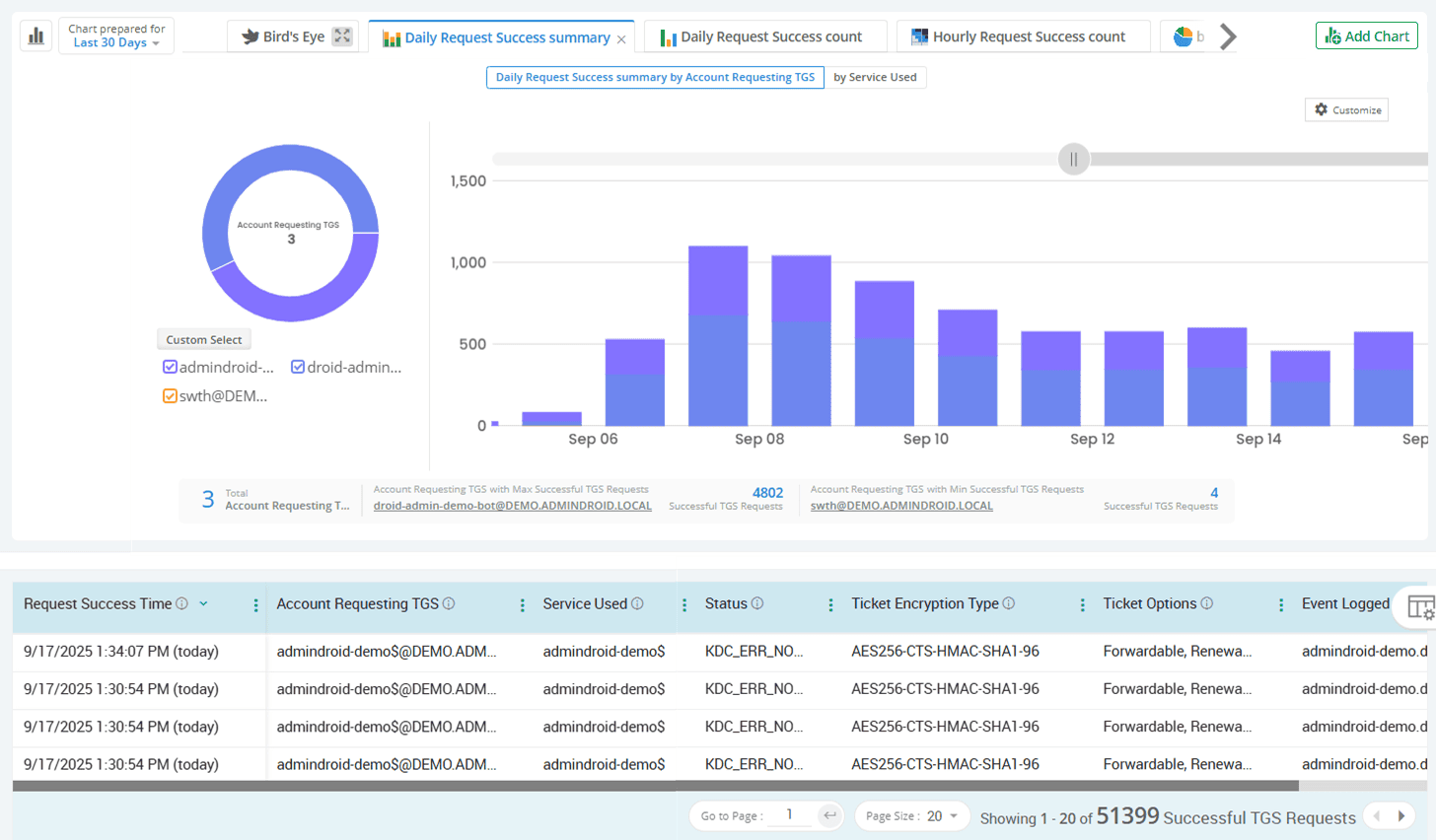
Track successful and failed TGT and TGS requests
AdminDroid’s auditing on Kerberos authentication lends a hand to analyze successful or failed Ticket Granting Ticket (TGT) and Ticket Granting Service (TGS) requests. This provides complete Kerberos authentication auditing with details like account, service used, encryption type, pre-auth type, failure reason, etc.
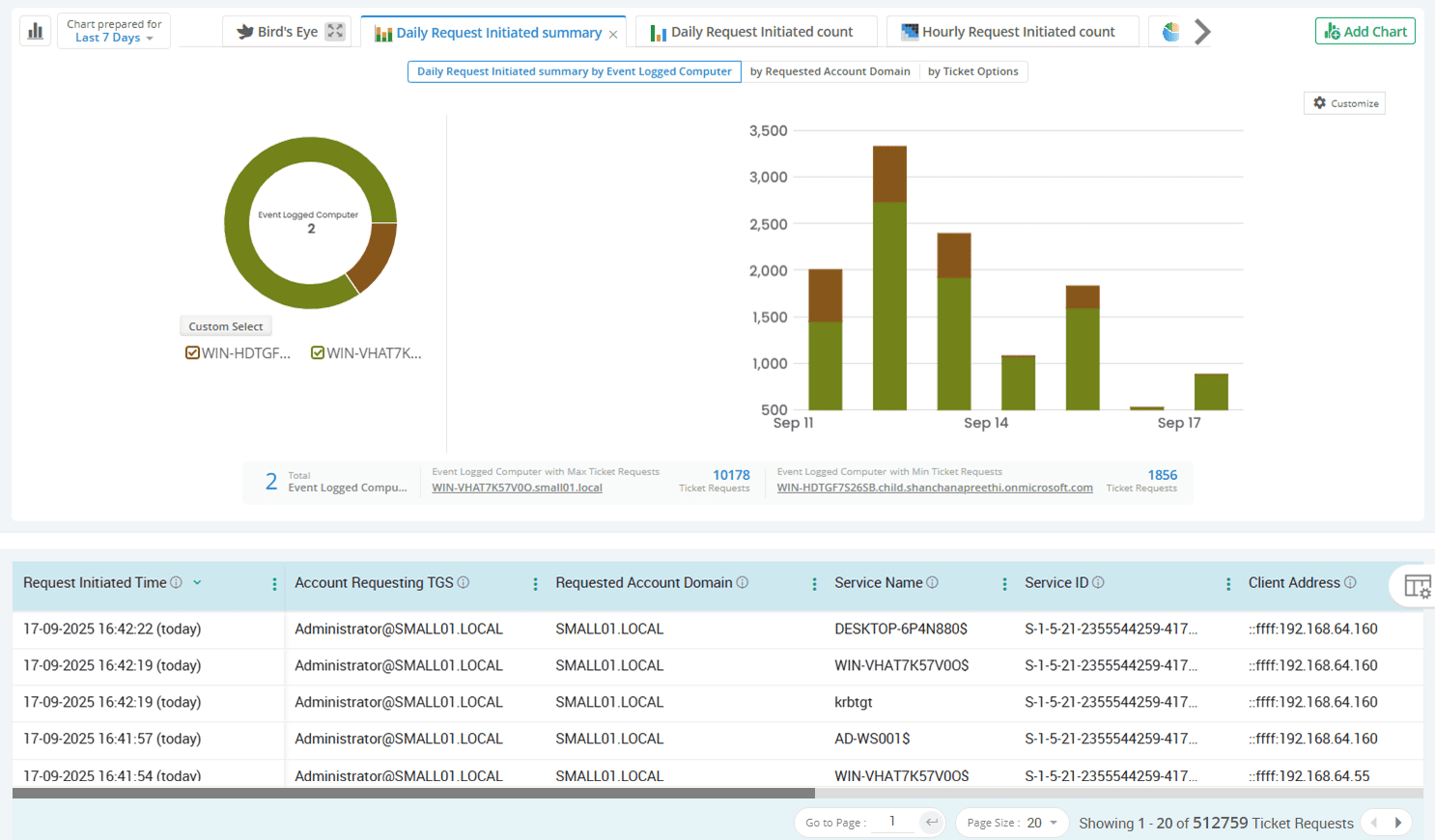
Monitor Kerberos ticket renewals across your domain
Renewed tickets often indicate ongoing sessions, but they can also be exploited in brute-force techniques like Kerberoasting or pre-authentication attacks to harvest credentials. AdminDroid monitors all ticket renewals to help detect abnormal persistence or credential misuse, ensuring your Kerberos authentication stays within secure bounds.

Review privileged account ticket activity to monitor high-impact authentications
Privileged users often have access to sensitive resources, making their Kerberos TGS requests a critical area to monitor. AdminDroid helps you stay ahead by isolating these high-impact actions and presenting them through intuitive, chart-driven insights.
Identify Kerberos tickets using outdated RC4 encryption
RC4 encrypted Kerberos tickets let attackers crack passwords hundreds of times faster than their AES encrypted equivalents. AdminDroid lists all Kerberos tickets still using vulnerable RC4, so you can detect legacy exposure and move toward stronger encryption.
Active Directory
Windows servers are the backbone of your domain, but even small unnoticed changes can signal security cracks. AdminDroid puts every DC and Windows member server auditing into focus without the noise.
Monitor login activity across DCs and member servers
Detect Windows server-level operational changes in real time
Track service activity across servers in the Active Directory environment
See the process creation and termination events running behind every AD server
Keep tabs on scheduled task modifications happening on Active Directory servers
Preserve Windows server log integrity with event log auditing
Review privileged operations on Active Directory servers
Monitor login activity across DCs and member servers
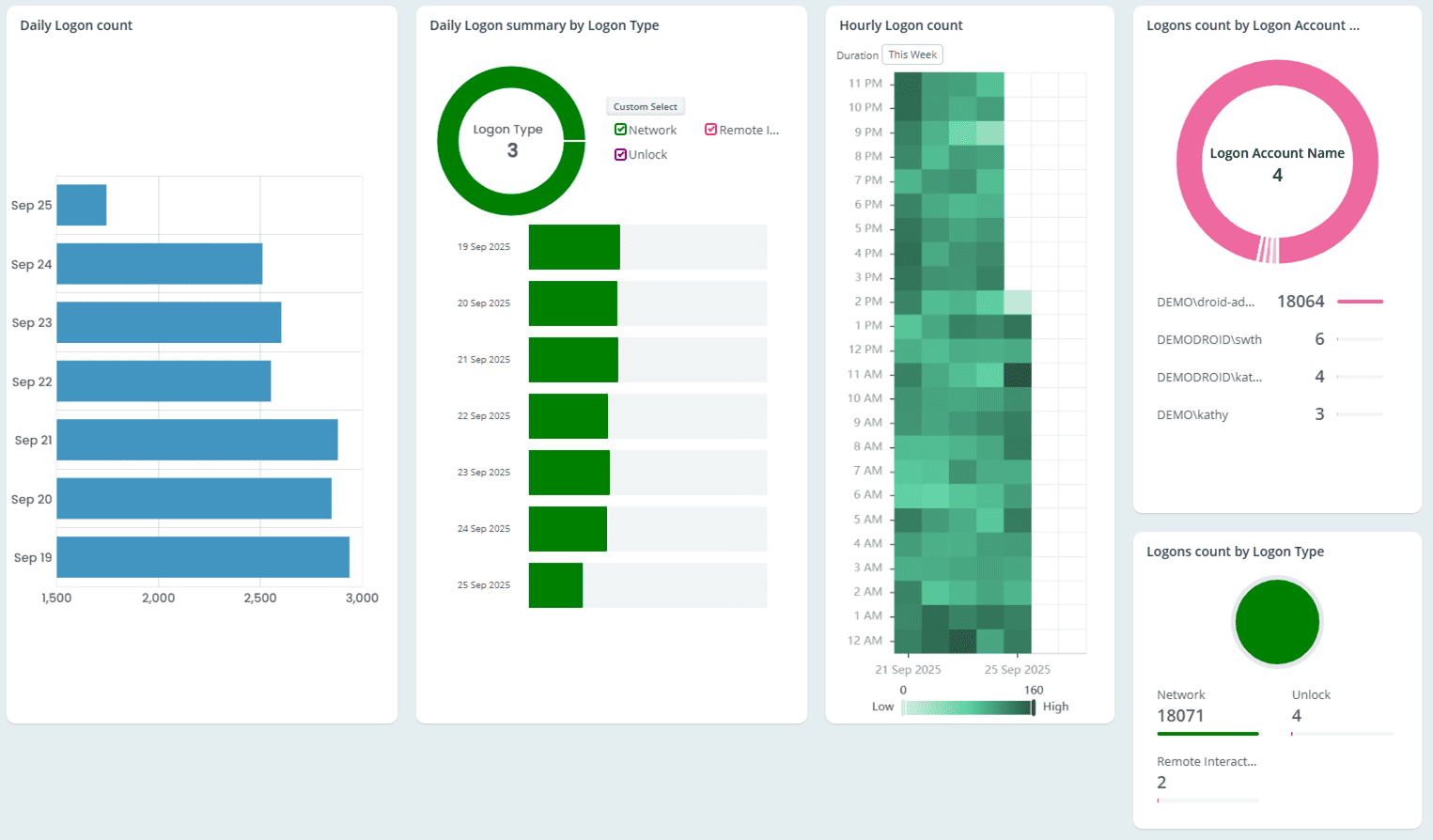
Domain Controllers manage authentication, and member servers run critical AD services, making them top targets. AdminDroid provides dedicated reports covering successful, failed, and last logon events by users or admins across Active Directory domain controllers and member servers. Its rich filtering lets you easily view specific user logons, DC logons, logons during a selected time, and more.
Detect Windows server-level operational changes in real time
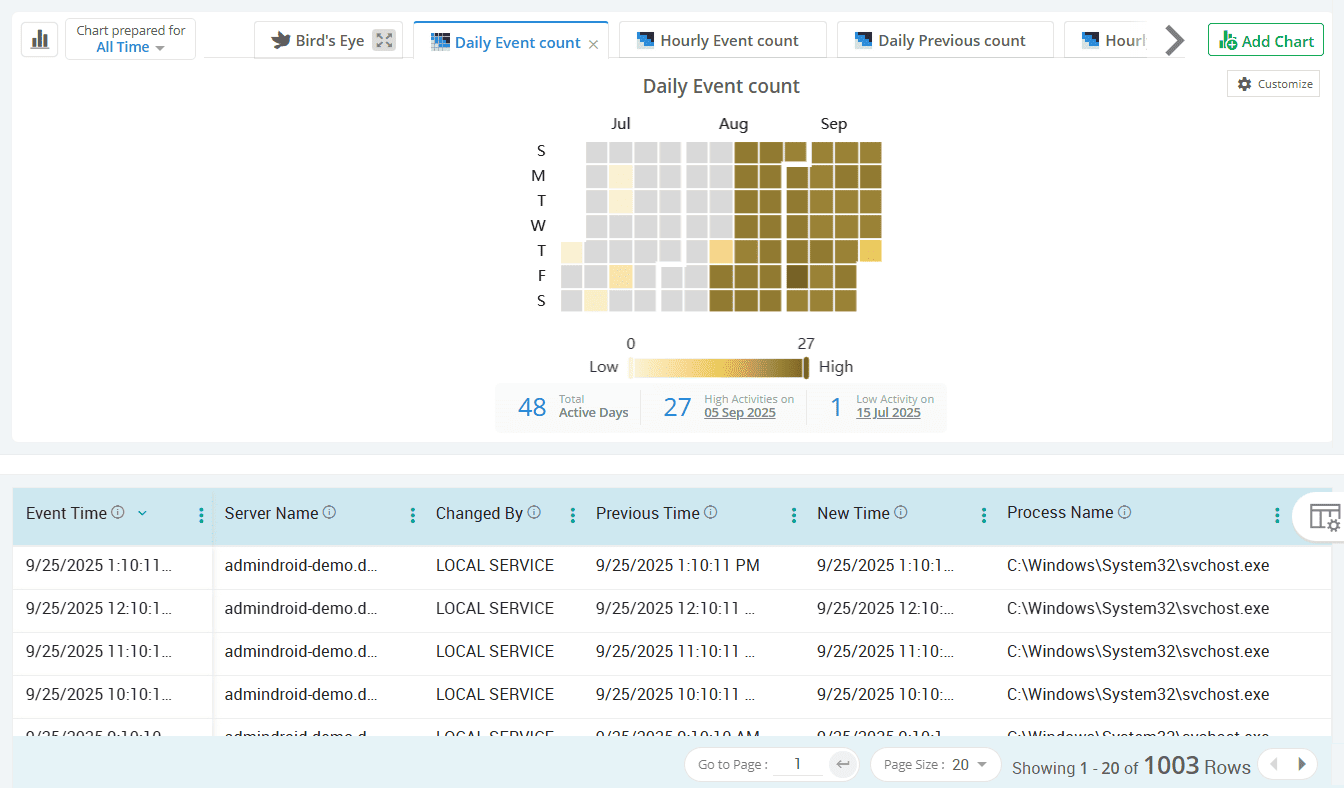
Even minor changes to servers outside maintenance hours can disrupt directory services if unplanned. AdminDroid audits key events such as restarts, time changes, and registry edits to detect and troubleshoot issues promptly.
Track service activity across servers in the Active Directory environment
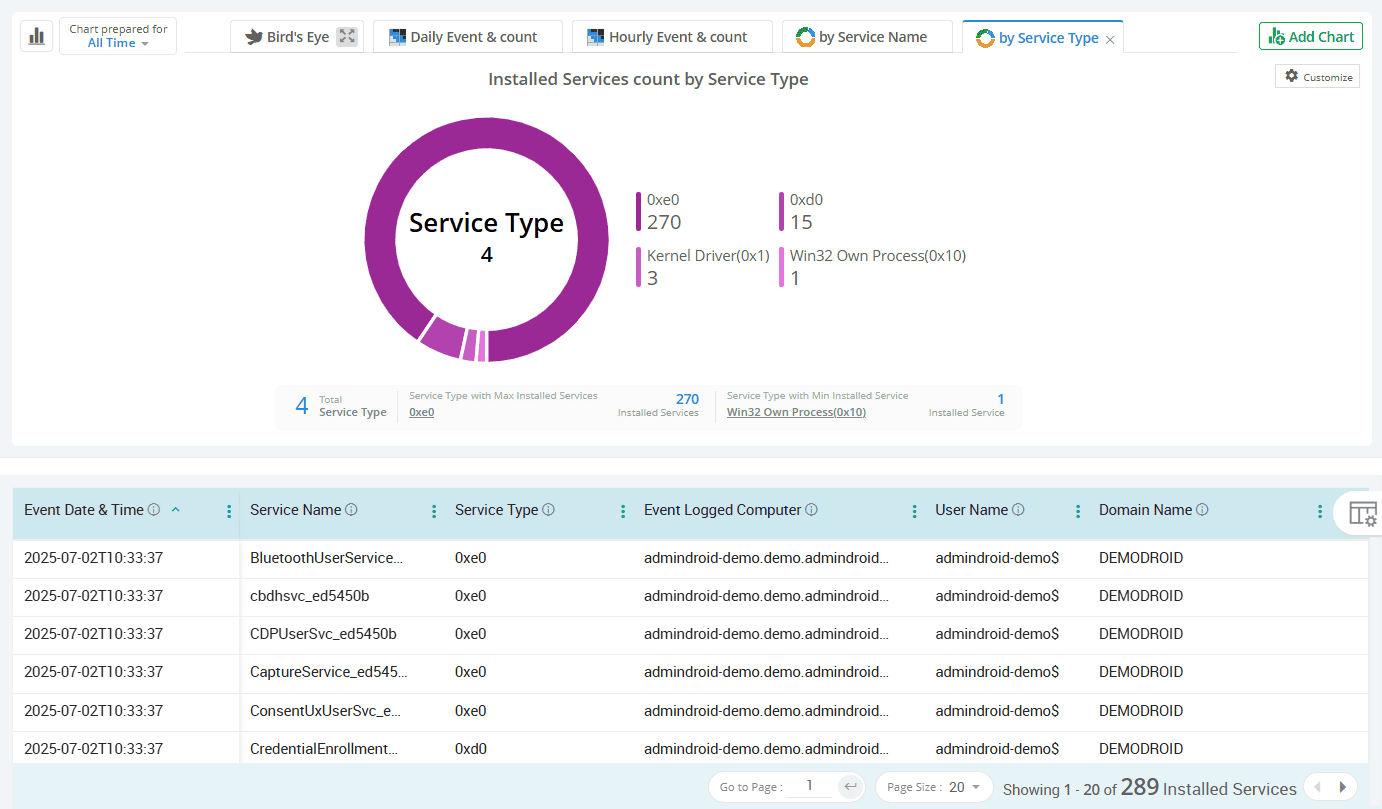
Services are background processes running on Windows devices that support the platform and applications to run smoothly. Any unexpected changes may indicate disruptions or attacks affecting core Active Directory operations. From unauthorized installations to sudden service terminations, AdminDroid detects every change to services running on Active Directory servers.
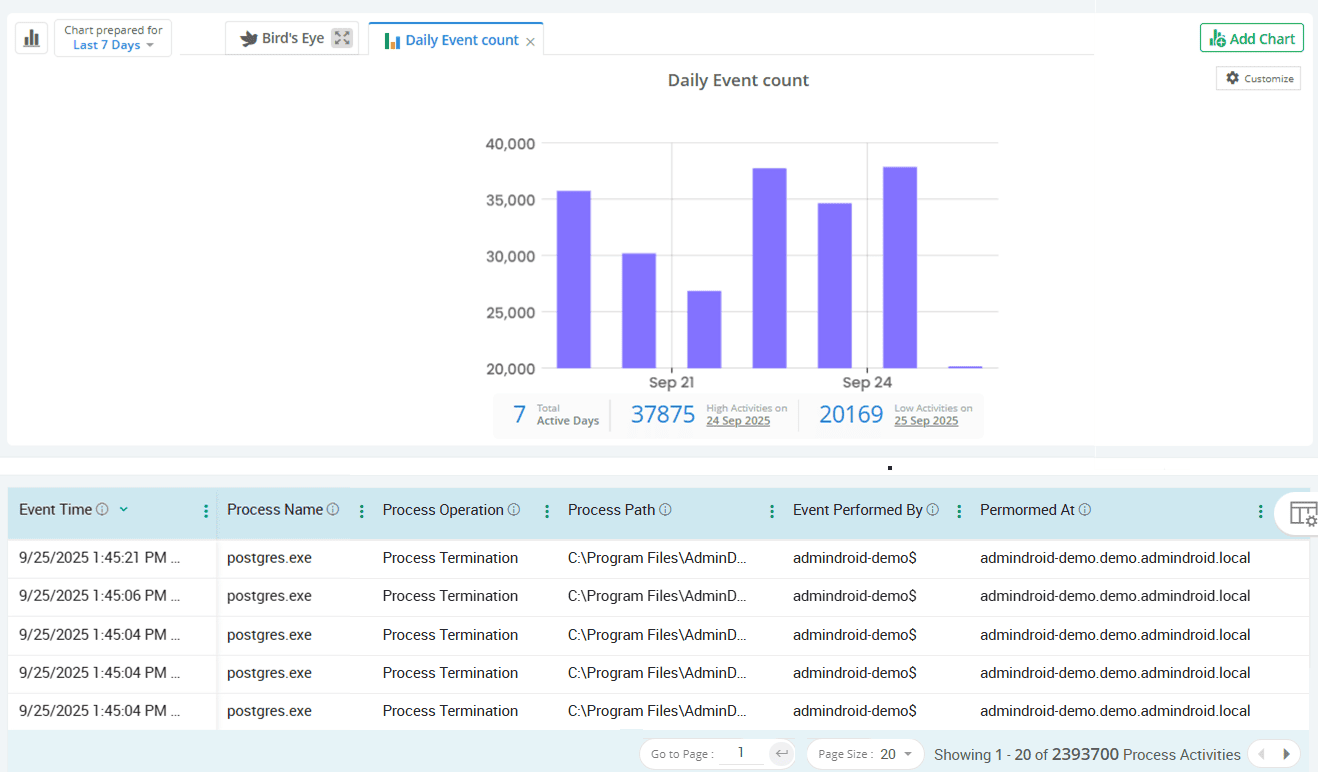
See the process creation and termination events running behind every AD server
Every new or killed process on an Active Directory server can be a signal from legitimate updates to unauthorized tools like Mimikatz or malicious scripts. AdminDroid captures complete server process activity and notifies you via Teams or email at your preferred intervals, enabling timely detection and investigation of suspicious behavior.
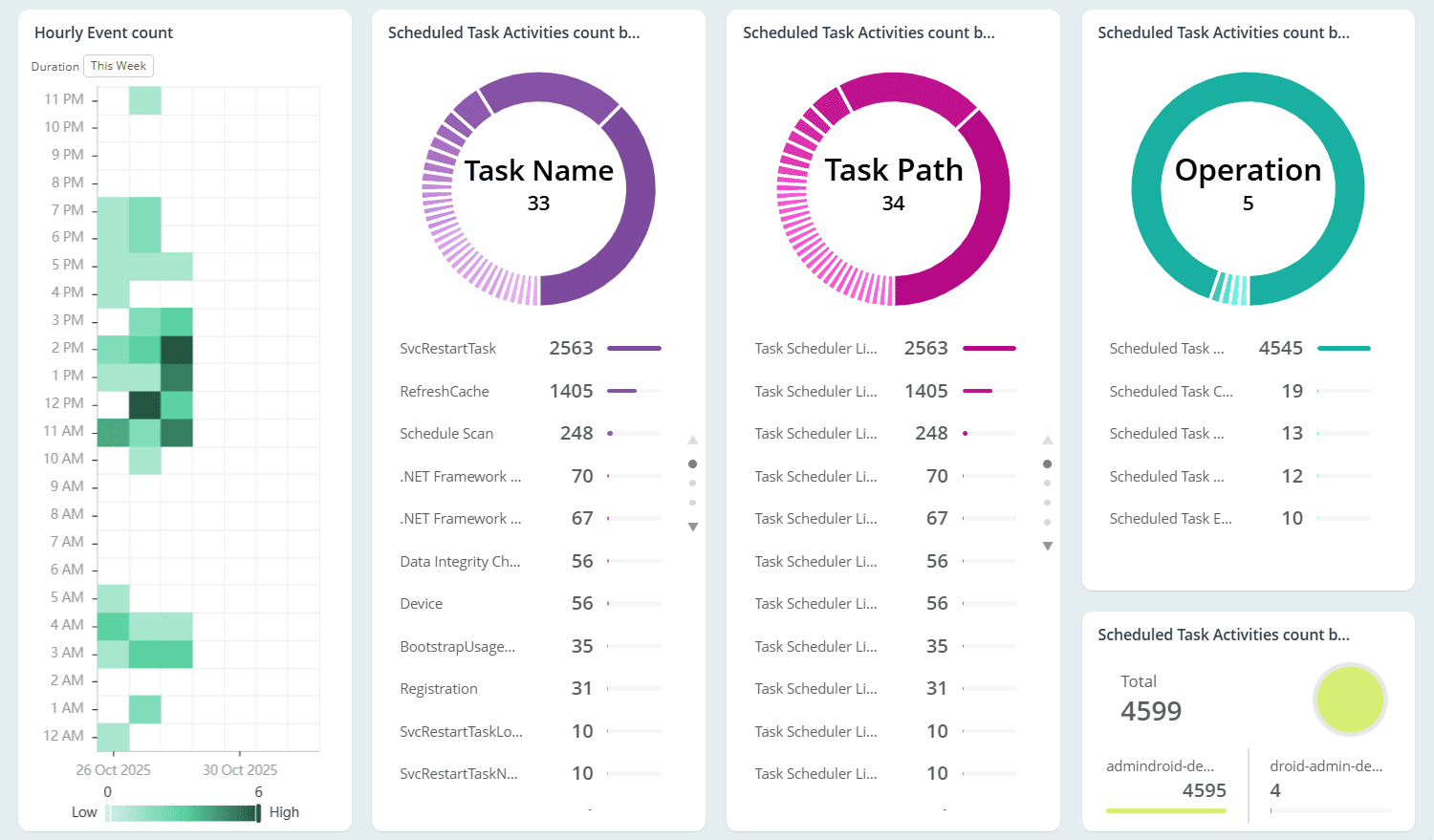
Keep tabs on scheduled task modifications happening on Active Directory servers
Scheduled tasks are a favorite for attackers trying to maintain hidden, long-term access to Active Directory environments. AdminDroid helps you keep tabs on every modification made to scheduled tasks, including updates to triggers, actions, and conditions. It also analyzes task creations, deletions, enabling, and disabling to stop malicious automation before it spreads in critical servers.
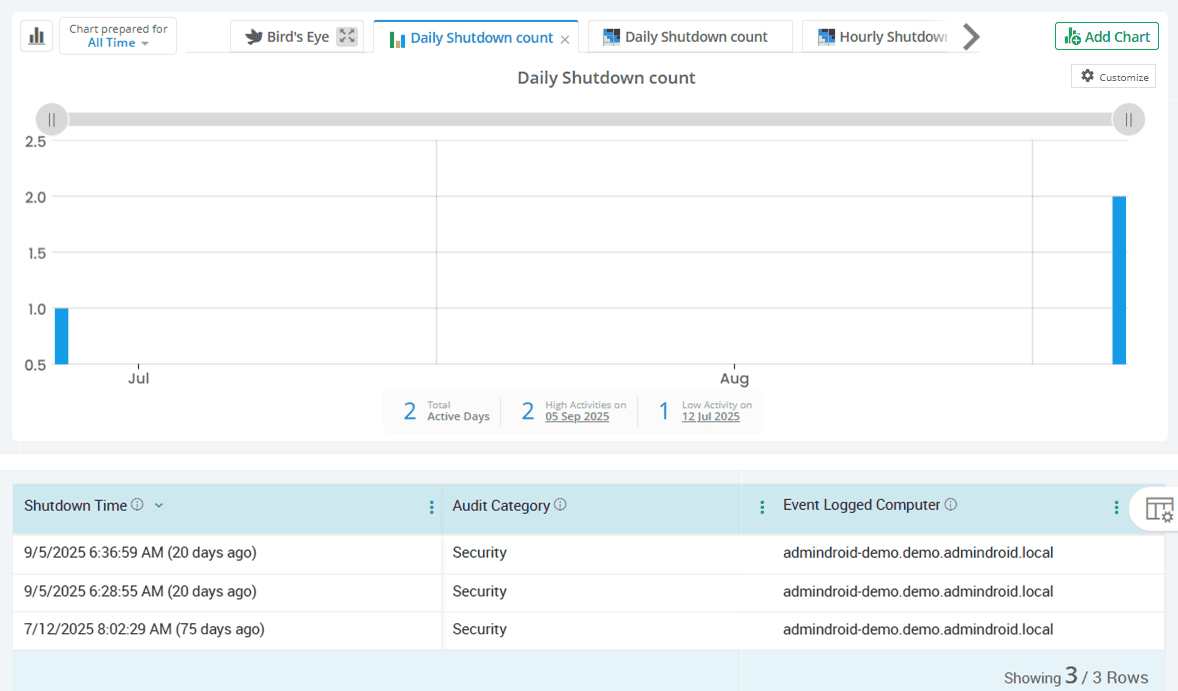
Preserve Windows server log integrity with event log auditing
If audit logs are erased, critical evidence could be lost. AdminDroid monitors server event log activities such as logging service shutdowns, crash on audit fail recovery, and log clearances to ensure your audit trail remains complete and trustworthy.
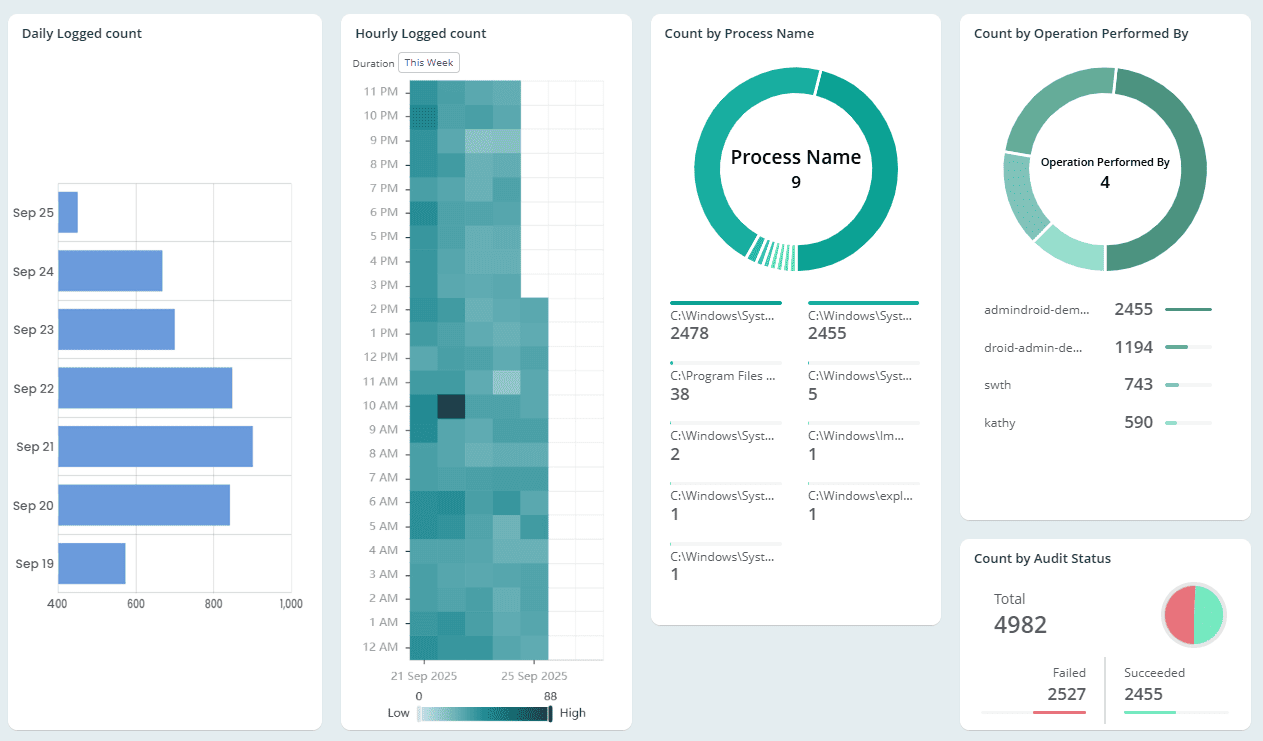
Review privileged operations on Active Directory servers
Privileged actions like creating global objects or impersonating users without authentication, especially when originating from servers, can quietly shake your AD’s foundation. AdminDroid captures every privileged operation, classifying them as sensitive or non-sensitive to ensure accountability and stop misuse in its tracks.
Active Directory
Windows machines form the core of your AD environment. AdminDroid transforms critical Windows audit log events, such as policy changes and system actions, into clear and actionable insights you can rely on.
Catch hidden tweaks to domain wide policies before they break access
Monitor other security policy changes across your Active Directory environment
Preserve the integrity of event logs across all Windows computers
Track advanced system activities in Active Directory machines
Surf through Windows security extension operations across AD endpoints
Spot AdminSDHolder attacks before they compromise directory security
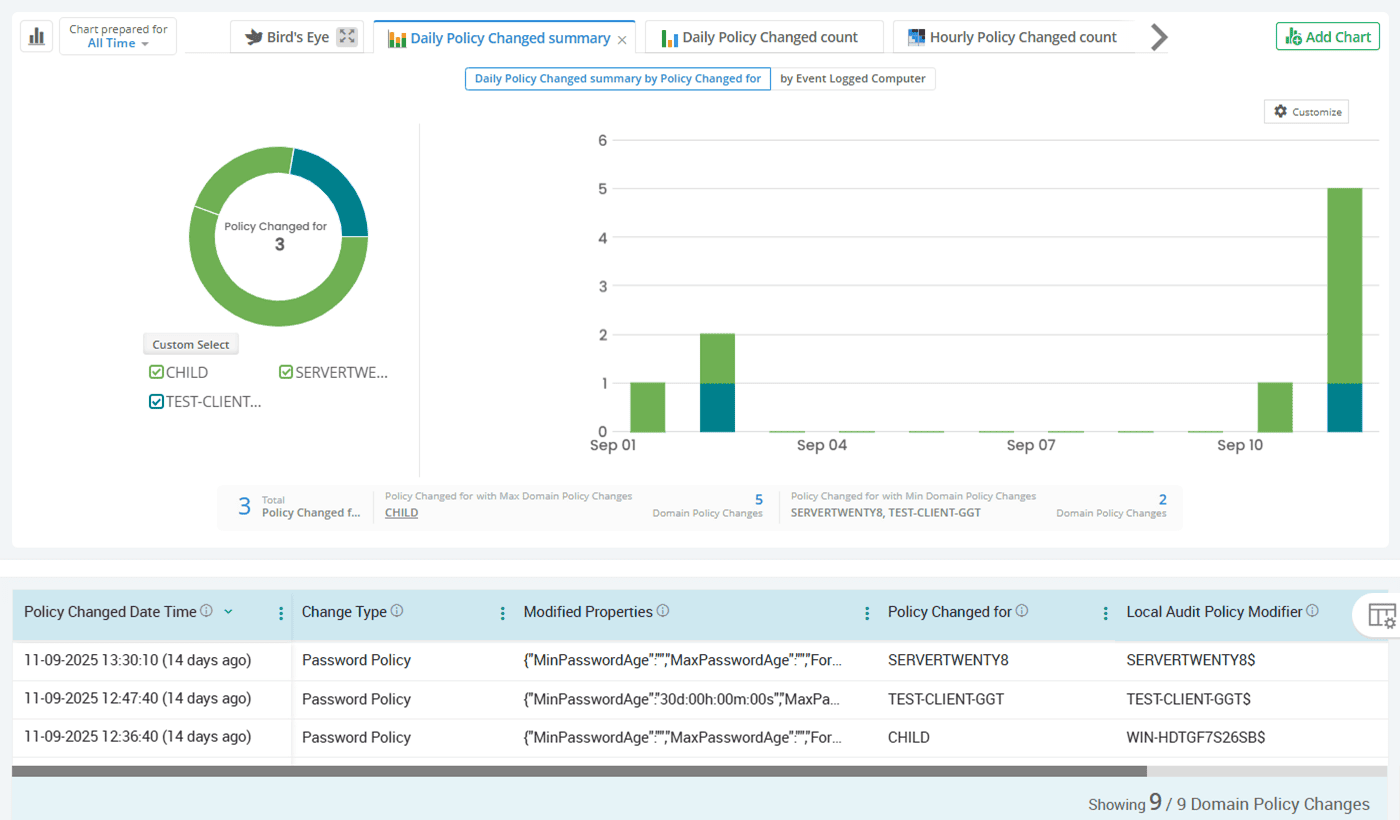
Catch hidden tweaks to domain wide policies before they break access
Domain-wide policies shape the overall security and behavior of your Active Directory environment, so persistent misconfigurations must be deeply monitored. AdminDroid helps you track domain wide-policy changes like password policies, lockout settings, force logoff rules, and domain attributes such as the limit on computers a user account can join to the domain.
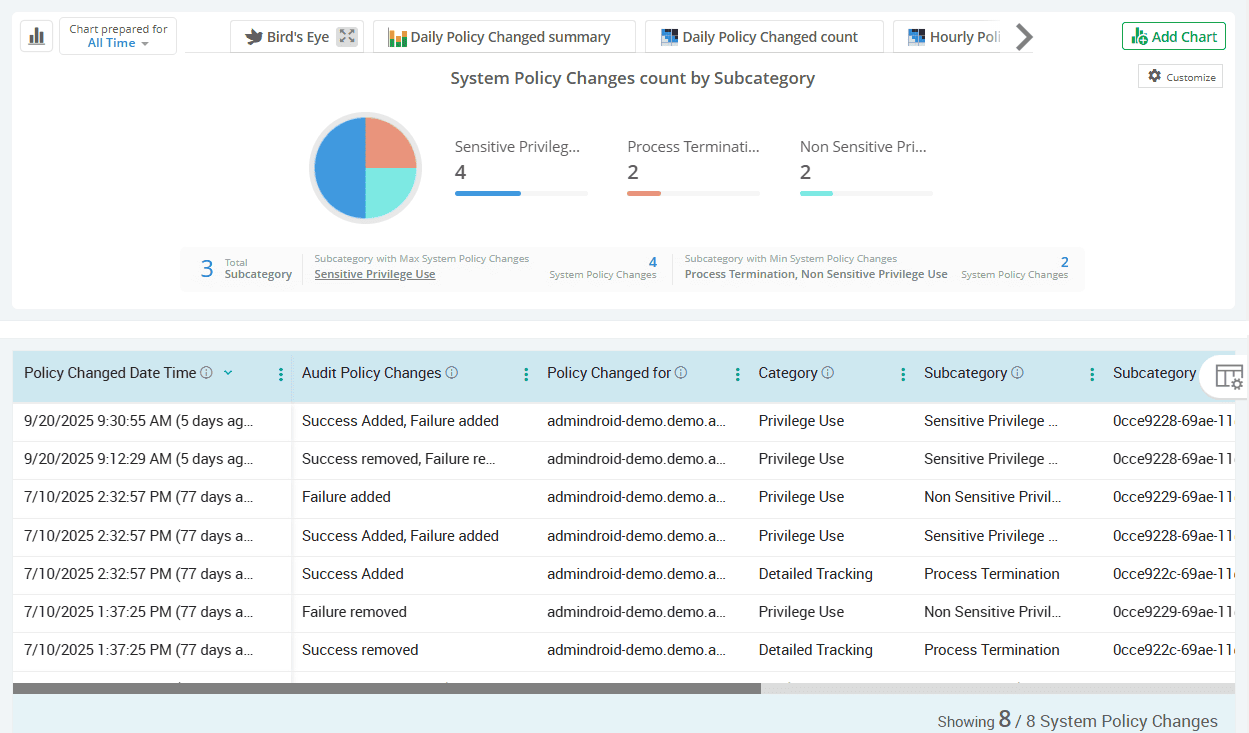
Monitor other security policy changes across your Active Directory environment
Security policies are the first line of defense in any Active Directory environment. AdminDroid Active Directory Companion audits changes to system audit policies, per-user audit policy settings, local logon rights, and more. It also tracks modifications to SACLs, crash-on-audit-fail settings, and Kerberos policy configurations to help you identify any deviations from your organization’s security standards.
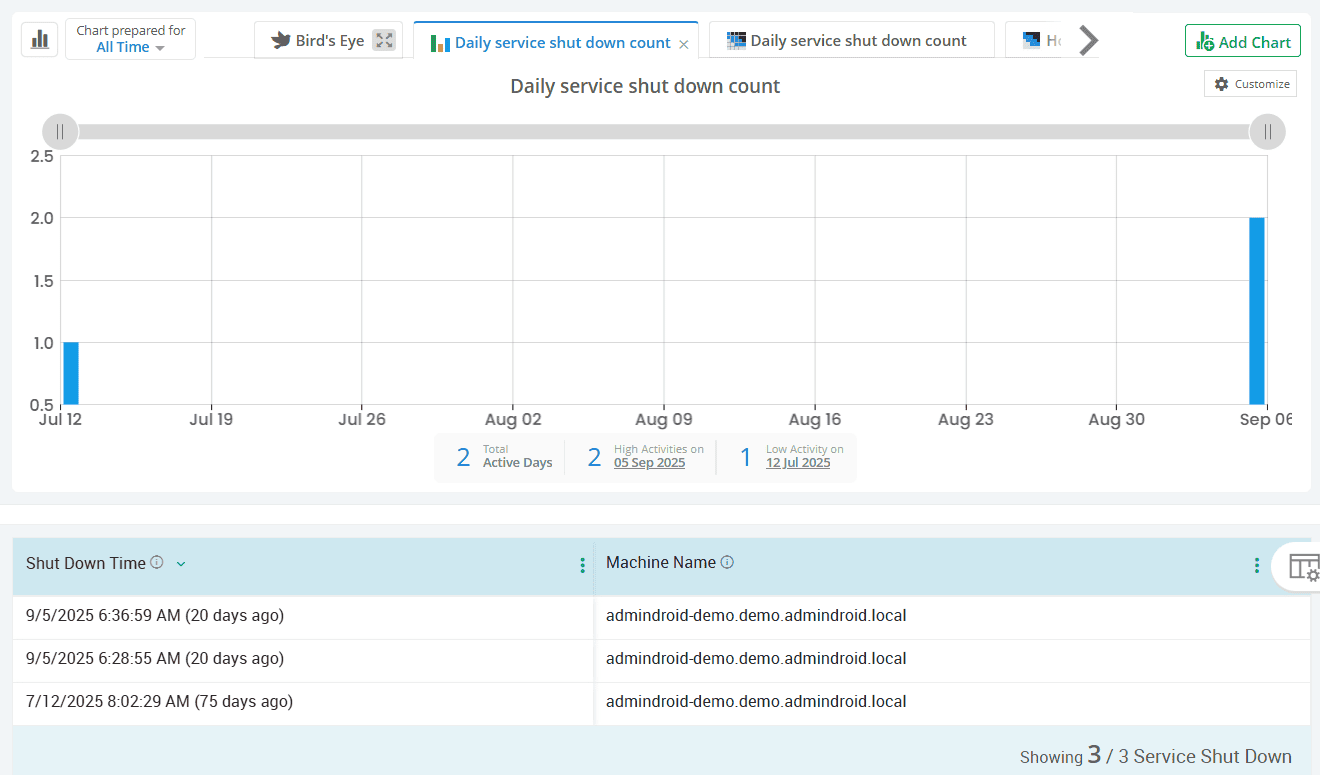
Preserve the integrity of event logs across all Windows computers
Event logs form the foundation of any forensic investigation. AdminDroid monitors key logging activities, including service shutdowns, audit log clearances, and crash recoveries to ensure no evidence is lost. These insights are gathered from all domain-joined systems, including domain controllers, member servers, and workstations, ensuring no endpoint is left unmonitored.
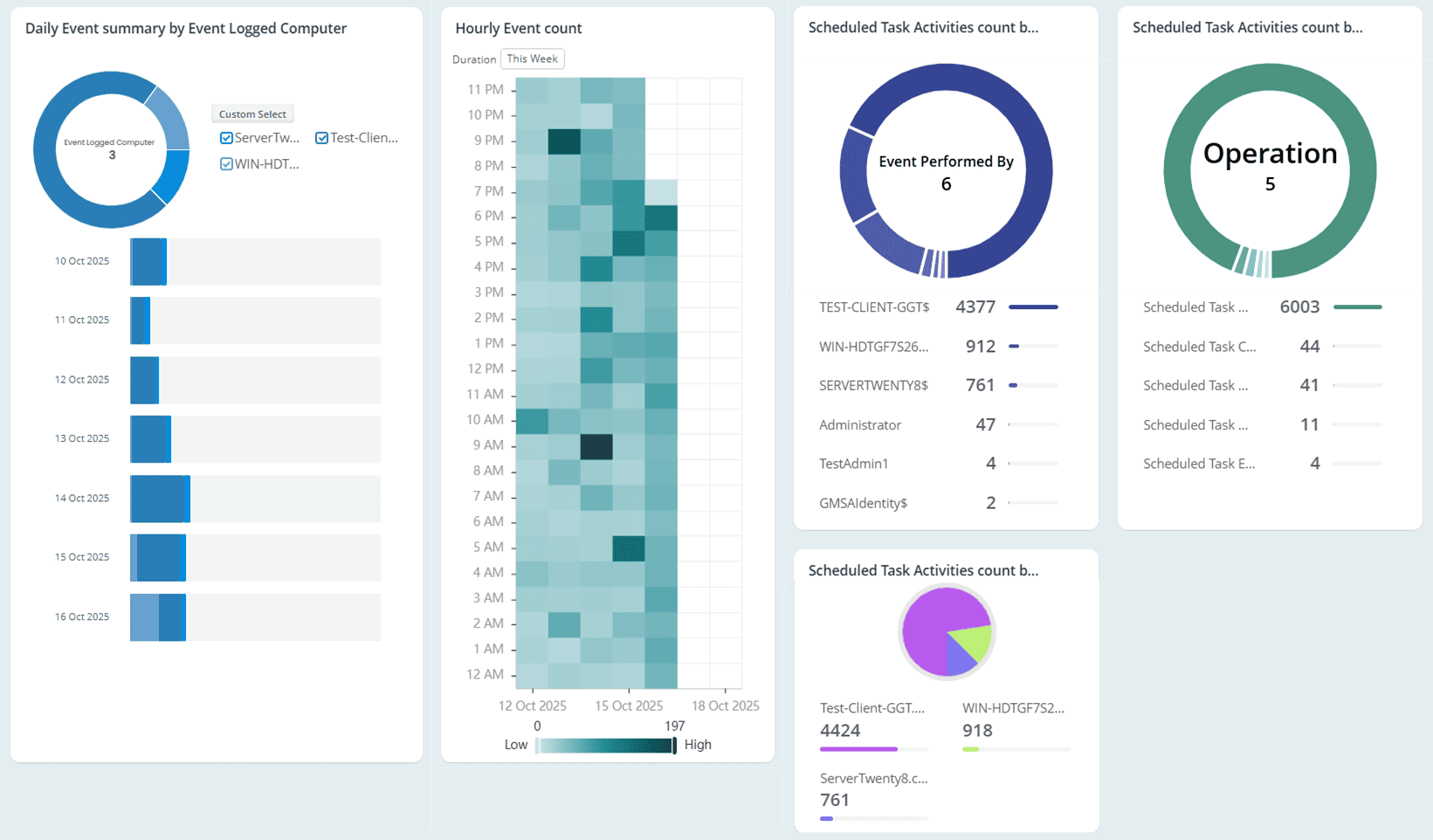
Track advanced system activities in Active Directory machines
AdminDroid goes deeper by capturing low-level actions like process launches, task scheduler updates, and system changes. This helps you uncover unusual behavior, such as unauthorized scripts or suspicious service actions in Active Directory.
Surf through Windows security extension operations across AD endpoints
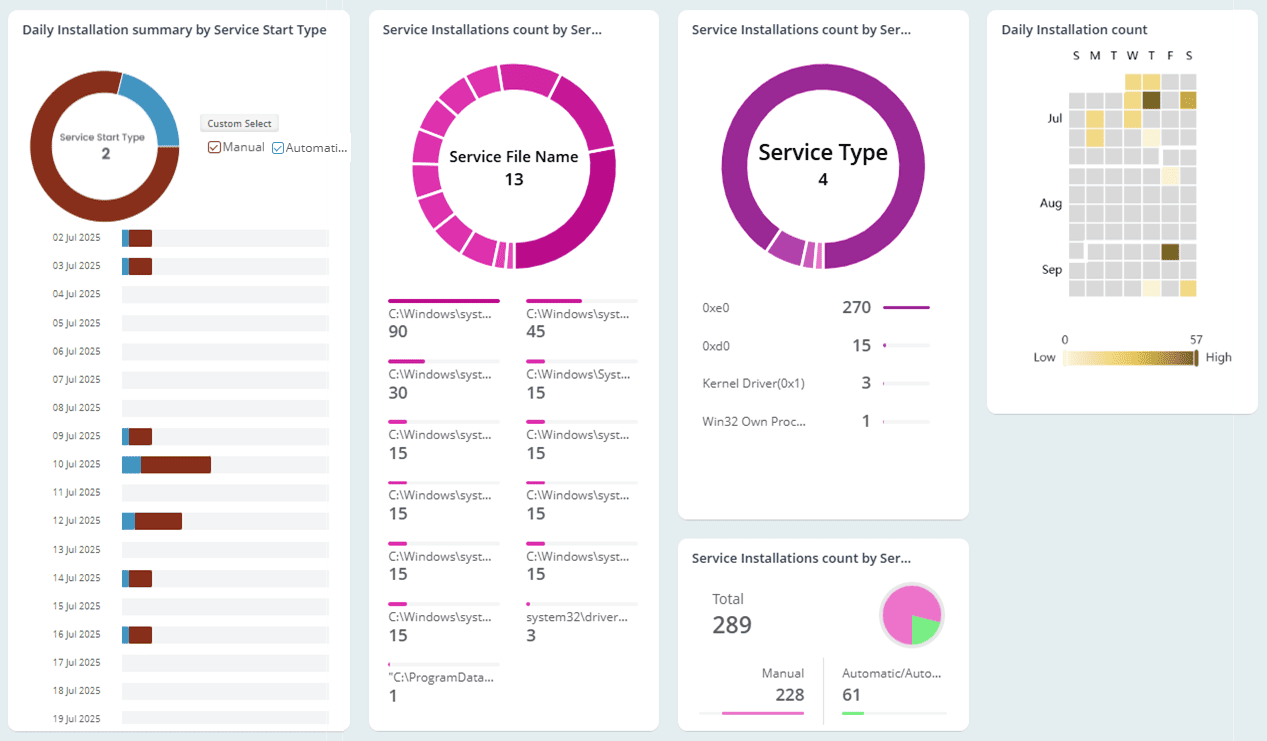
Windows integrates multiple security extensions to harden systems and enforce trust. AdminDroid consolidates key events like changes to authentication, notification, and security packages. It also offers a unified view of service installations and trusted logons to help detect risks to your environment.
Spot AdminSDHolder attacks before they compromise directory security
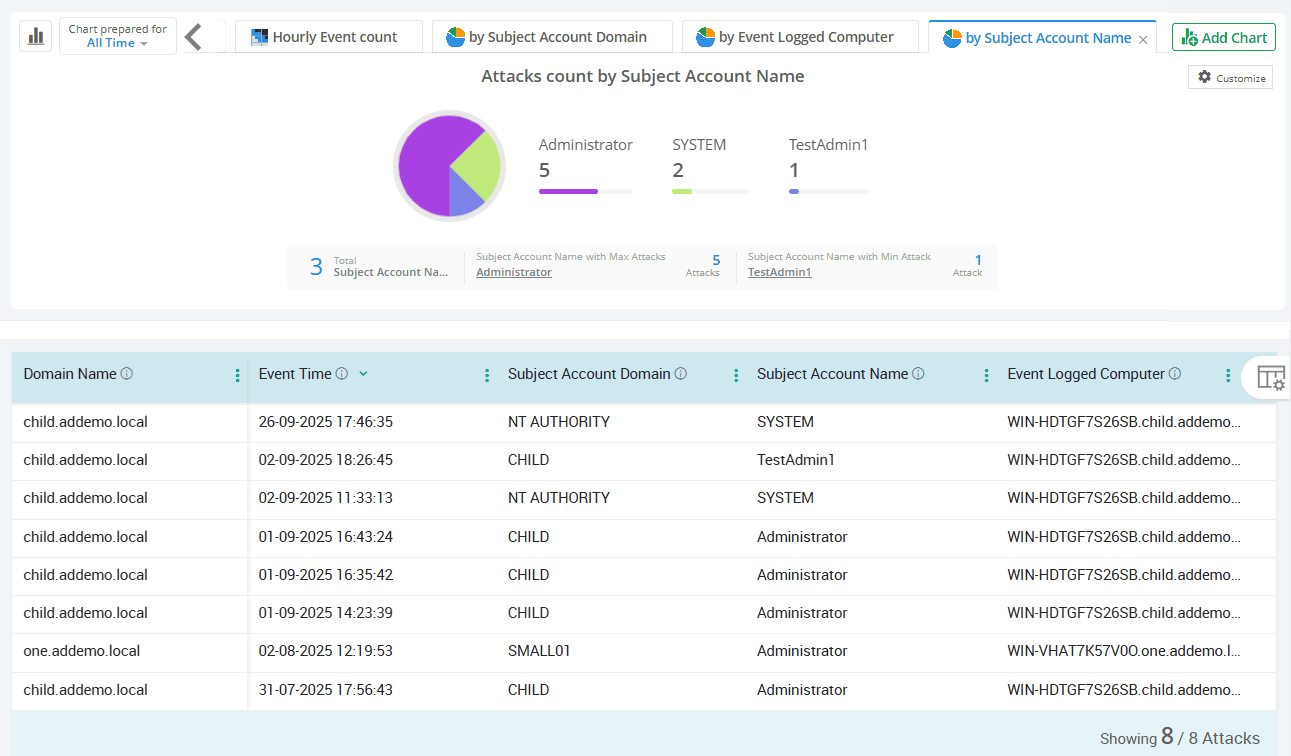
Some attackers exploit privilege inheritance mechanisms to maintain hidden access. AdminDroid flags AdminSDHolder-related changes with in-depth details, so you can catch privilege escalations before they damage your directory security.
AdminDroid’s Real-Time Active Directory Alerting
“Manual monitoring of audit events can let risks slip through. Get instantly alerted to suspicious and high-risk Active Directory activities.”