Automate repetitive Active Directory actions without complex PowerShell scripts.
Save valuable time by turning multi-step AD processes into one-click tasks.
Handle bulk Active Directory changes instantly with full oversight of every action.

Automate repetitive Active Directory actions without complex PowerShell scripts.
Save valuable time by turning multi-step AD processes into one-click tasks.
Handle bulk Active Directory changes instantly with full oversight of every action.
Active Directory management often involves repetitive tasks like creating groups with various types and scopes, configuring user login restrictions, and more. AdminDroid makes it effortless with ready-to-use, pre-built workflow agents that automate the most frequent Active Directory tasks. Just click, provide the input, and you’re done.
All the complex setup is handled in the background. You shine on the front lines, automating every complex Active Directory action in just a few clicks.

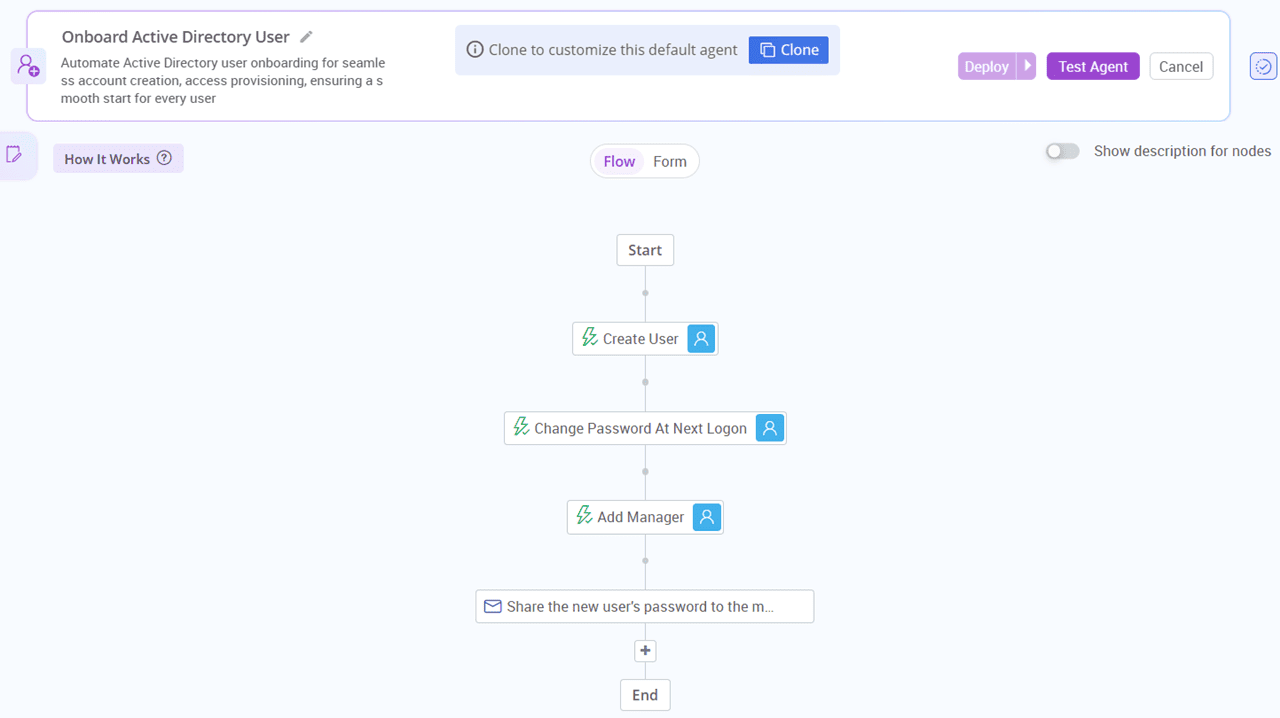
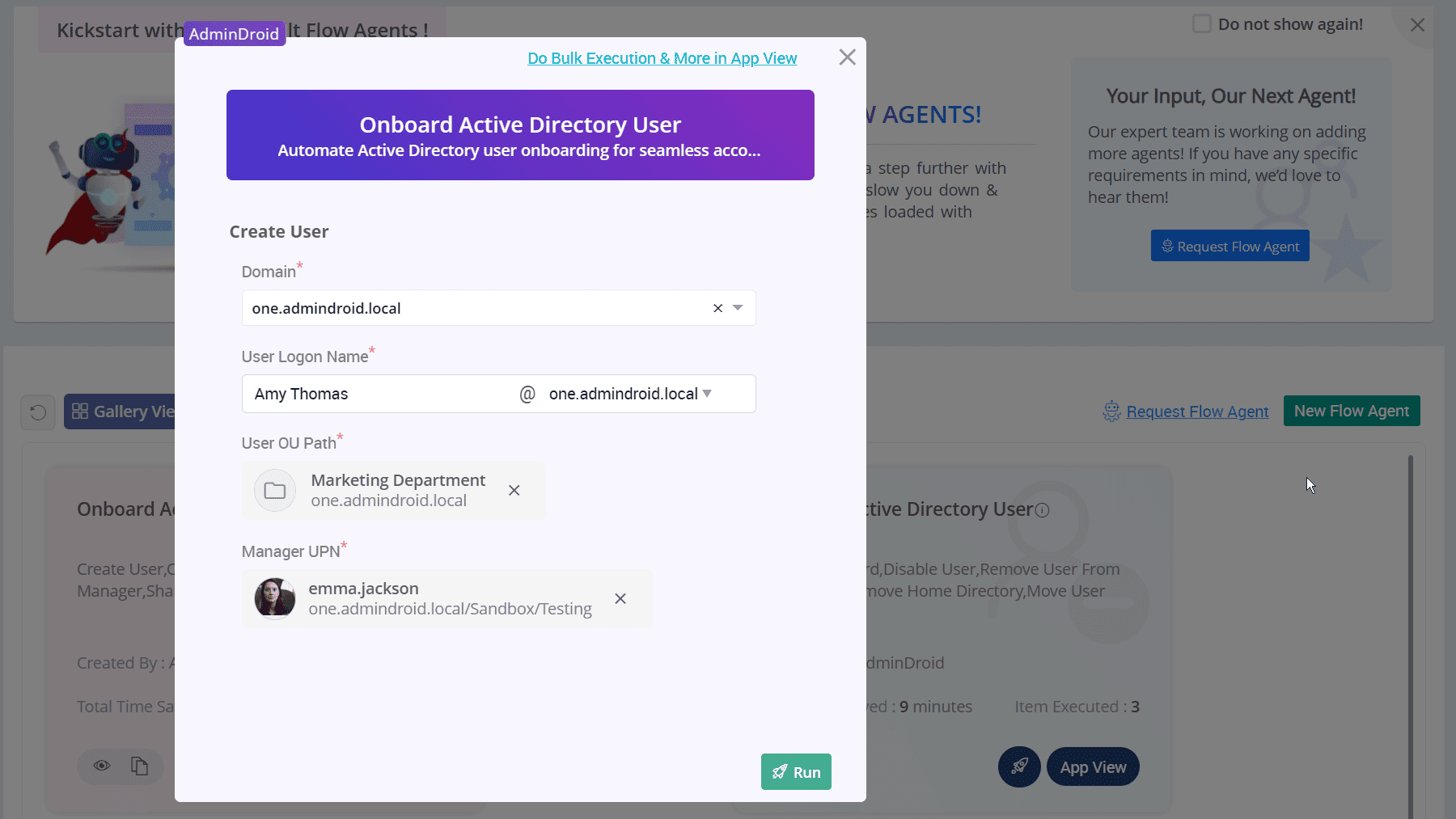
Creating a user in Active Directory often feels like ticking off a long checklist. It starts with choosing the right OU to assign proper permissions and access. Then comes specifying user details, setting a password, configuring additional attributes, and the list goes on. Now, picture doing this manually for every single employee, one by one. With so many moving parts, it's easy to delay user provisioning and miss a step.
Skip the manual onboarding! Let AdminDroid’s built-in workflow automate Active Directory user onboarding accurately in seconds.
Here's what the Active Directory user provisioning workflow handles for you:
Creates the user account in the specified OU
Sets essential user attributes like SAM Account Name, logon name, account status, etc
Generates a secure initial password automatically and configures it to be changed at first login
Assigns a manager to the user account
Sends login credentials securely to the assigned manager
Offboarding users in Active Directory is often complex, time-consuming, and full of risks. Missing even a single access point or permission can allow malicious actors to move laterally and deploy threats like Pass-the-Hash attacks, Golden Tickets, and more. That’s why offboarding should be fast, secure, and reliable.
Seal every loose end and simplify user deprovisioning with AdminDroid’s Active Directory user offboarding flow agent.

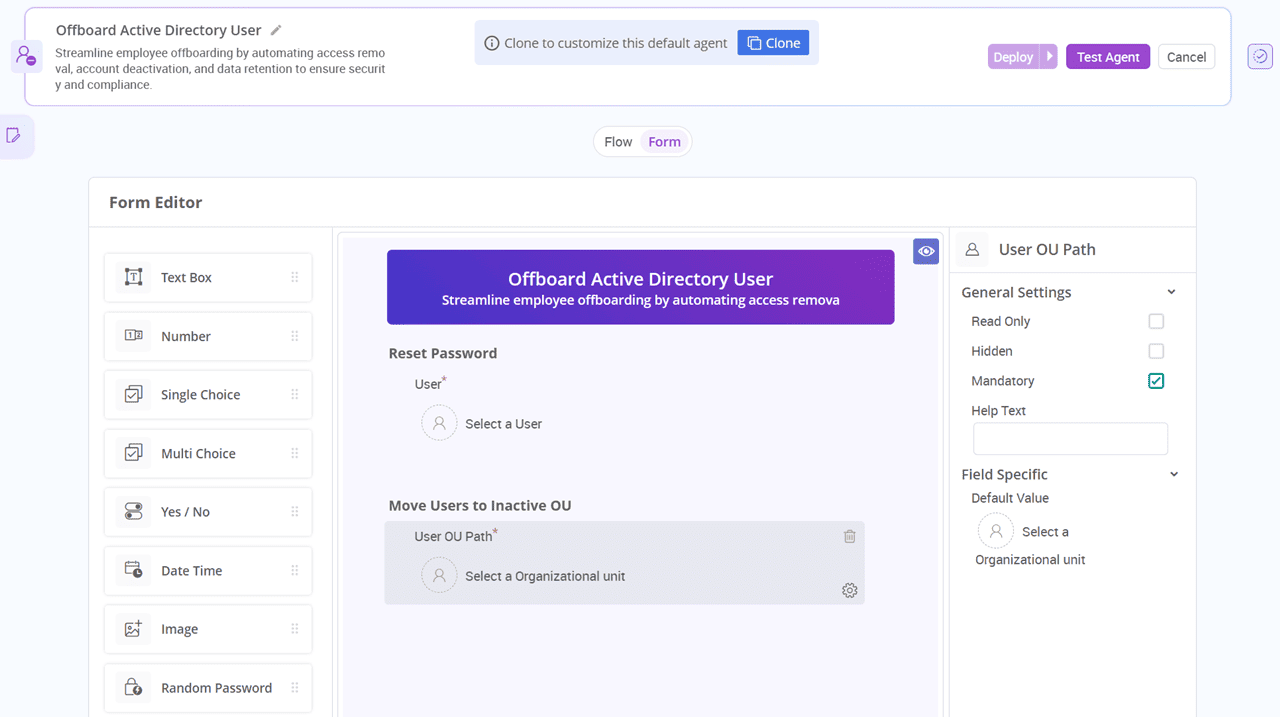
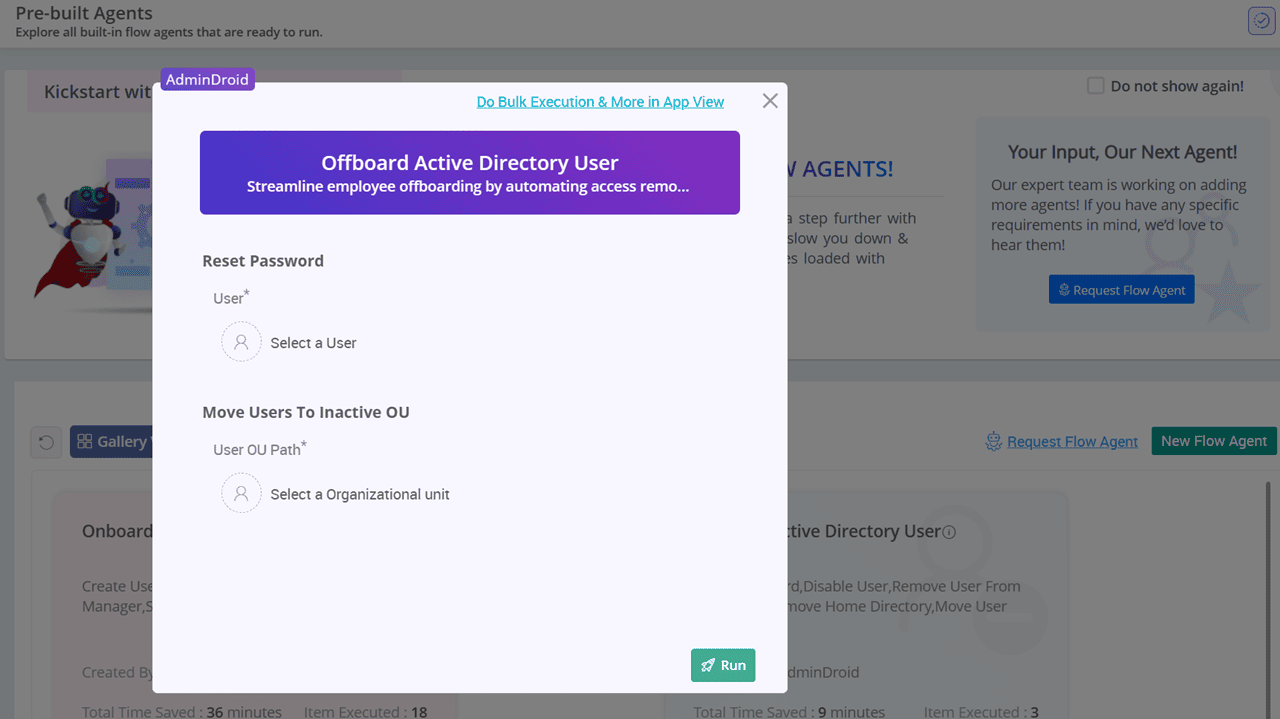
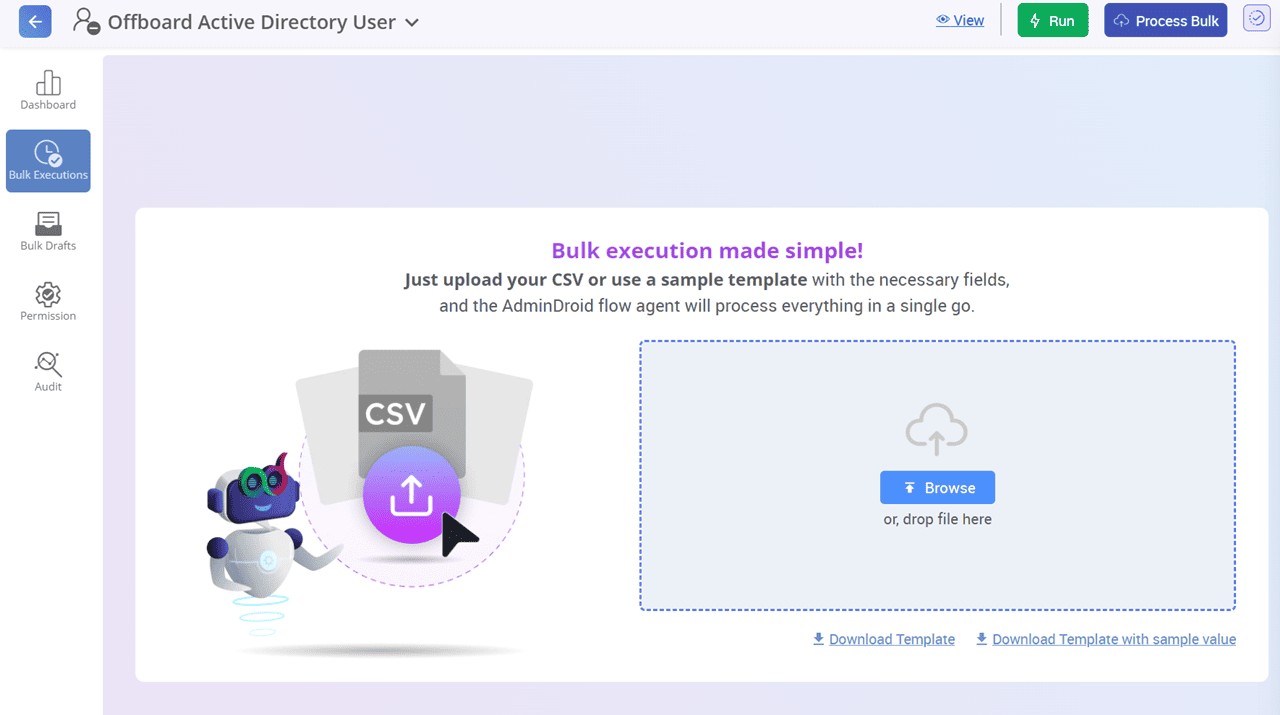
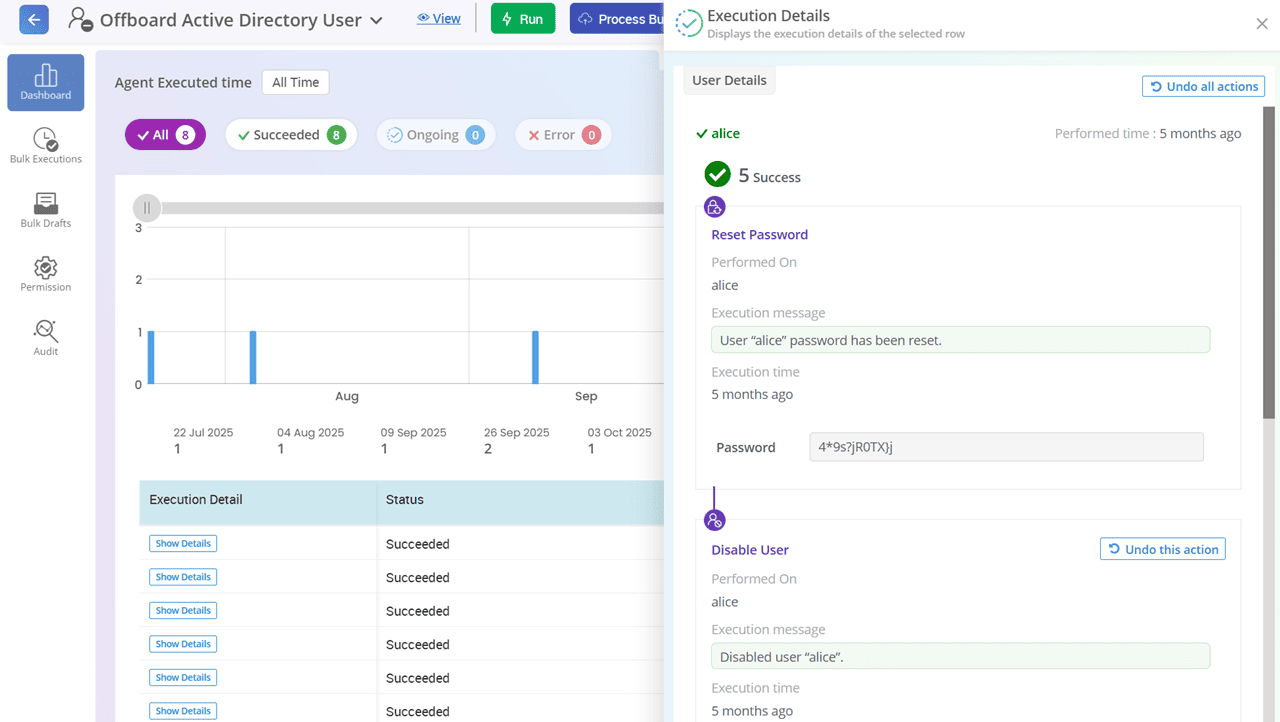
Once triggered, the workflow carries out the following user deprovisioning tasks:
Reset the user’s password to block reuse of compromised credentials
Disable the user account to prevent future logins
Remove the user from all security and distribution groups
Revoke the user's home directory to restrict access to personal file paths
Relocate the account to a designated OU or container for offboarded users
User onboarding and offboarding are just the start. AdminDroid brings you a curated library of built-in workflows to automate a wide range of everyday Active Directory tasks.
In Active Directory, users with protection from accidental deletion cannot be removed right away. Even admins must manually disable that setting before deleting the user. AdminDroid eliminates the extra steps, time, and back-and-forth through portals. Just trigger the delete protected user workflow and let it handle everything effortlessly.
View WorkflowStill opening each user’s properties in ADUC just to extend the expiry date of soon-to-expire or expired user accounts? There’s a smarter way. With AdminDroid’s flow agent, extending account expiry takes minutes, not hours. Simply provide the list of users through predefined templates or a CSV file and set the new expiry date. The workflow updates all accounts instantly and notifies each user’s manager automatically.
View WorkflowInactive users in Active Directory are known entry points for attackers looking to exploit your domain. The key step is to disable these accounts and move them to an OU with restricted access. Doing it manually every time? Skip the hassle. Hand it off to AdminDroid’s flow agent and let the workflow work for you with precision.
View Workflow
In Active Directory, tasks like user onboarding or offboarding differ across domains. Some might assign groups during onboarding, set a review approval process for deleting protected users, enforce logon rules before disabling accounts, and more. To handle all these domain-specific needs, AdminDroid provides a ready-made solution that doesn’t require you to start from scratch.
Make built-in AD workflows truly yours with flow customization! Clone an existing flow agent and tailor it to perfectly fit your specific use case.
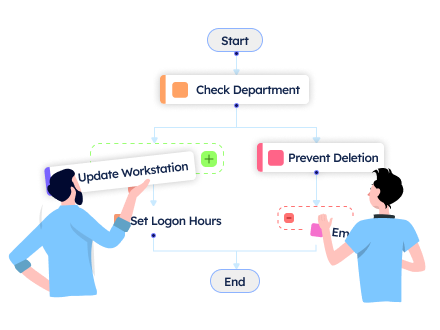
With the advanced controls mentioned below, you can fine-tune the workflow templates and make automation work exactly the way you want.
Want to update the logon workstation for all users during onboarding? Simply insert a step with the update user logon workstations action.
Let the workflow evaluate the OU of each inactive user you provide. Users already in the Inactive Users OU are deleted, while others are moved to that OU. This check runs for all users you provide, evaluates the outcome, and triggers specific actions accurately.
Assign specific actions based on input values to streamline decision-making. For instance, let the workflow check each user’s department and assign the primary group accordingly. Users in the sales department are added to the Sales group, users in marketing are added to the Marketing group, and everyone else is added to Domain Groups.
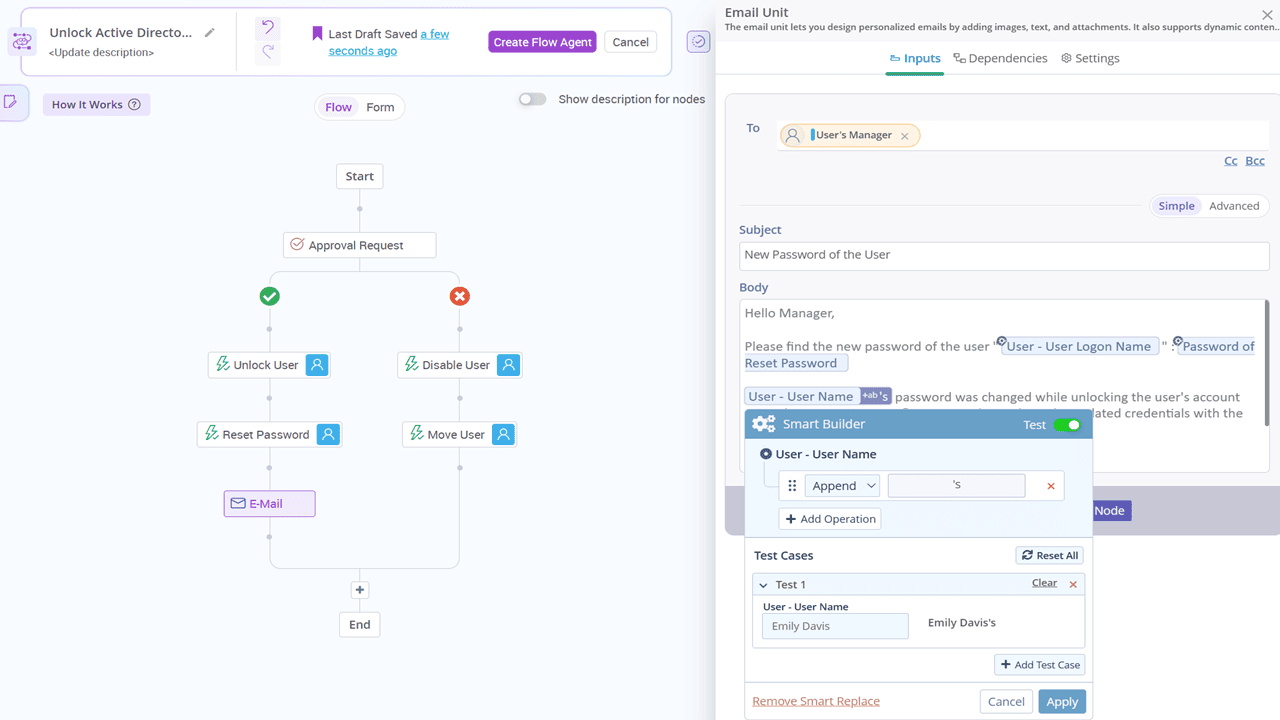
Keep stakeholders updated by adding an email node anywhere in the workflow. Specify To, Subject, Body, Cc, and Bcc, and the workflow will send notifications whenever it runs. For instance, add an email node at the end of a protected group membership workflow to notify group owners about any membership updates.
Active Directory attacks like Golden Ticket attacks or Kerberoasting demand an instant
response.
Every moment spent manually resetting passwords, disabling service accounts, and removing
privileged access gives attackers more time to expand their foothold. These high-stakes
scenarios require automation that performs all necessary actions in seconds.
But here’s the catch: no prebuilt
template can cover every organization’s unique response flow. That’s where AdminDroid puts
custom workflow creation in your hands.
Just drag, drop, and build your own immediate response custom flow agent with no PowerShell or complex setup.
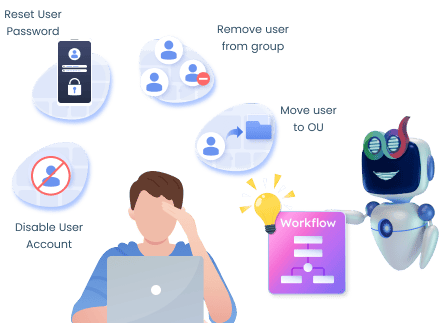
Here are some of the Active Directory workflows that can help you automate daily challenges.
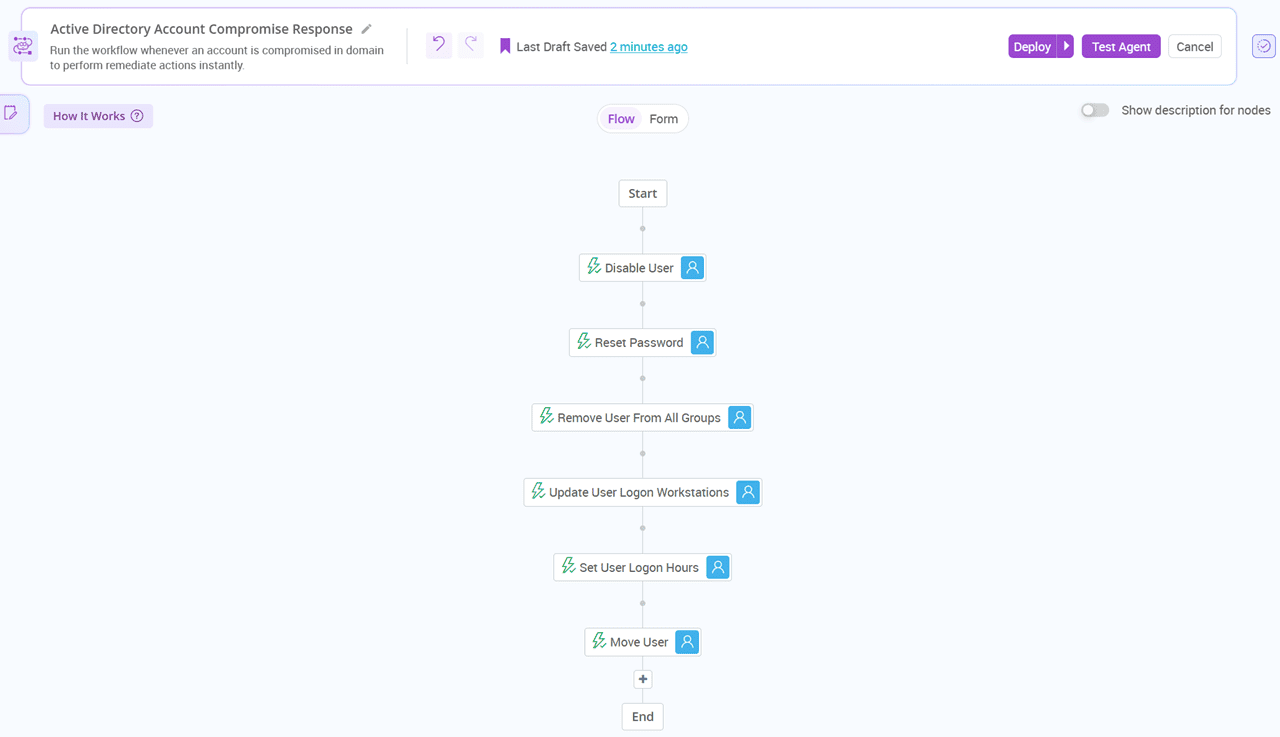
Automate account compromise remediate actions instantly with the following workflow. It acts immediately to protect your domain by
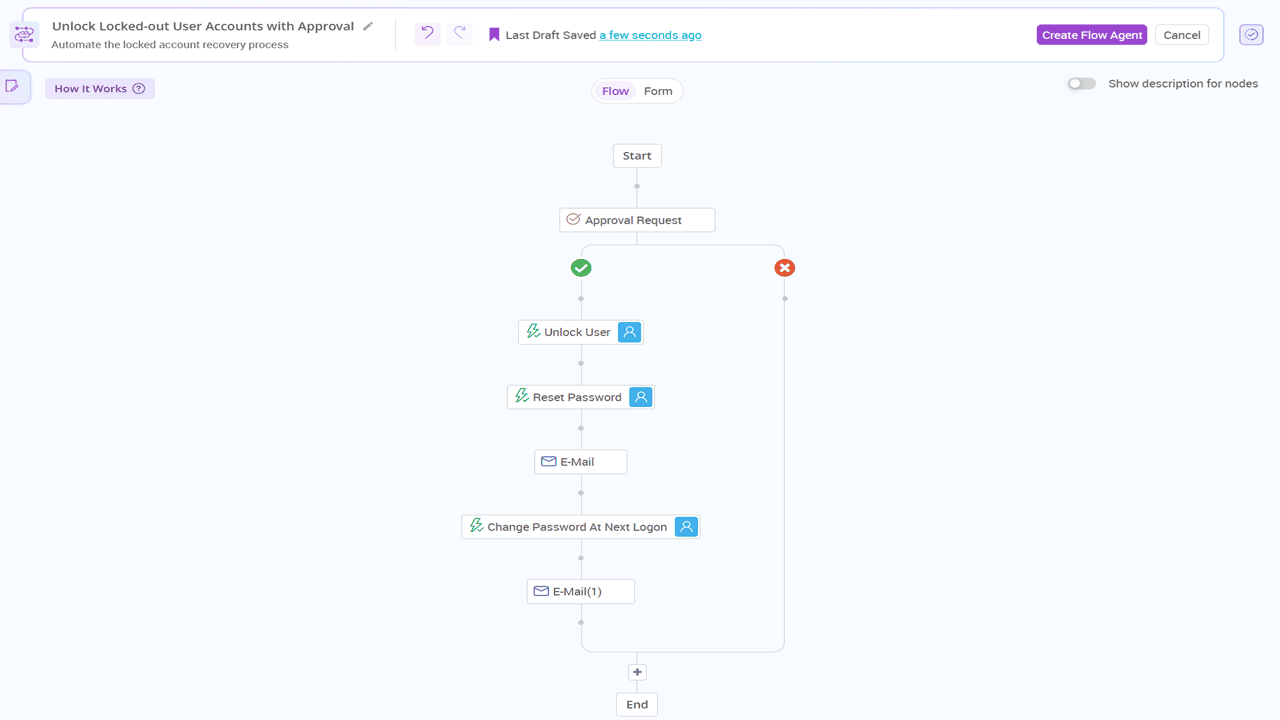
Automate the locked account recovery process with the automated workflow that involves the following review approval process.
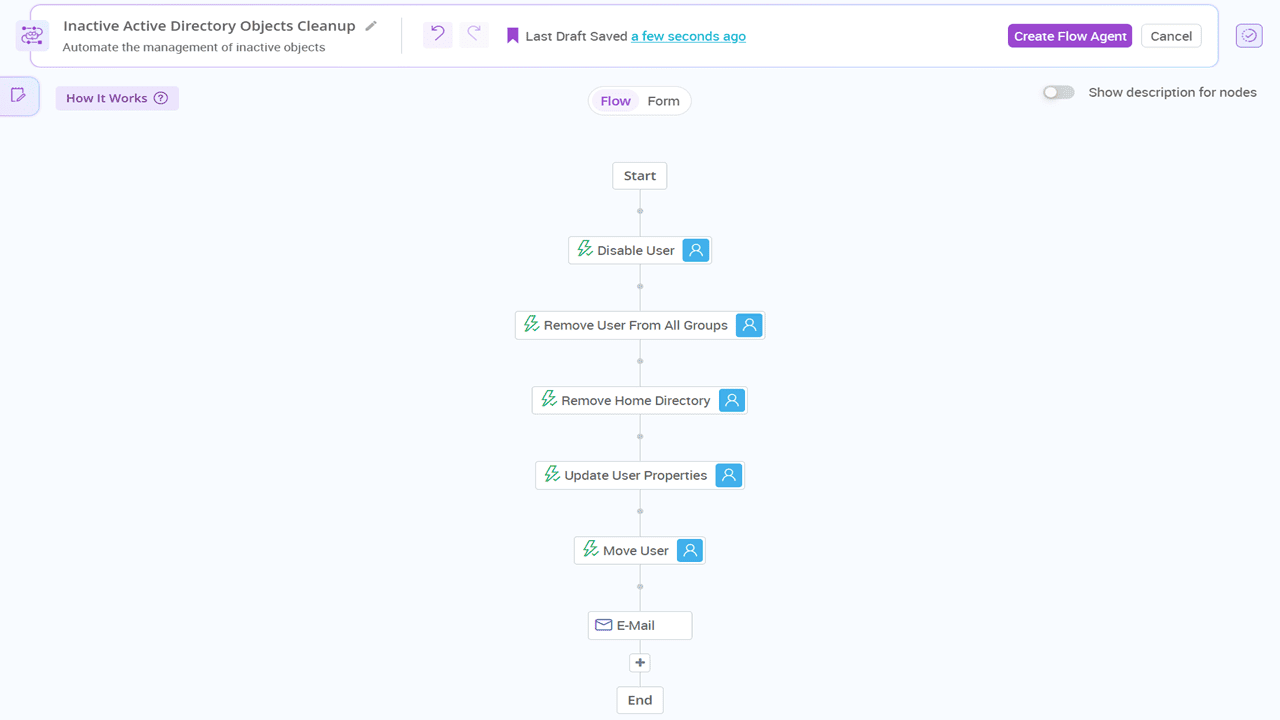
Put stale object cleanup on autopilot with the following workflow. It automatically,
Automation shouldn’t just follow rules, it should think ahead. Explore AdminDroid’s Active Directory workflow features that adapt, anticipate, and handle the unexpected.
Ever spent hours restricting the same logon hours across multiple Active Directory users? Sure, PowerShell might seem like a shortcut, until a script trips over an unexpected error and suddenly you’re on a troubleshooting quest again.
Break free from this never-ending cycle! With AdminDroid’s automation engine, handling one, thousands, or even millions of objects is just a few clicks away.
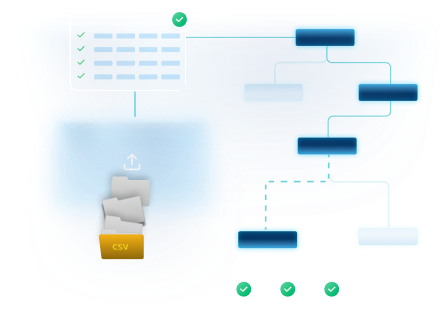
Drop your CSV file and watch as all specified actions are automatically performed on each listed object.
You can also save the CSV as a draft, so you can resume exactly where you left off without re-uploading.
Once uploaded, the data is automatically validated. If there are any missing values, incorrect formats, or invalid entries, they’ll be highlighted, allowing you to fix them before executing the workflow.
A simple move of an object from one OU to another can alter its entire permissions, delegation, and GPO scope. Therefore, such critical actions in Active Directory should never proceed without approval from admins. But getting that “yes” shouldn’t feel like a green light stuck in endless emails and forgotten follow-ups, right?
Kick off AdminDroid’s Approval Engine, the smart layer Active Directory never had. Automate conditional approvals and ensure every sensitive task gets the right decision before it happens.
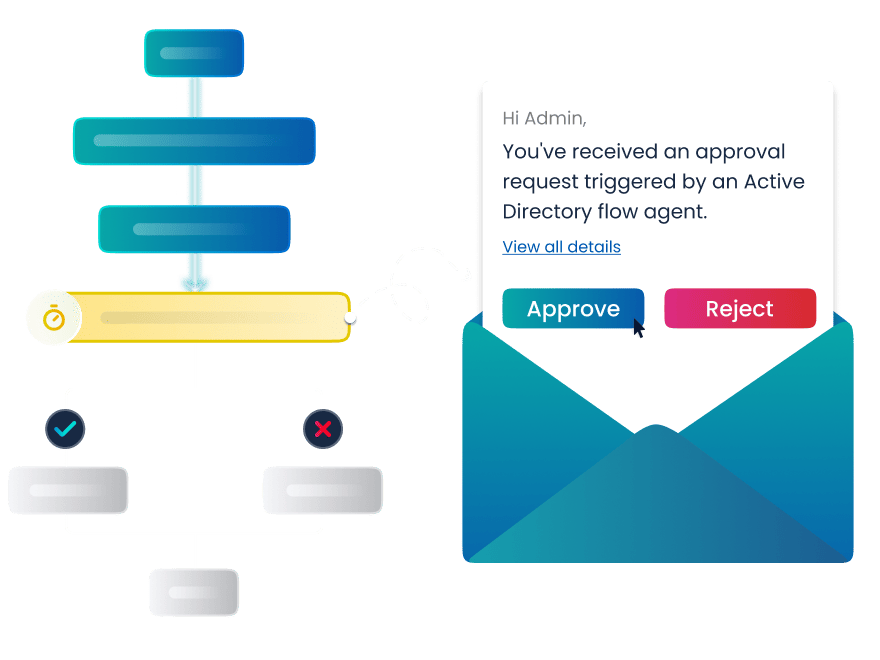
Add as many approvers as needed to ensure every Active Directory management action gets reviewed and approved by all the right users before execution.
Need your approvals to follow a chain of hierarchy? Just configure multi-level approvals and assign the appropriate users at each level to match your organizational workflow. You can also choose to send approval requests to all approvers at once.
Figuring out who should approve each request can be tricky. With AdminDroid, you can assign dynamic approvers like the flow executor’s manager, flow executor, users’ manager, etc. The workflow takes care of picking the right person automatically.
Track every approval action in detail. Easily find who approved, rejected, or is currently awaiting your response to ensure transparency and accountability.
View all pending approvals for automated task in one place. See who requested it, priority, and due date to make timely decisions so critical actions don’t get stuck waiting on your response.
We never make an admin’s job harder. Seeing many approval requests in the tool and wondering, “Do I really have no other options?” You do! With Bulk Approval, simply select all the approvals you want to approve or reject, choose the appropriate action, and you’re done! That’s simple.
Approvers get instant notifications directly in their inbox. If they’re also AdminDroid admins, they can manage the approval request directly from the tool.
One wrong move, like bulk deleting users without Recycle Bin enabled in Active Directory automation, can turn into hours of manual recovery. You’ll be left wishing for an undo button or even a time machine🤕.
We may not have a time machine, but our Active Directory automation tool is equipped with the Halt and Undo actions you’ve wished for. Pause or revert any AD management task the moment something feels off.
Pause and Resume the Workflow at the Right Moment
Revert What You Want, When You Want
With AdminDroid, mistakes aren’t dead ends; they’re just moments you can easily recover from. With the power to revert or halt workflows, you can take bold automation steps without fearing irreversible impact.
In Active Directory, each team has defined responsibilities. For example, HR handles onboarding, the helpdesk manages password resets and account lockouts, and managers update object properties. Allowing a team, like HR, to run all workflows can lead to unwanted executions. On the other hand, restricting access completely forces admins to perform the tasks for them every time they request it.
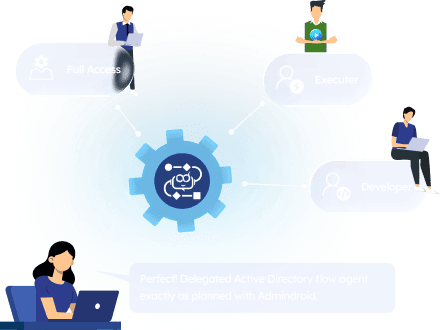
Redefine workflow delegation with AdminDroid. Built on the principle of least privilege, it ensures every workflow respects role-based boundaries, letting users execute only the tasks they’re explicitly authorized for.
Private
Keep your workflow exclusively in your hands. When set to private, only the creator can view and access the flow agent, ensuring it remains confidential and untouched by others.
Public
Open the gates to flow agents, but with safeguards. Share access with everyone or only with those who have the right permissions for every action in the workflow. Even if one required permission is missing, they can’t execute the workflow.
Granular
Need precise control? Granular permissions put who can edit, develop, delete, or change privacy settings on your workflows. Assign roles that match the expertise and responsibility of each team member for better security.
Knowing which user executed a flow agent helps you quickly detect unauthorized access, identify potential risks, and take swift action before small issues escalate. But tracking down this information shouldn't mean digging through Event IDs or scrolling through Event Viewer for hours.
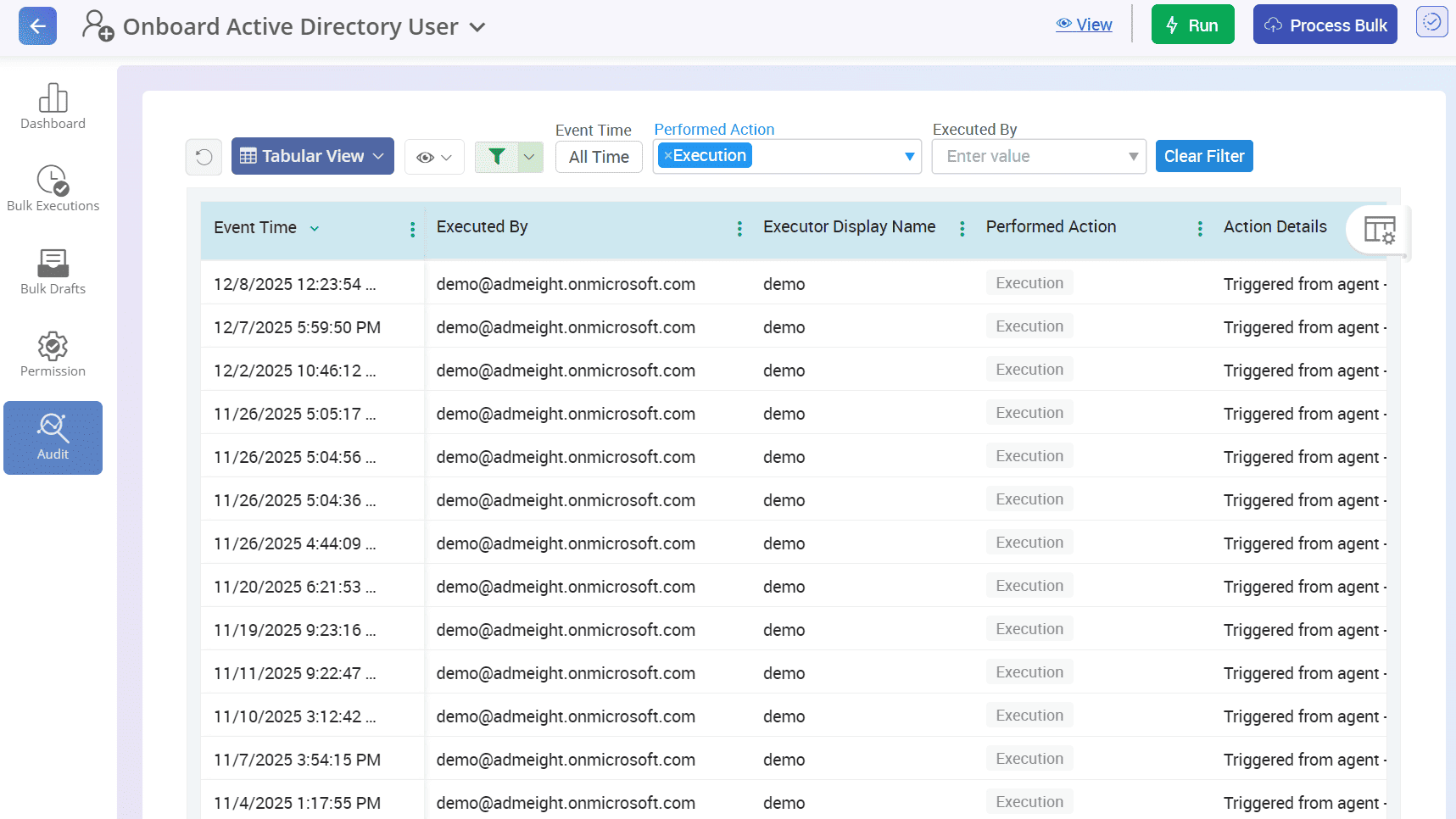
Take the guesswork out of the equation with AdminDroid! Track who triggered each Active Directory flow agent, when, and more, in real-time.
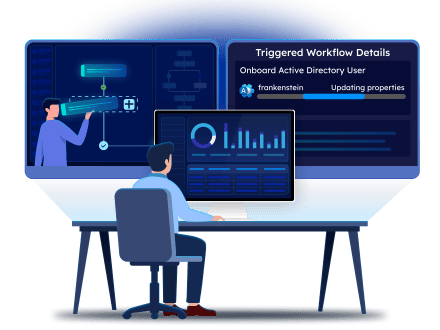
Quickly track the progress of workflows, identify which actions succeeded or failed, monitor approval statuses, and more. Get clear visual insights that keep you in control every step of the way.
Audit all flow agent executions seamlessly in one centralized place. Use powerful filters to pinpoint workflows performed by specific users or to quickly find workflows that failed or succeeded. This makes troubleshooting and accountability effortless.
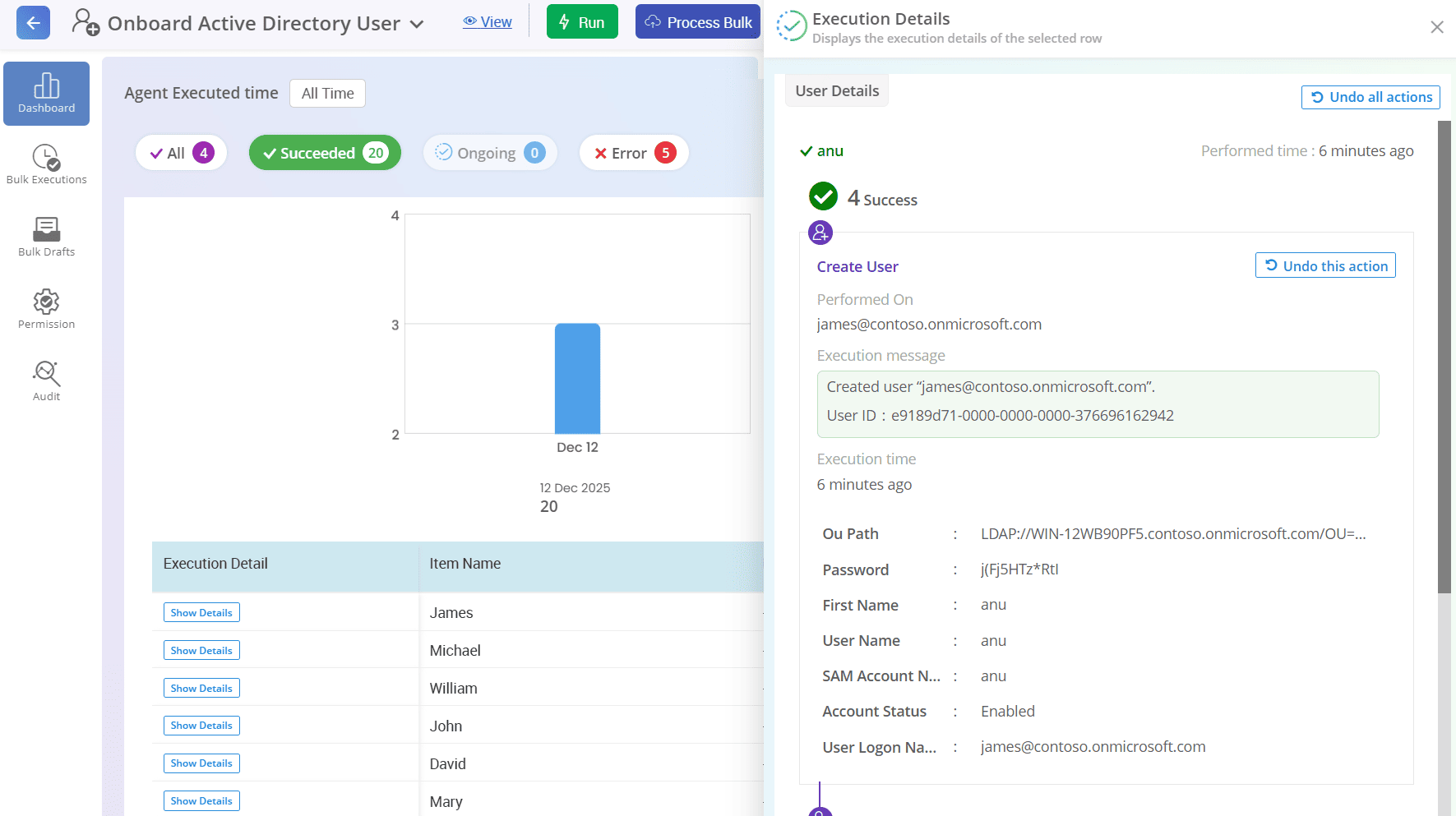
See exactly how each workflow is interacting with your Active Directory domain. For example, the onboarding workflow dashboard shows key details like the created user, OU path, manager, and more, giving you full transparency into the automation lifecycle.
Monitor the full scope of automated tasks performed on multiple AD objects from CSV files. Quickly determine whether the automation completed successfully for all entries or if there were failures. Access detailed error messages for any failed workflow execution.
Each workf low gets a dedicated audit trail, capturing who created, executed, updated, cloned, paused, reverted, and performed any other actions. Get a clear, comprehensive view of every workflow step, ensuring accountability, transparency, and smooth management of your automated tasks.


AdminDroid’s automation tool redefines Active Directory management by infusing smart intelligence into every step of your workflows.
AI has redefined how we approach work, from creative processes to problem-solving; it’s everywhere, making tasks easier and smarter. Now, it’s time to bring that intelligence into your Active Directory automation.
Use the built-in AI engine to make your AD workflows faster and smarter. Just define your need, and the AI interprets, analyzes, executes, and delivers smart outputs with minimal effort.

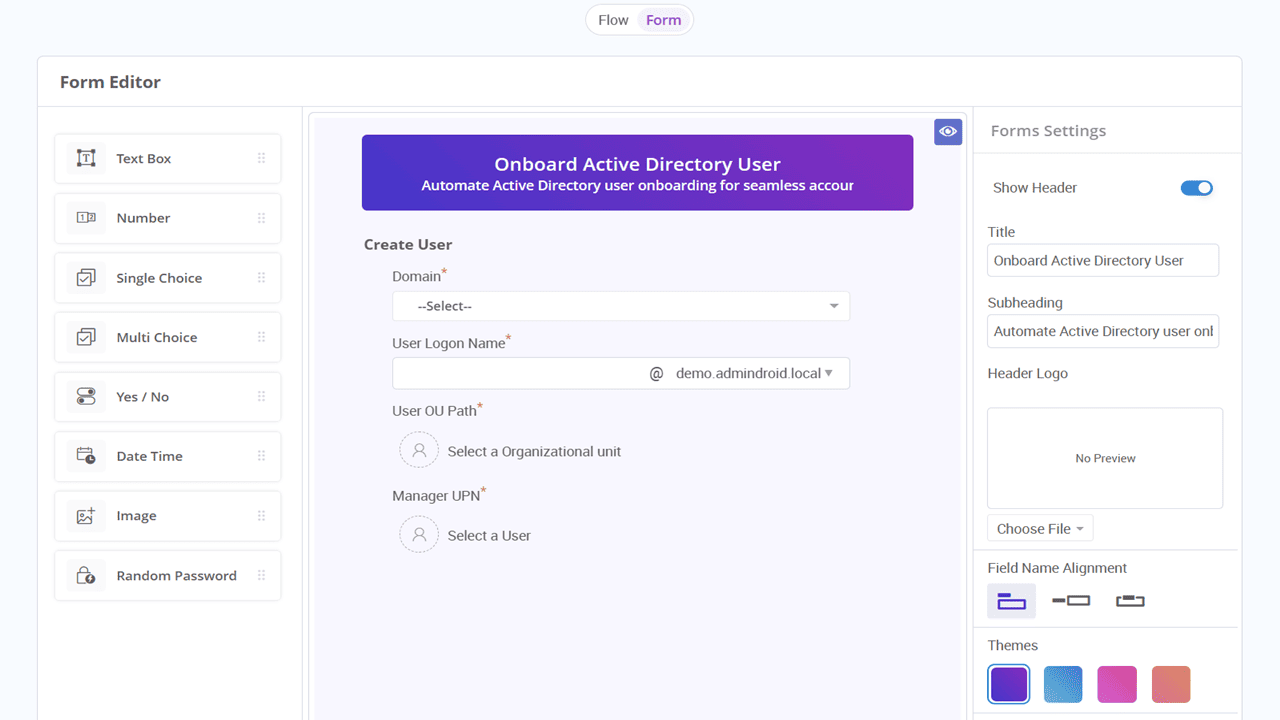
Forms are used to capture all the inputs required to run a flow agent seamlessly. However, figuring out every necessary field on your own often leads to missed inputs.
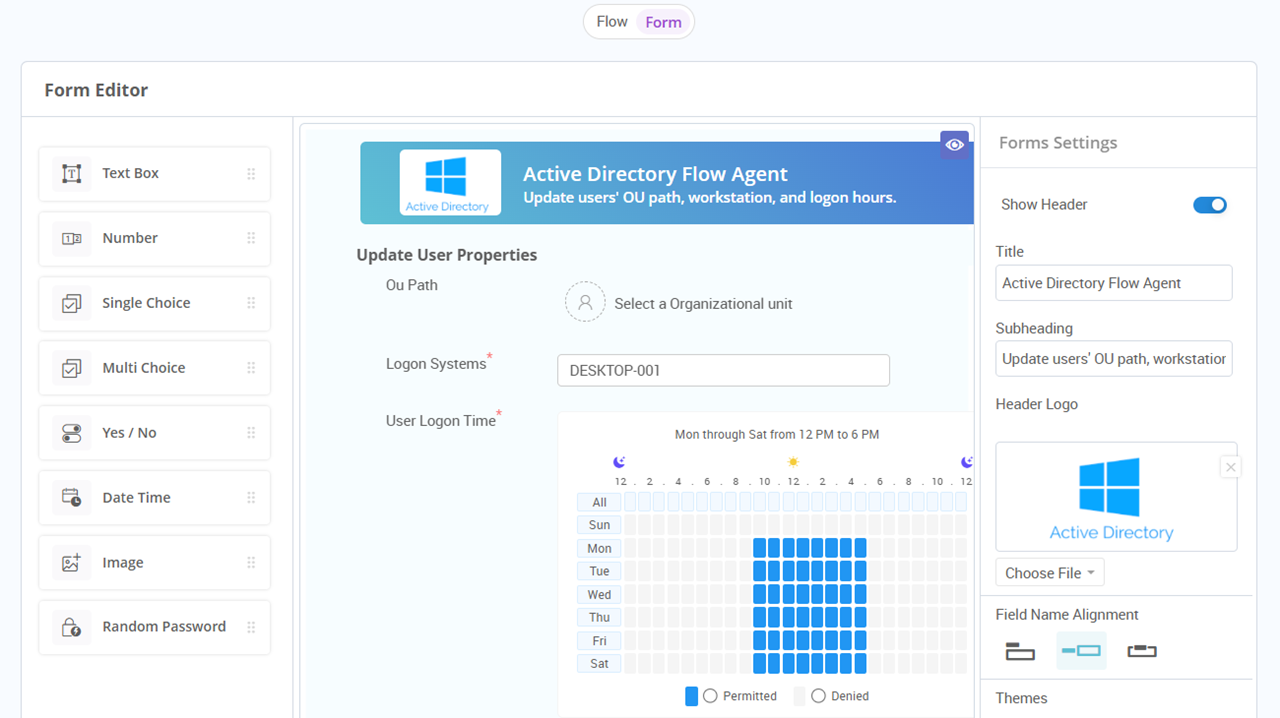
No more manual setup or missing input fields! AdminDroid’s intelligent forms automatically configure all the required input fields the moment you select an action for automation.
Sending a password reset notification to a user typically includes the specific user’s name, their updated password, and all relevant details in the email. Now, imagine doing this automatically for over 100 users in seconds. Sounds interesting, right?
Personalize every detail automatically with AdminDroid’s dynamic value insertion! Pull the right data and place it exactly where it belongs in your AD workflow.