🎉 Our Microsoft 365 Reporting & Management Tool is now available in Azure Marketplace 🚀
This website uses cookies to improve your experience. We'll assume you're ok with this. Know more.

You Deserve the Best
Onboarding and Offboarding Solution

Just Automate Anything with AdminDroid Workflows

Manual processes lead to mistakes and mistakes lead to security breaches. It's time to let go of risky routines and switch to a smarter, safer way: Automation

You Deserve the best Onboarding and Offboarding Solution
Problem #1: Fixed

Your Days of Chasing Portals for Onboarding Users are Over!

A well-executed onboarding isn't just an admin's checkbox; it sets the tone for the entire employee experience. Delays, missing access, or inconsistent setups can frustrate new hires and slow down team productivity. Worse, manual errors can lead to security gaps and compliance issues right from the start.


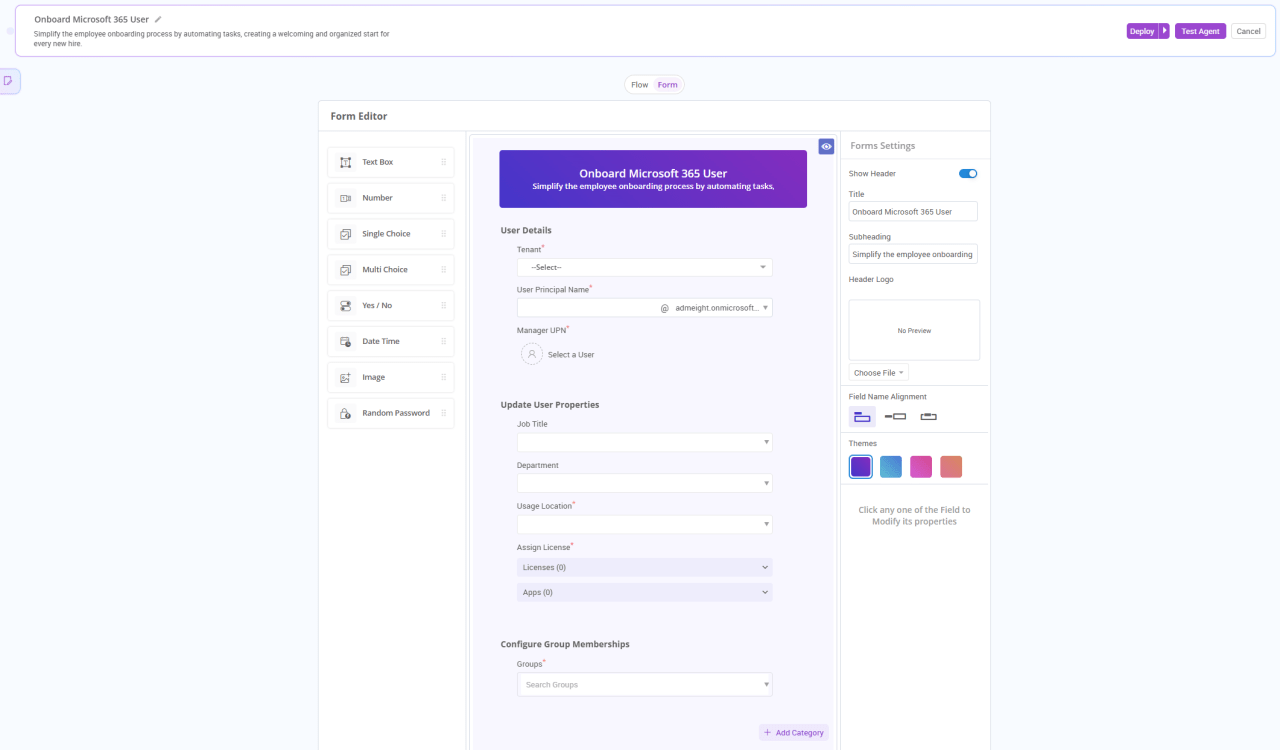
Just trigger Microsoft 365 user onboarding workflow and deliver a smooth, organized start for every new hire.

The moment a new hire joins, let workflow automate the user provisioning tasks:

Standardized user creation in Microsoft 365 with the right license.

Secure access provisioning that aligns with compliance from day one, plus many other tasks handled instantly.

Repeatable agents that scale across departments and roles.

Zero manual errors, less admin effort, and reduced onboarding time.

Problem #2: Fixed

You No Longer Need to Remember the Crucial Offboarding Checklist!

Offboarding is not just the end of the employment - it’s a critical moment for securing your organization. A single missed action can leave behind active accounts, unmanaged data, or lingering access to sensitive data.


Every offboarded user should leave your systems, not traces of risk! Reduce the risk of access creep with a fully automated offboarding workflow.

Let Microsoft 365 offboarding agent automate the user deprovisioning checklist for you:

Disable user accounts in Microsoft 365 instantly.

Wipe or archive user data securely with no loose ends.

Revoke shared access, mailbox permissions, app sign-ins and a lot more in a single go.

Maintain audit trails to prove every step is completed.

Problem #3: Fixed

The Faster You Act on Account Compromise, the Safer your Data Stays!

The rise of attack techniques targeting Microsoft 365 accounts is an eye-opening wake-up call! Taking precautionary steps is always a smart move and yes, deserves a pat. But still, loopholes can sneak in, and that’s how account compromises happen. Doing every remedial step manually by jumping portals? That’s not just time-consuming - it’s exactly the kind of delay attackers take advantage of.


Every extra minute you spend manually going through account remediation steps is a golden window for attackers to dig in deeper.

Let's not give them that chance. Compile all the remedial actions and create a ready-to-run single automated flow that covers:

Disabling the user account to stop further activity

Signing out of all sessions to revoke active tokens

Resetting the password to block reuse of compromised credentials

Removing email forwarding to prevent data leakage

Wiping out suspicious inbox rules commonly used in attacks

Enforcing MFA to harden account security

Alerting security admins to coordinate the response and perform a lot more actions quickly

With this flow in place, response time drops, and defense kicks in instantly.

Fix Everyday Admin Challenges with Workflows!

From one-time fixes to recurring tasks, create workflows that scale with your workload.

Admins deal with real-world demands that can't wait, like license assignments, risky sign-ins, and more. With AdminDroid, you can build smart workflows that take care of these tasks automatically and on time. Design fully customizable agents using management actions, condition-based logic, and more across all Microsoft 365 services. No coding or PowerShell required, just drag and drop the actions you need, and your flow is ready in minutes.

Here are some workflows you can build to tackle your repetitive, attention-demanding challenges:

License Request and Assignments

Allow users to request licenses, trigger approval workflows, and auto-assign the correct license upon approval. No more manual tracking or delays.

Leave Approval Workflow

Allow users to submit leave requests, route them for approval, and configure settings such as out-of-office replies, auto-declining meeting invites, updating Teams status, etc.

Leaked Credential Detection and Remedial Actions

Automatically detect leaked credentials, alert admins, and launch response steps like password reset, session sign-out, and MFA enforcement all in one flow.

SharePoint Online Storage Saver

Analyze document libraries with large version histories and suggest cleanup opportunites to reduce storage costs while maintaining important file versions.

Analyze Risky Sign-ins and Temporarily Block Users After Approval

Flag users with risky behavior, notify admins, and block access only after review and approval, minimizing false positives and improving response control.

A Complete Library of Workflows to Jumpstart Your Automation

Not just user onboarding and offboarding, but also a library of templates to take automation and security to the next level

User-Centric Workflows for Enhanced Security

Require Approval to Create a New Team

Best for maintaining structure and preventing duplicate or inactive Teams.

Prevent users from creating Teams on their own. Instead, route their request through a manager for approval. Once approved, the Team is created automatically.

Ask Approvals to Create a New Group

Useful for keeping group creation relevent and purposeful.

Stop unregulated group creation. Let users request a group and have it approved by a manager.

Need Approvals to Create a New Site

Great for ensuring each site has a valid business purpose before it goes live.

Stop users from instanly creating sites. Instead, have them go through a quick approval from their manager.

Require Approvals to Create a New Distribution List

Perfect for reducing unnecessary DLs and ensuring proper communication ownership.

Avoid unnecessary or misused DLs. Let users raise a request that goes through their manager. After Approval, the DL is auto-provisioned.

Admin-Centric Agents for Quick Automations

Create a Confidential SharePoint Site

Perfect for handling legal executive, or financial documents.

Use it to create a highly secure site for sensitive projects where members can only engage and contribute but aren’t allowed to share anything.

Creating a Re-Sharing Restricted Site

Great for keeping internal documents from spreading beyond intended users.

Helps you build a site that lets users view or collaborate on files without giving them the ability to re-share anything.

Create a Client Collaboration Site

Ideal for secure, project-based collaboration with external partners.

Create a dedicated site for collabrating with selected external clients, while restricting access to users from unauthorized domains.

Store Distribution List of Emails in Shared Mailbox

Useful for tracking and preserving group communications.

Make use of it to create a shared mailbox to capture all emails sent to a DL, since DLs don’t store messages, and owners can’t retain them otherwise.

Create Dynamic Distribution List with Moderation

Ideal for delivering timely and important updates across your organization.

Use it to create a dynamic distribution list that automatically includes members based on your specified conditions, with built-in moderation to prevent unwanted messages.

Tweak the Agent to Fit your Flow - No Need to Start from Scratch!

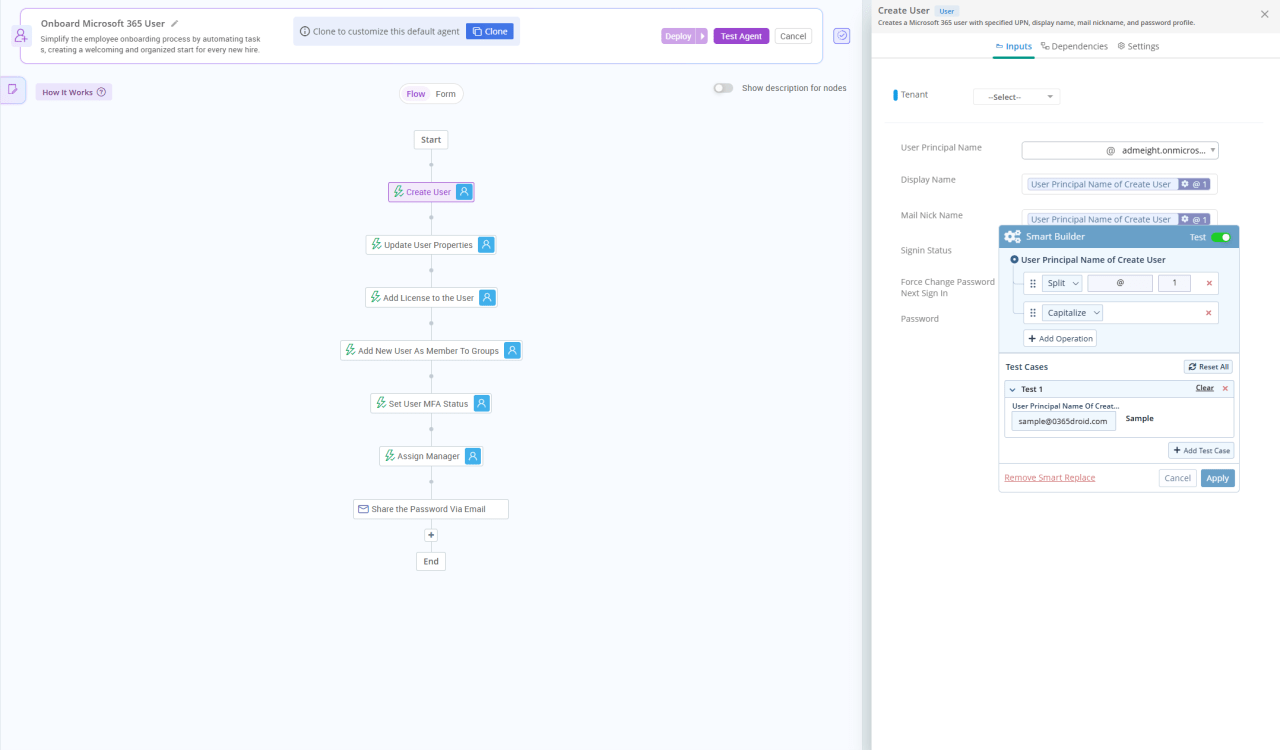
We've built the flow to handle common scenarios out of the box. But if you need the workflow to support a more specific use case like onboarding or offboarding, users from a particular department, that's where flow customization comes in.

Instead of starting from scratch, you can simply clone an existing agent and make it your own. Once cloned, you have full flexibility to tweak it however you like: add new actions, modify existing steps, adjust input values, or refine conditions to match your unique requirements.

Tweak the Agent to Fit your Flow - No Need to Start from Scratch

It's a quick and efficient way to reuse what's already working while adding your personal touch to make it truly align with your operational needs.

Standout Features That Take Workflows Beyond Basic Automation

The Hidden Shortcomings of Microsoft 365 - Handled Seamlessly By AdminDroid

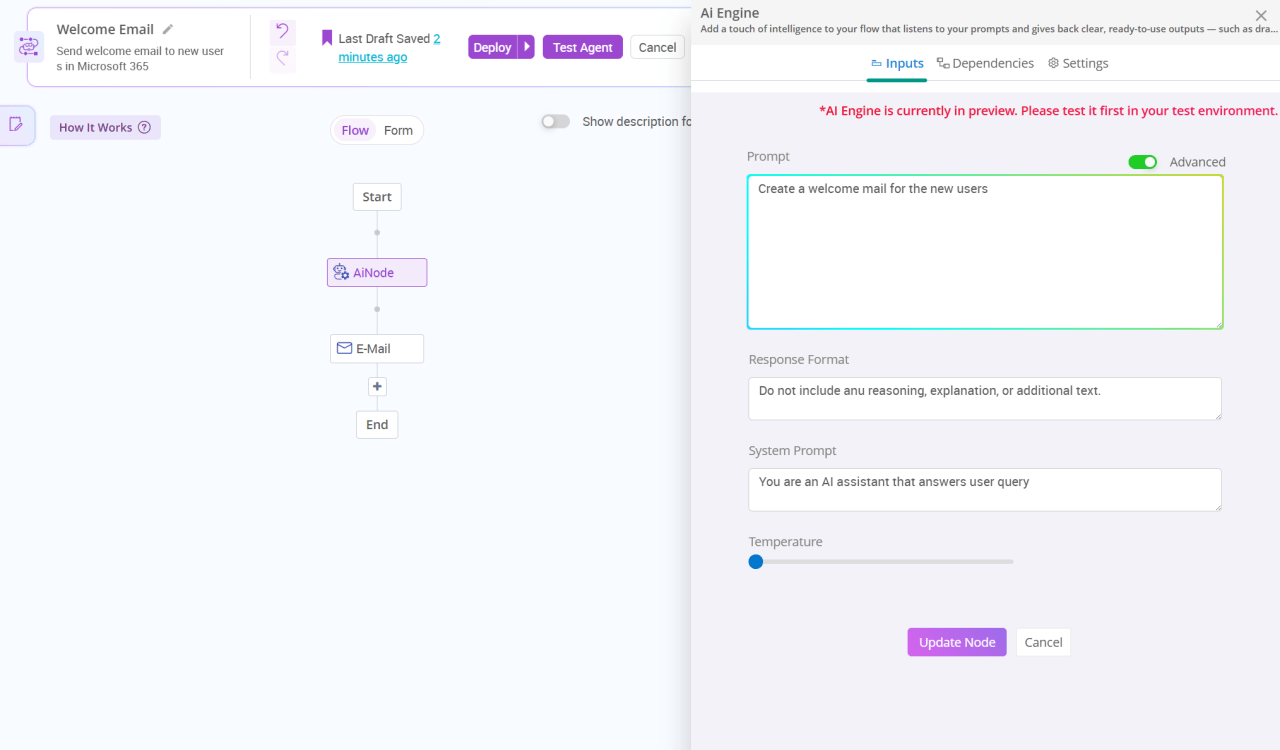
Not Just Automation - It's Automation That Listens to You

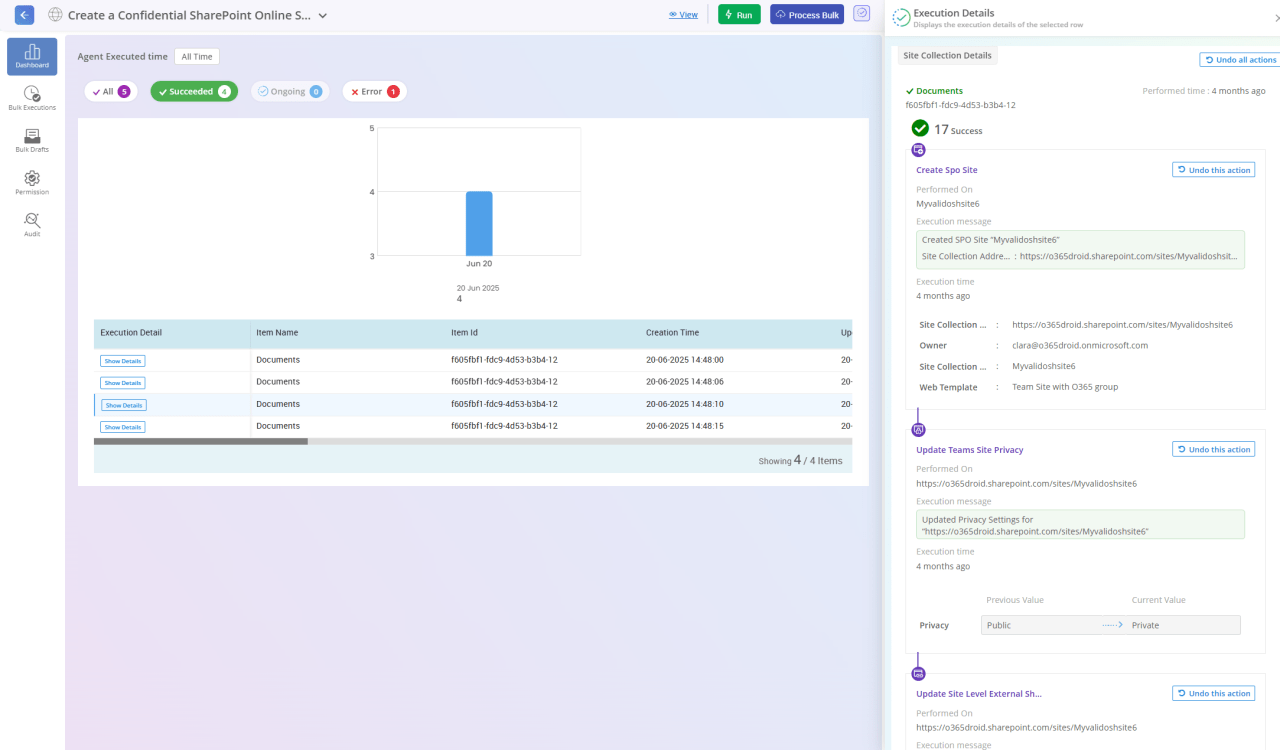
With AdminDroid, mistakes don't have to cost you. Agents come with built-in pause and revert options, so you stay in control even after execution begins.

Revert Agent Actions - Undo Mistakes Instantly

Fix mistakes in a click

Removed users from key Microsoft 365 groups or disabled accounts too early? Revert puts everything back as it was.

Test flows without risk

Hesitate to run an Agent? Run it confidently, because revert lets you undo if anything goes wrong.

Granular reverting is a bonus

Whether you need to roll back just one specific action or undo the entire flow execution, the choice is yours.

Pause & Resume Agent Execution - Intervene Before It’s Too Late

Stop mid-run if something feels off

Assigned the wrong license? Pause the agent right away before it impacts more users.

Review results on small group first

Apply the changes to a few users, pause the run and check if everything looks right. If things are working as expected, you can proceed and resume the run for the rest.

Intelligent wait and auto-resume for dependency checks

The agent knows when to wait and when to proceed. It automatically pauses the flow until a required dependency is ready, then resumes the next step. This removes the need for manual delays and keeps your workflow running smoothly.

For example, if you're creating a new site and then updating its properties in the same flow, the agent will intelligently pause until the site is fully created and available. Once confirmed, it will automatically resume and proceed with the next step of updating its properties.

Bulk Executions Have Never Been This Effortless

Why struggle with Microsoft 365's execution limits or rely on PowerShell scripts for every bulk task - including onboarding and offboarding?

With AdminDroid's bulk execution engine, you break free from limitations. Whether it’s 1 user, 100 or an entire org of a million users - run actions at scale in just a few clicks.

  • Take the ready-to-run prebuilt onboarding/ offboarding flow agents and just upload a CSV with user details. The engine takes over from there and runs your flow across every user.

  • You can even save the CSV as a draft and revisit it later. This lets you continue from where you left off - without rebuilding your CSV from scratch.

From onboarding a new department to deprovisioning 500+ accounts, bulk user management is now a matter of minutes, not hours.

Built-in Approvals That Catch Risks Before They Happen

Microsoft 365 doesn’t offer built-in approvals for every crucial action
- but AdminDroid does.

AdminDroid bridges that gap with powerful approval controls built for real-world needs:

Set up multi-stage approval flows

Ensure key actions go through the right review process before execution.

Support both sequential and parallel approvals

Whether you need step-by-step reviews or multiple approvers at once, design your flow agent your way.

Track every decision clearly

See who approved, rejected, and when making follow-ups and accountability simple.

Keep a complete audit trail

Maintain detailed logs of all approval activities to support compliance and internal reviews.

Dynamic approver support

You can set approvers dynamically, such as assigning the flow initiator's manager as the approver, which will be determined at execution time.

Role-Based Access Control for Granular Agent Delegation

Applying least privilege is much needed! AdminDroid turns that principle into practice.

  • Giving users the right level of control is essential, especially in an automated environment. Too much access can lead to irreversible mistakes. AdminDroid prevents that by enforcing strict role-based access controls.

You just need to assign the right level of access based on the user's role. From there, AdminDroid intelligently checks whether the user has all the required permissions to manage the Microsoft 365 environment via agents. If even one-part fall outside their allowed access, it won't proceed.

  • Take it a step further by assigning agent roles to your admins, so you can control who can create, edit, delete, or execute each agent.

AdminDroid Workflows - Engineered with Intelligence at Every Layer

We've shown you how AdminDroid patches the gaps. Now, let's see how it reveals what true workflow intelligence looks like.

Show All