🎉 Our Microsoft 365 Reporting & Management Tool is now available in Azure Marketplace 🚀
This website uses cookies to improve your experience. We'll assume you're ok with this. Know more.

Securely Delegate Active Directory
To Minimize Privilege Misuse

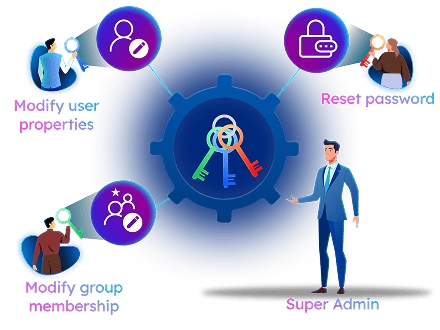
Go beyond traditional admin access. With the AdminDroid Active Directory delegation tool, you can securely grant granular access across all levels, from non-admins to privileged users, and manage everything seamlessly within the AdminDroid portal. Give every team member the exact access they require!

Grant Delegated access to Avoid Security Breaches
Grant users just enough access by applying least-privilege.
Delegate granular access without modifying Active Directory roles.
Track delegated admin activities through detailed audit logs.
polygon-img polygon-img polygon-img

Handle Common Active Directory Delegation Challenges the Right Way!

The secret to scaling isn't doing more, it's delegating smarter. AdminDroid has the blueprint to solve your everyday Active Directory delegation challenges.

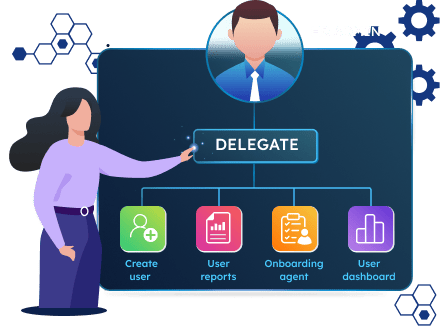
Delegate AD User Provisioning Tasks Without Full Admin Access

Creating hundreds of users in Active Directory can feel like a never-ending juggling act, especially when HR already has the onboarding list ready. Manually handling it all not only eats up IT time but also delays the entire process.
Take Active Directory user onboarding off your plate and delegate it to HR securely!
With AdminDroid Active Directory delegation, give your HR team the power to create and manage users without the risk of full admin access. Define exactly what actions they can perform and which reports they can access. And here’s the icing on the cake: AdminDroid automates user provisioning tasks such as user creation, manager assignment, and more through a dedicated onboarding workflow. You can even delegate this to your HR team to handle Active Directory user onboarding effortlessly.
provisioning of tasks

Securely Delegate Active Directory Password Reset Permissions

Resetting passwords is one of the most common help desk requests IT admins receive. When all such requests are funneled through a small set of admins, response times can lag. These bottlenecks often lead to confusion and hinder day-to-day operations.
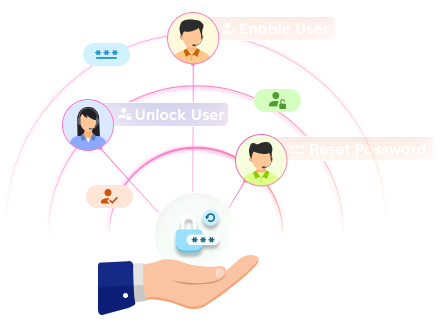
Lift the password reset burden with AdminDroid’s granular Active Directory delegation!
Delegating frequent tasks like password resets, unlock accounts, and more is now effortless with AdminDroid Active Directory delegation. By delegating these routine requests to users with least-privilege access, AdminDroid reduces daily admin workload and frees up time for strategic initiatives.
Password Reset Delegation

Granularly Delegate Group Membership Management in Active Directory

Routine events such as role changes, team shifts, and offboarding often burden IT with group membership management tasks. These repetitive tasks take up valuable admin time that could be better spent on sensitive operations or infrastructure planning. However, when it's time to delegate, native methods offer only all-or-nothing access, increasing the risk of over-privileged control.
AdminDroid lets you securely offload group member assignments to your help desk without compromising privileged access.
AdminDroid eliminates these frustrations by allowing you to delegate group membership management to help desk teams with precisely defined permissions. They can modify the membership of assigned groups without being part of privileged security groups, ensuring accurate access control while maintaining strict boundaries.
Delegate Group Membership Management

Delegate Active Directory Domains for Least-Privilege Access

Microsoft warns that Domain Admins group in Active Directory often contain too many accounts. This is mainly due to excessive privileges granted for domain-wide management, increasing the risk of compromises and cyberattacks.
Skip full admin rights to manage users, groups, and computers domain-wide with AdminDroid AD delegation!
With AdminDroid, admins can securely delegate access to Active Directory domain without requiring elevated privileges. In multi-domain environments, domain-scope delegation makes it easy to grant access only to the specific domain a user needs to manage or view.
Delegate Active Directory Domains for Least-Privilege Access

Hide Critical AD Objects from Unwanted Access Using Delegation

Protecting sensitive Active Directory objects such as executive accounts, admin groups, and service accounts from unauthorized access is crucial. This becomes even more important during delegation. That’s because users handling lower-tier responsibilities should not have access to higher-tier assets defined in the Active Directory Tiering model.
Keep privileged Active Directory objects out of delegated admin's sight with scoped delegation.
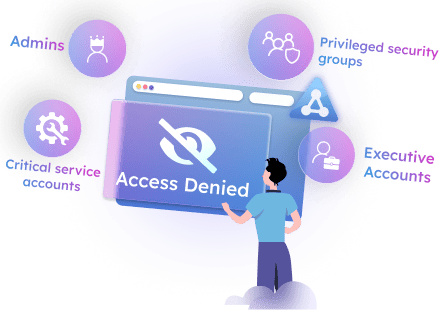
With AdminDroid, you can restrict access to Tier 0 objects like the CEO’s account, Domain Admins group, or critical service accounts based on role. This avoids accidental or intentional changes to privileged accounts in Active Directory, ensuring zero exposure and airtight access control.
hide-critical AD objects

Assign Delegation Permissions to Non-Admins in Active Directory

Delegating access to admin accounts in Active Directory is straightforward. But when it comes to assigning permissions for regular users, admins are often forced to rely on the Delegation Control Wizard. However, this approach lacks transparency and flexibility, making it difficult to track, audit, or adjust the delegated permissions later.
Grant least-privilege access to any user without adding them to privileged groups, all with AdminDroid.
Delegate access to any user with precise control, enforcing the principle of least privilege at every level. AdminDroid keeps your data safe and unexposed through security-focused, granular delegation.
Assign delegation permissions to non admins

Easily Delegate Microsoft 365 Tasks in Hybrid Environments

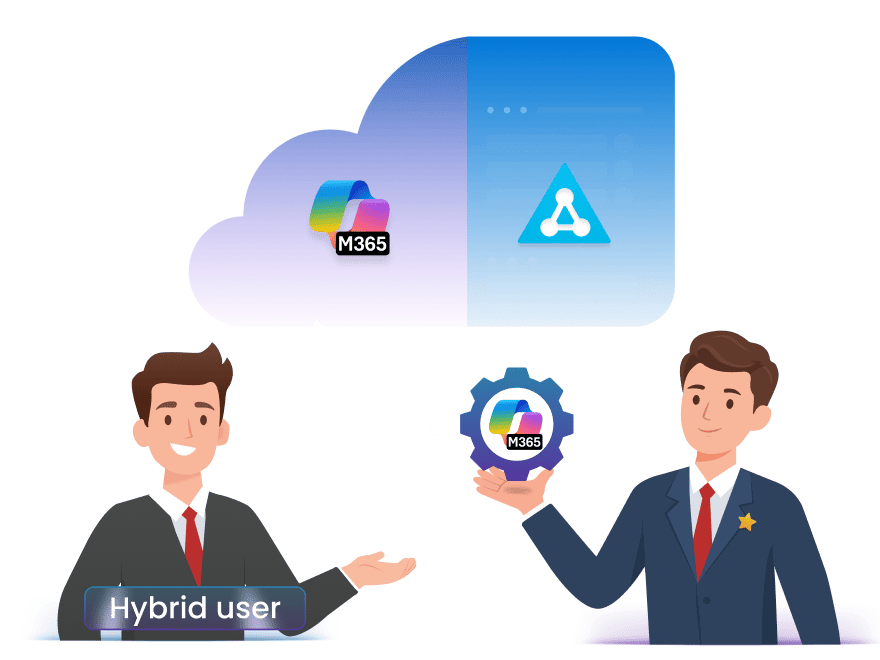
Security best practices recommend keeping privileged Microsoft 365 accounts cloud-only and limiting Active Directory admin accounts to on-premises. Combining these roles increases the attack surface and exposes your environment to greater risk. AdminDroid addresses this challenge with its delegation model, allowing you to delegate Microsoft 365 tasks securely without assigning broad or permanent admin roles.
Don’t over-permission your hybrid users. Delegate Microsoft 365 tasks the smart way with AdminDroid!
Using AdminDroid's delegation tool, you can grant access only to the necessary tasks without exposing other Microsoft 365 administration areas. This ensures scoped access, reduces risk, and maintains least-privilege control.
Easily Delegate Microsoft 365 Tasks in Hybrid Environments

Advanced Features That Redefine Active Directory Delegation

“Transform the way you delegate Active Directory with AdminDroid’s features that scale with your security and operational goals!”

Active Directory Report Delegation

AdminDroid offers over 450+ built-in Active Directory reports, and you can delegate access to just the ones that matter. This laser-targeted delegation boosts efficiency while preserving control and security.

Smart Dashboard Delegation

AdminDroid’s 10+ powerful dashboards help you to visualize your Active Directory data clearly and effectively. Whether it's monitoring account lockouts or analyzing password trends, you can grant users access to only the dashboards they need and nothing beyond that.

Granular Control Over AD
Management Actions

Need to delegate rights to unlock accounts, create computers, or manage group members in Active Directory? AdminDroid lets you assign these to junior admins or help desk staff with ease. With 70+ management actions at your fingertips, you can securely delegate Active Directory administration and streamline object management.

Automate Tasks with Workflow
Agent Delegation

Tired of repeating the same admin tasks? Unlock next-level delegation with AdminDroid's Workflow Agents. AdminDroid admins can assign these intelligent no-code allies to automate and streamline Active Directory operations. From user onboarding to offboarding, common administrative tasks are handled effortlessly without lifting a finger.

Role-based Access Control

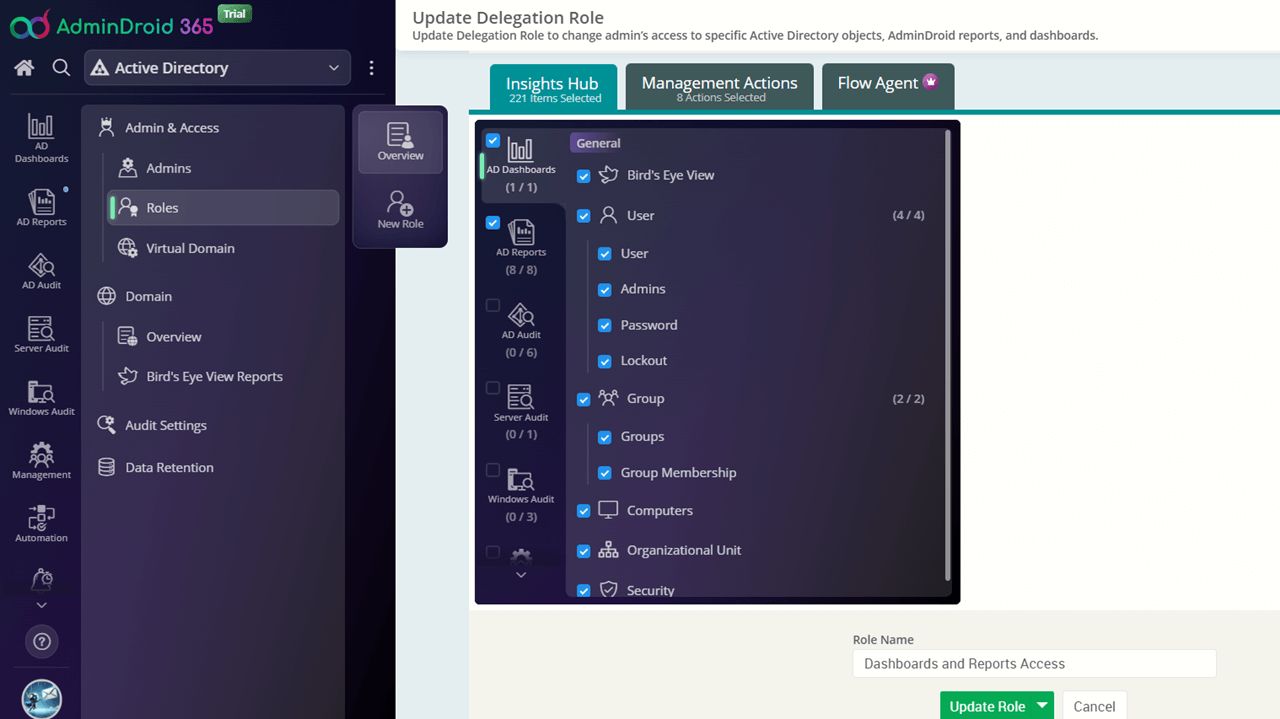
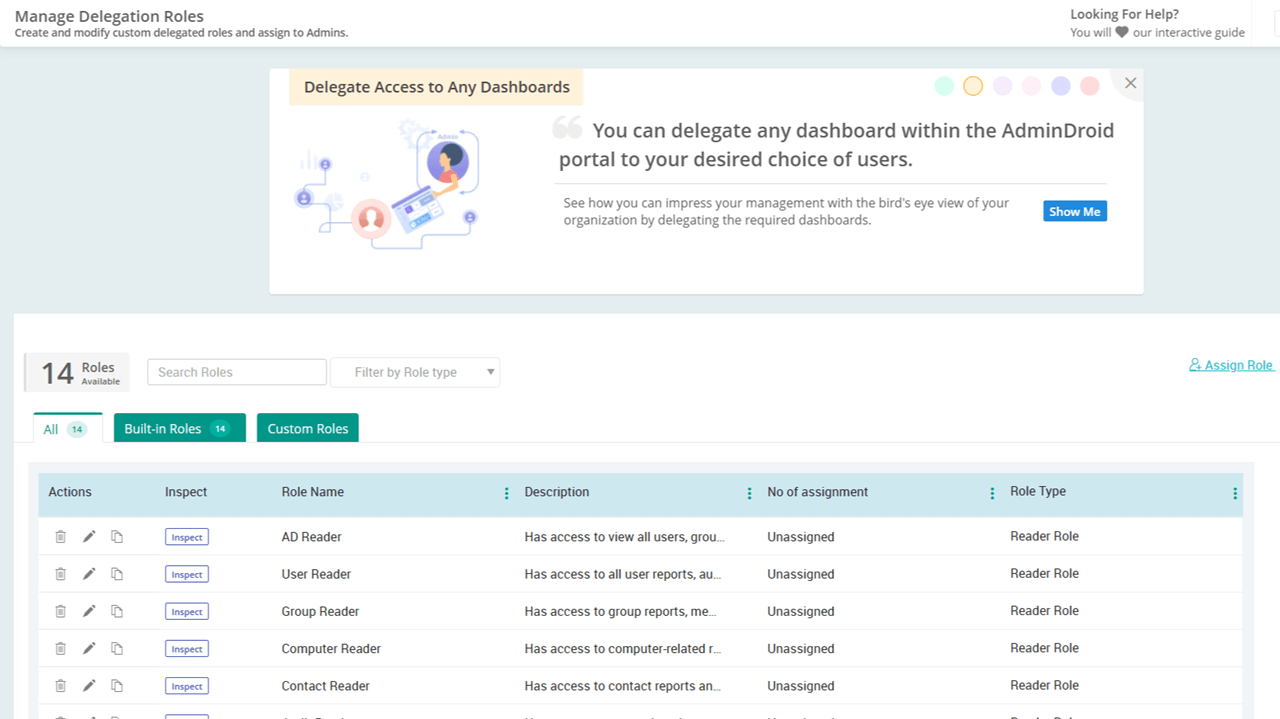
With AdminDroid’s built-in and custom roles, you can enforce precise role-based access control for Active Directory administration. This granular model lets you define reusable roles tailored to your needs and assign them to delegated admins, thereby creating a clear Active Directory delegated permissions list. It promotes consistency, strengthens security, and improves operational efficiency.

Scoped Active Directory Access with Virtual Domains

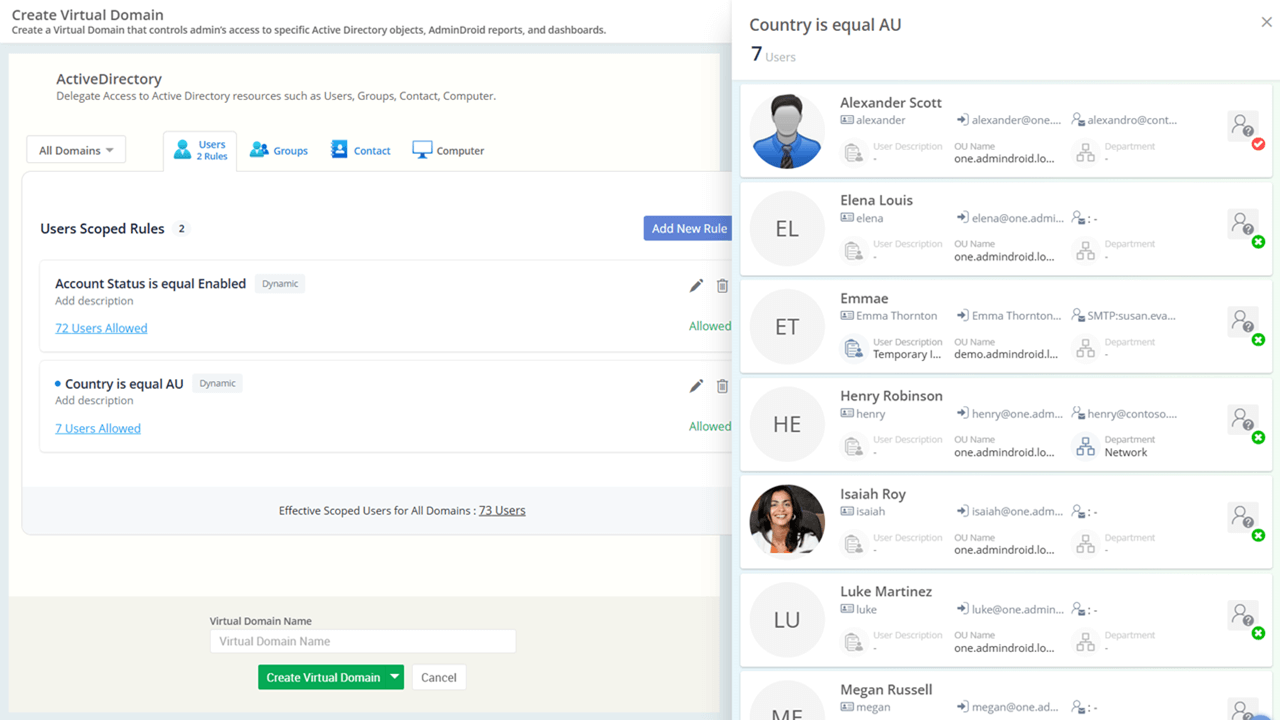
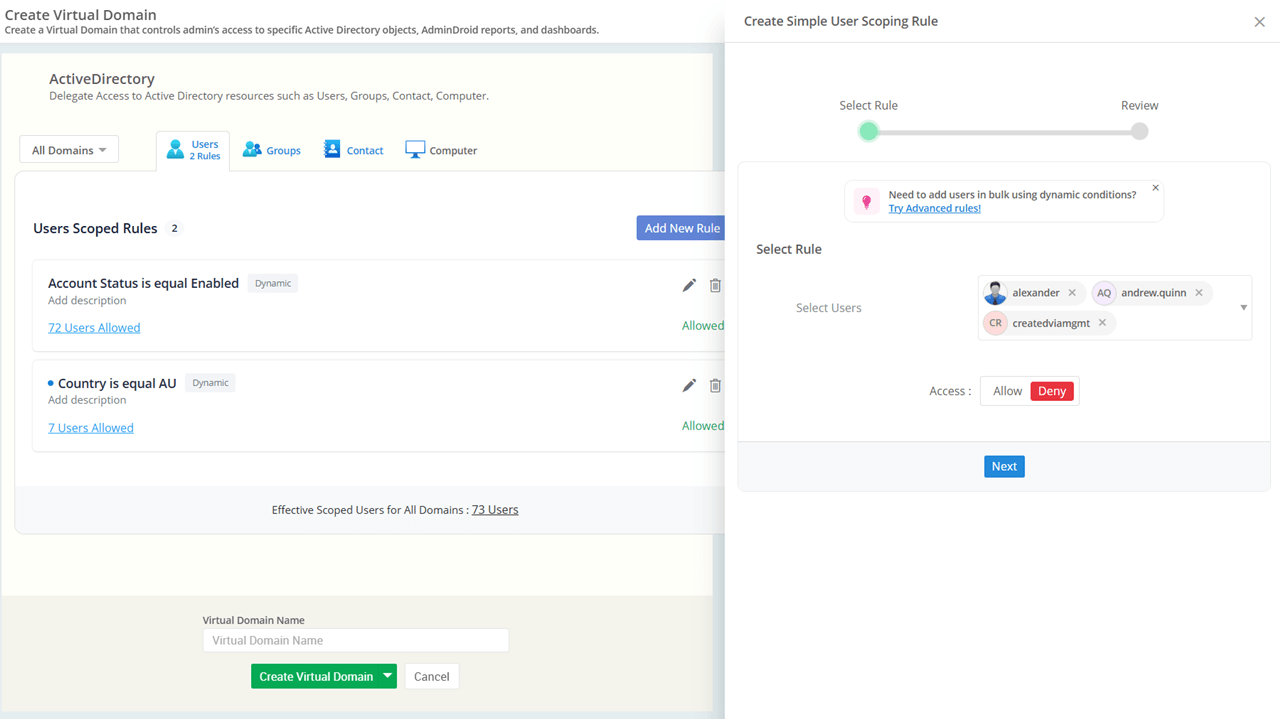
Draw precise boundaries around what a delegated admin can manage using AdminDroid’s virtual domains. These flexible scopes let you restrict administrative access to only the intended domains, users, groups, or computers. You can also include specific objects across multiple domains and group them into a single virtual domain.

Deny Access to Sensitive Active
Directory Objects

When delegating access to many users, there’s a high risk of unintentionally exposing sensitive objects. That’s why AdminDroid offers a powerful Deny option to block access to sensitive objects. Whether it's executive user accounts, privileged security groups, or HR systems, you can ensure they are completely hidden.

Track Delegated Admin Activities
with Ease

Gain full visibility into delegated admin activities directly from the AdminDroid portal. Easily perform regular audits of delegated admins by tracking the reports they accessed, scheduled, and other key actions. These admin activity audit logs help you identify unnecessary access and maintain strict Active Directory delegation control.

View as Delegated Admin

Admins often want to verify what a delegated admin can access to avoid blind spots. With AdminDroid's Inspect feature, you can step into the delegated admin’s shoes with just a click. No guesswork, no assumptions, just clear visibility into what they can and cannot access! This allows you to precisely adjust permissions to meet the exact requirements.

Precisely Delegate Active Directory Resources Using Virtual Domains

“Delegate access to specific users, groups, computers, and contacts – exactly the way you want.”

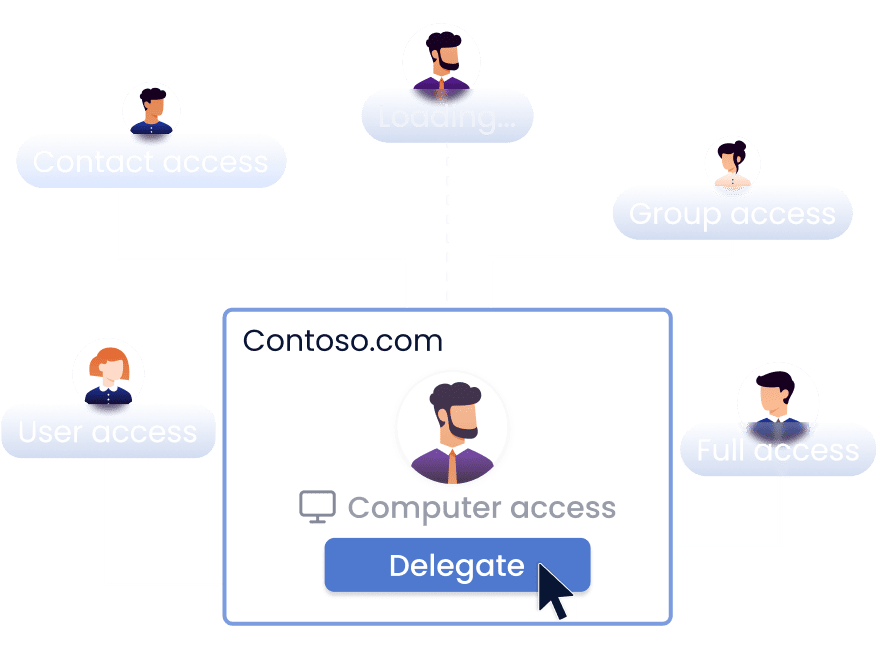
Managing Active Directory permissions can quickly get complicated as organizations grow and responsibilities spread across teams. Giving every admin broad access might seem easier, but it opens the door to security and compliance risks. AdminDroid’s Virtual Domains solve it by allowing you to segment your directory and delegate access to specific domains, users, groups, computers, or contacts.

For example, you can allow the HR team to view reports only for HR users or give IT admins permission to manage specific servers without exposing the entire directory. With AdminDroid’s Virtual Domains, you gain powerful delegation benefits such as:

Least Privilege

Enforce strict least-privilege access by allowing delegated admins to view and manage only the resources they are responsible for.

Cross-Domain Scoping

Combine objects from multiple domains into a single virtual domain without duplication or structural changes.

Deny Permissions

Explicitly block access to sensitive resources, even if they fall within an admin's delegated scope.

Zero Active Directory Change

Ensure your Active Directory structure remains intact while keeping OUs, groups, and permissions unchanged.

Logical Boundaries

Define logical boundaries based on object attributes like job title, location, etc.

polygon-img polygon-img polygon-img

Granular Role-Based Active Directory Delegation for Smarter Access Control

“Empower the right users with the right access through AdminDroid’s powerful role-based access control.”

With AdminDroid, you can implement role-based Active Directory delegation effortlessly. Assign permissions with precision using pre-built roles or create custom ones tailored to your organization’s needs. Whether you want technicians to reset passwords, manage groups, or just view reports, AdminDroid lets you assign permissions that fit every role perfectly.
Below is a snapshot of the built-in roles provided.

Active Directory Reader Roles

Active Directory Reader

The role has access to read all Active Directory reports, covering users, groups, computers, admins, audit events, and more.

All reports
Users & Groups
Computers

Active Directory User Reader

Has read access to user reports, audits, and dashboards, including details on passwords, account lockouts, managers, logon activity, and more.

User Reports
Account Status
Logon Activity

Active Directory Group Reader

Has access to see all group-related reports, audit events, and dashboards. It includes insights into security groups, distribution groups, membership details and changes, group management activities, etc.

Group Reports
Audit Events
Memberships

Active Directory Computer Reader

Can view all computer reports, audits, and dashboards. These include server activities, group memberships, computers trusted for delegation, inactive machines, and more.

Server Activities
Machine Status

Active Directory Contact Reader

The role has read-only access to all contact objects and their associated reports, audits, and dashboards.

Contact Objects
Admin Activities
CRUD Operations

Active Directory OU Reader

This access allows the user to view reports, audits, and dashboards related to Organizational Units(OUs).

Organizational Units
OU Reports
Structure Views

Active Directory GPO Reader

Has access to all Group Policy Object (GPO) reports and audit data, including details on GPO status, links, permission changes, and more.

GPO Reports
Policy Status
Links & Permissions

Active Directory Audit Reader

This role can access all audit reports, including logon audits, object changes, server activities, and Windows audits.

Audit Reports
Logon Audits
Server Activities

Active Directory Administrator Roles

Active Directory Administrator

The role has access to all Active Directory reports and audit data, with permissions to manage users, groups, contacts, and computers.

Full Access
All Reports
User Management

Active Directory User Administrator

A user with this role can view user reports, audit data, dashboards, and manage Active Directory users by performing standard tasks such as creating, deleting, and more.

User Reports
User Creation
Account Management

Active Directory Group Administrator

Has permissions to manage Active Directory group objects and view all group-related reports, audits, and dashboards.

Group Management
Membership Control

Active Directory Computer Administrator

Has access to computer-related reports, audit data, and dashboards, with permissions to perform computer administration tasks like creating, deleting, and more.

Machine Management
Domain Control

Active Directory Contact Administrator

Has permissions to manage contact objects in Active Directory, along with access to contact-specific reports, audit logs, and dashboards.

Contact Management
Audit Access

Active Directory Support Roles

Active Directory Support Technician

This role has permissions to handle password resets, account lockouts, account expirations, and more as part of user management operations.

Password Reset
Account Unlock
User Support

Build Flexible Delegation Models with Advanced Customization

“No one-size-fits-all? No problem. Create Active Directory delegation models that match your exact needs!”

AdminDroid gives you a head start for common delegation needs. But for environments requiring pinpoint precision, you can take control and go a step further. Craft custom roles and virtual domains that align perfectly with your unique scenarios.

For instance, a manager may need to change group memberships and monitor sign-in activities for their direct reports. Similarly, a tech support engineer may require access scoped to one location—such as managing Los Angeles users, administering computers in that region, and handling only a few assigned groups.

By combining roles and Virtual Domains effectively, you can restrict access to specific objects, hide sensitive resources, and allow only the defined reports and actions for each delegated admin. This ensures everyone gets exactly the permissions they need, and nothing more.

Create delegation role Create virtual domains Update delegation role Deny rules for exclusions Copy any roles
×

Design your own roles

Pick the exact reports, dashboards, management actions, and flow agents needed for your specific use case.

Curate your virtual domains

Limit access to particular domains, users, groups, or computers, creating focused scopes within your Active Directory.

Copy existing roles or virtual domains

Save time by cloning built-in or custom setups and tailoring them to meet your specific delegation needs.

Edit and update anytime

Easily modify roles or virtual domains as your delegation requirements evolve, with no need to recreate from scratch!

Delegation at a Glance: Explore What You Can Delegate in AdminDroid

“One tool with dual control. Delegate Active Directory resources and AdminDroid features with unmatched precision to perfect your access control.”

Delegate Access to
Active Directory Resources

Users

Delegate access to monitor all or a targeted list of Active Directory users, including those from certain departments, reporting to specific managers, or located within designated OUs, and more.

Groups

Delegate control over security and distribution groups, including the ability to view members, modify group membership, and more.

Computers

Allow admins to view reports on computers such as never logged-in systems, OS details, servers, and more. They can also manage computers, including adding new devices, removing outdated ones, etc.

Contacts

Let delegated admins view contact insights, such as managed contacts, contacts without mail, group memberships, etc. They can also manage contacts, including creation, modification, deletion, and more.

OUs & GPOs

Assign delegated access to view specific Organizational Units and their associated Group Policy Objects.

AdminDroid Robot

Delegate Access to
AdminDroid Features

Reports

Provide scoped access to reports available in AdminDroid. This includes detailed insights on users, groups, computers, OUs, and more. Additionally, reports on audit data cover logon activity, object changes, server operations, and Windows events.

Dashboards

Grant access to visually appealing dashboards for high-level insights into Active Directory objects, activity, usage, security, and trends.

Management Actions

Define which specific management tasks (like reset password, unlock user) can be performed by the delegate.

Workflow Agents

Delegate access to run workflow agents, including pre-built agents like user onboarding, offboarding, etc.

Virtual Domains

Assign delegated access to specific domains, users, groups, or computer resources using AdminDroid’s virtual domains.

Securely delegate Active Directory tasks and eliminate over-privilege risks with AdminDroid.