🎉 Our Microsoft 365 Reporting & Management Tool is now available in Azure Marketplace 🚀
This website uses cookies to improve your experience. We'll assume you're ok with this. Know more.

Zero-Gap Auditing of
Active Directory Object Changes

Struggling to keep tabs on every object change in Active Directory? AdminDroid’s Active Directory change auditor tool cuts through the complexity with 75+ pre-built AD change tracking reports covering critical objects like users, groups, computers, OUs, DNS nodes, and more. Whether it’s identifying who made a change, when it occurred, or what exactly was modified, AdminDroid delivers complete clarity in just a few clicks!

Zero-Gap Auditing of Active Directory Object Changes

Escape the hassle of configuring audit policies and writing PowerShell scripts.

No more Event ID lookups; get straight to the changes that matter.

Stop jumping between Domain Controllers to gather audit data.

Track, Alert, and Secure Your Active Directory Instantly!

Still spending hours enabling countless audit policies and combing through thousands of event logs just to track a single Active Directory change?

With AdminDroid Active Directory Auditing tool, you can audit, track, and alert on critical changes with unmatched precision and ease.

Track

250+

Prebuilt audit reports for complete visibility and real-time alerts

Alert

30+

Ready-to-deploy alert policy templates ideal for every organization

Secure

65+

Active Directory management actions to quickly revert unauthorized changes

Active Directory User Management Auditing

It’s not just about who’s in your Active Directory - it’s about who changed, when, and how. AdminDroid audits every move to enhance your AD user management.

Active Directory User Management Auditing

created users disabled users unlocked users updated users password reset events
Click image to expand
×

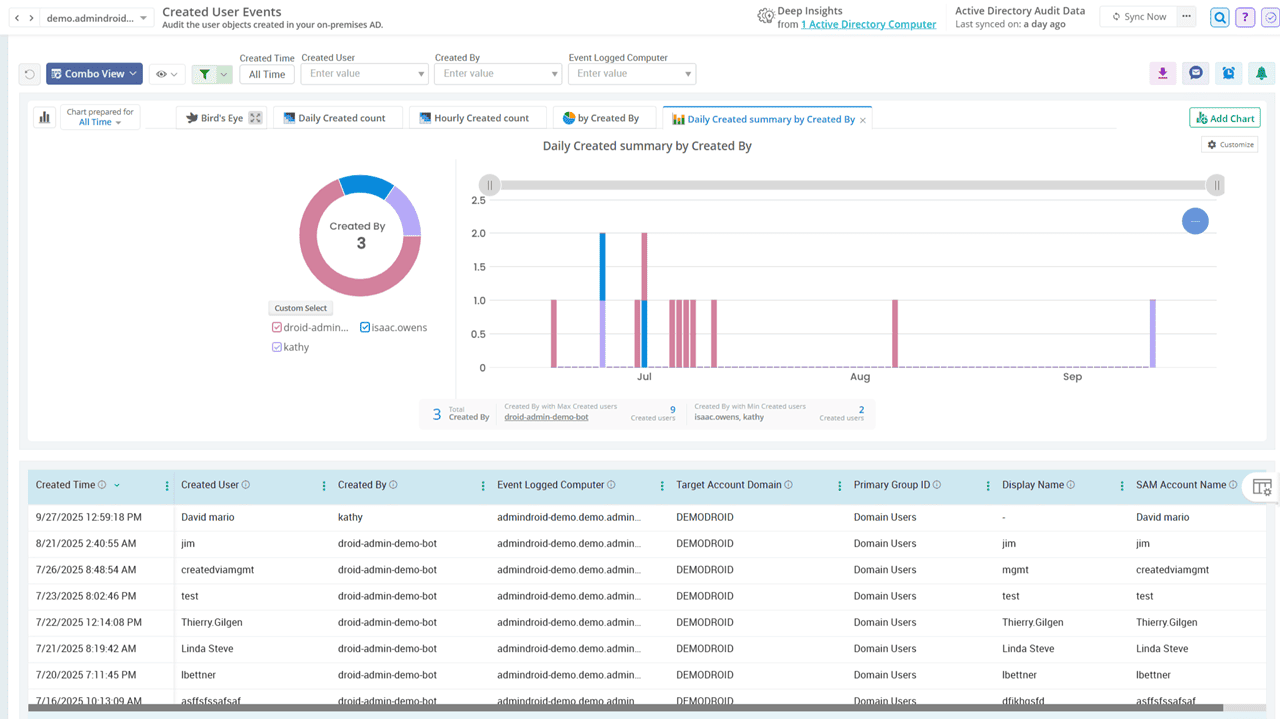
Uncover every user addition and deletion event in Active Directory

From new additions to critical deletions, track every user object change with AdminDroid’s Active Directory change tracker. Plus, gain detailed insights on who created the user account, when it happened, on which machine it occurred, target account domain, and more.

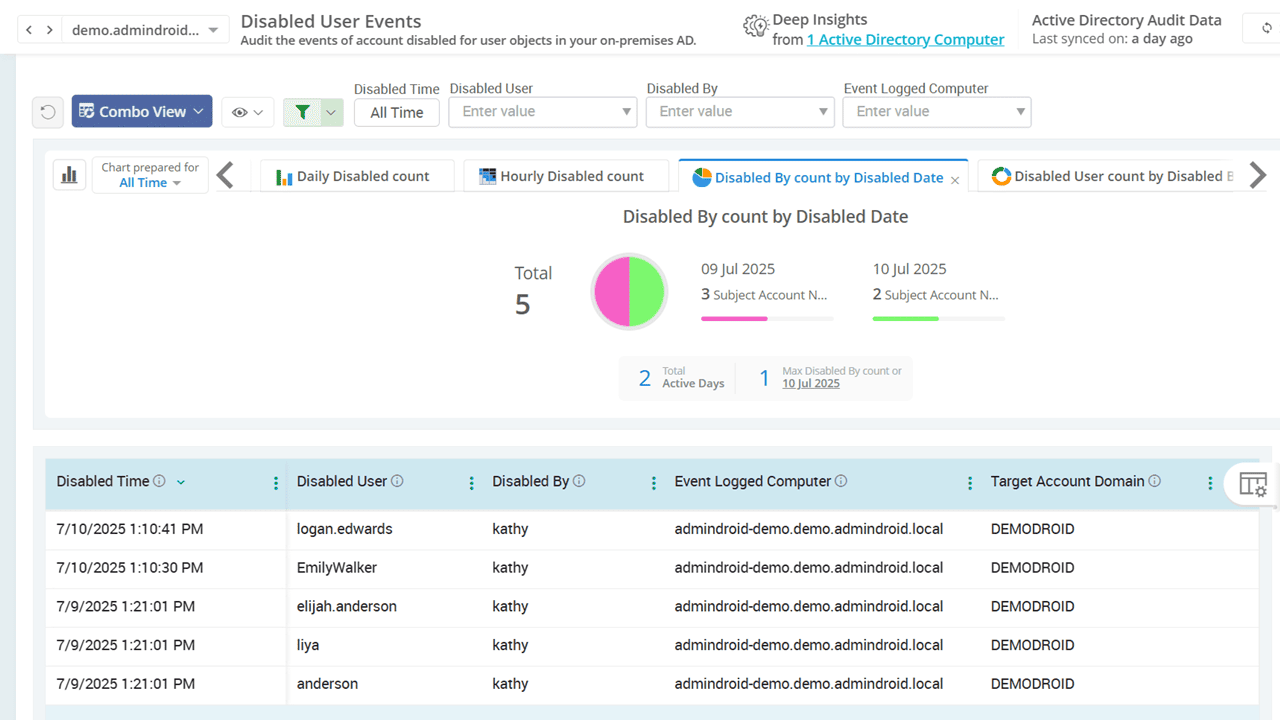
Be aware when disabled user accounts are re-enabled in AD

Stop permission leaks and sensitive access from being reactivated by catching re-enabled users and reverting their status instantly if it’s unauthorized. Stay aware of all user enabling and disabling activities to investigate quickly and keep your Active Directory secure.

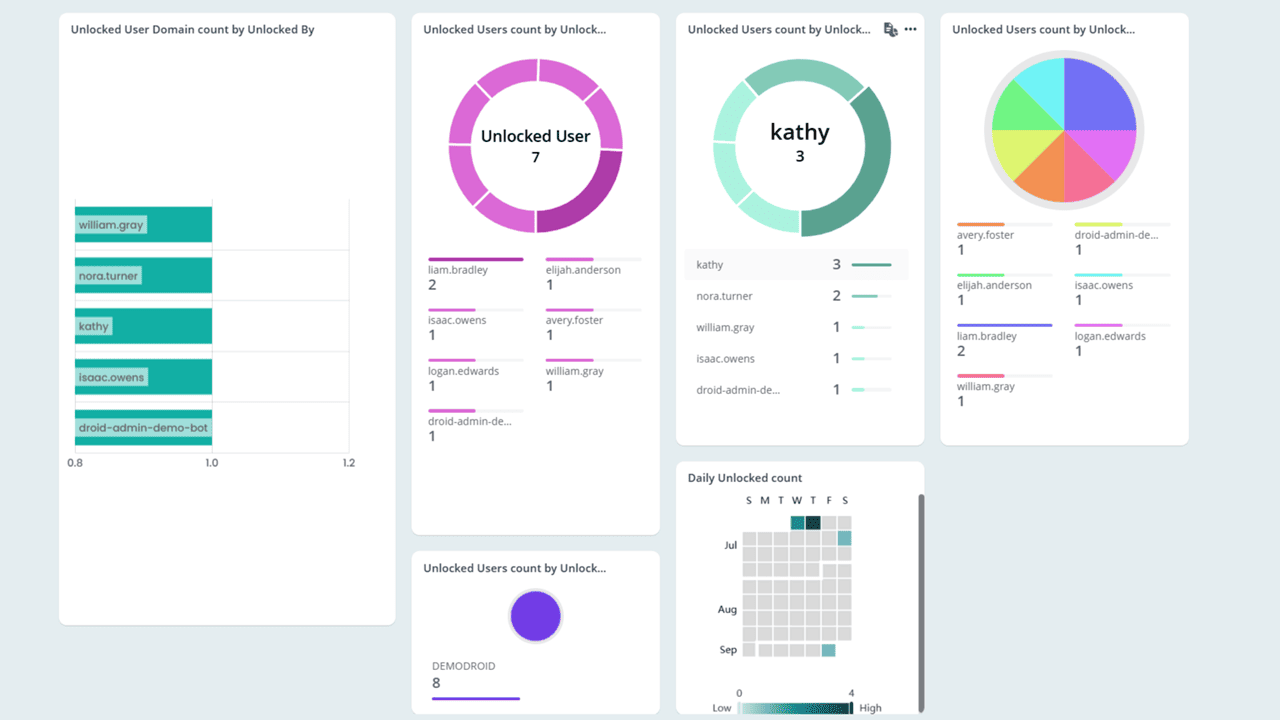
Monitor recently unlocked users in your Active Directory

Keep a close watch on unlocked accounts and understand who unlocked them, why it happened, and whether it followed a password reset. Review the cause of each account lockout and verify that the unlock was authorized to avoid accidental exposure or insider threats.

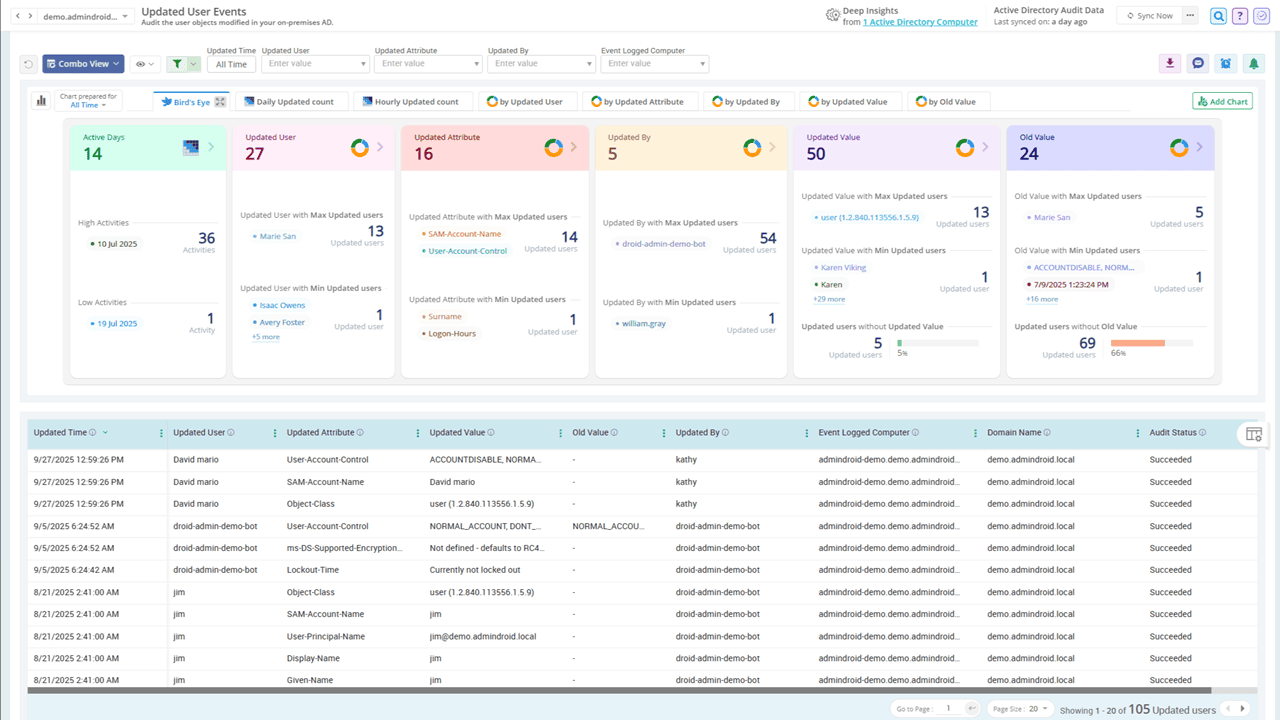
Identify updated Active Directory users to track attribute changes

Whether it’s a department update or an email address change, even a small slip can disrupt how users work and interact with data. AdminDroid’s user change tracking report highlights all updated user accounts with before-and-after values, ensuring consistent and secure user administration.

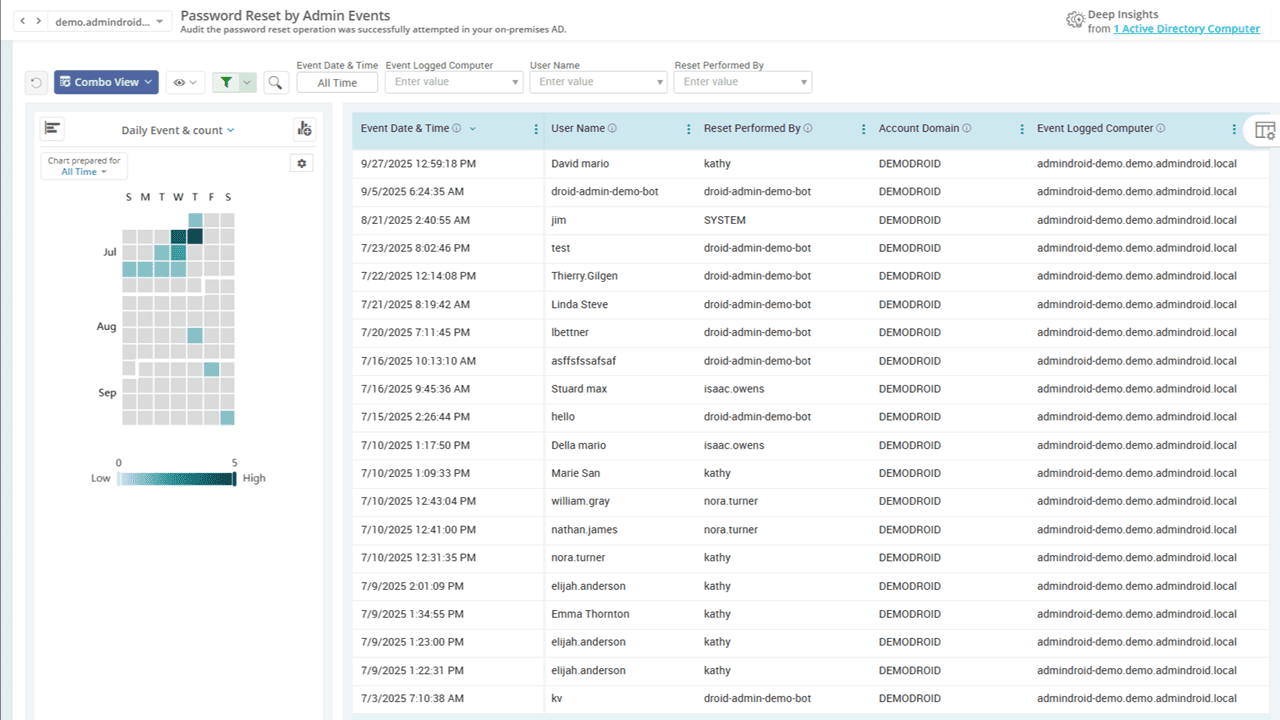
Check password resets done by admins in Active Directory

Admins frequently reset passwords when users forget them, let them expire, or face account compromise. With AdminDroid, you can effortlessly audit these admin-initiated password resets to catch suspicious activity, validate help desk actions, and keep your directory secure.

Audit Active Directory Group Administration Activities

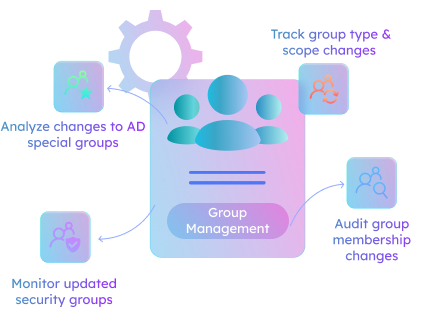
When groups define access, group changes define risk. AdminDroid tracks every AD group and member shift - so no one slips through the crack!

Active Directory Group Administration Activities

All Group Management Group Membership Changes Group Type And Scope Change Privileged Group Membership Changes Special group changes Updated Security Group Chges
Click image to expand
×

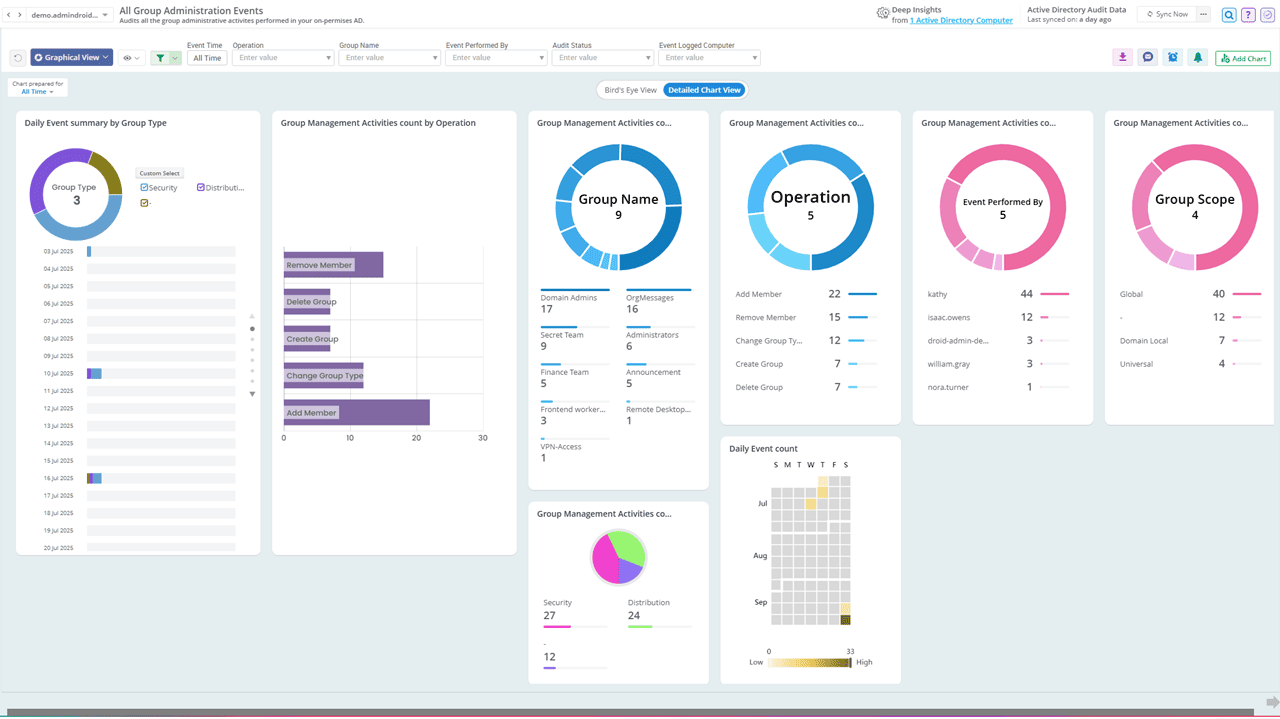
Stay on top of all group management activities in Active Directory

AdminDroid allows you to audit every aspect of group administration activity, including creations, deletions, name changes, and more. You no longer need to manually search logs or run complex queries to track group changes!
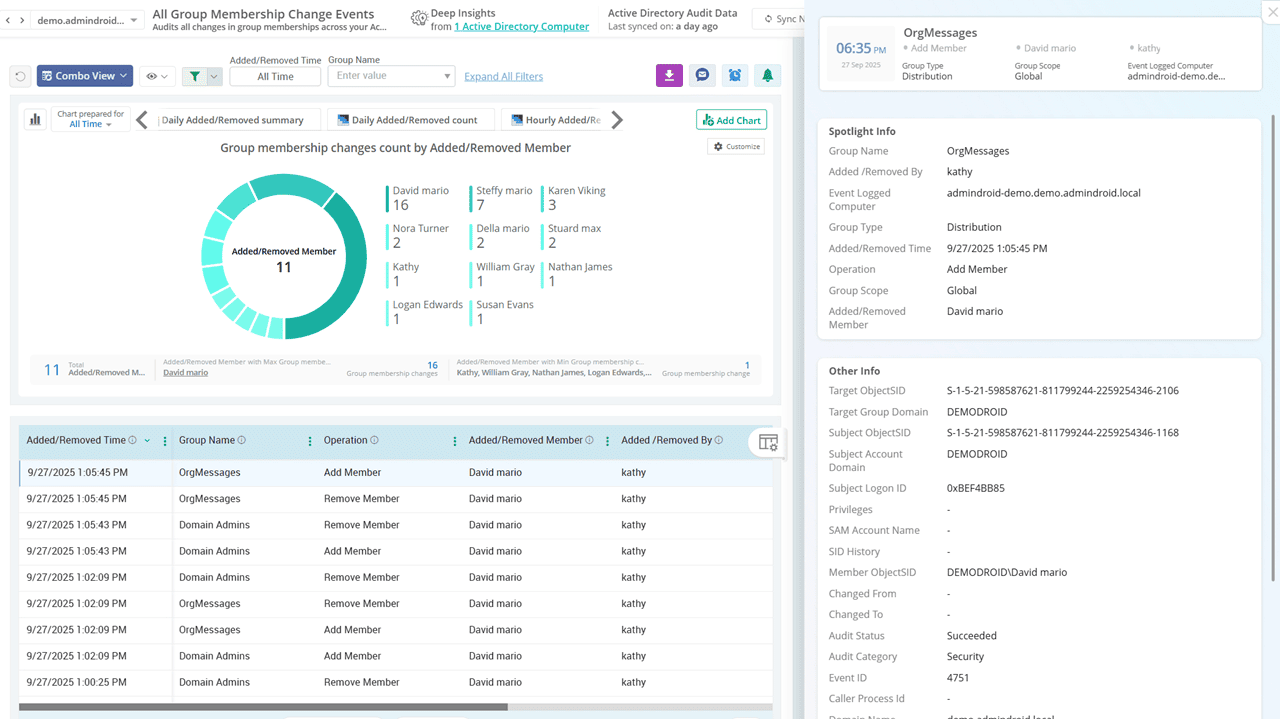
Thoroughly audit group membership changes in your domain

Removing members from key security and distribution groups without notice can disrupt access to critical resources like email, file servers, and business apps. With AdminDroid, track every group membership change through comprehensive reports to maintain operational continuity.

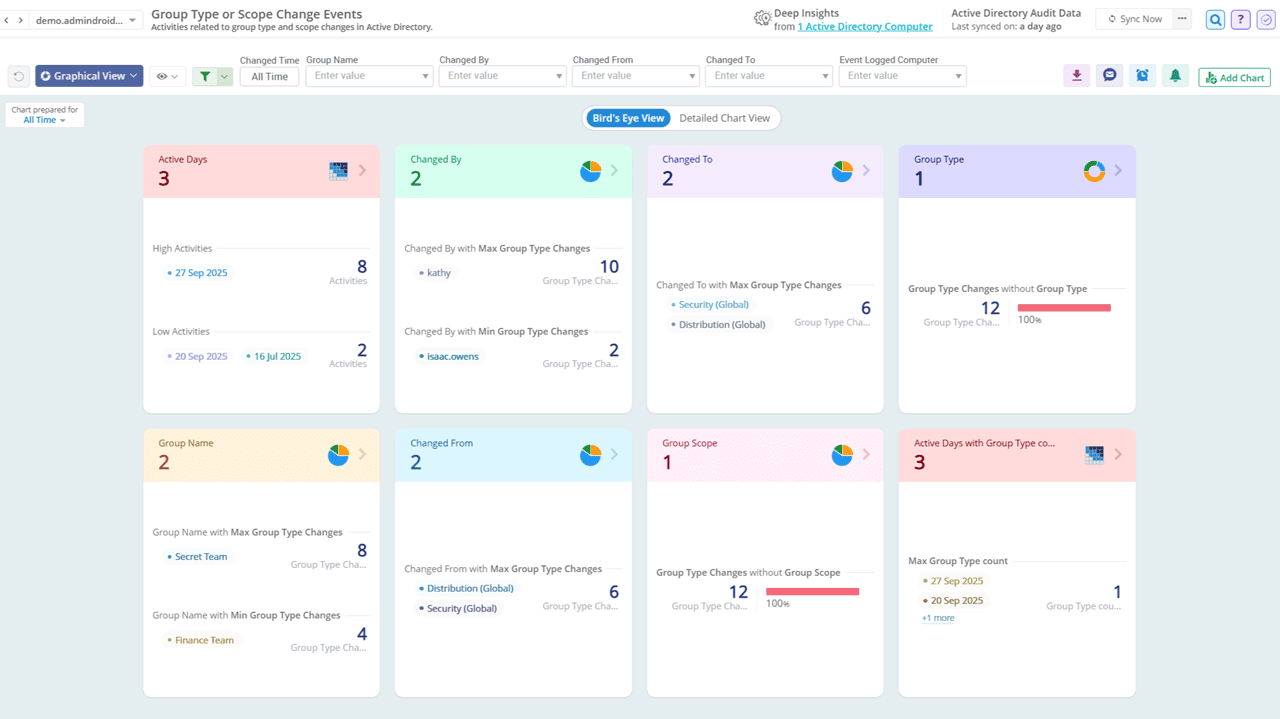
Know exactly who changed a group type & scope in Active Directory

Unauthorized conversions of group types (like Security to Distribution) or scope (like Global to Universal) can silently create permission misconfigurations and critical access issues. AdminDroid keeps you informed of every group type and scope change, offering a detailed picture to ensure accurate group administration.

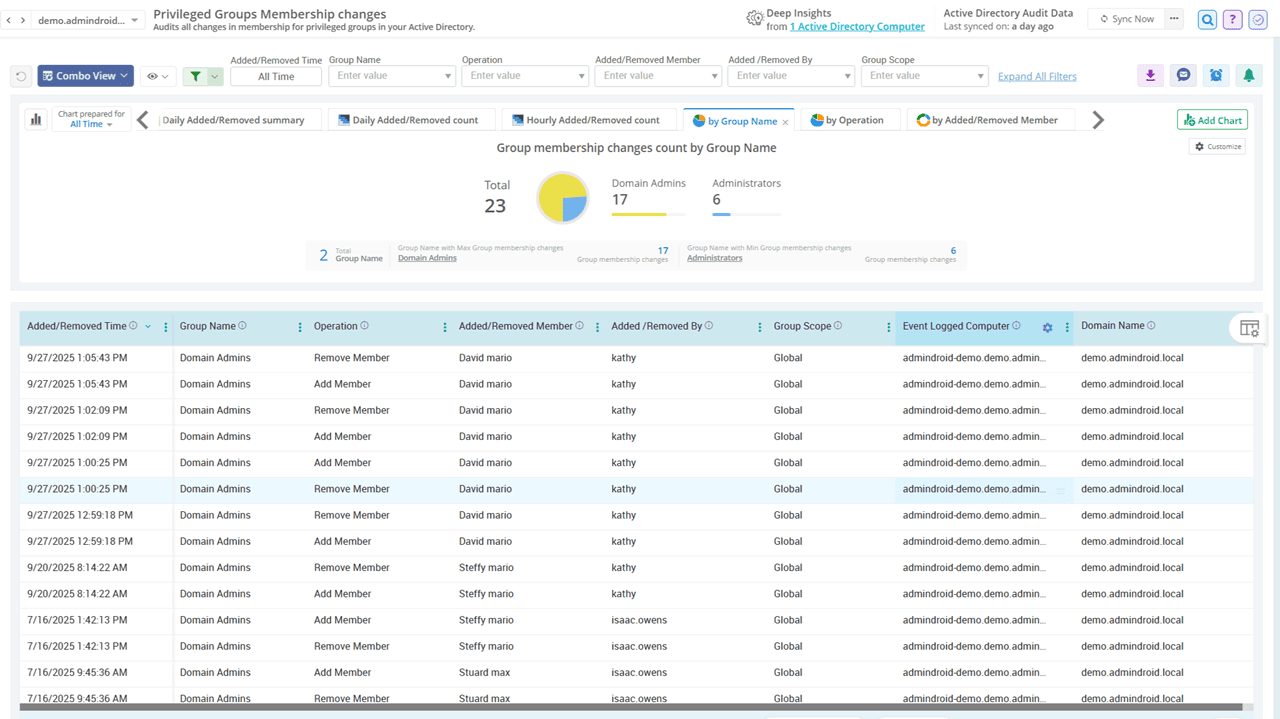
Track unusual membership changes in privileged groups

AdminDroid’s Active Directory change auditor tool sheds light on every membership change in privileged groups like Administrators, Domain Admins, Enterprise Admins, and Schema Admins to quickly detect unauthorized privilege escalations and prevent potential misuse.

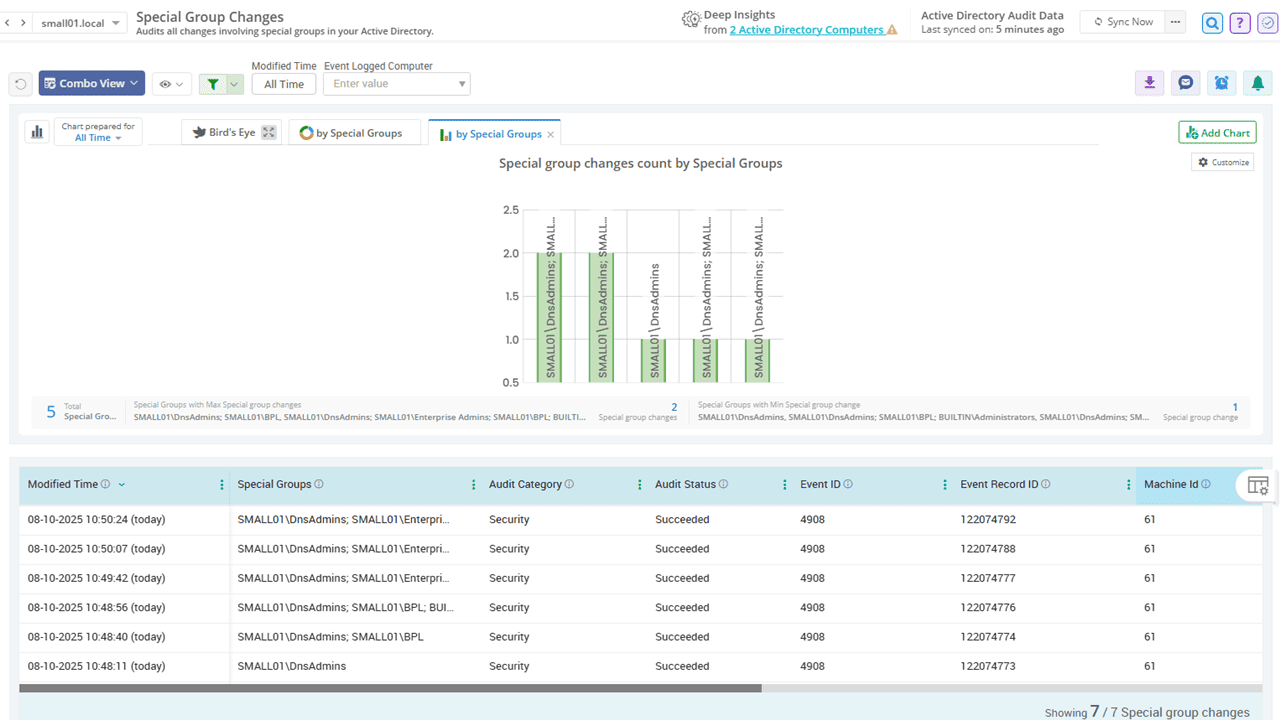
Keep a close eye on special group changes in Active Directory

Special Groups is a Windows feature that tracks logons by members of high-privilege or sensitive groups by using security identifiers (SIDs) defined in the registry. AdminDroid helps you audit changes to these special groups, making it easy to detect unauthorized access.

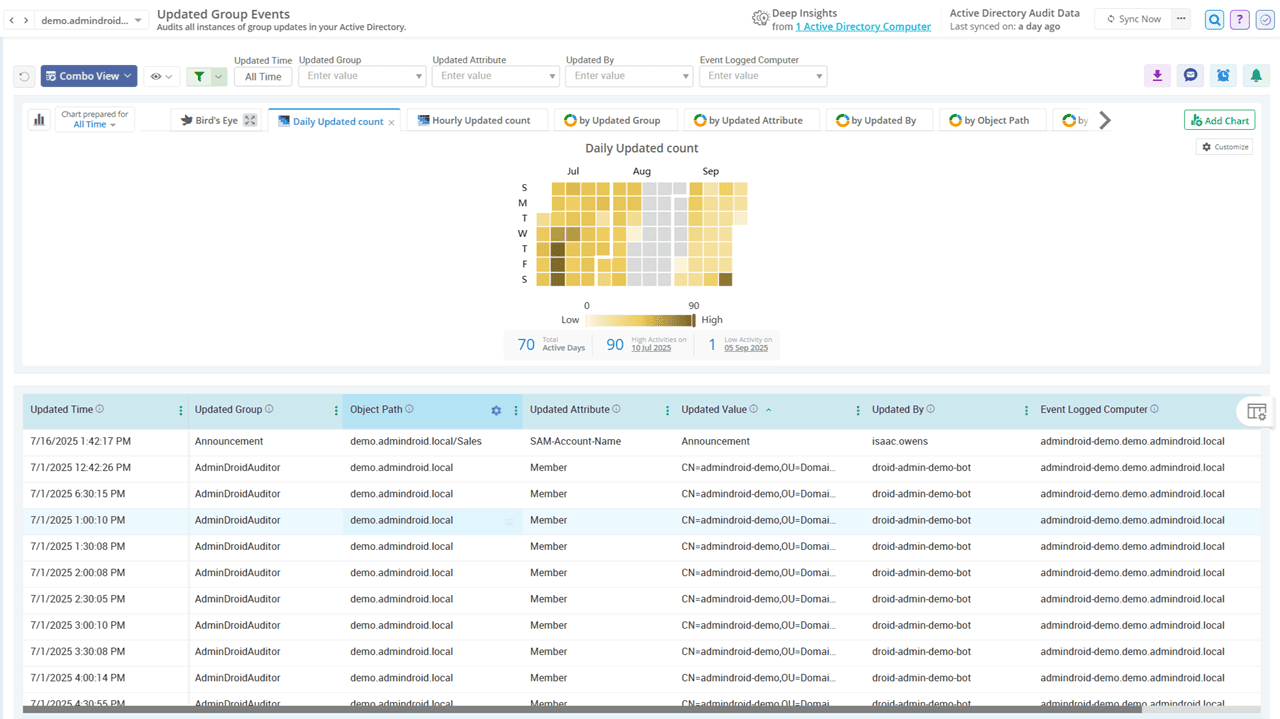
Monitor updated security groups to prevent access misconfigurations

Isn’t it tedious to constantly track security group changes in Active Directory for potential access issues? The process is time-consuming and error-prone. AdminDroid lifts that burden with a dedicated group changes report showing both original and updated values, enabling you to respond quickly before they impact members.

Audit Active Directory Computer Management Activities

Every machine in AD holds the keys to your castle. AdminDroid keeps an unblinking eye on all computer changes to shield your network.

Active Directory Computer Management Activities

Recently Created Computers Changes To Computer Computer Reset Events Disabled Computer
Click image to expand
×

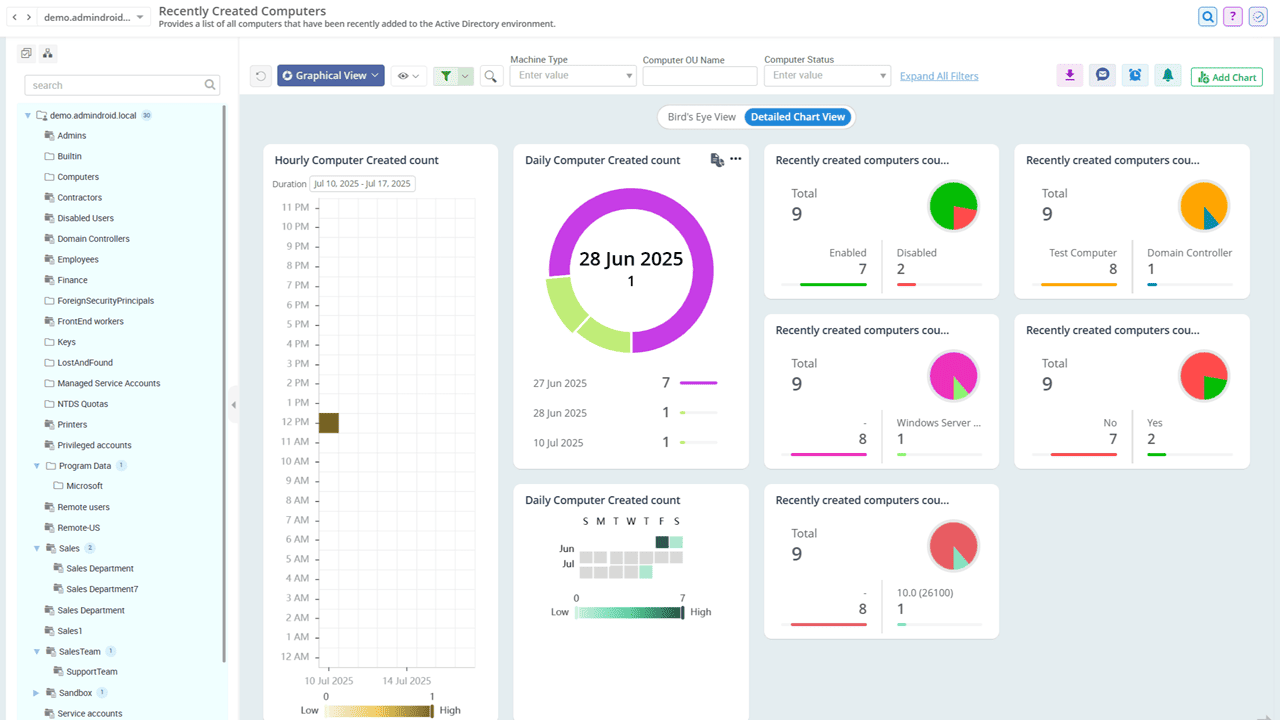
Find recently created computers in Active Directory

Unexpected computer creations during off-hours can signal insider risks or potential compromise. AdminDroid helps you catch these anomalies early with a detailed report on recent computer additions, including timestamps, creator details, machine where it was created, and more.

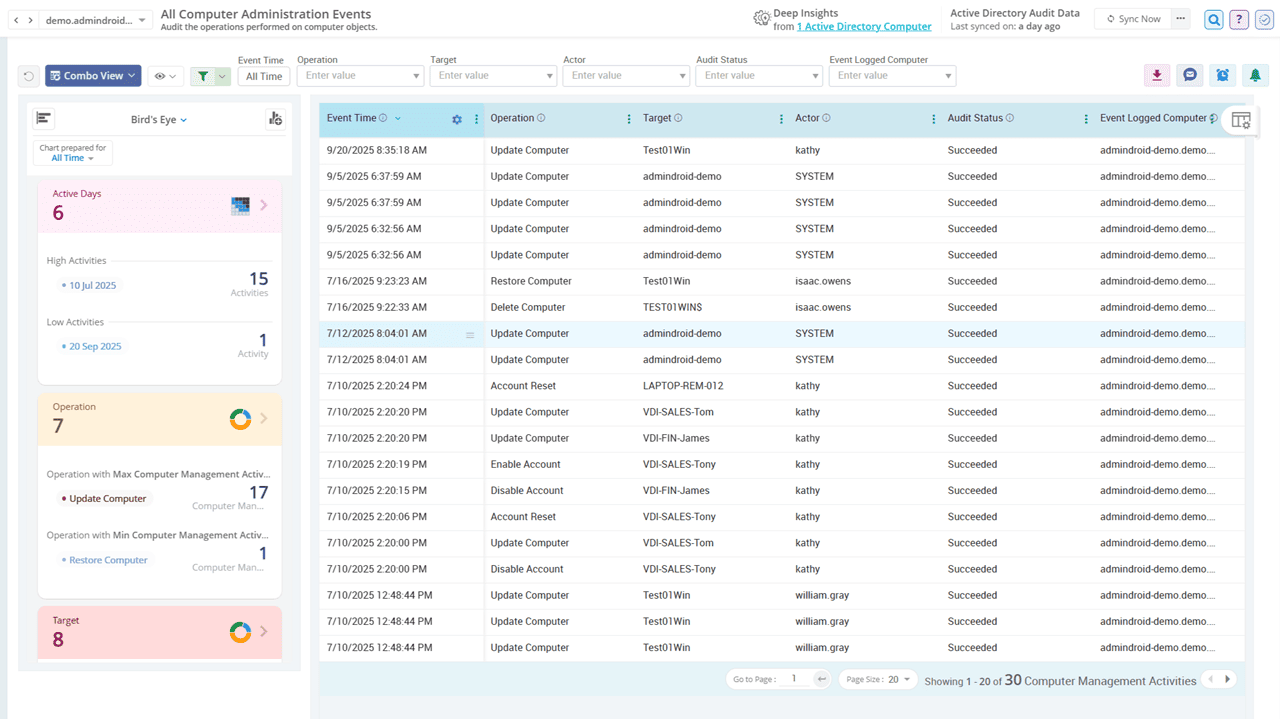
Observe changes to computer accounts in your Active Directory

Beyond just tracking new computer creations, auditing events like modifications, deletions, restorations, etc., is critical for administrators. AdminDroid’s Active Directory change monitoring tool gives complete visibility into computer changes, helping you spot suspicious activity and reduce your organization’s attack surface.

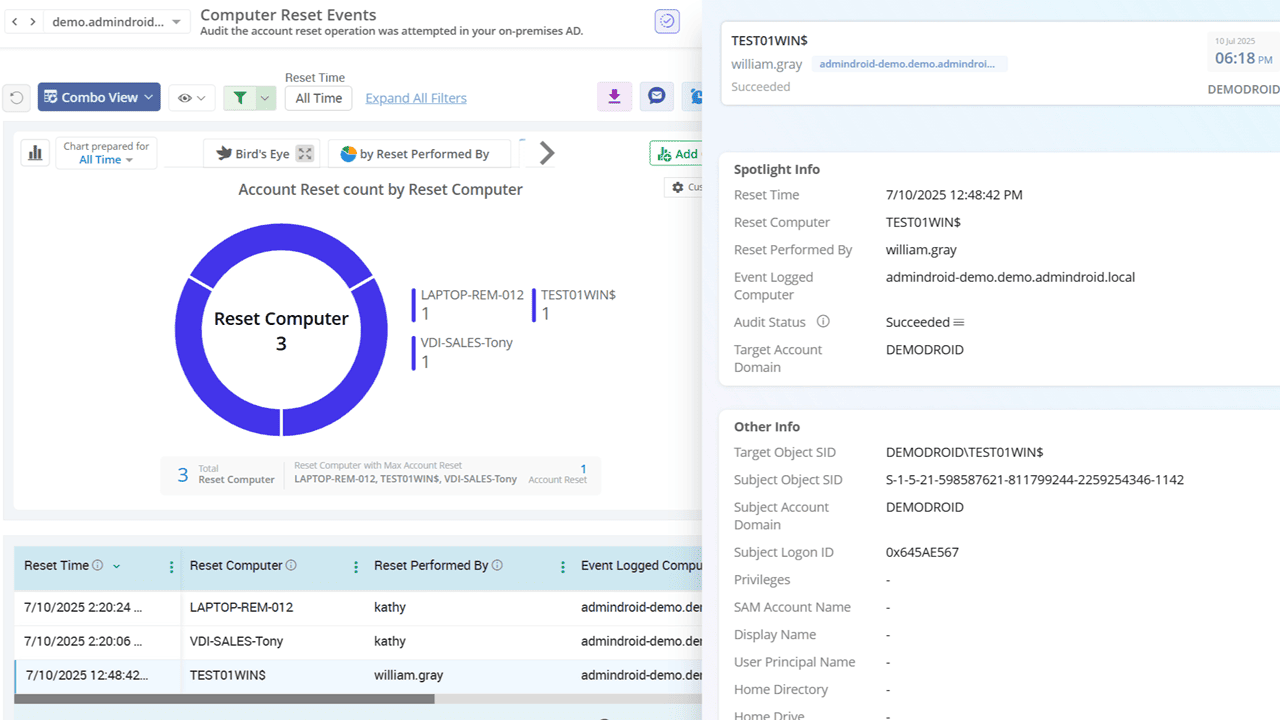
Audit computer reset events across your AD environment

Computer resets are common for fixing trust issues, but they can also hint at misconfigurations or compromise. AdminDroid provides detailed audit trails for each computer reset, including who performed the reset, when it happened, etc., helping you validate changes and stay secure.

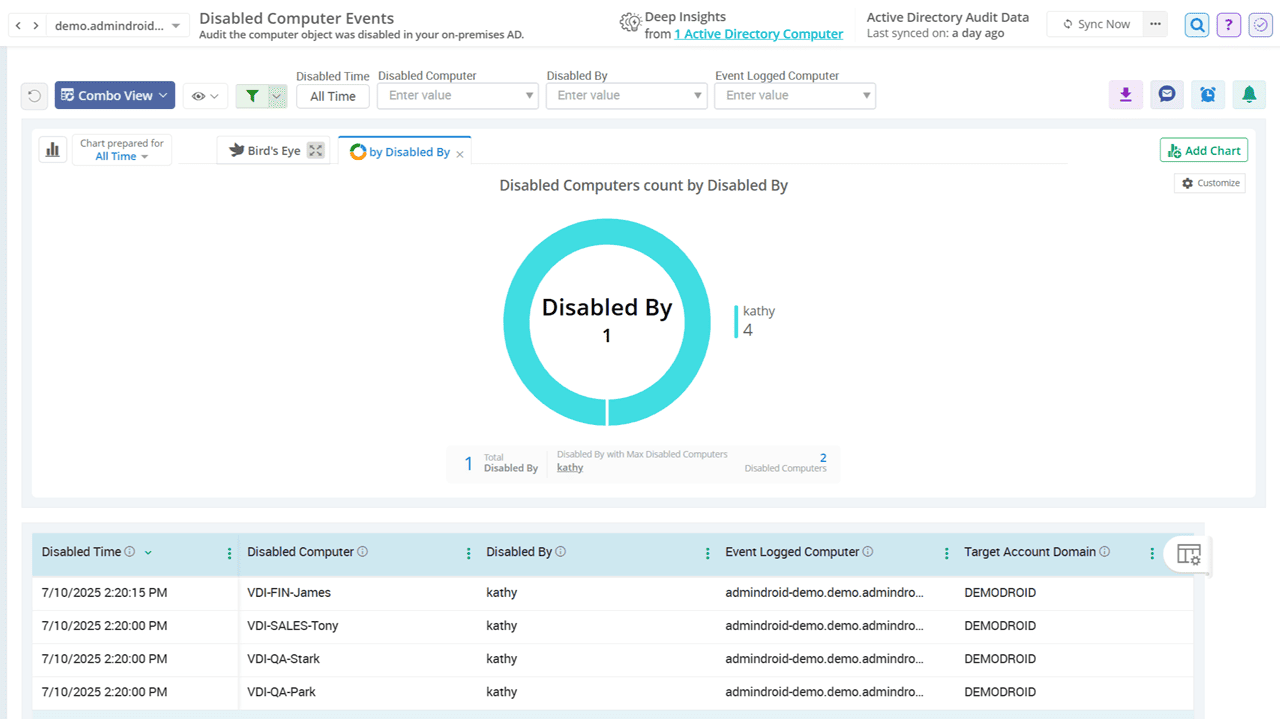
Don’t miss a single disabled computer event in AD

AdminDroid precisely audits disabled computer events, empowering you to catch unauthorized deactivations and verify that only truly inactive systems are disabled. This proactive approach safeguards business productivity, prevents unintended service downtime, and keeps your AD secure. You can also export reports in CSV, PDF, HTML, and other formats for incident reviews.

Active Directory Contact Management Auditing

Don’t let external contacts turn into internal threats. With AdminDroid, track every contact change as it happens and strengthen your Active Directory’s defenses!
Active Directory Contact Management Activities

Contact Created Deleted Updated Contacts Moved Contacts
Click image to expand
×

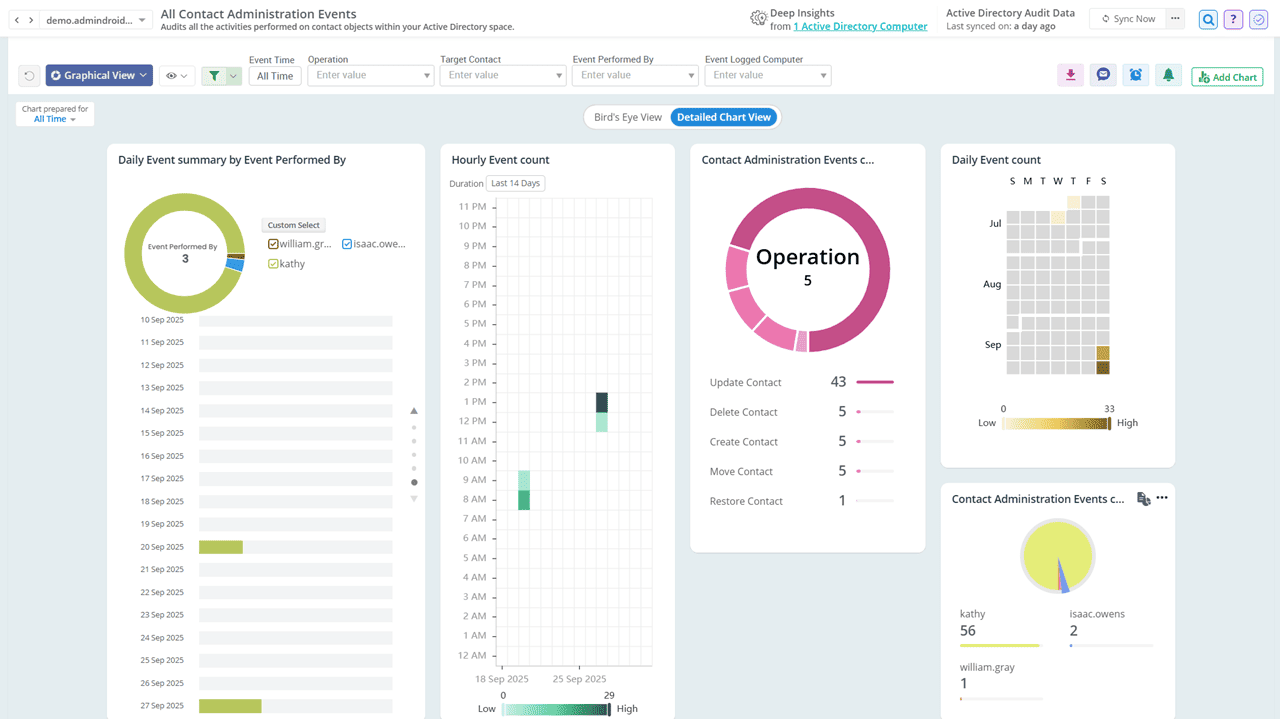
Monitor who added or removed contacts in your AD domain

Active Directory contacts often represent external entities like vendors, partners, or redirected mailboxes. Sudden additions or deletions can cause confusion in the Global Address List or disrupt communication flow. Whether it’s a silent deletion or a sneaky addition, AdminDroid brings them all to light for a clean and reliable directory!

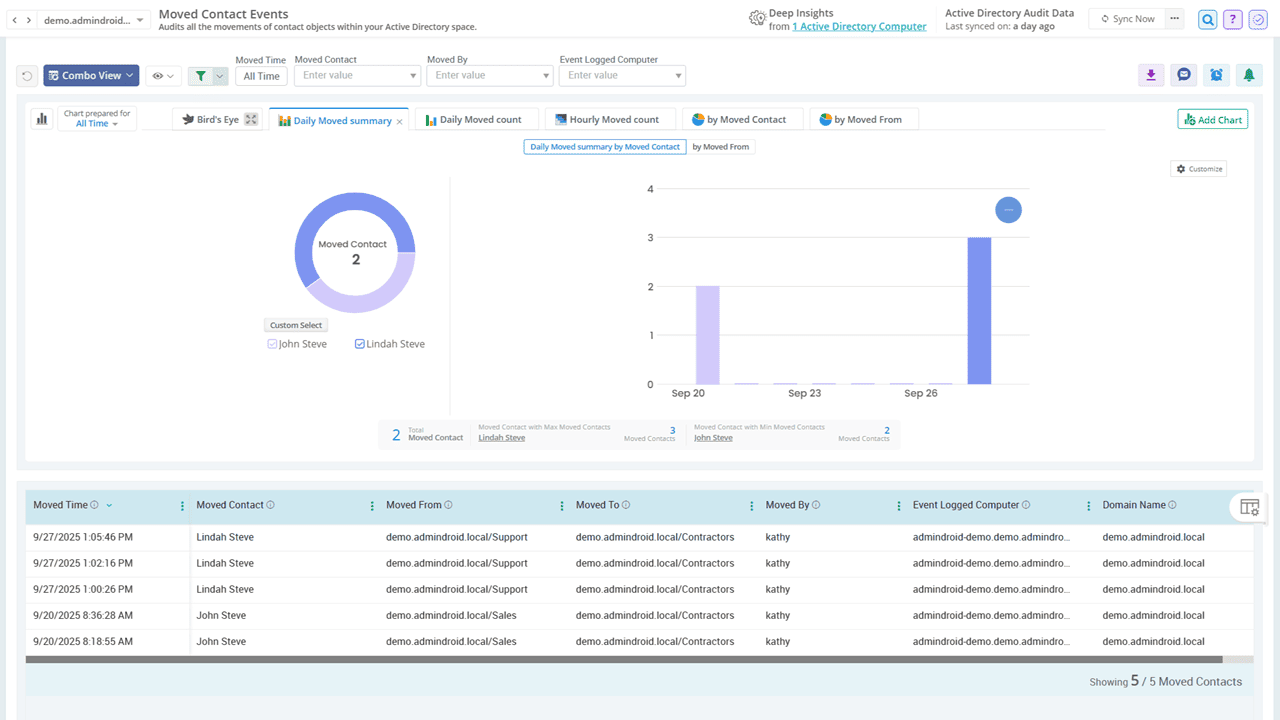
Precisely audit all movements of contact objects within your AD

Moving contacts between OUs can disrupt organizational structure and lead to a lack of accountability. But don’t worry! AdminDroid tracks every moved contact, showing who, when, and where, so you can easily maintain directory integrity.

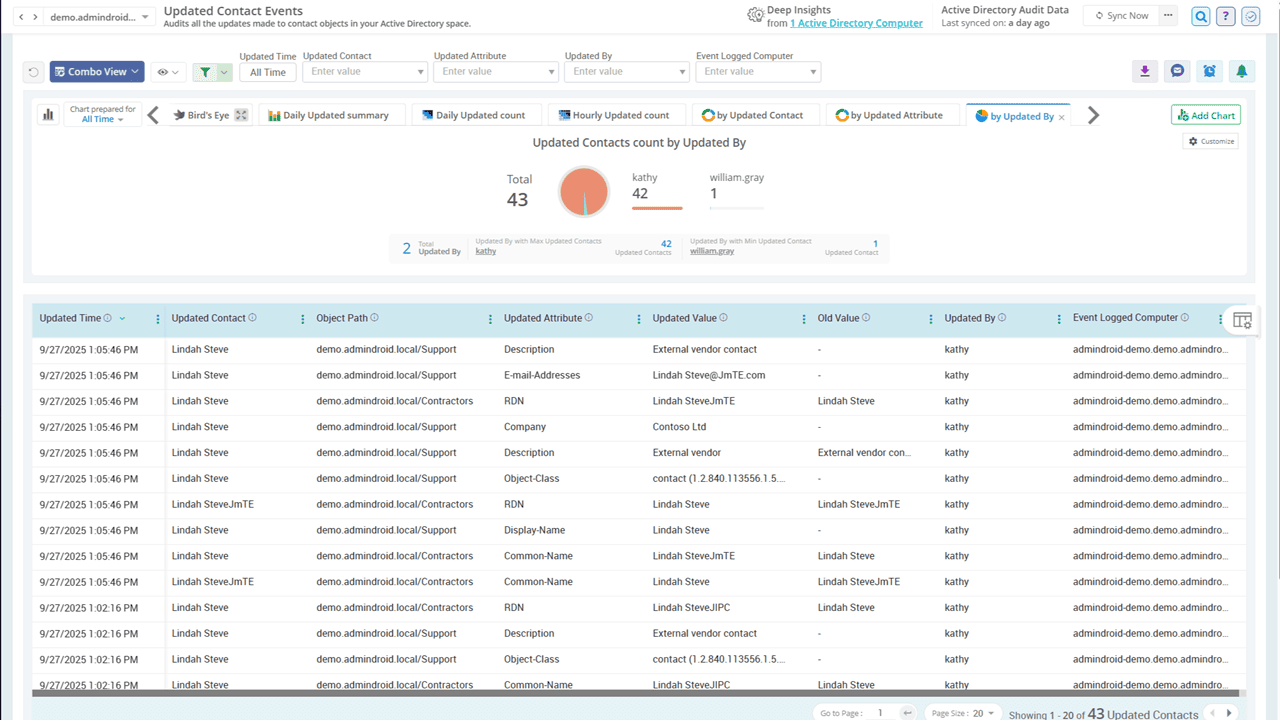
Stay informed on Active Directory contact updates

Even a single unnoticed change to a contact can misdirect sensitive emails, expose internal data to external domains, or result in unintended access. With AdminDroid’s contact update report, you get a complete timeline of who made the change and when, along with attribute-level details to manage contacts securely and confidently.

Audit OU Administration in Active Directory

Changes to OUs are like silent earthquakes - barely noticed but deeply disruptive. AdminDroid delivers round-the-clock OU auditing to catch these changes before they turn into full-blown incidents!

Audit OU Administration in Active Directory

Deleted OUs Renamed OUs Moved OUs Updated OUs All OU Activities
Click image to expand
×

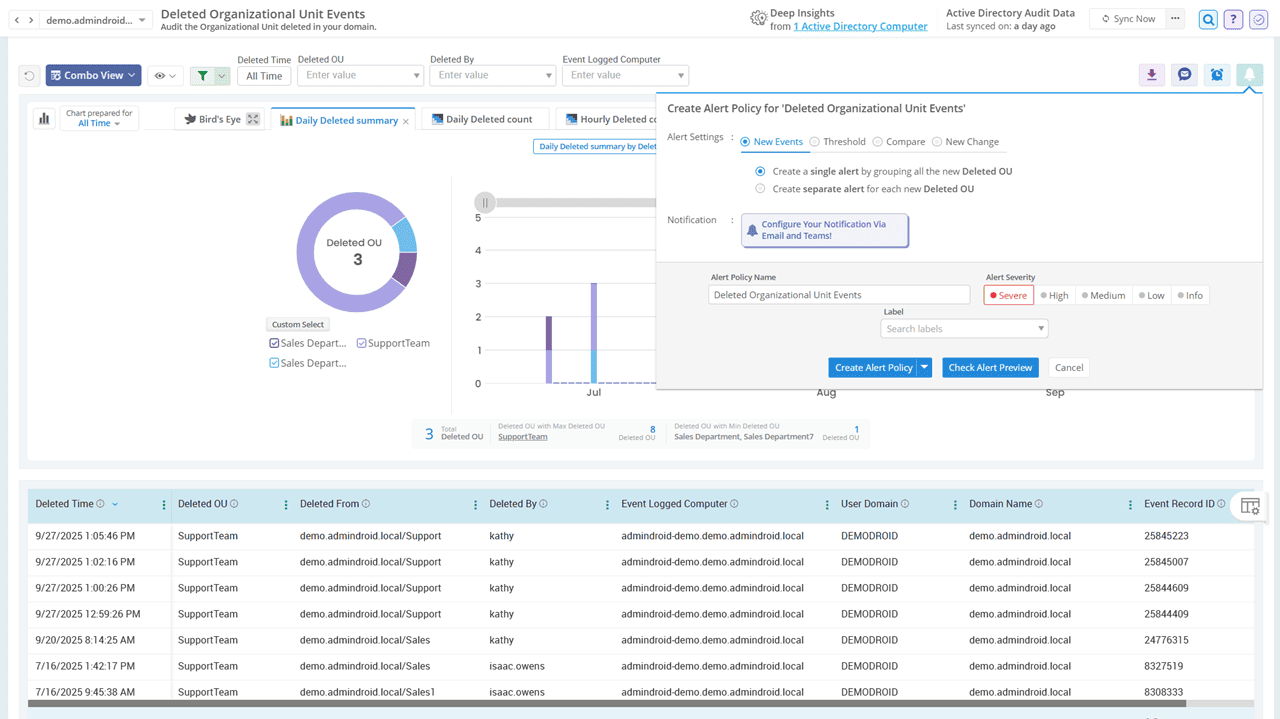
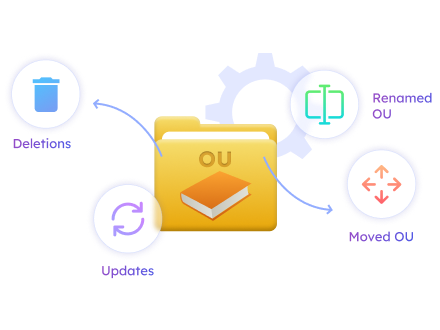
Look out for OU deletions before they break your AD structure

Deleting an Organizational Unit (OU) isn’t just removing an item from the hierarchy; it can wipe out hundreds of objects like users, computers, etc., in a single click. AdminDroid alerts you to every OU deletion in Active Directory, helping you respond before the damage spreads.

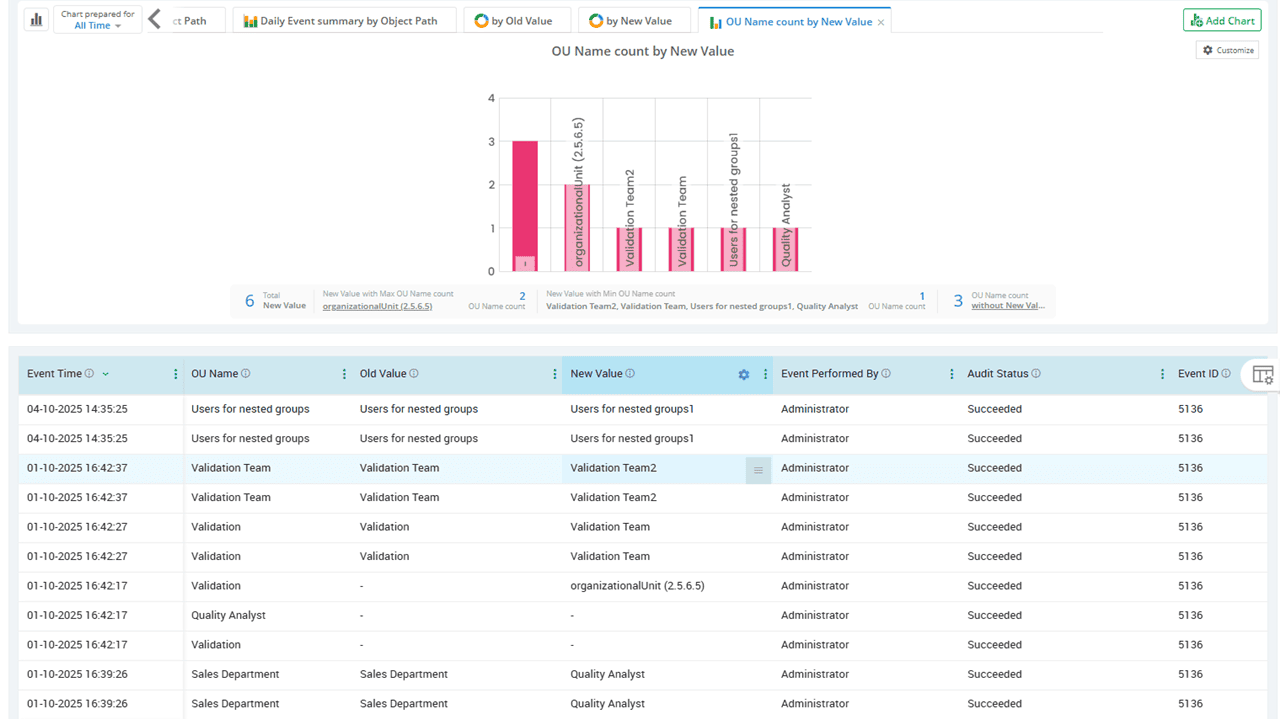
Identify renamed organizational units in Active Directory

AdminDroid leaves no change unnoticed, even when an Organizational Unit (OU) is silently renamed in Active Directory. What seems harmless can disrupt audit trails and affect automation scripts that rely on exact names. AdminDroid captures every rename event with full context, giving you clear visibility and control over your OU management.

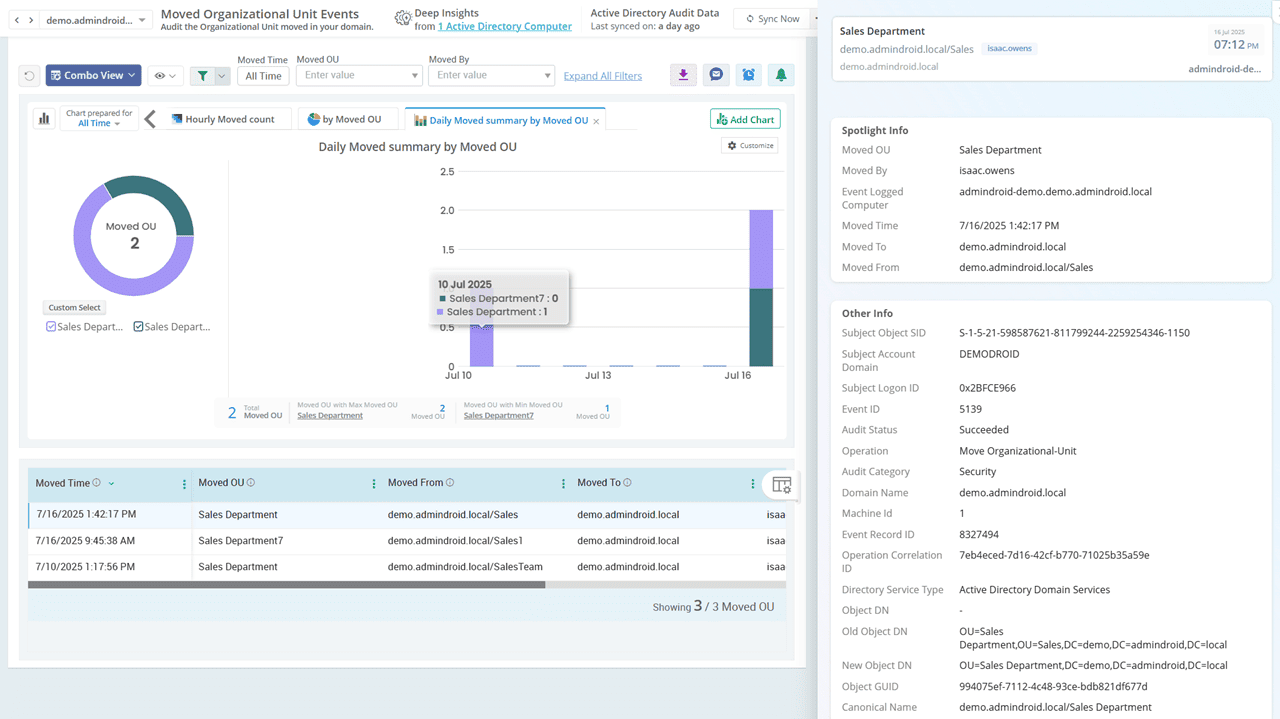
Detect moved OUs in AD to prevent service outages

Moving an OU can silently detach linked GPOs, leaving systems unprotected or misconfigured. This poses a serious security risk, as essential restrictions, access controls, or compliance settings may no longer apply. AdminDroid audits all OU movements to prevent policy gaps, misalignments, and costly downtime.

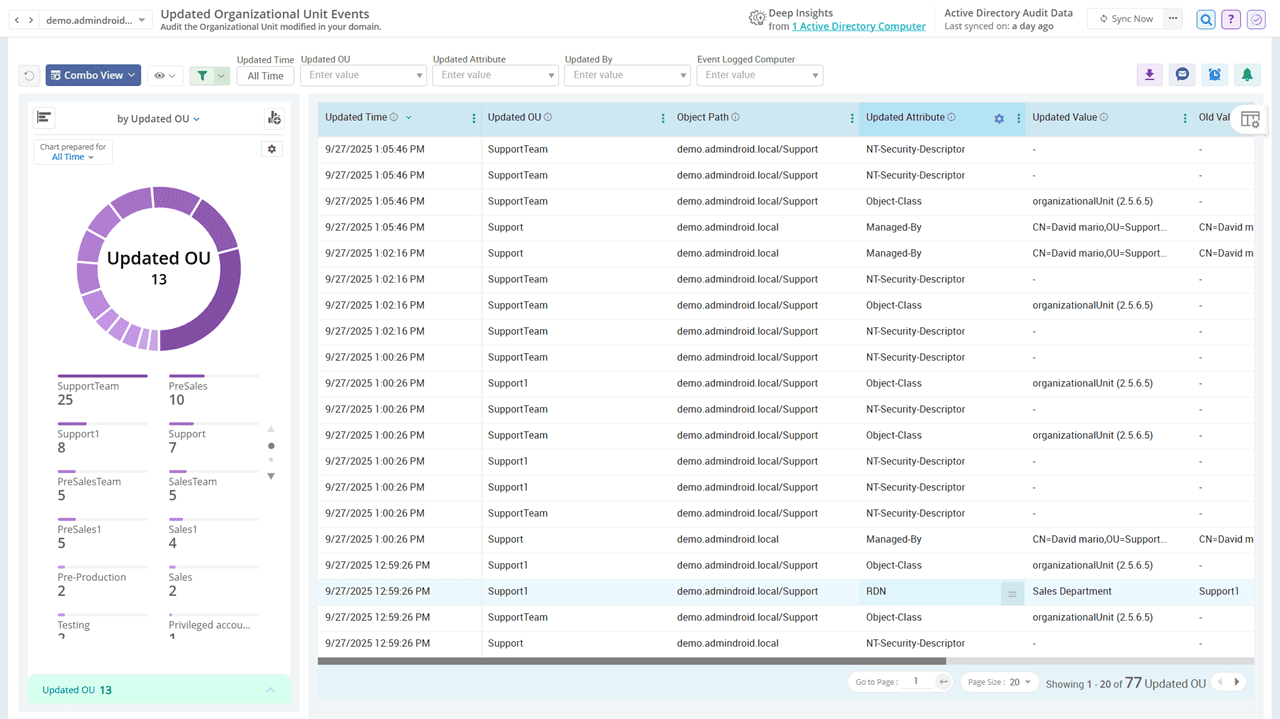
Track every OU updates with full visibility into old and new values

Even a minor change to OU properties such as protected From Accidental Deletion can leave sensitive OUs vulnerable to removal, leading to the unintended deletion of all contained objects. AdminDroid instantly flags all updated OUs with granular details, enabling a quick rollback, and lets you export reports for recovery planning or internal reviews.

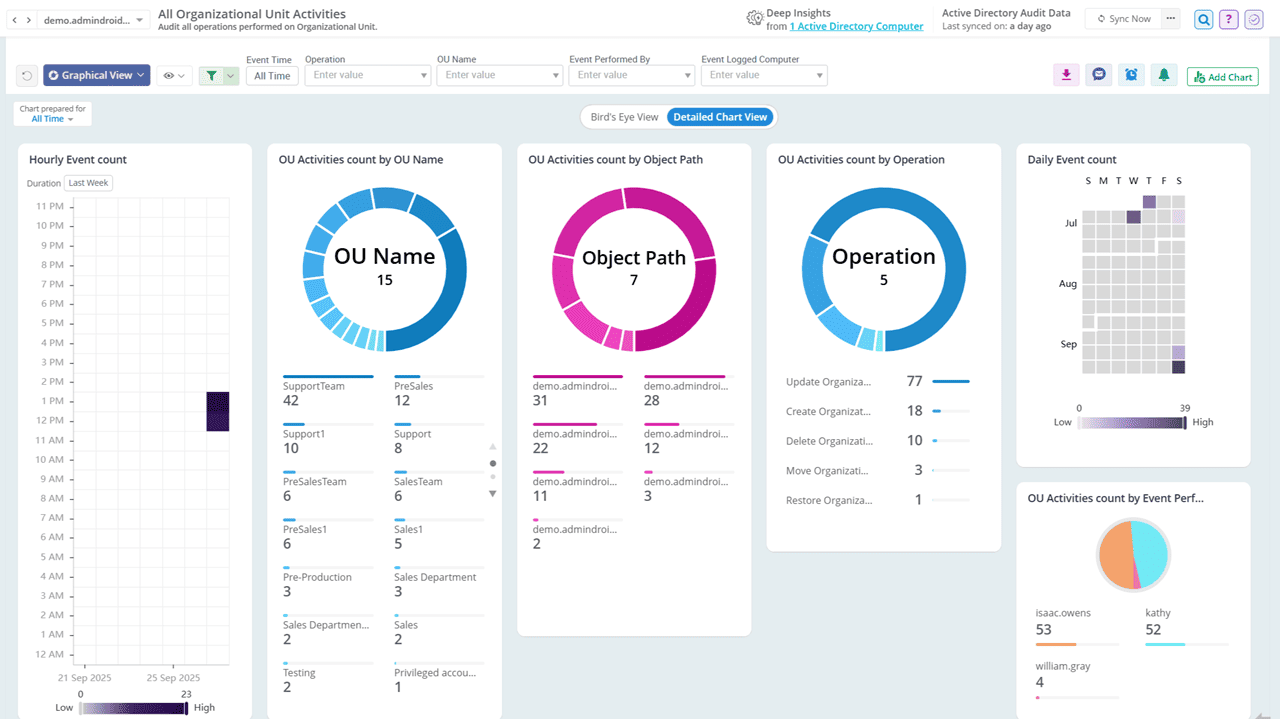
Gain complete visibility into all OU administration activities in AD

From creations to modifications, AdminDroid provides in-depth insights into every action performed on Organizational Units in Active Directory. In addition, the ability to filter these changes by OU properties is the icing on the cake, making your investigations faster and more focused than ever!

Active Directory DNS Auditing

One unnoticed change in DNS can reroute traffic, break trust, or bring everything down. AdminDroid ensures every DNS modification in AD is tracked to the last record.

Active Directory DNS Auditing

DNS Record Changes All DNS Node Activities DNS Node Management
Click image to expand
×

Keep track of all DNS record changes in Active Directory

DNS servers are the backbone of network communication, mapping names to IP addresses for seamless access. Even a minor change in DNS records can cause service disruptions or inaccessible systems. AdminDroid audits every DNS record change in real time, backed by intuitive visual charts that highlight patterns, trends, and anomalies at a glance.

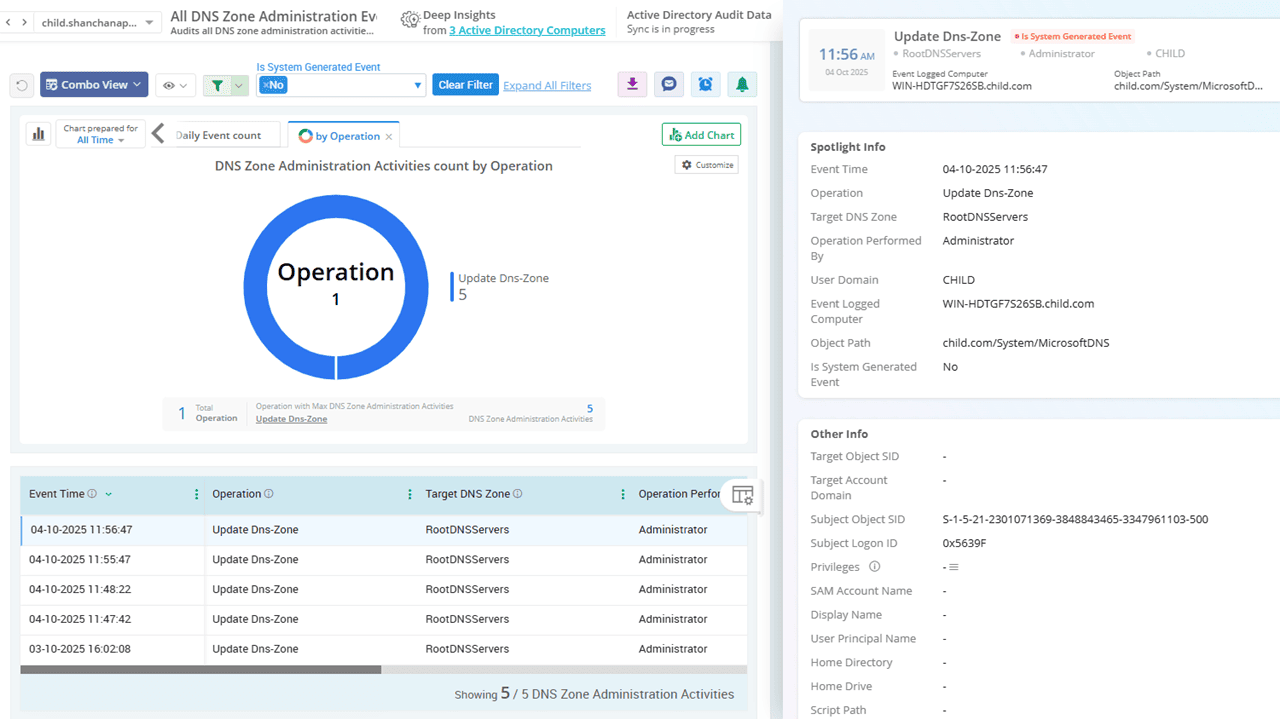
Get full insight into your DNS zone modifications

DNS zones define the critical boundaries of your domain namespace. AdminDroid logs every operation on DNS zones with precision, helping you identify unauthorized changes instantly. With real-time tracking, you can ensure your DNS remains secure and properly structured.

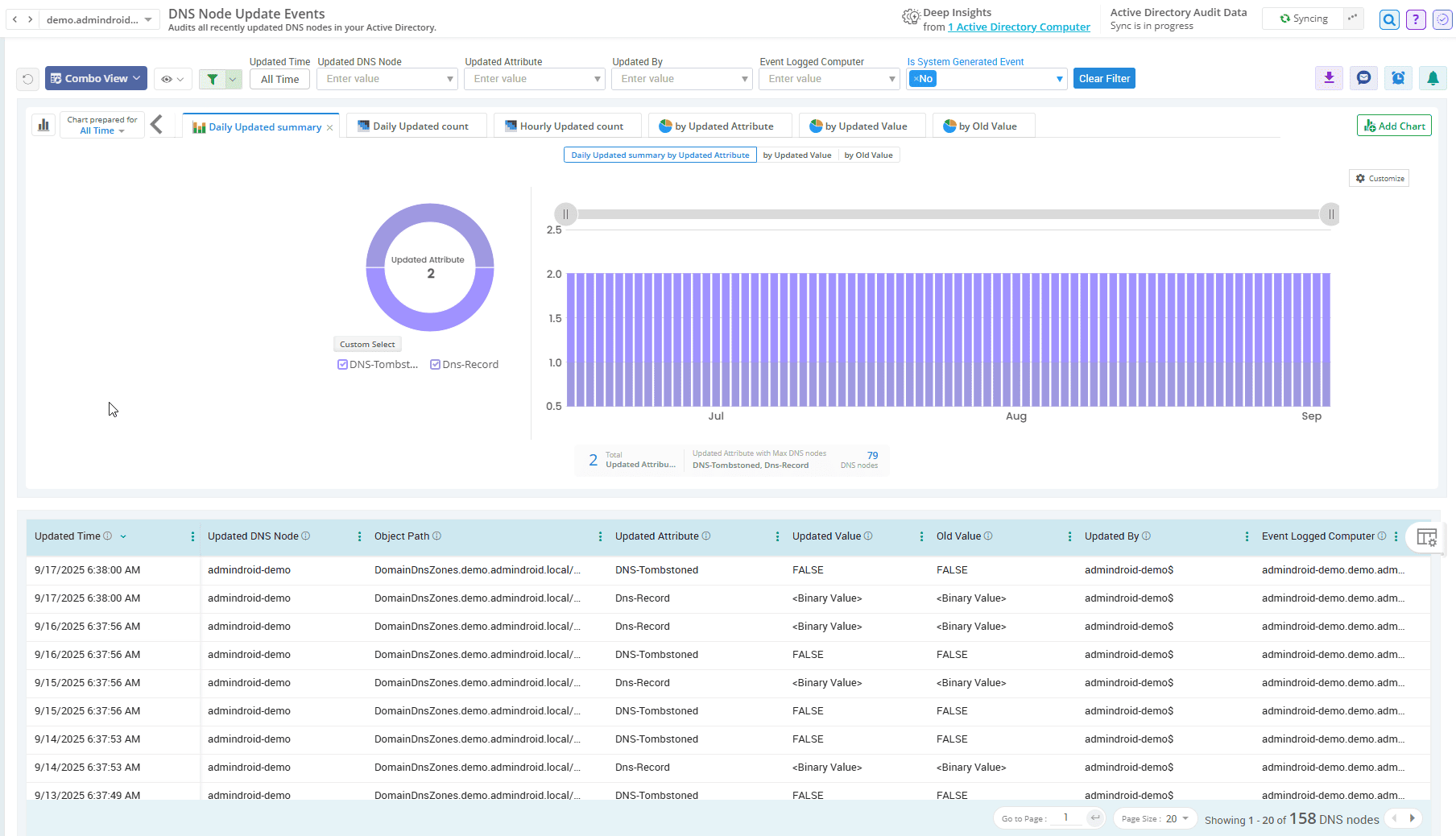
Stay on top of every DNS node management activity in AD

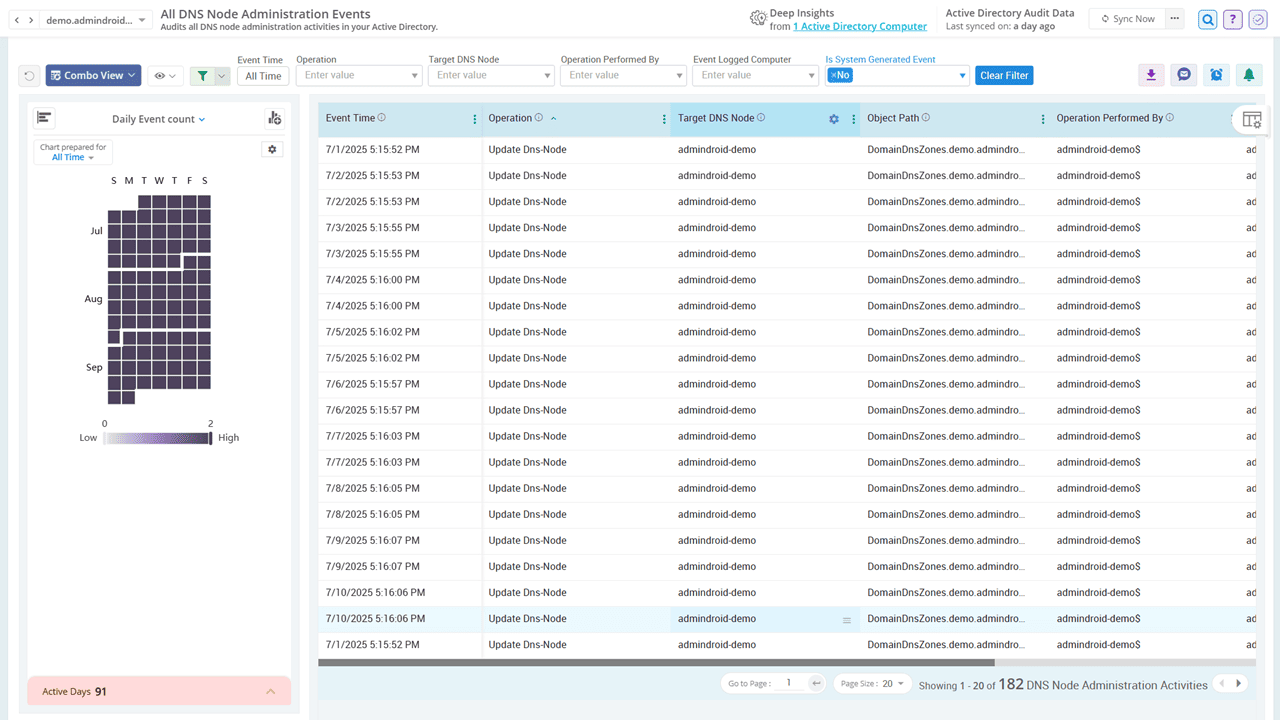
AdminDroid puts all DNS node activities in your Active Directory under the spotlight, helping you detect sudden change surges and maintain a reliable DNS structure. Whether it’s the creation of new nodes, updates, or deletions, every DNS management action is tracked with fine-grained details.

Active Directory Security Permission Changes

Even the slightest tweak in permissions can open the door to a breach. AdminDroid monitors all Active Directory permission changes to strengthen your security posture and enforce accountability.

Active Directory Security Permission Changes

All Security Permission Changes DNS Permission Changes Security Permission GPO Domain Security Permission Schema Permission Changes
Click image to expand
×

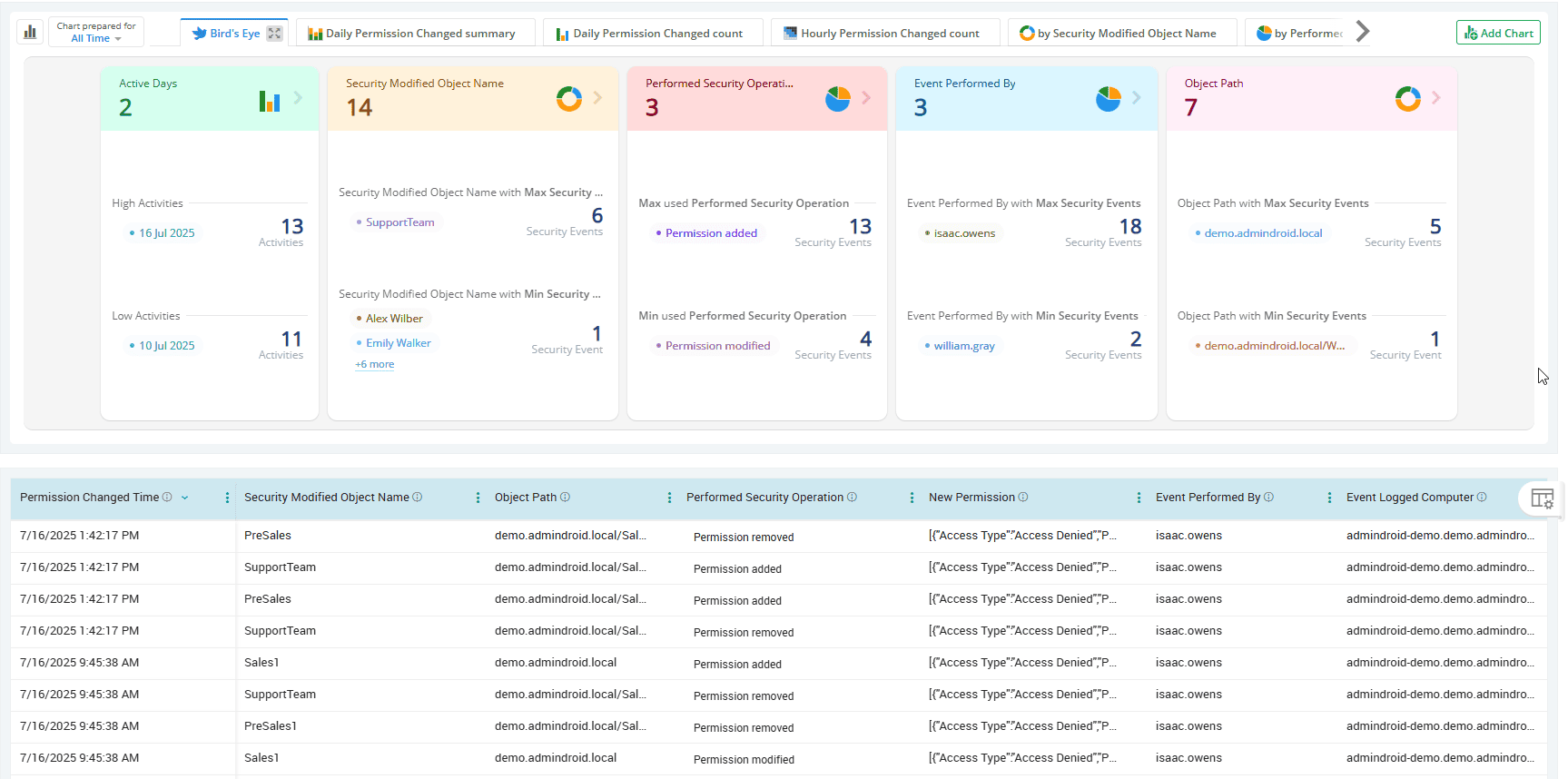
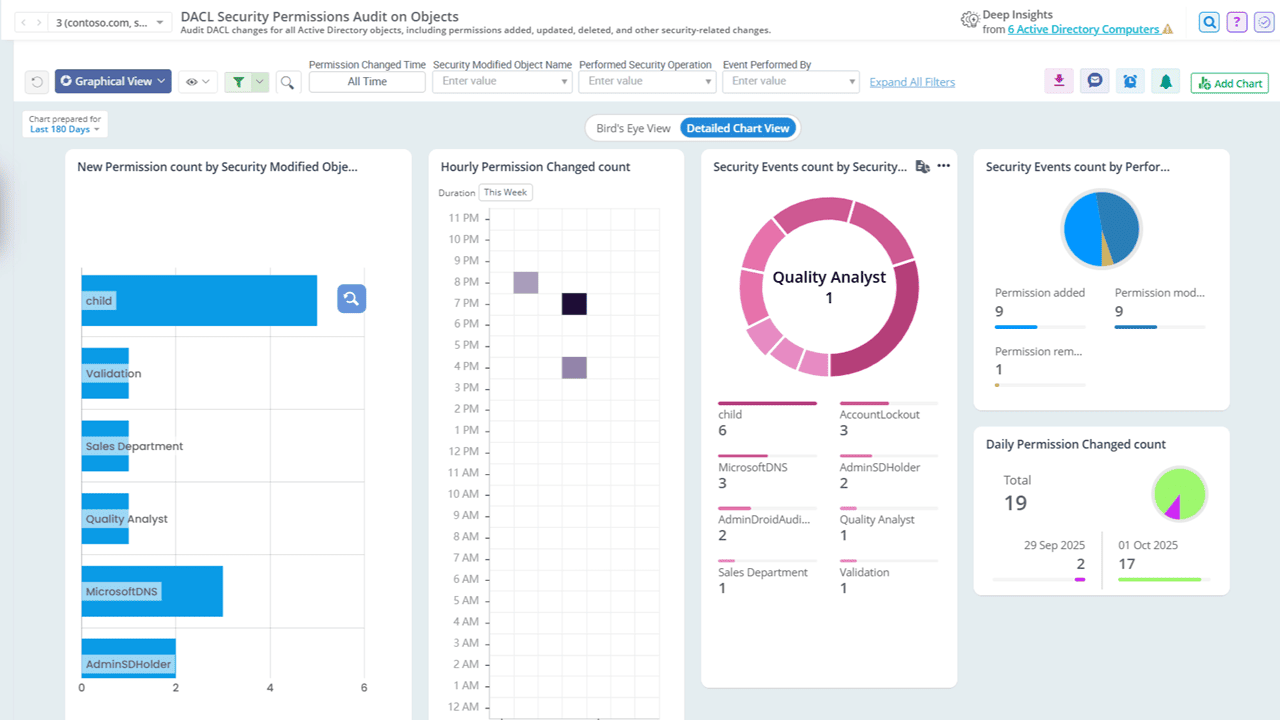
Track all permission changes on AD domain objects

AdminDroid audits every change to DACLs and SACLs, which define access permissions and audit rules on core Active Directory objects like users, groups, computers, and more. Whether it’s newly granted permission, a change in access level, or the removal of specific rights, every change is recorded with complete details to help you safeguard object-level security.

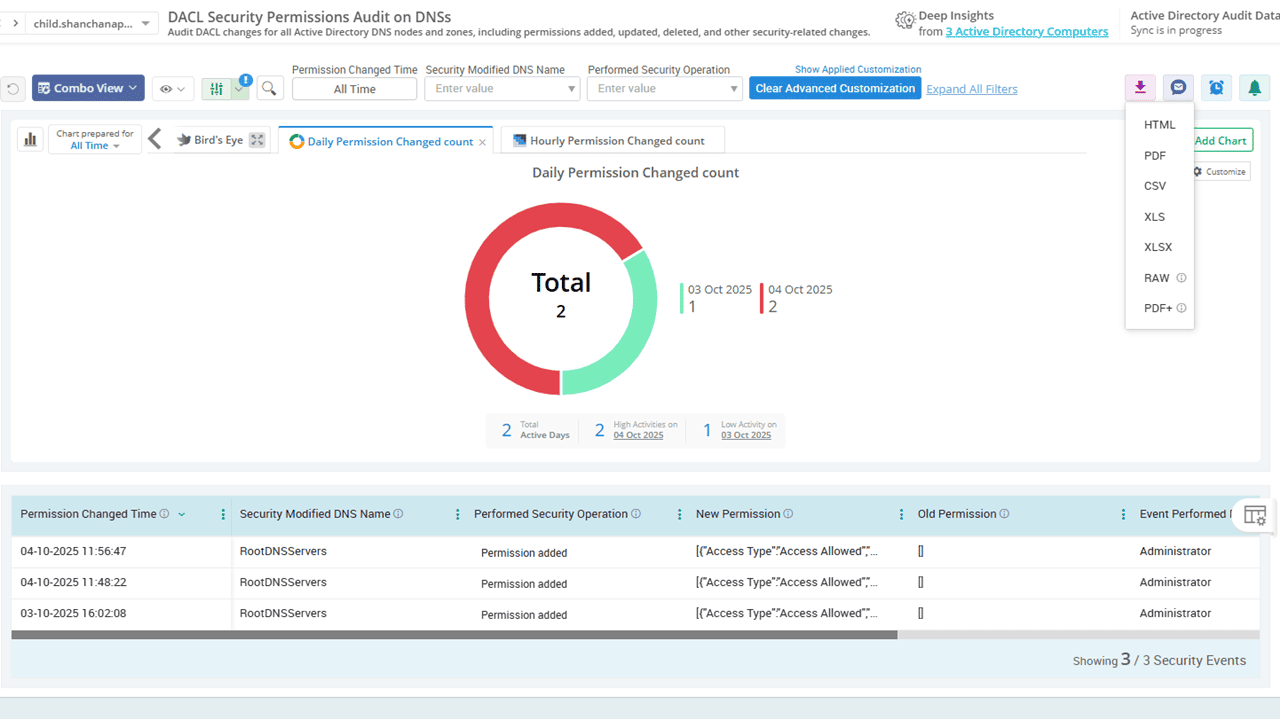
Watch closely for DNS permission changes in AD

One misconfigured DNS permission defined in a security descriptor is all it takes for attackers to slip in. With AdminDroid’s DNS permission changes report, you gain full visibility into old and new permissions, which helps you detect privilege misuse early and speed up your forensic response.

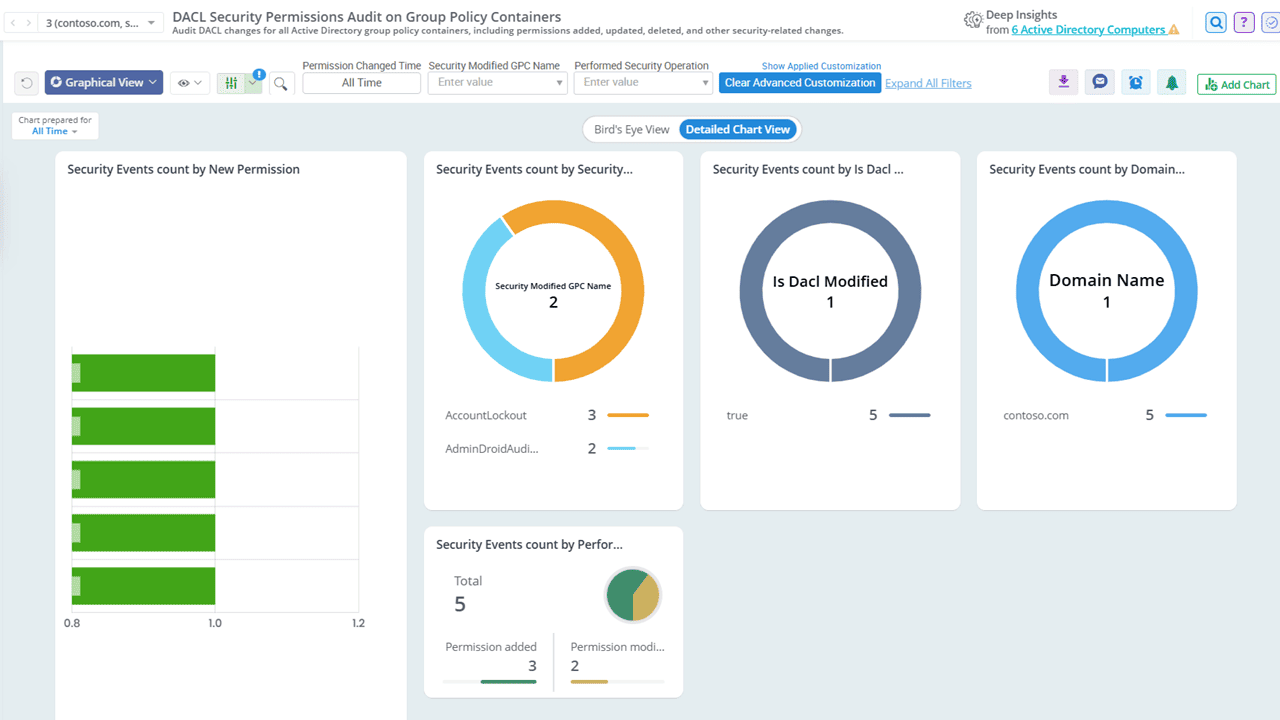
Identify DACL and SACL changes on GPOs with clarity

Gain clear insight into every permission change made to your Group Policy Objects (GPOs) with AdminDroid. By auditing DACL and SACL modifications, you can detect unauthorized access, identify potential lateral movements, maintain strict compliance, and accelerate root cause analysis!

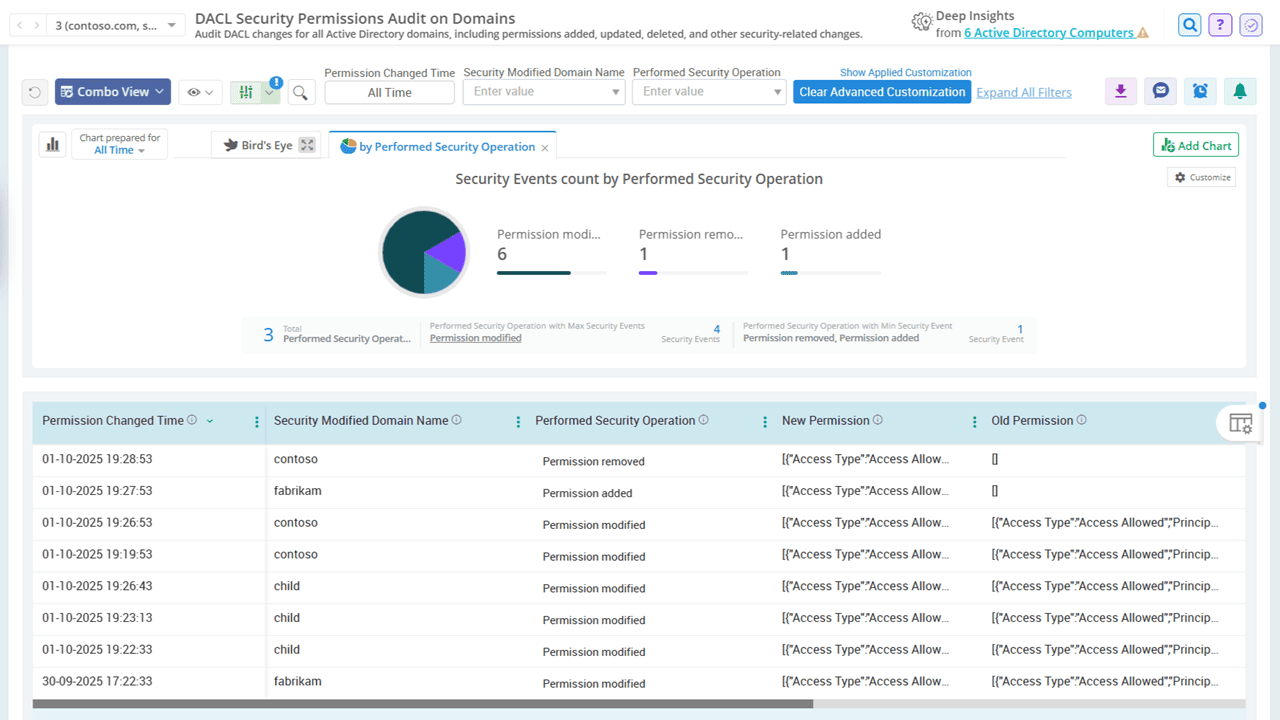
Monitor domain-level permission modifications

Don’t let domain-level DACL permission updates leave your Active Directory vulnerable. Schedule AdminDroid’s domain permission changes report to proactively track every alteration at the domain scope, instantly flagging risks that could expose your entire AD environment.

Keep an eye on every schema permission change

Active Directory’s schema governs every object across your organization. An unauthorized tweak here isn’t just a security risk; it’s a potential catastrophe. AdminDroid monitors all schema-level permission changes and captures both the old and new values of security descriptors to prevent unauthorized control over your directory structure.

Active Directory Fine-Grained Password Policy Audit

Weak password rules are open invitations. AdminDroid audits fine-grained password policies to highlight every lapse, change, and gap, so your defenses start strong and stay strong.

Active Directory Security Permission Changes

Fine Grained Creation Updated Fine Grained Password All FIne Grained Activities
Click image to expand
×

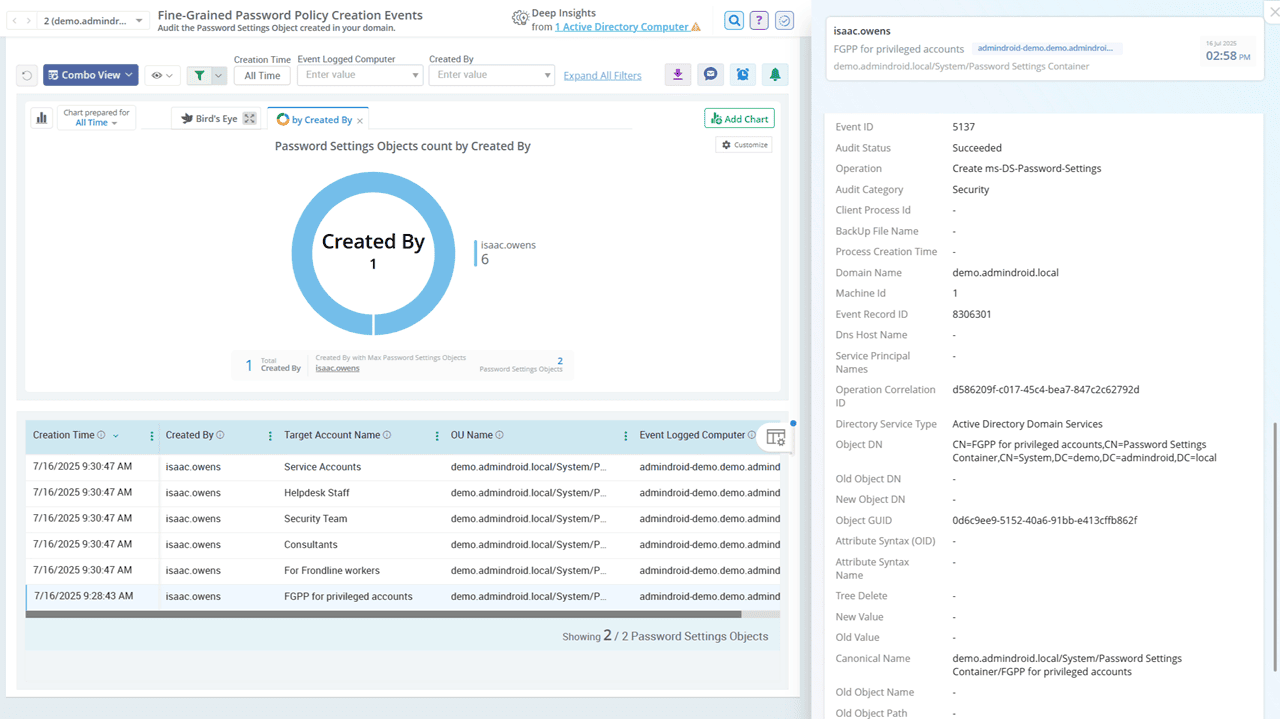
Get visibility into all fine-grained password policy creation events in AD

For every set of users in your domain, a fine-grained password policy can be created with tailored password and lockout settings. AdminDroid captures each newly created FGPP across your Active Directory environment. From complexity requirements to lockout settings, all configurations are recorded with attribute-level details, giving you a clear picture of how password standards evolve.

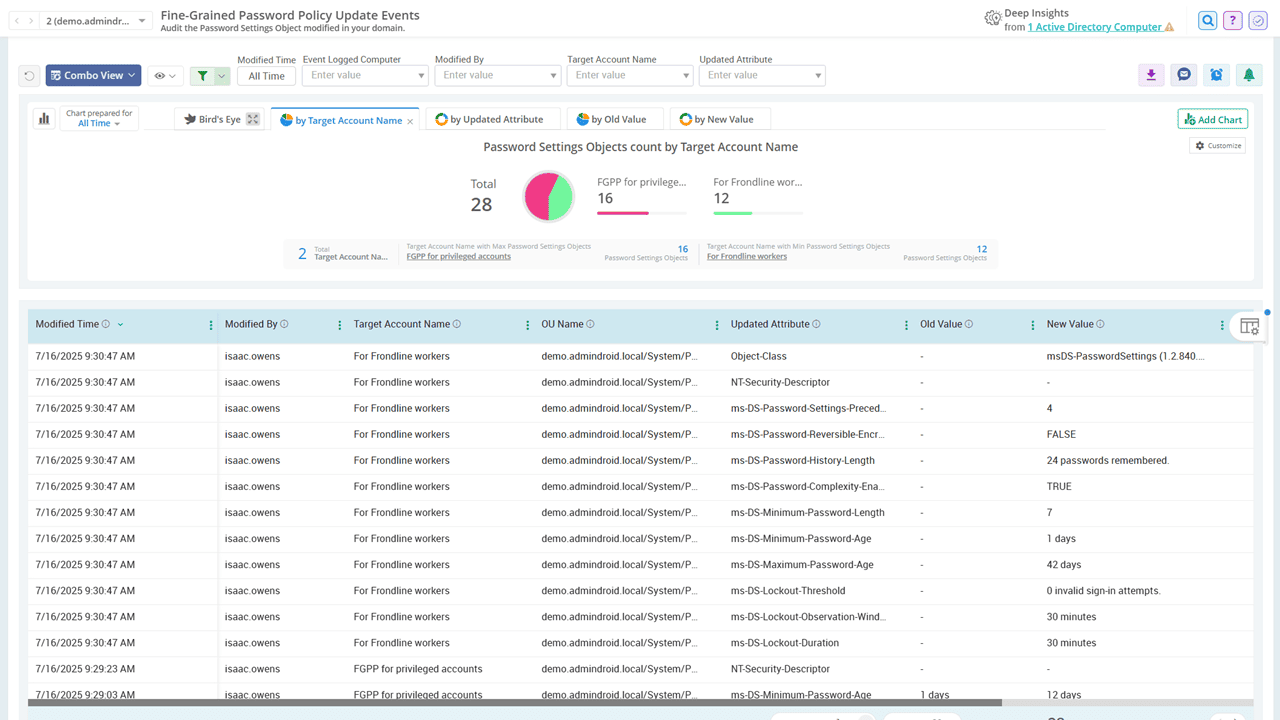
Be aware of updated fine-grained password policies in AD

If a fine-grained password policy update weakens your password standards, it can expose privileged accounts to attacks like brute force, password spraying, or credential stuffing. AdminDroid helps you stay alert by tracking every password policy update with a clear view of old and new values, so you’re never caught off guard.

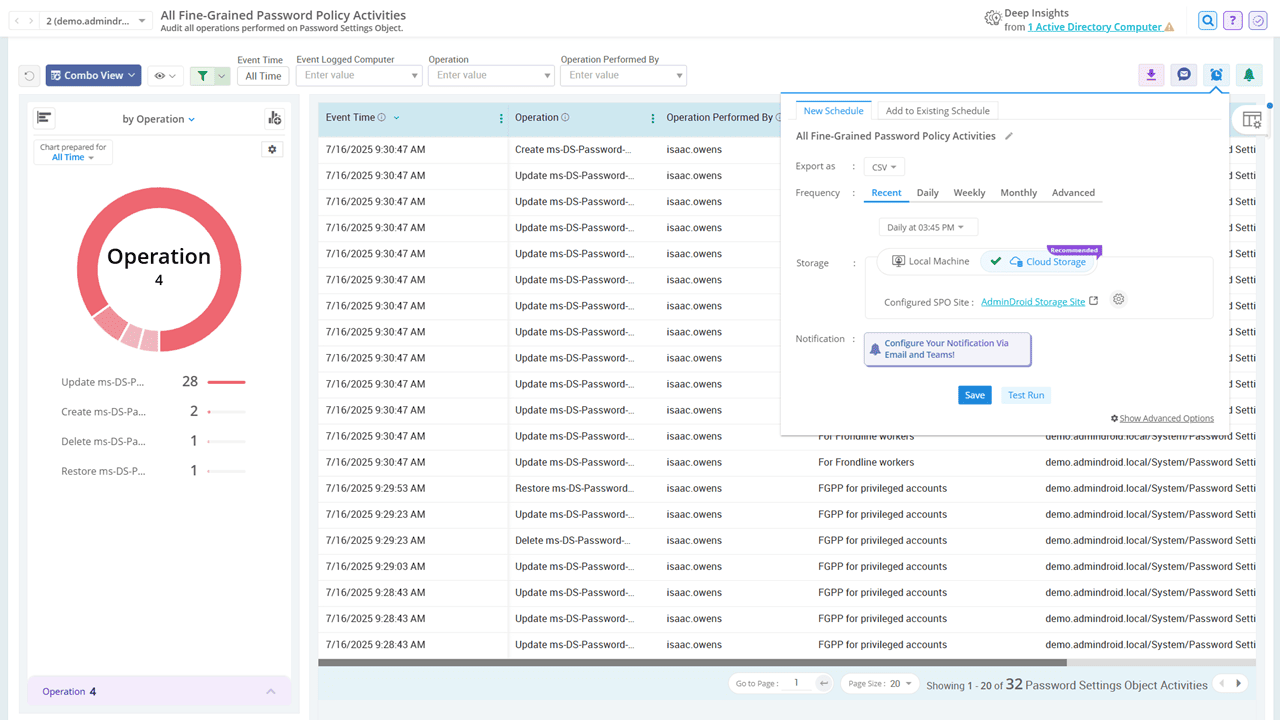
Closely audit all fine-grained password policy management activities within AD

Rely on AdminDroid to monitor every fine-grained password policy change, including deletions, restorations, and other key events, with detailed visibility. Schedule reports to stay informed about what changed, when it happened, and who made the change.