
 The AdminDroid Way
Microsoft 365 Governance Portals
Urgent risks flagged—resolve with one click
Are important security alerts slipping through unnoticed in your Microsoft 365 environment?
AdminDroid provides dedicated M365 module-focused governance portals that surface critical tenant information, detect anomalies, and enable immediate corrective actions—all from a single, centralized interface.
Threat Analysis Portal
SharePoint Defense Portal
SharePoint Site Governance Portal
Exchange Mailbox Governance Portal
Teams Governance Portal
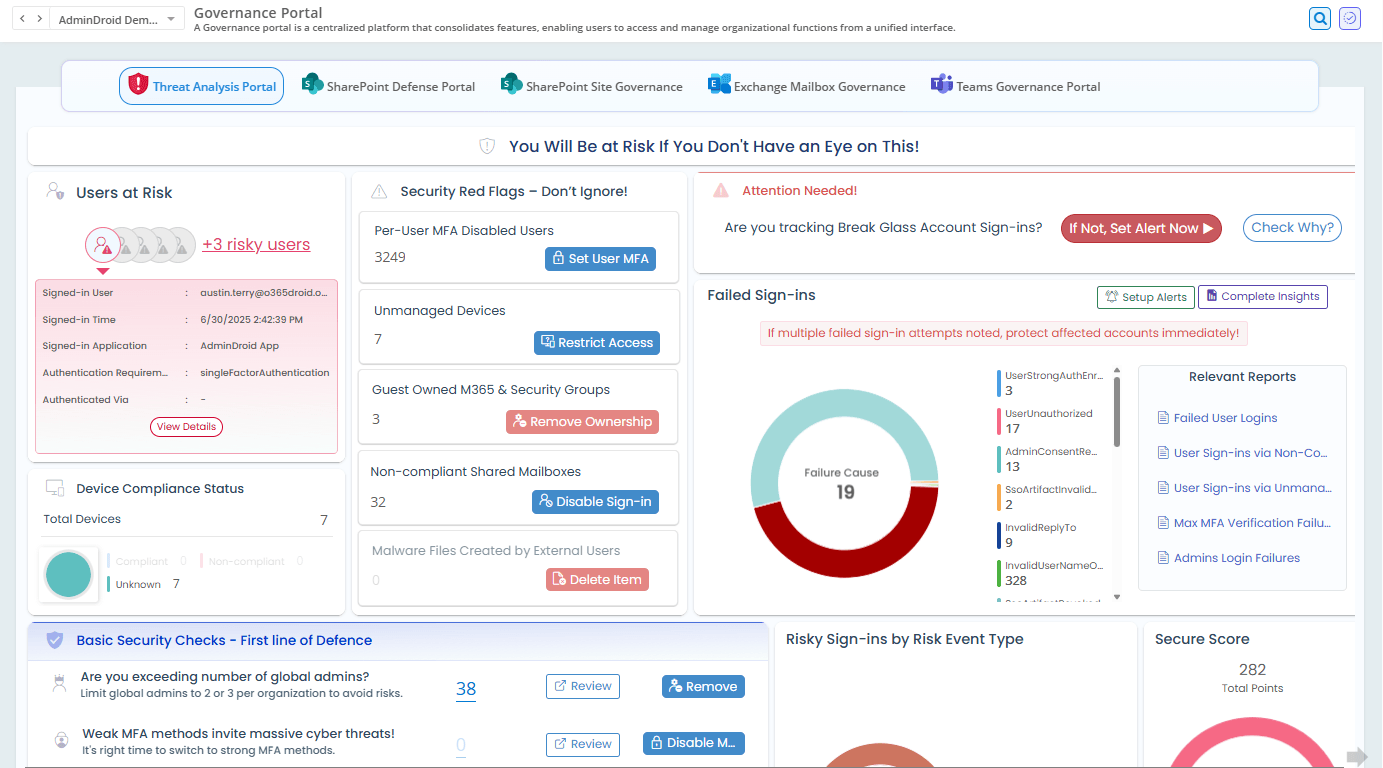
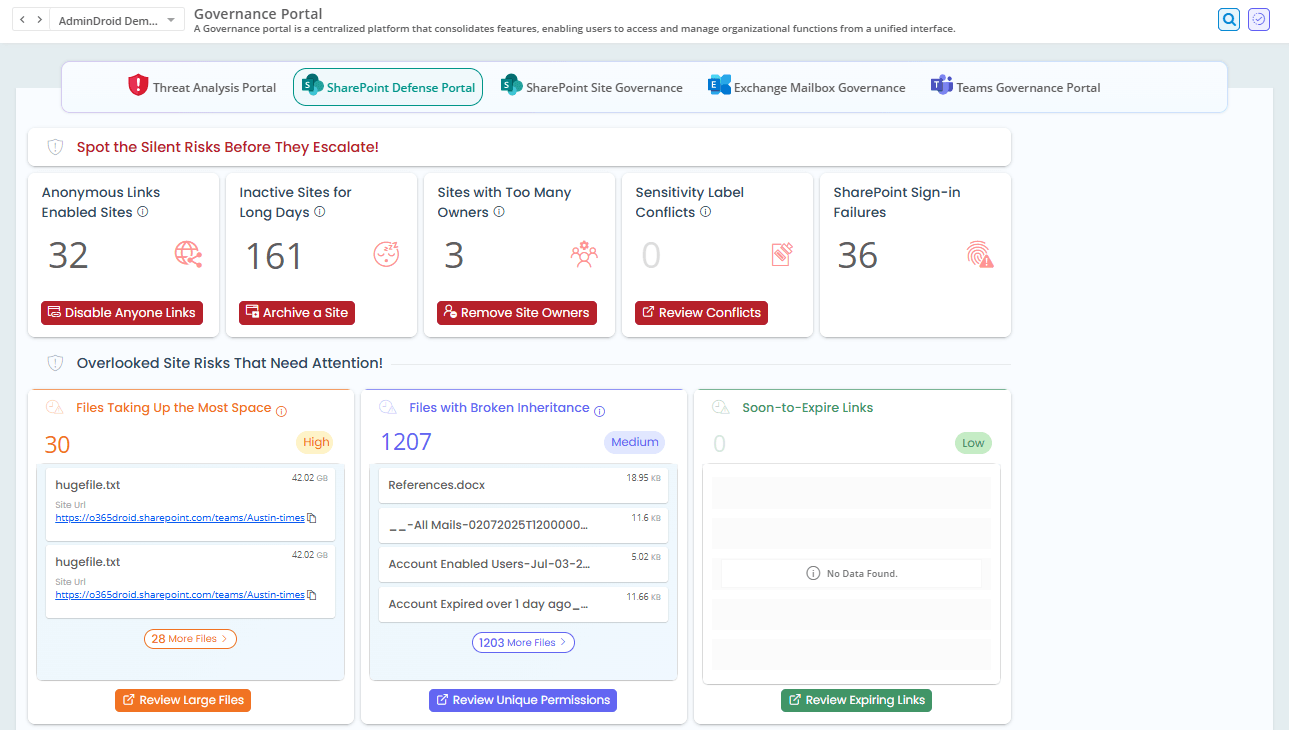
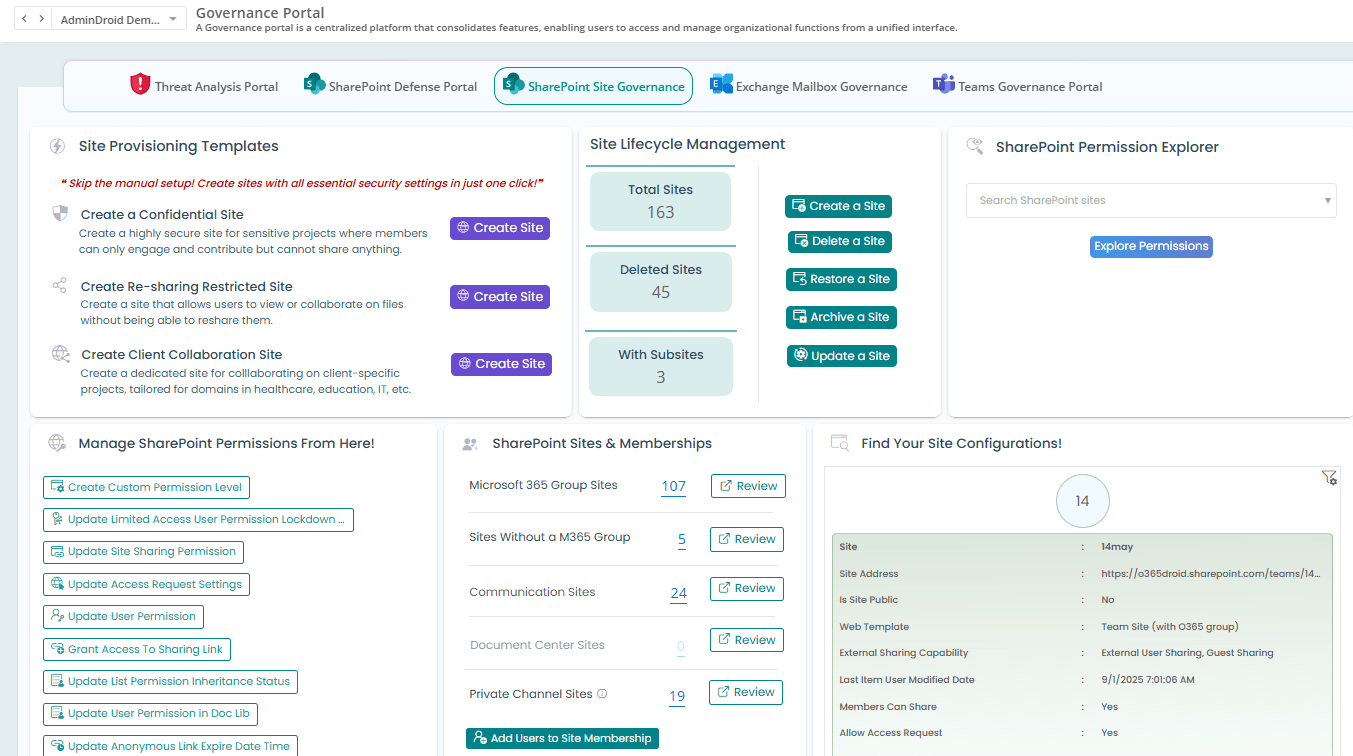
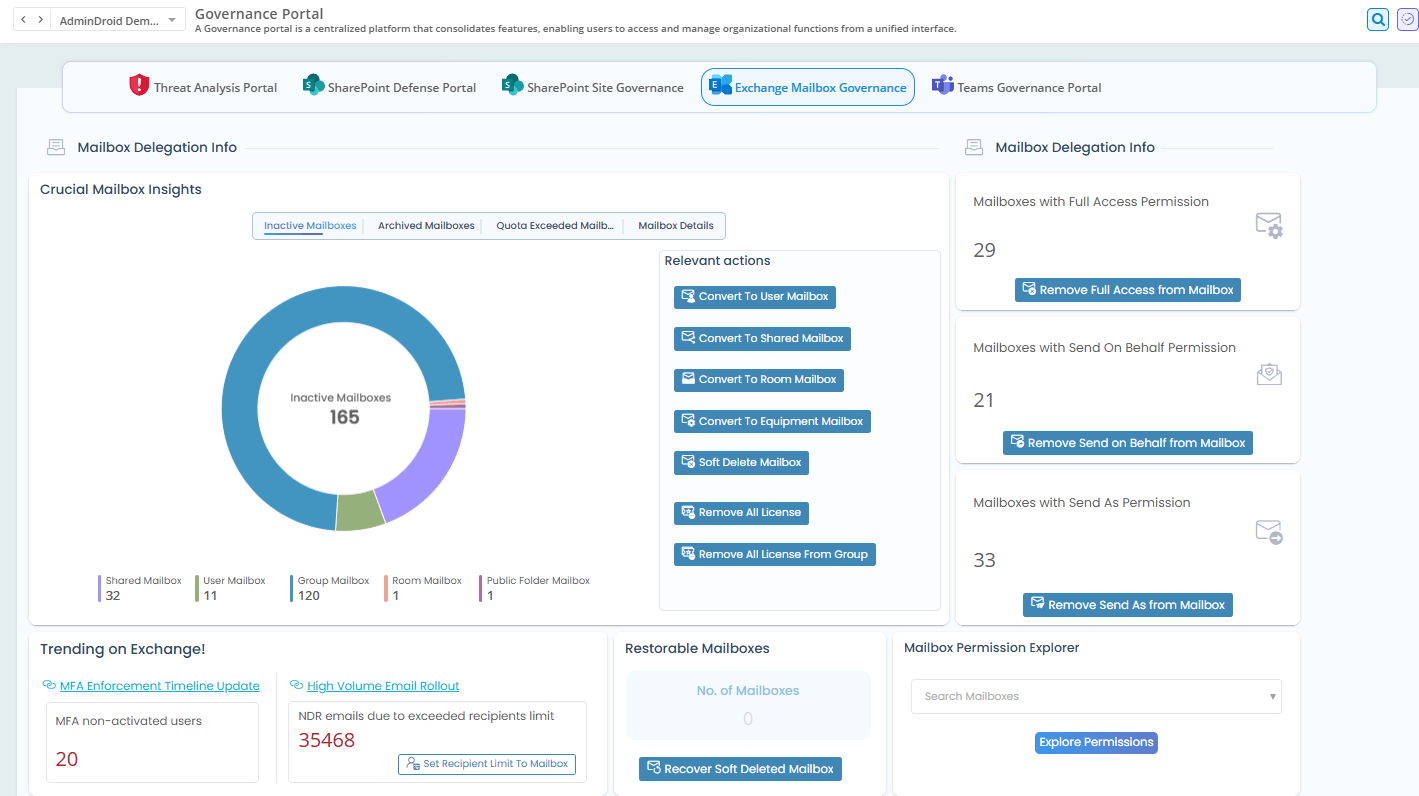
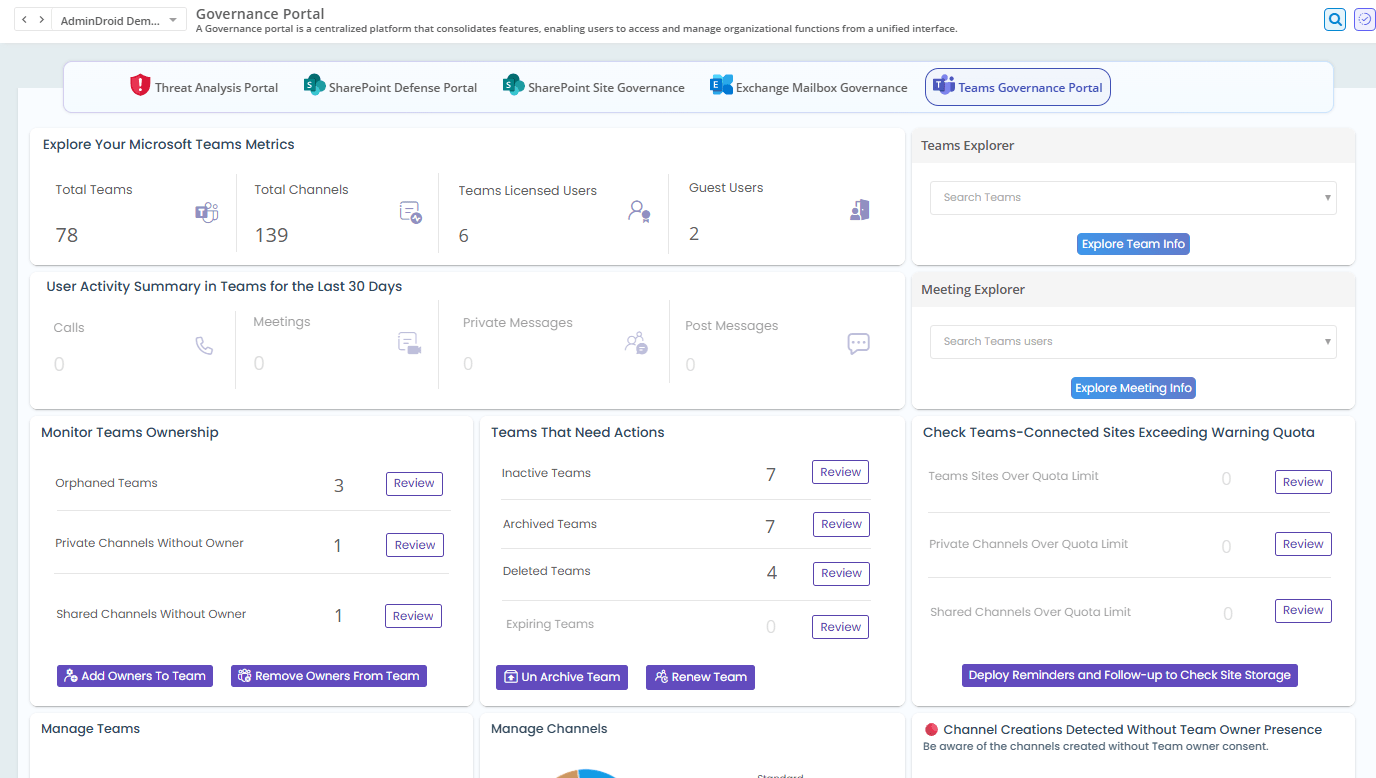
See What Needs Attention—Immediately
Surface silent risks such as anonymous sharing links, inactive or orphaned sites and Teams, mailbox delegation exposure, excessive permissions, and unusual user activities
Alerts That Do More Than Notify
Move from awareness to action instantly. Disable risky access, revoke mailbox permissions, change Teams’ memberships—right from a single interface.
Permission & Access Oversight Without Blind Spots
Understand who has access, how it was granted, and where it violates governance best practices. Identify external users, broken inheritance, over-privileged accounts, stale permissions, and take immediate action.
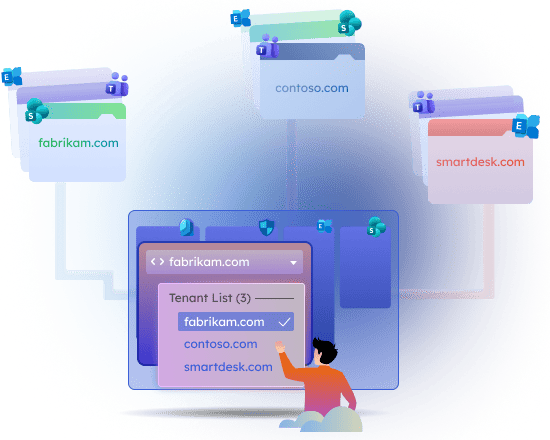
Virtual Tenants
Divide and conquer your massive tenant
Looking to organize your Microsoft 365 tenants into secure, manageable units?
AdminDroid’s Virtual Tenant lets you design intelligent access boundaries that reflect how your organization actually operates—by department, role, responsibility, and resource scope across one or multiple Microsoft 365 tenants.
Manage Direct Reports
Manage Department Users
Manage Mailboxes with Full Access
Manage Owned Sites
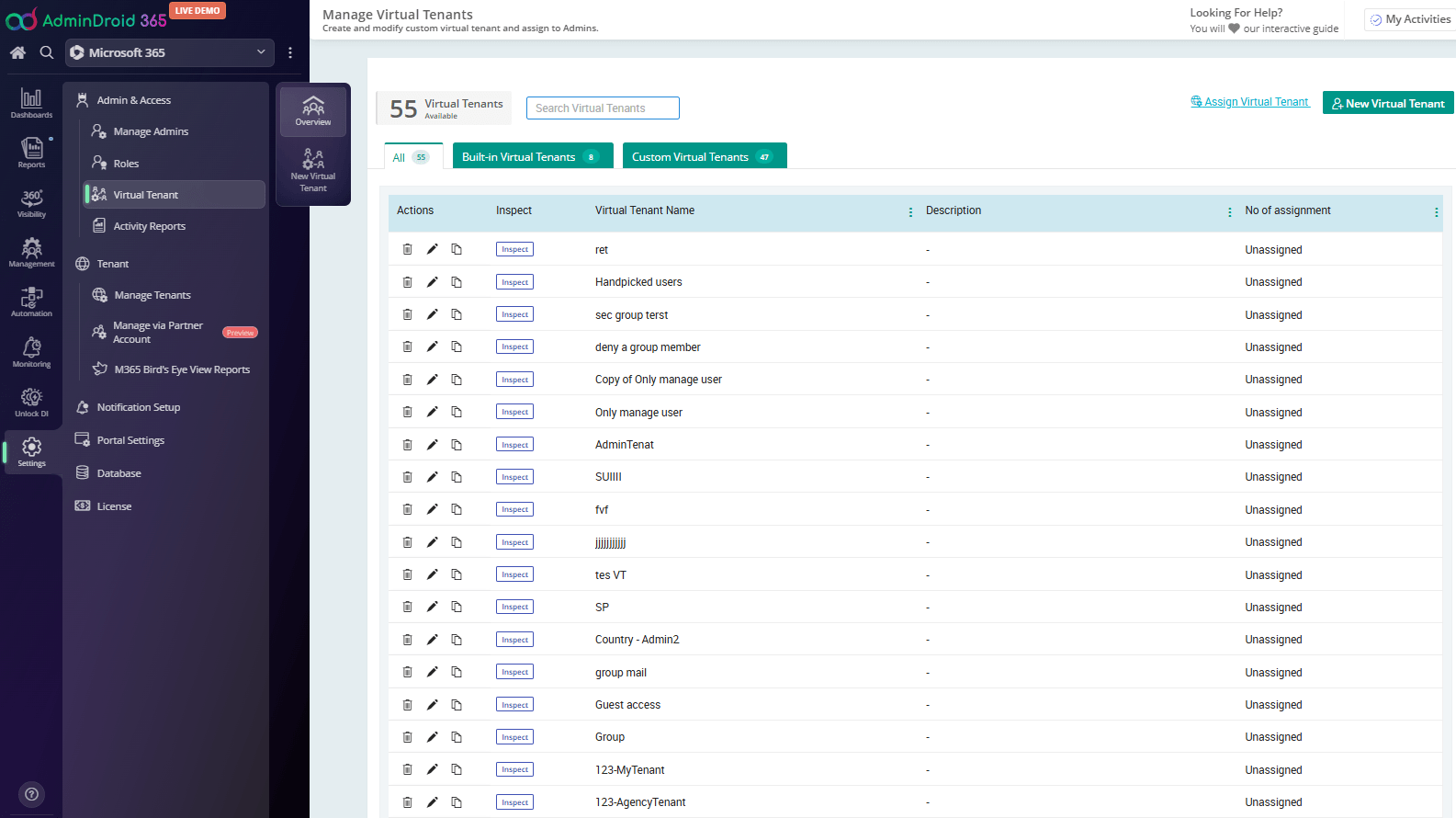
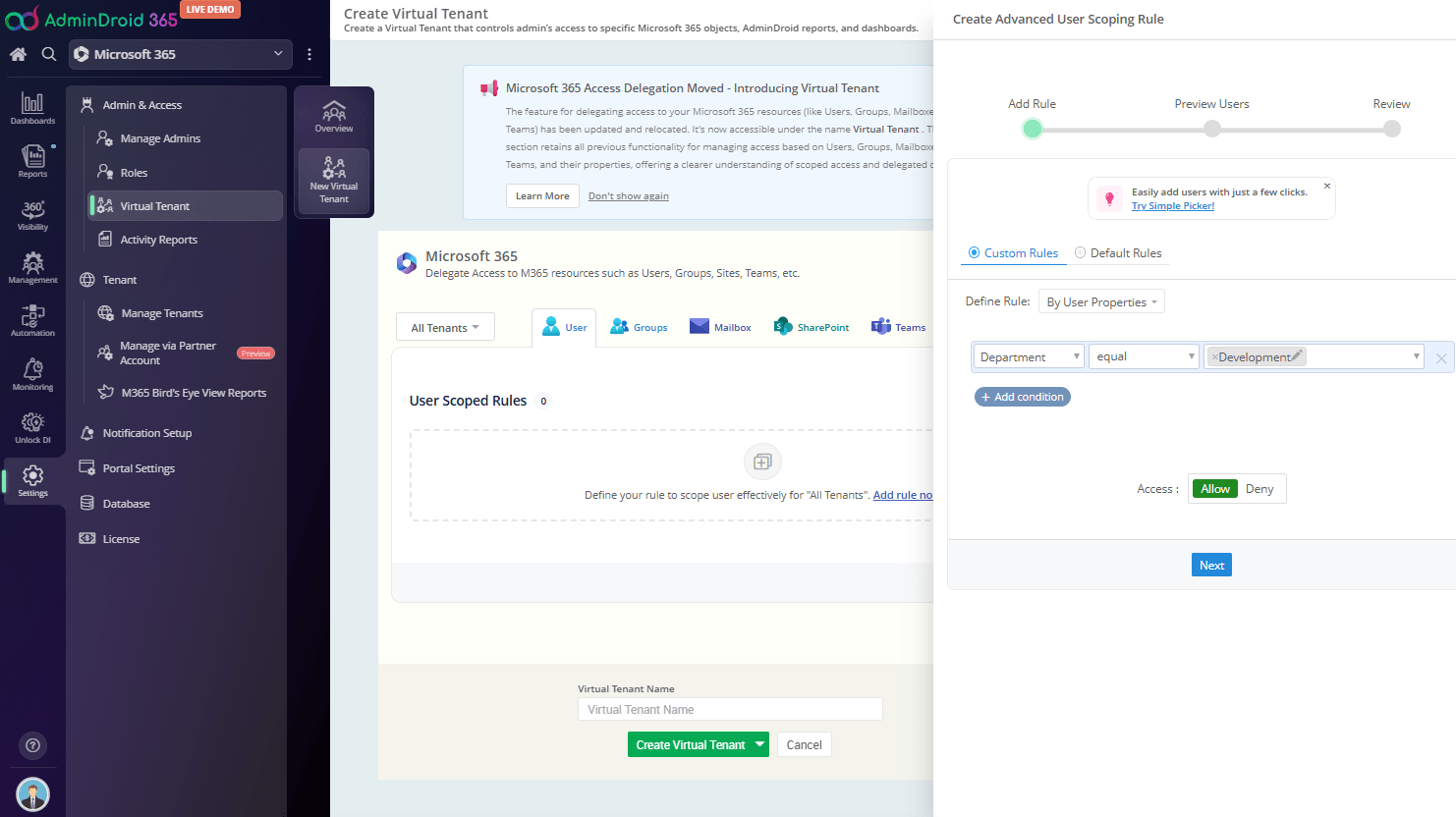
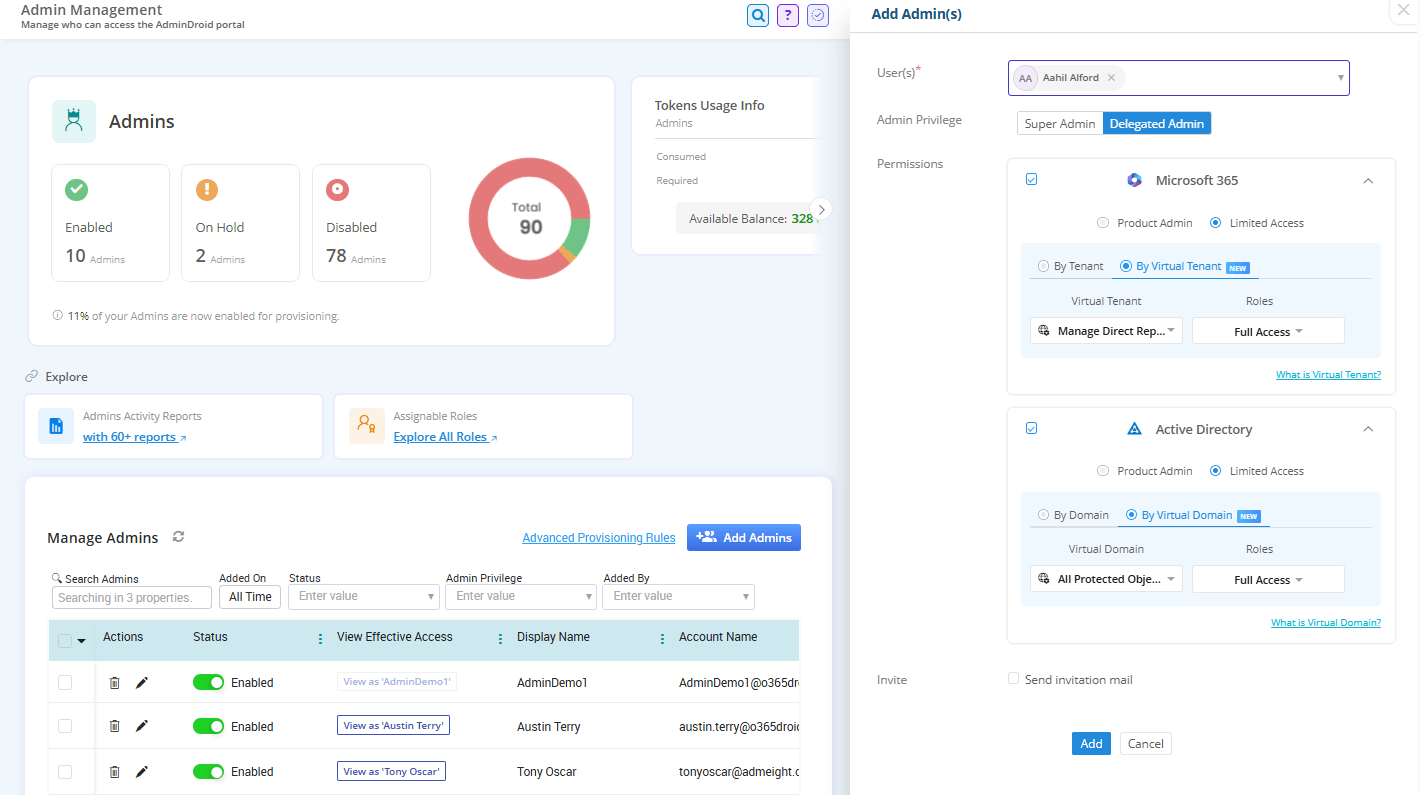
Set Access Boundaries Based on M365 Attributes
Create Virtual Tenants using advanced filters based on Entra ID user properties, security groups, Microsoft 365 groups, licensing states, mailbox attributes, SharePoint site properties, Teams membership, etc.
Define Virtual Tenants to Manage High-Sensitive Accounts
Build dedicated Virtual Tenants by selecting specific users, mailboxes, Teams, SharePoint sites, or groups.
Cross-Tenant Resource Delegation
Combine resources from multiple Microsoft 365 tenants into a single Virtual Tenant.
Granular Delegation
Fine-tune access down to the user level
Need complete control over who can access and manage specific resources?
AdminDroid’s Granular Delegation enables you to assign the right level of access to the right administrators—ensuring secure operations without overexposing critical data or controls across your Microsoft 365 environment.
Helpdesk admins with access only to password resets and user updates
Compliance admins limited to relevant report packages only
Resource owners managing only their own groups, sites, or teams
Branch admins managing only users within their own office location
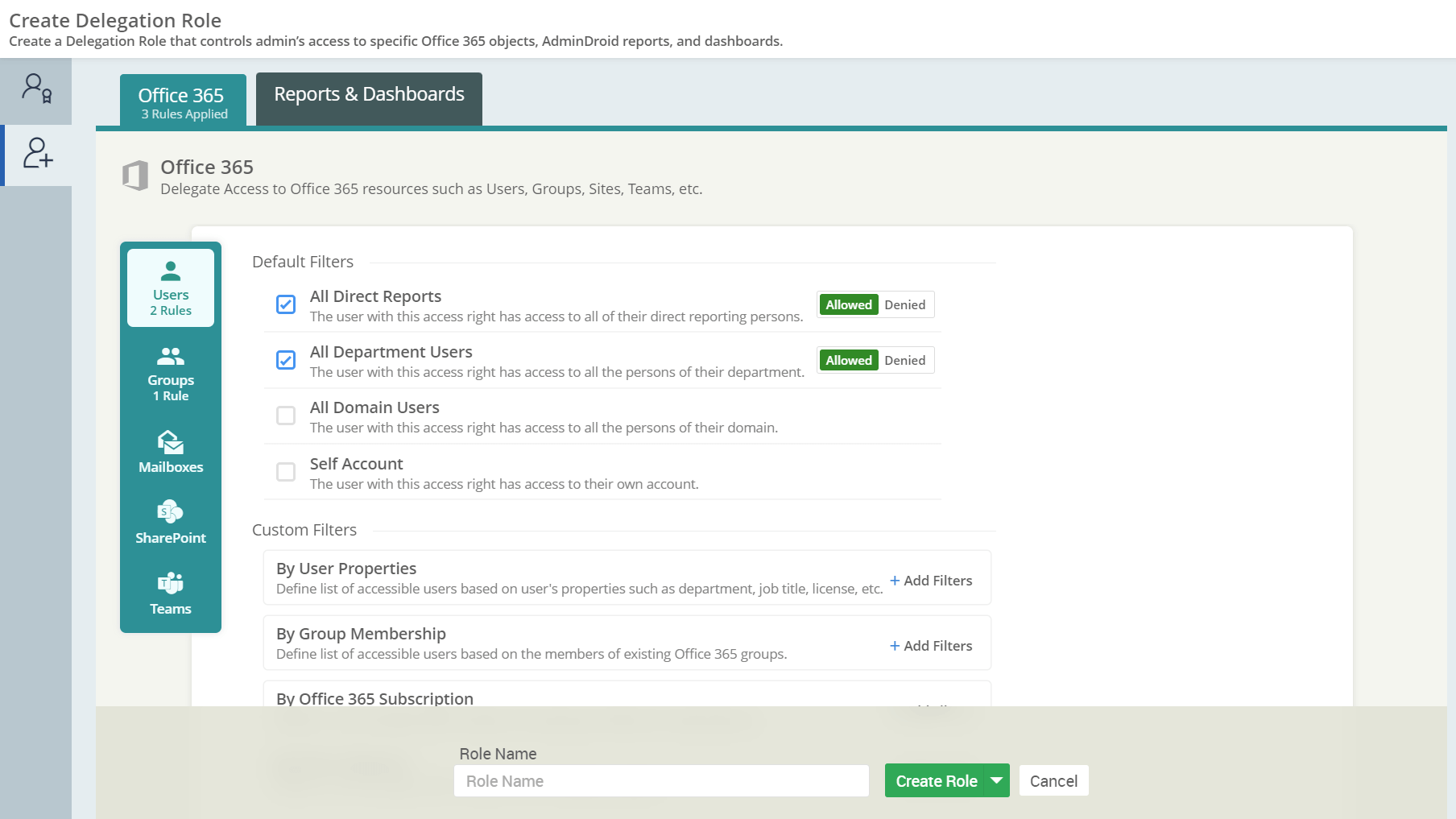
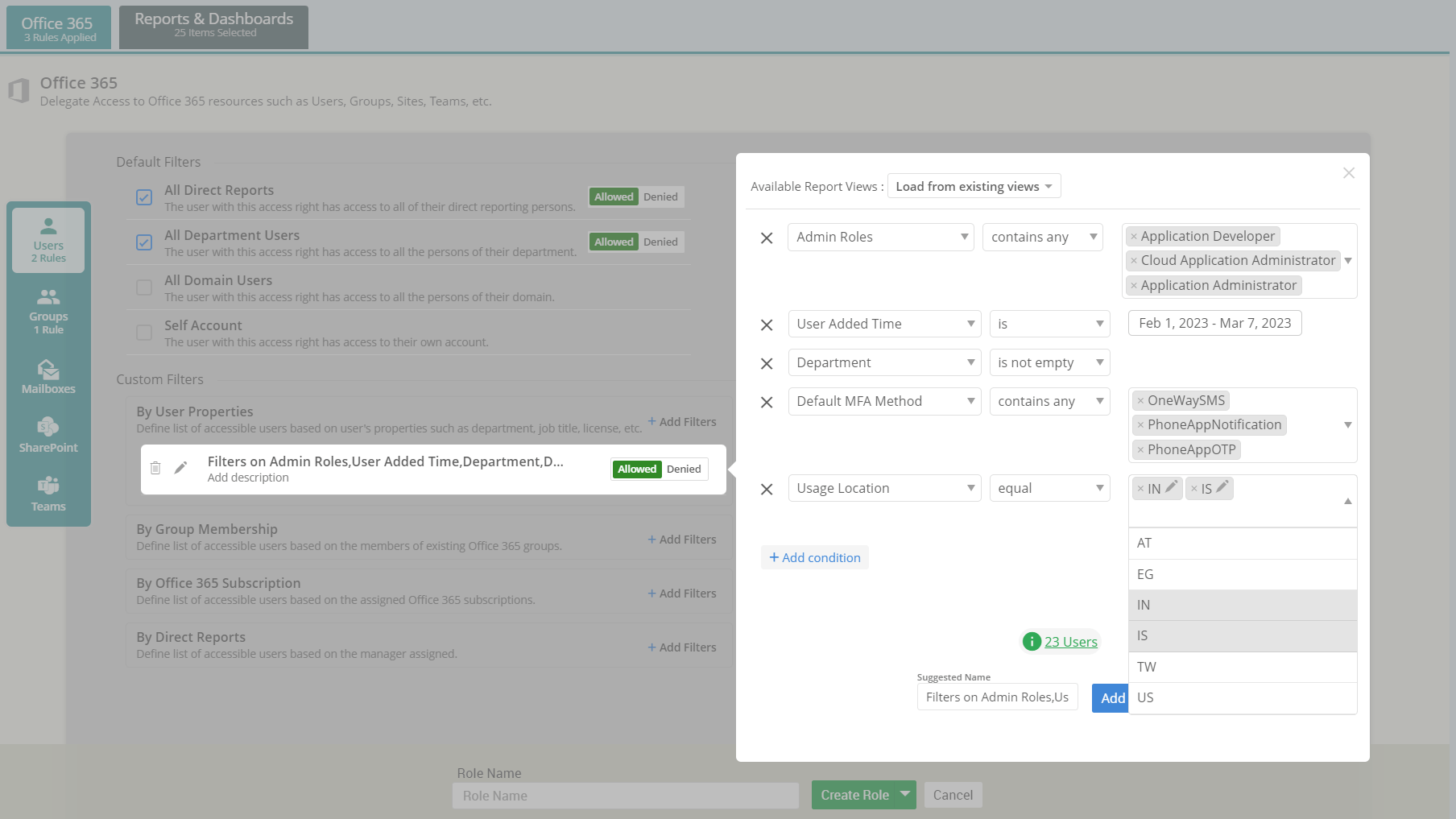
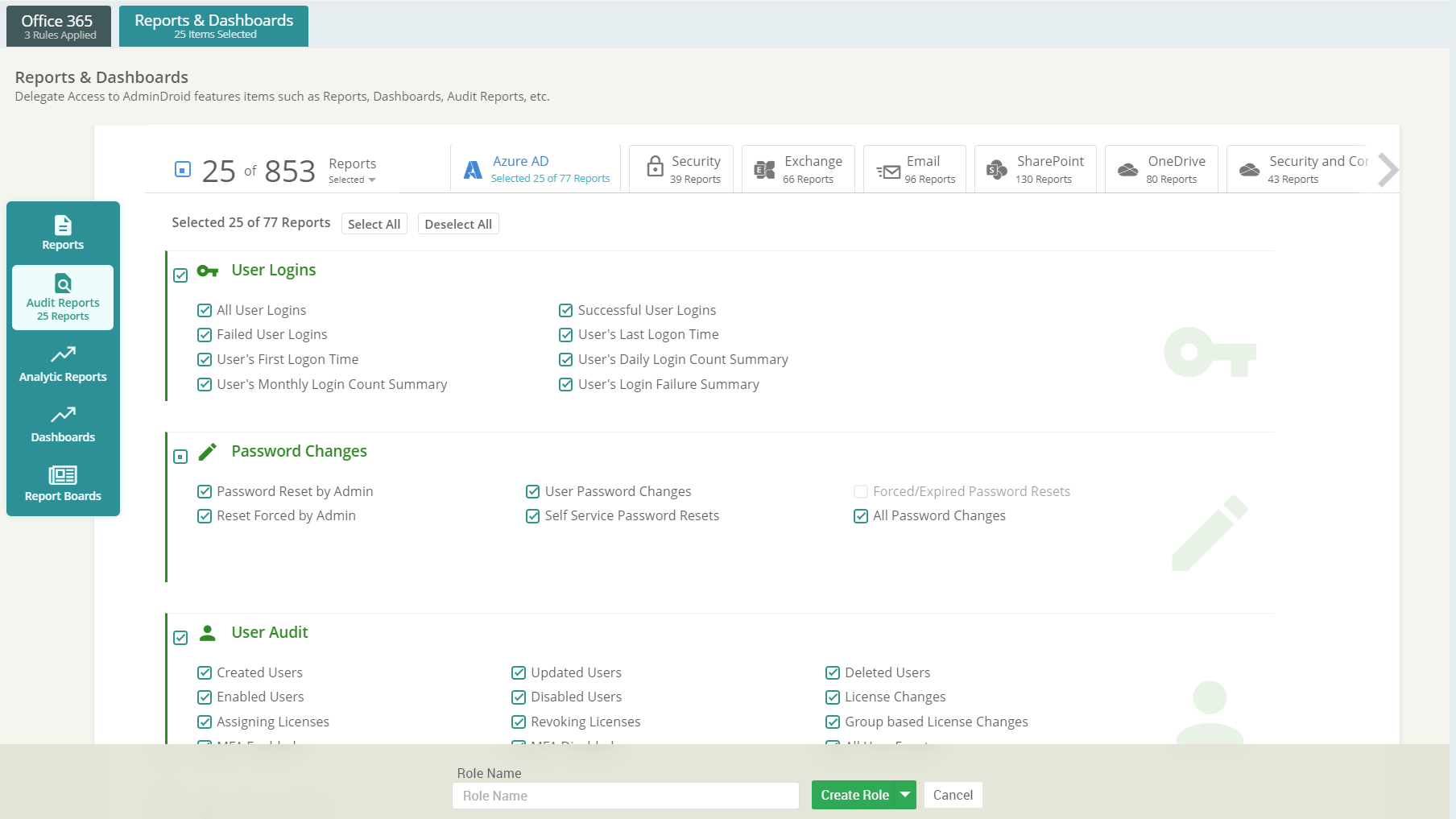
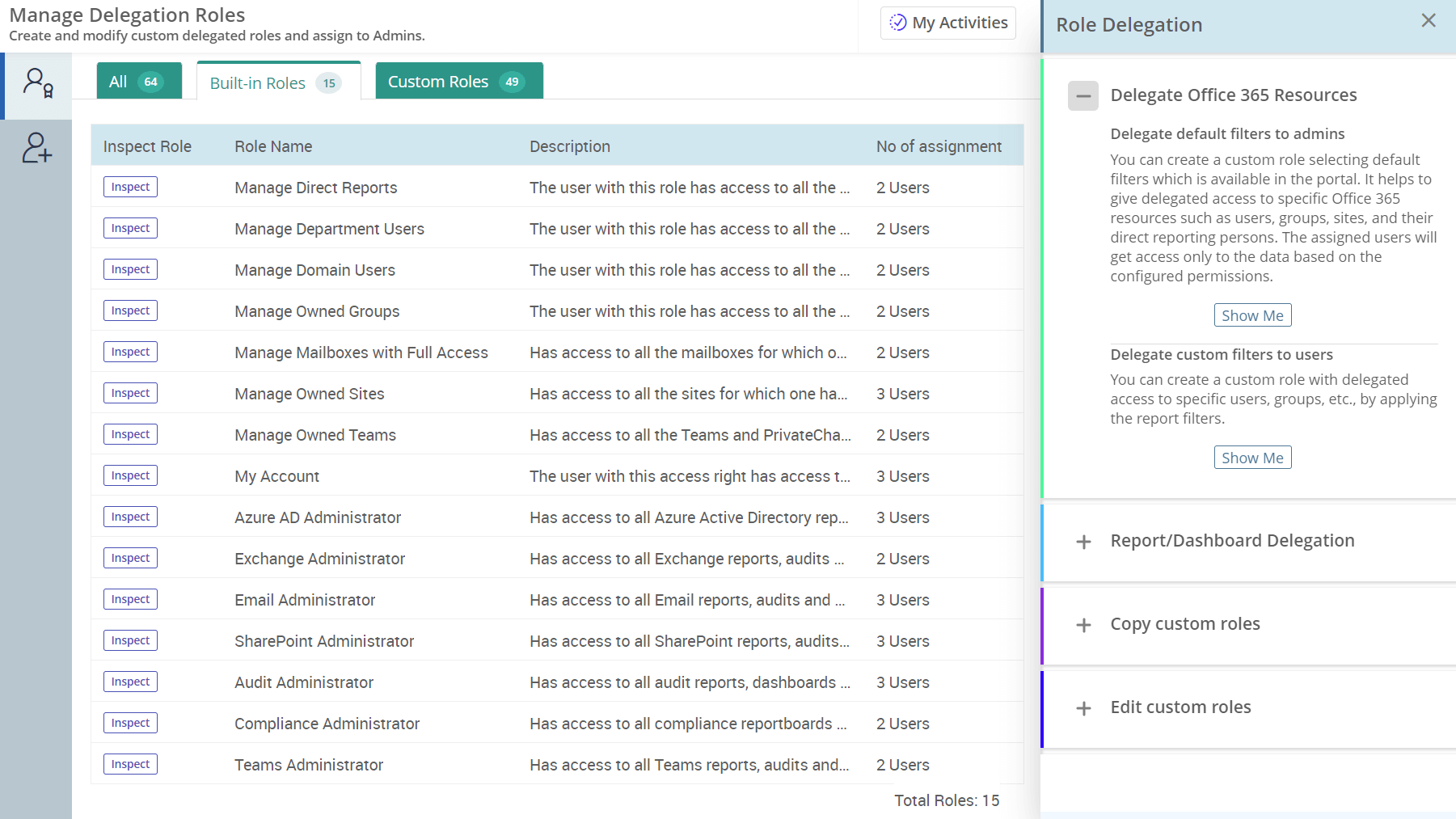
Role-Based Access Scope
Assign administrators to specific Virtual Tenants and allow them to manage only the users, groups, mailboxes, Teams, and SharePoint sites within their assigned scope.
Report-Level Delegation with Roles
Control access at the report level by assigning roles that define exactly which reports admins can view and manage.
Cross-Tenant Delegation
Grant administrators access to manage resources across multiple Microsoft 365 tenants from a single interface. Combine tenant access with scoped permissions to maintain control in multi-tenant environments.
Intelligent Workflows
Automate routine tasks
Tired of repeating the same Microsoft 365 tasks every day?
Repetitive admin tasks, approval bottlenecks, and lack of centralized control can impact efficiency and consistency. AdminDroid’s Workflows solve this with intelligent automation that acts across services, ensuring faster execution with the right checks in place.
Onboard new users with licenses and security controls
Disabling and cleaning up unused accounts
Detecting suspicious sign-ins and executing rapid remediation steps
Routing approval flows for sensitive actions
Saving storage by cleaning large SharePoint libraries
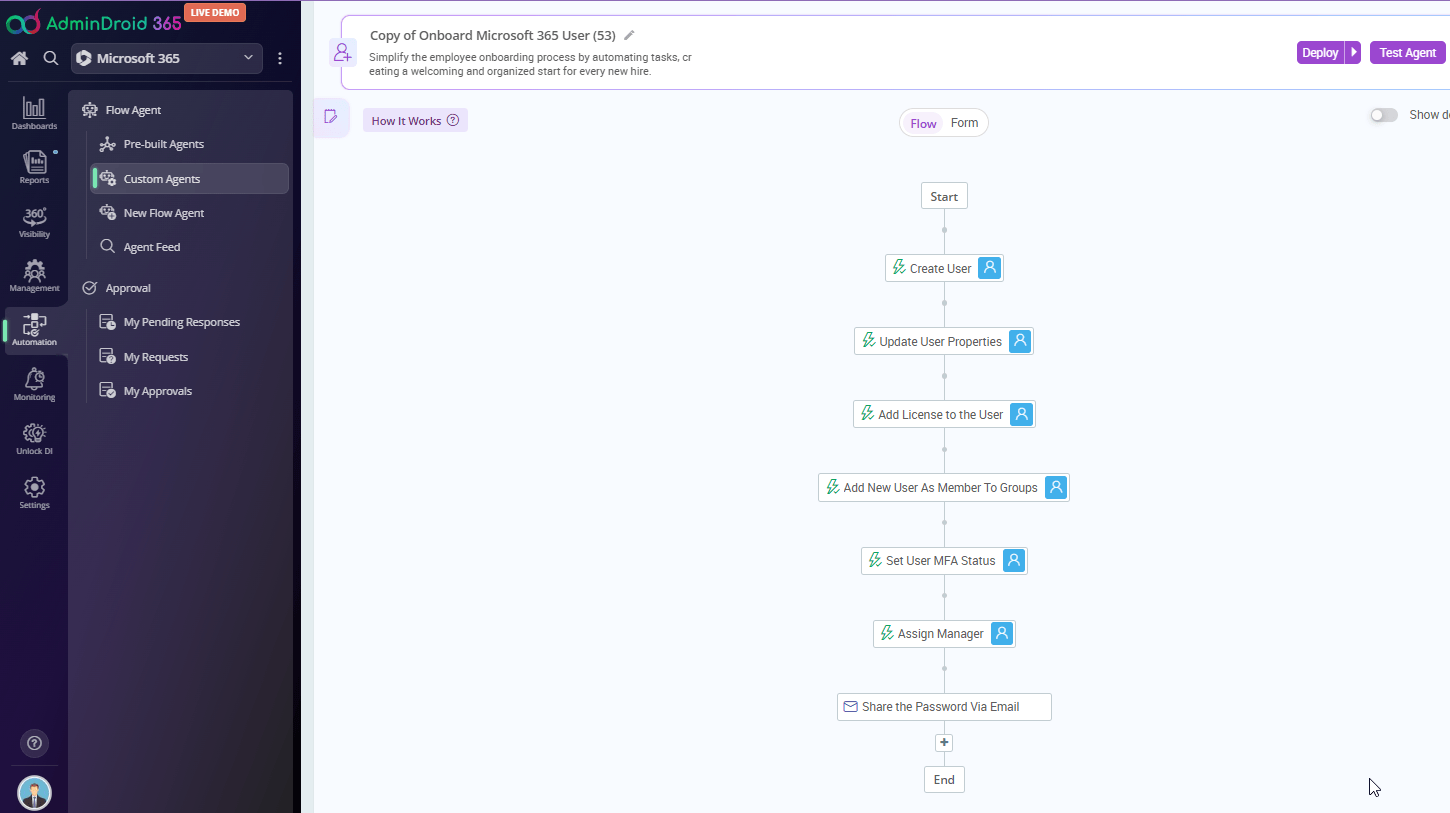
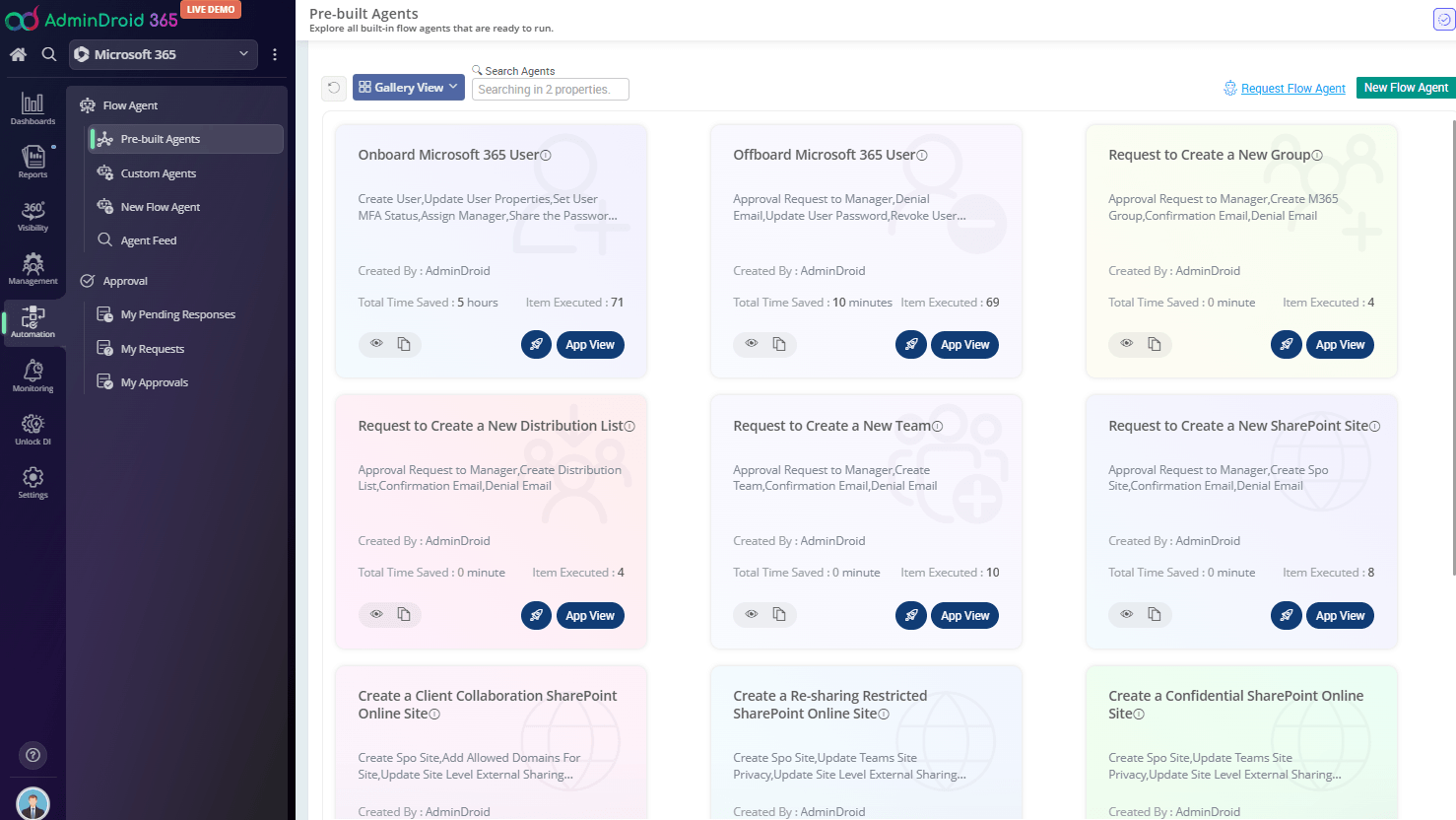
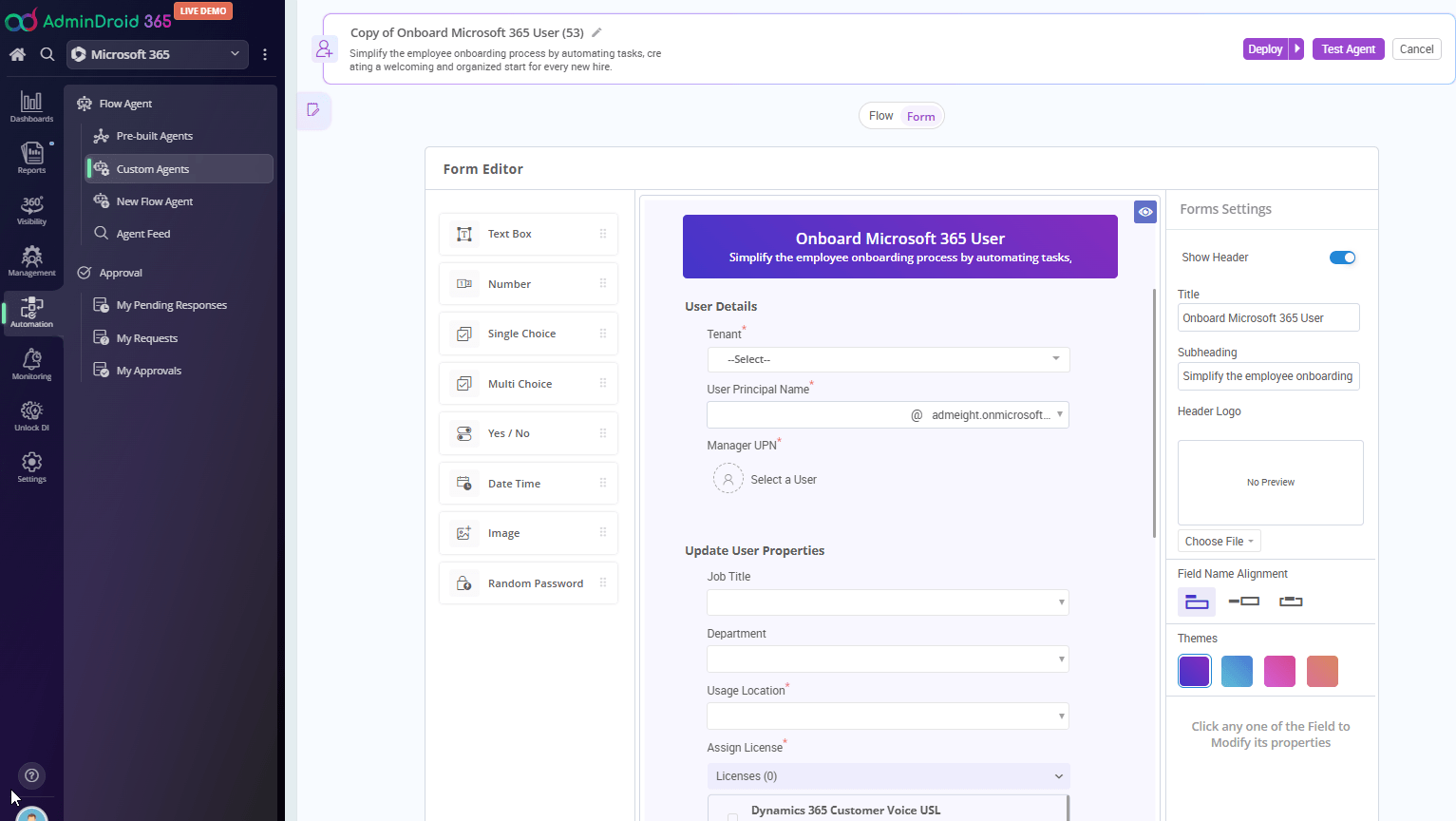
Control Every Step of Workflow Execution
Pause a flow if something looks off, resume when ready, or revert completed actions if mistakes happen. This intelligent execution gives you complete control even during large-scale operations.
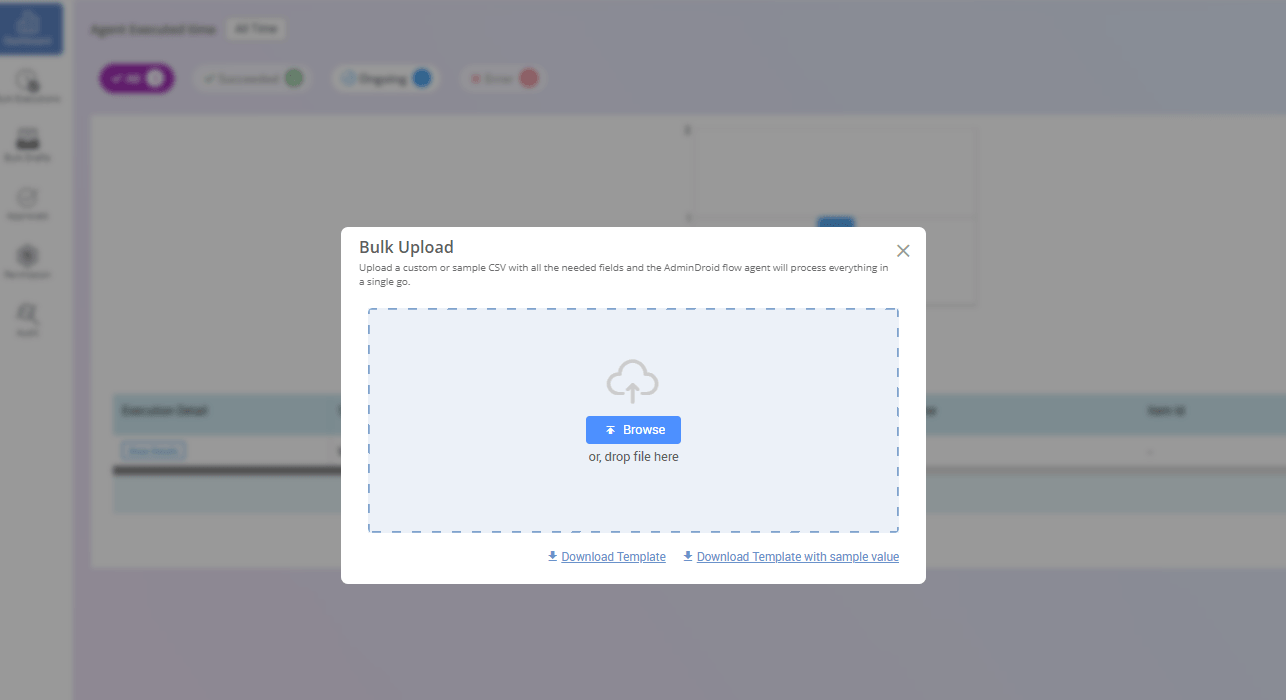
Bulk Execution Engine for High-Scale Operations
Run workflows across thousands of objects and multiple tenants using bulk execution models without scripting overhead. Just upload a CSV and run actions on a scale!
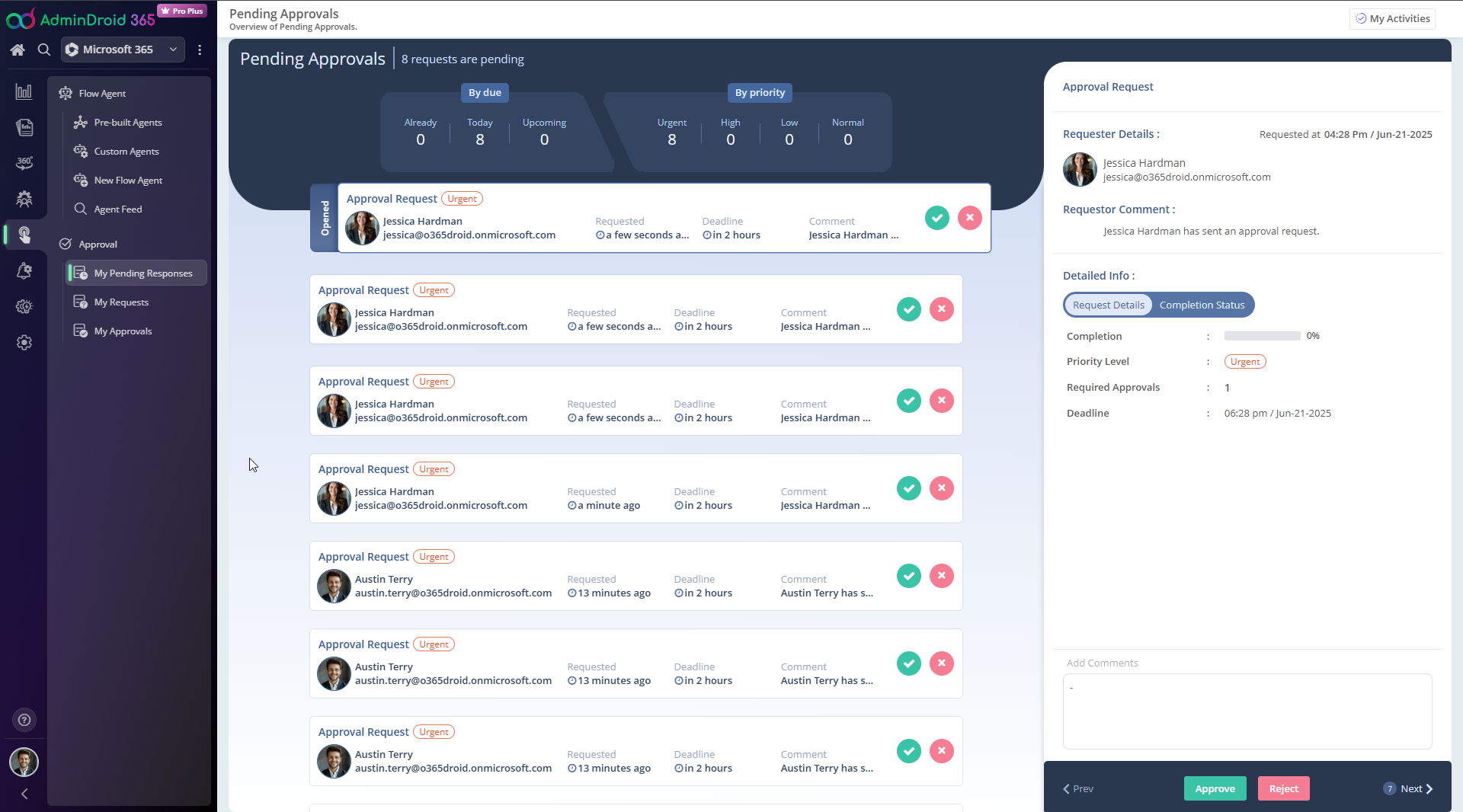
Approval-Based Workflow Control
Route critical actions through designated approvers to ensure changes are reviewed and authorized before execution.
Bird’s Eye View
Instant panoramic tenant overview
Spending too much time navigating multiple dashboards for a complete picture?
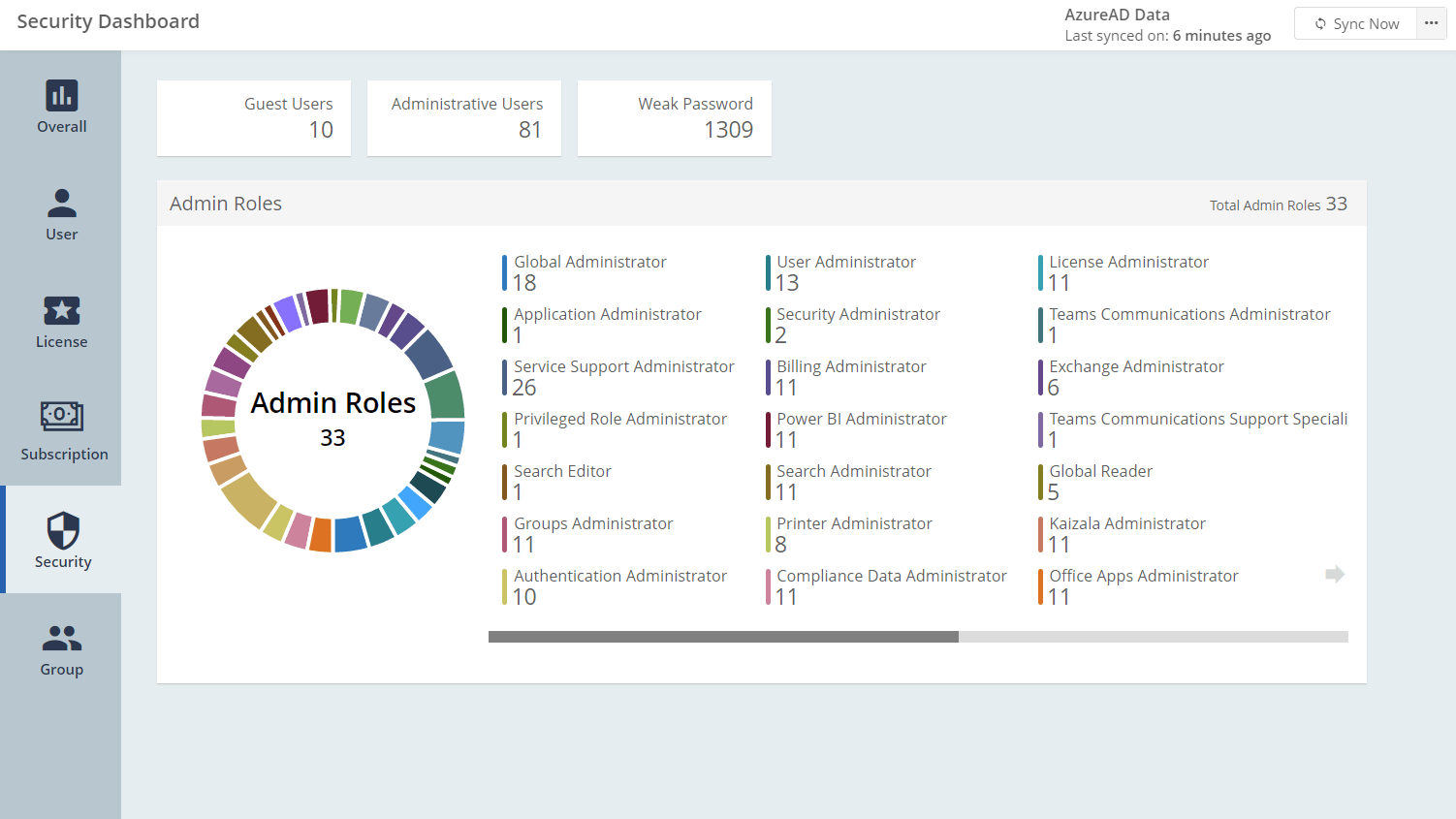
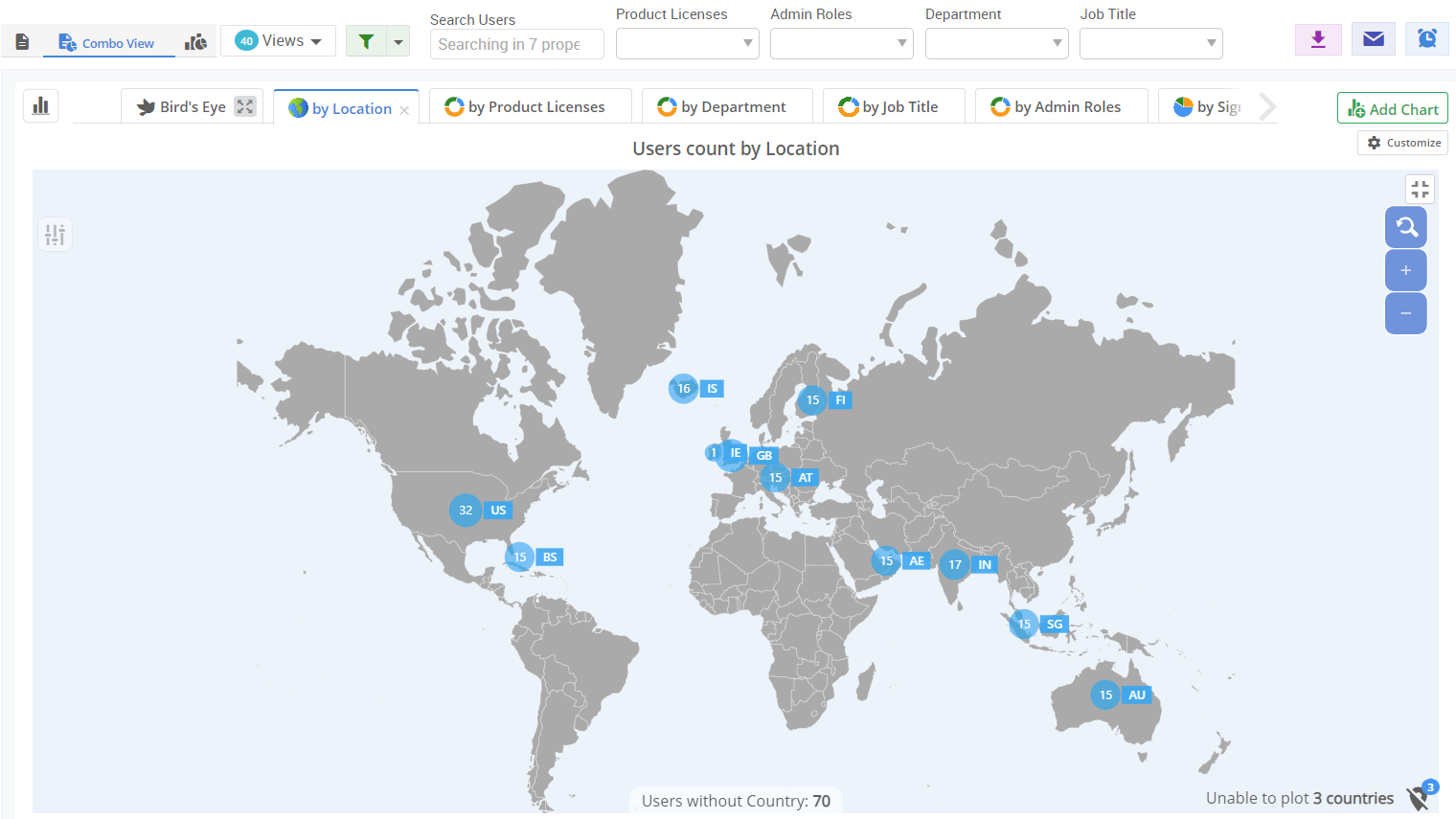
AdminDroid’s Bird’s Eye View transforms scattered tenant data into a single, executive-ready panel that helps admins, IT leaders, and MSPs understand scale, risk, and distribution at a glance.
Stale, unmanaged, and non-compliant devices before they become security blind spots
Abnormal mail flow patterns, spikes, and anomalies across tenants
Over-privileged Teams, external access, and risky role assignments
Weak or missing MFA enforcement across all tenants instantly
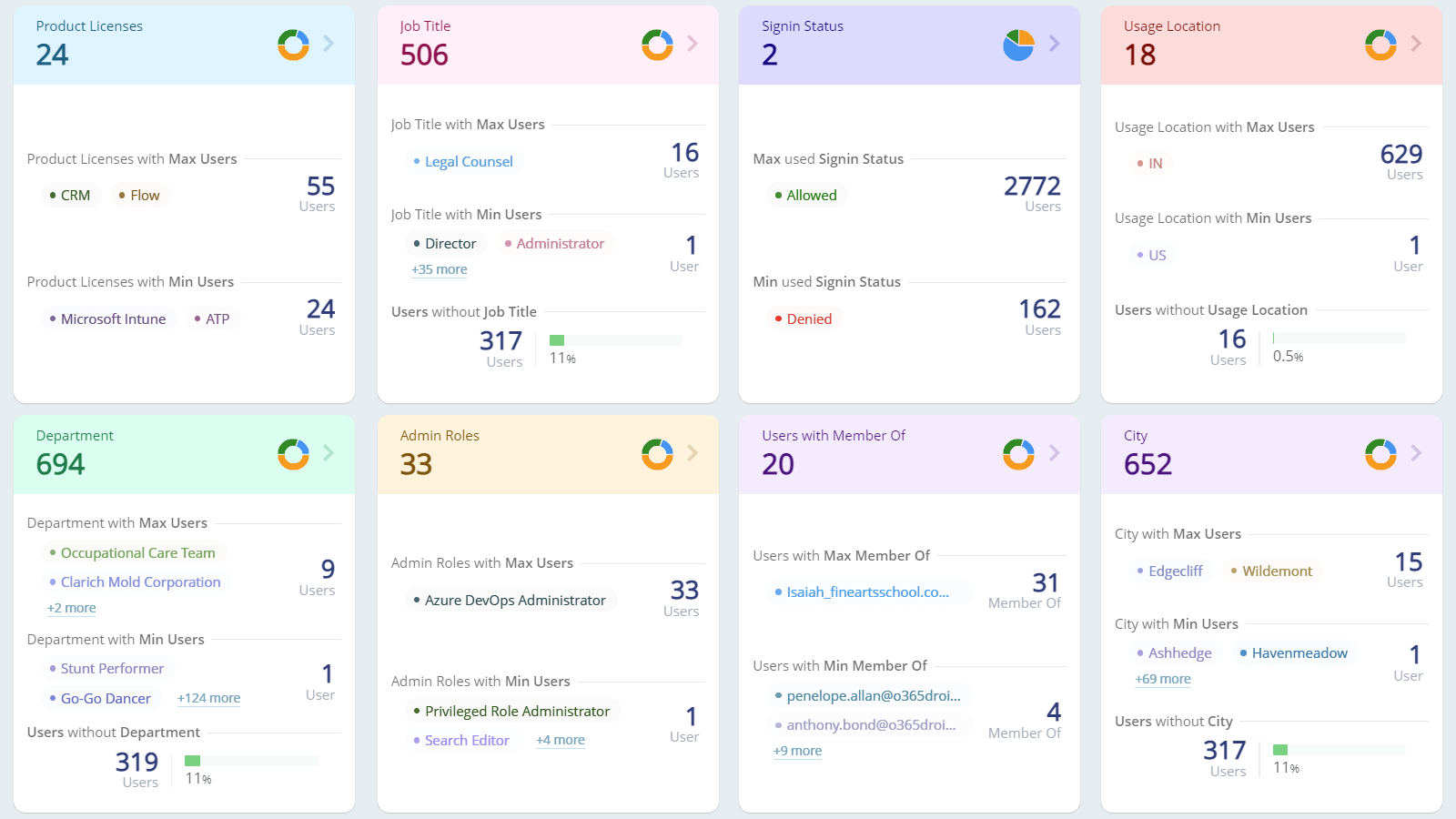
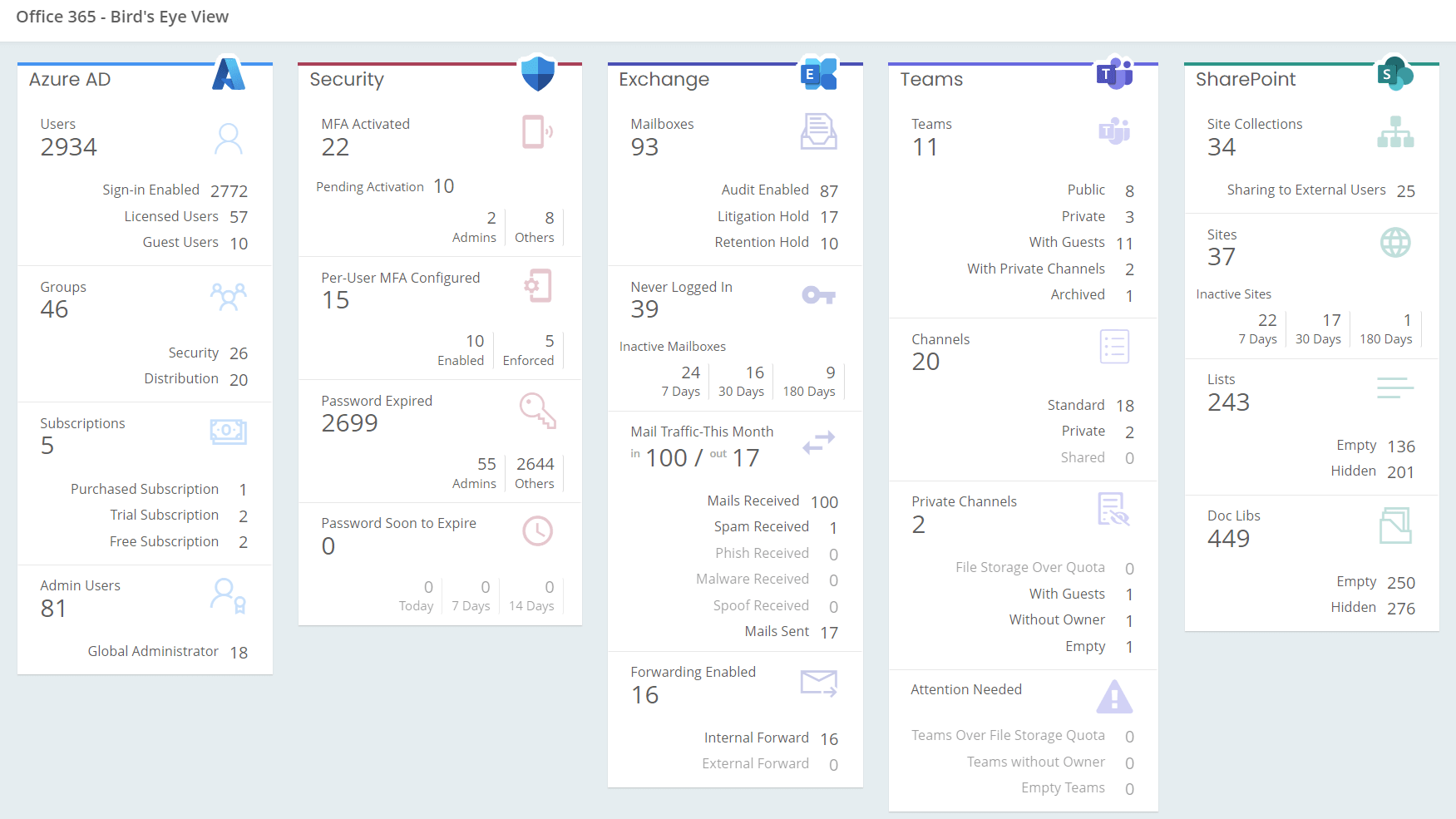
Get a Panoramic View of Every Tenant at Once
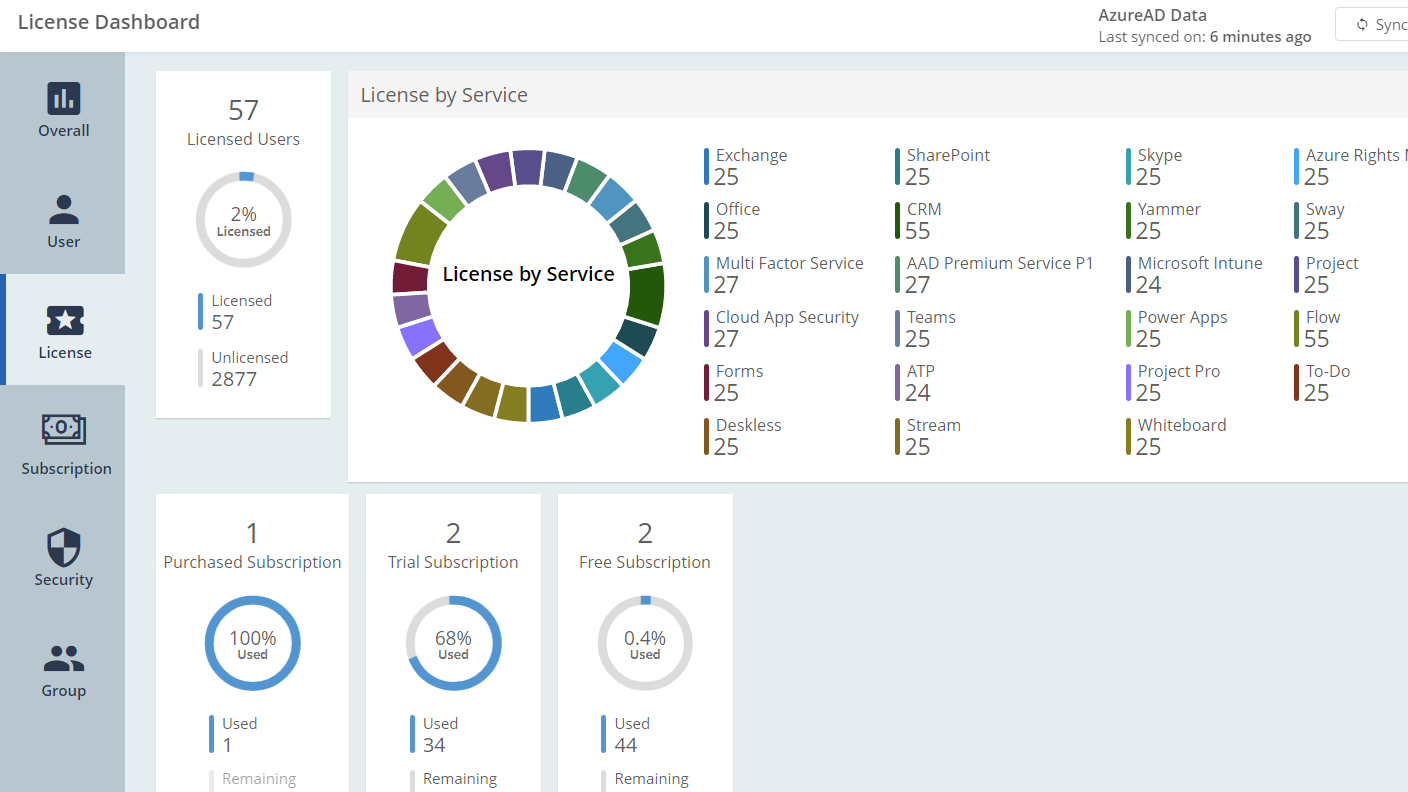
Visualize user accounts, license distribution, group statistics, subscription status, and vulnerable Entra ID objects across all your tenants.
Spot Security Gaps Before They Become Incidents
Surface MFA coverage gaps, password expiry risks, anonymous link exposure, inactive users, and over-privileged accounts across all tenants
Optimize License Spend Across Every Tenant
Visualize licensed versus unlicensed users, license distribution by service, and subscription status — identifying waste and misallocation across all managed tenants at a glance.