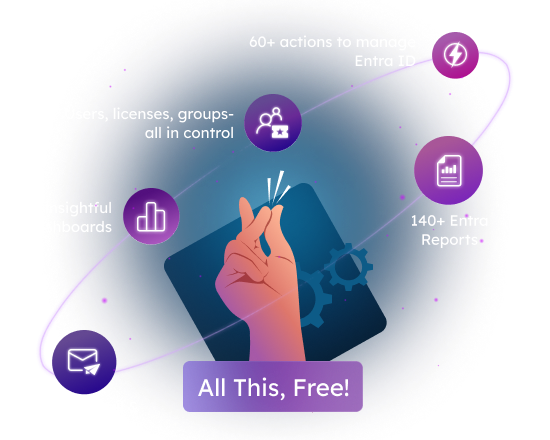

Truely Free 
What's free?
Manage & monitor M365 Licenses, users, groups, admins, password resets and more
No expiry: Lifetime access
Use the free solution as long as you need it
No tenant size limitation
Report on any number of M365 users
Free end-to-end technical support
Reach out any time for technical assistance, with no cost ever
Protecting Your Privacy
Your data stays private; we do not have any access to it.
Free auto-upgrade
Stay up-to-date effortlessly with automatic upgrades.
Your Free Microsoft 365 Management Tool - Here's what it Covers
More than reports. More than expected. See what the free edition includes.

Perform Management Tasks
60+ actions to manage Entra ID.

Generate Reports
Over 120+ pre-built reports to choose from.

Get Alerted
Real time alerting for one Entra ID activity that you want to closely monitor.
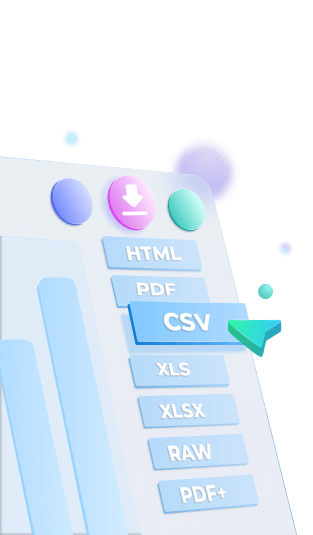
Export Reports
Take reports on-the-go in any format (HTML, PDF, CSV, XLS, RAW) for further analysis.

Email Reports
Get M365 intel straight to your inbox, ready for action.

Schedule Weekly/Monthly Reports
Stay informed with automated delivery of recurring M365 insights

Slice And Dice Reports With Rich Filters
Filter the data deep - find exactly what you need.

Interactive Charts And Graphs
Find out how your users are spread across different departments, job-titles, roles, usage location and much more.
Key Microsoft 365 Reporting and Management Categories Included in the Free Edition
License Management
Add or Remove Licenses
Licensed Users Reporting
License Lifecycle
Audit License Assignments and Removals
User Lifecycle Management
Create, delete and restore users
Enable or disable Sign-in
Assign or Remove Managers
Add or Remove Directory Roles
Update user profile and password
MFA Management
Set User MFA Status
Manage Email and Phone Authentication Methods
Enable or Disable SMS Sign-in
Create and Delete Temporary Access Pass
User Insights
Audit creation and deletion of users
Track user logins
User login trends and statistics
Login enabled and disabled users
Managers and Direct reports
Guest users tracking
Groups Management
Create, delete or restore M365 groups and security groups
Add or remove members and owners of groups
Add, remove or update group licenses
Manage directory roles assigned to groups
Manage group expiration policies
Groups Reporting and Auditing
Report on every type of group in M365
Group members insights
Audit group license changes
Track creation and deletion of groups
Find group member and owner changes
Audit Administrative users
Audit admin roles ‘added’ and ‘removed’ to users
Track users activating/deactivating roles assigned via PIM
Audit new roles created and removed
Password resets and expiry Insights
Password resets and changes
Self service password resets
Device Audit Reports
Audit created, deleted, and updated devices
Device owner changes and credential changes
Audit Entra apps in your tenant
Audit added and deleted applications in your tenant
Audit consent given to applications
Audit new roles created and removed
Other Essential Reports
Audit domain changes
Audit changes in company information and settings
Default company policy assignments and changes
Explore Insightful M365 Dashboards Included in AdminDroid 365 Free Tool
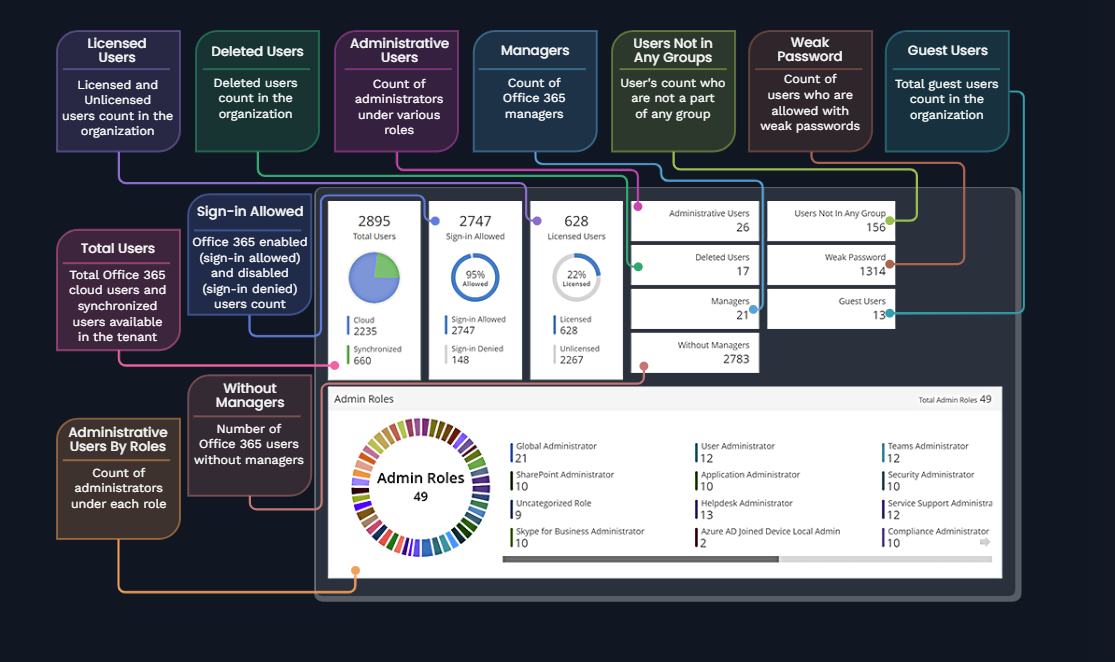
User Dashboard
Get an idea of user license assignments, sign-in status, password status, managers & direct reports, and more.
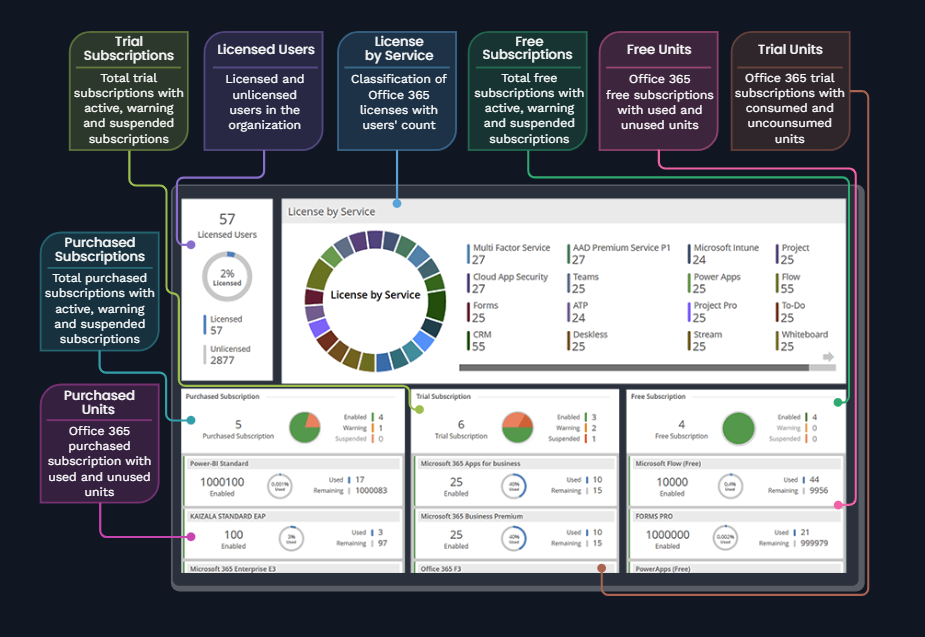
License Dashboard
Overview of Microsoft 365 license and subscription stats with key highlights such as unlicensed users, purchased subscriptions, trial subscriptions, free subscriptions, and more.
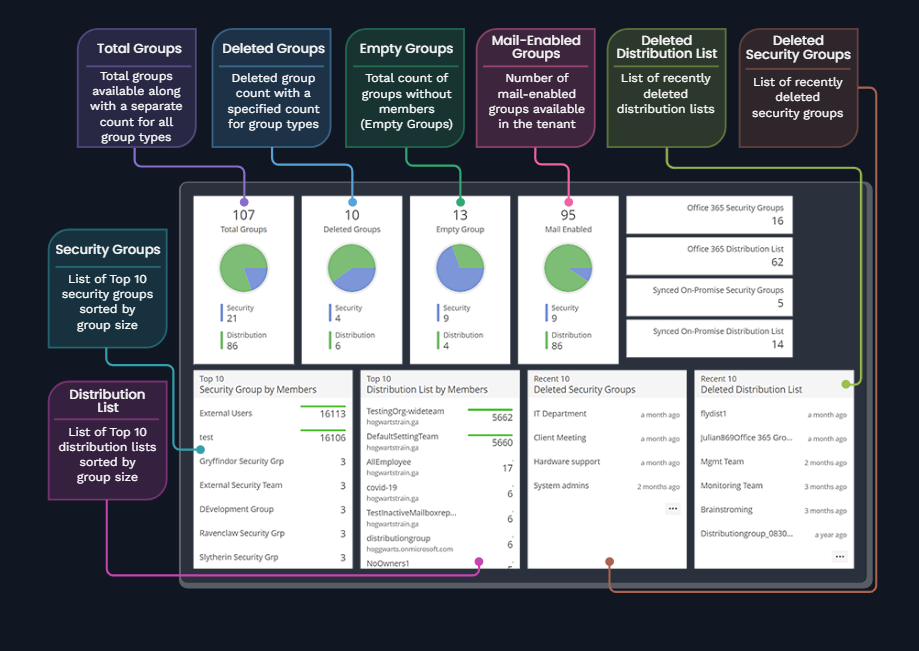
Group Dashboard
Detailed Microsoft 365 group insights containing security groups, deleted groups, mail-enabled distribution lists, top groups based on group memberships, and more.