🎯31 daily security challenges for Cybersecurity Month. Start Playing

Active Directory Management Tool

Simplify everyday Active Directory management tasks

From routine user updates to complex bulk operations, AdminDroid turns Active Directory management into a streamlined, secure, and fully auditable experience. Perform for users, groups, computers, and contacts across multiple domains using a unified management console.

Simplify Everyday Active Directory Management

Manage Active Directory without complex scripts

Perform bulk AD management actions effortlessly

Delegate Active Directory Management actions to non-admin users

Trusted by 30,000+ Organizations Worldwide

Lightspeed Systems
Iberdrola
Breville
Australian Taxation Office
Aisin
Ansell
American Petroleum Institute
CNA
Deloitte
Goodwill
HDI
Illinois Tool Works
Kyocera
Panduit
Placer County, California
University of Texas System
Valencia CF

Active Directory Management, from One Object to Thousands

Manage users, groups, contacts, and computers individually or in bulk with the AdminDroid AD management tool. Simplify everyday administrative tasks and handle large-scale changes with fewer clicks.

Active Directory

User Management

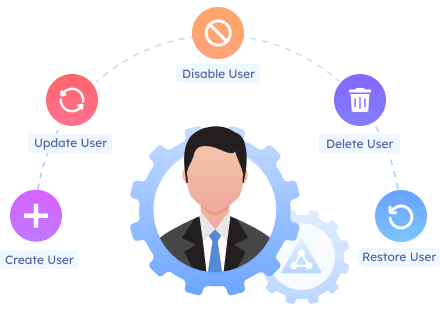
From simple user creation to strengthening security, AdminDroid Active Directory management software empowers to manage every aspect of AD user accounts. It facilitates swift and accurate user profile updates through a user-friendly interface.

No matter how many users you manage, AdminDroid makes Active Directory user management smooth, secure, and effortless.

Manage the lifecycle of user accounts

Create, delete, move users across OUs, and easily update details such as profile picture, department, manager, etc.

Strengthen AD user account security

Enforce password changes, apply logon restrictions, prevent accidental deletions, and set account expiry for users.

Ensure proper access control and communication

Instantly add users to security or distribution groups to grant the right level of access and maintain effective communication.

Active Directory User Management
Active Directory

Group Management

Groups are the backbone of permission management, security enforcement, and communication in Active Directory. AdminDroid Active Directory Companion simplifies the management of both security and distribution groups, making it an indispensable tool for administrators.

Experience lightning-fast AD group management. Bulk add or remove members instantly in just a few clicks.

Active Directory Group Management

End-to-end AD group management

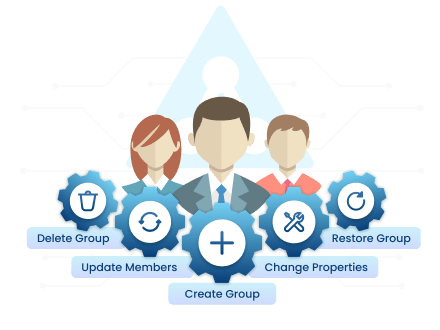
Seamlessly create, delete, move, & restore Active Directory security and distribution groups.

Keep group details accurate

Update scope, type, managed by, and attributes such as description, email, and more.

Simplify AD group membership management

Add or remove members in bulk, change primary groups, and allow managers to control group memberships.

Active Directory

Computer Management

Active Directory relies on well-managed computers. Improper configurations and inactive devices can cause security risks. AdminDroid Active Directory administration tool ensures efficient computer management, keeping your environment secure and organized.

Gain complete control over AD computer accounts. Perform bulk actions, automate routine tasks, and reduce errors.

Create computer accounts the right way

Set up domain-join-ready computers in the correct OU to ensure policies are applied from day one.

Perform computer operations easily

Disable inactive computers, delete them, restore deleted devices within the tombstone period, and handle other routine tasks.

Simplify computer group memberships

Easily add or remove computers from groups to streamline software deployment and policy application.

Active Directory Computer Management
Active Directory

Contact Management

Contacts in Active Directory serve as vital references for external users, stakeholders, and partners. The AdminDroid AD management tool simplifies contact lifecycle and property management, making tasks easier and faster than native tools.

Maintain accurate and consistent contact information in Active Directory with minimal effort using AdminDroid.

Active Directory Contact Management

Manage the entire lifecycle of contacts

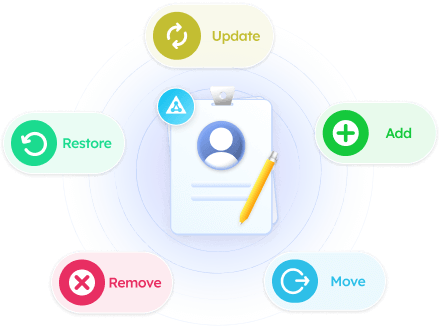
Add, move, delete, or restore contacts in Active Directory as needed.

Handle group memberships with ease

Add or remove multiple contacts from relevant Active Directory groups in one go.

Keep contact details up to date

Assign or remove contact object’s managers and update any contact attribute to ensure information stays accurate.

What Sets AdminDroid’s Active Directory Management Tool Apart?

Here’s why AdminDroid is considered the perfect solution for Active Directory management that goes far beyond what typical tools offer.

Act on AD objects the moment you find them in a report

  • Perform management tasks directly from reports.
  • Open reports on inactive users, stale computers, or group members, select the objects, and disable, move, or update them directly from the report.

Reverse mistakes in a click! Undo any Active Directory management action instantly

  • Admins can instantly reverse Active Directory actions performed via AdminDroid, ensuring quick recovery without complications.
  • From accidental group membership changes to unintended account disablements, even bulk operations can be rolled back in just a click.

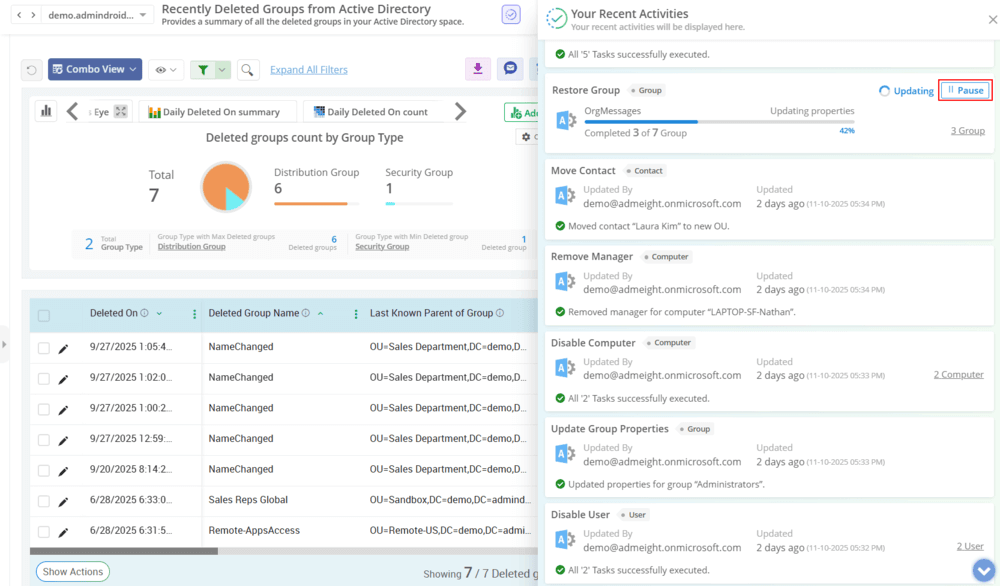
No stress! Pause and resume Active Directory tasks without losing progress

  • Avoid costly mistakes and disruptions by taking control of your bulk operations with pause and resume functionality.
  • Halt a bulk update if you spot an issue or pause a large batch safely and continue exactly where you left off.

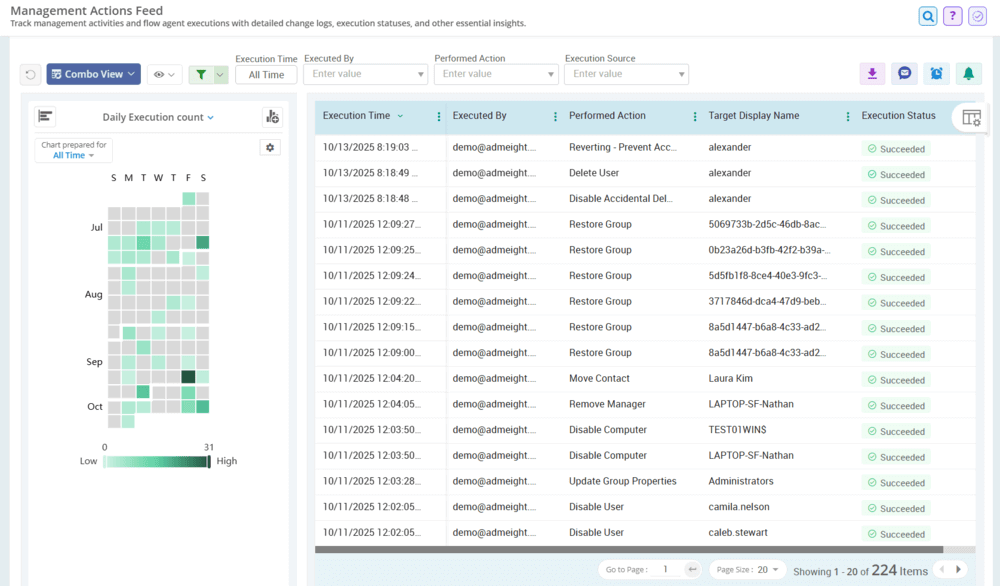
Get a glimpse of every Active Directory change performed via AdminDroid

  • For effortless audit and investigation, all Active Directory management actions conducted through AdminDroid are logged into a centralized audit log.
  • Gain complete visibility into who performed the action, when it was done, what was modified, which object was affected, and all related details.

Split the work! Delegate Active Directory management without compromising security

  • AdminDroid enables precise delegation of specific Active Directory management tasks, allowing users outside privileged admin groups to safely perform password resets, account unlocks, membership changes, and more.
  • Grant delegated access to specific users, groups, computers, or contacts, so delegated admins can manage only those objects while being restricted from all others. For example, you can allow a manager to administer only their direct reports.

Automate Active Directory Management with Flow Agents

Why handle it manually when automation can do the heavy lifting?

With AdminDroid Flow Agents, you can instantly automate everyday Active Directory tasks without writing any complex code.

Choose from a library of built-in Flow Agents that include expert-curated actions and adaptive forms for tasks such as user onboarding, offboarding, disabling inactive accounts, etc. Simply preview the agent you need, select it, and run it immediately.

For unique or complex scenarios, custom Flow Agents let you create zero-code workflows using drag-and-drop to automate even the most advanced AD tasks.

Automate Active Directory Management with Flow Agents

AdminDroid vs Native Active Directory Tools

Compare native Active Directory tools with the AdminDroid AD management tool to see how it simplifies bulk changes, delegation, automation, and hybrid management with less manual effort.

Capability
Native AD Tools

AdminDroid AD Management Tool
Bulk management
Requires PowerShell scripts
Perform bulk actions in a few clicks
Undo changes
Manually reverse changes
One-click undo, including bulk actions
Pause and resume bulk jobs
Not available
Resume jobs from where they paused
Act from reports
Not directly supported
Take action directly from reports
Task automation
Requires scripts and scheduled tasks
Automate tasks without code using Flow Agents
Delegate management tasks
Complex and limited visibility
Easily delegate specific actions
Delegate specific AD objects
Complex. Configure permissions per object or use OUs
Select specific objects across OUs & domains using virtual domains
Change tracking
Custom scripts needed for centralized logging
Centralized action feed
Multi-domain management
Manage domains separately in native consoles
Manage multiple domains from one console
Hybrid AD management
Multiple and disconnected tool
Manage on-premises AD and Entra ID from one console

Level up your Active Directory management with AdminDroid.

Download

Want to explore first?

Live Demo