
Trusted by 30,000+ Organizations Worldwide
















Active Directory remains the backbone of identity and access management in most enterprise environments. As organizations adopt hybrid models combining on-premises AD with Entra, managing users, groups, and tracking changes has become more complex and critical.
AdminDroid Active Directory Management Tool offers a unified solution to monitor, report, and manage your hybrid infrastructure with precision and ease.
450+
Reports
10+
Dashboards
60+
Management actions
Native Active Directory tools provide basic management capabilities but often require switching between multiple consoles or writing PowerShell scripts to gather the information you need. AdminDroid simplifies Active Directory administration by bringing comprehensive reporting, visualization, automation, and management together in a single platform.
 AdminDroid
Why do it manually when you can automate it?
From onboarding to cleanup, run smart flow agents that save hours.
AdminDroid Active Directory automation tool helps streamline repetitive tasks such as user lifecycle management and bulk operations using powerful flow agents. It reduces manual effort and saves time.
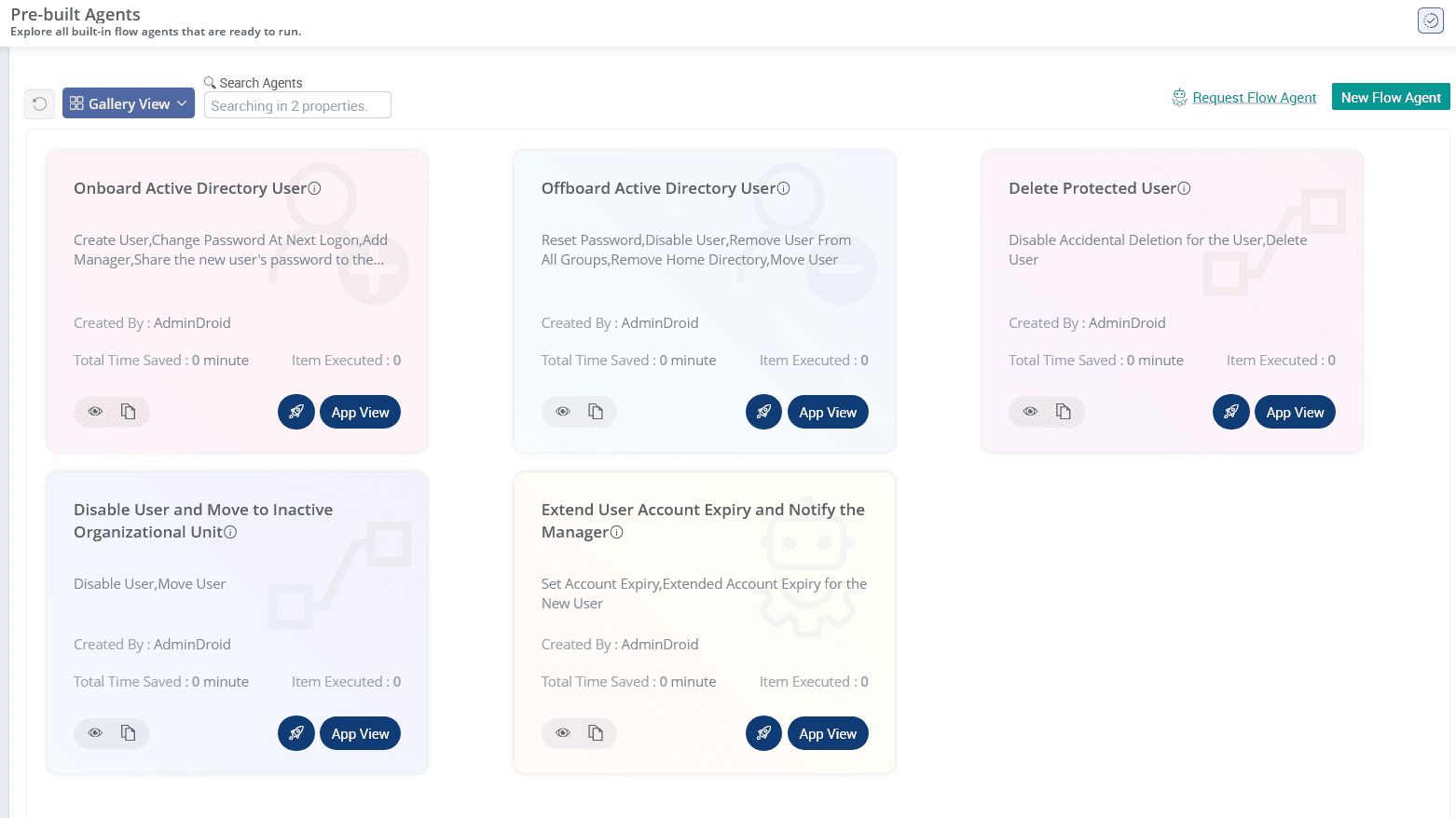
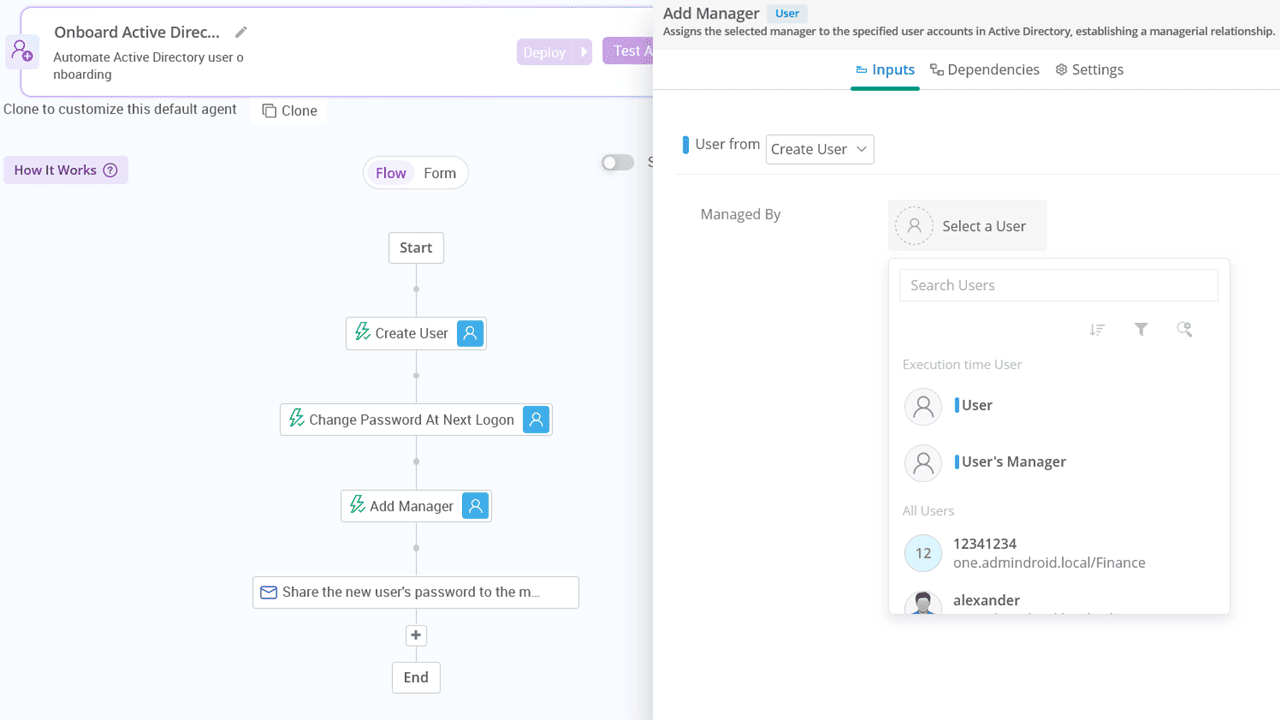
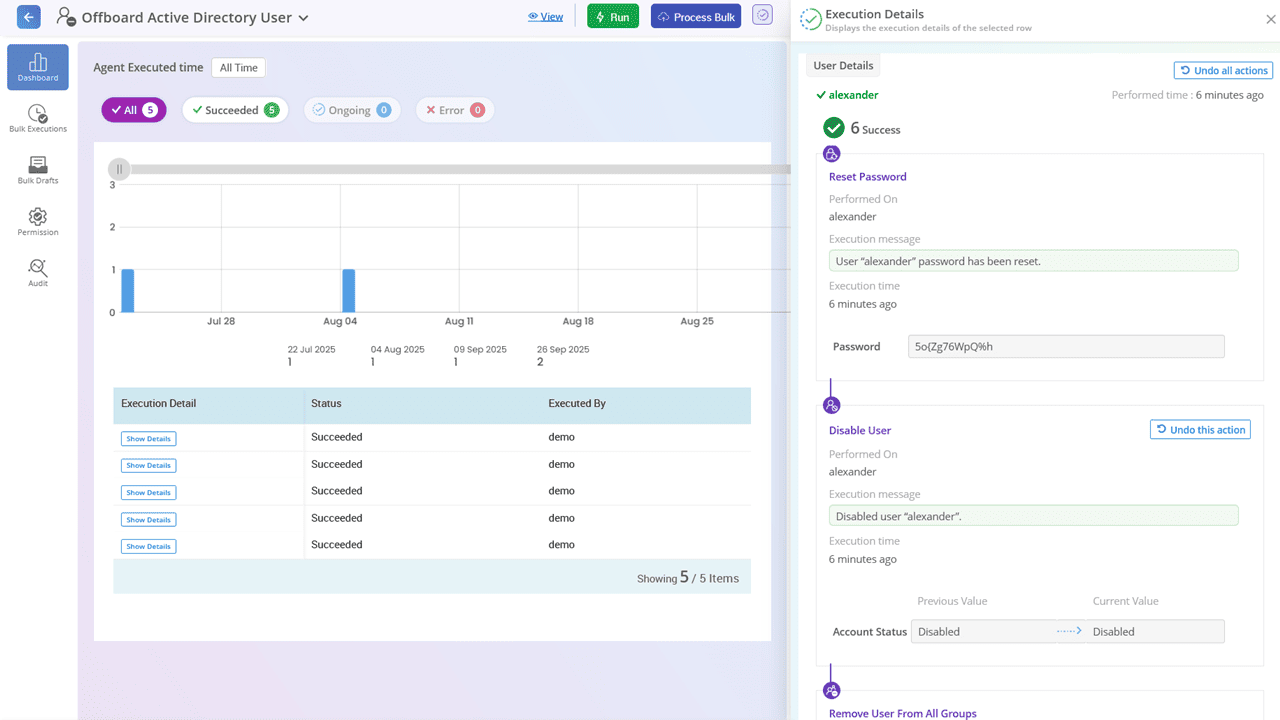
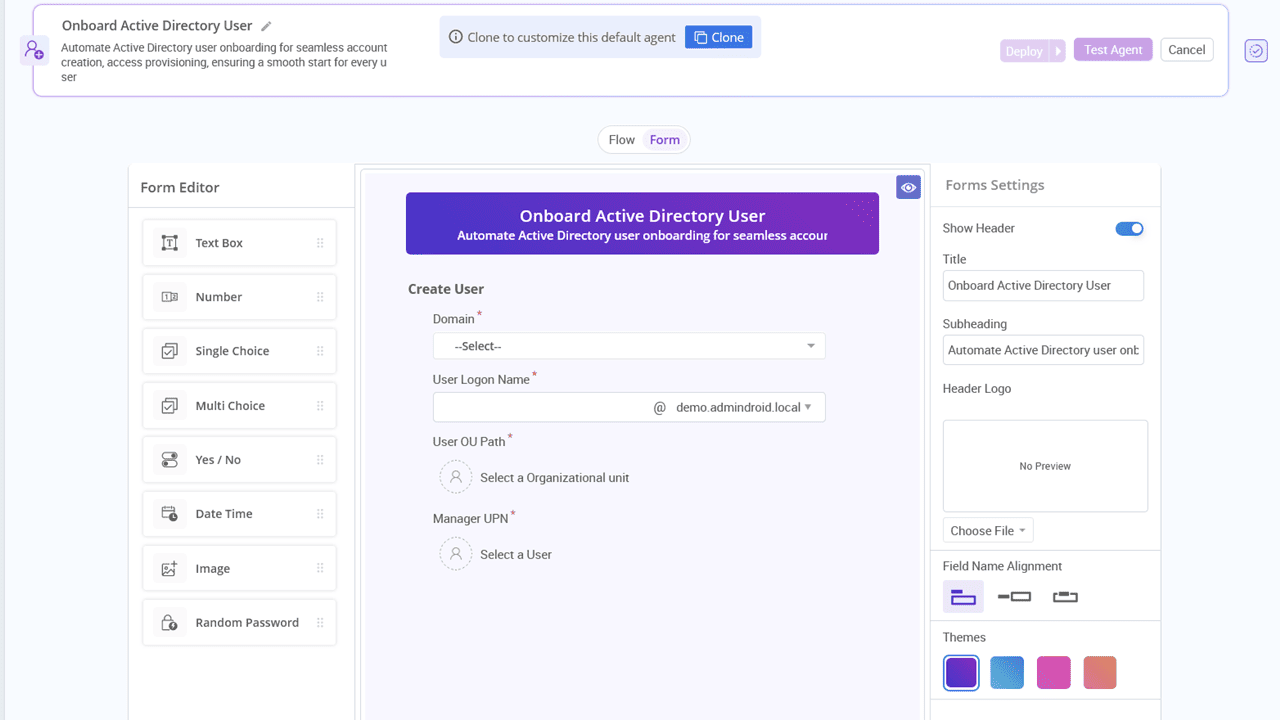
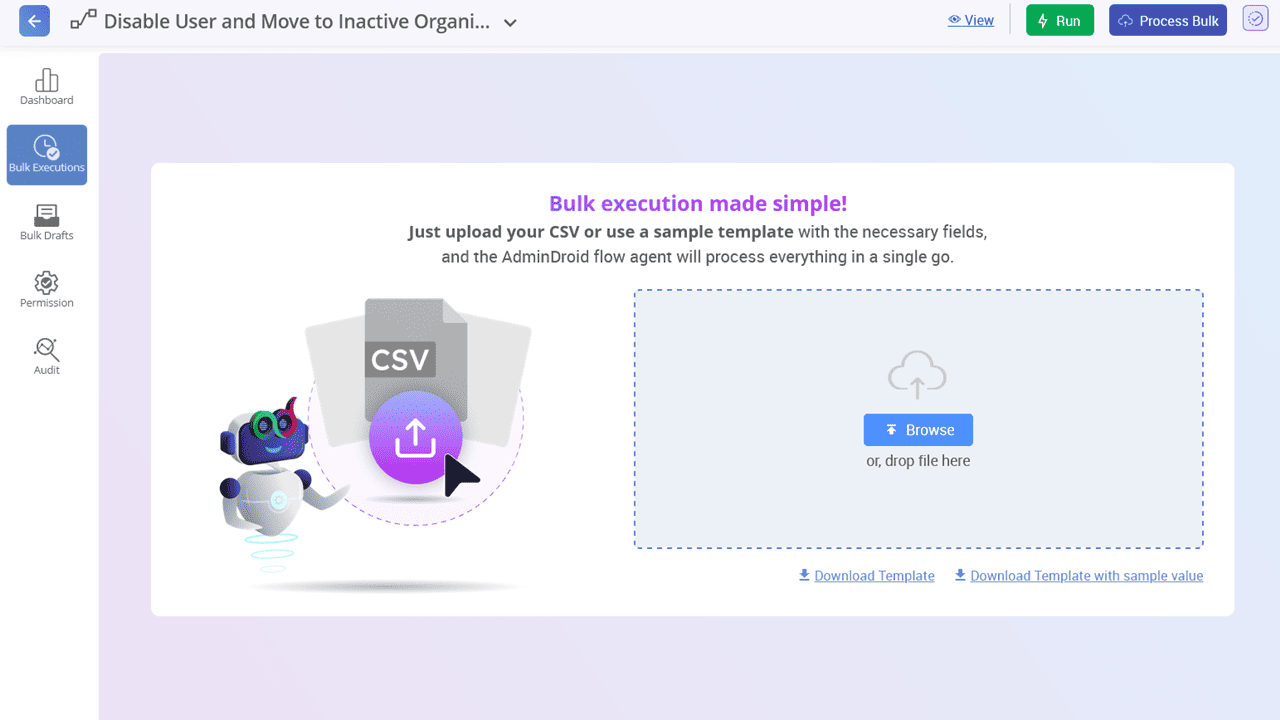
Start quickly with ready-to-use automation agents for essential scenarios like user onboarding, offboarding, and more.
Automate repetitive tasks such as object cleanup and account expiry extensions with manager approval, all through a simple drag-and-drop interface.
One size does not fit all. Need to perform different actions based on a user's department, job title, or location? Use conditions and switches to adapt the flow logic and execute only what is relevant for each case.
Actions like deleting users, modifying critical group memberships shouldn't happen without oversight. You can enforce single or multi-level approvals with dynamic approvers and time-stamped reviews.
200+
10
15
Need to delegate without losing control?
AdminDroid makes AD delegation secure, scoped, and fully trackable.
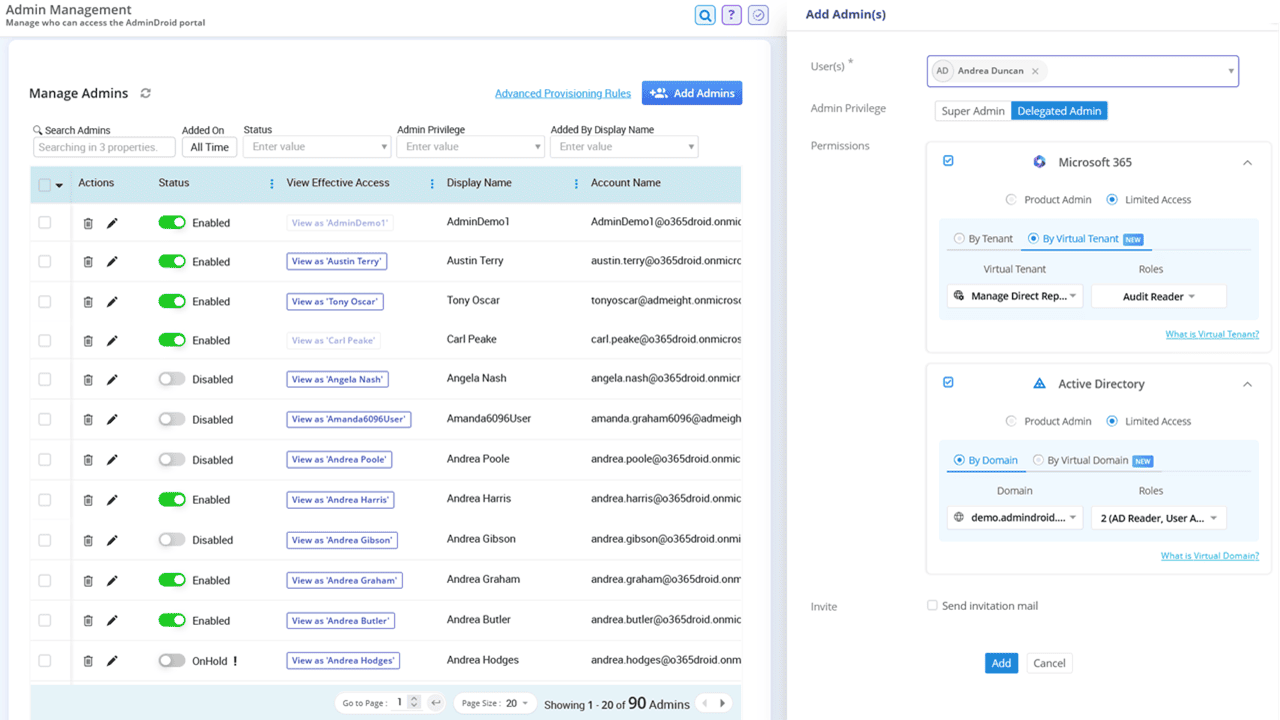
AdminDroid’s Active Directory administration tool allows admins to delegate tasks to non-admin users without changing their roles in Active Directory. It follows a least-privilege access model, helping you distribute workload without compromising security. With just a few clicks, you can assign the exact level of access each user needs.
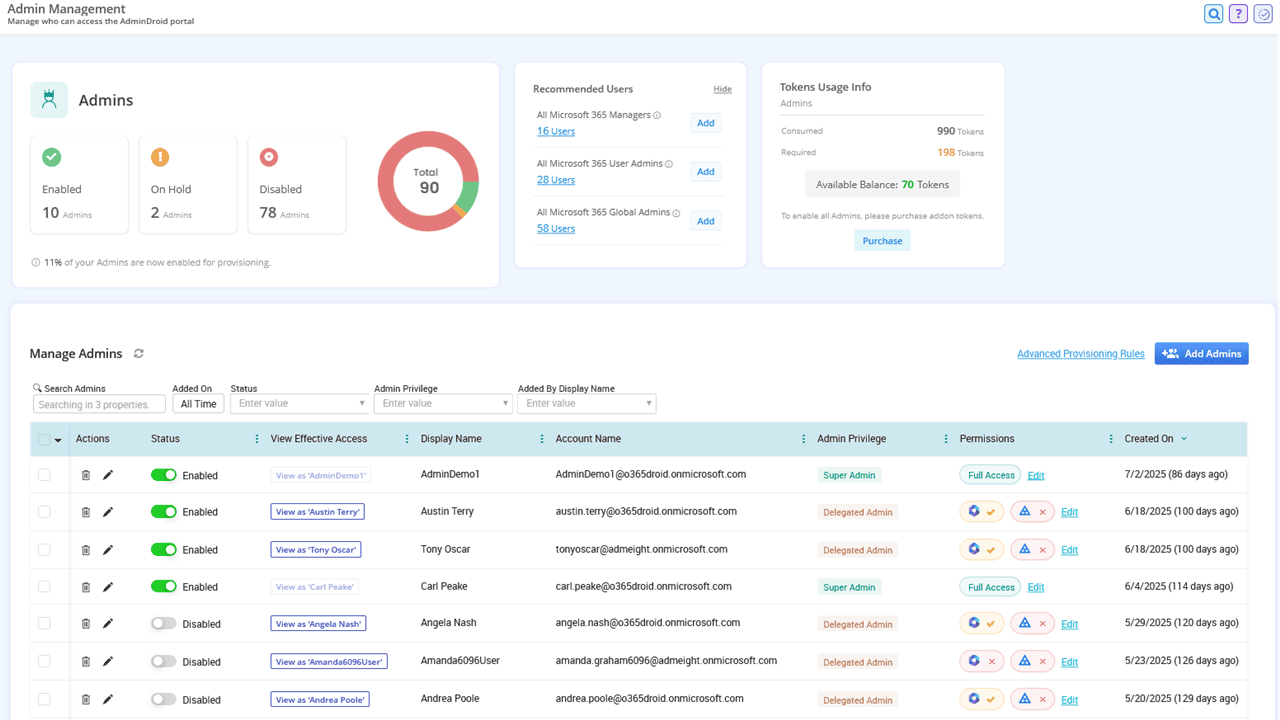
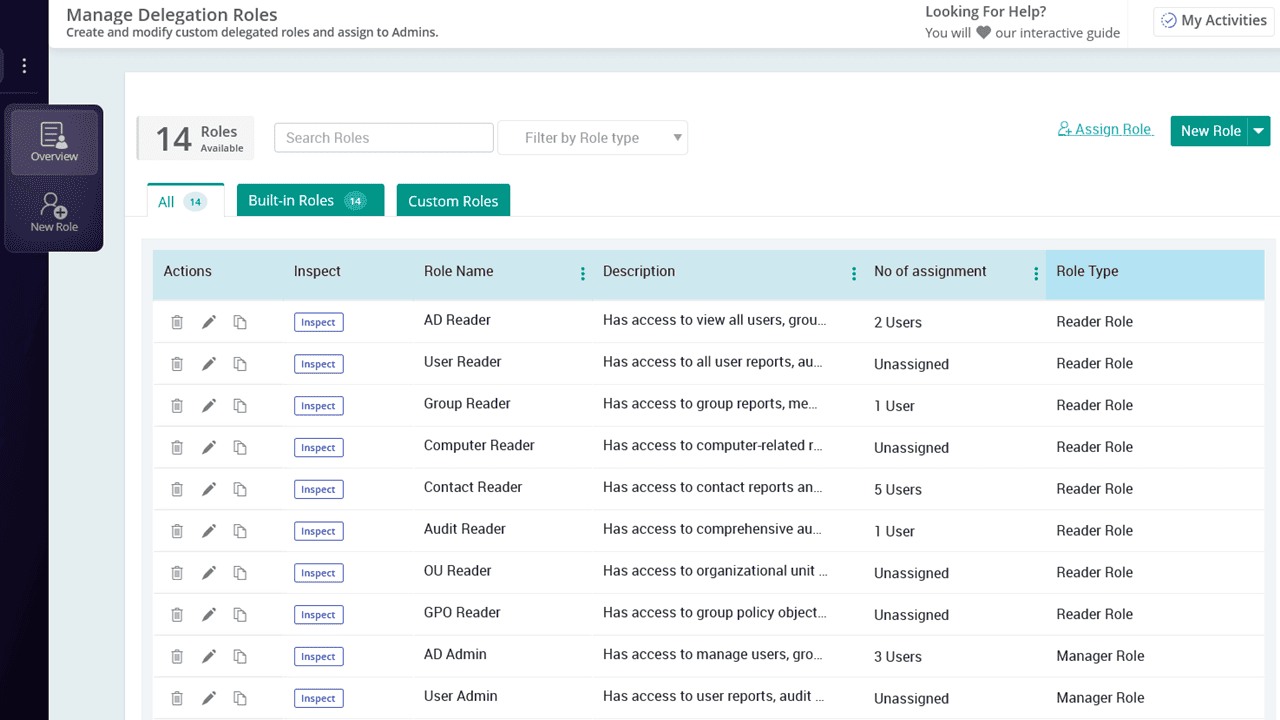
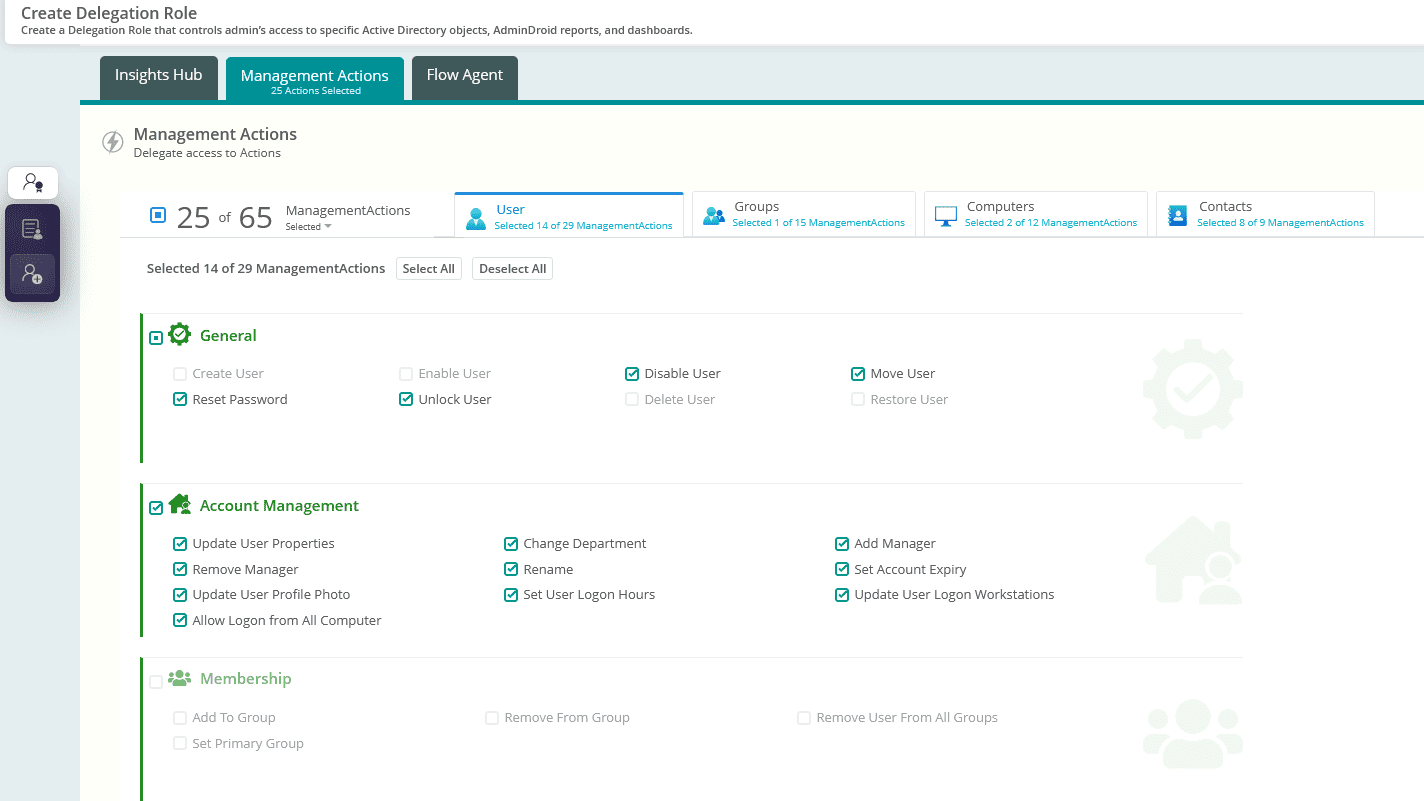
Instead of granting full admin rights, delegate access to specific reports, management actions, and dashboards with precision. For example, allow help desk technicians to reset passwords or permit HR to update user profile details only.
Use built-in roles like ‘Audit reader’, ‘Support technician’, or create custom roles to match your organization’s needs.
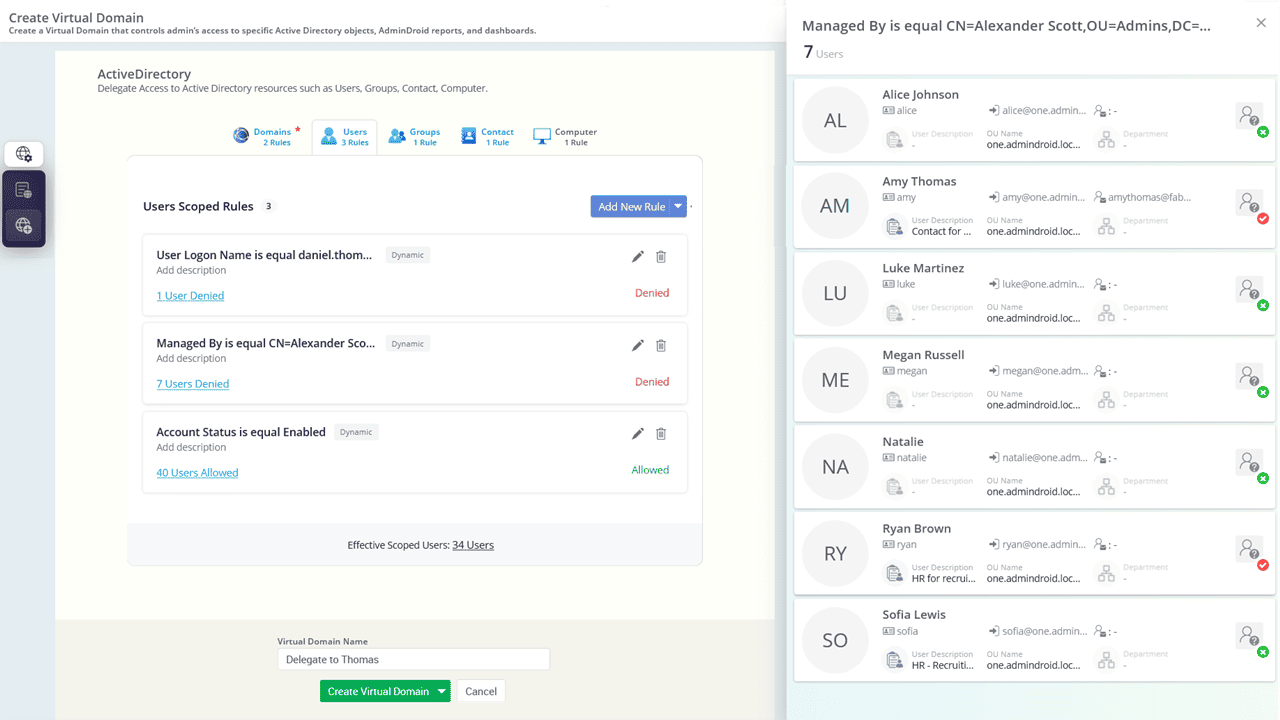
Need to delegate access based on department or managerial hierarchy? Use Virtual Domains to grant control over a specific set of users, groups, computers, or contacts.
Delegated admins may unintentionally access sensitive or highly privileged accounts , risking accidental or harmful changes. With AdminDroid, you can restrict access to these critical accounts, keeping your most important resources secure and untouched.
Use the “View as” feature to preview exactly what a delegated user can see and do. It provides a clear way to ensure permissions align with your intended access level and helps prevent over-privileged access.
Track every action performed by delegated admins with a detailed admin activity audit log that shows who did what and when.
Manual monitoring letting critical activities slip through?
Automate your vigilance with AdminDroid’s real-time alerts.
AdminDroid’s Active Directory alerting tool provides real-time alerts for 200+ critical activities, helping administrators respond quickly to important changes and potential security incidents.
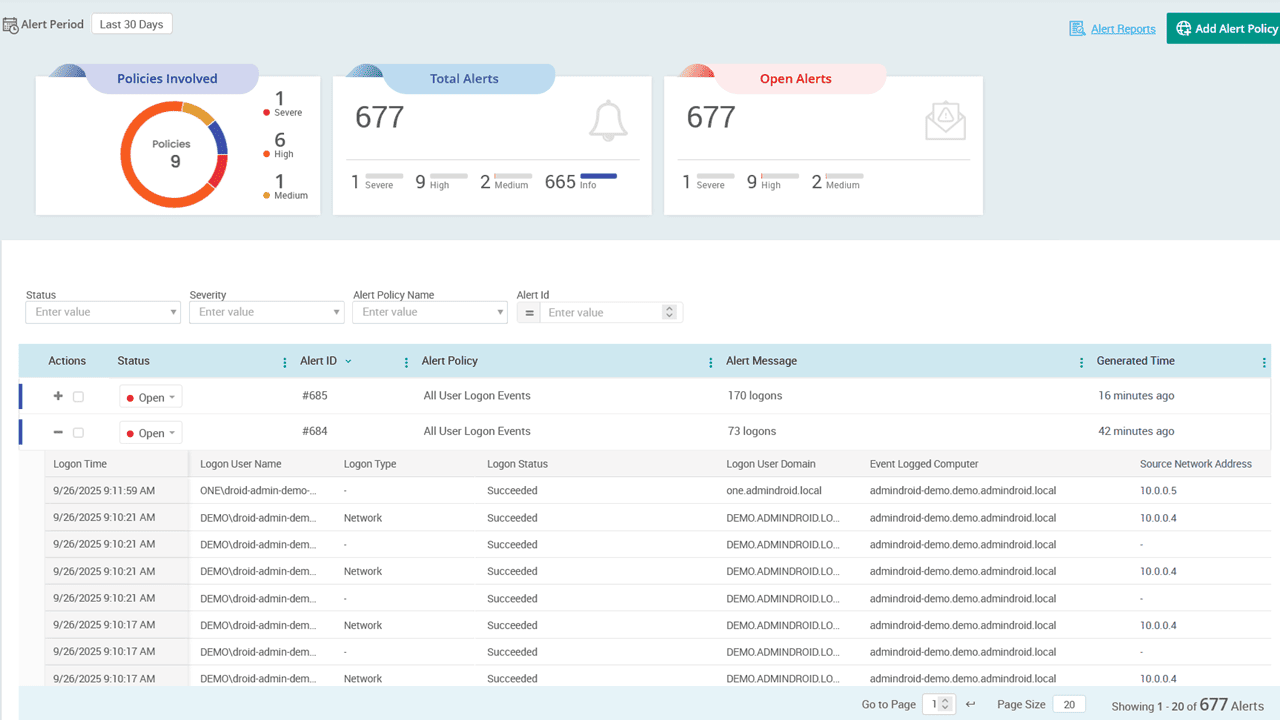
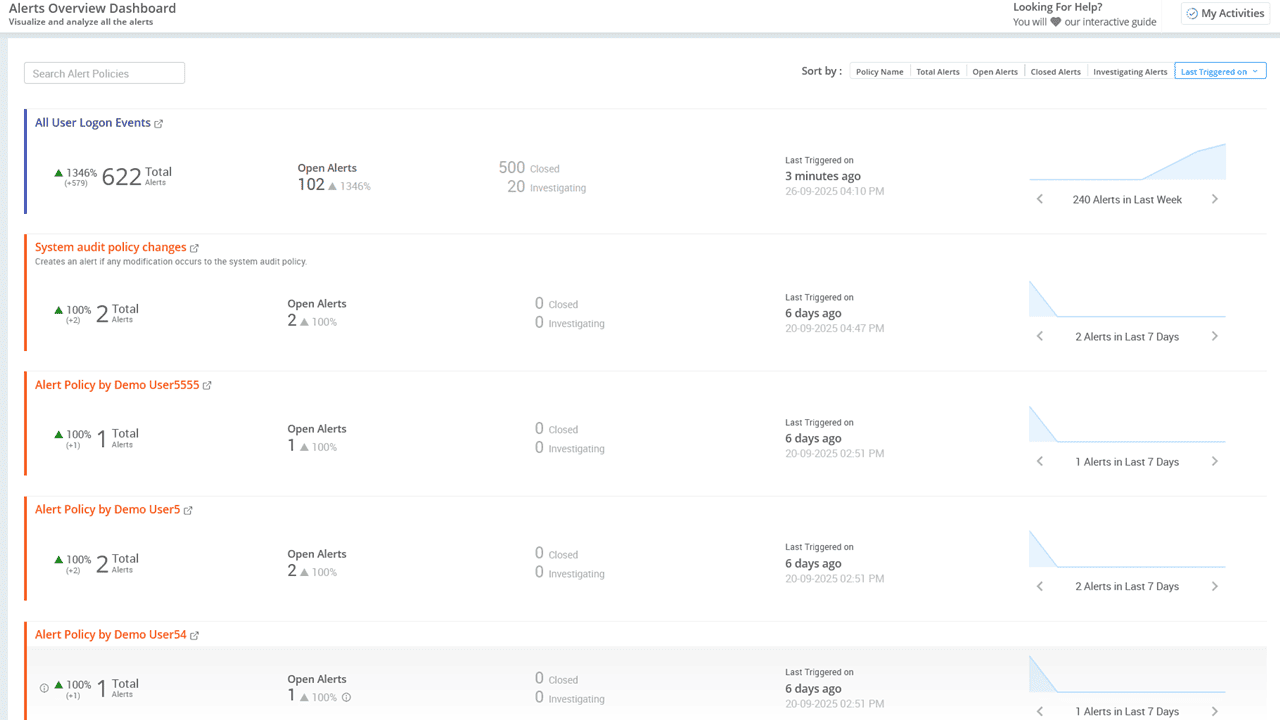
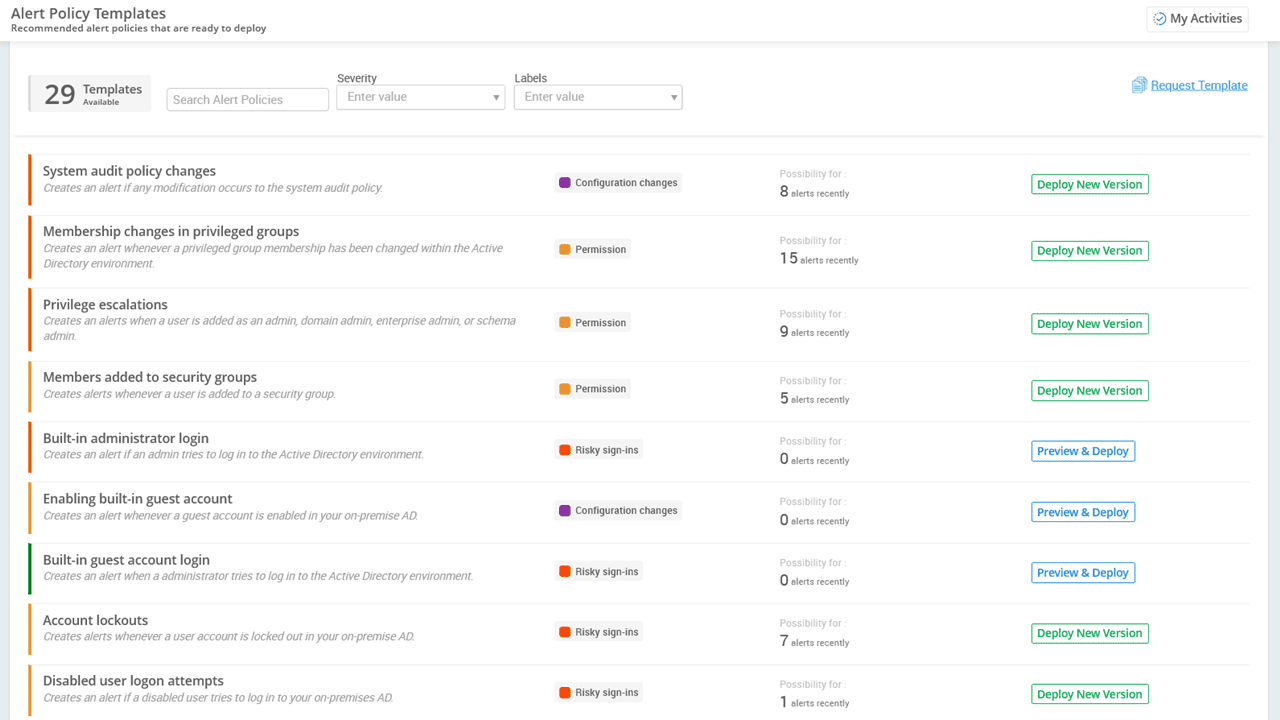
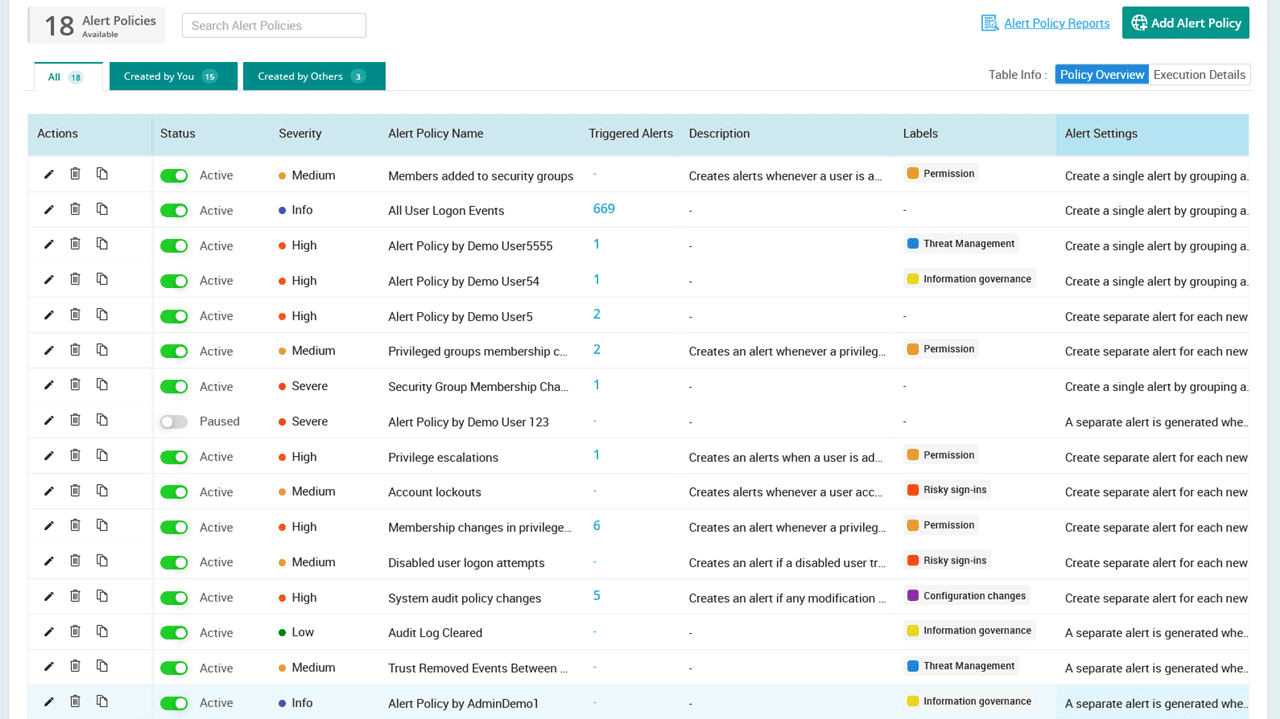
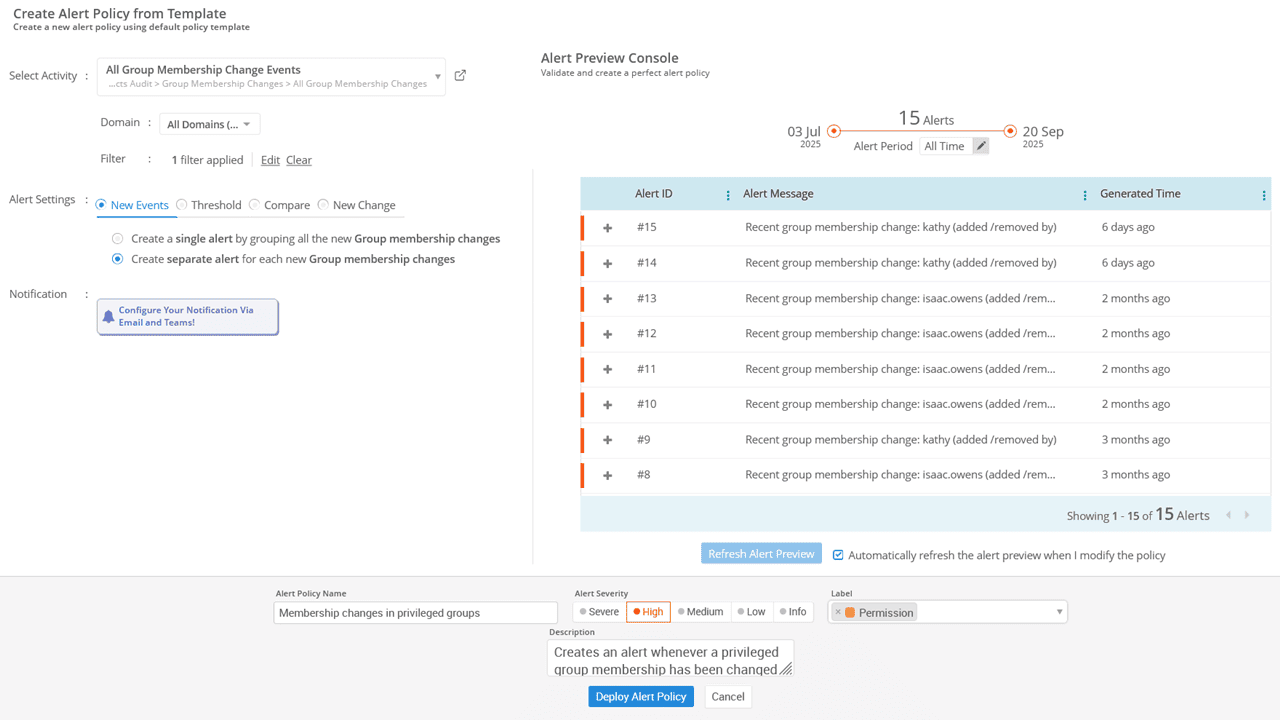
Get started instantly with 25+ expert-curated alert templates. You can also create custom alert policies tailored to your organization’s specific needs.
Reduce noise by previewing potential alerts based on your existing audit logs. This helps configure alert policies wisely and avoid unnecessary alerts.
Trigger alerts when critical attributes are modified or set to specific values. For example, when the users’ department is changed or a phone number is updated.
Select your preferred alert channel, whether it's email, Teams, or both, to ensure you stay informed and can act promptly.
Stay in control with a centralized dashboard that shows all triggered alerts with severity and status indicators, helping you respond to incidents more effectively.
Set activity thresholds to trigger alerts only when something genuinely unusual or risky happens.
Example
Example:
Trigger an alert if there are 5 user accounts locked out within 10 minutes.
Detect anomalies by comparing events with historical trends such as yesterday, the same day last week, last month, or week-over-week changes.
Example
Example:
Alert when today's account lockouts increase by 5 compared to the same day last week.
Use filters to fine-tune conditions and scope to focus alerts at a specific property level instead of monitoring organization wide.
Example
Example:
Set ‘UserName’ as the scope to trigger an alert when the same user fails to log in 5 times within 10 minutes.
Forgetting to act before accounts or passwords expire?
Let AdminDroid automatically remind the right people at the right time.
AdminDroid’s Active Directory smart reminder tool helps you stay on top of critical tasks by configuring reminders and follow-ups, ensuring nothing is overlooked and all necessary actions are completed on time.
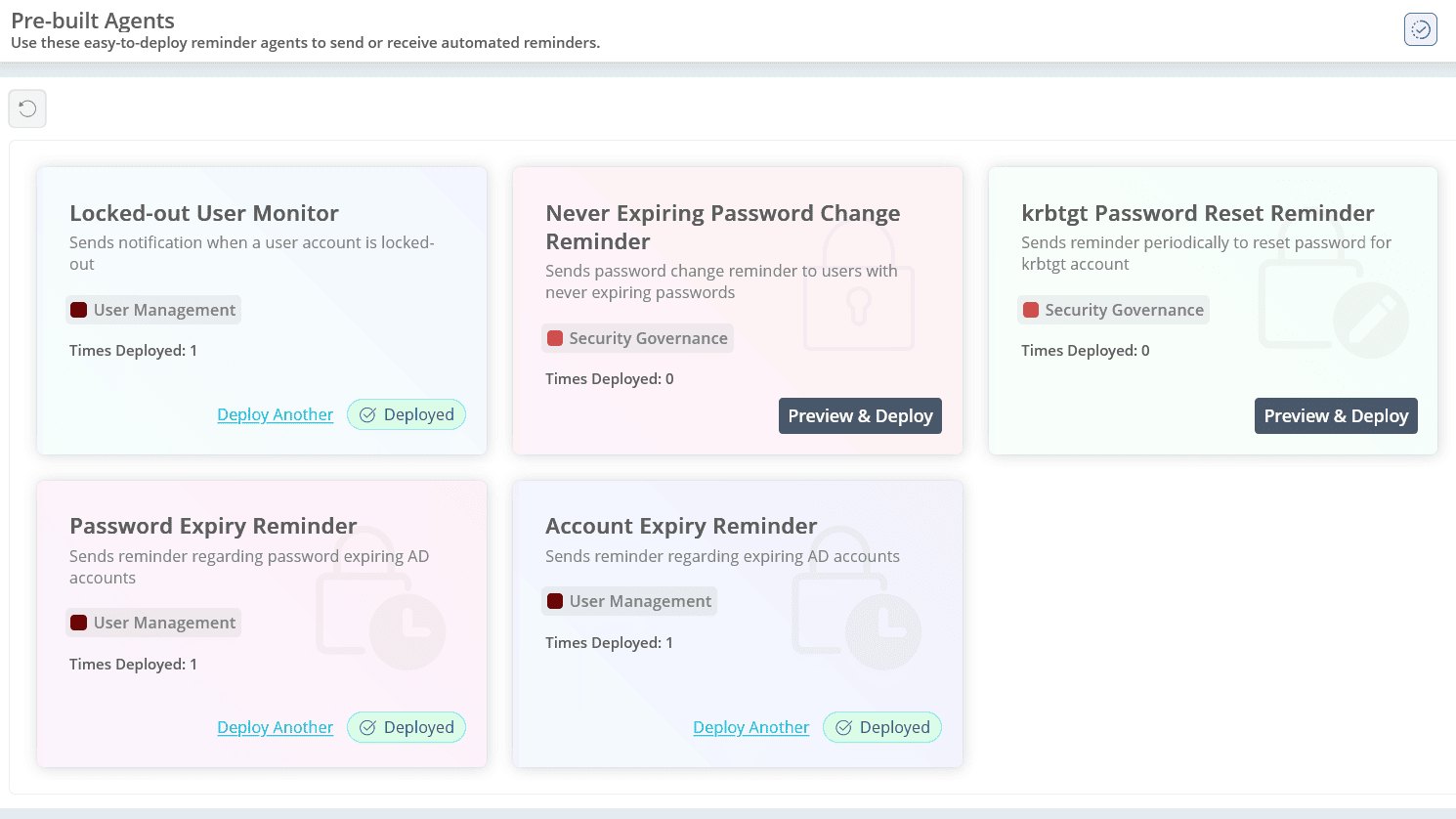
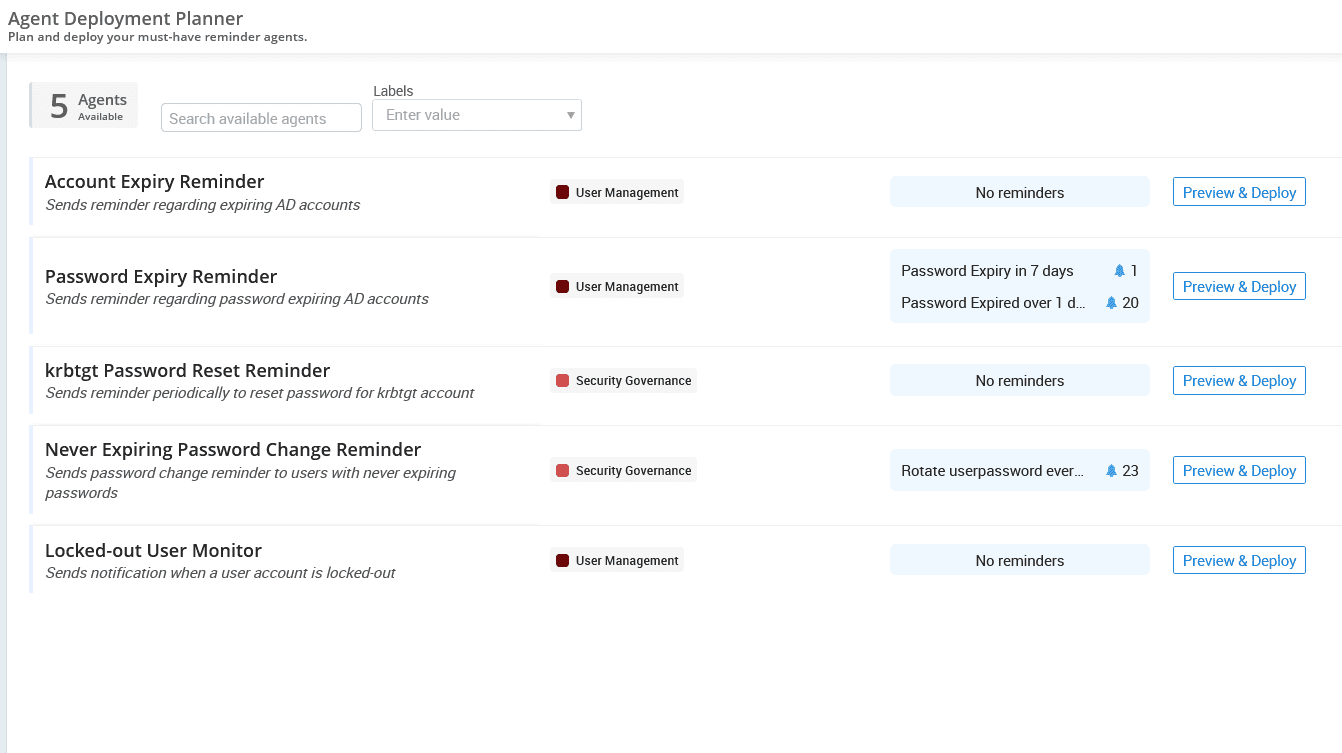
Automatically remind stakeholders to take timely action before a user account expires, such as extending or disabling it based on the need.
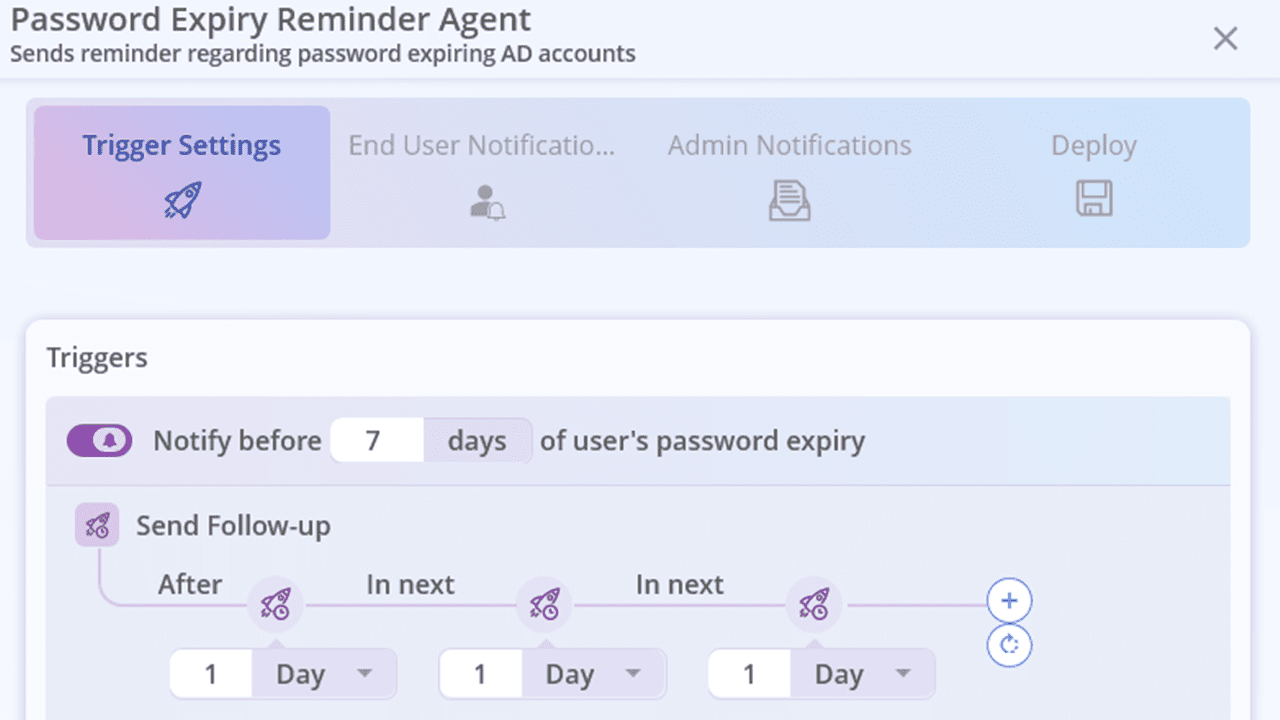
Notify users about upcoming password expiry and remind them to update it in time. This reduces help desk calls and prevents last-minute login issues.
Reduce the risk of Kerberos-based attacks by resetting the KRBTGT account password regularly. AdminDroid reminds you every 40 days, so you never miss this critical step.
AdminDroid instantly alerts admins when a user account is locked out and follows up until the issue is resolved. This ensures faster response and reduces downtime.
If a user is configured with the “Password never expires” setting and hasn’t changed their password in the last 90 days, they’ll receive a reminder to update it. Regular password updates help improve the organization’s overall security posture.
Choose when to notify, how often to follow up, and the channel to use (Email, Microsoft Teams, or both).
Decide who receives the reminder, whether it’s end users, admins, or both, to ensure the right people act at the right time.
Set up follow-ups that gently nudge responsible users or admins until the task is completed.
Identify users who already meet the reminder criteria at the time of setup. For example, if you set a reminder for passwords expiring in 7 days, users with less than 7 days left will also be highlighted. This ensures no one slips through the cracks and allows you to take timely action for all at-risk accounts.
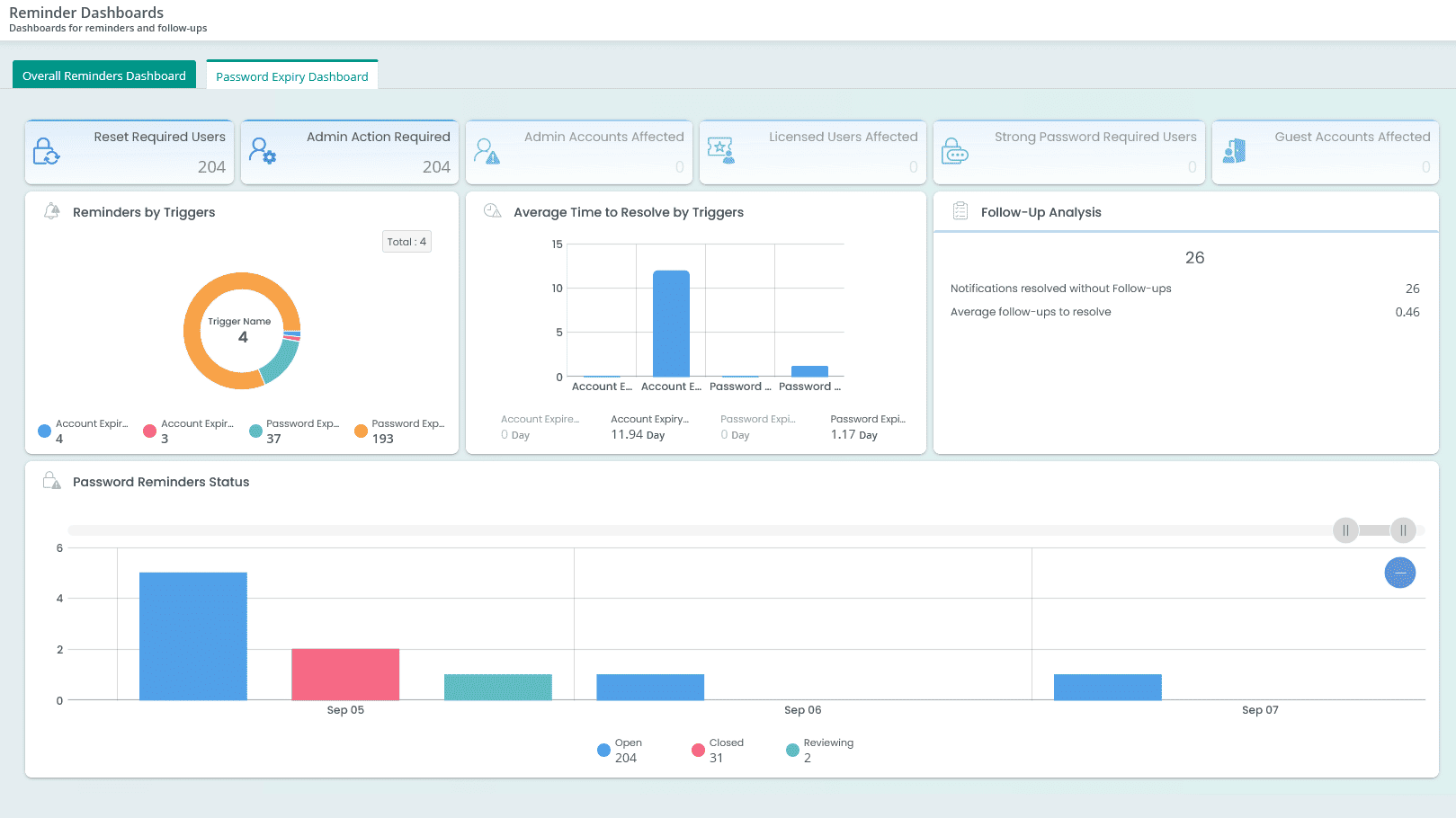
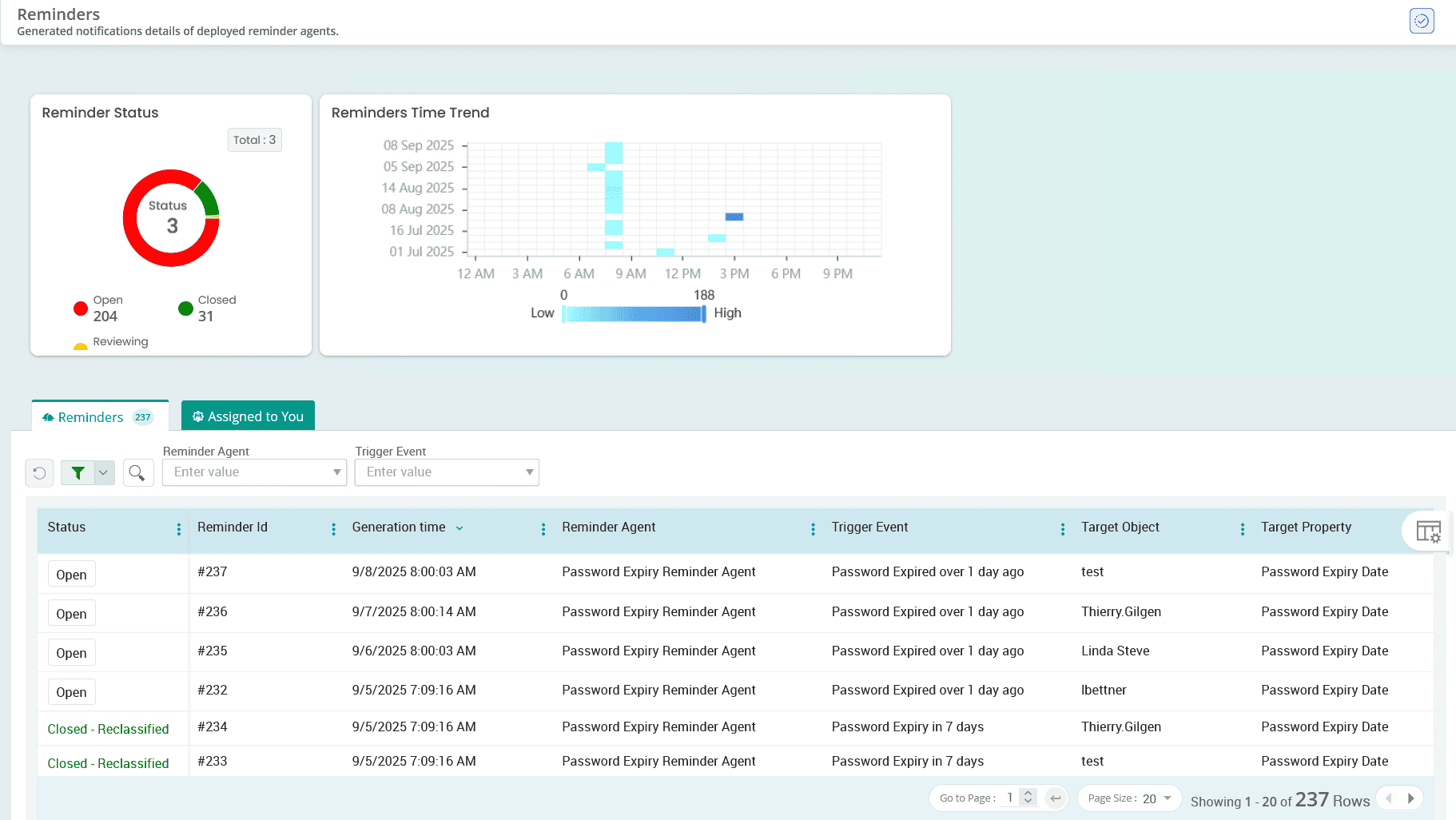
Track the status of all triggered reminders and follow-up actions from a centralized dashboard. Provides info on who responded, who didn’t, and how many nudges were sent.
Audit logs don’t lie—But they do hide
AdminDroid makes it easy to surface the real story behind every Active Directory event.
AdminDroid’s Active Directory auditing tool provides 200+ pre-built audit reports to help you monitor logon activities, track Active Directory changes, detect potential security incidents, and more, all in real time. These actionable insights help you ensure compliance, detect anomalies, and strengthen overall Active Directory security.
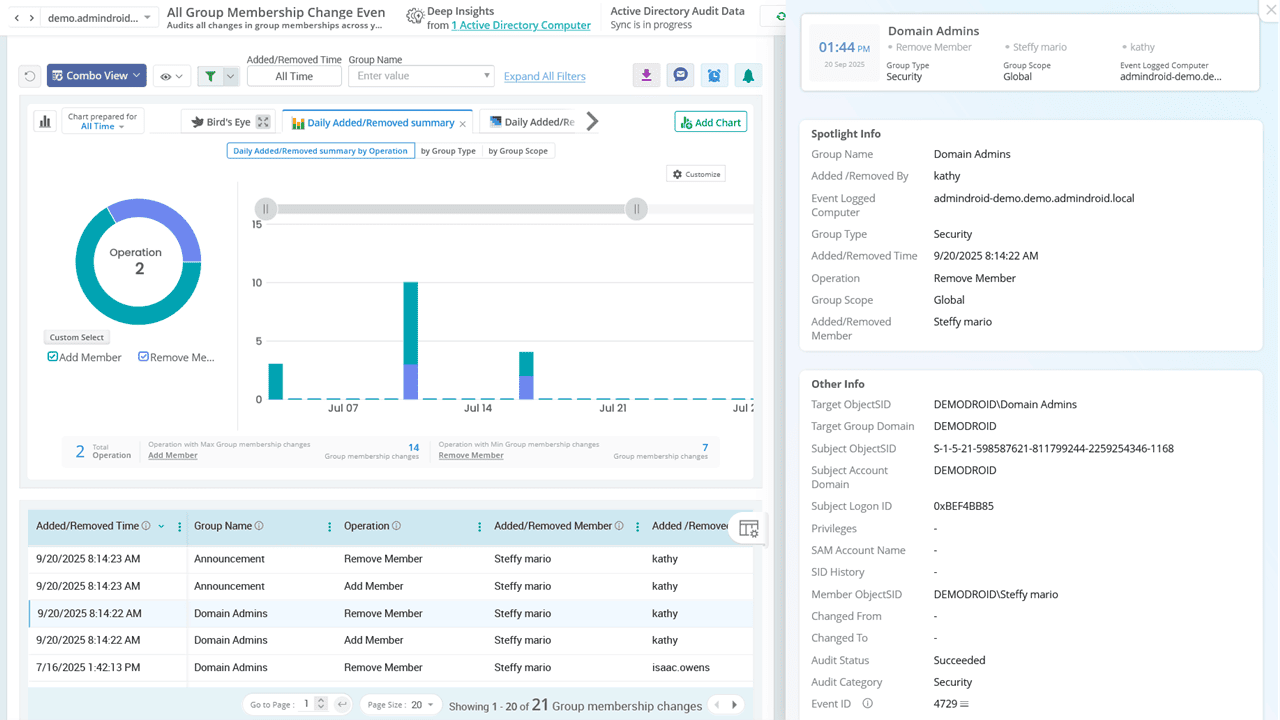
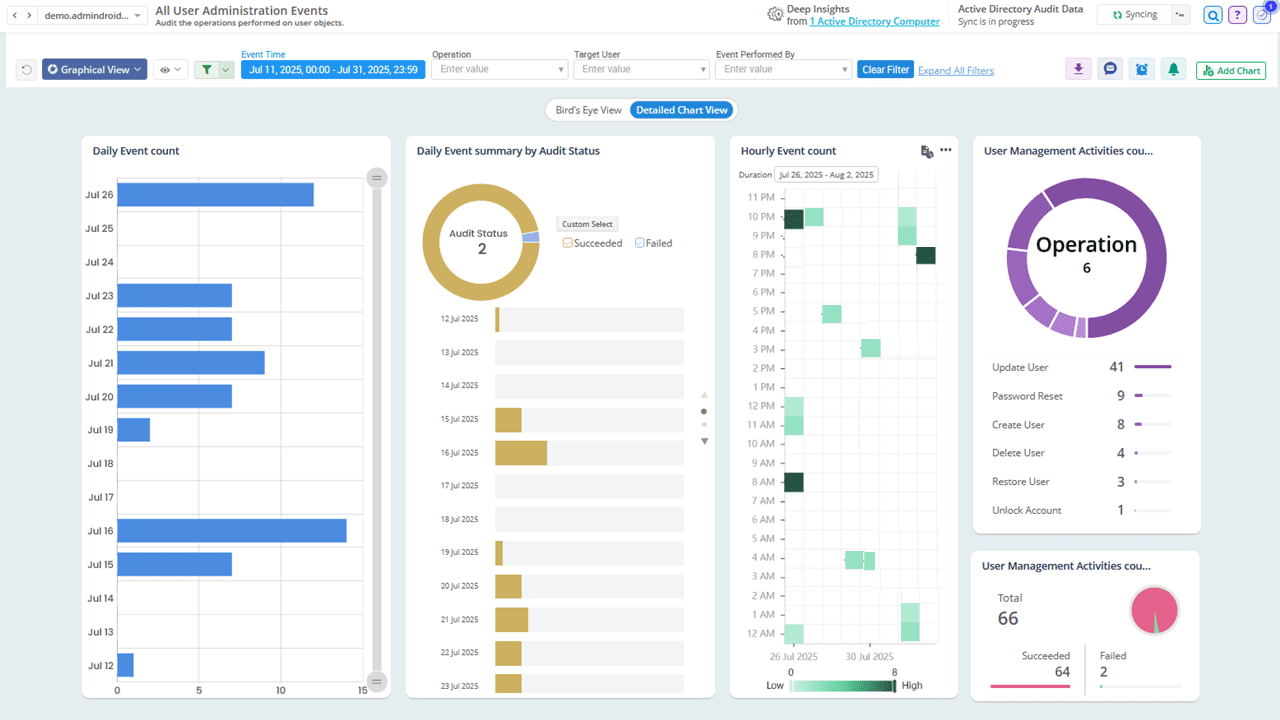
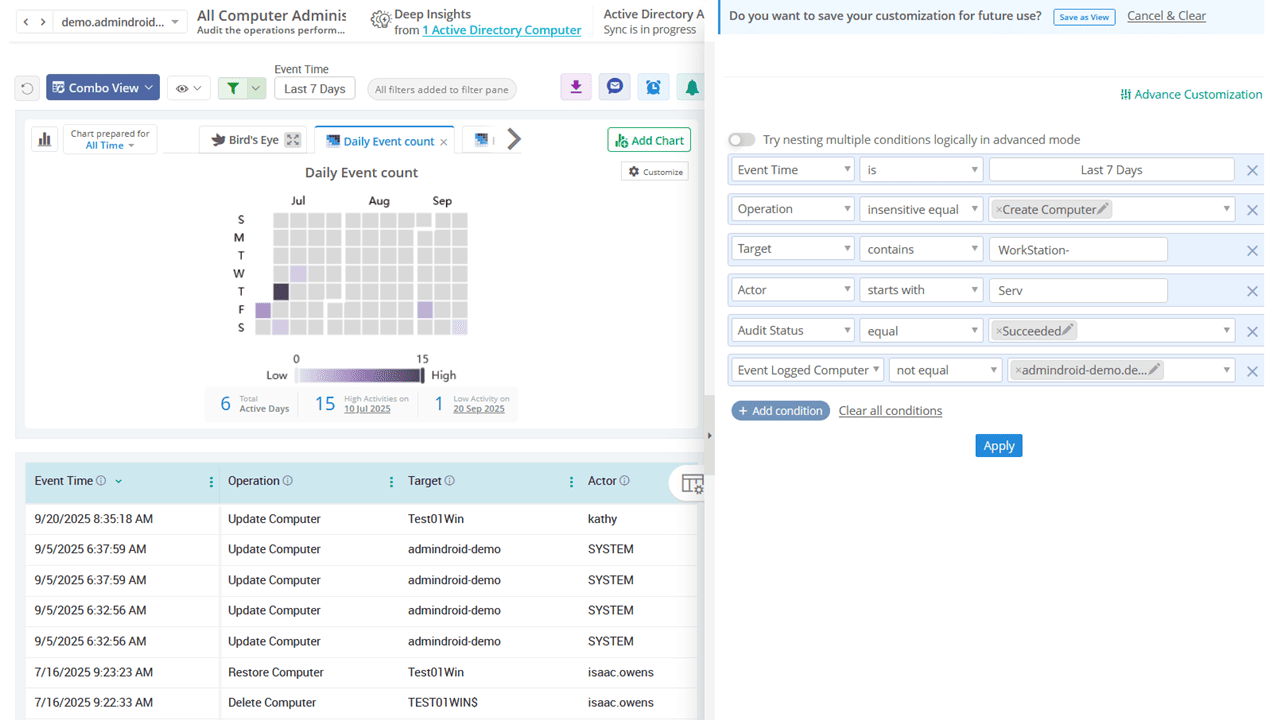
Audit every change happening in your AD domain, including creation, modification, deletion, renaming, moving, and restoring of objects. Stay on top of changes to key AD objects such as users, computers, groups, OUs, contacts, DNS zones, and DNS nodes.
Track who changed the password, when it was changed, and whether it was user-initiated or admin reset. Monitor all password change and reset events to ensure they align with security policies.
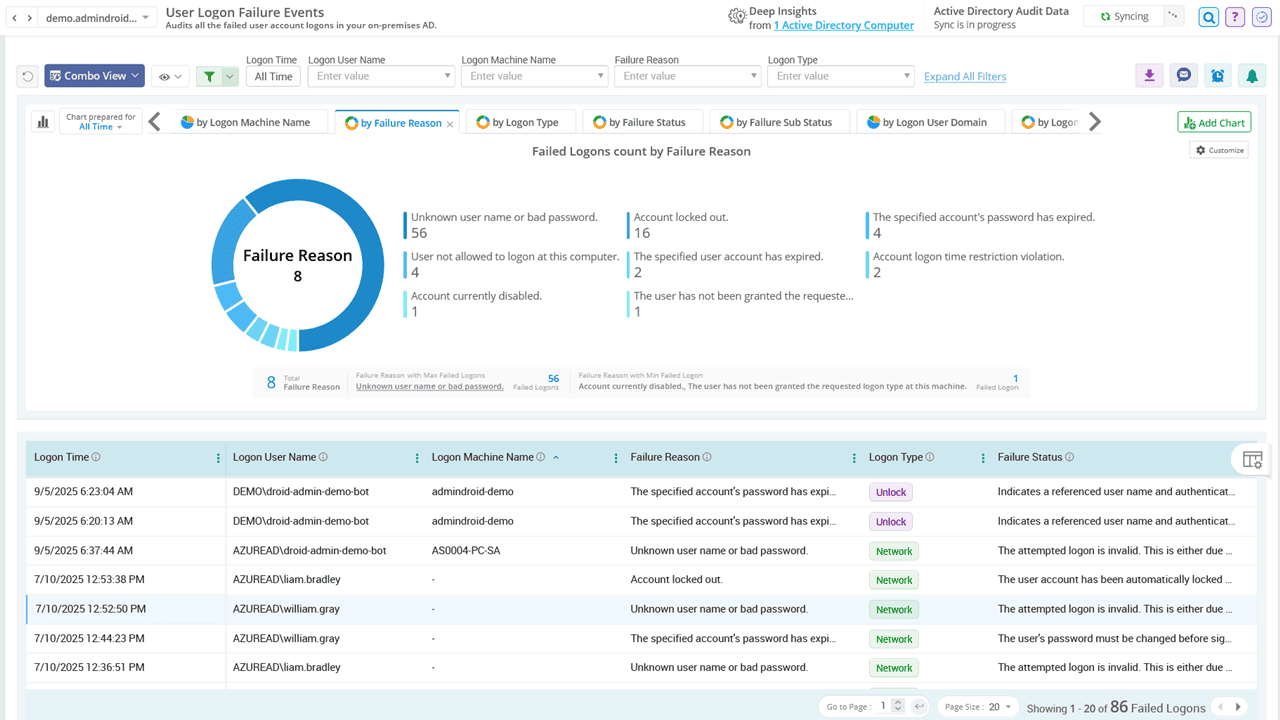
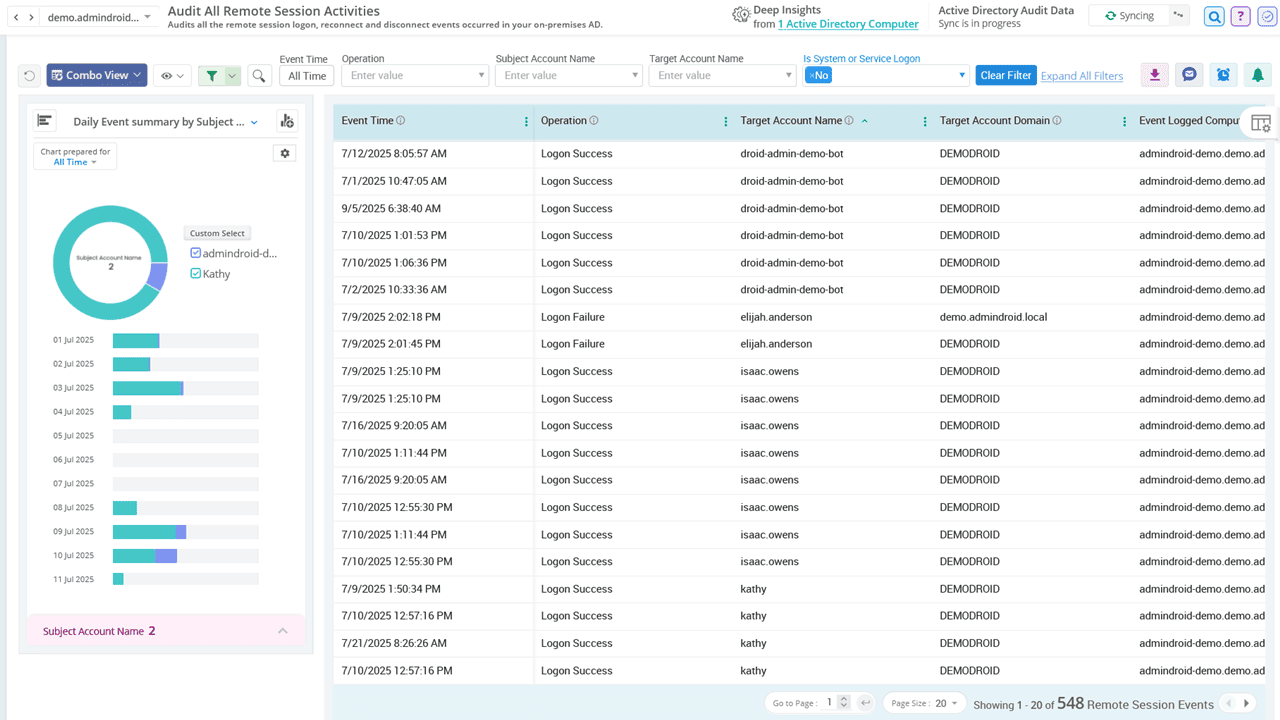
Get a detailed view of user login activity, including successful logins, failed attempts, failure reasons, and remote session insights. These reports help identify unusual login patterns and detect brute-force or credential-stuffing attacks.
Keep a close watch on trust relationship changes in your Active Directory. Detect any newly created trusts or modifications to existing ones to ensure your domain boundaries remain secure.
Pinpoint the exact source and reason behind account lockouts, such as incorrect credentials, scheduled tasks, cached logins, or mapped drives. These reports simplify the process of diagnosing lockouts and look deeper into suspicious activity faster.
Gain insights into Kerberos authentication events by tracking Ticket Granting Ticket (TGT) and Ticket Granting Service (TGS) requests. Identify anomalies such as unusually frequent ticket requests or the use of outdated encryption types (e.g., RC4), which may indicate attacks like Golden Ticket or Kerberoasting.
What’s really happening on your servers?
Gain clear visibility into every event, activity, and anomaly with AdminDroid.
Gain deep insights into critical server activities, such as successful and failed logins, system shutdowns, restarts, and service installations.
Monitor suspicious processes, scheduled tasks, and other key events to stay informed about what's happening on your servers in real time.
Stay compliant by tracking event log service status, auditing policy changes, and ensuring there are no gaps in server-level auditing.
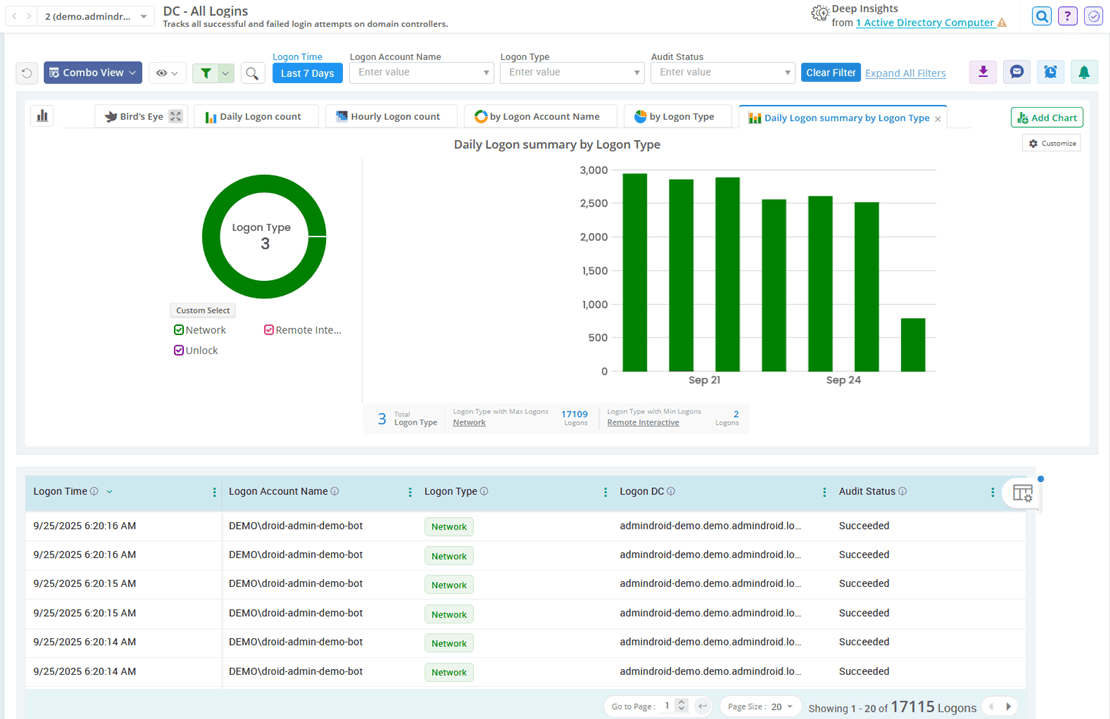
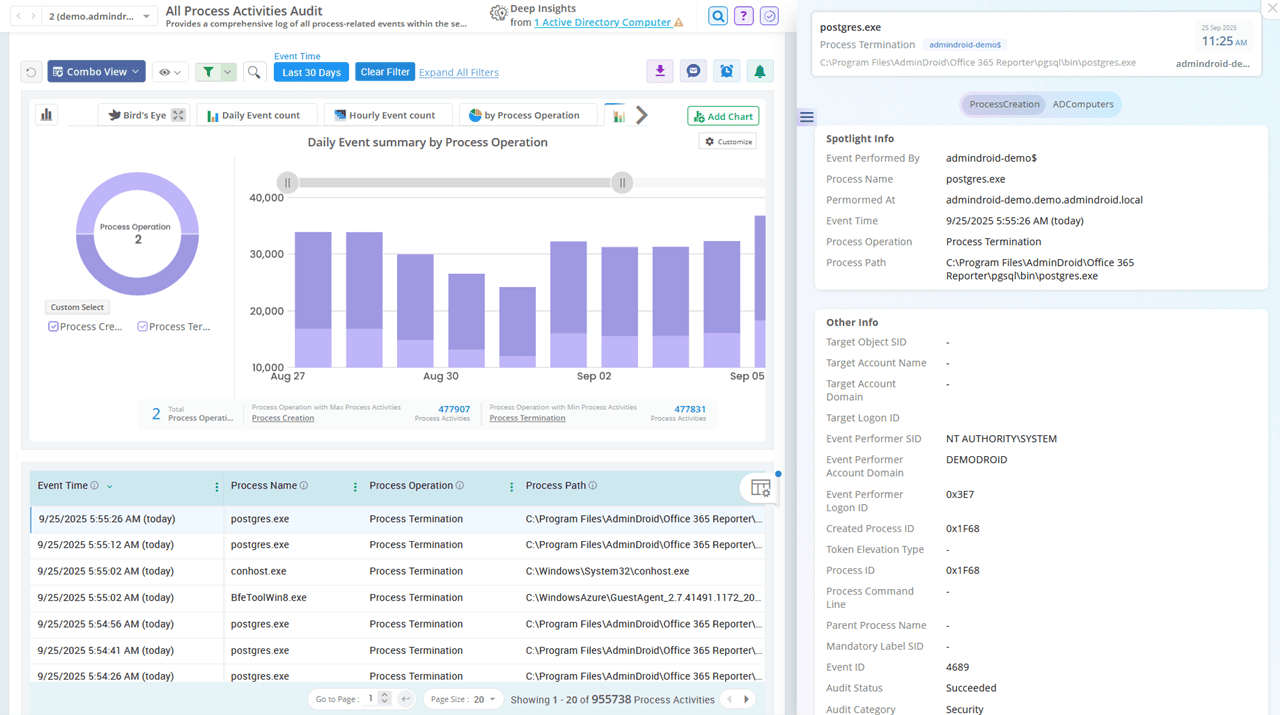
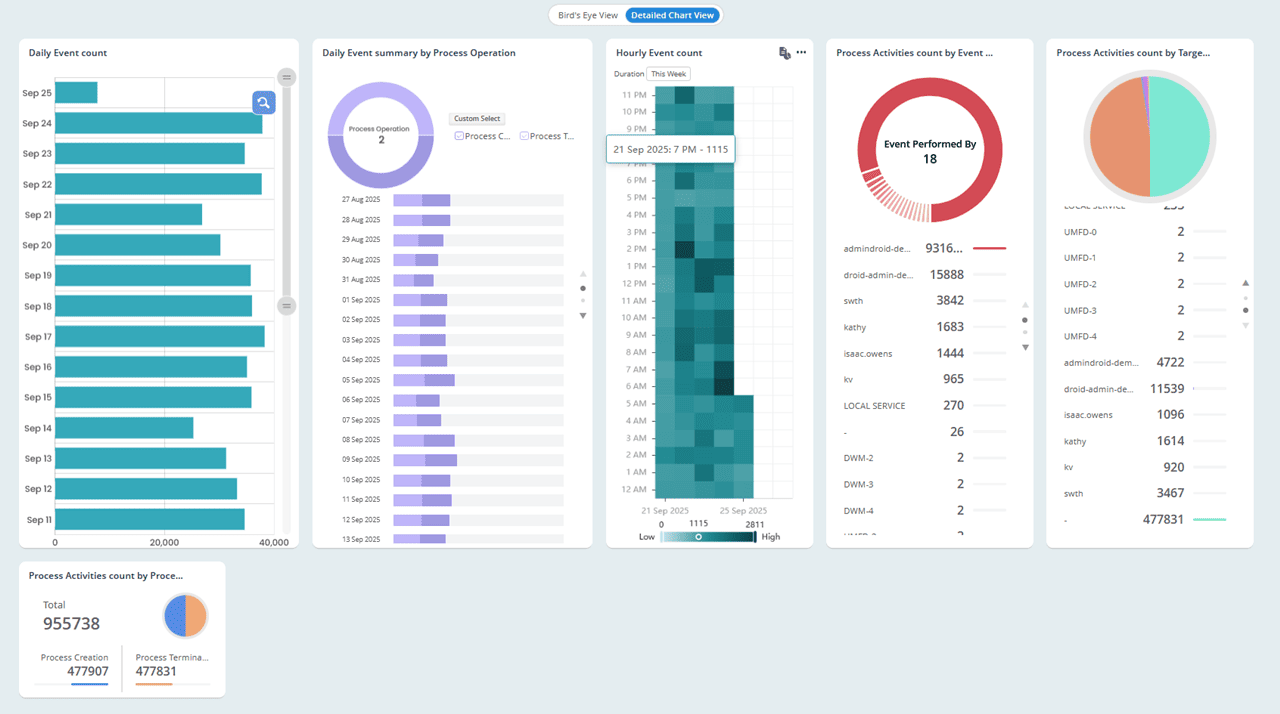
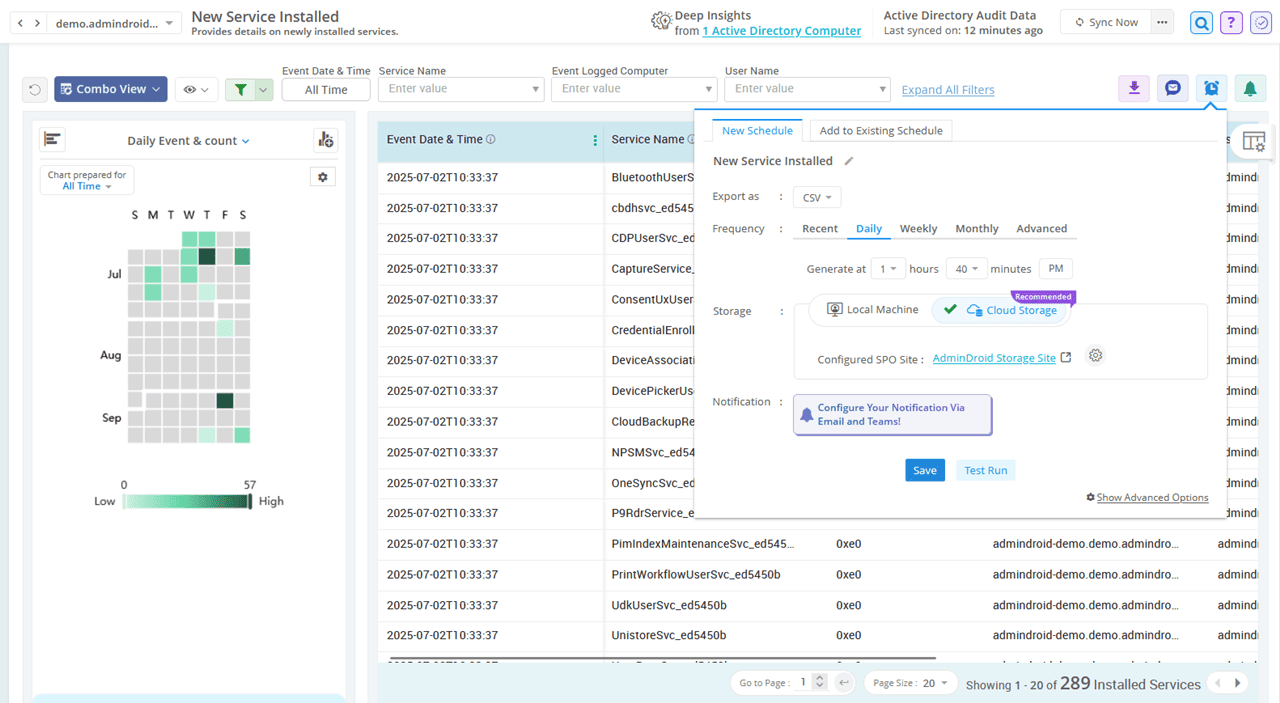
Tired of digging through event logs on every computer?
AdminDroid audits all your endpoints and highlights what truly matters — all in one place.
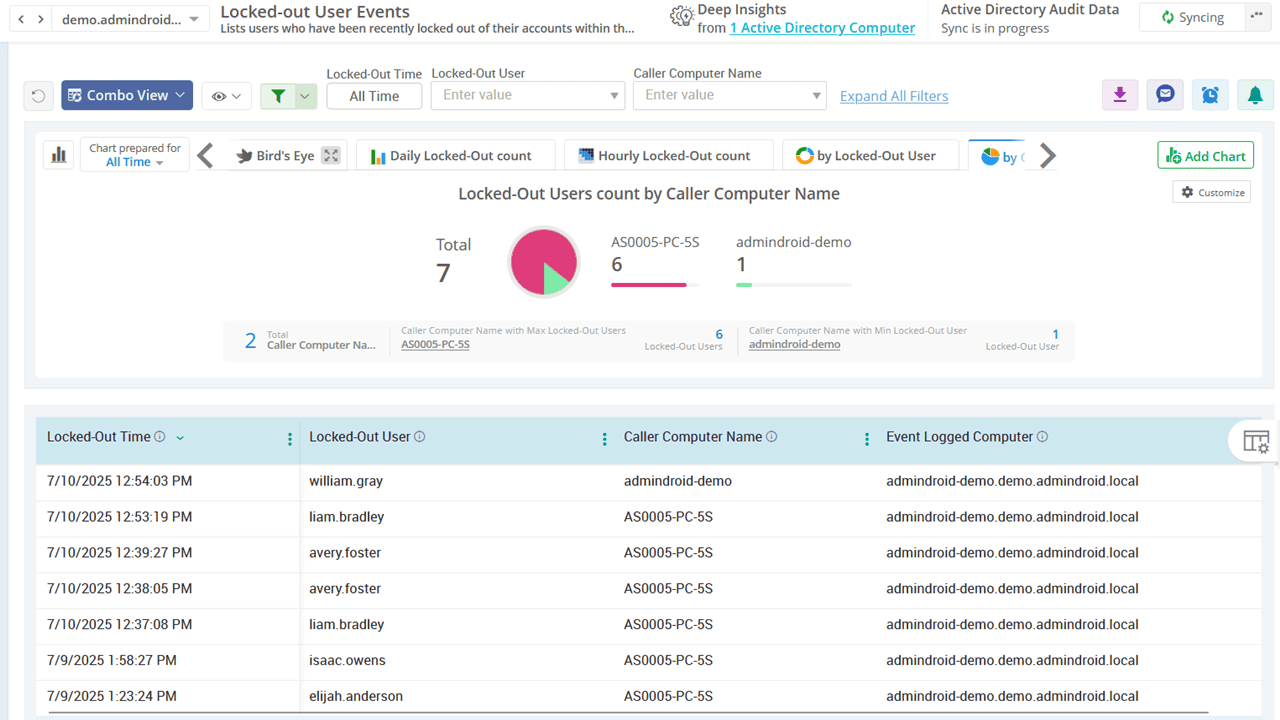
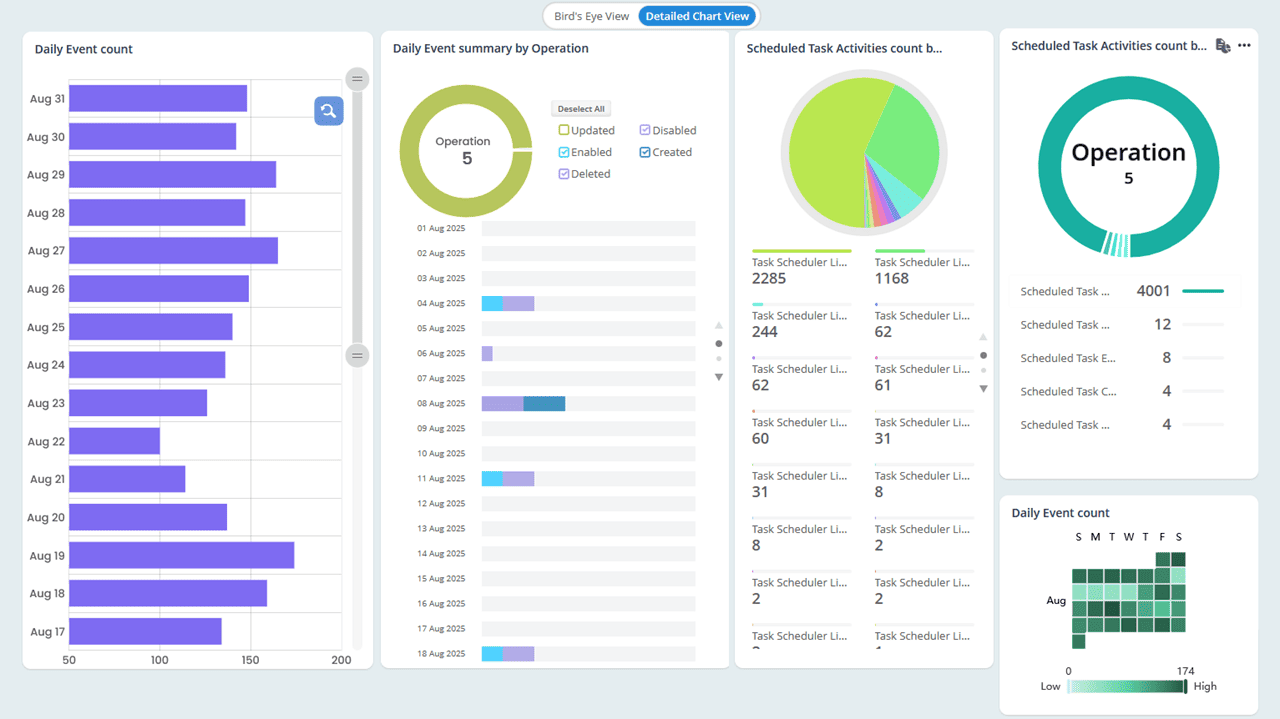
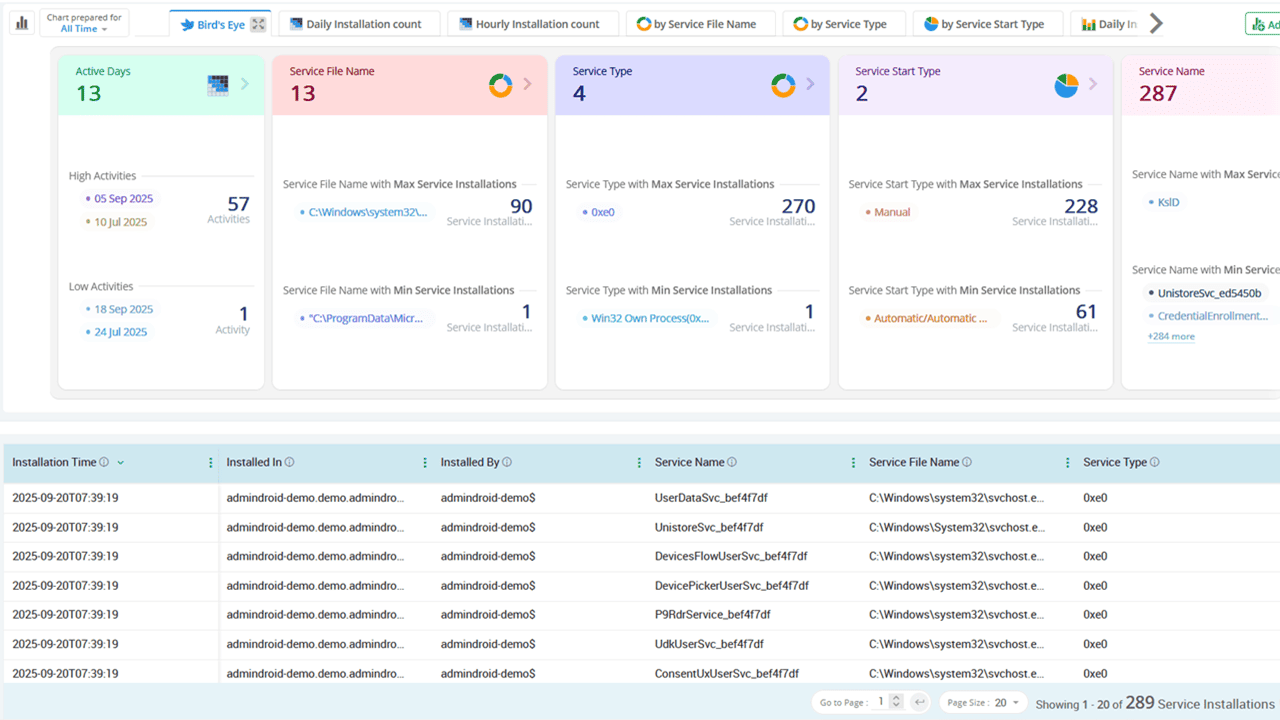
Monitor computer sign-ins across your environment and gain visibility into suspicious login attempts and patterns that could signal potential threats.
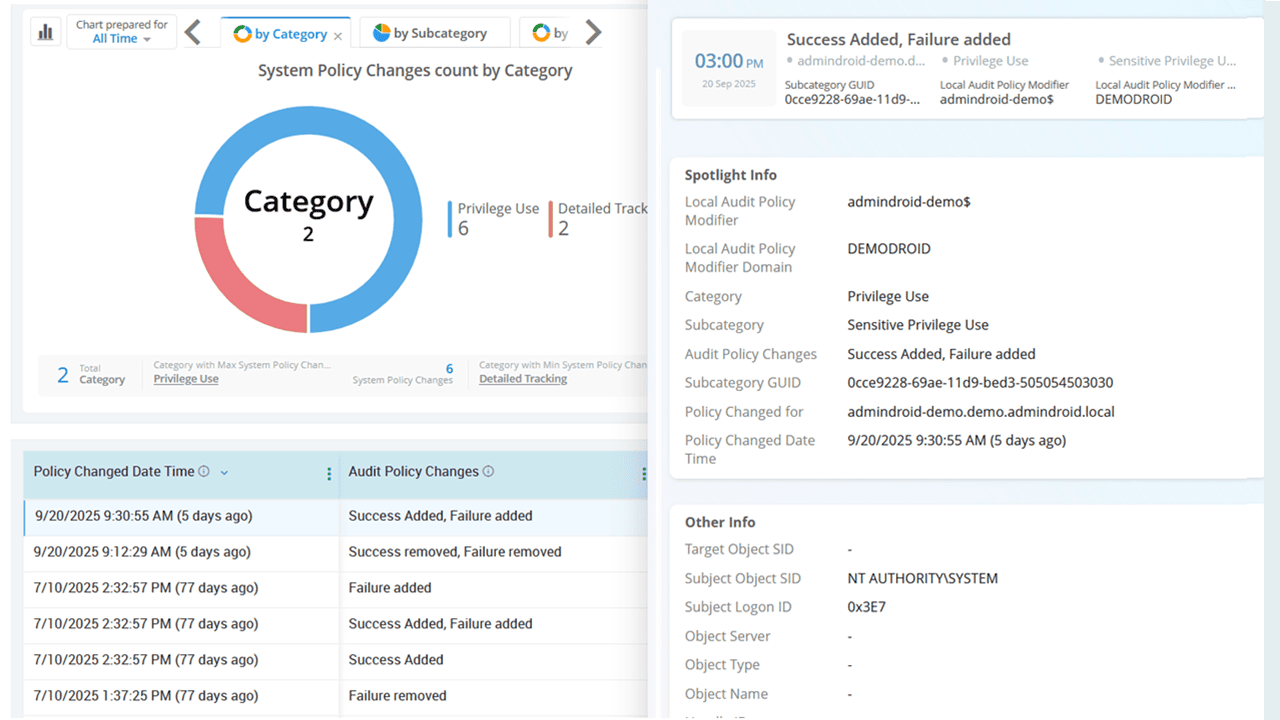
Stay informed about critical changes to audit policies, domain policies, and security extensions, etc.
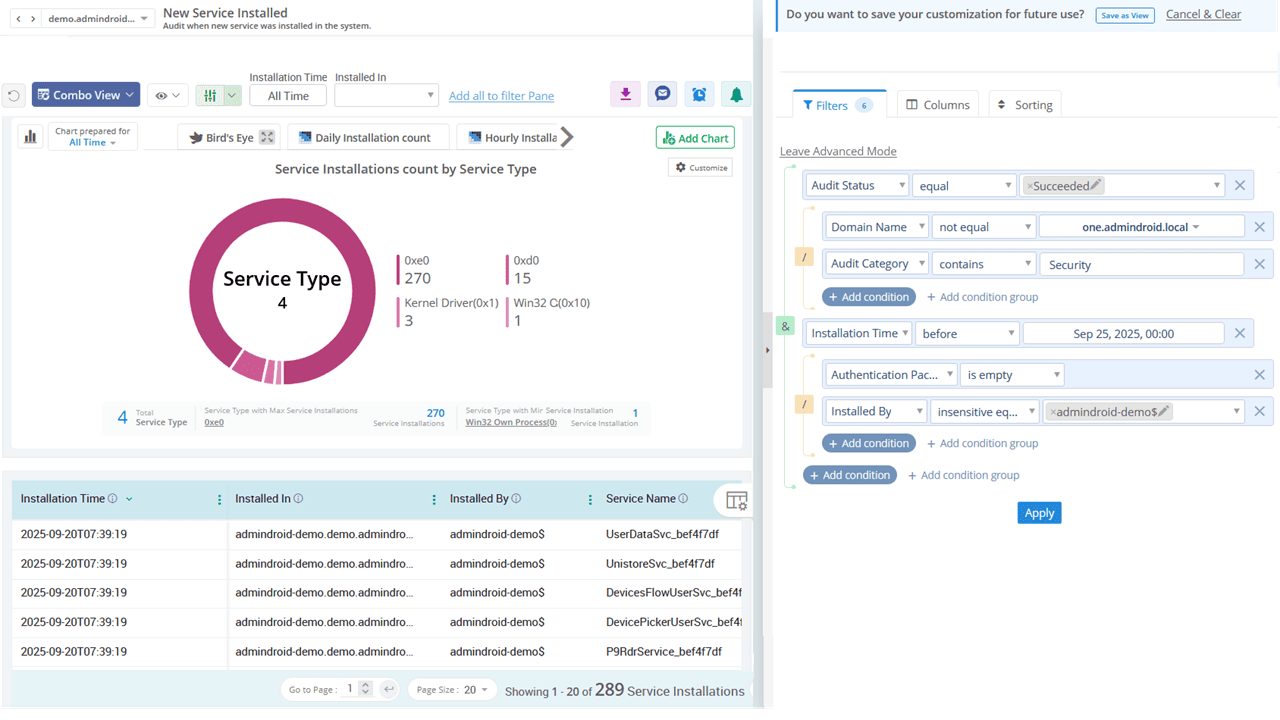
Track system integrity audits and monitor event logging service to ensure your Windows environment remains secure and compliant.
Don’t just collect AD data—Make it speak
See your Active Directory like never before with AdminDroid.
AdminDroid Active Directory reporting tool offers 200+ pre-built reports to help you gain complete visibility into your AD environment. From users and groups to security insights, these reports provide everything you need to understand and manage your Active Directory infrastructure effectively.
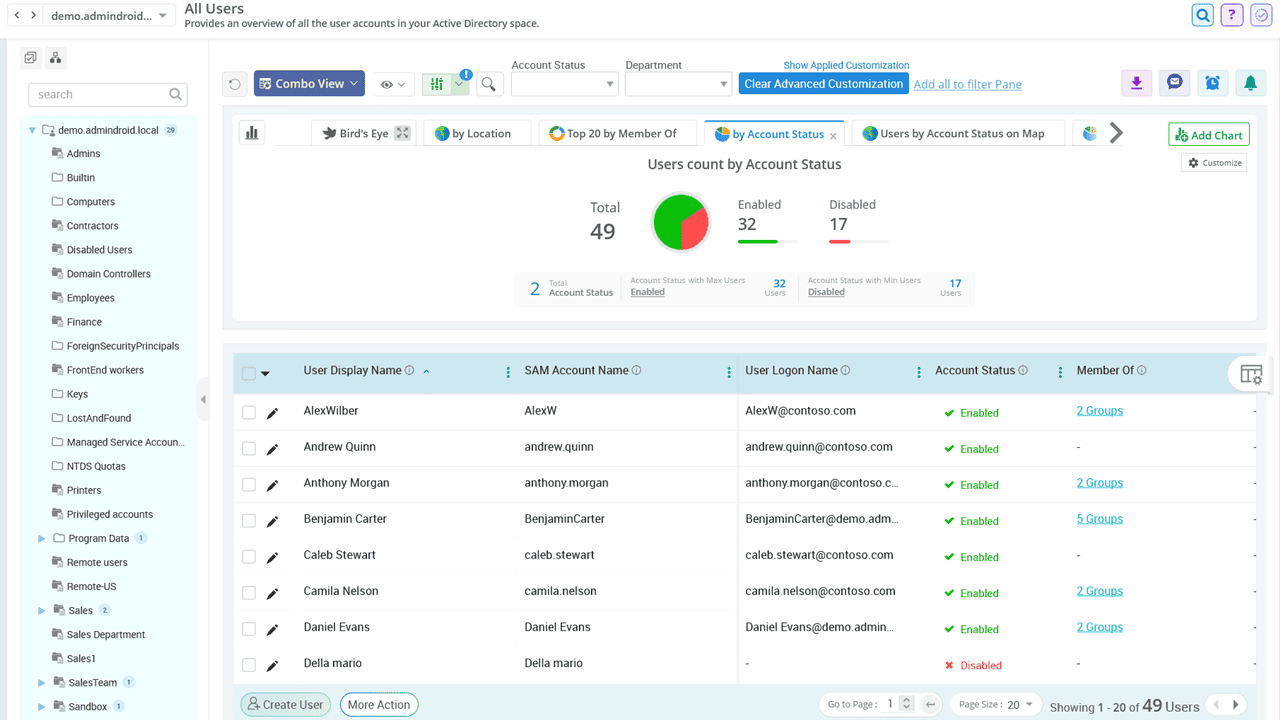
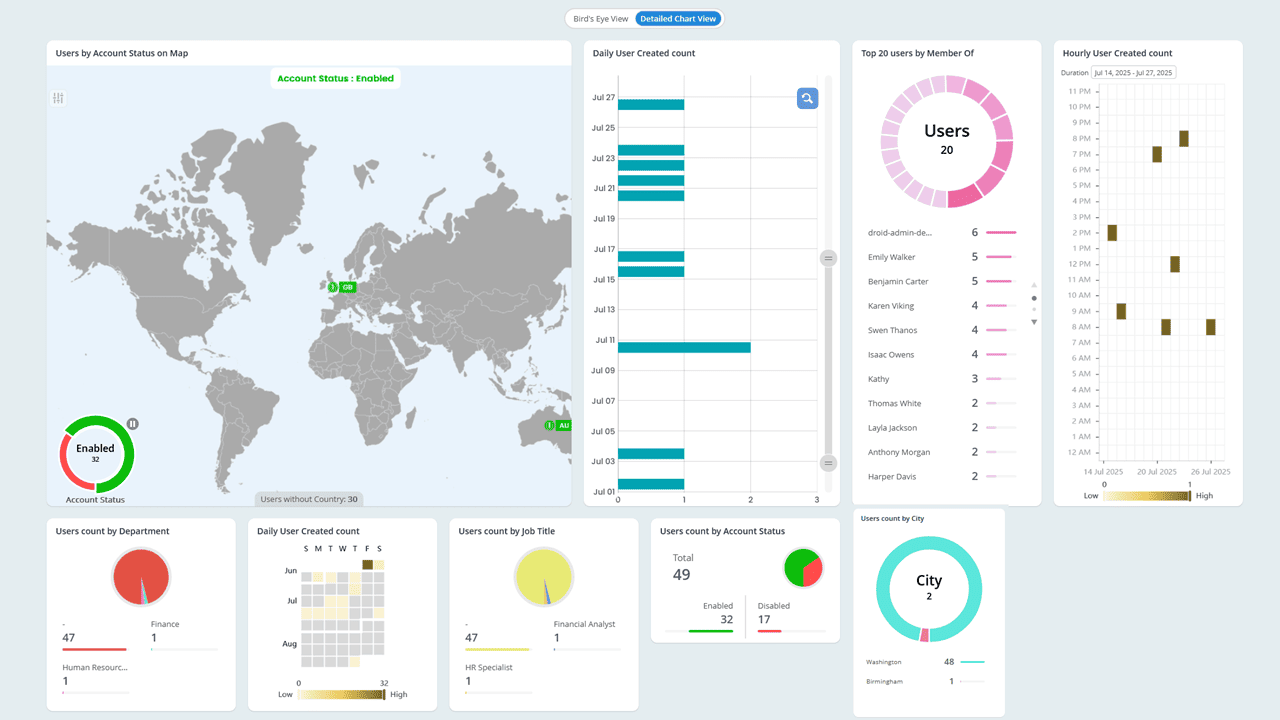
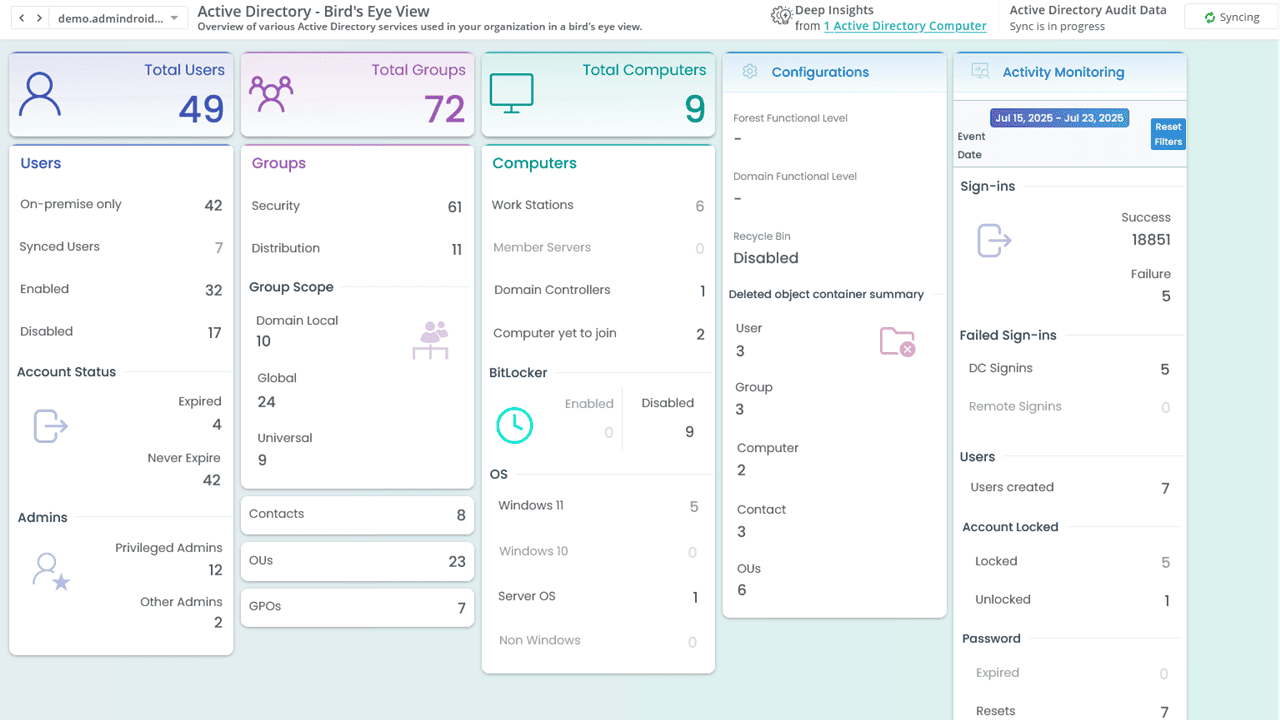
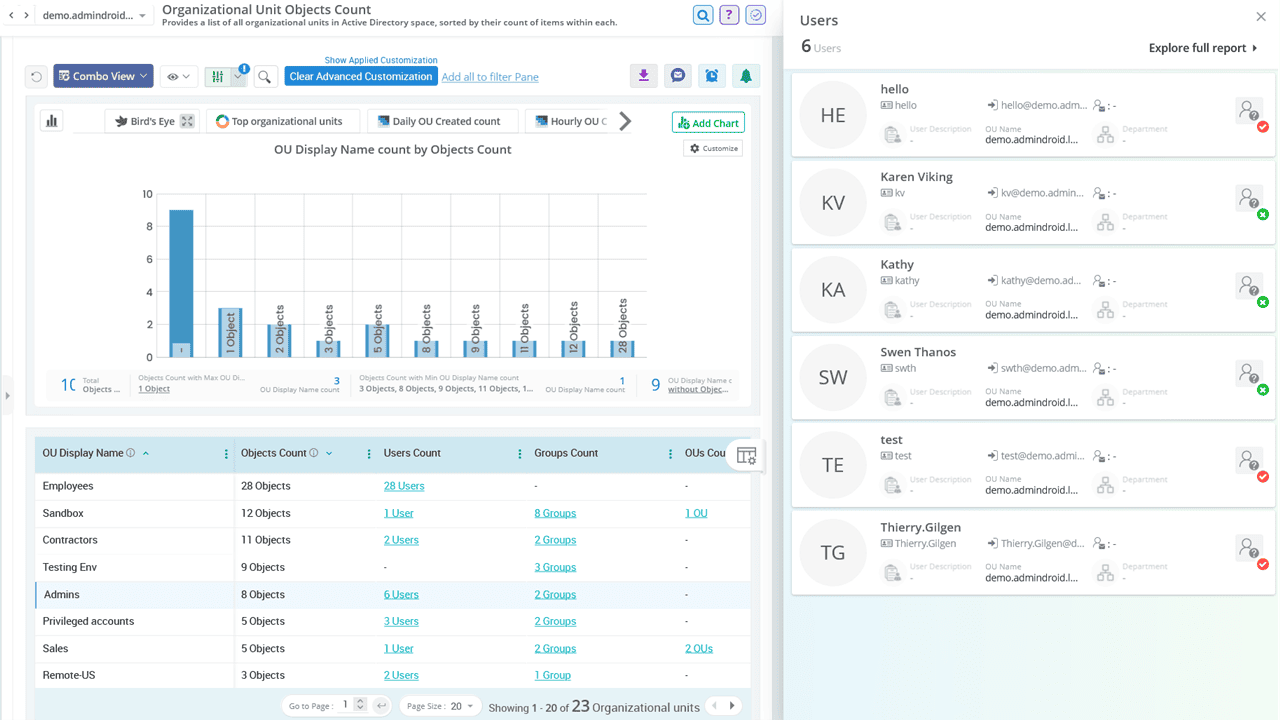
Access in-depth reports on user accounts, including account status, profile information, account expiry, logon restrictions, group memberships, and manager details. These reports help identify stale accounts, disabled users, and potential access issues.
Identify users’ password-related risks based on password expiry, age, policy compliance, and more. Quickly spot accounts with non-expiring passwords or outdated credentials.
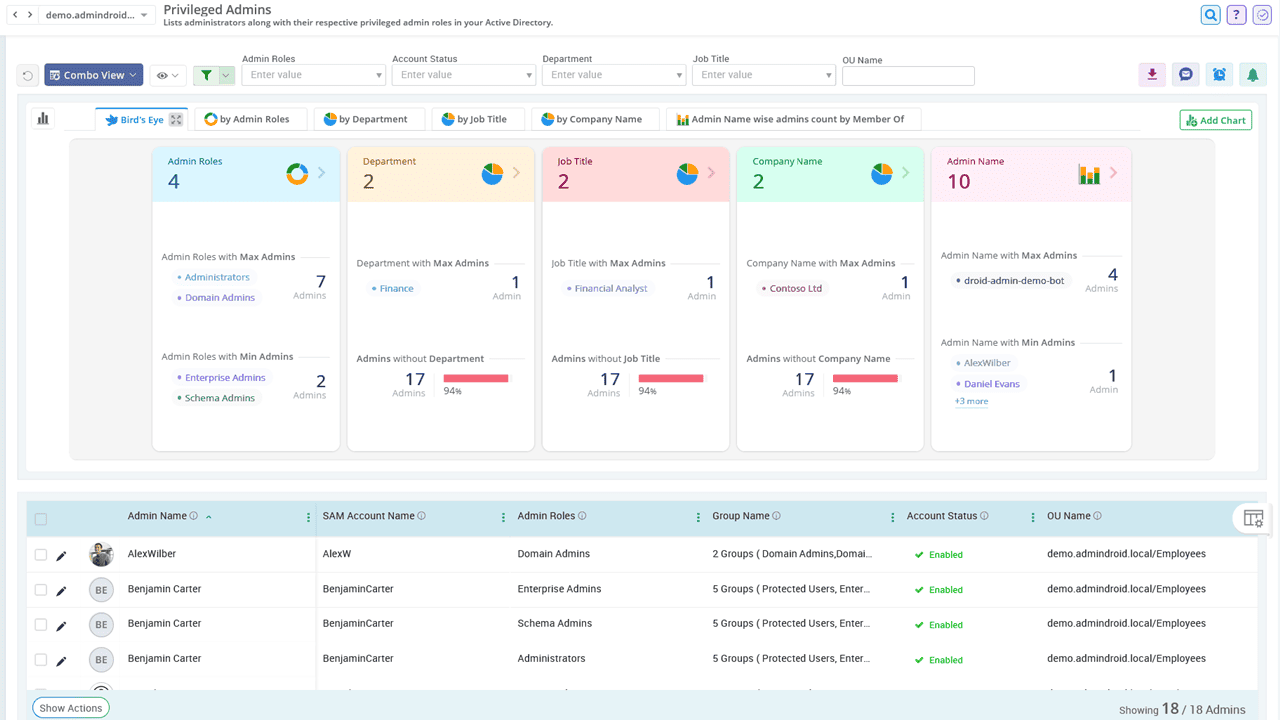
Get a complete view of privileged accounts and their associated risks. Identify inactive admins, accounts with old passwords, and other misconfigurations that could pose security threats.
Explore detailed insights on Organizational Units, including the number of objects they contain, managed by detail, accidental deletion protection status, linked GPO, etc. These reports help uncover configuration gaps and enhance security.
Uncover security vulnerabilities and potential threats within your Active Directory domain. Detect exposure to attacks such as DC Sync, Golden Ticket, and more.
List all AD contacts with details such as email addresses, phone numbers, managers, group memberships, and more. Use these reports to keep contact directories clean and current.
Identify all Group Policy Objects along with their configuration status, linked objects, GPO link status, and more. These reports help you understand how GPOs are applied across your environment.
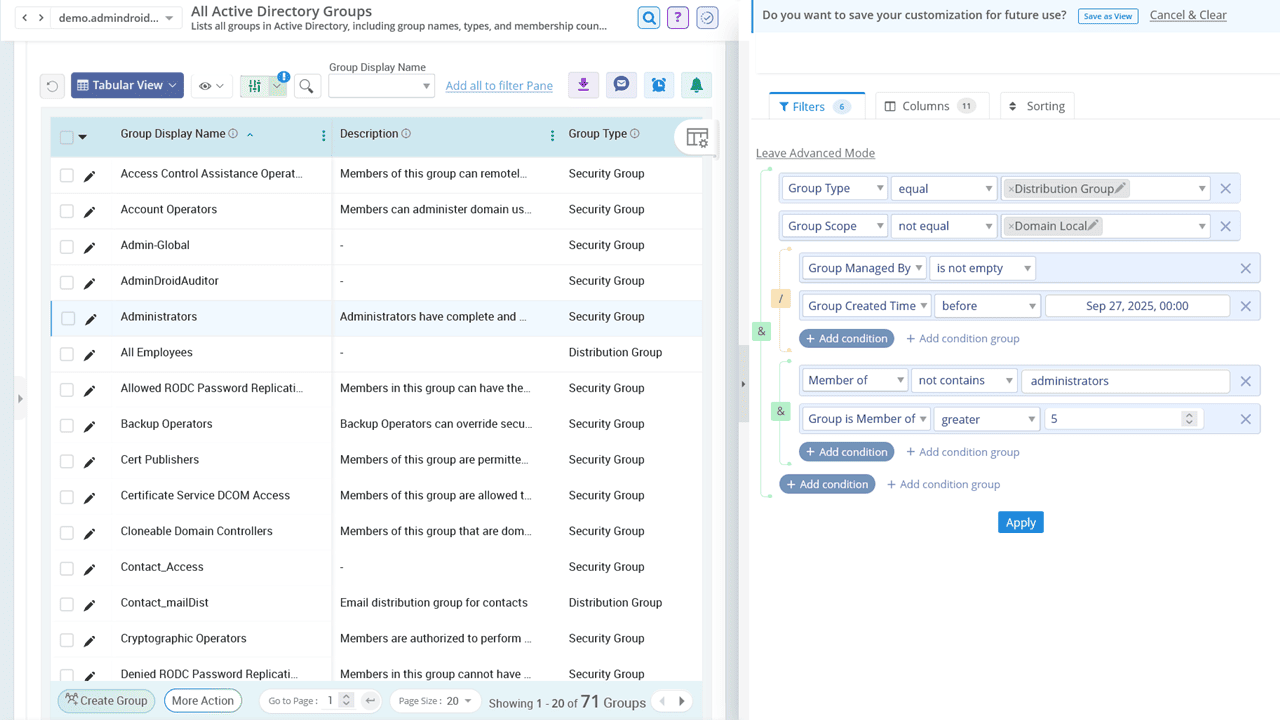
View detailed information on AD groups by type (security or distribution) and scope (domain local, global, universal). Drill down into group membership details, including nested groups, and export reports in CSV, HTML, PDF, XLS, RAW, PDF+, etc., formats for further review.
Identify and audit printers published in Active Directory along with their capabilities, such as whether they support color or black-and-white printing.
Generate reports on all computers in your Active Directory environment. Gain instant visibility into OS versions, computer status, membership, managed by details, and more. Schedule reports for proactive device monitoring.
Still managing AD, the long way around?
AdminDroid makes it effortless to handle day-to-day tasks without PowerShell.
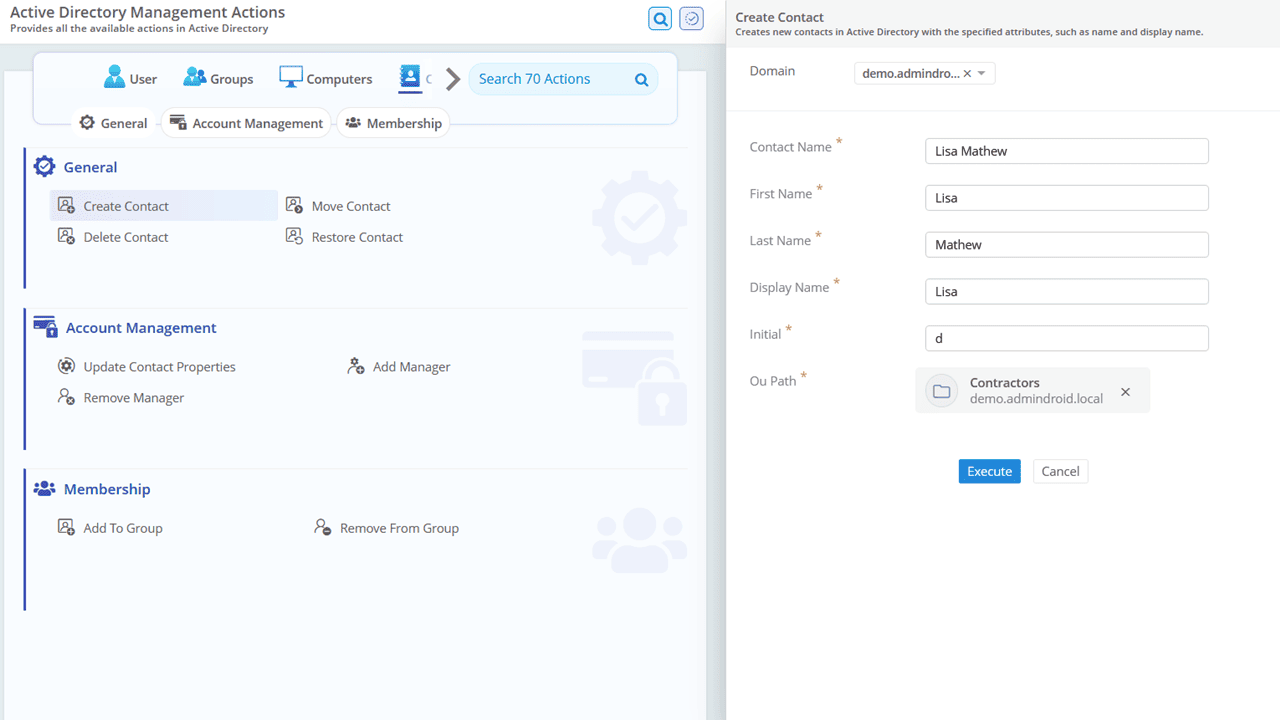
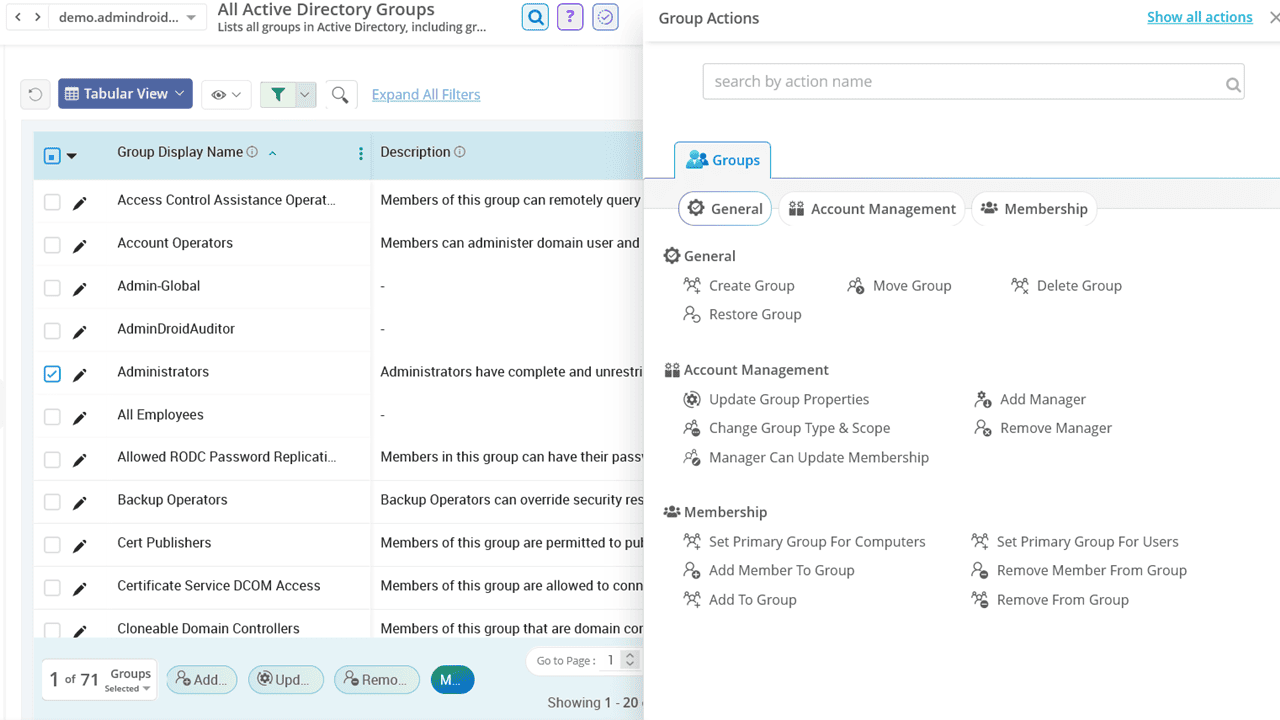
AdminDroid's Active Directory management tool offers 60+ built-in actions to help you manage users, groups, computers, and contacts through a user-friendly interface. It simplifies everyday administrative tasks, supports bulk management operations, and reduces dependency on complex PowerShell scripts. Also, it provides detailed audit logs on who performed what action and when.
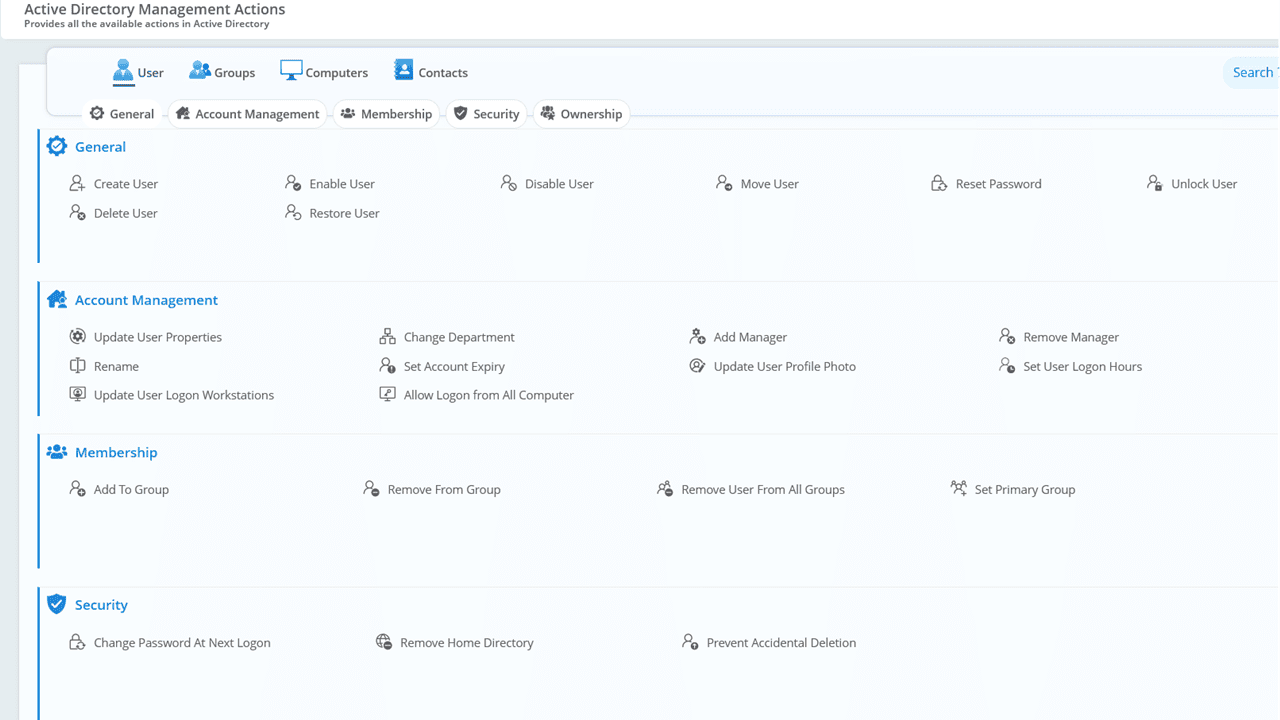
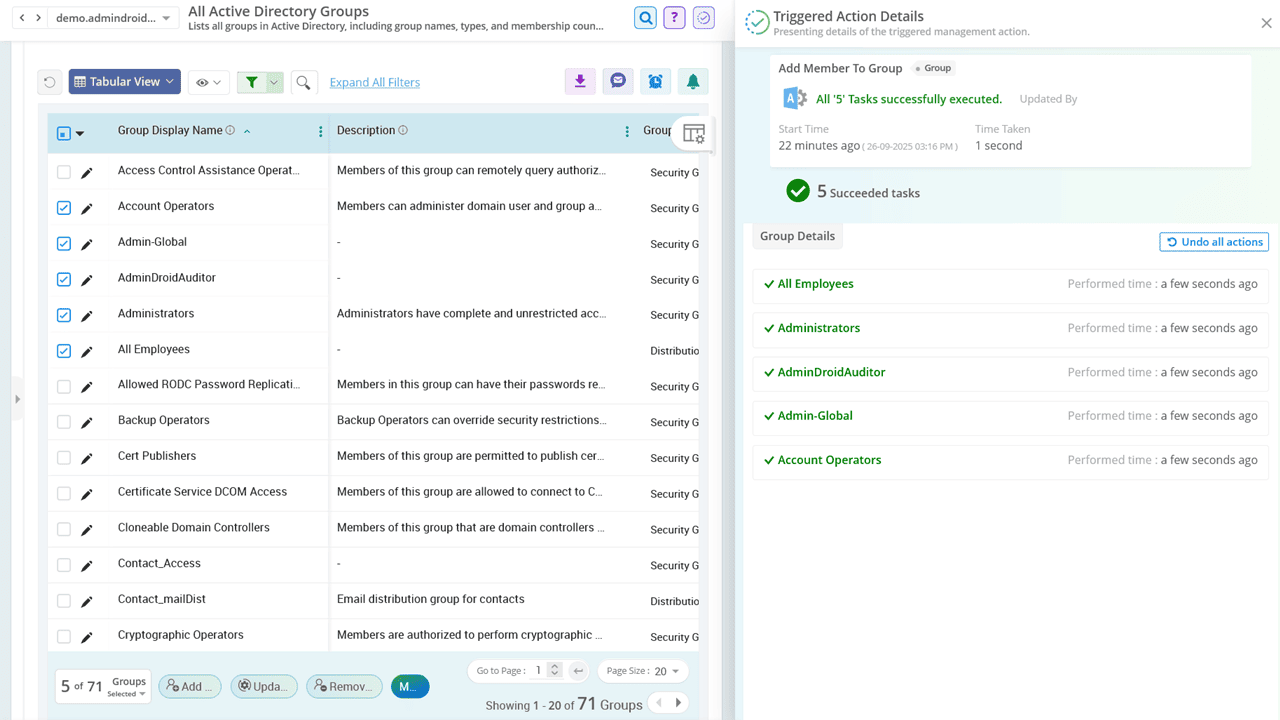
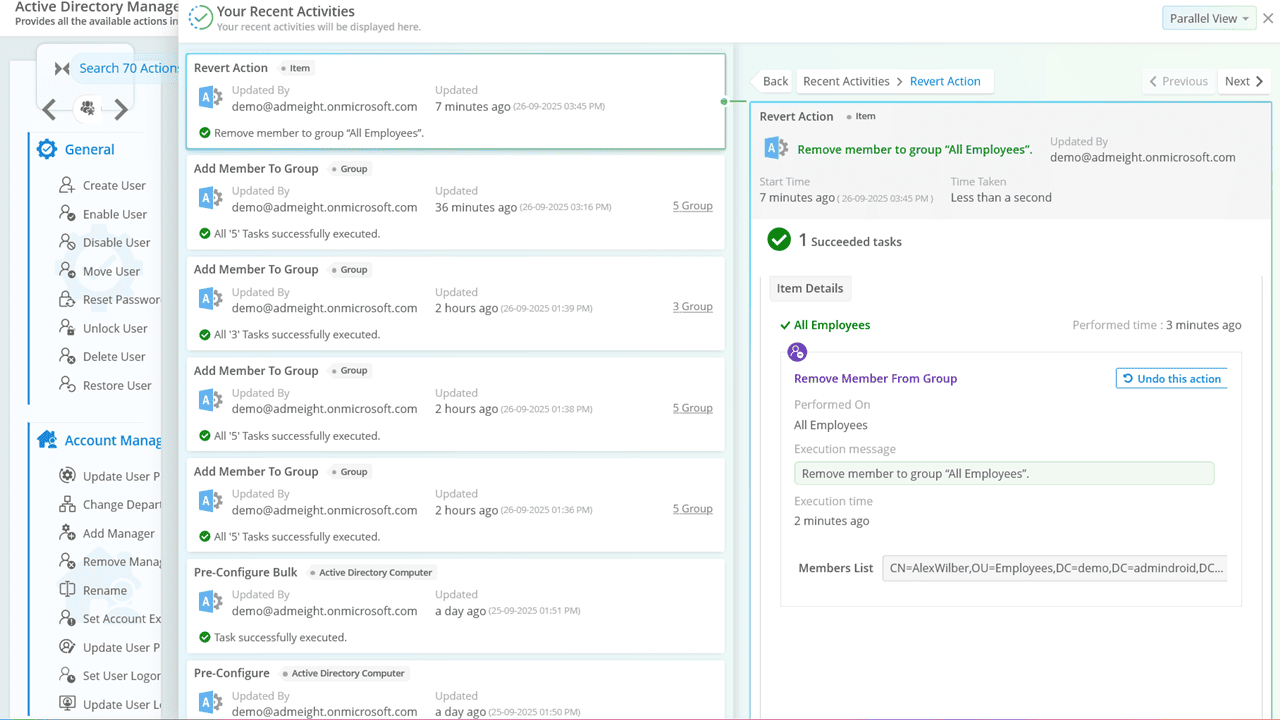
Create, modify, and delete user accounts with ease. Perform common help desk operations like password resets, account unlocks and attribute updates (e.g., manager, account expiry, logon restrictions). Effortlessly manage group memberships by adding or removing users as needed.
Easily create, update, or delete security and distribution groups. Modify group type and scope, assign group managers, and manage group memberships in just a few clicks.
Know MorePerform essential actions like creating, enabling, disabling, moving, deleting, or restoring computer accounts. Easily update group memberships to reflect organizational changes.
Maintain an up-to-date contact directory by creating, updating, or deleting contact objects. Assign managers and manage group memberships seamlessly to ensure accurate and organized contact records.