


Get 400+ insights and audit reports to manage Active Directory
Schedule and automate report delivery to the right people at the right time
Visualize raw directory data with interactive graphs and charts
Native Active Directory tools have limitations, and PowerShell requires scripting expertise. AdminDroid overcomes these challenges with powerful reporting capabilities in a single platform.
Download Active Directory reports in HTML, PDF, CSV, XLS, RAW, PDF+, and more for compliance, documentation, or offline analysis.
Schedule reports to run automatically and deliver them to administrators, managers, or auditors through email or Microsoft Teams.
Quickly narrow large Active Directory datasets using powerful filters and custom conditions to find exactly the users, groups, or computers you need.
Customize report columns, sorting, and filters, then save personalized views to reuse the same report layout anytime.
Transform report data into interactive charts and visual insights to quickly identify trends, patterns, and anomalies across your Active Directory.
Receive instant email or Microsoft Teams notifications whenever specific Active Directory attributes change or meet predefined values.
Perform management action on Active Directory objects directly from reports, eliminating manual navigation between tools.
View key metrics, security insights, and other critical information in centralized dashboards without opening multiple reports.
Delegate specific users, groups, OUs, or other Active Directory objects so admin can view and manage only their assigned resources.
Delegate reports securely with role-based access, ensuring users only see the information relevant to their responsibilities.
User Reports
Admin Reports
Password Reports
Group Reports
Computer Reports
Contact Reports
OU Reports
GPO Reports
Printer Reports
Security Reports
Active Directory reporting tool by AdminDroid includes over 450+ built-in Active Directory reports organized into categories, helping administrators quickly find information about users, groups, computers, security, Group Policies, Organizational Units, and more.
Get a rich collection of user reports with Admindroid that instantly reveal critical details and help you manage Active Directory user accounts effectively.
AdminDroid shines a spotlight on every Active Directory admin account, letting you analyze privileged role assignments in just a few clicks.
Access a clear-cut collection of password reports to ensure secure password practices and protect your AD domain from potential security risks using Admindroid.
Monitor AD group insights like membership, group types, and more with AdminDroid’s easy-to-understand group report bundle.
Generate complete information on all computers, including servers, workstations, and domain controllers, with Admindroid's Active Directory Reporter.
Complete high-level overview and deep insights into Active Directory contacts, with clear visual metrics, are just a click away with Admindroid.
Gain deep insights into OUs with an Active Directory reporting tool to analyze domain structure, delegation hierarchy, and more with Admindroid.
Streamline Group Policy Object management, even in complex and tangled Active Directory structures, with AdminDroid’s collection of GPO reports.
Stay ahead of threats with real-time visibility across AD domain vulnerabilities using Admindroid's detailed security statistics.
Active Directory
With an ever-growing number of user accounts in Active Directory, having clear, real-time visibility is essential. From tracking user account creation to deletion, AdminDroid’s AD user reporting tool organizes everything you need neatly and ready to explore.
List all Active Directory users in your domain
Track all Active Directory users with account expiry across your domain
Find inactive users in your Active Directory organization
Keep a close watch on locked-out Active Directory user accounts
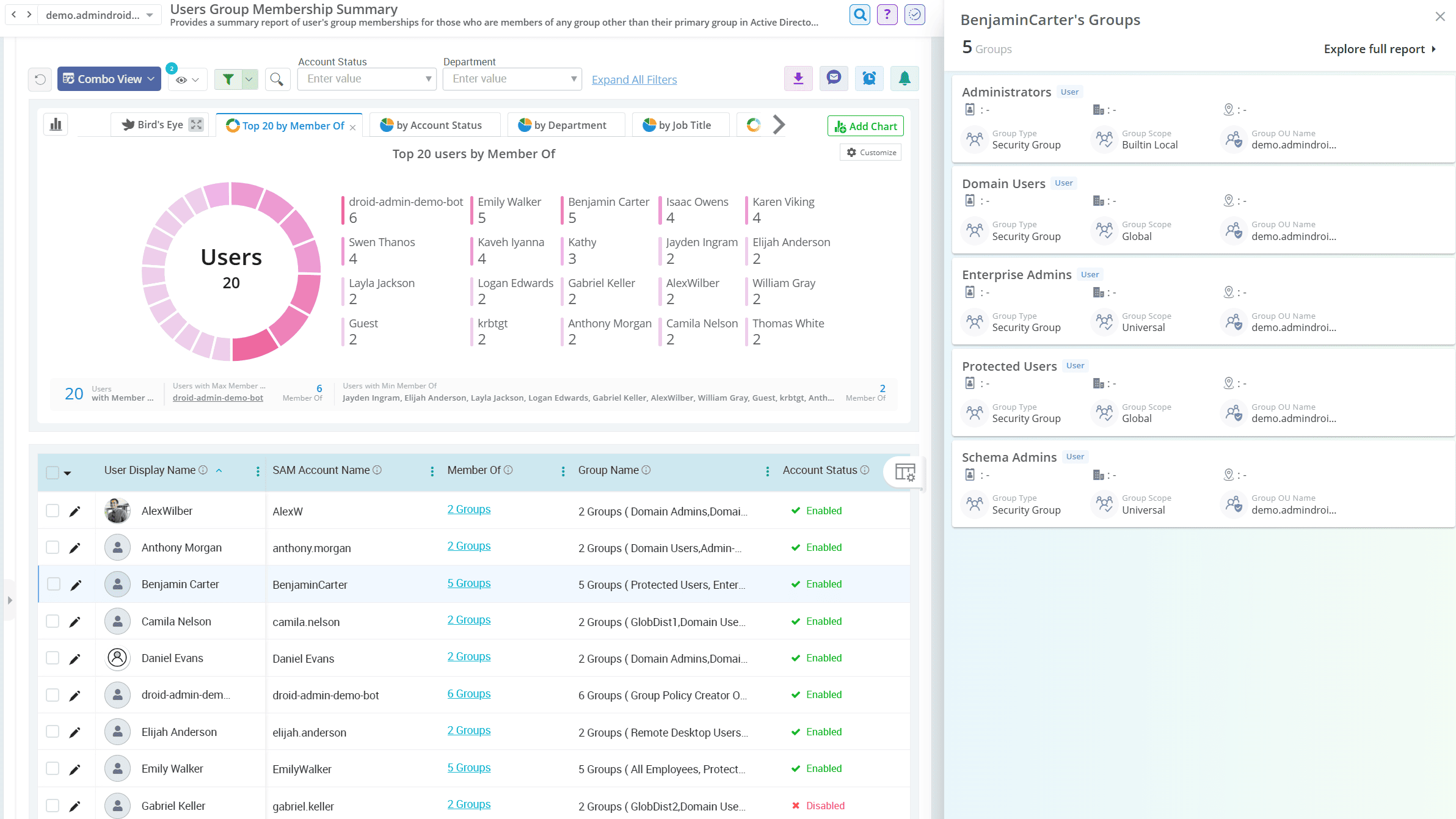
View the group memberships of every user in your Active Directory domain
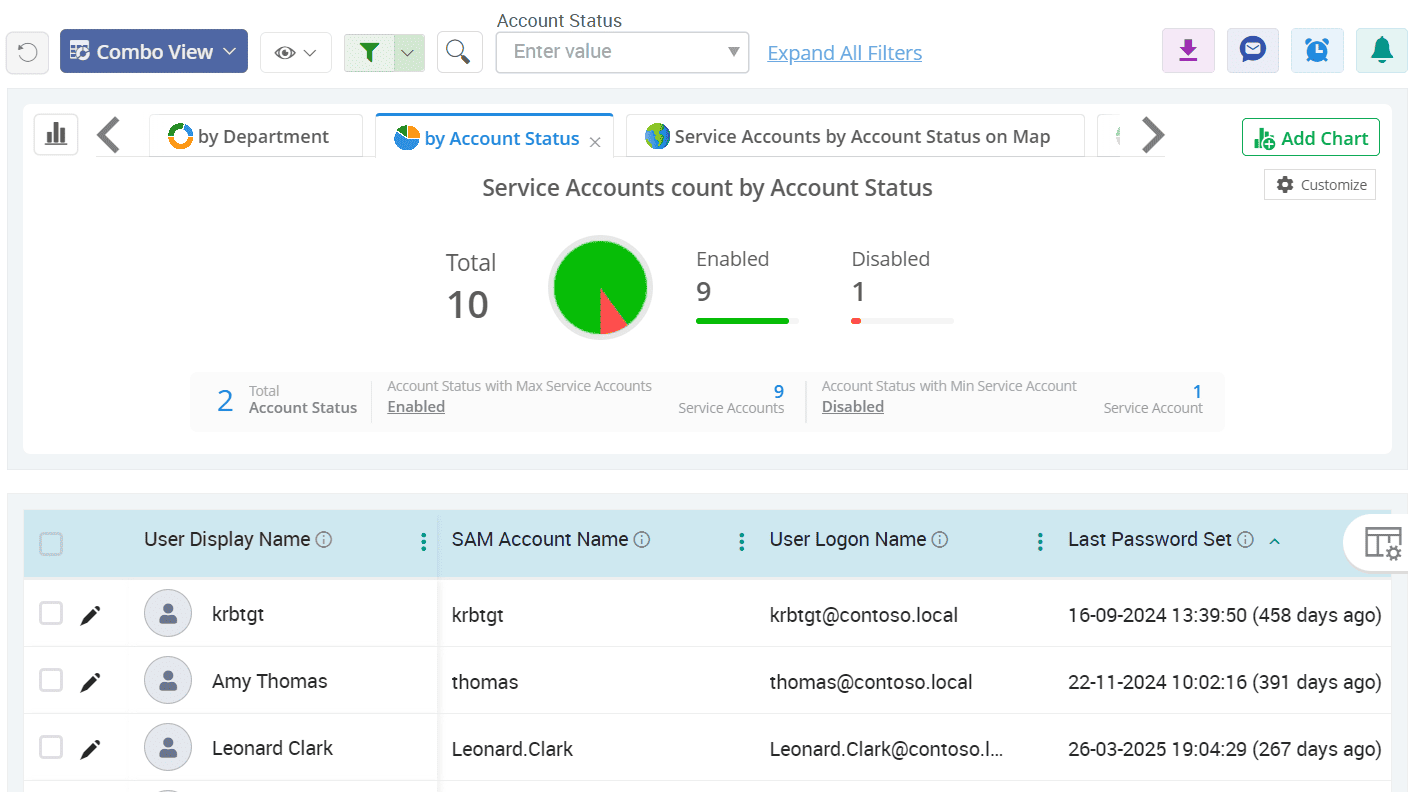
Spotlight all service accounts and their operational status in the AD environment
List all Active Directory users in your domain
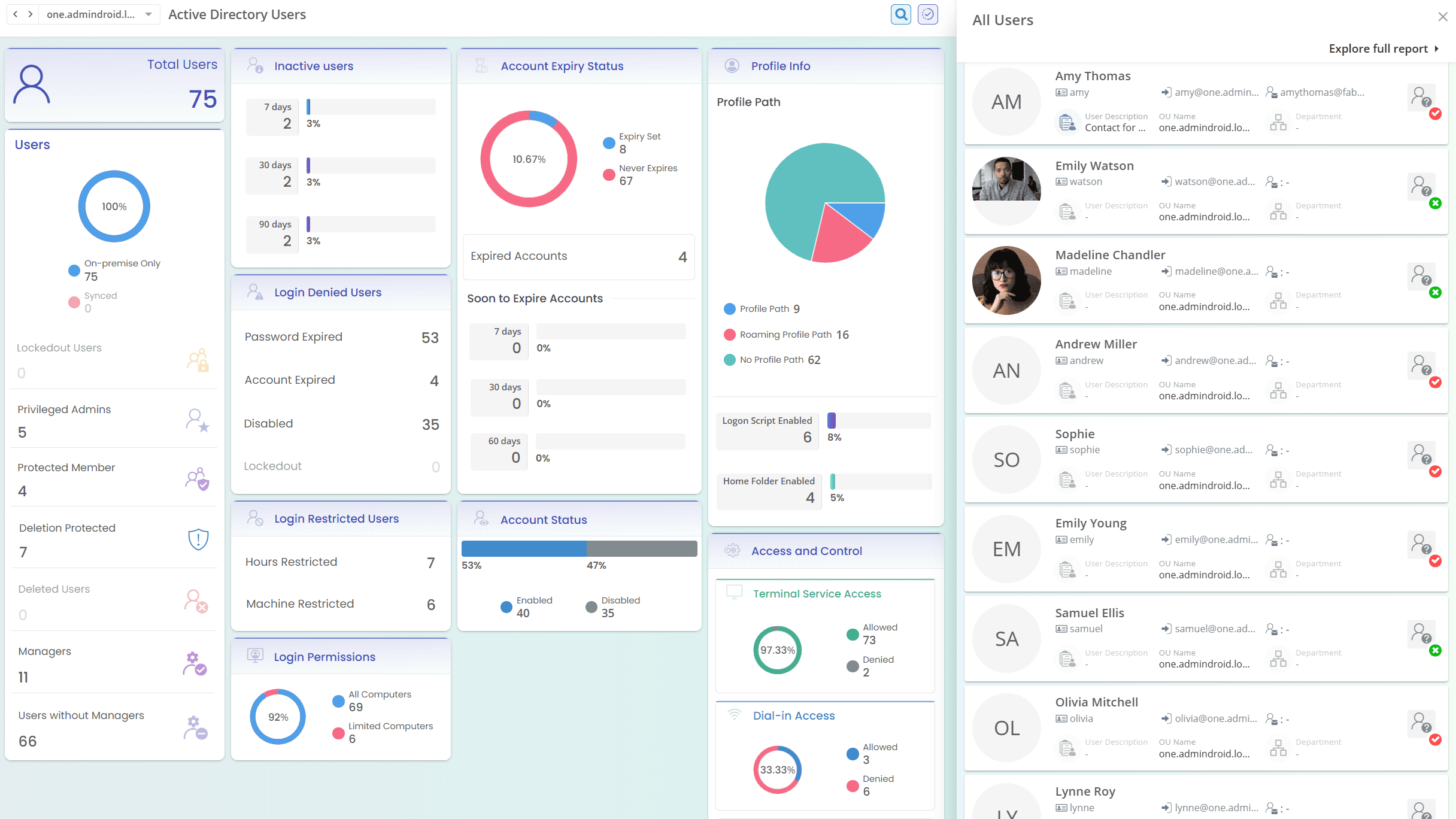
Retrieving users using ADUC requires manually filtering through various object types and sifting through each container. AdminDroid’s Active Directory user reporting tool simplifies the process by presenting all Active Directory users in a dedicated report. It also offers a comprehensive view of all recently created, modified, deleted users, and more, all with rich visuals and advanced filters.
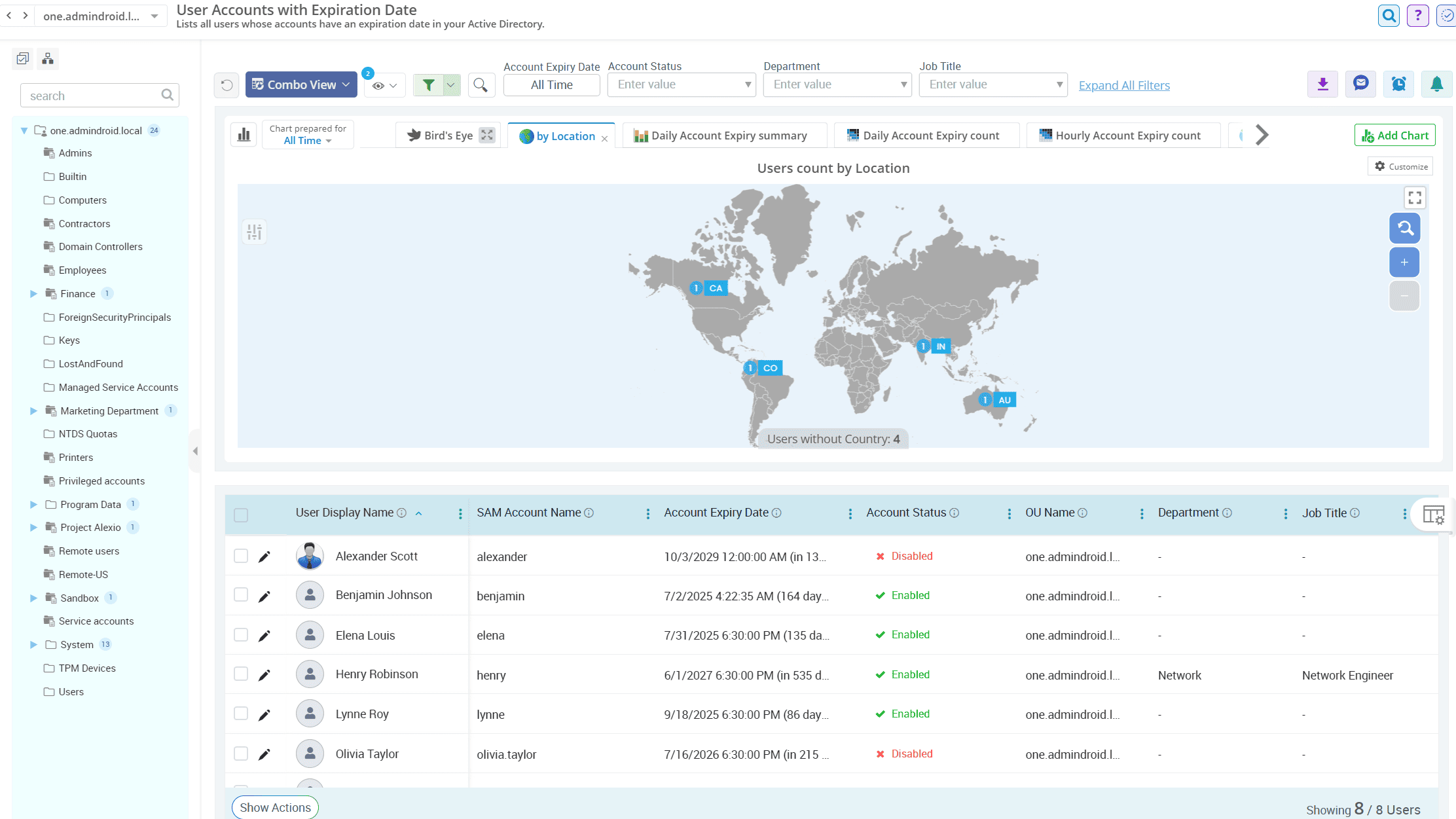
Track all Active Directory users with account expiry across your domain
Review the expiry status of all user accounts, including those that are soon to expire, expired, never expires, and much more, using AdminDroid’s user account expiry status insights. Schedule the expiry status reports to be sent regularly to HR or managers so they can take timely and informed actions.
Find inactive users in your Active Directory organization
Skip the manual login time stamp comparisons to find inactive users in Active Directory. Instantly identify all users with no recent activity, or those who have never logged in, and clean up stale accounts effortlessly with AdminDroid’s Active Directory account status reports.
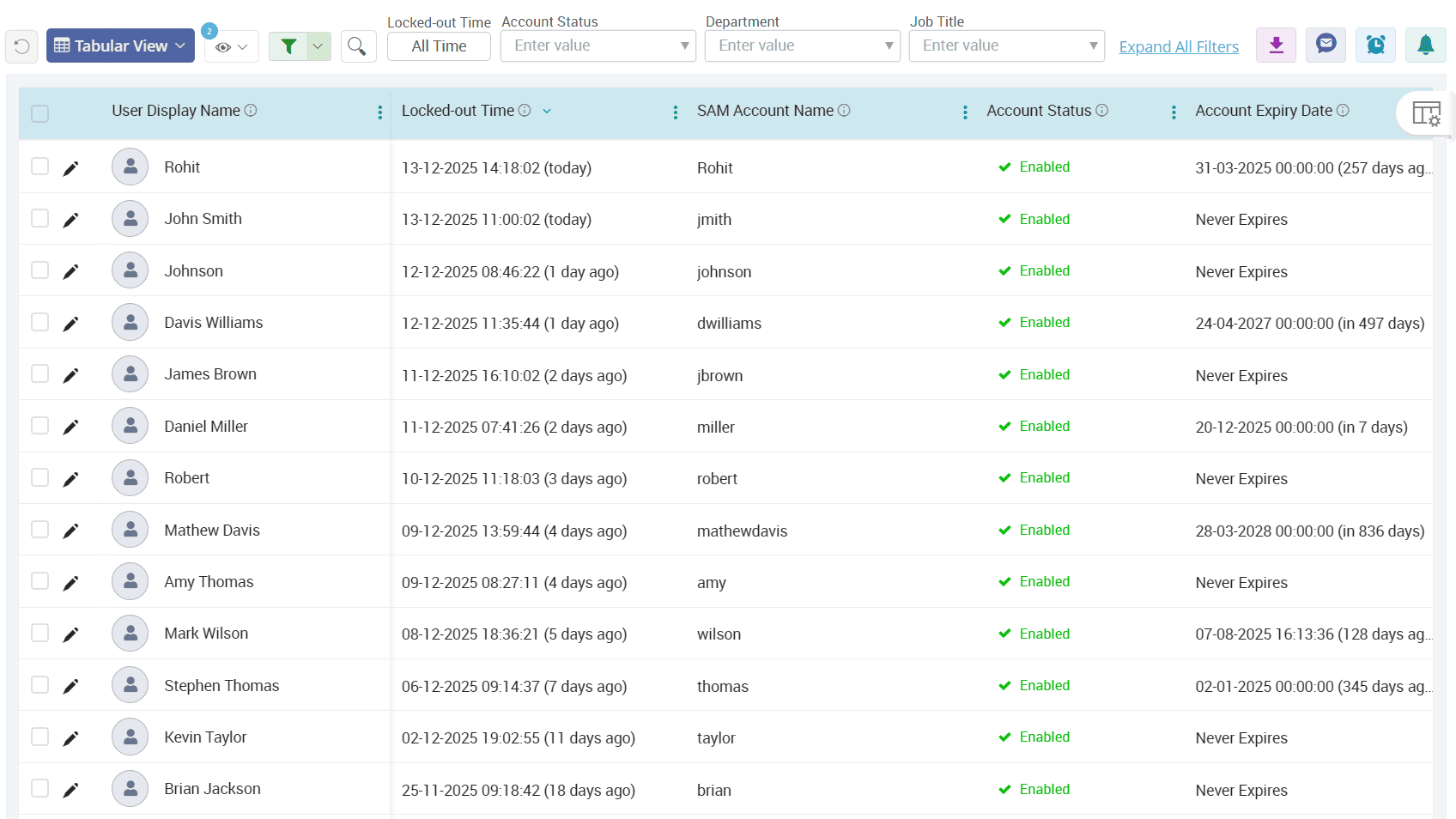
Keep a close watch on locked-out Active Directory user accounts
Account lockouts in Active Directory help prevent password-guessing attacks, but they also frustrate legitimate users who forget their passwords. Get alerted on account lockouts with AdminDroid’s Active Directory user reporter to act fast the moment a user gets locked out and avoid helpdesk overload.
View the group memberships of every user in your Active Directory domain
Get a comprehensive view of every user's security and distribution group memberships with AdminDroid. Oversee membership summaries and detailed breakdowns to understand access boundaries and quickly revert any unwanted member additions or removals.
Spotlight all service accounts and their operational status in the AD environment
Service accounts often hold critical roles, such as the krbtgt account used for Kerberos authentication. Admins should manage them carefully to avoid gaps in services and scheduled tasks. Use service account report collection to detect and manage unused, disabled, or misconfigured service accounts in your directory.
Active Directory
A single compromised admin account, whether due to outdated credentials or unauthorized privilege elevation, is all it takes to put your entire domain at risk. With AdminDroid’s Active Directory admin reports, uncover every privileged account in just a few clicks and take back control before someone else does.
Stay on top of all privileged user accounts in your Active Directory
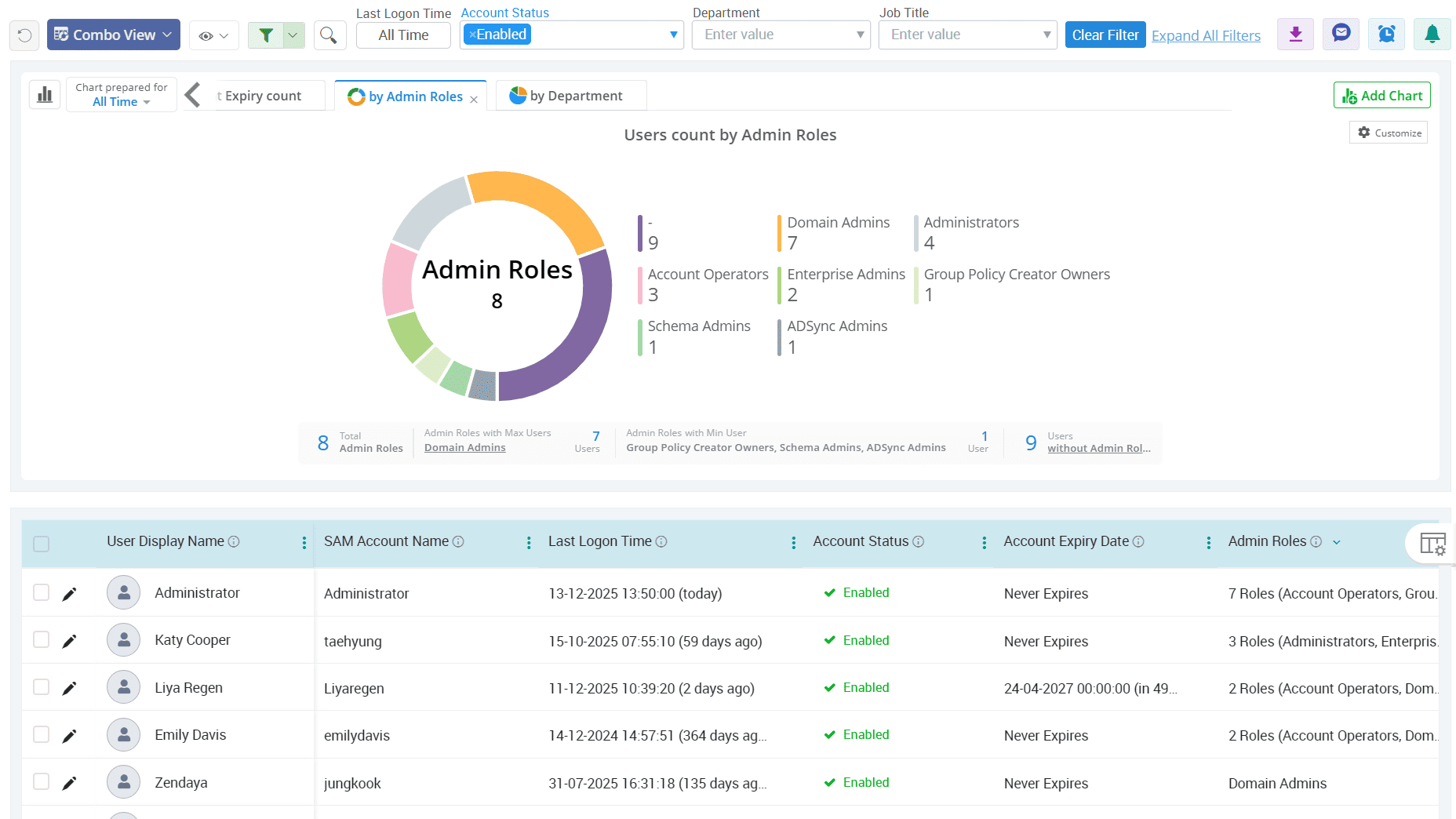
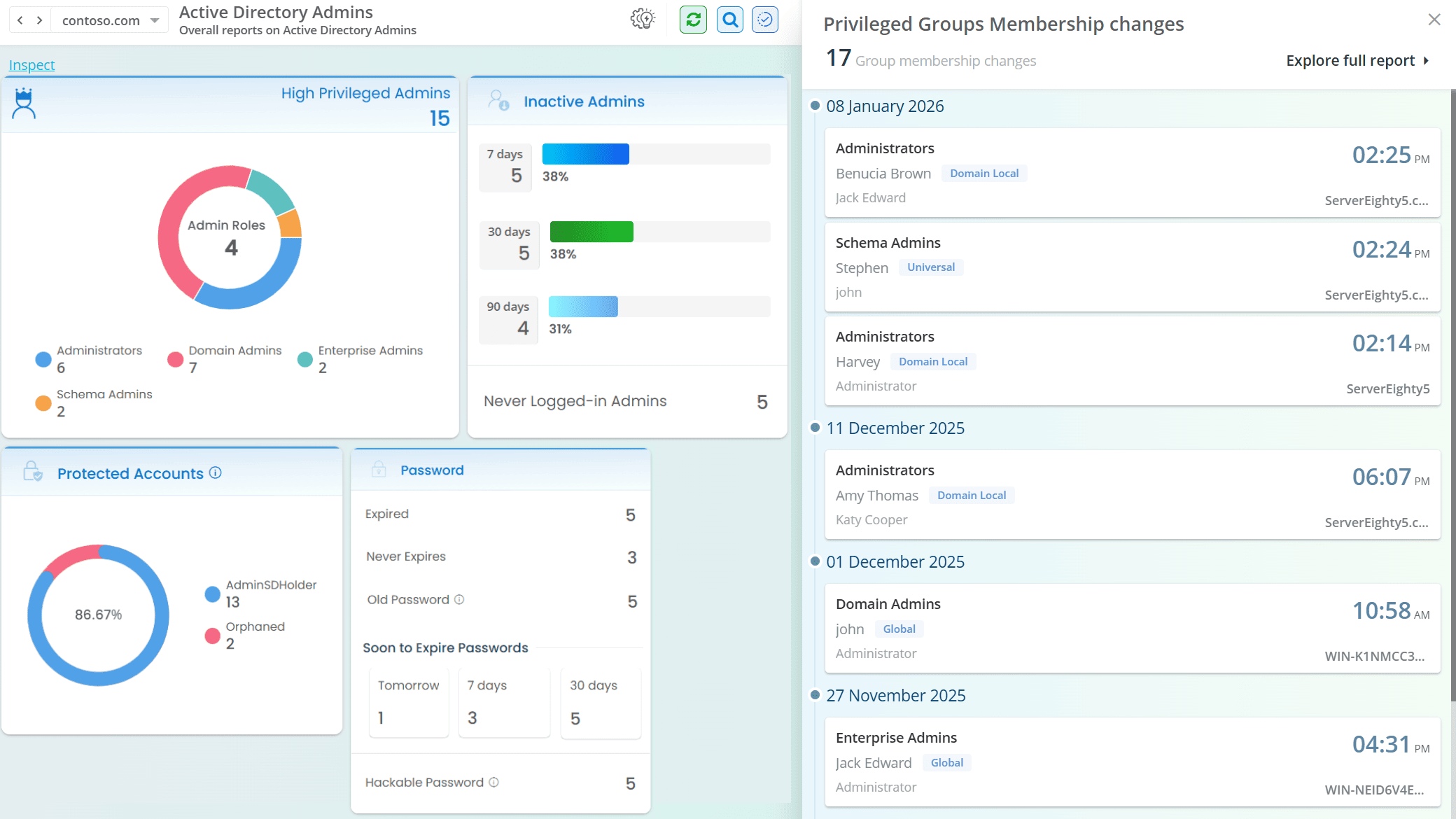
Isolate high-privilege admin accounts across your AD domain
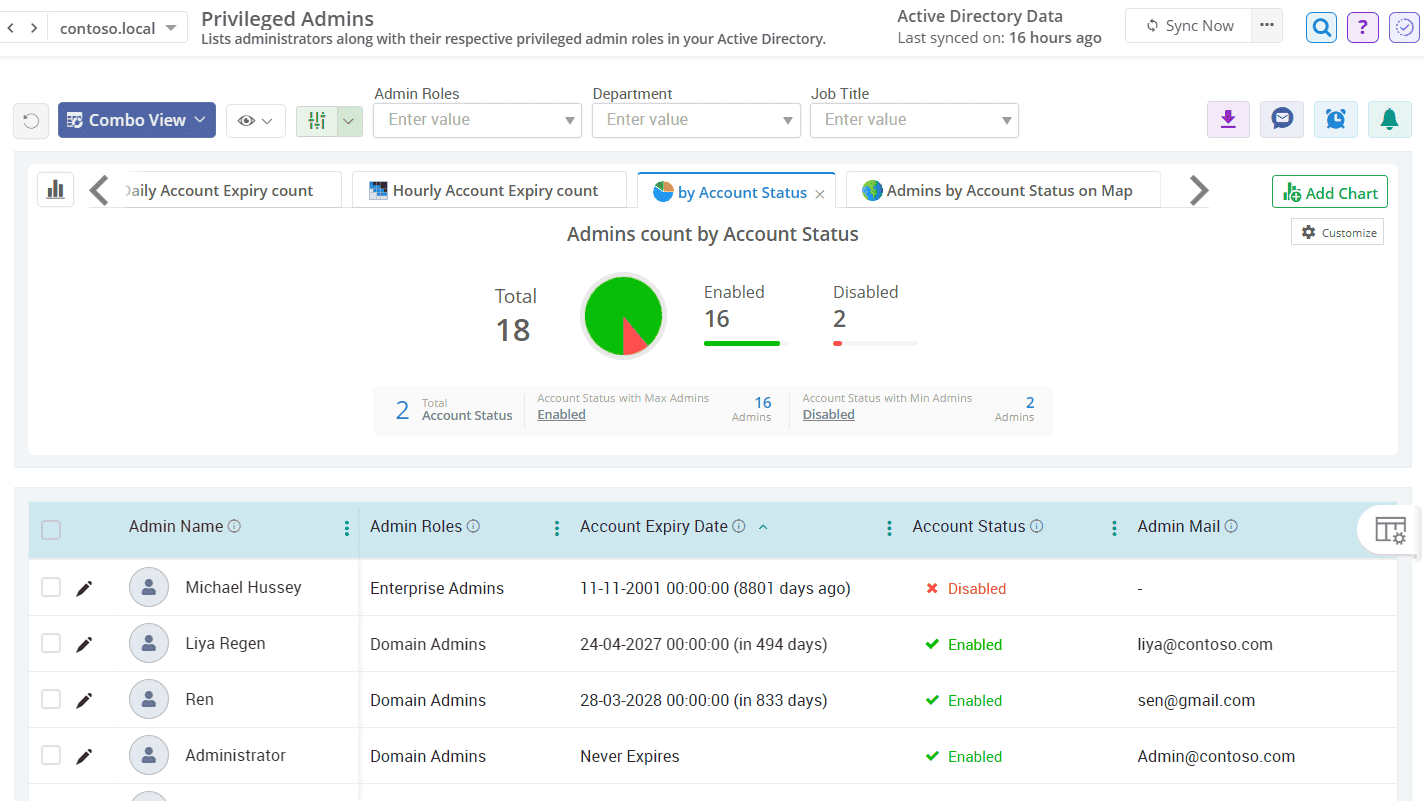
Track privileged accounts with expired or old passwords
Monitor inactive admin accounts that haven't been used recently
Stay on top of all privileged user accounts in your Active Directory
Some admins can change basic user settings while others can control your entire domain. Get a clear breakdown of who has what access with AdminDroid’s all administrators report.
Isolate high-privilege admin accounts across your AD domain
The higher the privilege, the greater the risk, so admins with high privileged access demand extra attention. AdminDroid lists all privileged admin accounts in a single place and allows you to detect anomalies and ensure tighter permission controls.
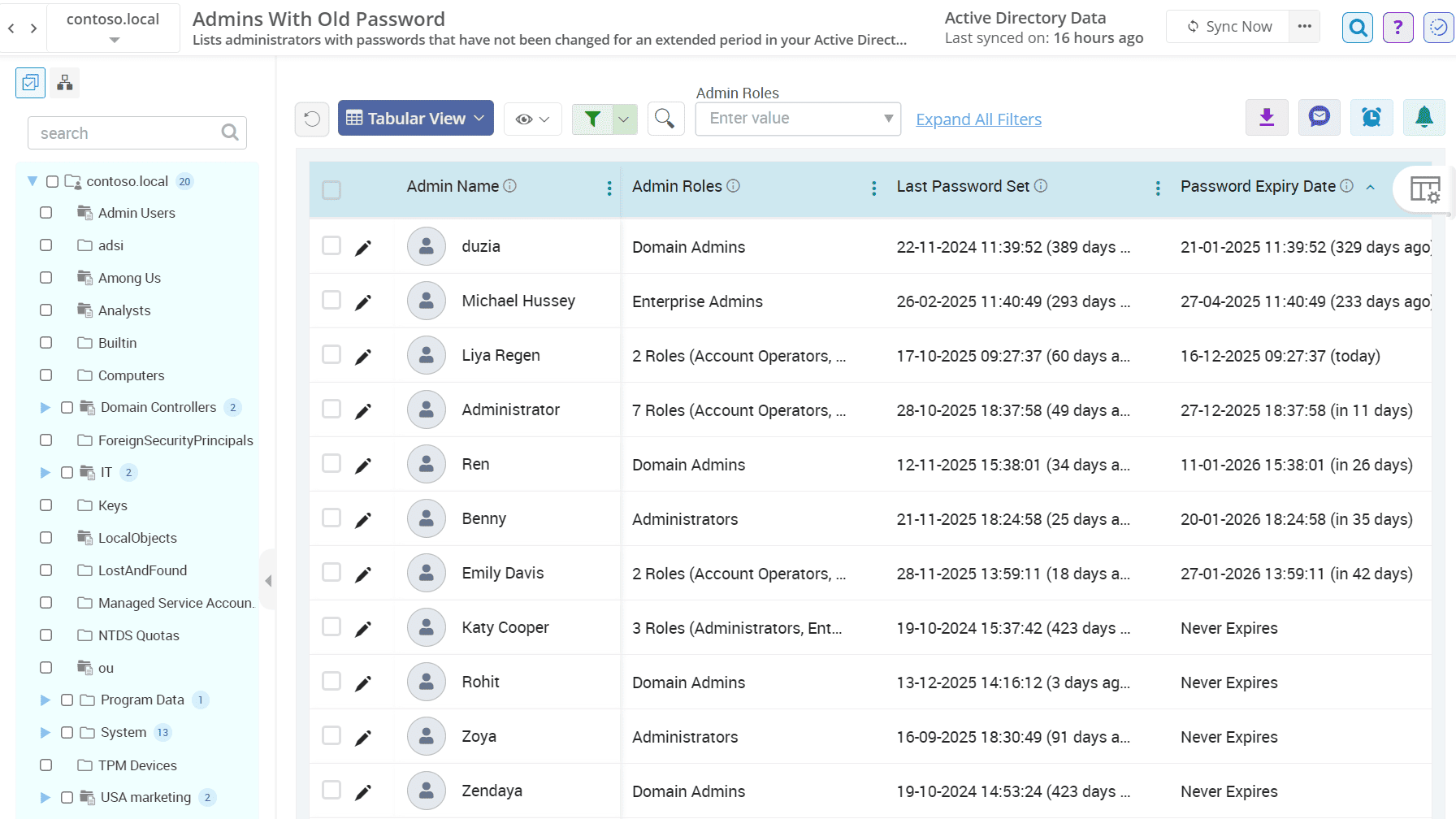
Track privileged accounts with expired or old passwords
A single vulnerable admin account can lead to serious breaches. The admin reports enable you to identify and eliminate admins with expired or old passwords before the risk escalates.
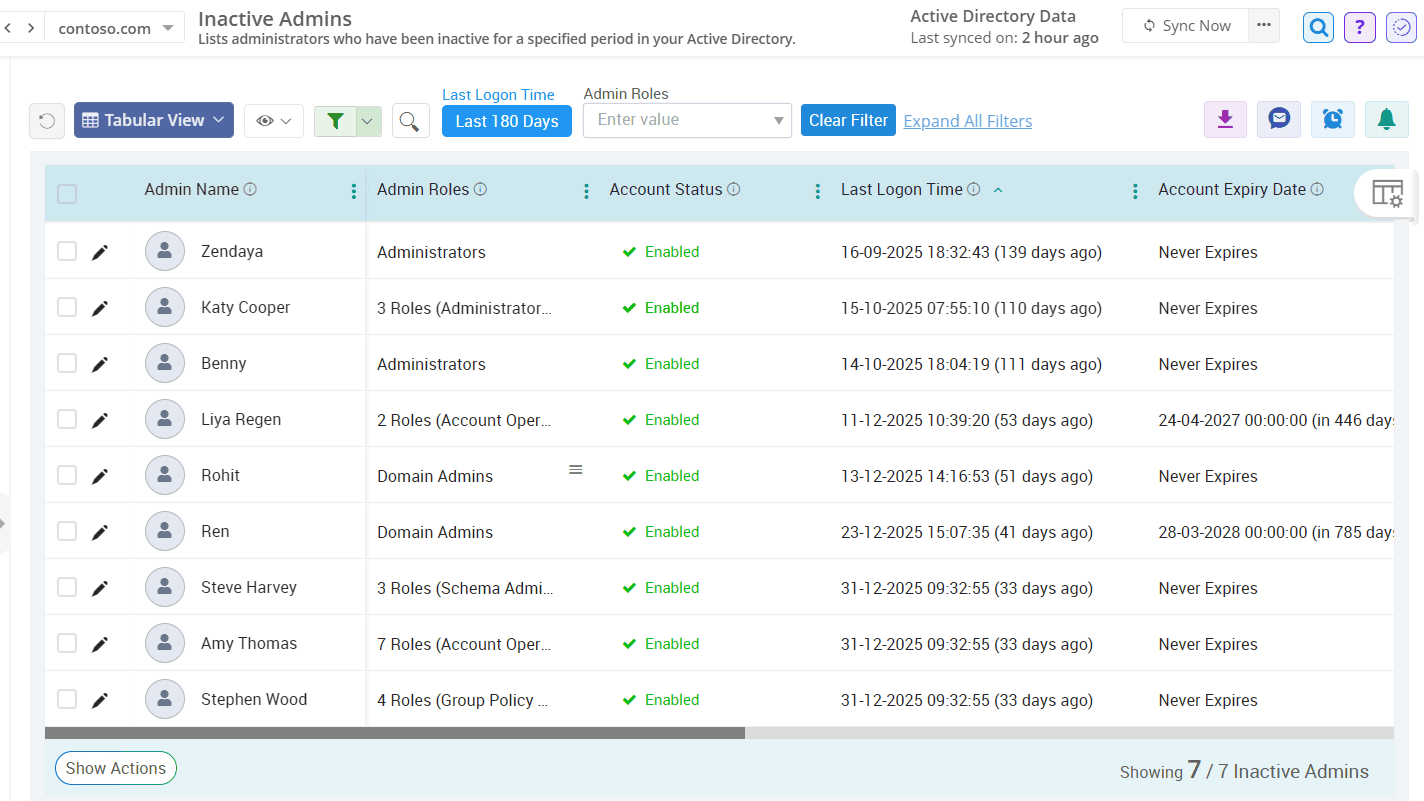
Monitor inactive admin accounts that haven't been used recently
Leaving inactive admin accounts untouched is like rolling out a red carpet for attackers. Discover all inactive privileged accounts with AdminDroid’s Active Directory admin reporting tool and act before attackers do.
Active Directory
A small gap in password visibility is all it takes for attackers to crack open your entire network. Seal every gap before it becomes a threat and keep your defenses strong and resilient with AdminDroid’s crystal clear insights into every password-related metric in Active Directory.
Know the password details of every user in your organization
Dive into password expiry insights across your domain
Spot users who recently changed passwords
Identify user accounts with old passwords in the Active Directory domain
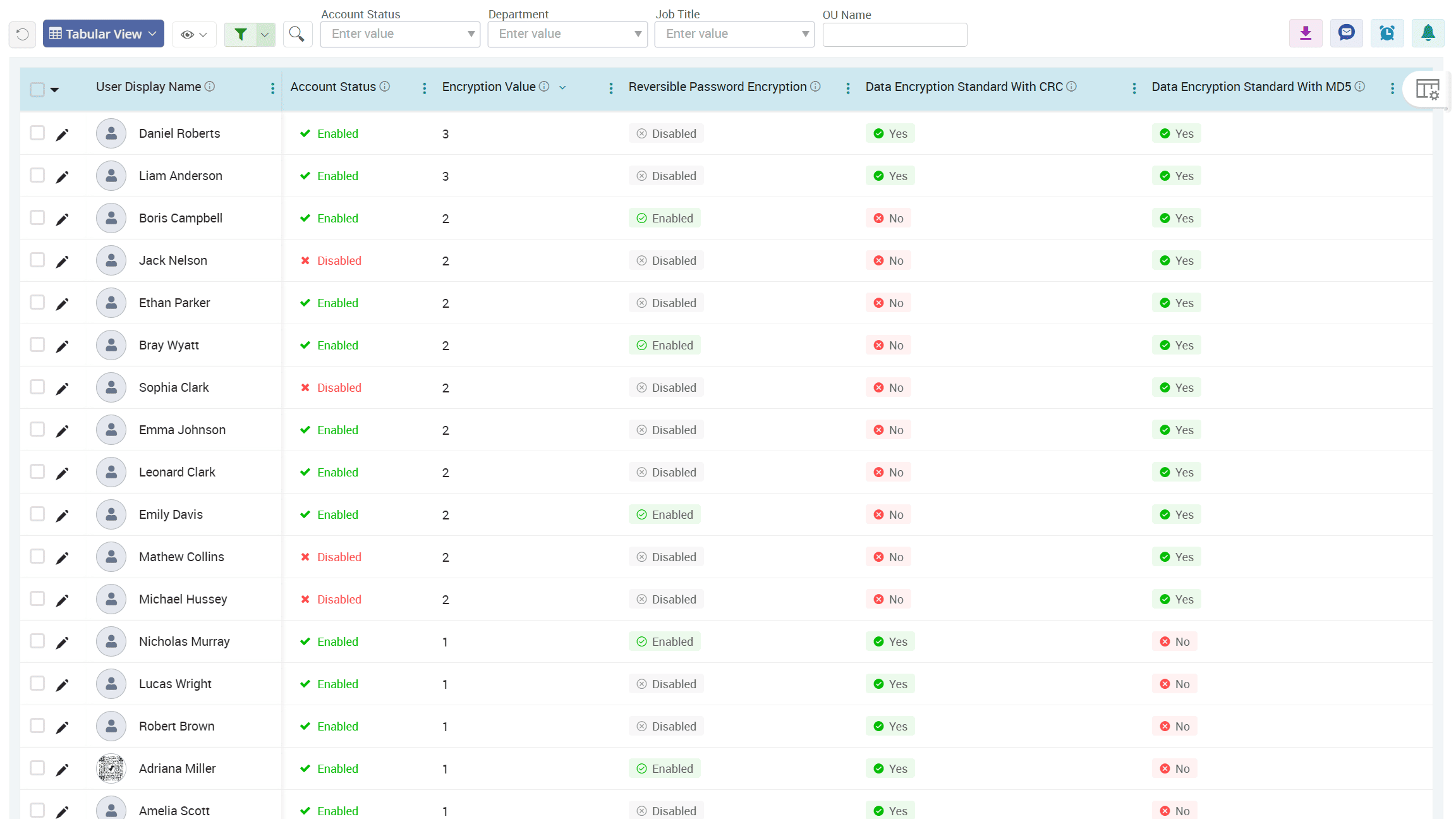
Detect user objects using reversible password encryption across your organization
Know the password details of every user in your organization
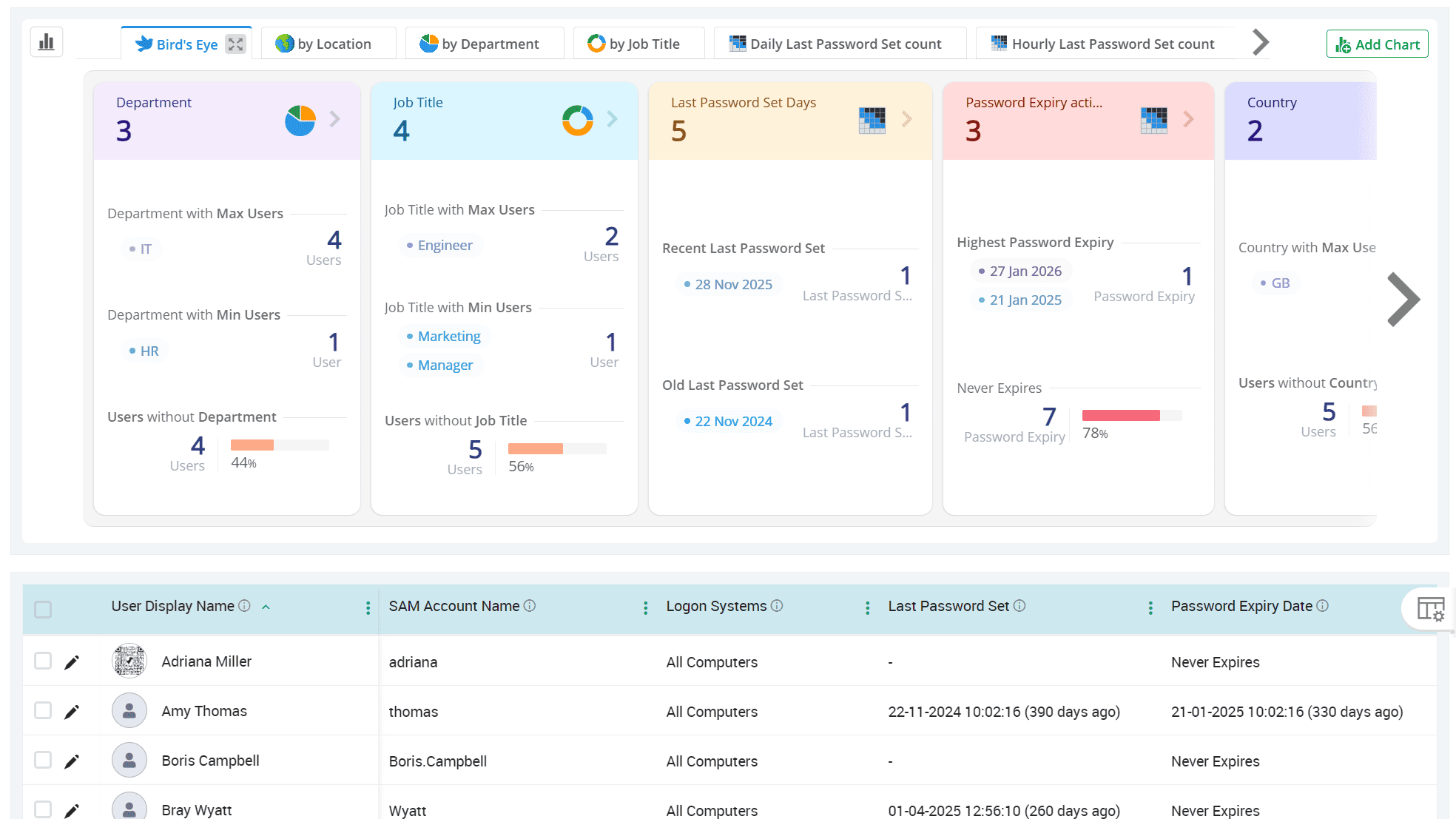
Get a full snapshot of each user's password condition, along with key insights such as failed login attempts, bad password attempts, consecutive failures, and much more from a single, centralized view.
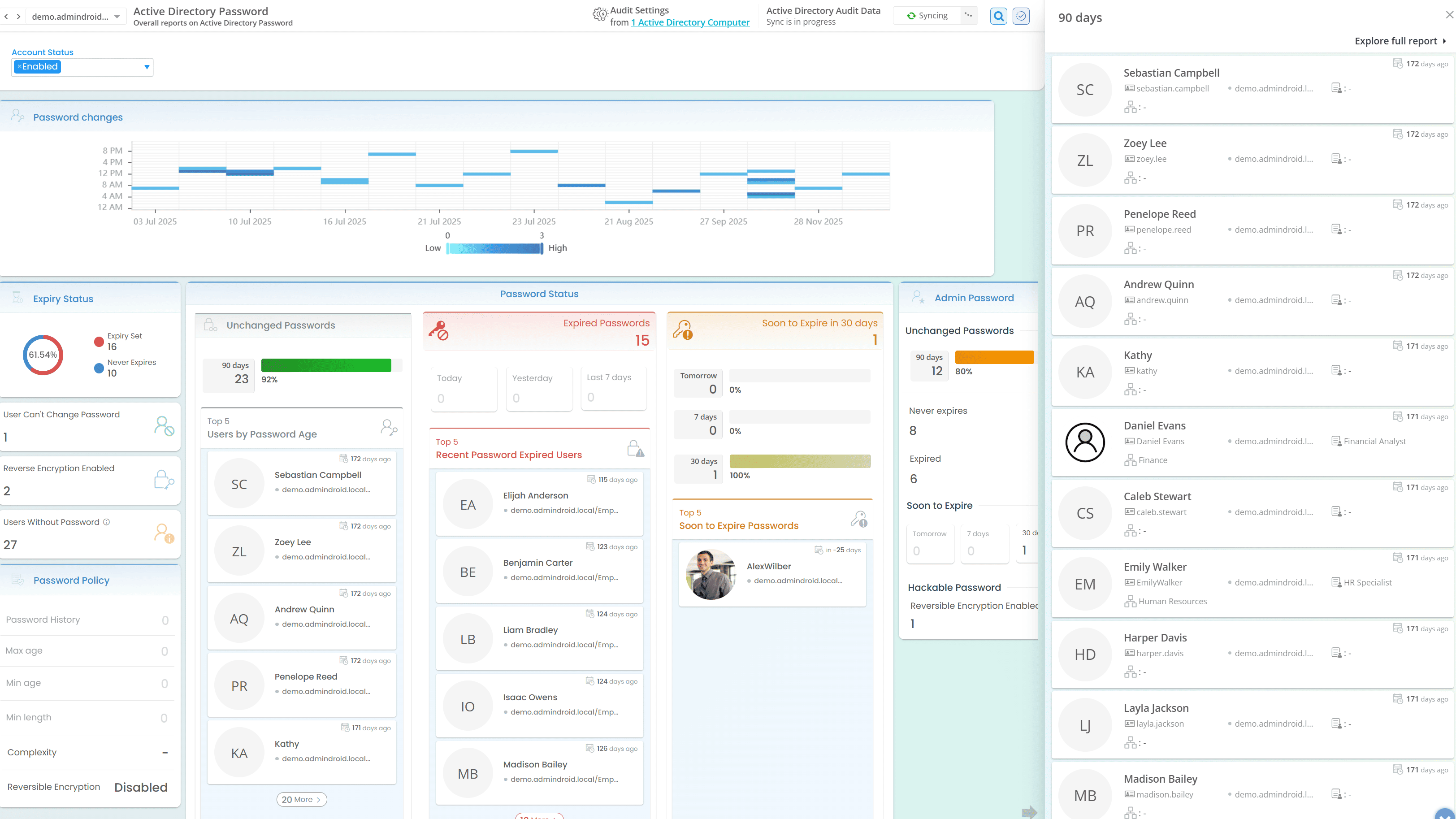
Dive into password expiry insights across your domain
Expired passwords can lead to locked-out users and service disruptions. Don’t let it catch you off guard. Stay ahead with AdminDroid’s password expiry alerts and get notified as soon as a password expires to prevent unexpected account lockouts.
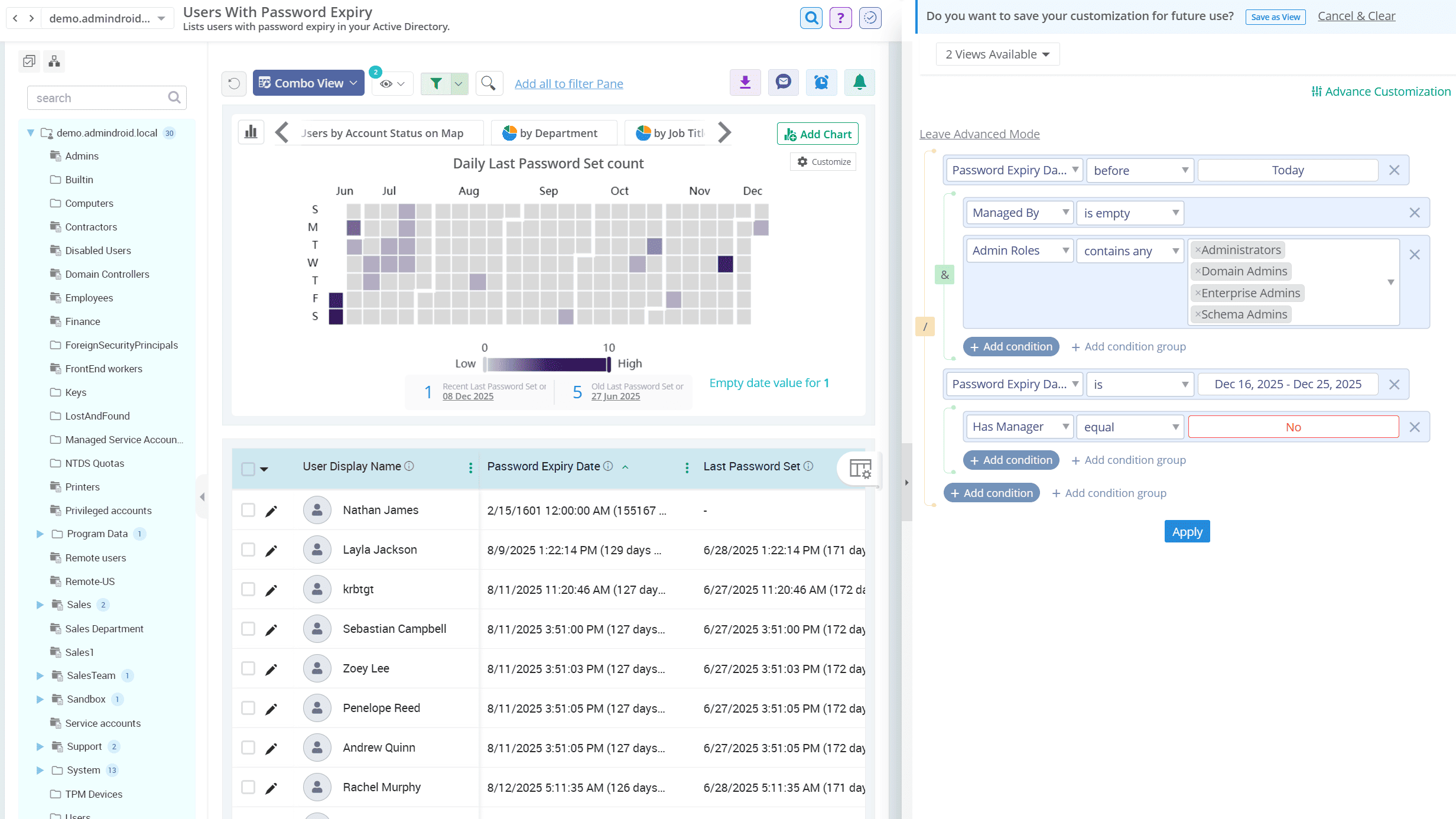
Spot users who recently changed passwords
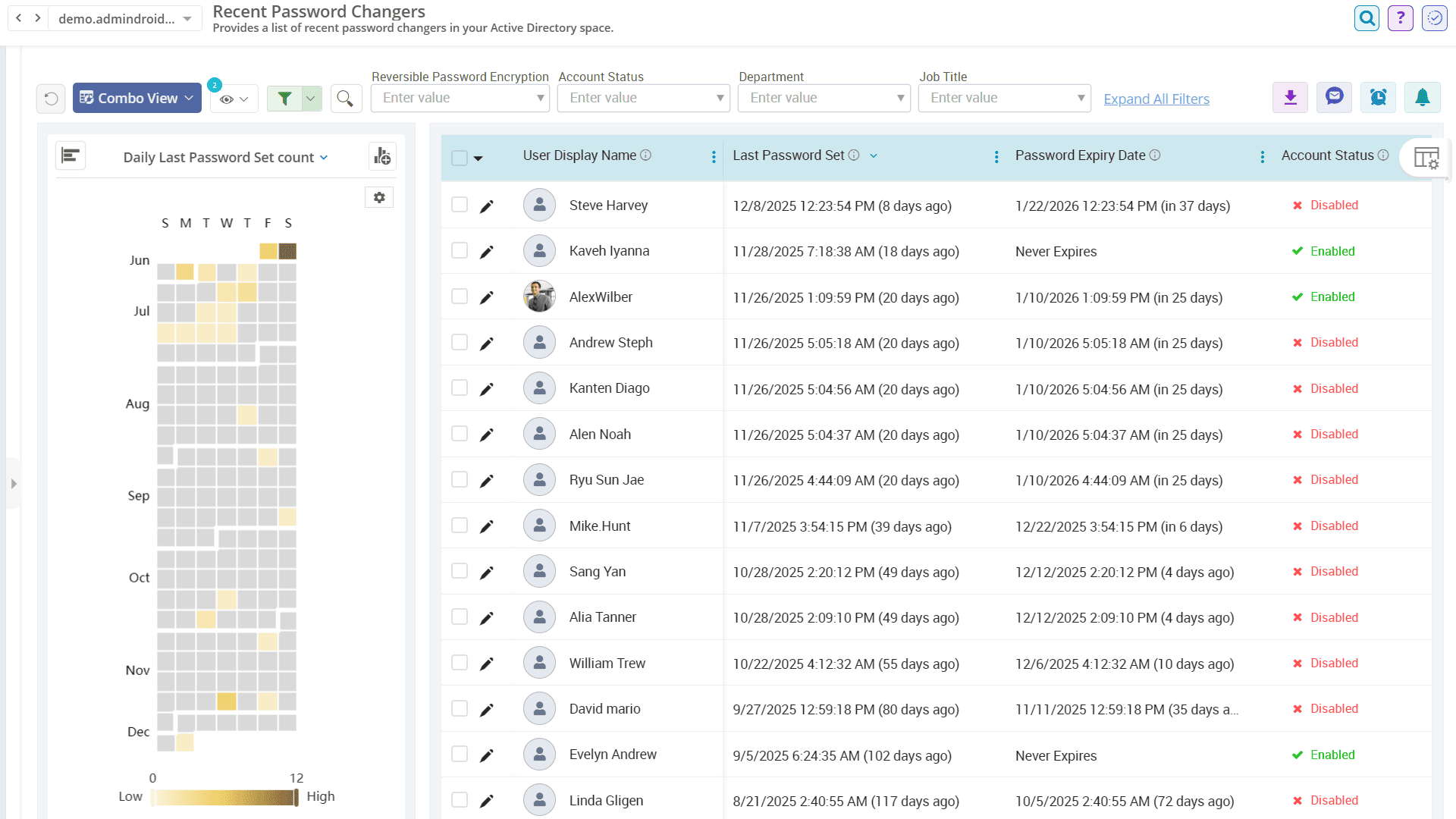
Password changes are part of AD hygiene, but when users opt for simple and weak passwords, they invite credential theft attacks and put your entire network at risk. Gain clear insights into recent password changes with AdminDroid and make sure each password stands strong against brute-force attempts instead of welcoming attackers in.
Identify user accounts with old passwords in the Active Directory domain
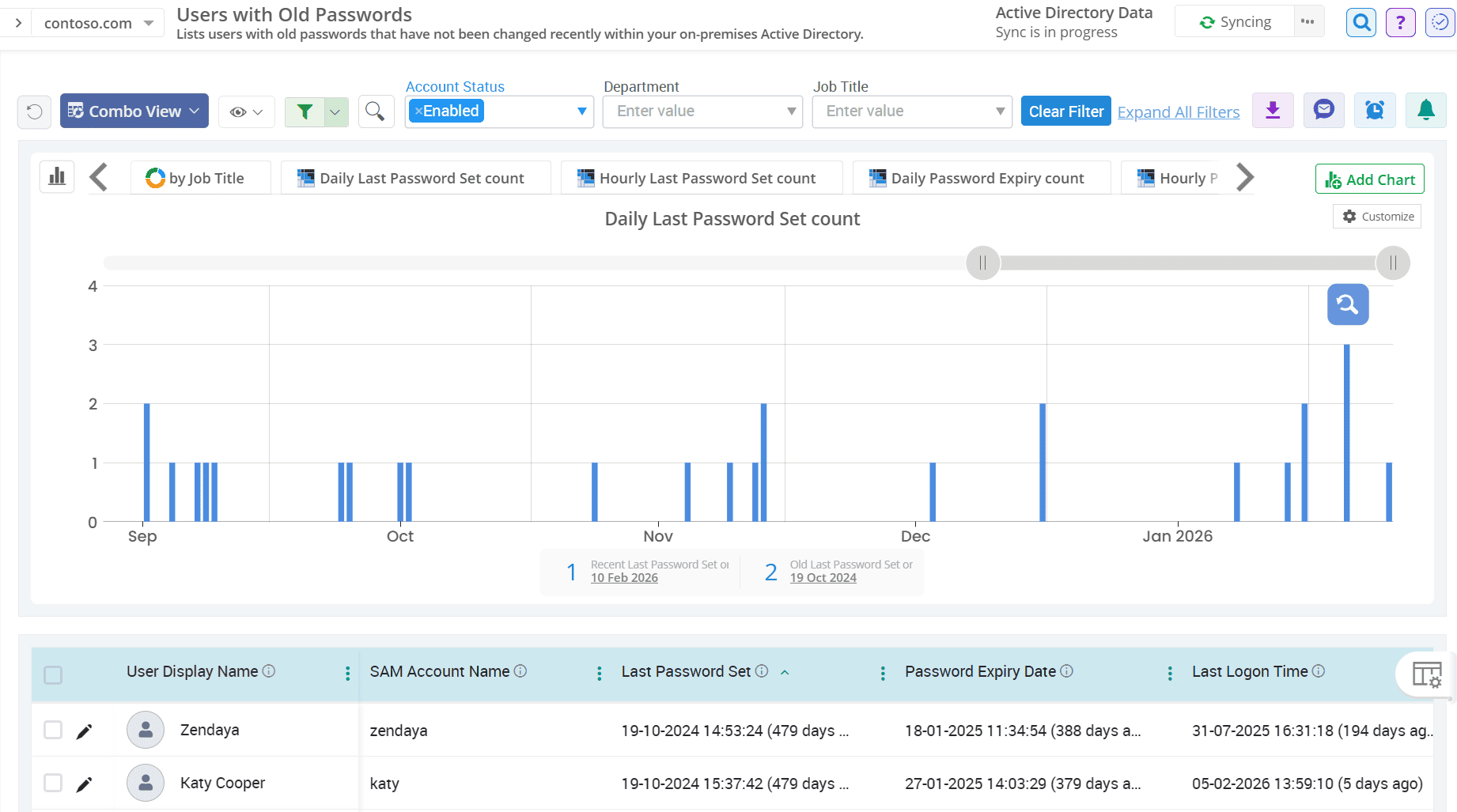
Passwords that remain unchanged for a long time are easier targets for attackers. Catch users who haven’t updated their credentials in a while with AdminDroid’s password reports to strengthen weak links before they become entry points. Schedule the report to get updated on stale passwords and take timely action.
Detect user objects using reversible password encryption across your organization
If attackers gain access to your system, passwords with reversible password encryption can be easily exposed. AdminDroid flags all such accounts so you can apply stronger protection and eliminate weak configurations from your domain.
Active Directory
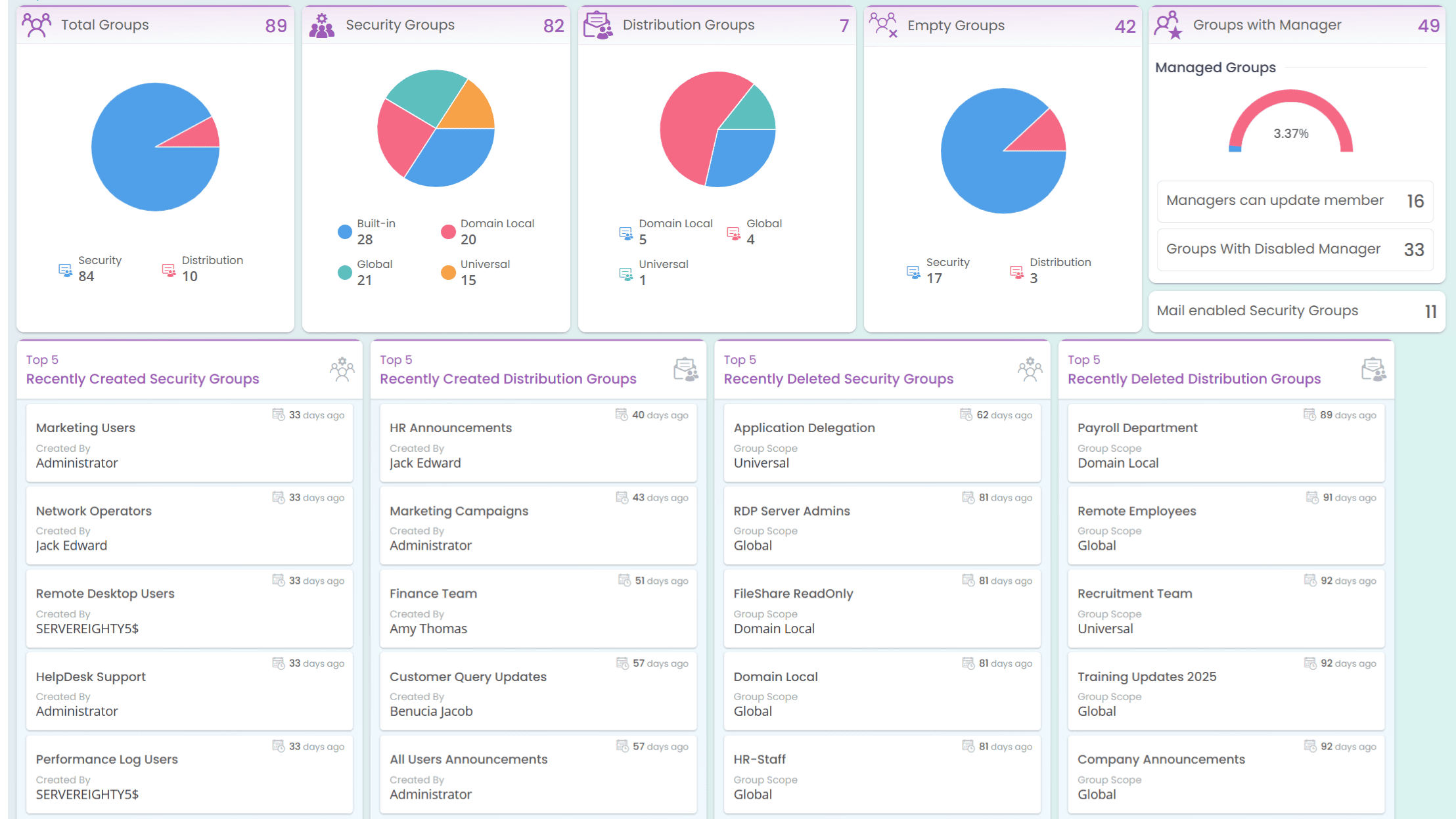
Take your Active Directory group management to the next level with AdminDroid’s customizable AD group report collection. Gain detailed insights into group types, scopes, ownership, nested relationships, and more.
Discover all groups by specific type and scope in your AD domain
Find the membership of each Active Directory group
Uncover nested group membership across your AD domains
Spot Active Directory groups without members in your organization
Track group ownership status to highlight unmanaged Active Directory groups
Discover all groups by specific type and scope in your AD domain
Whether it's security or distribution, universal or domain local, instantly get all AD groups by type and scope. Know each group’s function and impact, without digging through endless PowerShell scripts.
Find the membership of each Active Directory group
Group memberships define access, so make sure you have full visibility. The Active Directory group reports allow you to trace user memberships across all group types and scopes, giving you a sharp view of your domain’s permission landscape. You can also export all AD groups with members in multiple formats, such as CSV, PDF, HTML, and more, for a better security analysis
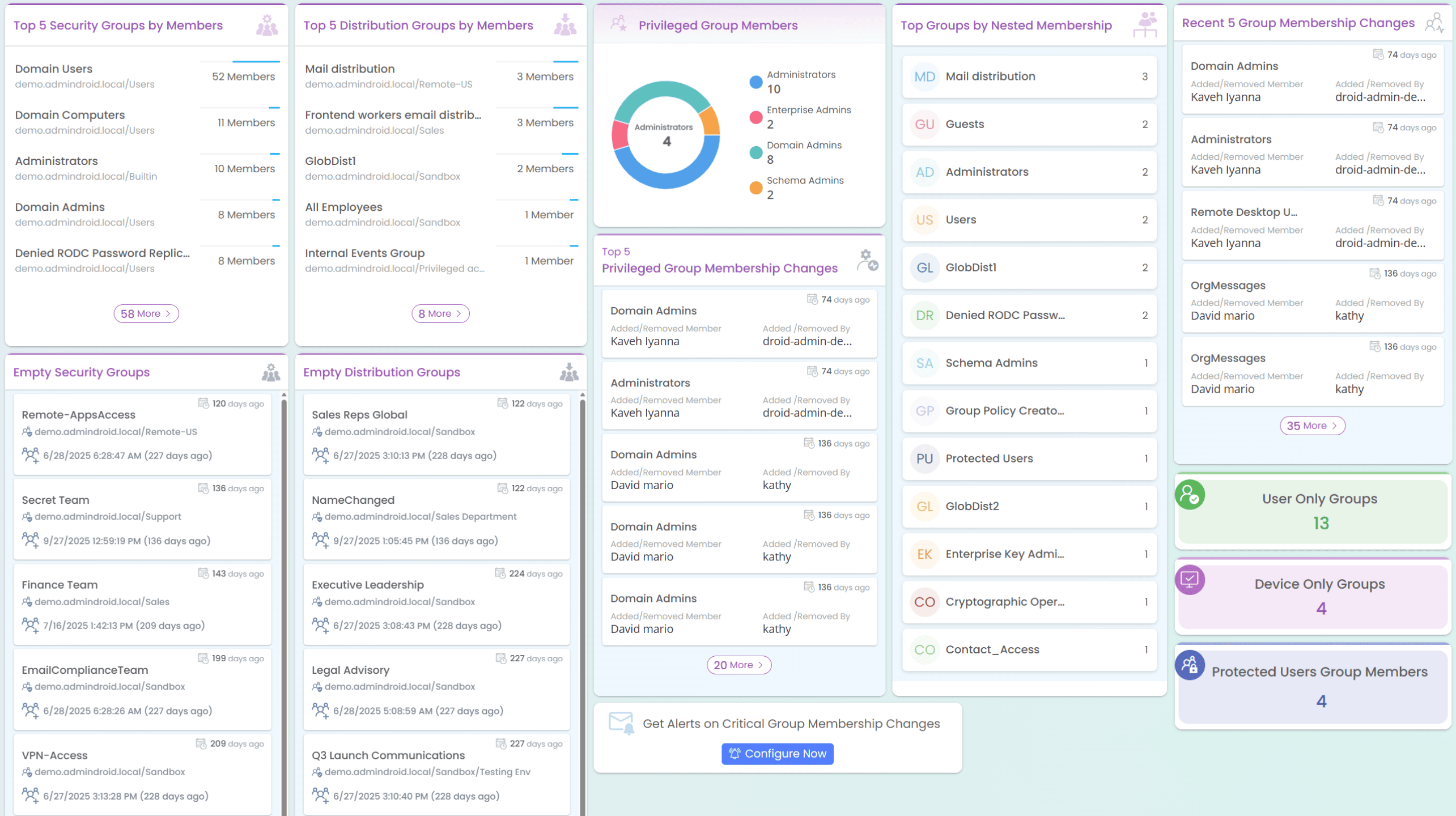
Uncover nested group membership across your AD domains
Nested groups can create complex permission chains in an Active Directory organization. AdminDroid’s nested group membership report reveals every hidden relationship in nested groups to ensure no permission slips through cracks.
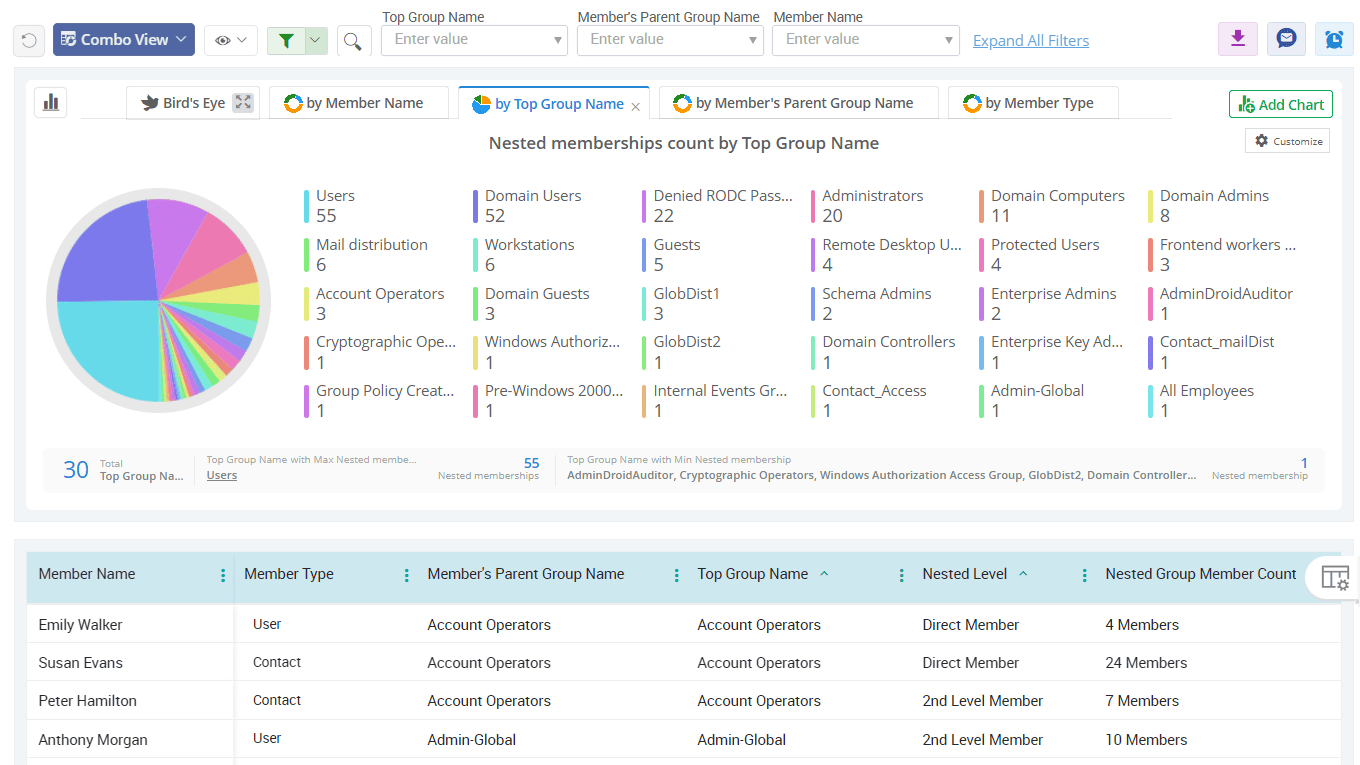
Spot Active Directory groups without members in your organization
Use AdminDroid’s built-in group report collection to uncover all empty groups, including security groups and distribution groups. With these reports, you can quickly identify and manage groups that no longer serve a purpose in your Active Directory.
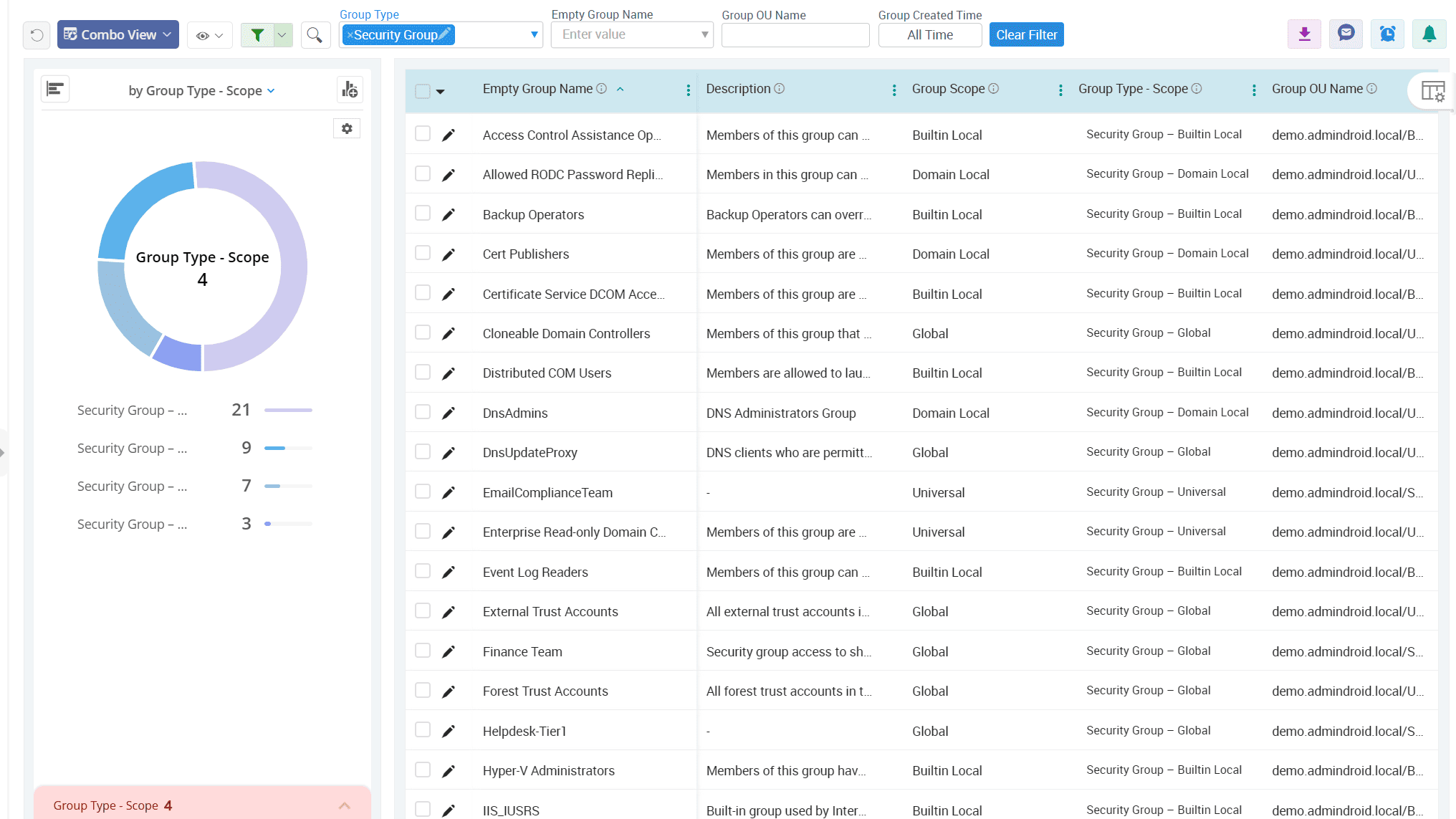
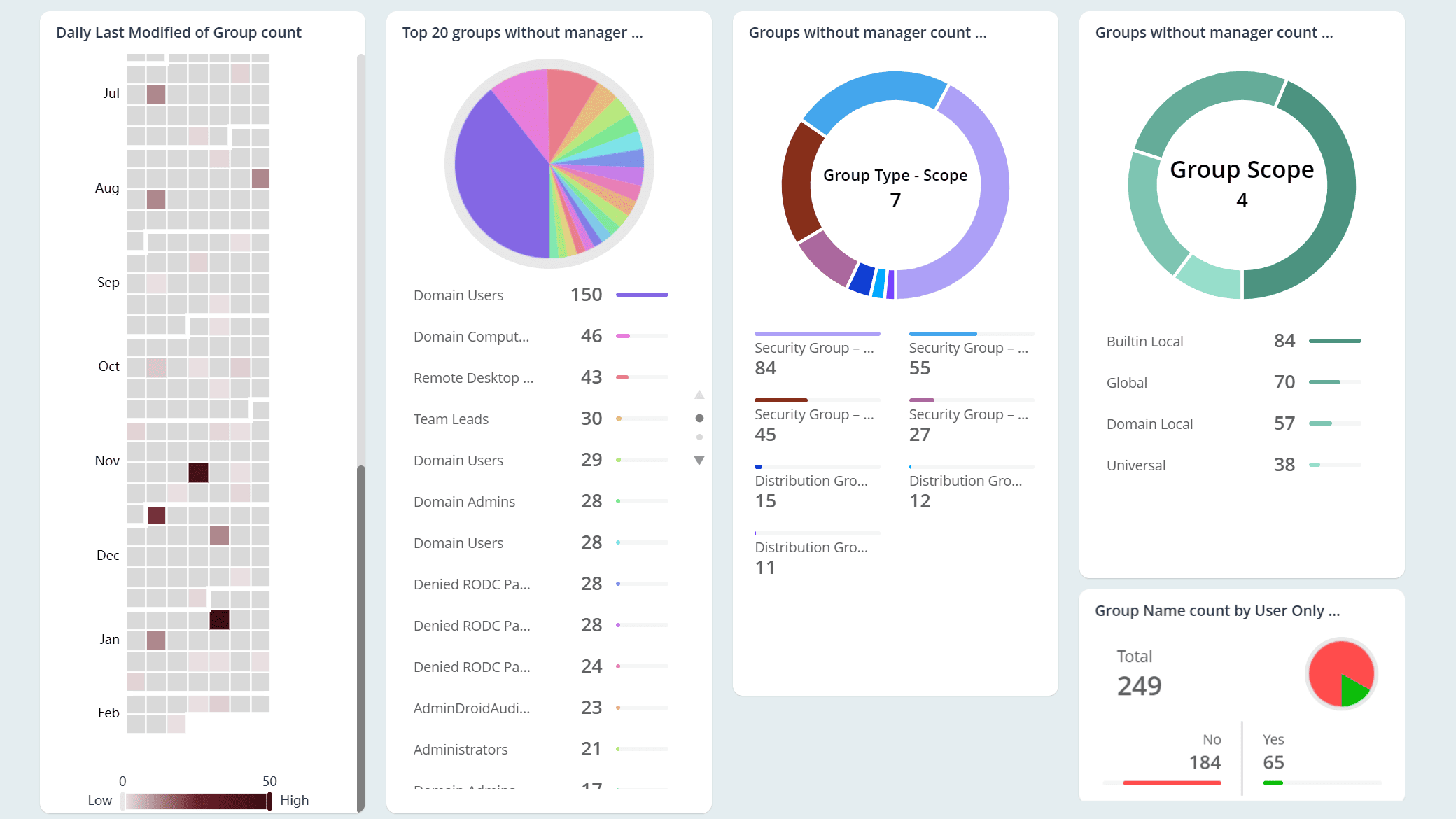
Track group ownership status to highlight unmanaged Active Directory groups
When groups have no assigned managers, important issues slip through, from outdated members to incorrect GPOs and more. Use AdminDroid Active Directory group reporting tool to find all Active Directory groups without a manager and put every group under a responsible hand.
Active Directory
Computers act as the gateway through which users access your domain. AdminDroid elevates Active Directory computer reporting with intuitive visuals, smart customizations, and more for effective computer object management.
Get a detailed record of all domain-joined computers
Differentiate BitLocker-enabled and disabled computers across your domain
Find inactive computers in your Active Directory
Detect computers running outdated or unsupported operating systems
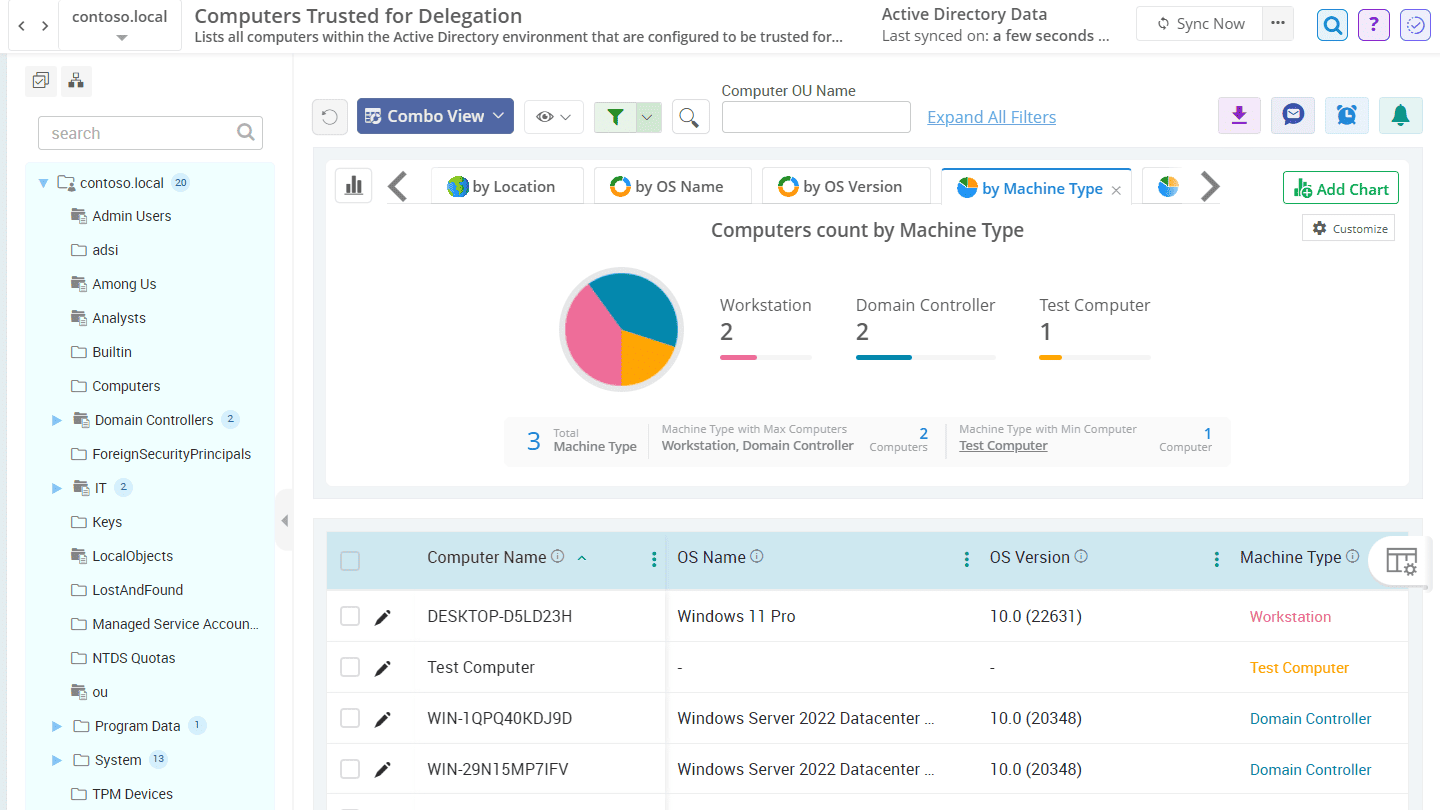
Never lose sight of computers trusted for delegation in Active Directory
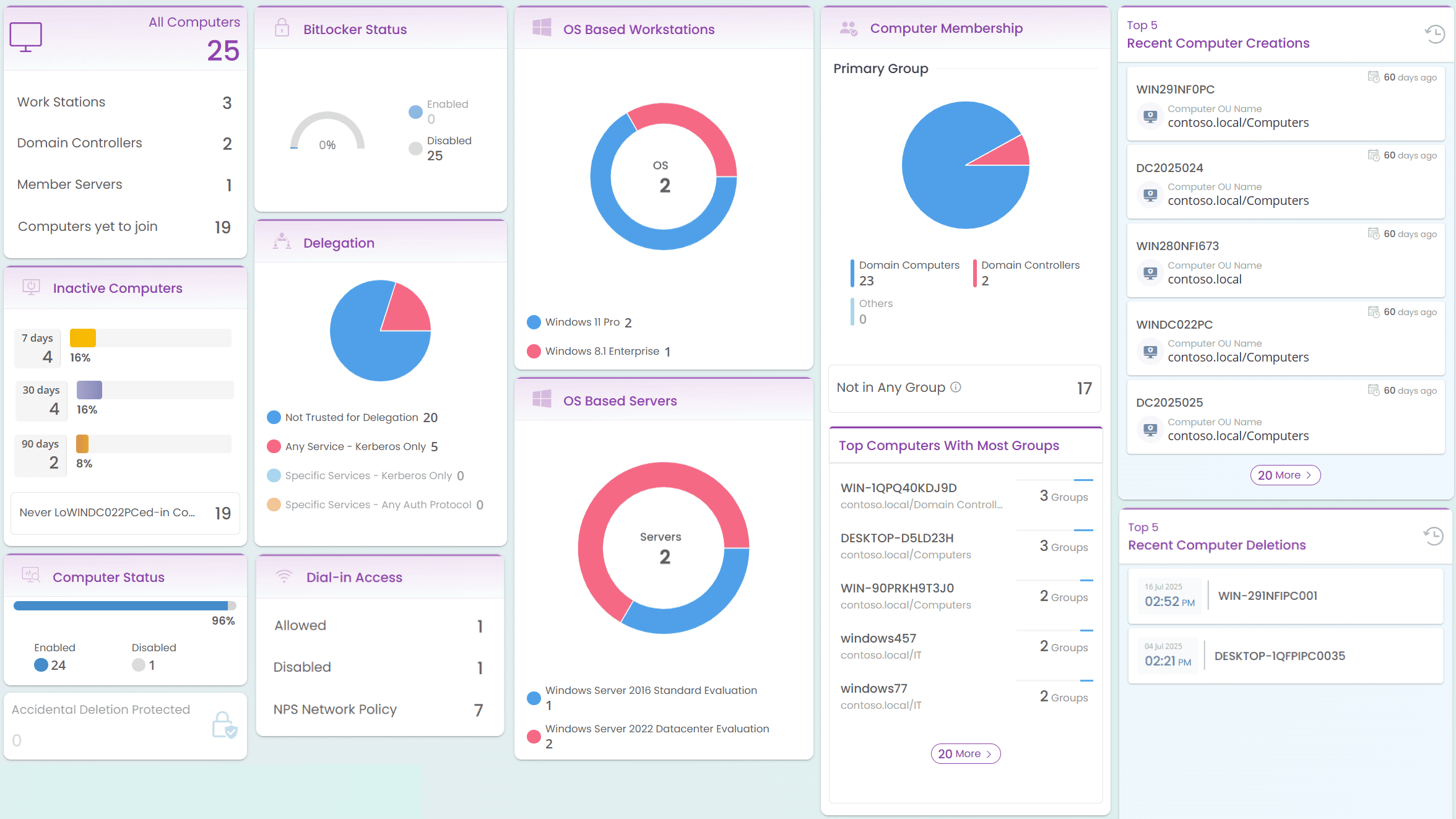
Get a detailed record of all domain-joined computers
Knowing Active Directory computers’ location, type, and OS is key to understanding GPO scope, role, and system capabilities. Gain complete oversight of all computer objects in your domain, including servers, domain controllers, member servers, and workstations, with AdminDroid's rich collection of computer reports.
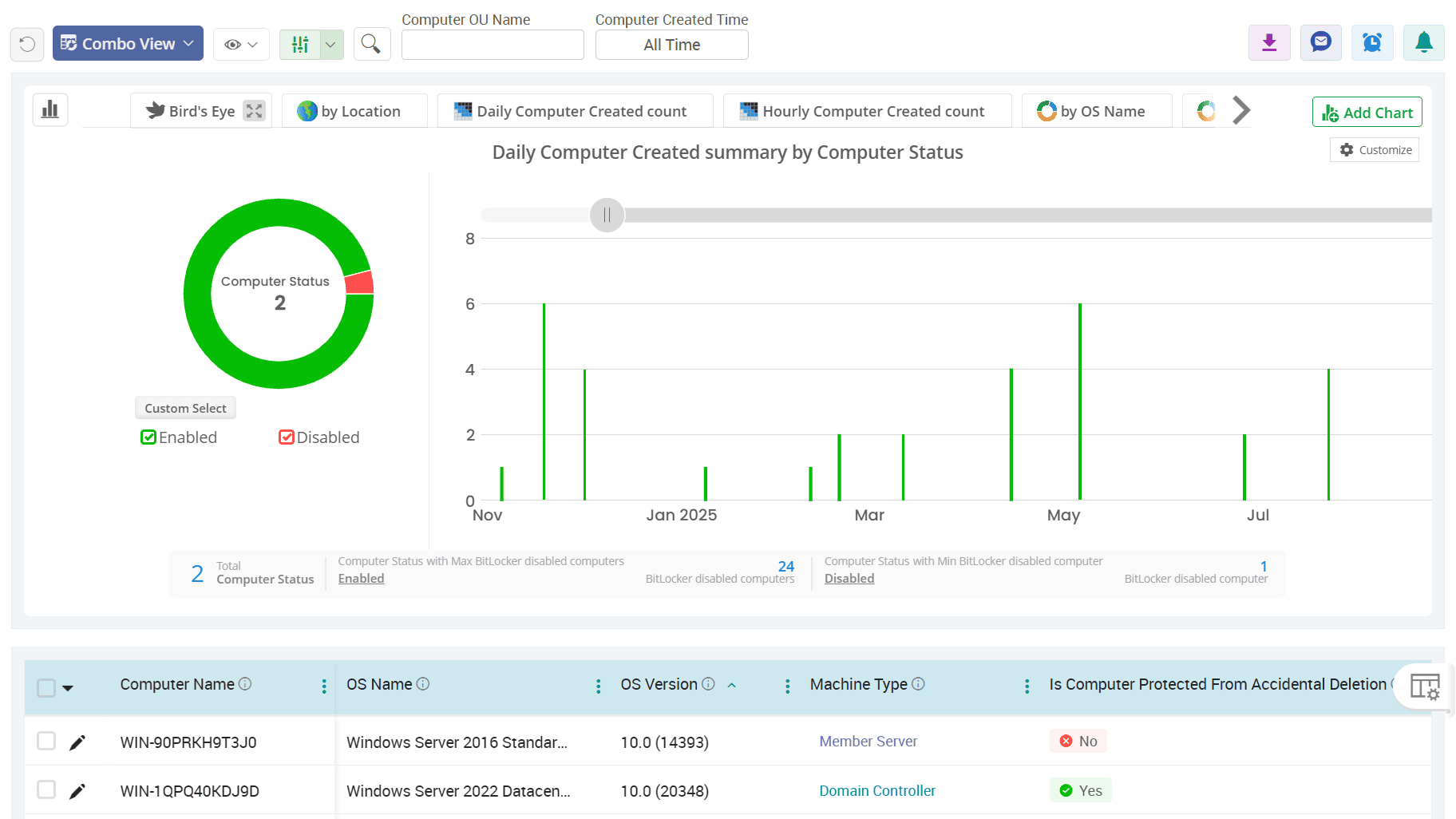
Differentiate BitLocker-enabled and disabled computers across your domain
BitLocker shields your data by encrypting entire drives, protecting against threats from lost, stolen, or improperly retired devices. Use our computer reports to track and manage the BitLocker status of all machines, ensuring that all critical systems have encryption enabled within your Active Directory environment.
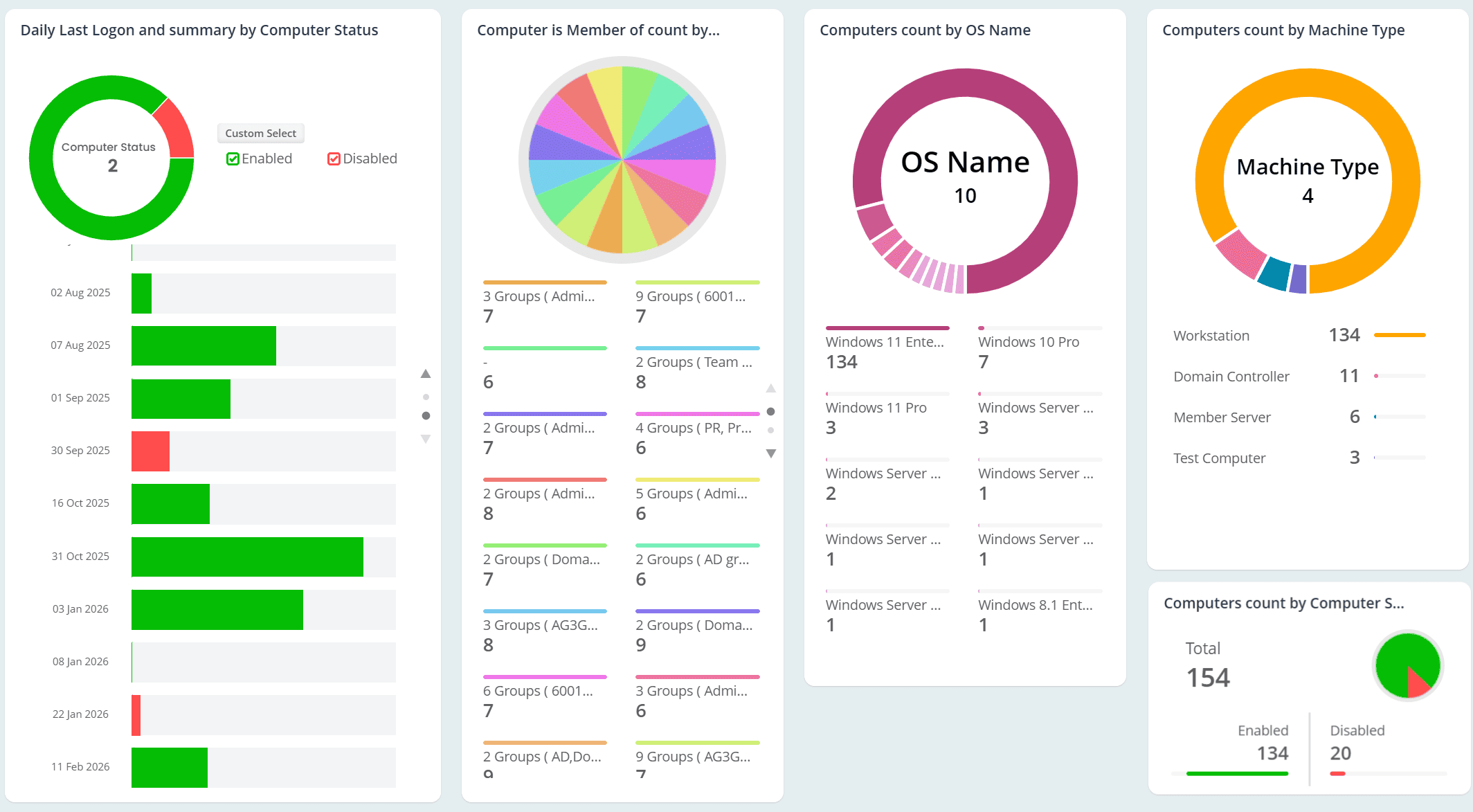
Find inactive computers in your Active Directory
Inactive machines are often a favourite entry point for attackers because they remain unmonitored, outdated, and easy to exploit. Ensure complete visibility into every computer object, including never logged in, stale, disabled, and more, using AdminDroid’s computer status reports.
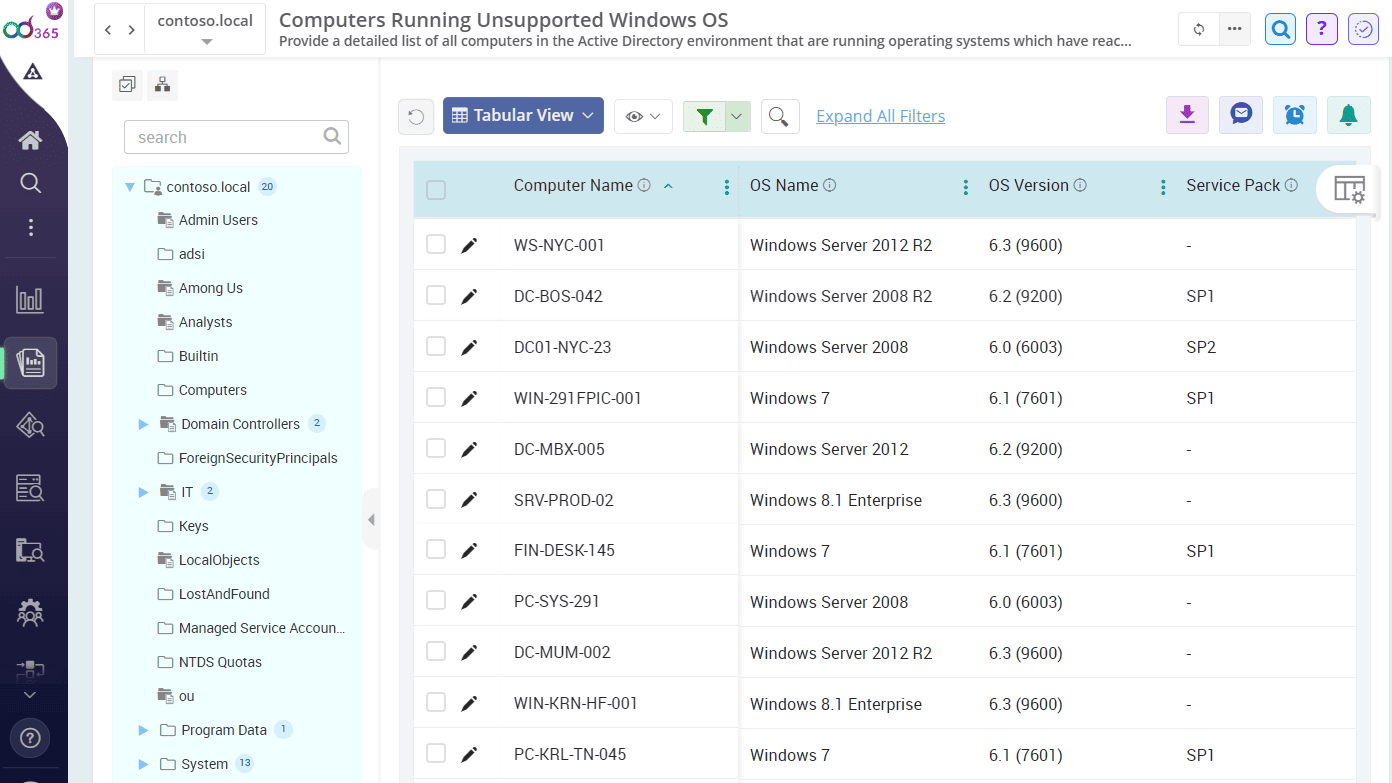
Detect computers running outdated or unsupported operating systems
Use AdminDroid’s AD computer report suite to find detailed operating system information for every computer with details like OS name, version, service pack, and more. Easily identify non-Windows machines or systems running unsupported or legacy Windows versions to plan upgrades and reduce compliance risks.
Never lose sight of computers trusted for delegation in Active Directory
When a computer is trusted for delegation, its services can request access to other servers on behalf of users. Attackers can exploit this to impersonate users or escalate privileges. Use AdminDroid’s computer reporting tool to list all computers that are configured to be trusted for delegation and remove unnecessary ones from such trust.
Active Directory
Eliminate the hassle of tracking down complete records of Active Directory contacts. A complete overview of all contacts, with rich details, communication attributes, and visually insightful metrics, is just a click away with AdminDroid.
Stay on top of all recent activities on contacts
Spot recently modified contacts in your domain
View the group membership of contacts across the organization
Be aware of AD contacts as managers in your domain
Uncover the contact without communication details in Active Directory
Stay on top of all recent activities on contacts
Contacts may not log in, but they often hold key functions, representing partners, vendors, etc. Use the Active Directory contact reporting tool to map all contacts and ensure your directory reflects only relevant, up-to-date entries. You can also export AD contacts to a CSV file from AdminDroid when migrating to Microsoft 365.
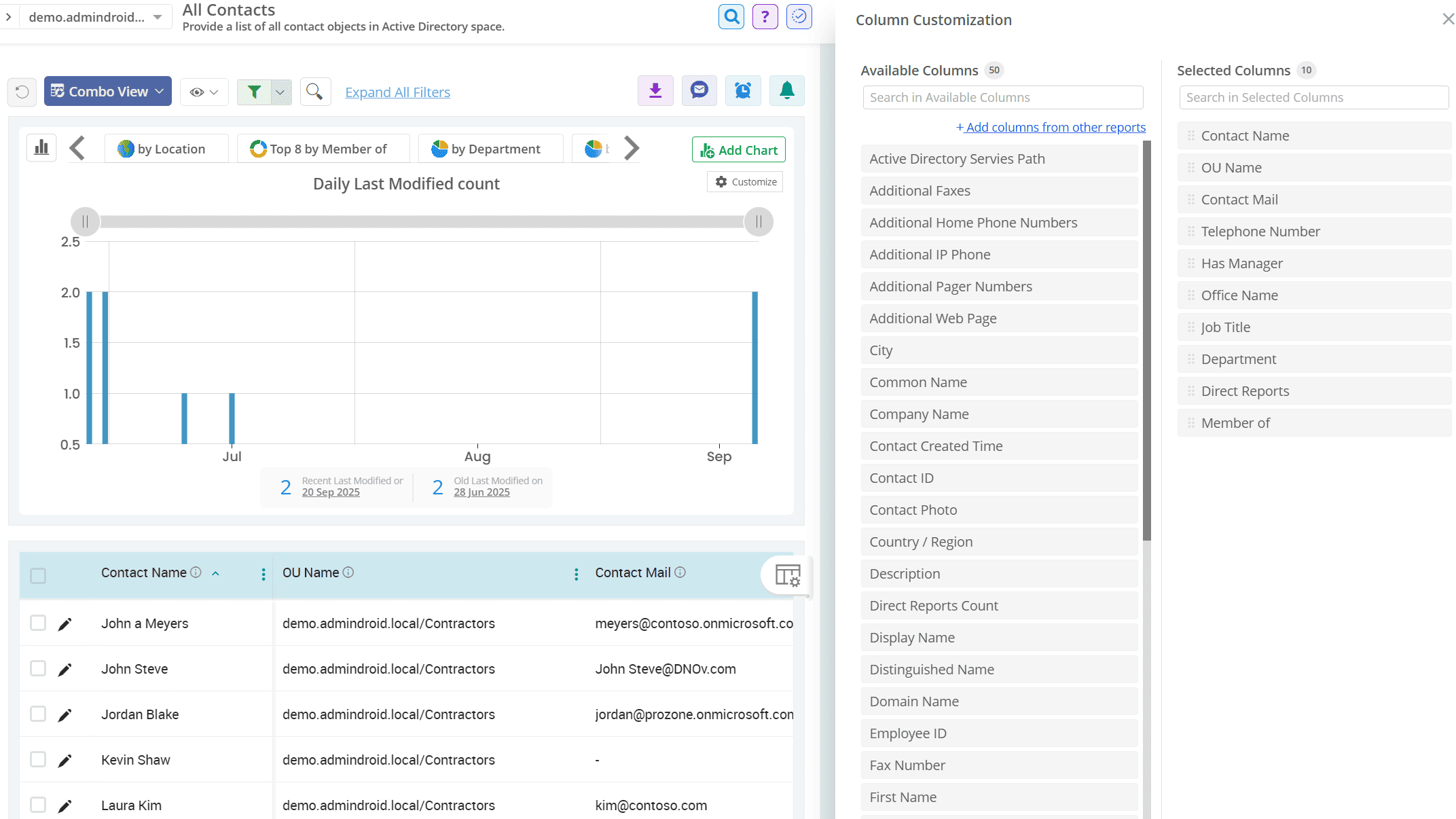
Spot recently modified contacts in your domain
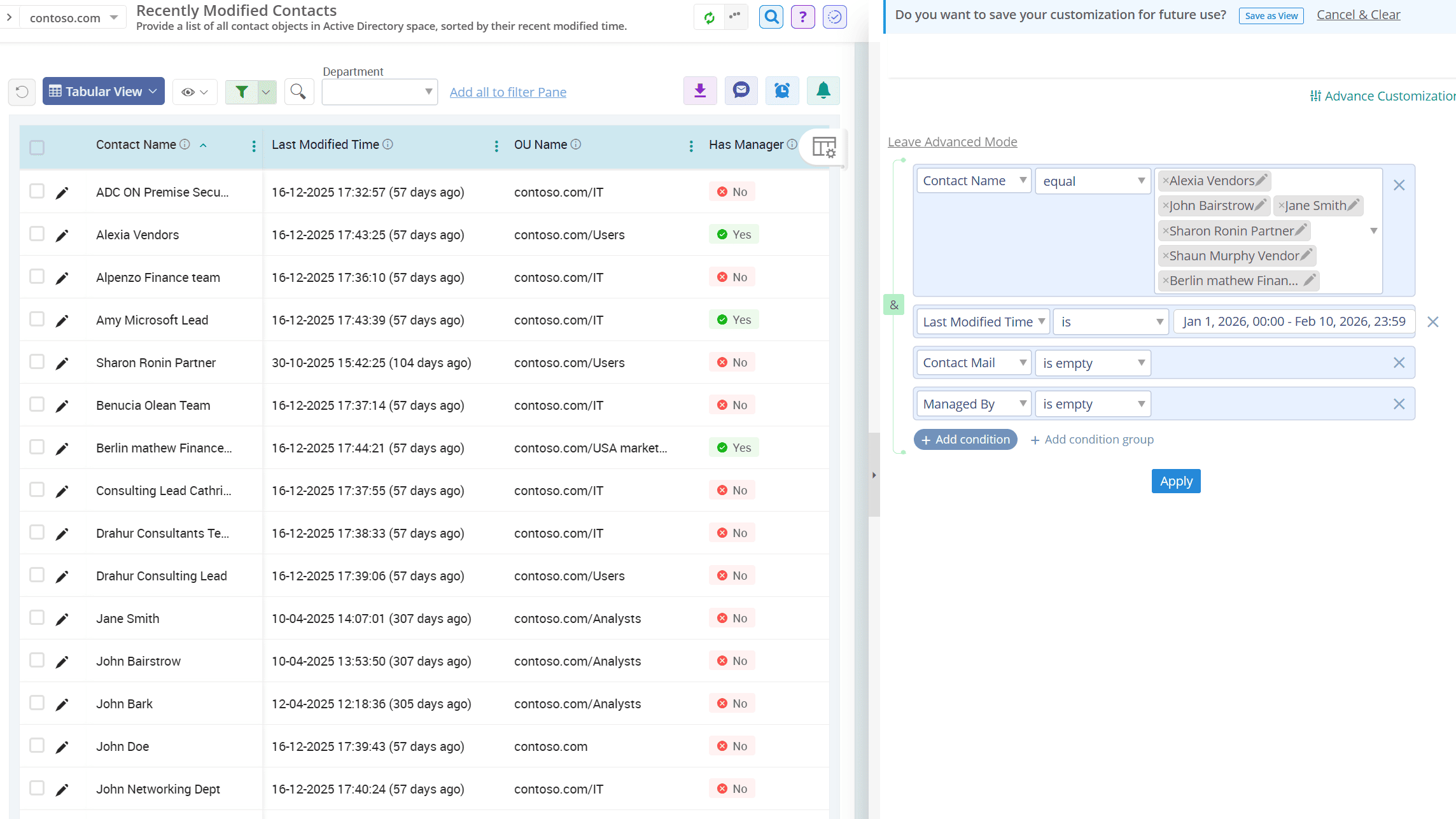
Unexpected changes to a contact’s email or phone number can disrupt business-critical communication or even indicate tampering. Use AdminDroid’s Active Directory contact reporter to instantly surface recently updated contact objects and catch every update in fields like mail, phone numbers, etc.
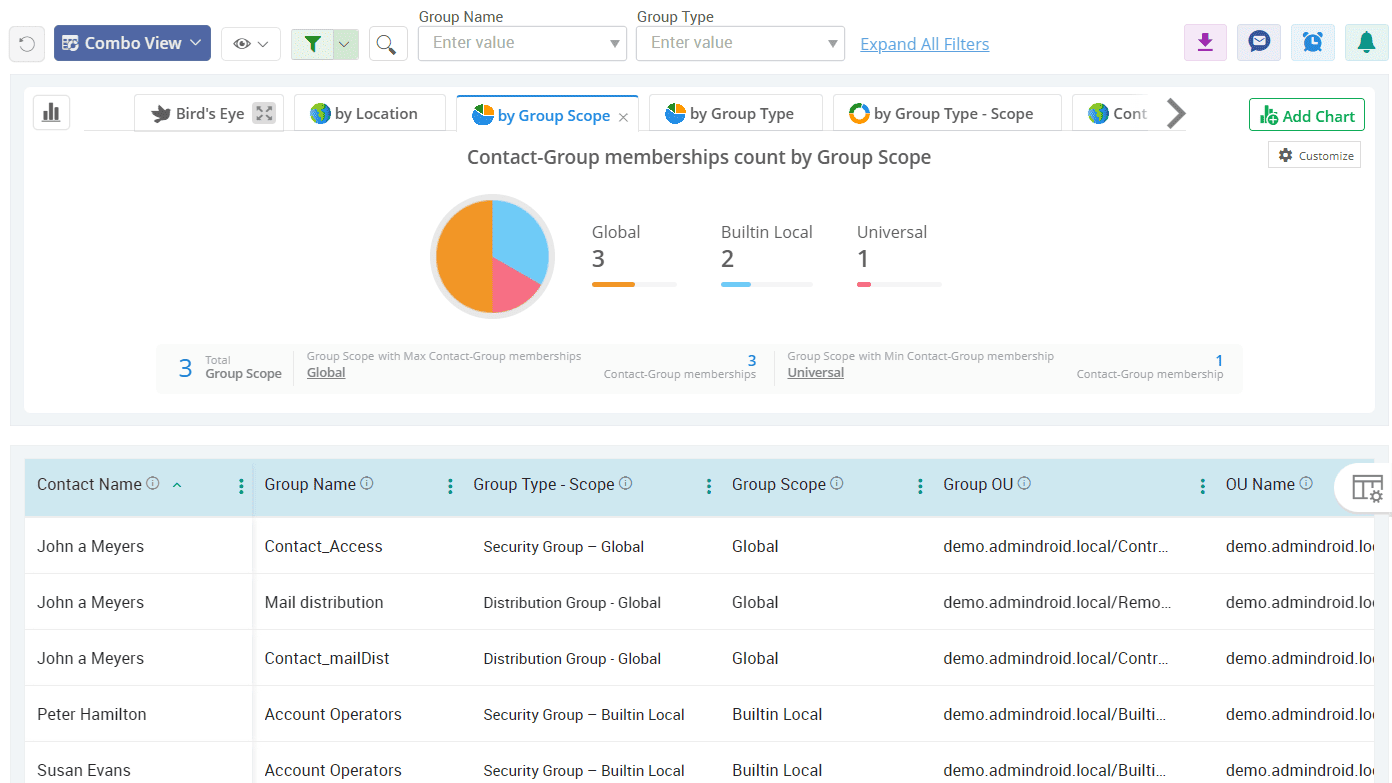
View the group membership of contacts across the organization
Keeping contacts’ group memberships up to date is vital for smooth external communication. With AdminDroid’s contact insights reports, you can easily view contact group membership stats, ensure every contact is placed in the right groups, and update memberships to remove unwanted entries or add missing memberships.
Be aware of AD contacts as managers in your domain
With AdminDroid’s in-depth contact reporting, gain a clear view of all objects that have a contact set as their manager. Spot misleading reporting lines instantly and keep your Active Directory organization structure accurate.
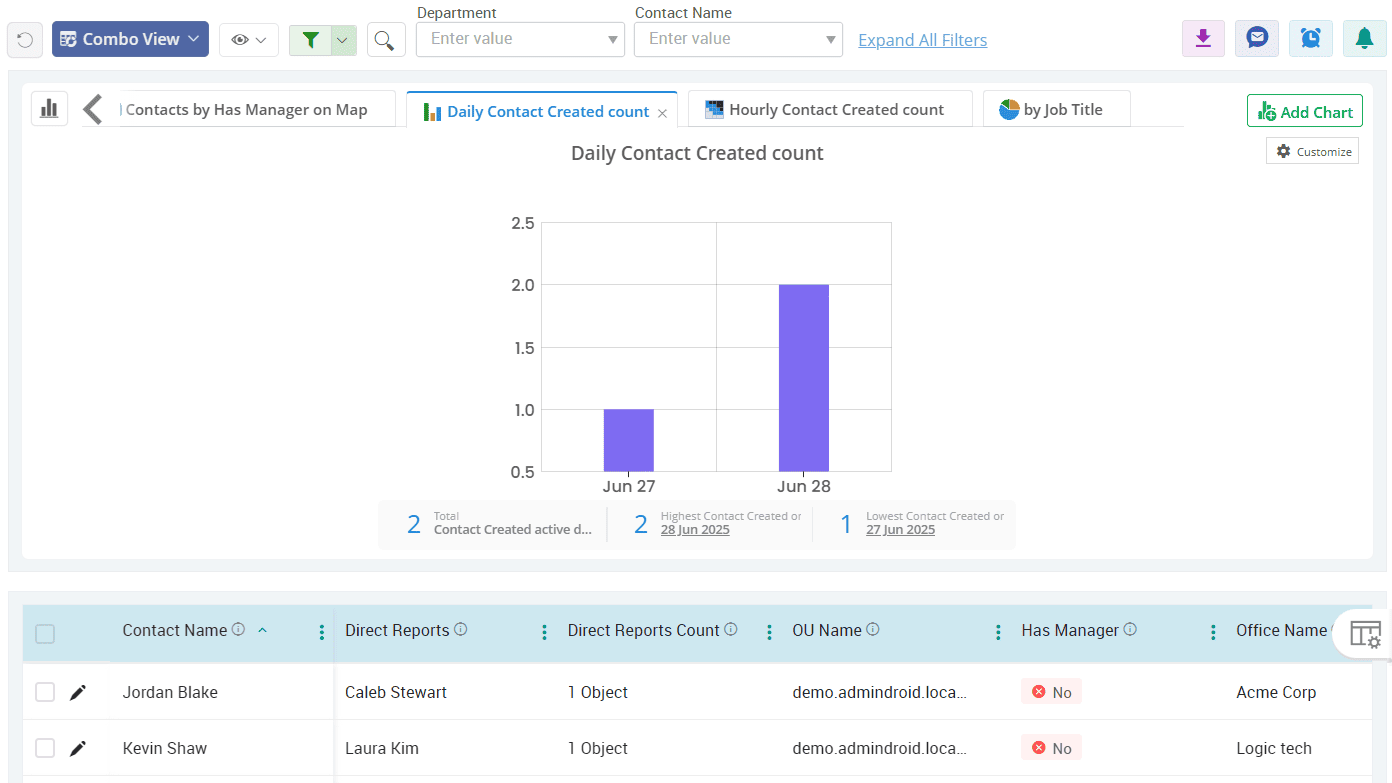
Uncover the contact without communication details in Active Directory
A contact without an email address or phone number serves no real purpose. Instantly identify all contacts missing key communication fields and clean up dead entries weighing down your directory.
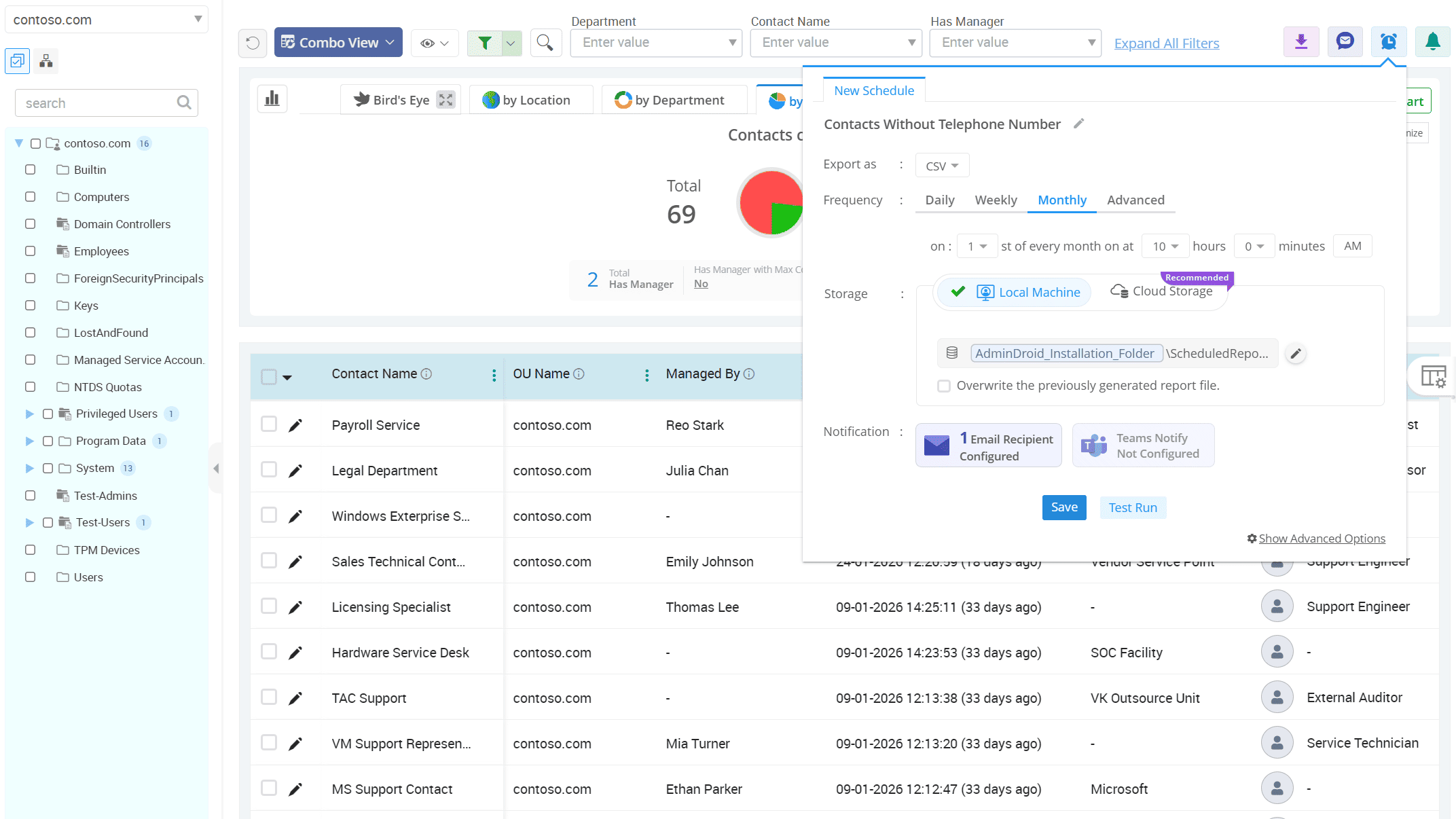
Active Directory
Organizational units form the structural backbone of Active Directory, defining how users, groups, and policies are organized. With AdminDroid, you can gain detailed OU reports and view all configurations, policy assignments, and much more across your domain.
Inspect the objects within each Organizational Unit
Identify all empty Organizational Units in your domain
Visualize Group Policy Object (GPO) assignments across all OUs
Check GPO inheritance status across your Active Directory OU tree
Keep an eye on OUs that are protected from accidental deletion
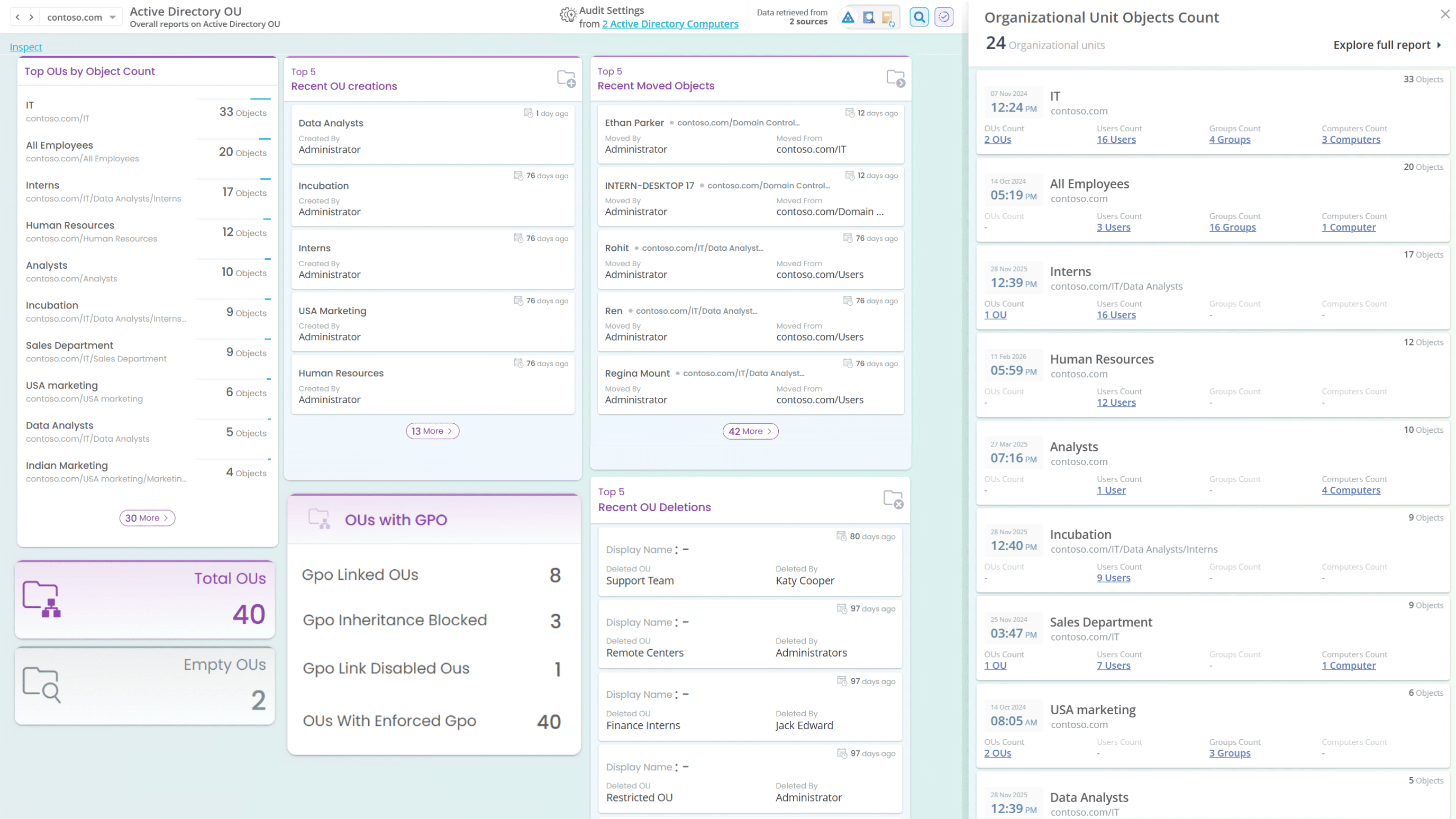
Inspect the objects within each Organizational Unit
Understanding the objects within each OU is essential for ensuring accurate Group Policy Object application and effective administrative delegation. The Active Directory OU reporter allows you to identify all OUs along with the count of objects, including OUs, users, groups, computers, and contacts.
Identify all empty Organizational Units in your domain
An empty OU might look harmless, but it still inherits permissions and policies. Spot and clear them out before they trip you and slow down your structure with AdminDroid’s detailed OU reports.
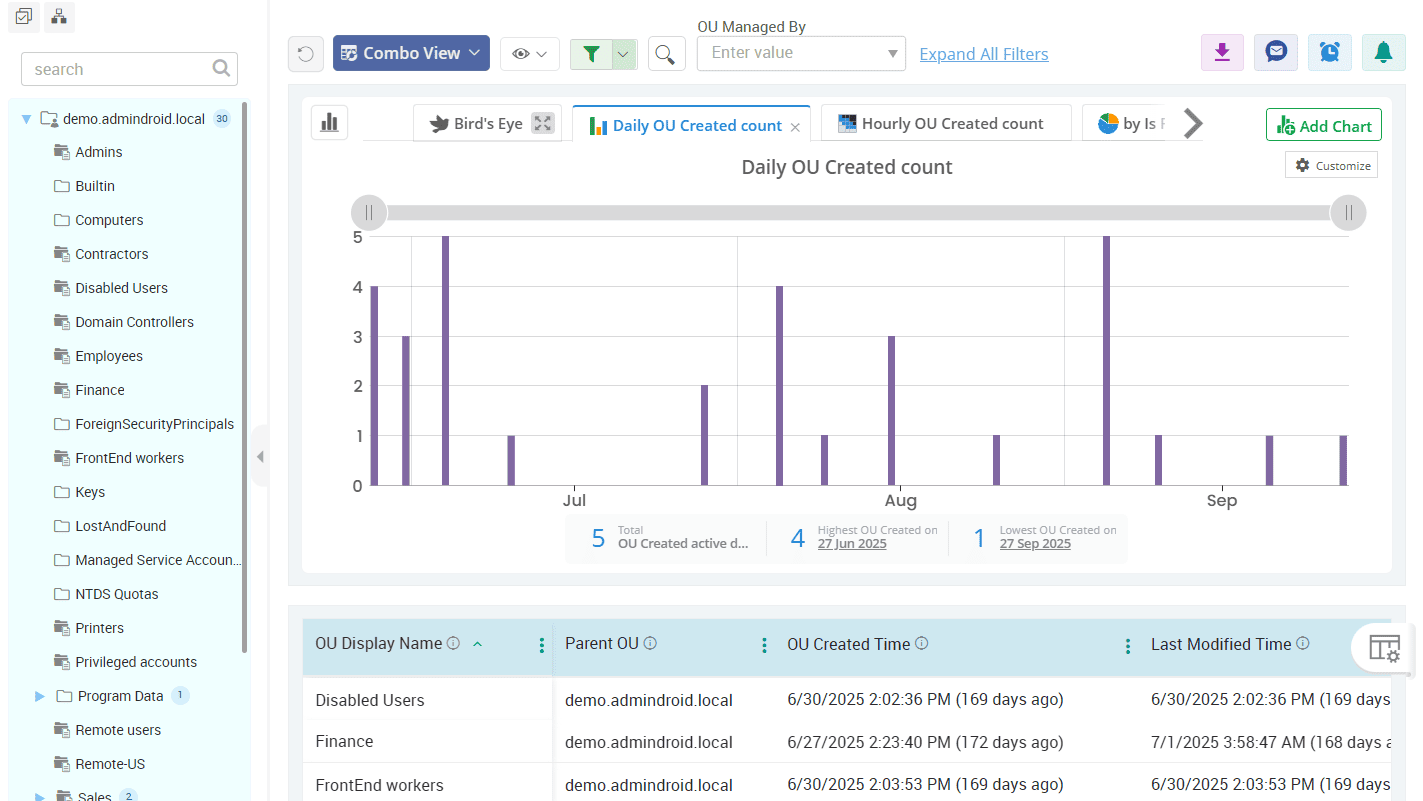
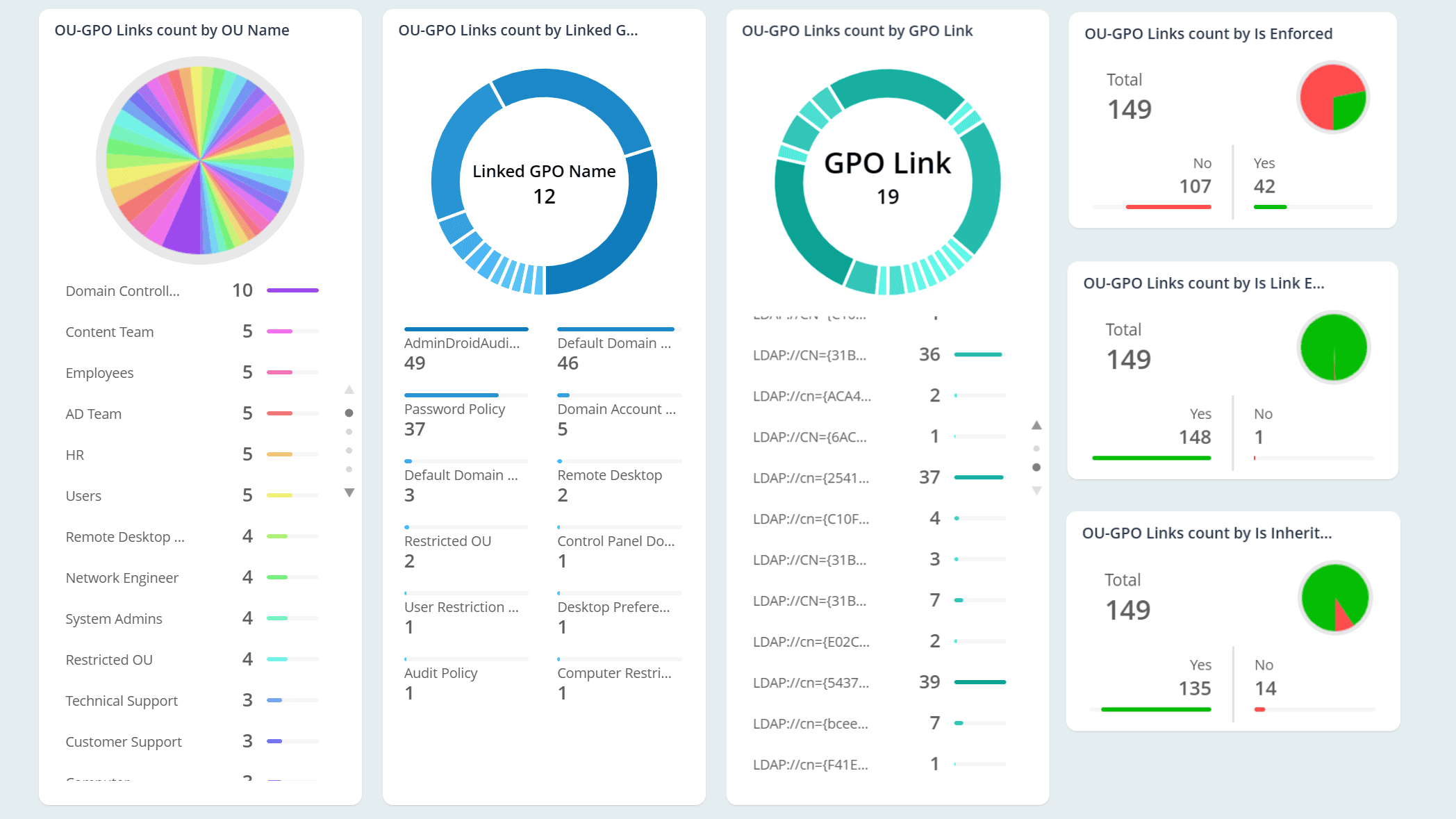
Visualize Group Policy Object (GPO) assignments across all OUs
Identify all GPOs assigned to each OU using AdminDroid’s AD Organizational Unit reporter to ensure proper policy mapping. Get detailed information on GPO name, status, enforced state, link enabled status, inheritance behavior, and more.
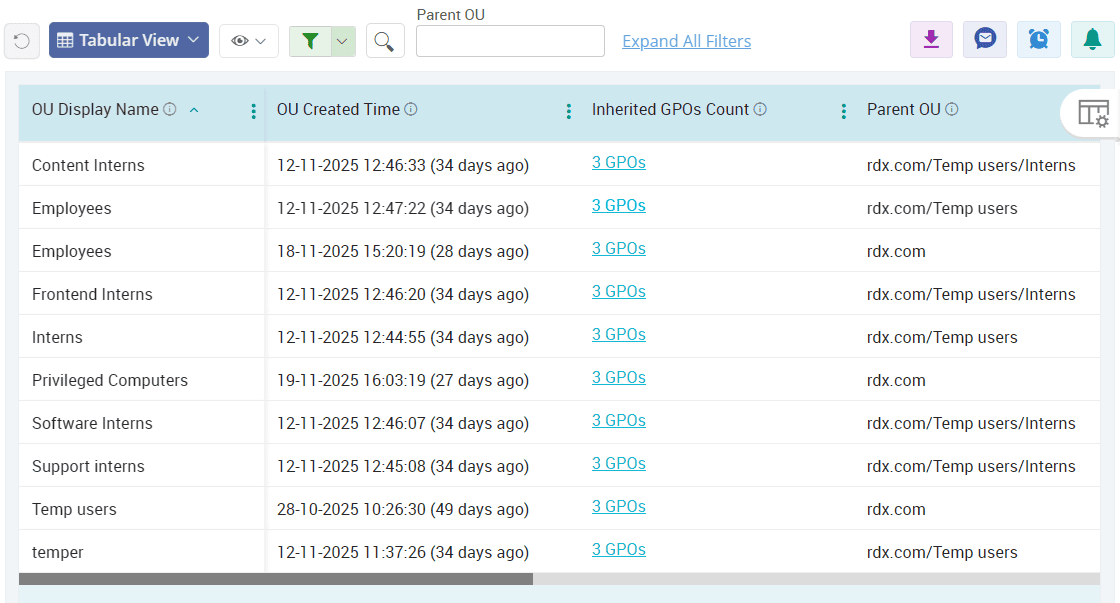
Check GPO inheritance status across your Active Directory OU tree
AdminDroid’s GPO inheritance status report pinpoints the OUs where inheritance is broken or enabled, giving you the visibility & clarity you need to adjust GPO policies smartly.
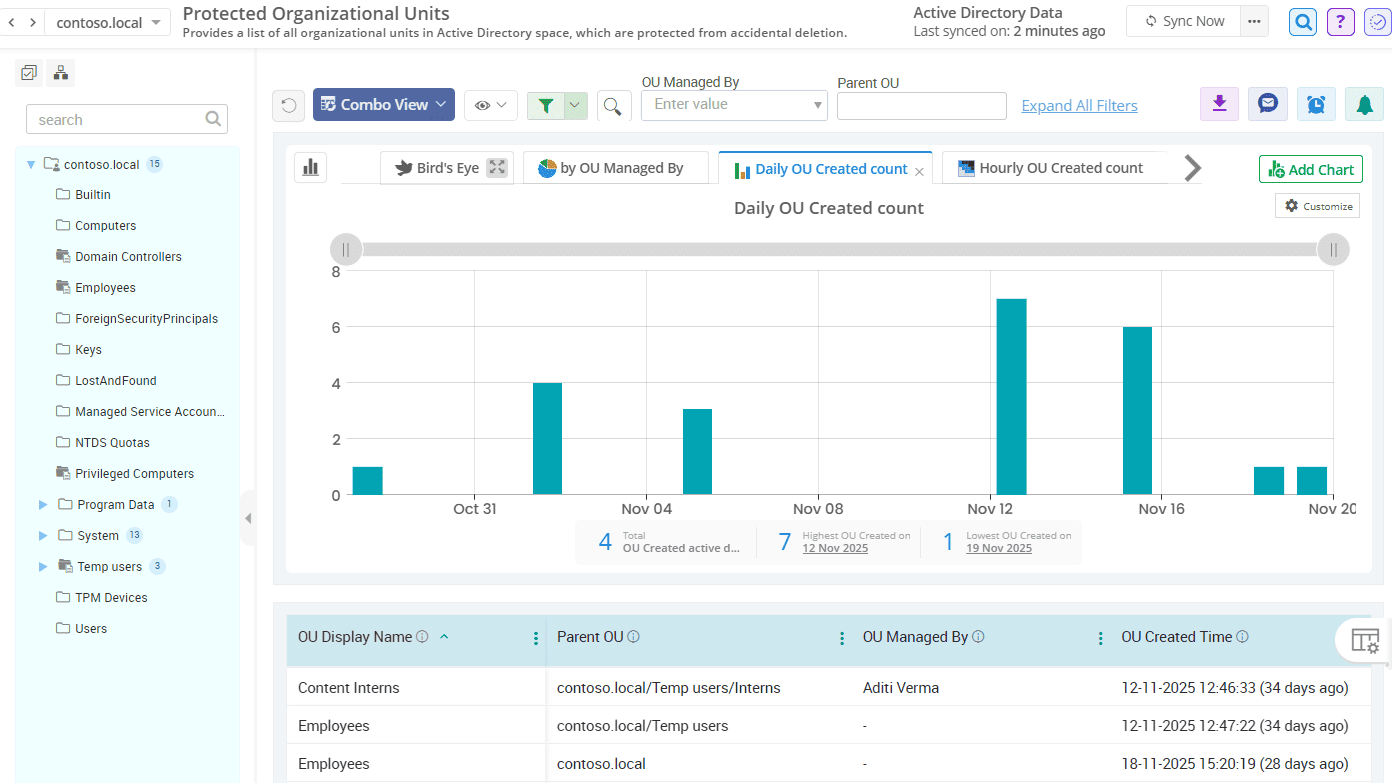
Keep an eye on OUs that are protected from accidental deletion
A single human mistake can wipe out an entire OU along with all its users, groups, and computers. Monitor OUs with the “Protect object from accidental deletion” setting enabled to ensure all important OUs are safeguarded.
Active Directory
GPOs control how users behave, how computers operate, and what they can access, shaping your organization behind the scenes. AdminDroid delivers a powerful suite of GPO reports, giving you instant visibility into every detail with a level of clarity you didn’t know was possible.
Get a complete list of all GPOs in your domain
Keep a close watch on AD objects where GPOs are linked across your organization
Track all GPOs applied across the entire domain in Active Directory
Check the status of all GPOs in your environment at first glance
Get a complete list of all GPOs in your domain
No more digging through console screens to get GPOs. AdminDroid’s GPO reporting tool gives you a centralized view of every Group Policy Object with details like GPO name, unique ID, and more. Spot duplicate GPOs, conflicting configurations, unused GPOs, redundant settings, and more at a glance!
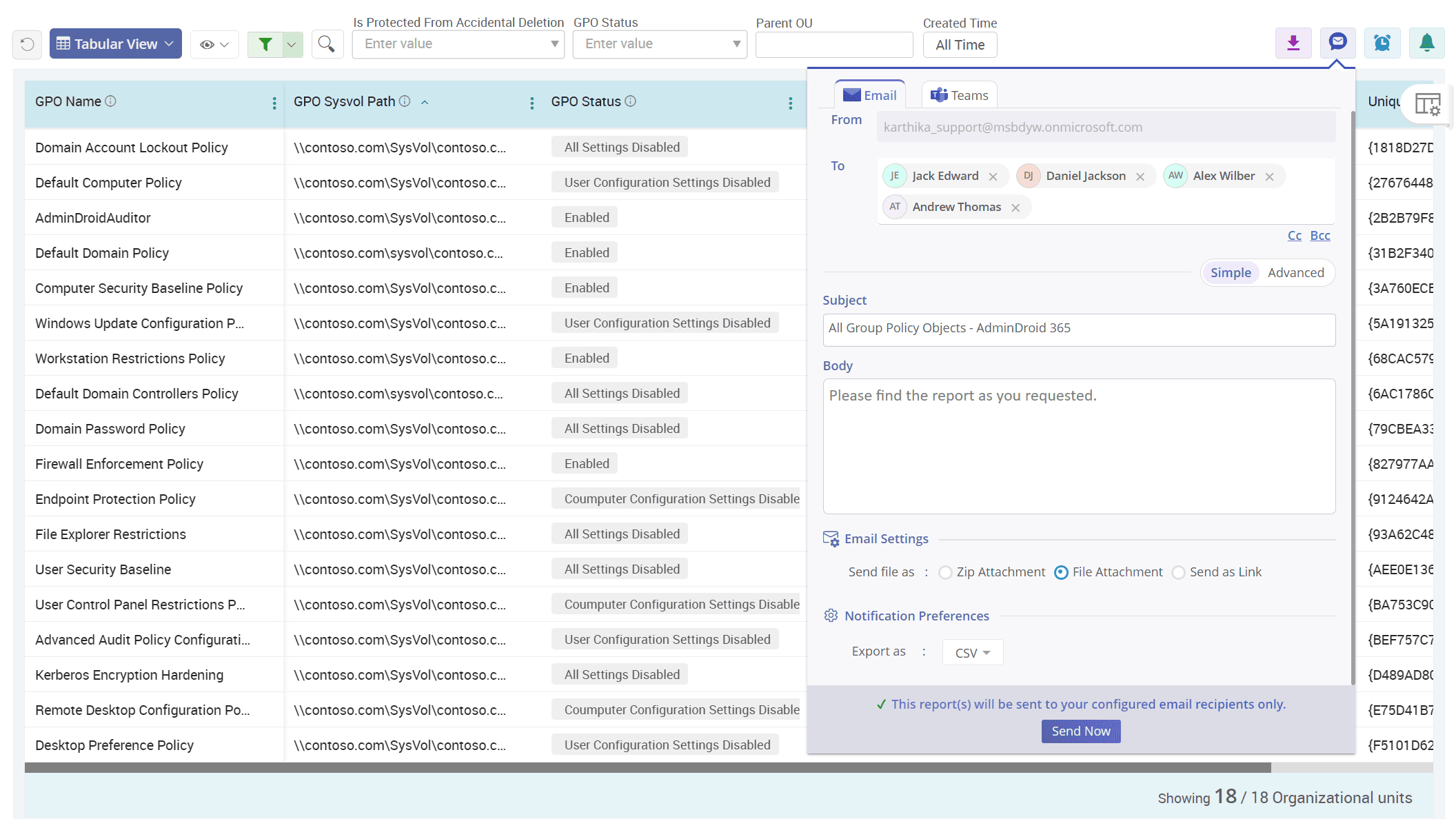
Keep a close watch on AD objects where GPOs are linked across your organization
One wrongly linked GPO can flip your entire directory upside down. AdminDroid’s Group Policy Object links report suite helps you identify every GPO and its linked AD object with ease. Instantly identify mistakenly linked policies before they apply the wrong settings to OUs or users.
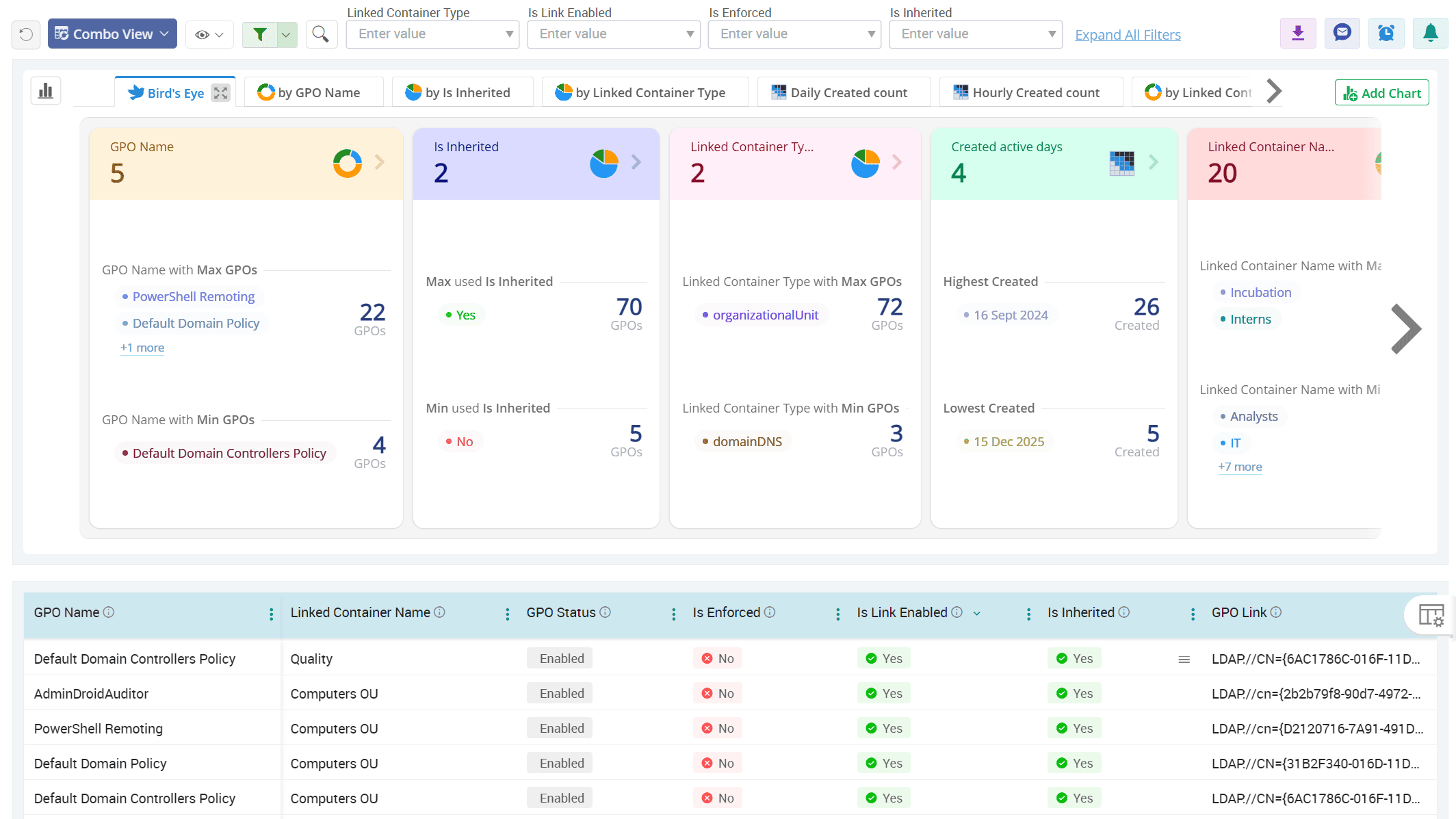
Track all GPOs applied across the entire domain in Active Directory
Domain-wide GPOs impact every user and system in your environment. A single unnecessary policy assignment at the domain level will flood your helpdesk with tickets. Use GPOs applied to the domain report to monitor critical GPOs applied at the domain level and stay in control.
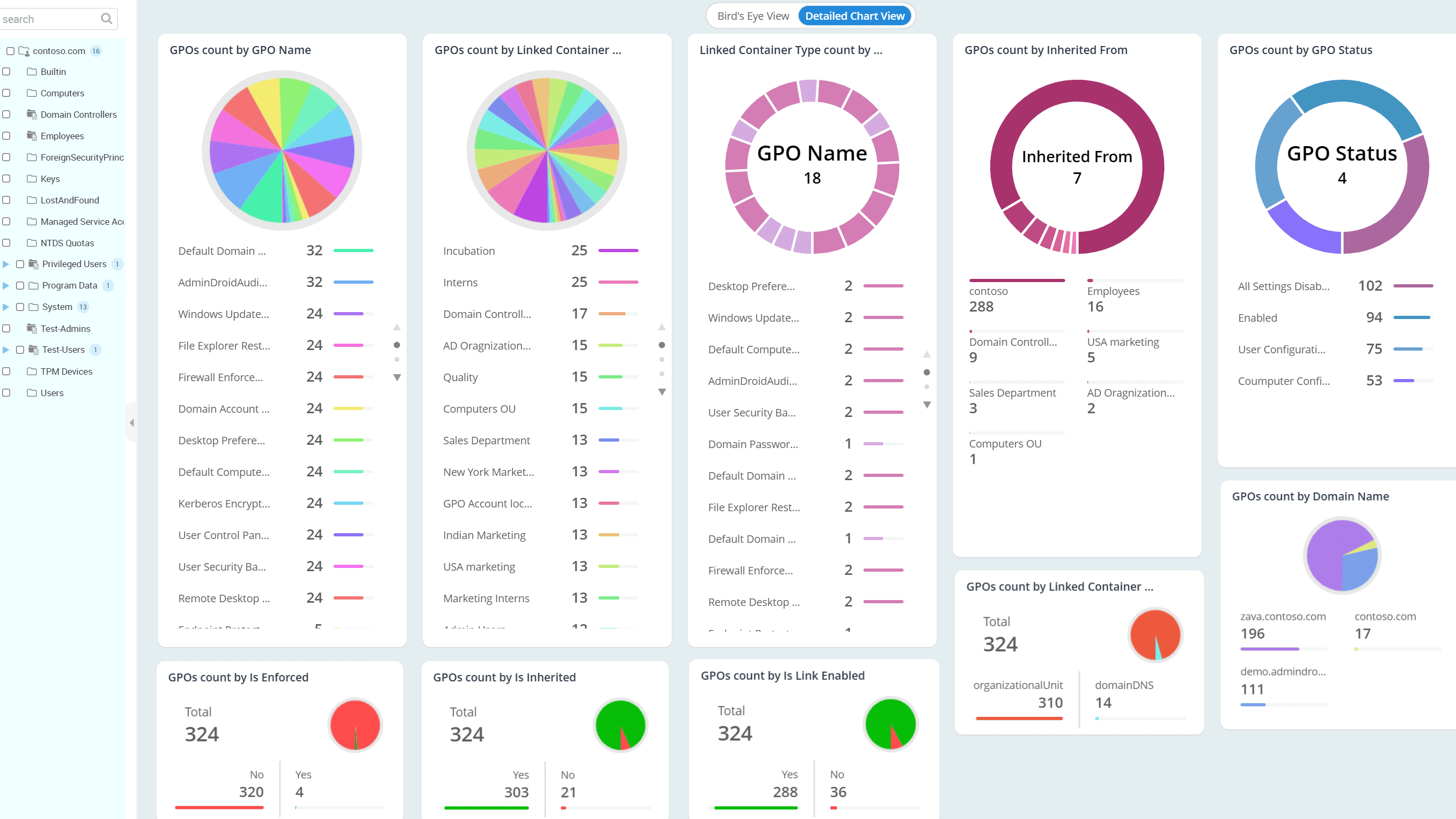
Check the status of all GPOs in your environment at first glance
With AdminDroid’s GPO status report, instantly see which policies are enabled and actively shaping your environment, and which ones are disabled and have no effect. This complete, detailed visibility helps you justify policy usage and retire outdated GPOs with confidence.
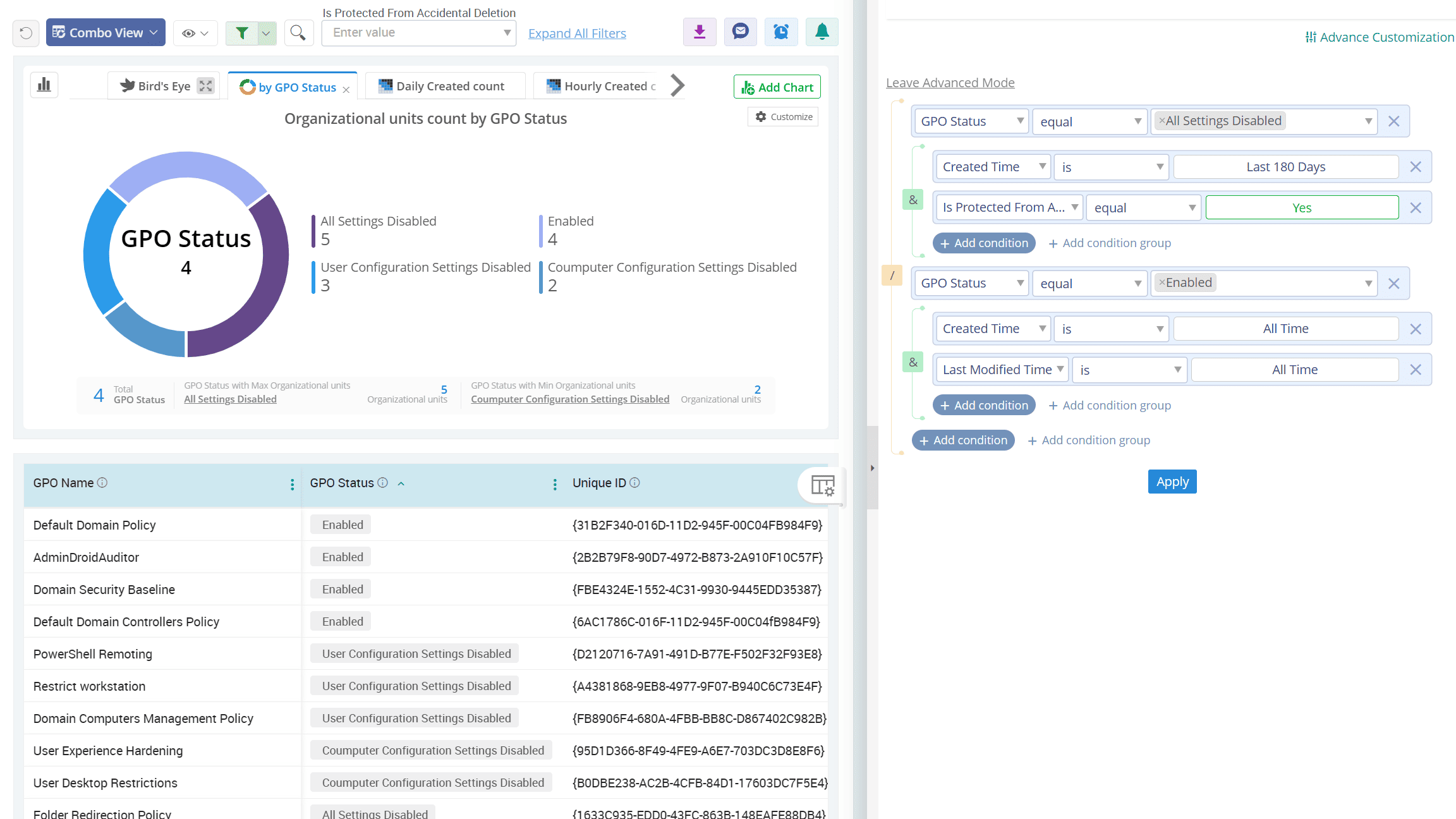
Active Directory
From urgent client proposals to everyday office essentials, smooth printing keeps your organization moving. That’s why it’s crucial to track and manage printer configurations in Active Directory. Take printer visibility further with AdminDroid’s Active Directory reporting tool and keep your printing infrastructure always ready.
Get a complete view of every printer in your AD domain
Distinguish color and black & white printers across your organization
Monitor every created, modified, and deleted printer in Active Directory
Get a complete view of every printer in your AD domain
From network-wide printers to department-specific devices, AdminDroid’s printer reports give you a centralized view of all published printers in Active Directory. Explore details such as printer display name, share name, model name, supported paper bins, print orientations, media types, maximum resolution, and more, so nothing slips under the radar. This lets you estimate the cost to operate printers in your domain.
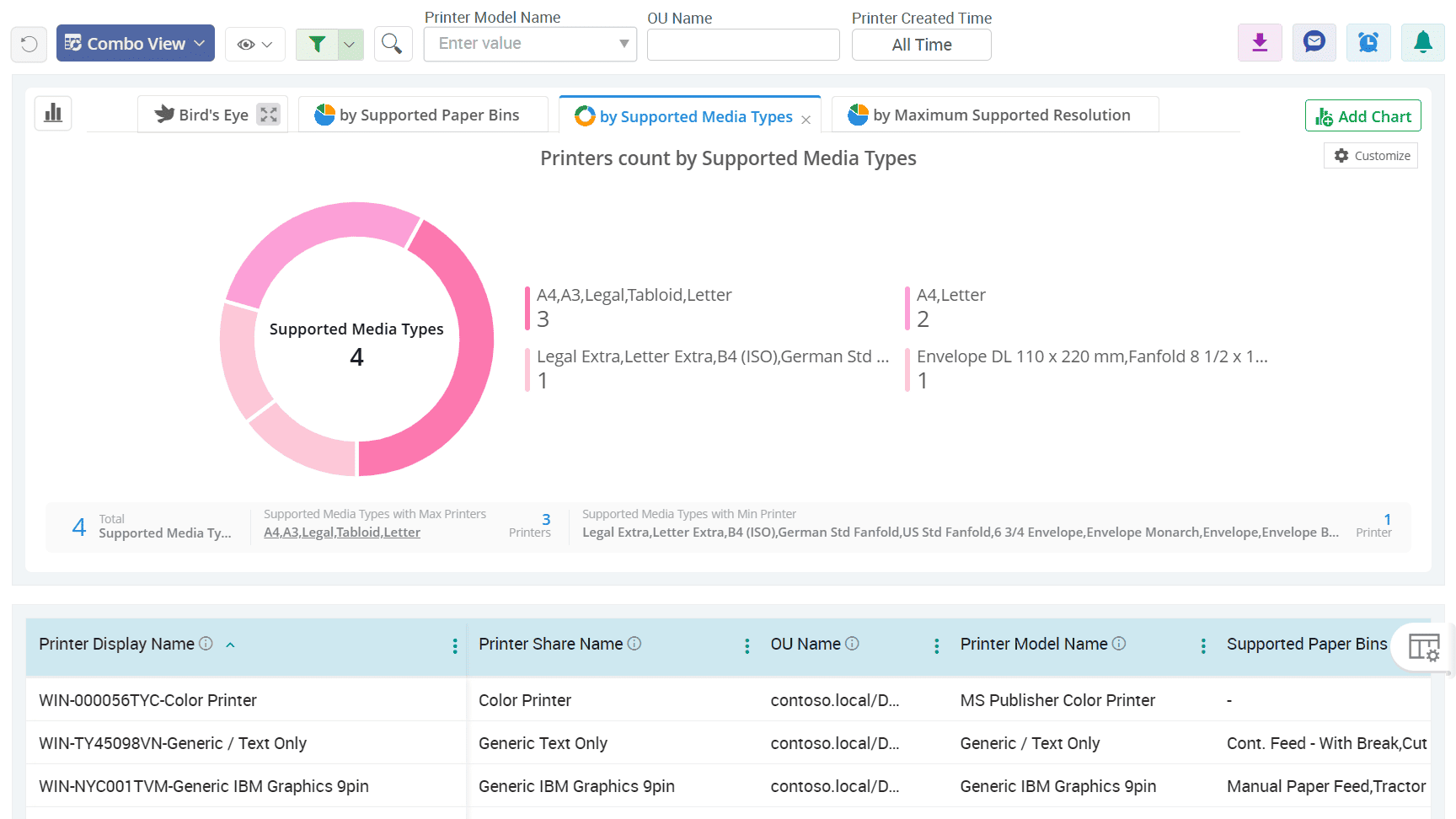
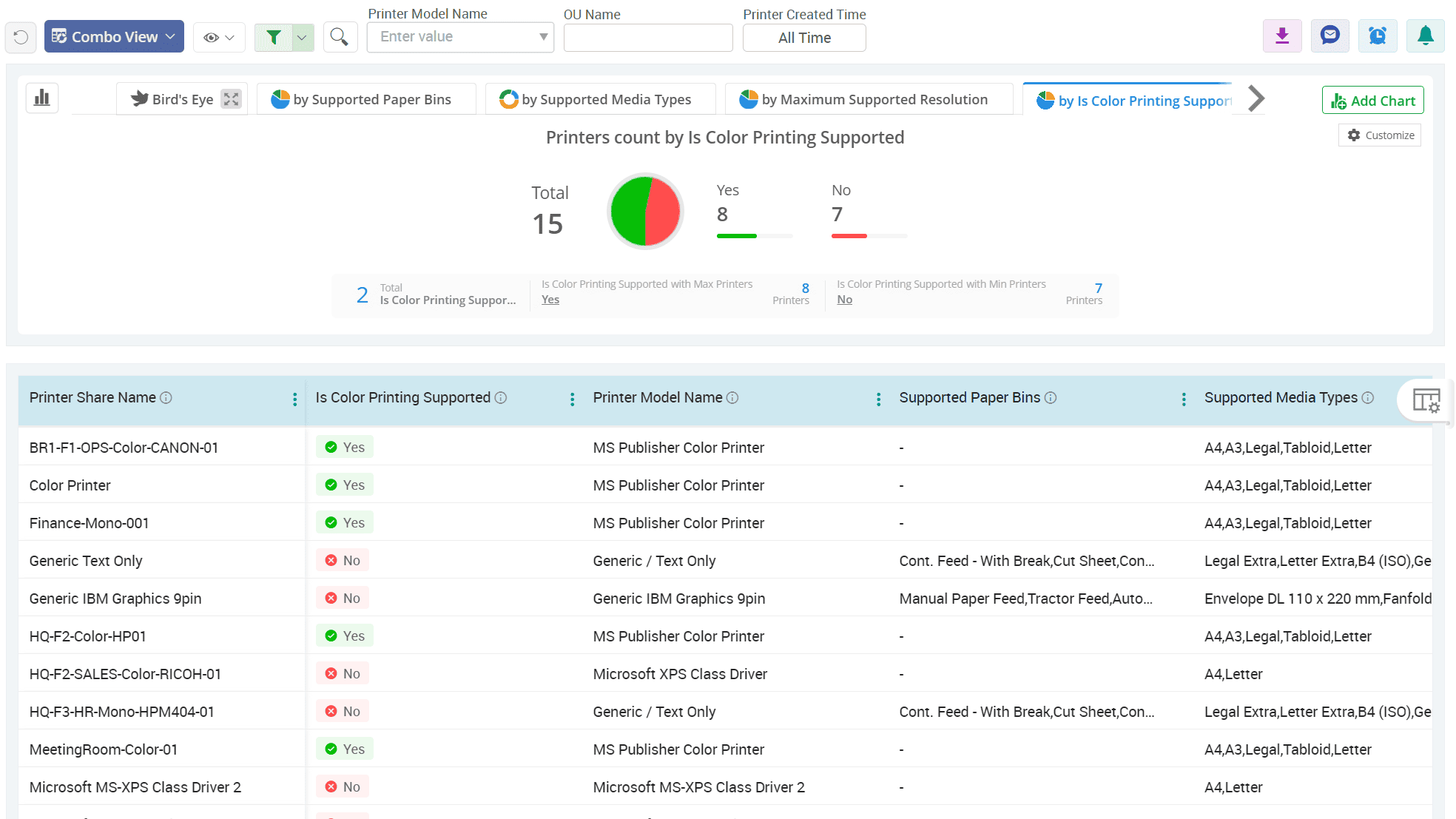
Distinguish color and black & white printers across your organization
Color printing drives up expenses since it requires CMYK cartridges, while black and white printing needs only a black toner cartridge. With AdminDroid, instantly identify all color and black and white printers in your organization. This helps to ensure that color devices are reserved for printing documents that truly need them, while others stick to cost‑efficient black and white.
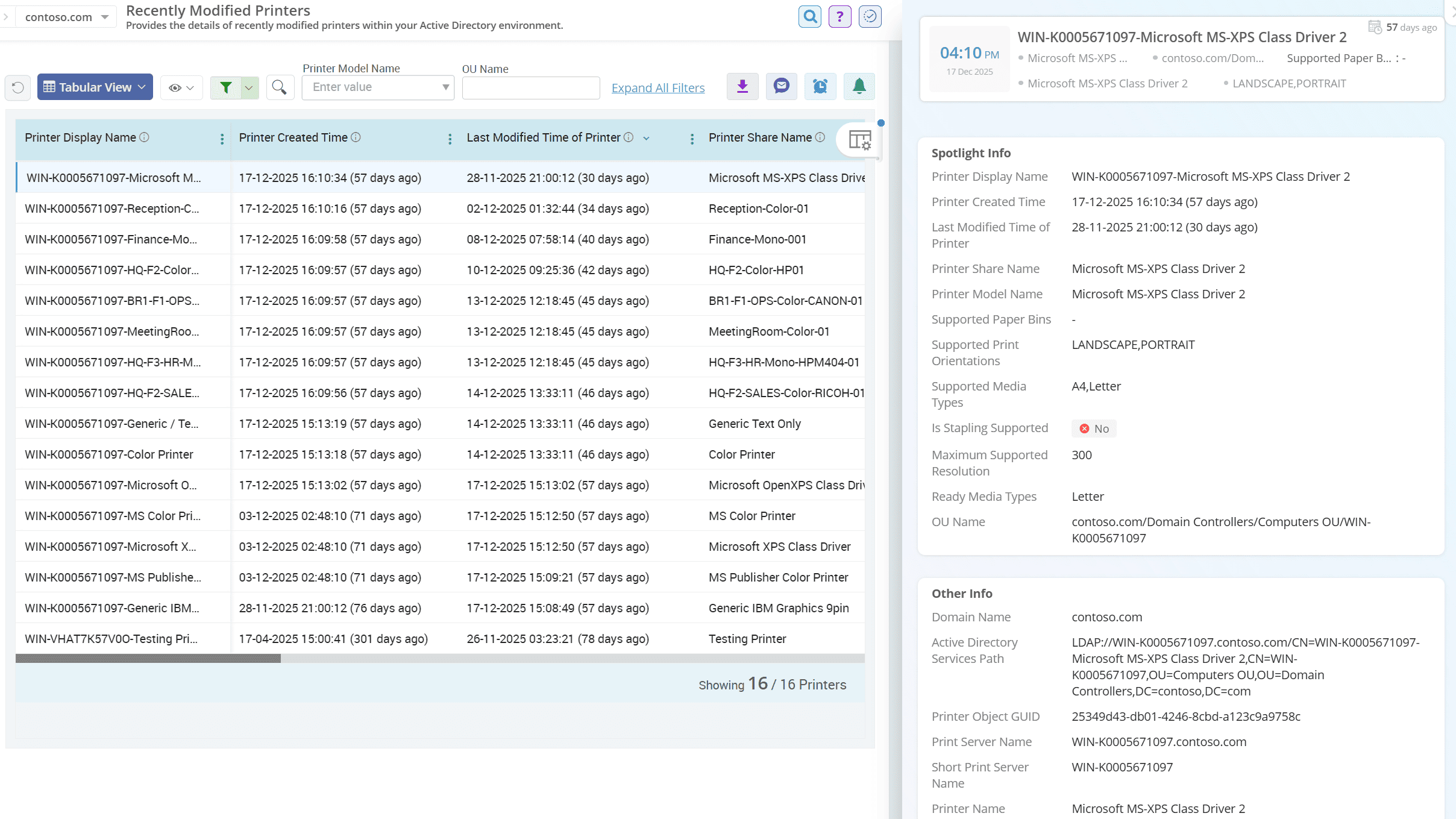
Monitor every created, modified, and deleted printer in Active Directory
Never lose track of changes in your printing infrastructure. AdminDroid’s printer reports highlight all newly created, updated, or deleted printers in Active Directory. These reports include details like creation time, last modification time, and more to troubleshoot issues early and keep printing services reliable.
Active Directory
Even the strongest fortress can fall, not by force but through small, unnoticed cracks. Don't let your domain face the same risk. Use AdminDroid’s Active Directory security reporting tool to cast light on weak spots, silent threats, and seal off all paths attackers are hoping you’ll miss.
Be aware of users and computers exposed to DCSync attacks
Expose users at risk of golden ticket attacks in your domain
Examine users without AES encryption enabled across your organization
Be aware of users and computers exposed to DCSync attacks
DCSync attacks exploit directory replication privileges to extract credentials from domain controllers. With AdminDroid’s security reports, you can easily detect users and computers that hold sensitive replication permissions and close the high-risk backdoors.
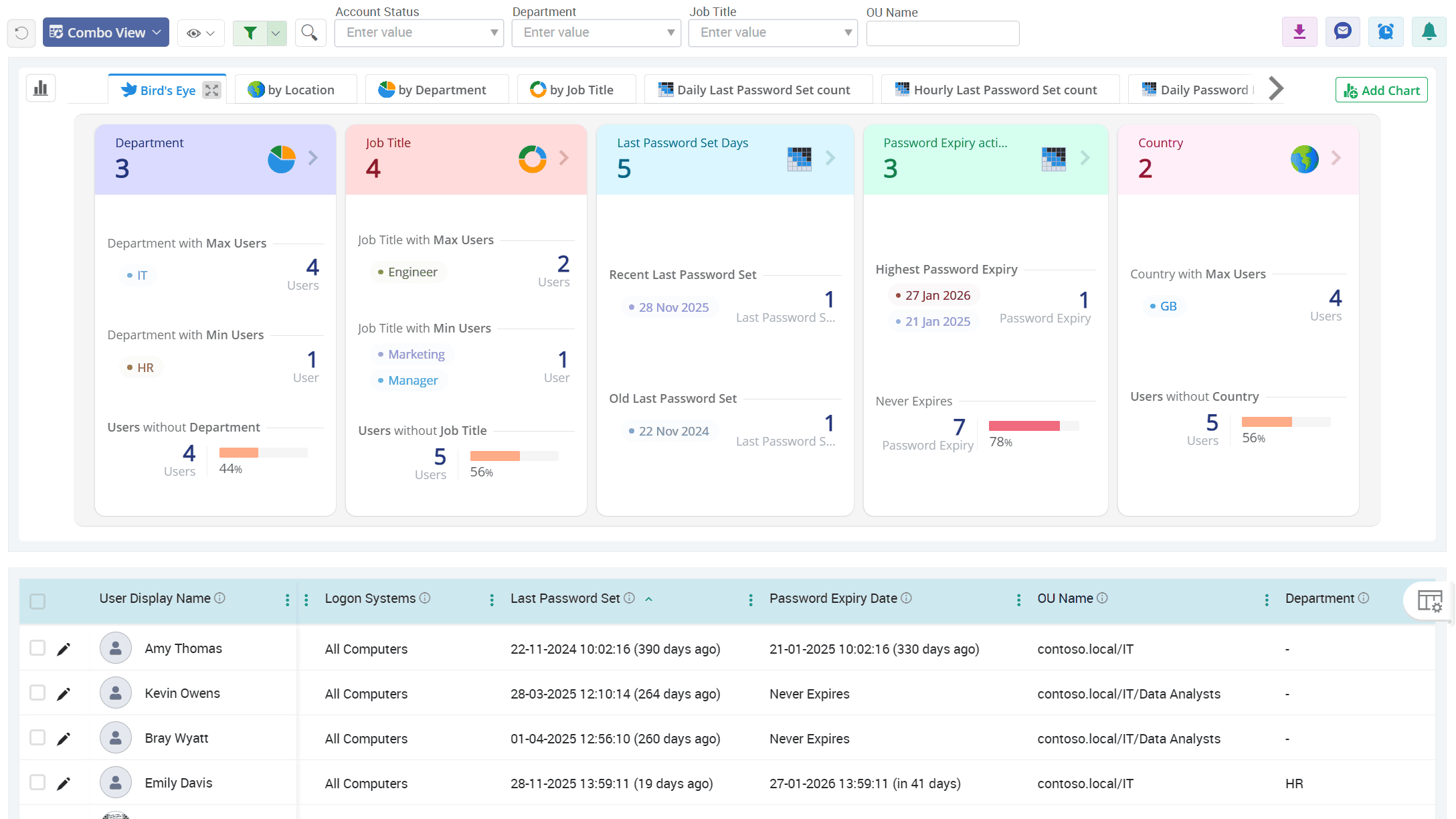
Expose users at risk of golden ticket attacks in your domain
Golden Ticket attacks exploit high-privilege Kerberos tickets to grant attackers indefinite access. Leverage our security insight collections to find users and service accounts that can be exploited in golden ticket attacks. This helps to prevent attackers from forging Kerberos tickets within the AD environment.
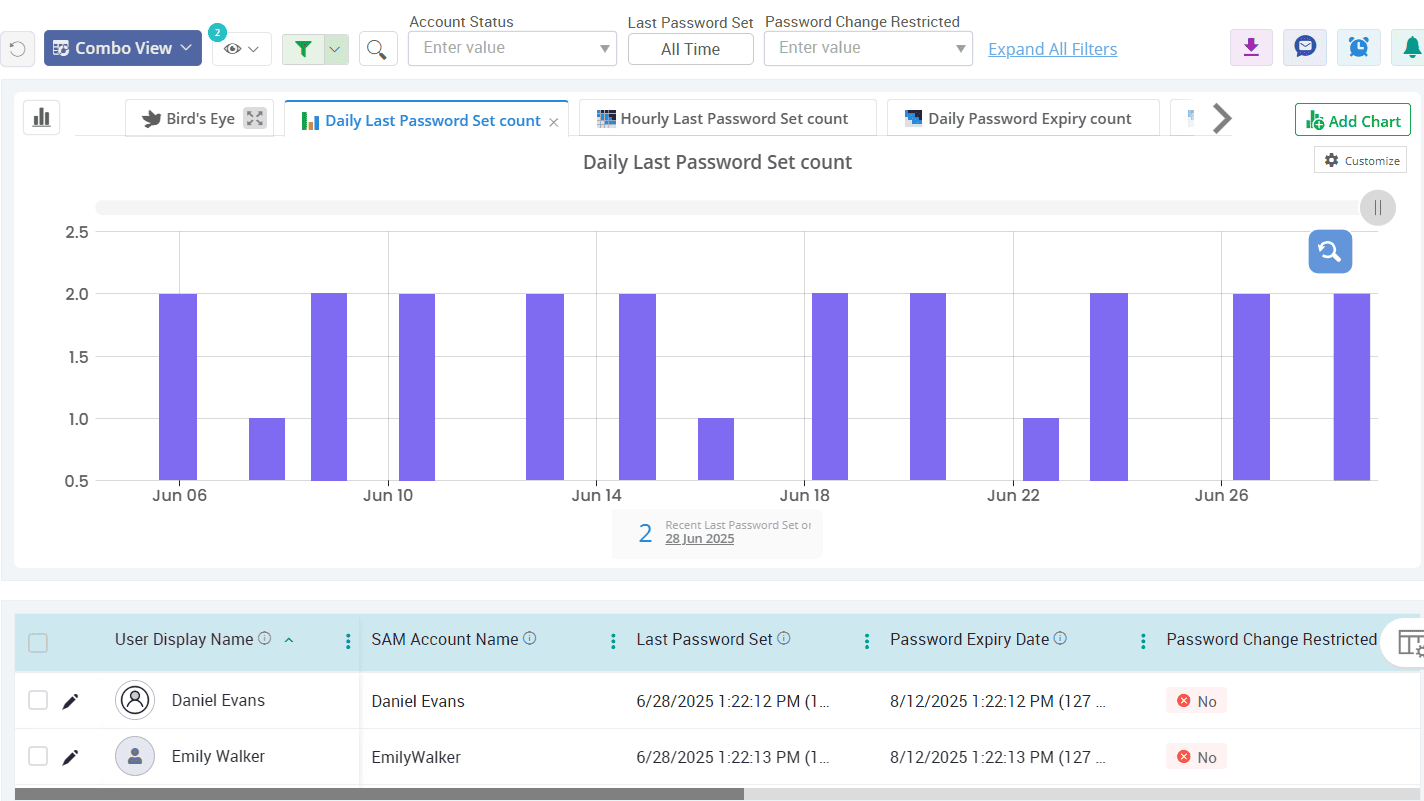
Examine users without AES encryption enabled across your organization
Outdated encryption methods like RC4, HMAC, and more are vulnerable to modern attacks like Kerberoasting. AdminDroid’s security insight reports help you highlight accounts still relying on weaker encryption methods to enforce secure, modern encryption standards.
Replace manual reporting and complex PowerShell scripts with automated, pre-built Active Directory reports.
Get a unified view of your entire Active Directory environment with comprehensive, actionable reporting.
Turn complex Active Directory data into actionable insights with dashboards and AI-powered visualizations.
Identify security risks, monitor critical changes, and simplify compliance reporting with actionable insights
Generate reports across Active Directory and Microsoft Entra ID from one console.
Manage and report across multiple Active Directory domains from a single centralized console.