🎯31 daily security challenges for Cybersecurity Month. Start Playing

Passwords are the keys that allow users to sign in to your Active Directory domain, and attackers always look for ways to misuse them. Weak, expired, or outdated passwords across your users, admins or computers can put your domain security at risk. While native tools often require manual checks and complex scripting, AdminDroid provides ready-to-use Active Directory password reports for instant visibility into password health.

Get access to 10+ free Active Directory password reports with AdminDroid.
Active Directory password reports
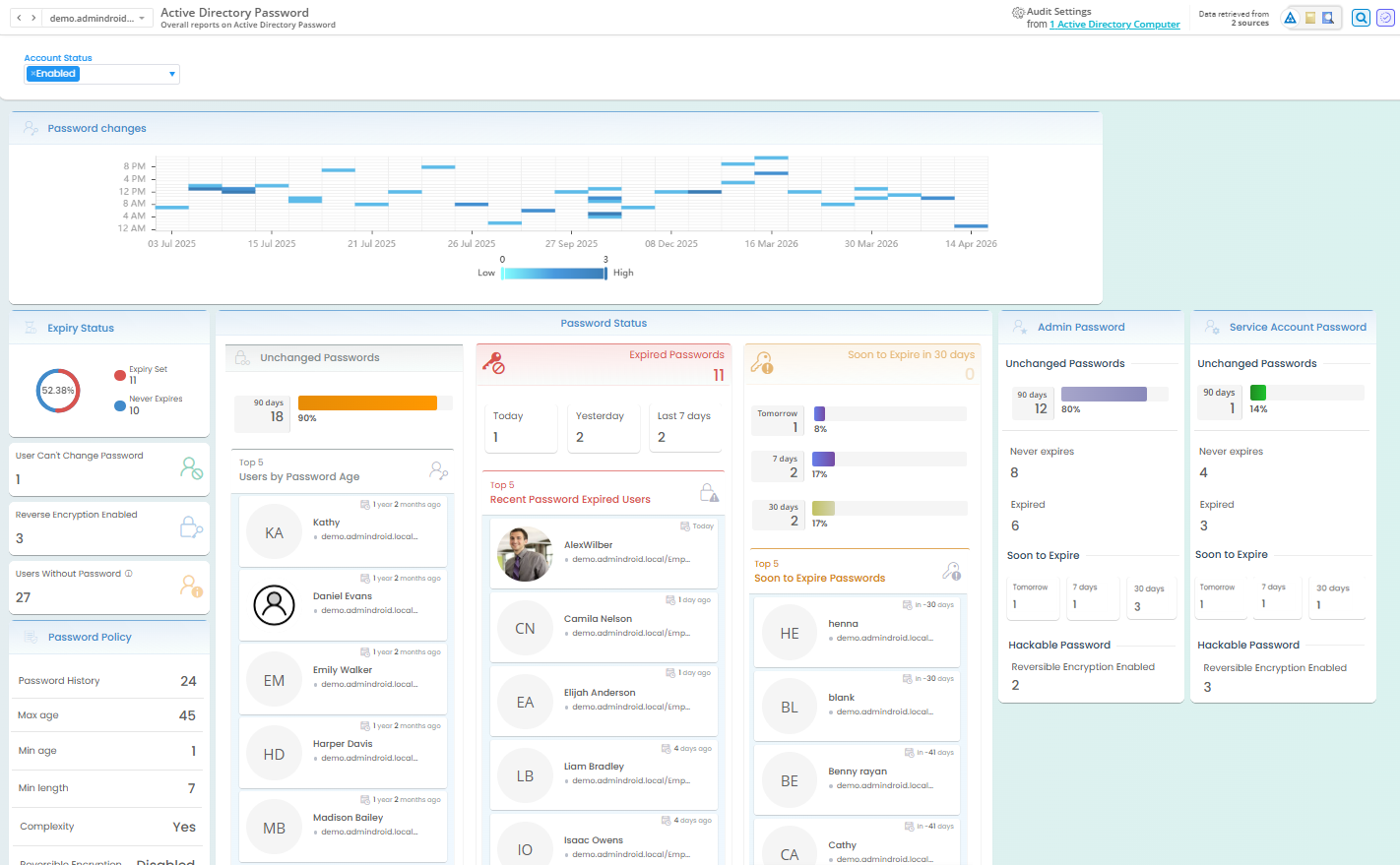
Active Directory password dashboard showing password details of all users

Active Directory Password Dashboard

Get a unified view of Active Directory user’s passwords status with AdminDroid. Quickly find users who recently changed passwords, admins with old credentials, password expired users, and so on. You can also reset passwords, send password expiry reminders, and more directly from the dashboard.

Get 200+ Active Directory Reports with AdminDroid Free Edition!

User Reports

Security Reports

Group Reports

OU Reports

GPO Reports

Computer Reports

Admin Reports

Password Reports

Contact Reports

Printer Reports

Export, Schedule, & Visualize AD Reports at Zero Cost.

Active Directory User Password Reports

Active Directory user passwords are a prime target for password hash attacks, credential stuffing, and other credential-based attacks to compromise your domain. AdminDroid’s Active Directory password reporting tool helps you quickly identify users with weak, outdated, and other risky credentials for faster password monitoring and more secure authentication.

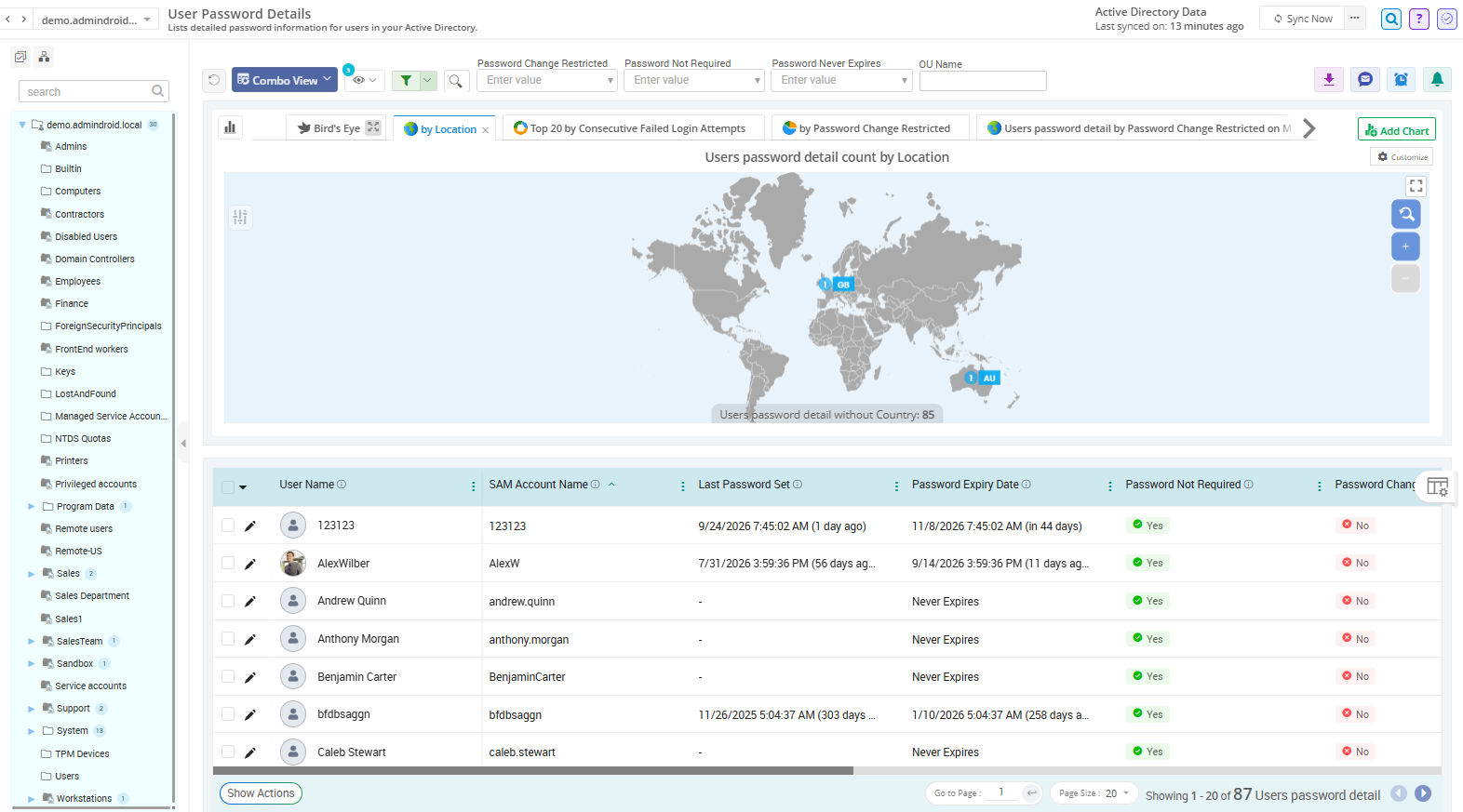
Active Directory Users Password Details

Manually checking password details for each Active Directory user by navigating across ADUC tabs is time-consuming. AdminDroid provides complete password details for all users, including password last set date, password age, password expiration status, and more.

Active Directory Accounts with Password Not Required

When the ‘Password Not Required’ setting is enabled, an account can be configured with a blank password, weakening password security. Quickly find users that don't require password using AdminDroid password reporting bundle and reset them directly from the report.

Active Directory Users Who Cannot Change Passwords

The 'User Cannot Change Password' attribute is often used for shared or kiosk accounts, but it can become a security risk if applied broadly. AdminDroid instantly lists users who cannot change passwords, making it easy to review without PowerShell or LDAP queries.

Active Directory Users Who Recently Changed Their Passwords

A sudden spike in password changes within a short period can be an early sign of credential compromise or password spray attacks. Use AdminDroid to find recently password changed users and set alerts to get notified when too many passwords are changed within a short period.

Users True Password Last Set Date in Active Directory

Tracking users with old passwords using pwdLastSet isn't always accurate, as it updates even when User must change password at next logon is enabled. AdminDroid shows the actual password last set date using unicodePwd attribute, helping you track password changes accurately.

Users with Active Directory Reversible Password Encryption Enabled

The 'Store password using reversible encryption' is enabled for legacy compatibility, but it exposes user credentials during domain compromise. AdminDroid quickly lists accounts with reversible password encryption enabled, without manual filtering using Get-ADUser cmdlet.

Active Directory User Accounts with Old Passwords

Keeping the same password for months increases the risk of account compromise through exposed, reused, or guessed credentials. Quickly find users who haven't changed their passwords for over 90 days with AdminDroid and force a password change for them right from the report.

Active Directory Users Who Must Change Their Passwords at Next Logon

The 'User must change password at next logon' setting is commonly enabled for newly onboarded or compromised Active Directory accounts. Quickly list users forced to change password at next logon and verify if they've changed it using the Password Last Set column in the report.

Active Directory Users Password Details

Active Directory Users Password Details

Active Directory Password Expiration Reports

Regularly monitoring password expiration status for all Active Directory users is essential to prevent authentication failures, account lockouts, and access disruptions. AdminDroid’s Active Directory password expiry reporting bundle makes this easy with dedicated reports for users with expired, soon-to-expire, never-expiring passwords, and more for quick analysis.

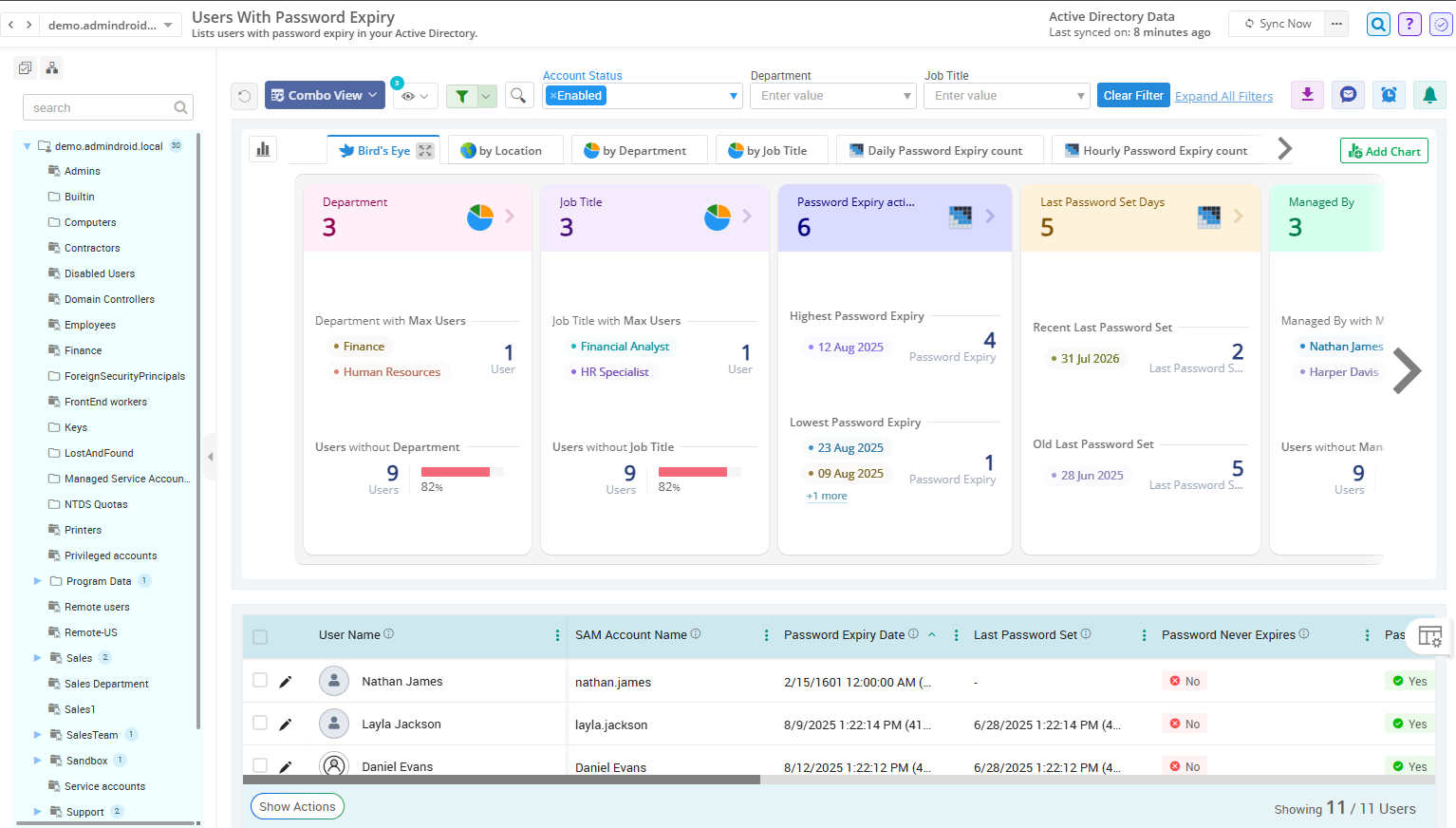
Active Directory Users with Password Expiry

Regularly reviewing password expiration status for all users across the domain is essential for meeting security and compliance requirements. Export password expiry reports with details such as expiry status, expiry date, password age, and more using AdminDroid.

Active Directory Password Expired Users

Expired passwords can prevent users from signing in and flood the helpdesk tickets. Instead of checking msDS-UserPasswordExpiryTimeComputed with complex scripts, AdminDroid helps you find password expired users easily and lets you reset passwords directly from the report.

Active Directory Users with Soon-to-Expire Passwords

Users on remote or non-domain-joined devices often miss Windows password expiry warnings, leading to unexpected lockouts. AdminDroid lets you filter users whose passwords expire in 7, 14, 30, or any custom timeframe and force a password change before they lose access.

Active Directory Accounts with Passwords Set to Never Expire

Passwords configured to never expire create long-term security risks by leaving outdated credentials active. Use AdminDroid to quickly identify accounts with non-expiring passwords across multiple domains and review whether the configuration is intentional.

Active Directory Users with Password Expiry

Active Directory Users with Password Expiry

Active Directory Admin Password Reports

Every Active Directory credential matter, but admin credential hygiene deserves the highest level of protection. With admin accounts spread across groups and roles, monitoring their password health using native tools can become a tedious manual task. AdminDroid’s Active Directory reporting tool helps you easily monitor admin password health, identify risky credentials, and protect against credential-based attacks.

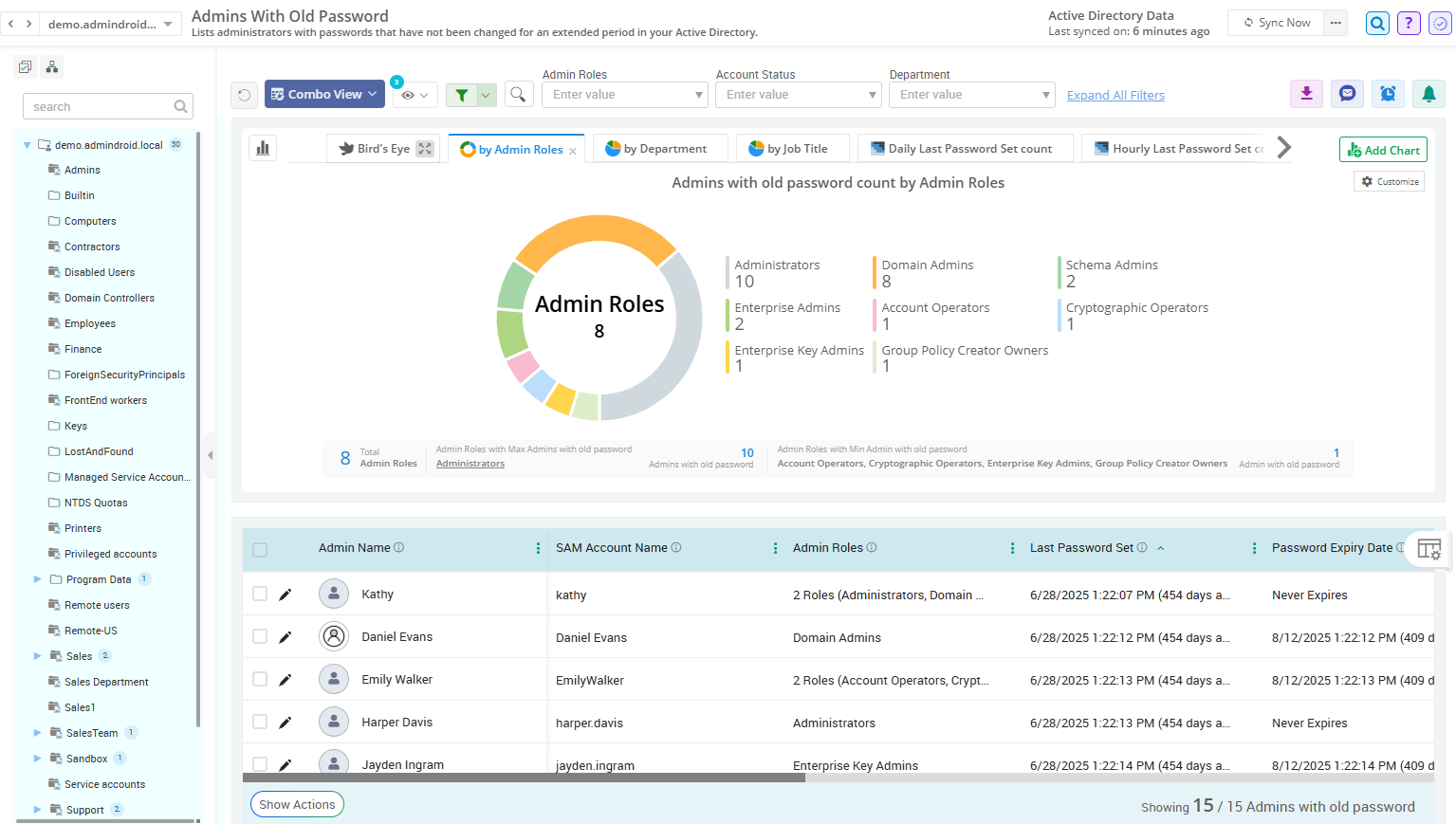
Active Directory Admins with Old Passwords

Stale passwords on privileged accounts increase the risk of lateral movement and domain compromise. AdminDroid lists admins with outdated credentials with their name, roles, last password set date, password expiry date, etc., along with charts and graphs for a quick overview.

Active Directory Admins with Never Expiring Passwords

Regularly review privileged accounts with passwords set to never expire, especially highly privileged admin accounts like break-glass accounts. Use AdminDroid to find admins with non-expiring passwords and filter the results by account name or group to review specific accounts.

Active Directory Admins with Old Passwords

Active Directory Admins with Old Passwords

Active Directory Computer Password Reports

User passwords aren't the only credentials that need monitoring. Weak or outdated computer credentials can also put your Active Directory environment at risk. AdminDroid's computer password reports help you quickly identify stale computer passwords, monitor password changes, and spot potential issues.

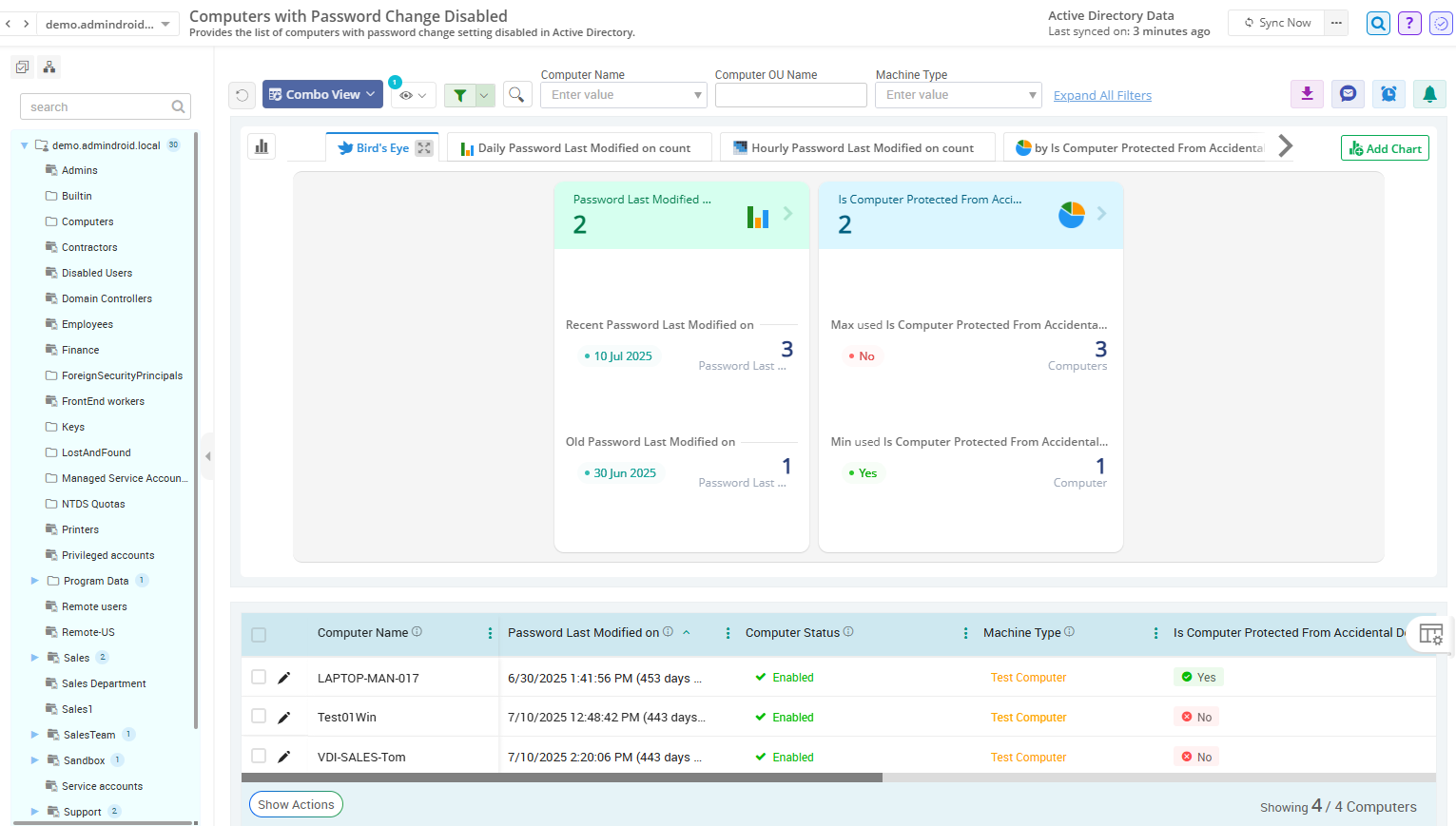
Active Directory Computers with Password Change Disabled

When ‘Disable machine account password changes’ setting is enabled, computer passwords stop updating automatically, leaving them unchanged for long periods. AdminDroid helps you find machines with password changes disabled for quick review and remediation.

Active Directory Computer Accounts with Old Passwords

Outdated computer passwords can indicate devices that are no longer communicating with the domain, leading to authentication issues. Use AdminDroid to get devices with passwords older than 90 days, with details like last password set date, expiry status, expiry date, etc.

Active Directory Computers with Password Change Disabled

Active Directory Computers with Password Change Disabled

Send Timely Password Change Reminders with AdminDroid Smart Reminders

Avoid last-minute password expiration surprises! AdminDroid’s ready-to-use reminders help admins notify the right users at right time before their passwords expire. ⏰

AdminDroid reminders automatically notify users about upcoming password expiry and send timely follow-ups —no manual tracking, no missed notifications.

Get start with AdminDroid’s pre-built reminder templates for password expiry, non-expiring passwords, and more. Pick a reminder that actually fits your needs.

Need something different? Customize due dates, follow-up schedules, and reminder messages in the existing templates to match your needs. Notifications can be sent through email or Microsoft Teams.

AdminDroid scheduled password expiry reminders sent through email and Microsoft Teams

Unlock the Full Potential of AdminDroid Active Directory Password Reports

Simplify password management with AdminDroid’s powerful capabilities that go beyond simply viewing Active Directory password reports.

Monitor user password health at a glance with AI-powered charts and dashboards.

Filter & sort report data and customize columns to get the user password details you need.

Perform password resets and force password changes without leaving the report for quick resolution.

Export user password reports in multiple formats like CSV, Excel, PDF, PDF+, HTML, and RAW.

Manage password health for users, admins, & devices across multiple domains in one place.

Schedule password reports to receive regular updates on user password activity.

Get instant alerts on users with soon-to-expire, expired passwords & other critical events.

Share your password reports with IT teams through Microsoft Teams or email.

Delegate password reports and related management actions to helpdesk teams with least privilege.

Make Active Directory password reporting effortless with AdminDroid!

Download

Take a tour of password reports: Live Demo