🎯31 daily security challenges for Cybersecurity Month. Start Playing

Active Directory Account Lockout Analyzer

Account lockouts are not just disruptions — they can signal credential misuse, password attacks, or policy misconfigurations. While Event ID 4740 flags the lockout, it doesn’t reveal the root cause, leaving you blind to suspicious activity and persistent risks. AdminDroid’s Account Lockout Analyzer closes this visibility gap by combining lockout causes and source details, helping you identify the root cause and reduce troubleshooting time.


Active Directory Account Lockout Analyzer for Faster Root-Cause Detection and Resolution
Alerts via teams and mail

Real-time lockout alerts via email and MS Teams.

Smart schedule

Smart scheduling for regular lockout insights delivery

Interactive dashboard

Interactive dashboard for lockout trend analysis.

Audit Active Directory Account Lockouts with Complete Visibility

No more log-hunting or scripts; find the cause, source, and history of any user lockout with complete clarity using AdminDroid.

Track Account Lockout Sources & Causes

Find all account lockout sources and reasons in one place to simplify troubleshooting and detect patterns such as brute-force attempts or credential stuffing. Pinpoint source computers, apps, and causes like bad passwords or cached credentials without manually searching security logs.

Examine Active Directory Account Lockout Activity

Find recent lockout events, frequently locked-out users, daily lockout summaries, RDP account lockouts, and more with AdminDroid’s dedicated reports. This helps admins quickly review lockout activity, identify patterns, and resolve lockout issues.

AdminDroid’s Smart Alerts for Active Directory Account Lockouts

Stay ahead of helpdesk tickets — AdminDroid’s real-time alerts help you catch lockouts instantly and resolve them before users report them.

AdminDroid Real-Time Active Directory Account Lockout Alerts

Proactively mitigate security risks with AdminDroid’s built-in account lockout alert policies or customize policies to fit your unique needs!

Set up alerts using comparison conditions to detect unusual lockout spikes against past trends, such as last week’s data.

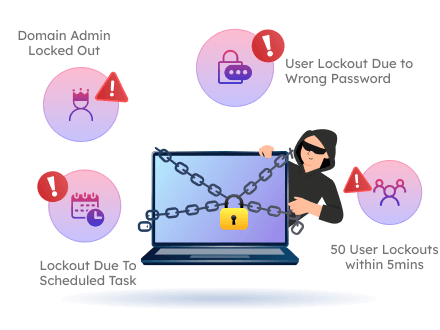
Use threshold-based alerts to flag potential password spray attempts early, such as 100+ lockouts in 5 minutes.

Apply granular filters to prioritize lockout alerts and get notified when high-impact accounts, such as domain admins, are locked out!

Ready-to-Use Active Directory Account Lockout Alert Policies

Here’s a snapshot of ready-to-use Active Directory lockout alert policies within AdminDroid.

Account Lockout Alert

Instantly alerts when any AD user gets locked out, capturing who, when, and where.

Domain Lockout Policy Change Alert

Notifies you when AD domain lockout policy settings are modified.

Lockout Spike Detection

Warns sudden lockout surges to distinguish high-speed threats from routine human error.

Lockout Activity Trend Comparison Alert

Notifies you about lockout trends and recurring misconfigurations in your domain.

Gain Complete Control Over User Account Lockouts in Active Directory

AdminDroid’s Active Directory account lockout examiner goes beyond lockout auditing and alerts — delivering reports, automation, delegation, and actions for easy lockout management.

account lockout dashboard

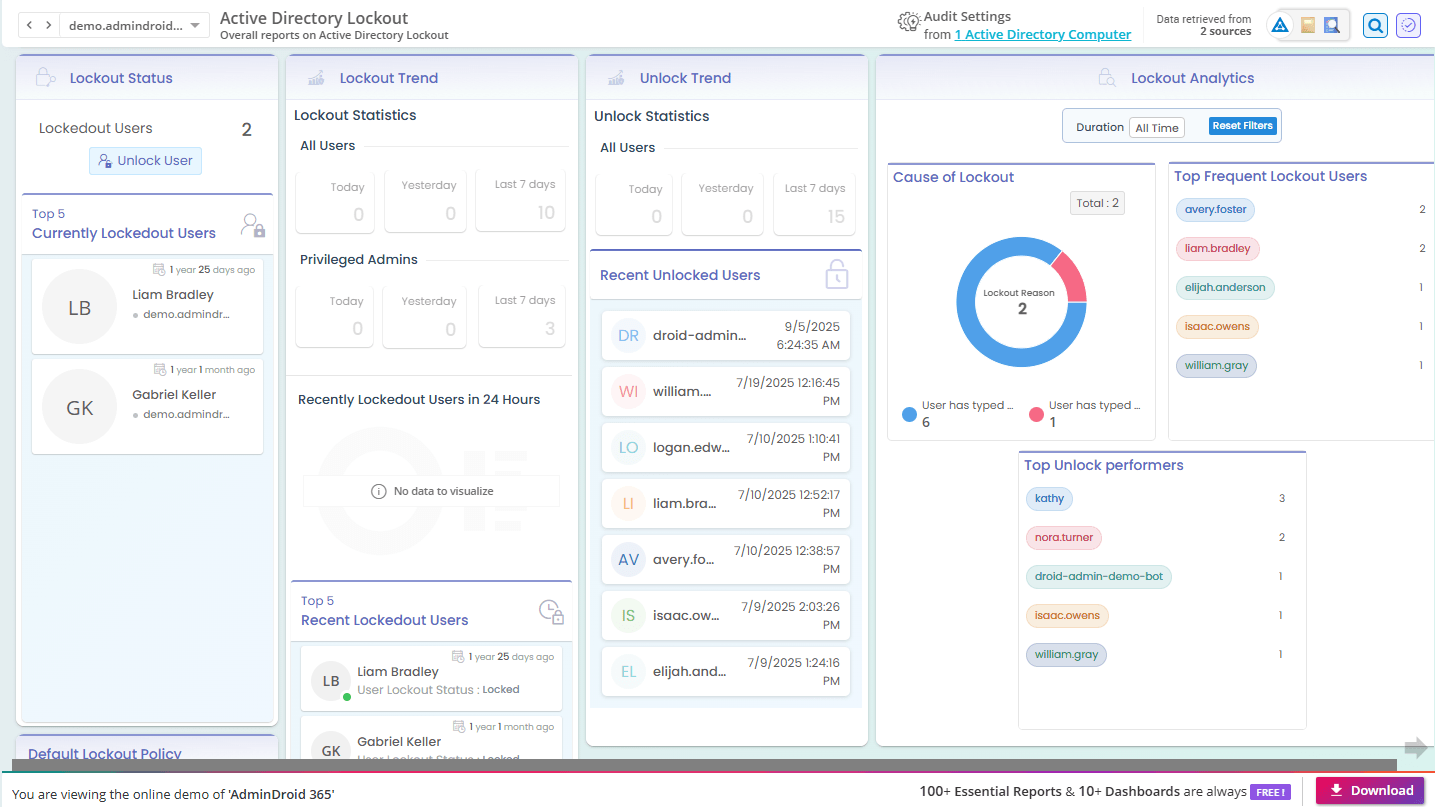
Visualize Account Lockouts at a Glance with the Lockout Dashboard

  • From currently locked-out users to recent admin lockouts, the lockout dashboard provides clear analytics to spot high-risk activity.

  • Gain an overview of Active Directory lockout trends, unlock patterns, lockout causes, frequently locked users and more—all in one place.

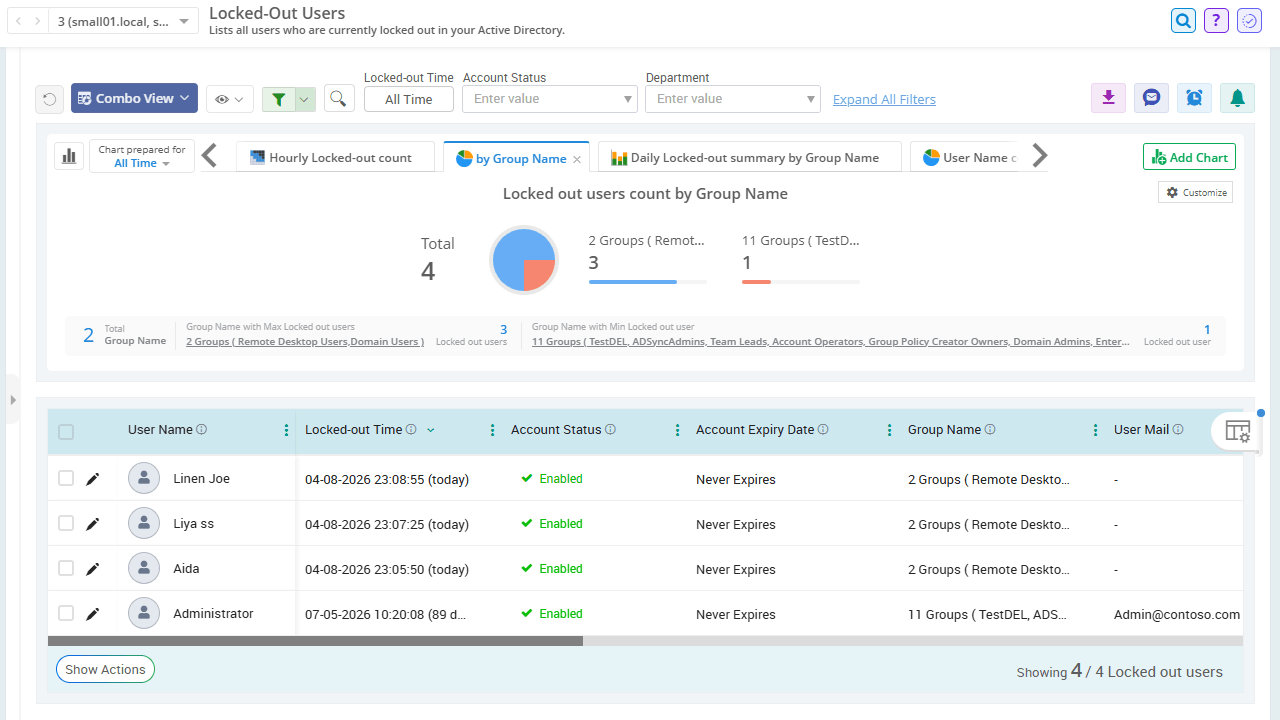
Get Instant Visibility into Locked-Out Active Directory Accounts

  • Instantly see who is currently locked out, when it happened, when their account expires, and more with AdminDroid's dedicated locked-out users report.

  • Spot security patterns while supporting audit readiness and compliance monitoring for standards such as HIPAA, PCI DSS, and SOX.

locked out users report
unlock locked out users

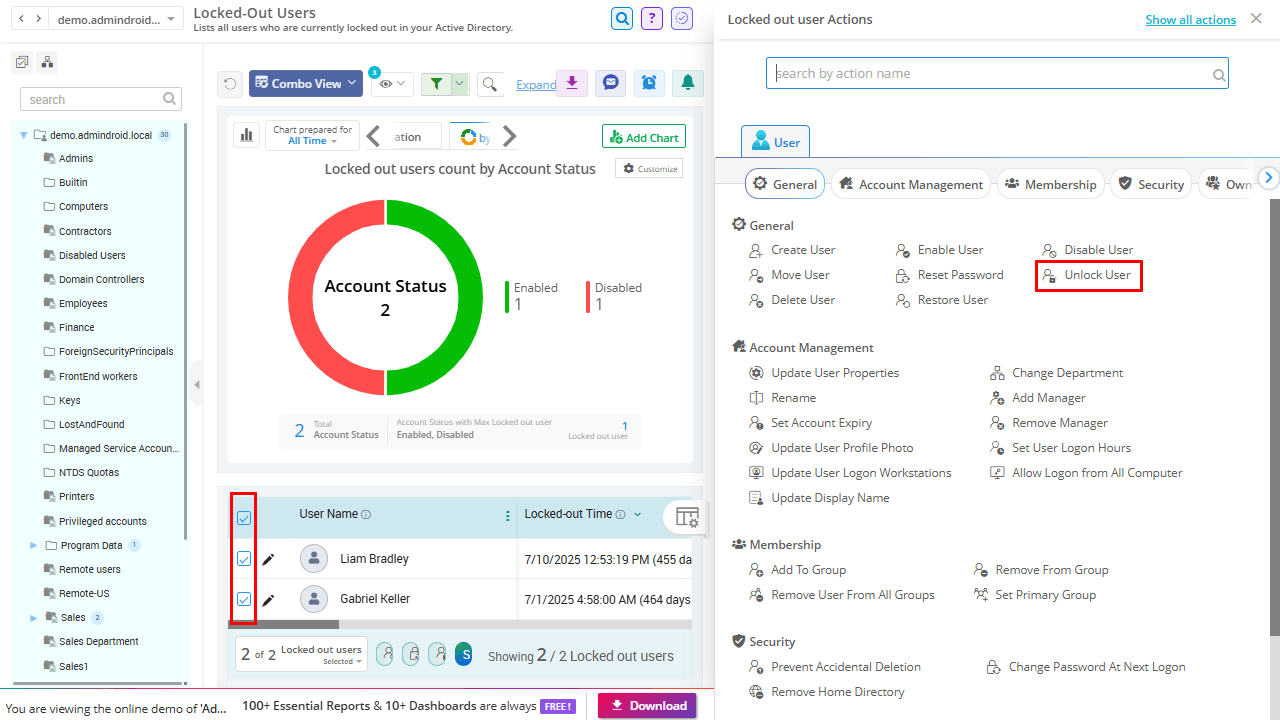
Quickly Unlock Active Directory Users to Restore Access

  • Unlock users directly from reports in AdminDroid, so you can instantly restore access and keep users productive.

  • When multiple accounts are locked simultaneously, unlock users in bulk and turn a potential crisis into a quick fix.

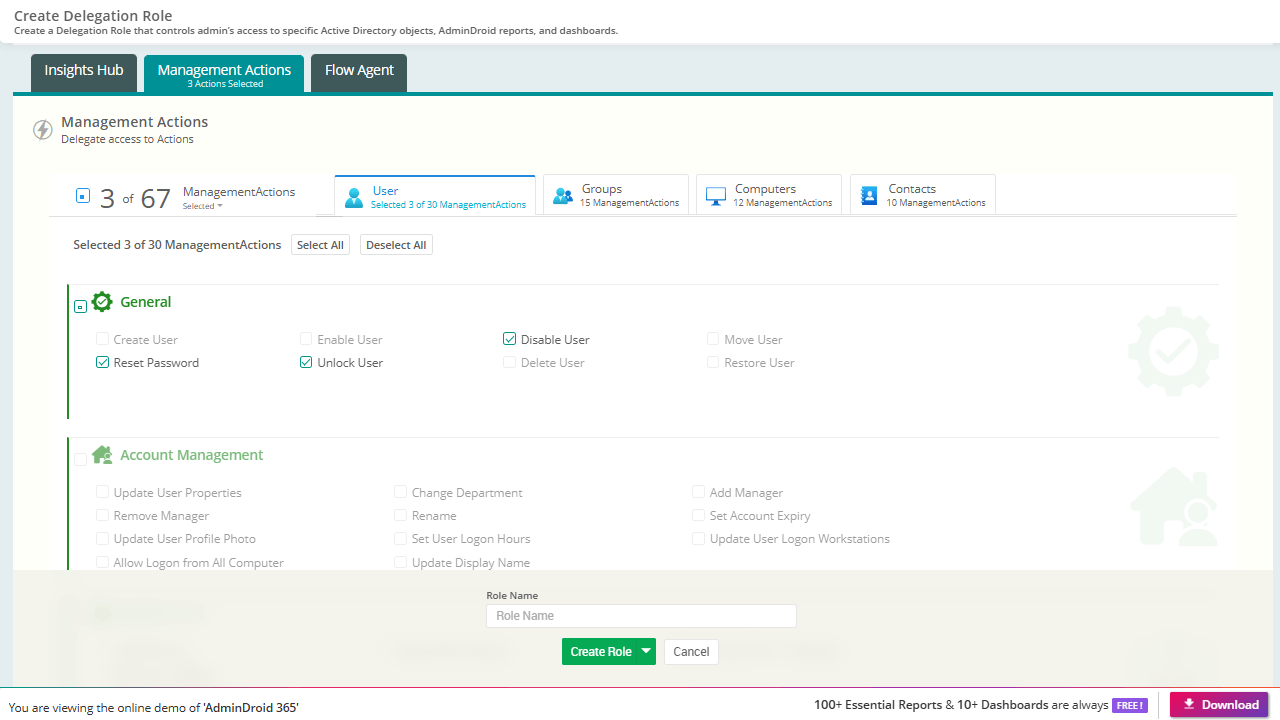
Securely Delegate Rights to Unlock Accounts Without Excess Privileges

  • Let helpdesk teams handle everyday account lockouts using AdminDroid’s Delegation without having full admin rights in Active Directory.

  • Further tighten security by scoping object access with virtual domains, so support teams manage only specific users and groups.

delegate unlock rights
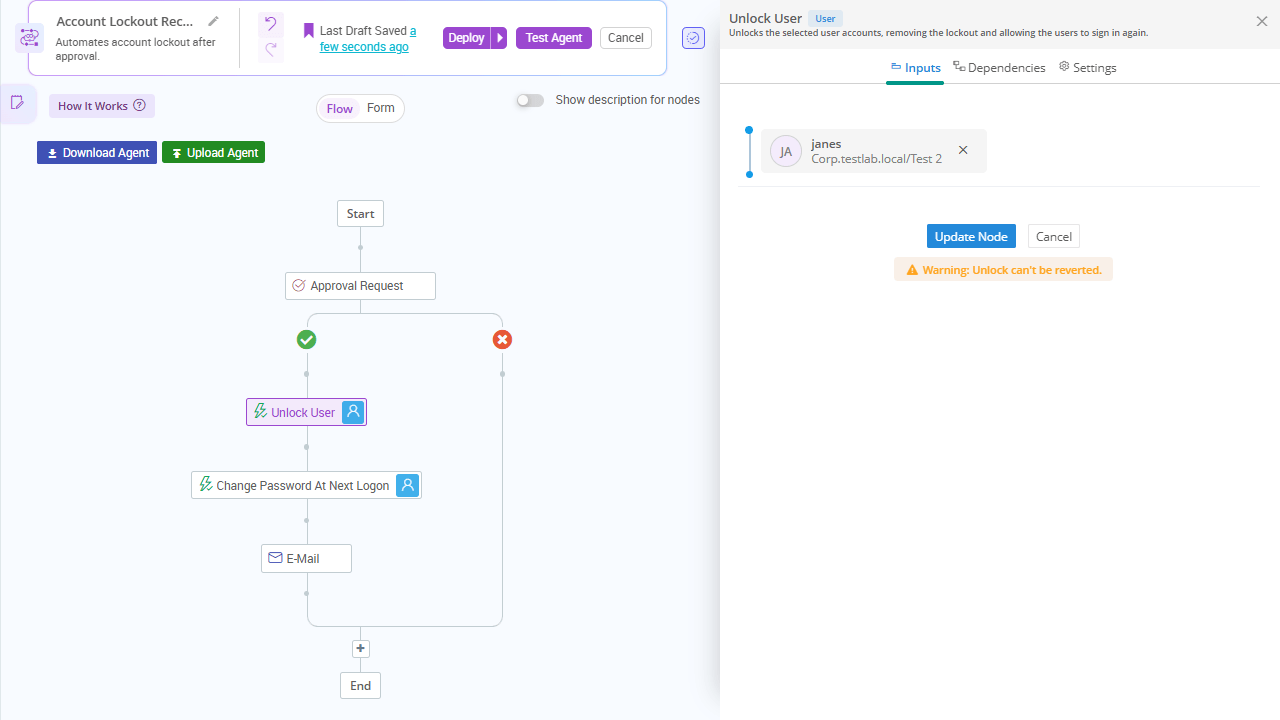
automate account lockout recovery

Automate Account Lockout Recovery with Secure Workflows

  • Build a secure multi-step response with AdminDroid’s Flow Agents to unlock accounts upon approval and require a credential change at the next login.

  • Eliminate manual effort and speed up account recovery with automated workflows that streamline the entire process.

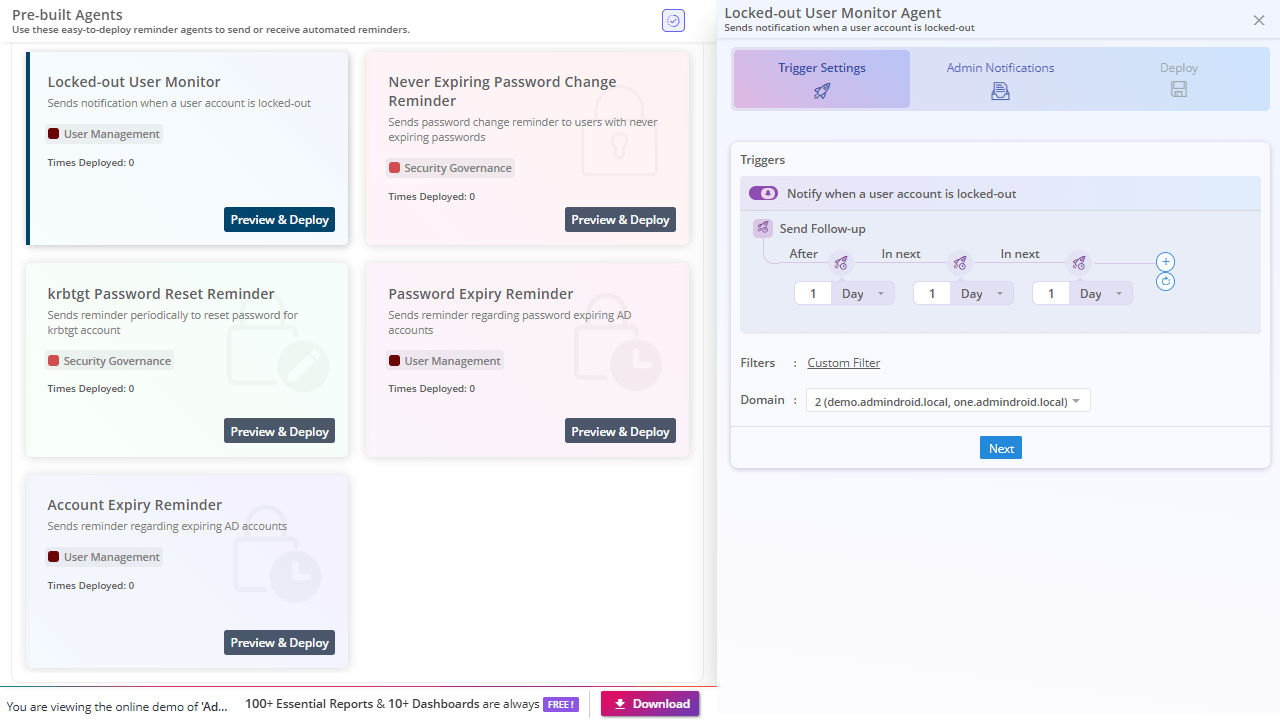
Stay on Top of Account Lockouts with Proactive Reminders

  • Automatically nudge admins to revisit prolonged lockouts with AdminDroid reminders, ensuring suspicious patterns are analyzed and resolved.

  • You can also configure and send follow-up notifications after a defined number of days to track persistent issues and uncover the underlying cause.

account lockout reminder

Identify account lockouts and act immediately with AdminDroid.