🎉 Our Microsoft 365 Reporting & Management Tool is now available in Azure Marketplace 🚀
This website uses cookies to improve your experience. We'll assume you're ok with this. Know more.
Free tool

Smarter Way to Run Microsoft Graph Queries

Stop struggling with raw JSON. AdminDroid Graph Explorer for Microsoft 365 turns Graph API results into clean, structured tables, letting you explore data and perform management tasks effortlessly.

Smarter Way to Run Microsoft Graph Queries

Why Choose AdminDroid Graph Explorer for M365?

Everything you like about Graph Explorer, with the features admins actually need at no cost.

Native Graph Explorer works for quick checks, but JSON output can be hard to read and navigate. AdminDroid Graph Explorer simplifies this by presenting results in easy-to-understand tables with intuitive navigation—so analyzing data and taking action becomes fast, clear, and efficient.

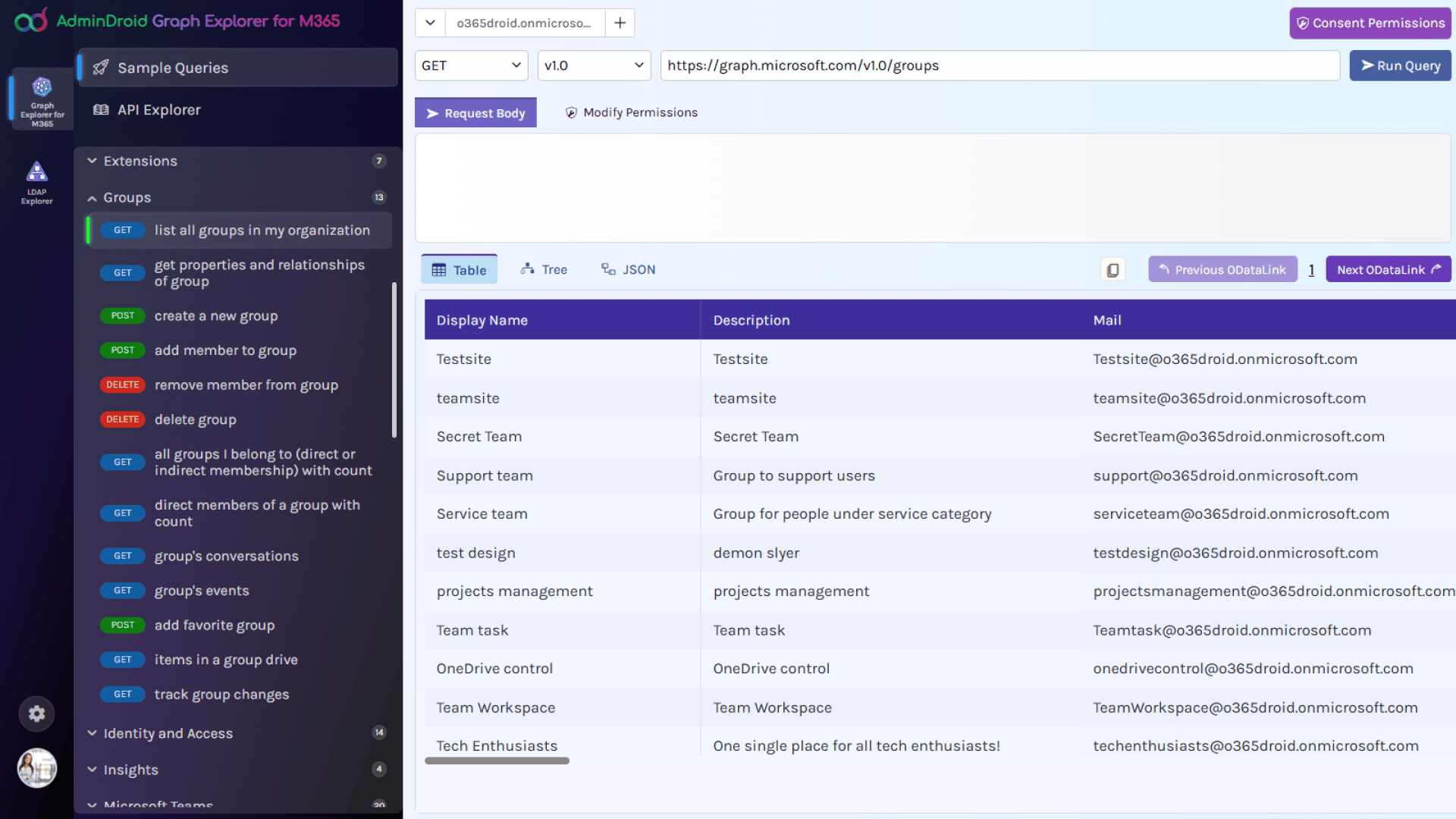
View Results in Table

Run queries and view directory objects in a clean, table-based layout for quick analysis.

More Pre-Built Queries

Access a larger collection of ready-to-use queries than native Graph Explorer.

Smart Data Views

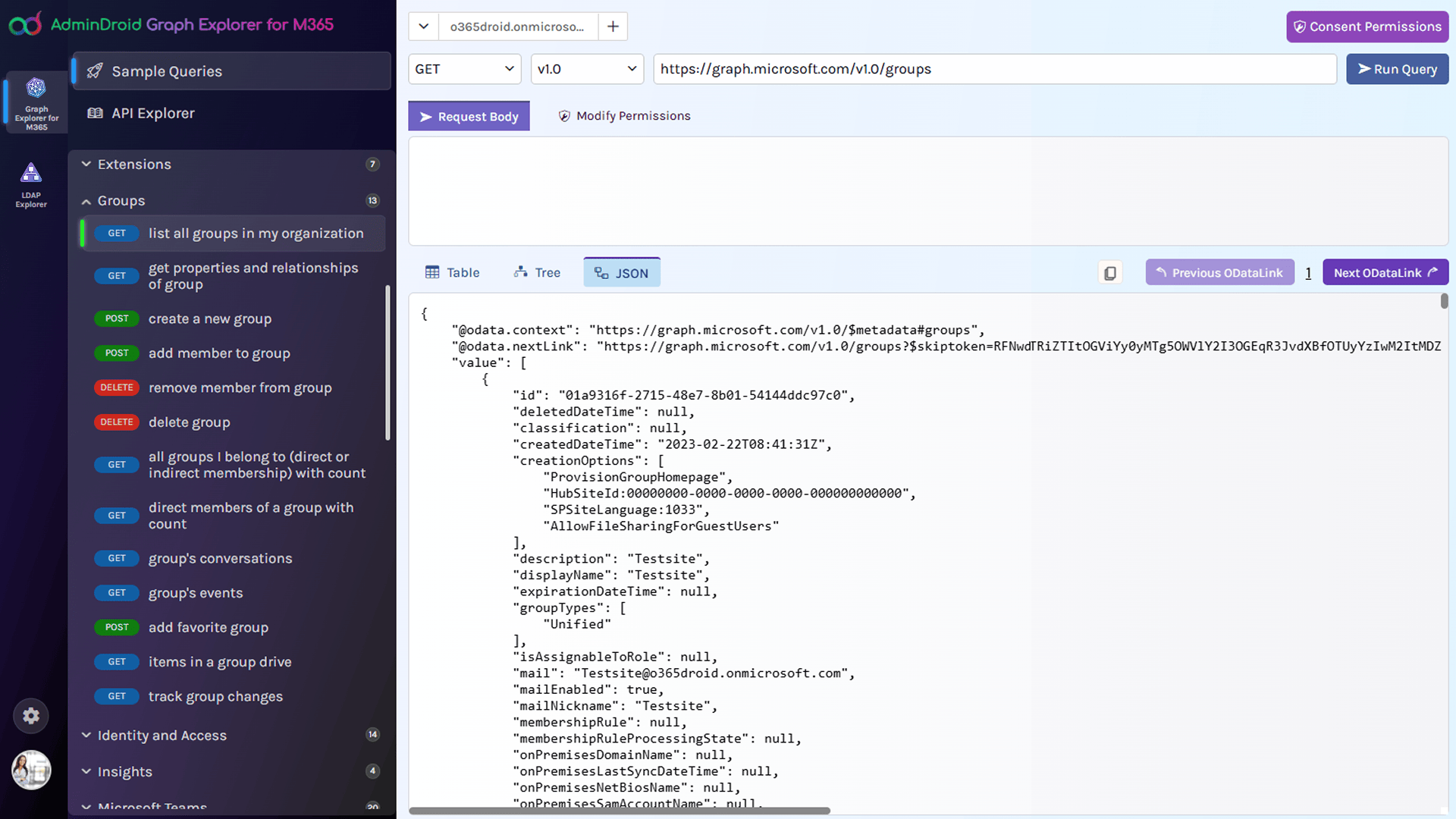
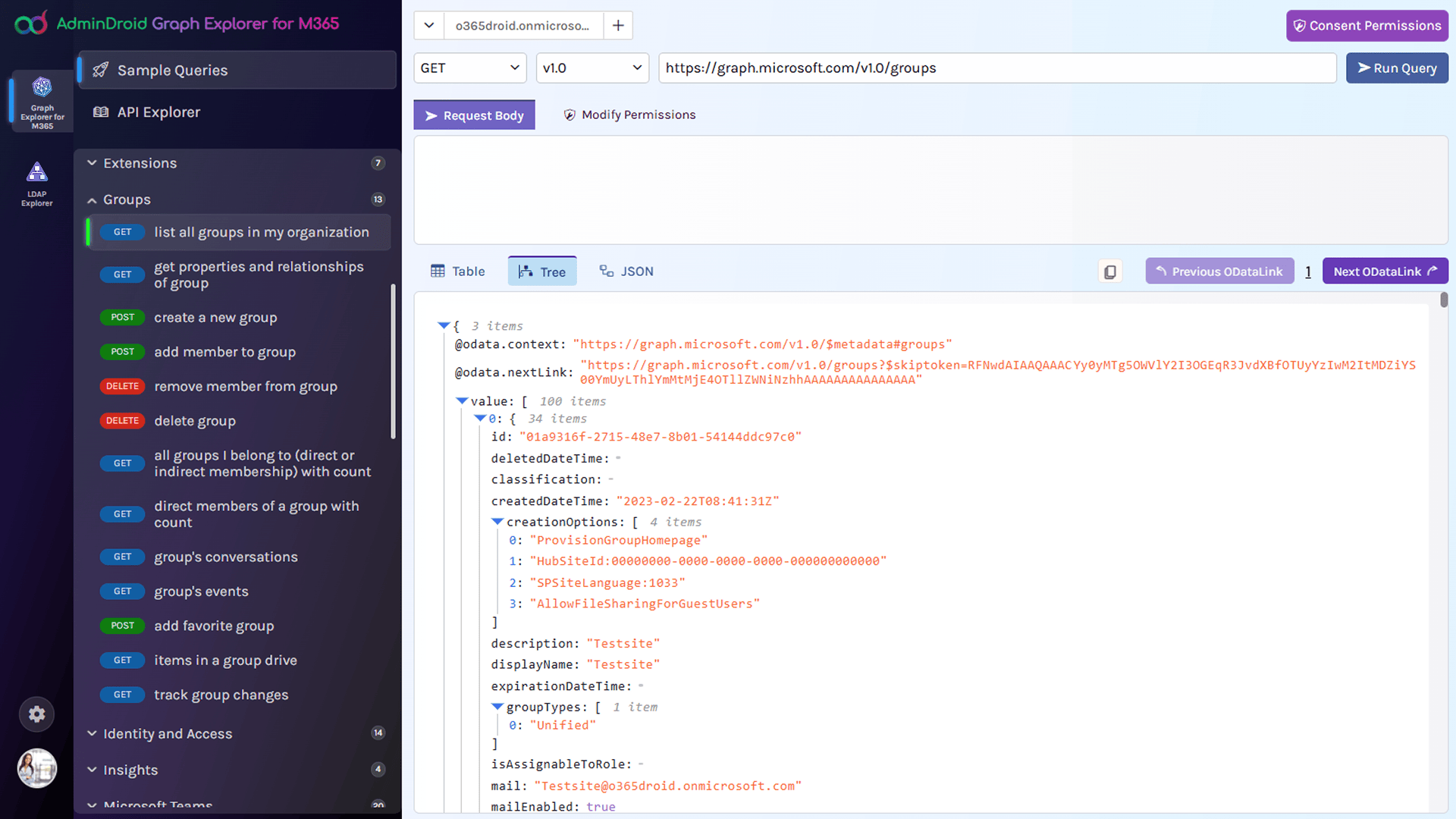
View Microsoft 365 data in multiple formats for quick insights and easy navigation.

Instant Insights

Key fields appear first, so you see what matters most immediately.

Large Dataset Handling

Navigate tenant-wide reports and bulk data effortlessly using next and previous buttons.

Zero-Hassle Permission Grant

Quickly grant the necessary permission scopes with only a few clicks.

Go Beyond Native Microsoft Graph Explorer

If you’ve ever struggled with endless JSON blocks or wished for a cleaner way to browse Microsoft Graph API data, AdminDroid Graph Explorer for M365 is the solution. It keeps the familiarity of the native tool but adds the features that admins actually need.

View Graph Data the Way you Want

The default Graph Explorer shows results only in JSON, which can be overwhelming to read. AdminDroid Graph Explorer introduces multiple views, giving you the flexibility to choose how their data is displayed:

Analyze Large Datasets with Ease

When a query returns a large set of results, the native Graph Explorer display them in pages, and you must click through links to fetch the next set of records. If you lose an OData link for a previous page, you may not be able to go back and review earlier results.

AdminDroid Graph Explorer makes it easy with simple Next and Previous buttons. You can move through all your data like flipping pages in a book, while keeping the same clean table view.

  • No more chasing extra links to see the next page.
  • Keep the same structured layout while flipping through hundreds or thousands of records.
  • Perfect while working with bulk Microsoft 365 data.

Manage Microsoft 365 Resources with More Control

AdminDroid Graph Explorer lets you perform everyday Microsoft 365 management tasks efficiently. You can update user profiles, adjust group memberships, configure policies and more directly within the tool. Quickly review changes across multiple views and navigate effortlessly with a clean, intuitive interface.

Effortless Multi-Tenant Administration

Manage multiple Microsoft 365 tenants from one unified interface. Switch between tenants easily without repeated sign-ins or complex setup.

See the Data That Matters First

Results are organized with key fields like Display Name, Email, and UPN shown first, followed by other important details. Get insights instantly without digging through unstructured data.

Run Graph Reports Without Browser Limitations

Access Microsoft Graph report endpoints directly without CORS or browser restrictions. View adoption, usage, and activity reports smoothly in one place.

Graph Explorer vs AdminDroid Graph Explorer

Feature
Native Microsoft Graph Explorer
AdminDroid Graph Explorer for M365
Output format
JSON only
Table, JSON or Tree
Data Readability
Hard to interpret for non-developers
Clean grid for admins + JSON/Tree for devs
Pagination Support
Requires managing OData pagination links manually; cannot go back to previous page easily
Next & Previous buttons for smooth page navigation
Admin -Friendly Interface
No. Developer focused
Designed for IT admins & developers alike
Ease of Use
Steep learning curve for admins
Simple, intuitive, productivity-first

Go Beyond Basic. Try AdminDroid Graph Explorer for M365

Instantly turn Microsoft Graph queries into clear, organized tables. Explore tenant data, uncover insights, and perform management actions—all from one intuitive interface.

100% Free

Admin-friendly

Open source

Download
×
Show All