🎉 Our Microsoft 365 Reporting & Management Tool is available in Marketplace 🚀
Free tool

A Smarter Clipboard for Windows

Windows Clipboard helps you temporarily store copied content for pasting it elsewhere. However, over time, the older entries disappear, and re-copying the same content becomes part of the workflow. Power Clip, one of the tools in the PowerDroid suite, simplifies clipboard history management by keeping a persistent history of everything you copy. It captures URLs, texts, images, GIFs, and file or folder paths. This makes it easy to search, retrieve, and reuse copied content whenever you need it.

Download PowerDroid
A Smarter Clipboard for Windows

No cost

No ads

No tracking

No internet required

Why Choose Power Clip?

Modern workflows involve dozens of tabs, documents, chats, and applications. Power Clip keeps copied content organized across all of them, making it easier to find and reuse information.

Stores up to 1,000 clipboard entries in history

Go beyond the 25-item limit of Windows Clipboard. Power Clip supports up to 1,000 clipboard entries.

Retains clipboard entries across sessions

Restarting your machine won’t wipe your clipboard. Every copied item stays exactly as you left it, ready when you’re back.

Search and filter any copied item from history

Locate and narrow down the clipboard history across text, source apps, URLs, file paths, and images.

Pull text from copied images without retyping

Extract readable text from screenshots and images using the built-in Windows OCR engine.

Keep your clipboard data secure

Power Clip uses Windows DPAPI to encrypt clipboard data stored on your computer, making it unreadable to anyone who gains access to the stored files.

Quickly access clipboard entries with compact mode

Open a handy compact mode by pressing Shift twice or using a custom shortcut to access copied contents and manage your clipboard history.

Open copied URLs directly in the right browser and profile

Launch any URL directly from clipboard history in one click. With Smart Browse, links can be automatically opened in the correct browser and profile based on rules.

Choose what gets captured into your clipboard history

Control exactly what Power Clip tracks by turning URLs, text, file paths, and images on or off independently.

Explore Power Clip Workflows

See how Power Clip serves as a centralized interface for managing, searching, and reusing copied texts, links, hyperlinks, screenshots, and file paths throughout the day.

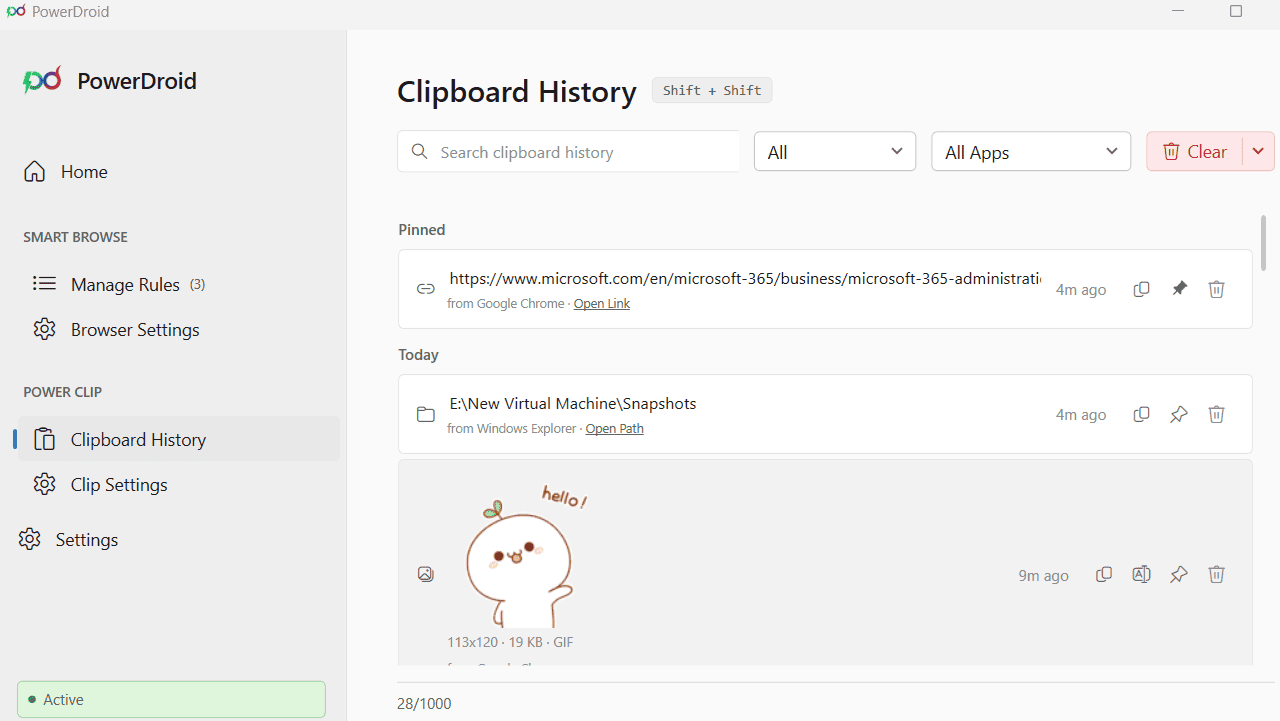
Clipboard History

Instant Access to Everything You’ve Copied

Search and access previously copied content instantly from Power Clip’s clipboard history, without reopening apps, retracing steps, or copying the same information again.

  • Find anything copied days ago in seconds by searching through entries.
  • Filter copied items by URLs, text, images, or file paths, and by source apps like Teams, Google Chrome, and more.
  • Pin or copy entries like templates, images, or links to keep them instantly reachable.
  • Delete individual entries or clear clipboard history, including items older than 1, 7, or 14 days, while keeping pinned items intact.
Instant Access to Everything You've Copied
Customize Power Clip Your Way
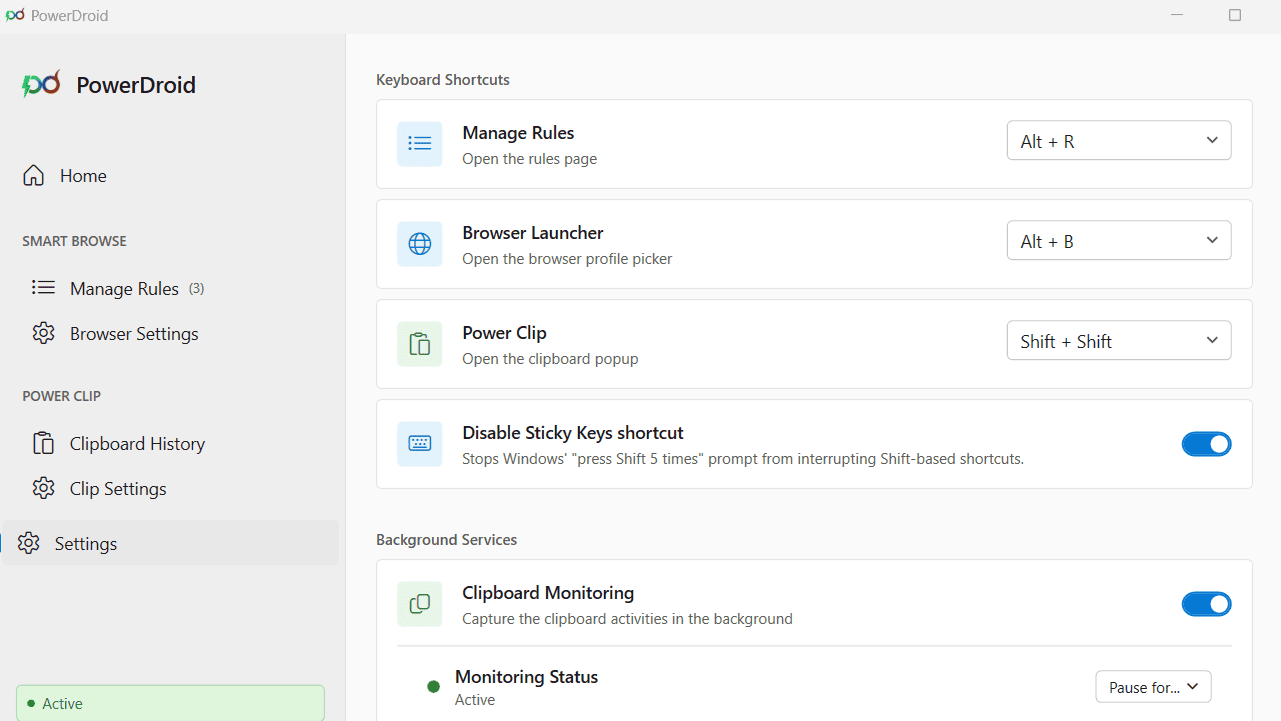
PowerDroid General Settings
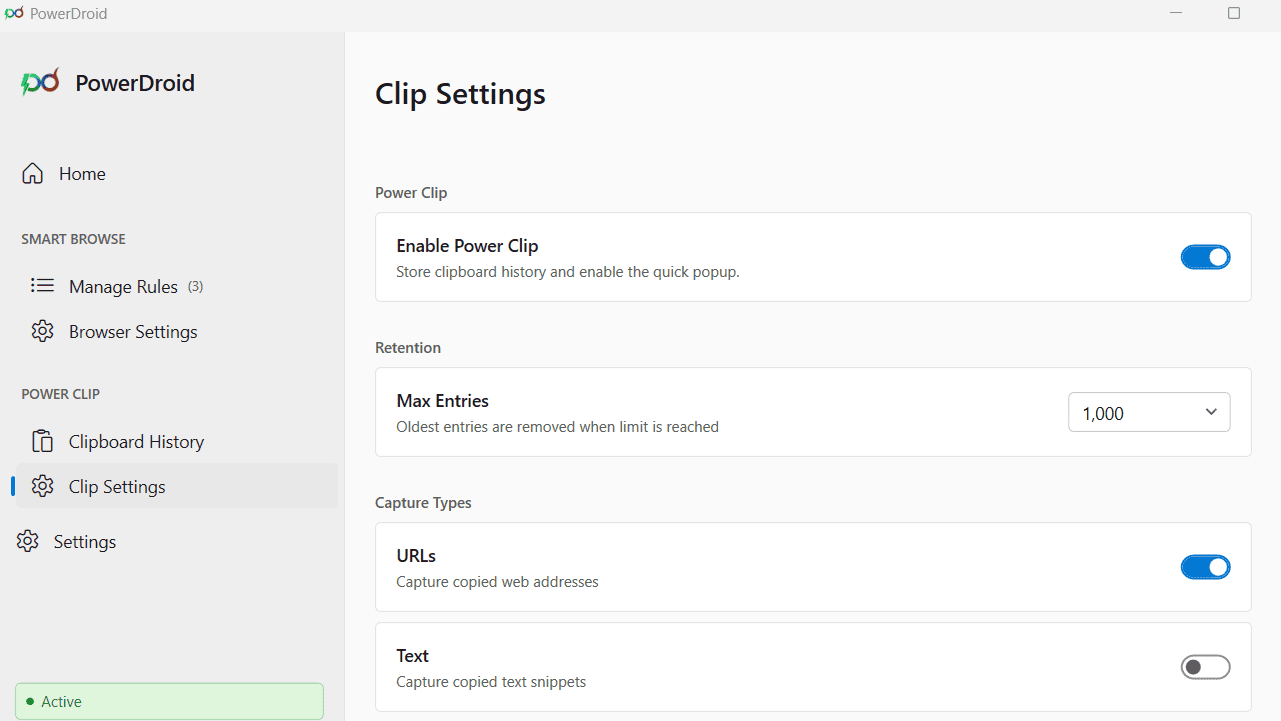
Clip Settings

Customize Power Clip Your Way

Control how clipboard content is captured, retained, and managed through a simple and organized settings experience.

  • Choose a clipboard history limit of 200, 500, or 1,000 entries.
  • Control what gets saved in history, including URLs, text, file paths, and images.
  • Turn clipboard monitoring on or off, temporarily pause it for 5, 15, 30 minutes or 1 hour, and resume it anytime.
  • Customize keyboard shortcuts for Power Clip, Browser Launcher, and Manage Rules to suit your workflow.

Windows Clipboard VS Power Clip

Stop losing what you’ve copied. See how Power Clip helps you manage and retrieve copied content more effectively than the built-in Windows clipboard.

Feature
Windows Clipboard
Power Clip
History
Holds up to only 25 entries
Persists across sessions with up to 1,000 entries
Persists Across Restarts
History is cleared when the machine restarts
All entries are preserved across restarts
Search & Filter
No way to search or filter copied items
Support search and filter by capture type or source app
Source App Tracking
Unable to track the app that copied the content
Every entry shows which app it was copied from
URL Launching
URLs must be pasted manually and opened in a browser
Launch any copied URL directly from history in one click
Preserve Text with Hyperlinks
Hyperlinks doesn’t get preserved when pasted
Retain copied text along with its embedded hyperlinks
File & Folder Detection
Paths must be copied and opened manually
Detect and open file and folder paths directly from history
OCR Extraction
Not available
Extract text from copied images using native Windows OCR
Clipboard Capture Preferences
No control over what gets stored in clipboard history
Fine-tune clipboard history with simple toggles to control which content types are saved, including text, URLs, images, and file paths
Preview GIFs Before Pasting
Cannot preview GIF playback from clipboard history
Hover over GIFs in compact mode to instantly preview animations
Pause Capture
No option to pause and resume controls over clipboard monitoring
Pause clipboard monitoring for any specific duration and resume anytime
Clear History
One at a time or all, but no time-based selective control
Selective controls — clear entries older than 1, 7, or 14 days
Multi-Select Paste
Paste only one clipboard item at a time
Select and paste up to 5 clipboard entries on compact mode all at once
Text Preview & Partial Paste
Cannot paste only specific text from a copied entry
Preview the full text, select any portion, and paste only the selected text using compact mode
Sensitive Information Protection
Can store passwords and OTPs in plain text, creating a security risk
Passwords and one-time codes marked by the source app are never captured or saved

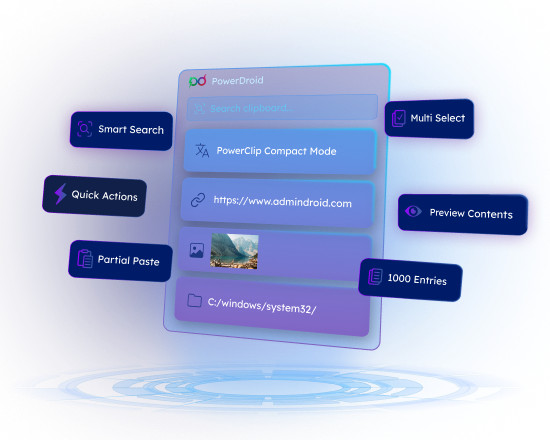
Never Lose a Copied Entry Again!

Search, pin, and act on everything you copy across apps. Copy once and access links or file paths directly from clipboard history whenever needed.

100% Free

Open Source

Download PowerDroid