🎉 Our Microsoft 365 Reporting & Management Tool is now available in Azure Marketplace 🚀
This website uses cookies to improve your experience. We'll assume you're ok with this. Know more.

Why Should You Choose AdminDroid?

Rich Reporting Features

Advanced reporting capabilities such as scheduling, export, customizable reports, advanced filters, etc.

One Tool to Rule

A single tool to manage your entire Office 365 infrastructure.

User-friendly

Do complex tasks with few mouse clicks using a simple to use web-based interface.

Non-admin Delegation

Allow non-admins to view reports and statistics.

Easy setup

Easy to set up. No prerequisites to install. No maintenance as the product will automatically update to latest version.

No Maintenance

The inbuilt auto-updating mechanism ensures always the product is up-to-date with security standards and latest features.

One Tool. Endless Possibilities.
AdminDroid brings every capability you need, from A to Z

All possible insights on sign-in like geo-location, device, mfa details, etc

Microsof 365 Sign-in Analytics

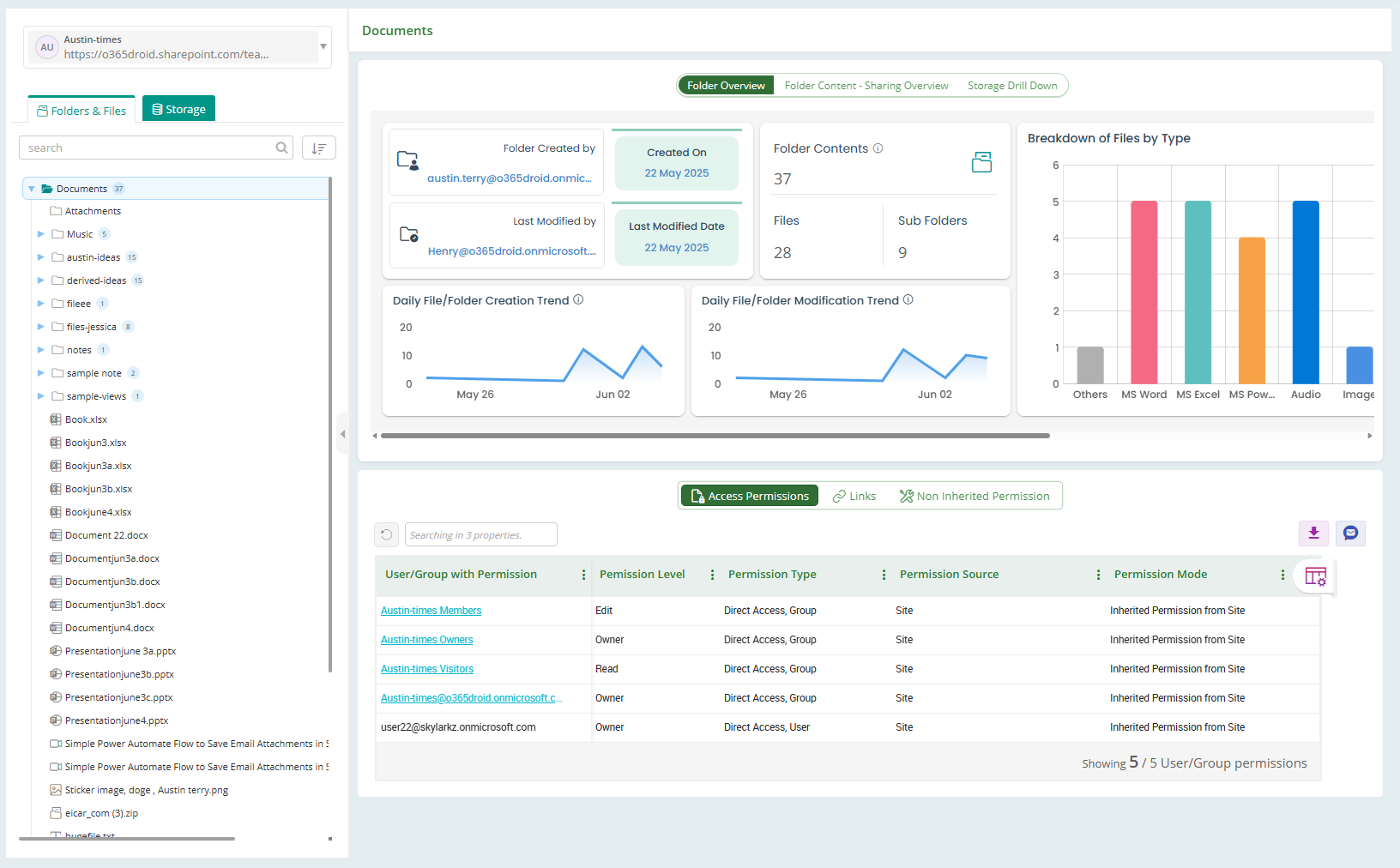
Get full visibility into file and folder permissions, sharing settings, inheritance, storage usage, and more.

SharePoint Permission Explorer

Identify and remove inactive users to optimize licensing and reduce security risks.

Inactive Users Cleanup

Auto send reminders to M365 users to change their passwords before they expire to prevent access issues.

Password Expiry Reminder

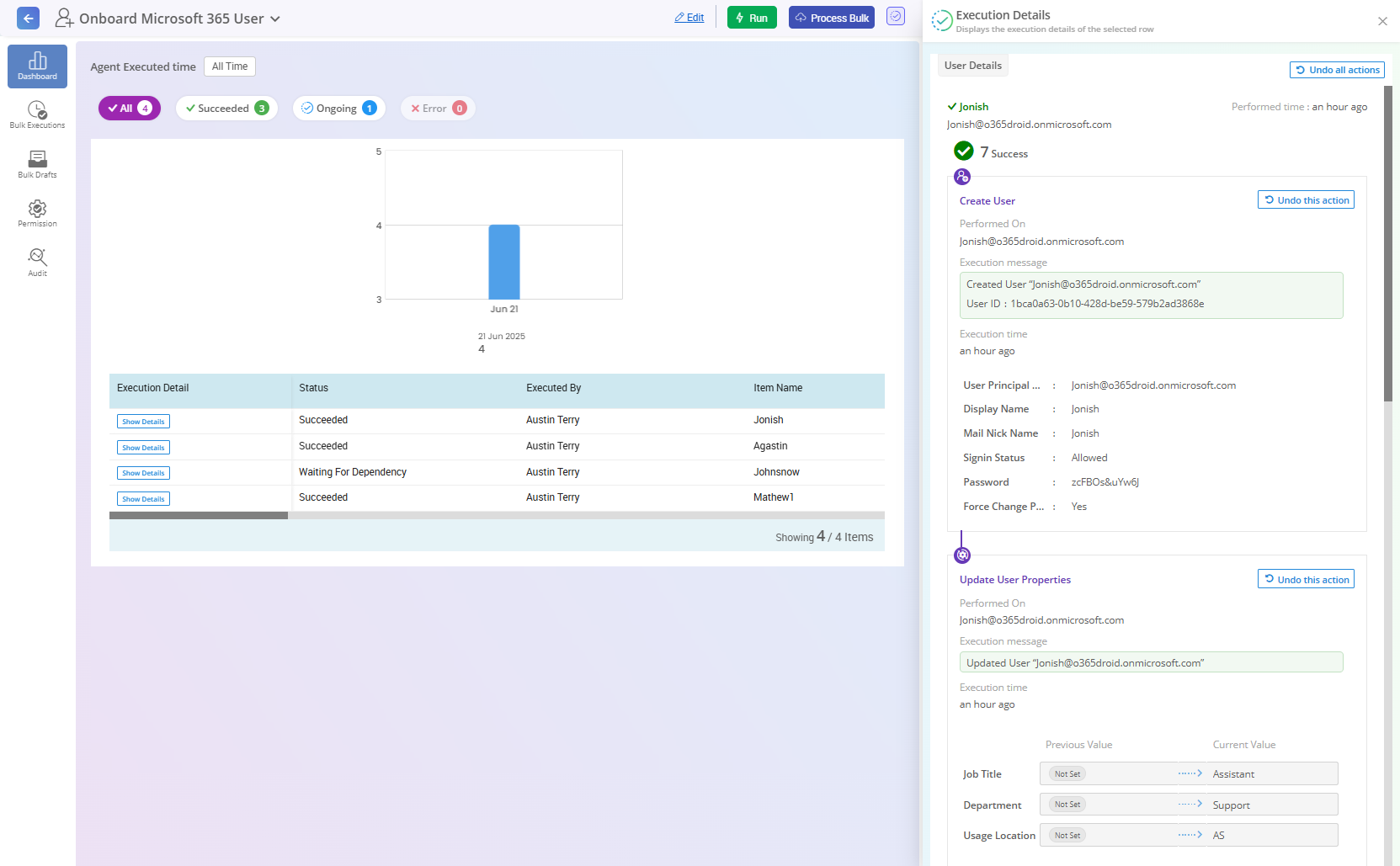
Streamline employee onboarding by automating tasks, ensuring every new hire has a smooth and well-organized start.

Onboard Microsoft 365 users

Securely handle employee offboarding with automated access removal, data retention, and compliance tasks to protect your organization.

Offboard Microsoft 365 users

Quickly identifies the source and cause of Active Directory account lockouts.

Account Lockout Analyser

Monitor links that share your data anonymously on the internet and revoke access if necessary.

Anonymous Links Monitoring

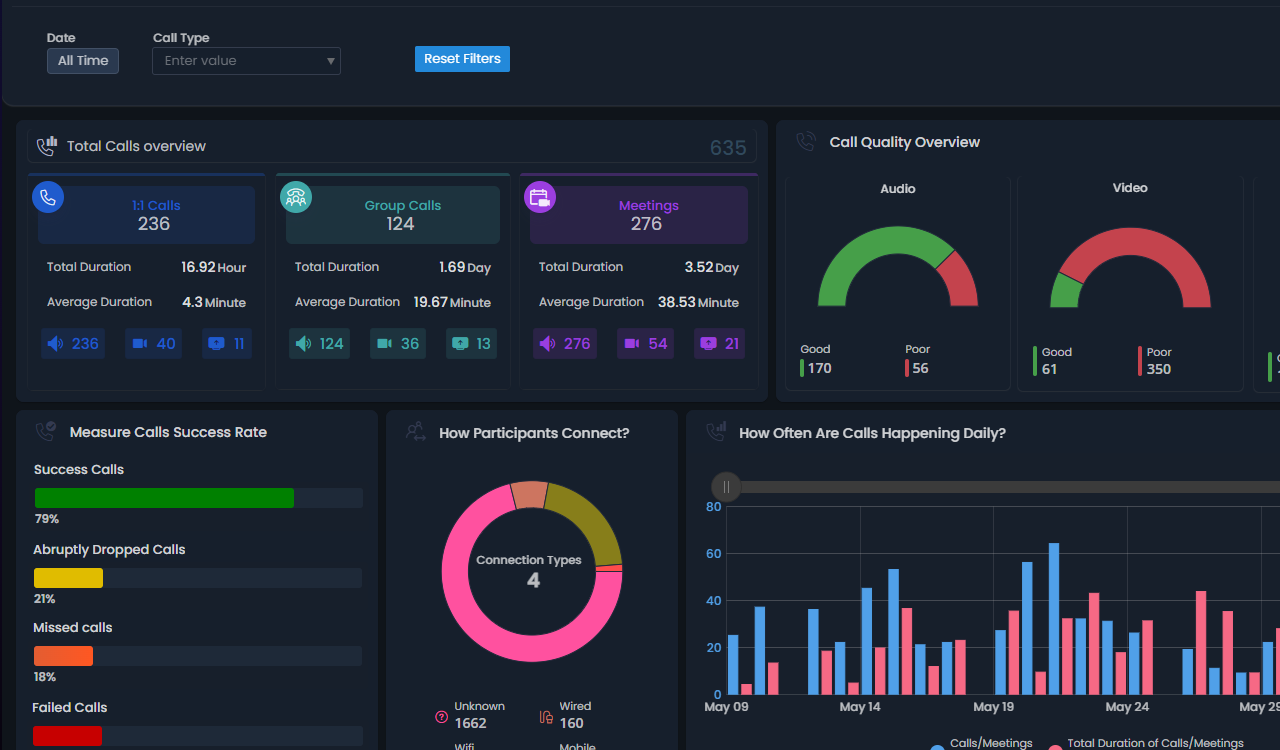
Provides complete visibility into every Teams call and meeting with detailed insights across participation, call quality, feedback, and more.

Teams Call & Meeting History

Handle SharePoint site creation requests and automate provisioning after approval.

Request SharePoint site creation

Get notifications when a mailbox exceeds storage limits

Mailbox usage meter

Get timely reminders and follow-up notifications to renew your Microsoft 365 subscription before it expires.
M365 Subscription Expiry Monitor

Quickly create, update, enable, disable, delete, or restore multiple objects in one go.

Bulk Object Management

Get approval from authorized personnel before executing critical tasks.

Approval Workflow

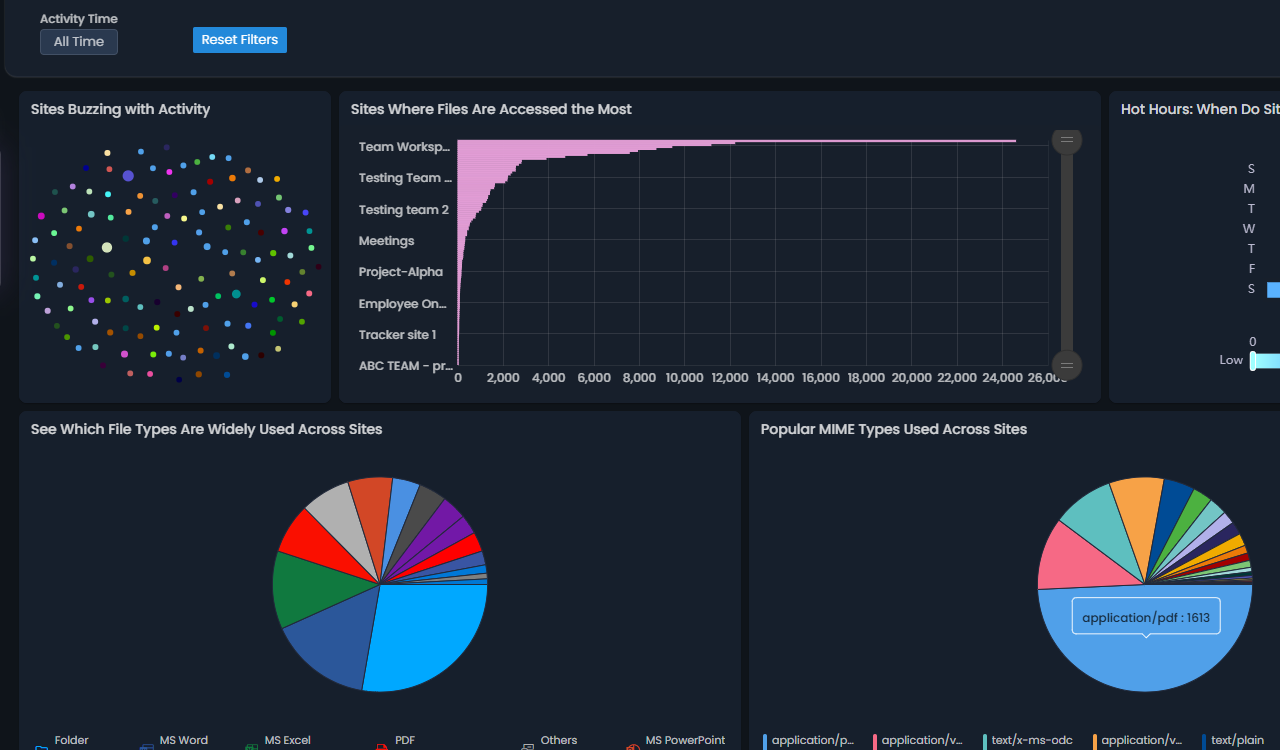
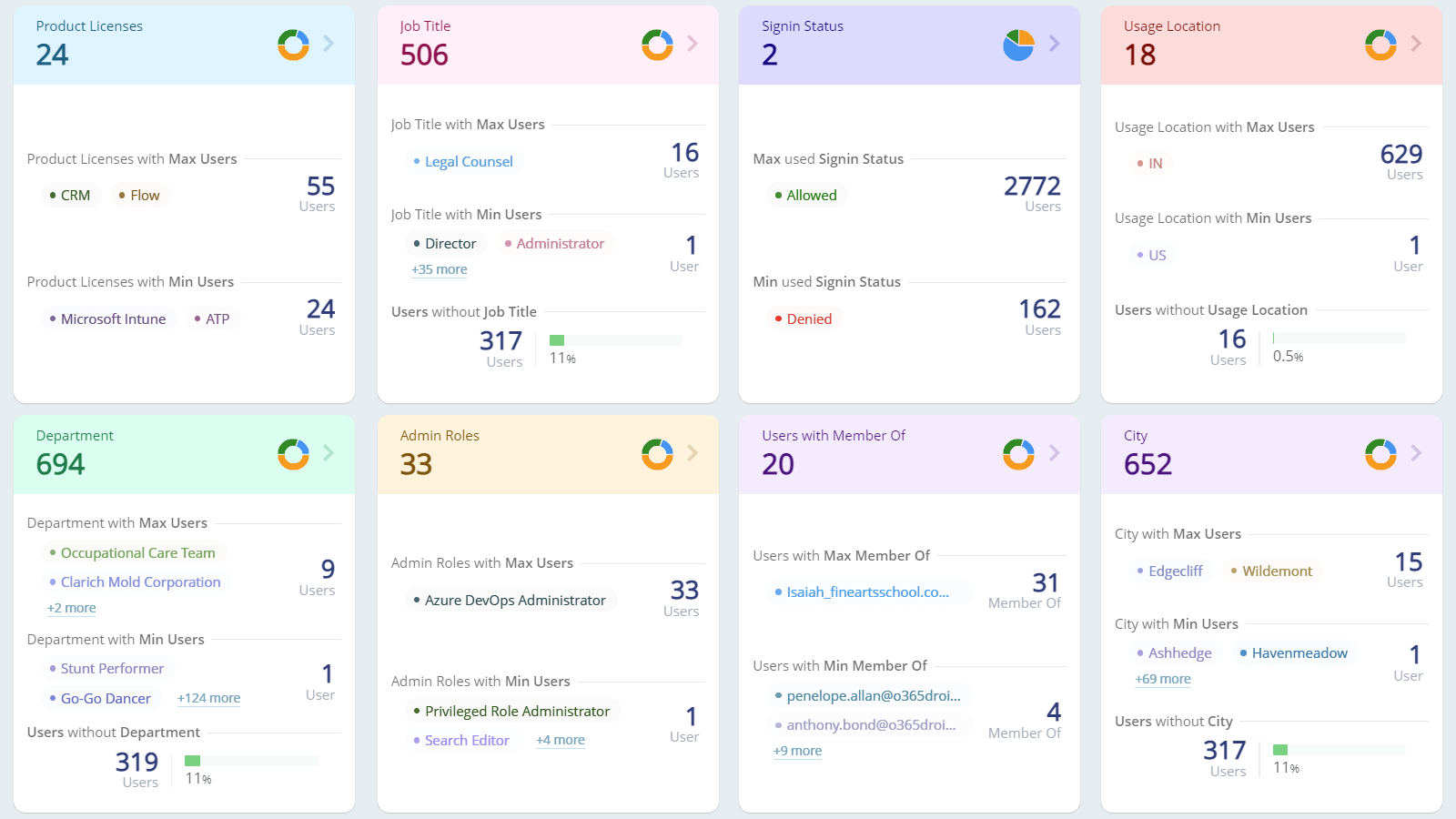
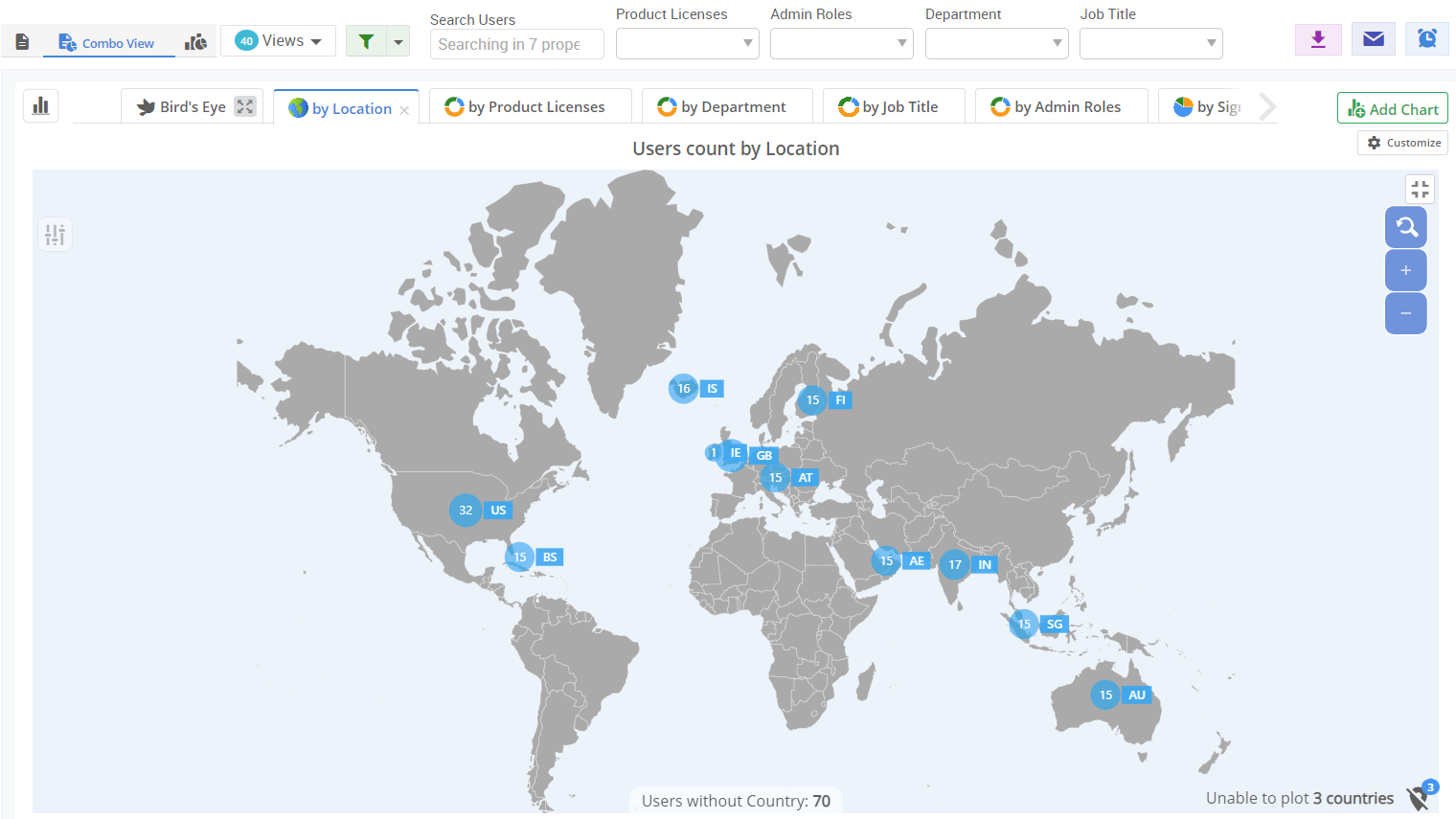
Visualize data with interactive geo-location maps, dynamic heatmaps, customizable donuts, informative bars, and detailed pie charts

AI-Powered Graphs

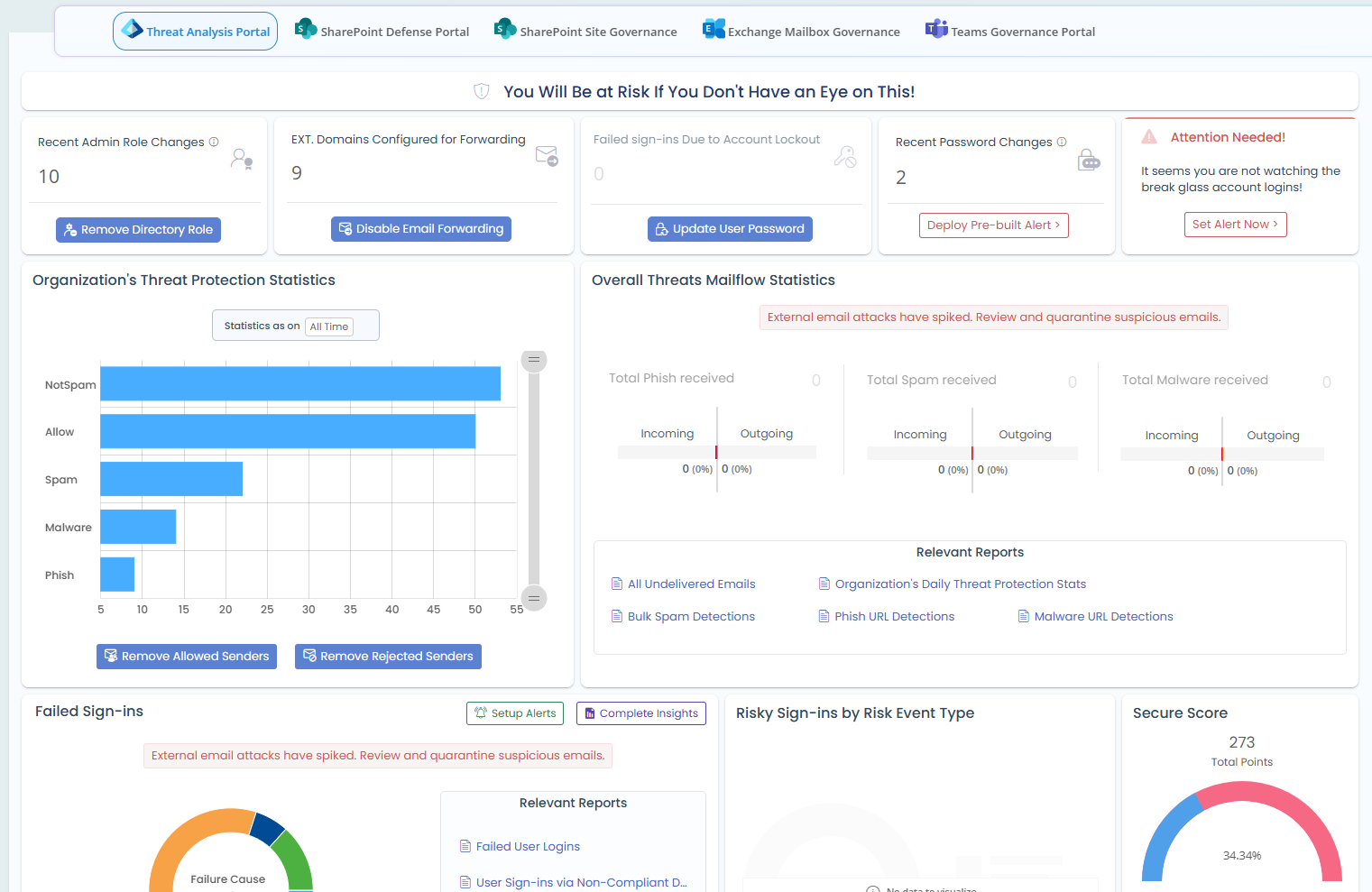
Detect risky configurations, privilege misuse, and ongoing threats across Microsoft 365 and take immediate action from a unified security portal.

M365 Threat Analysis Portal

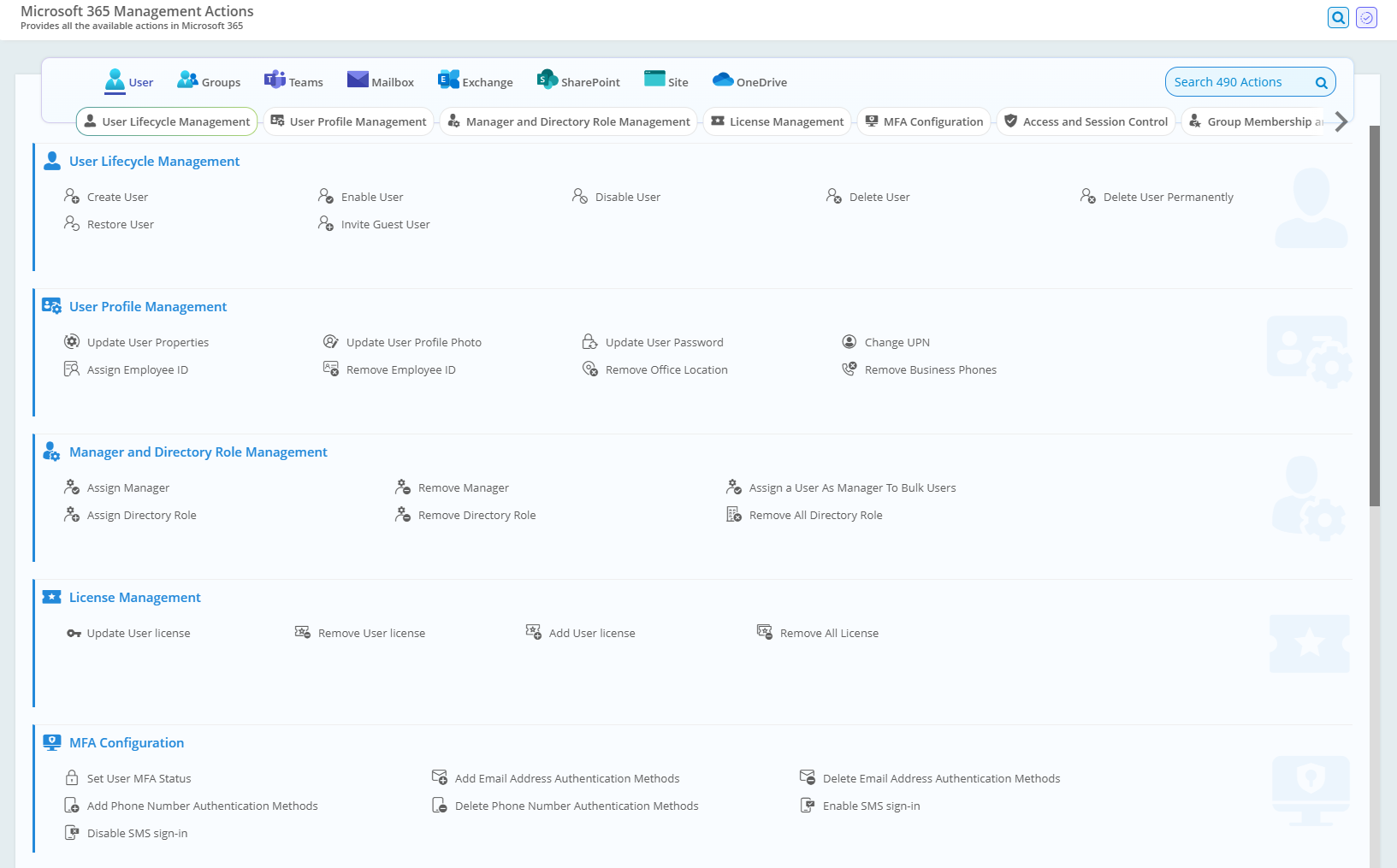
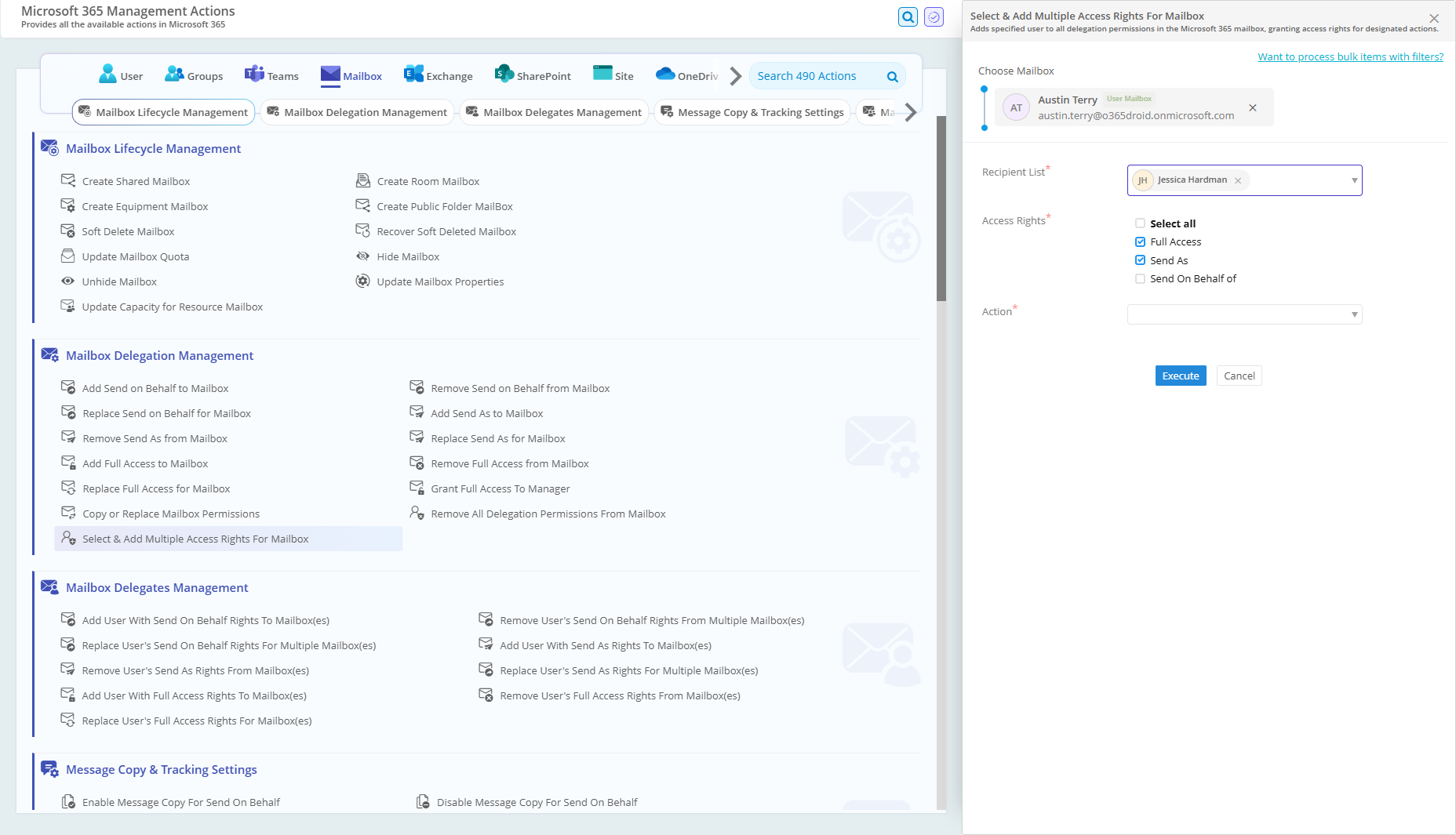
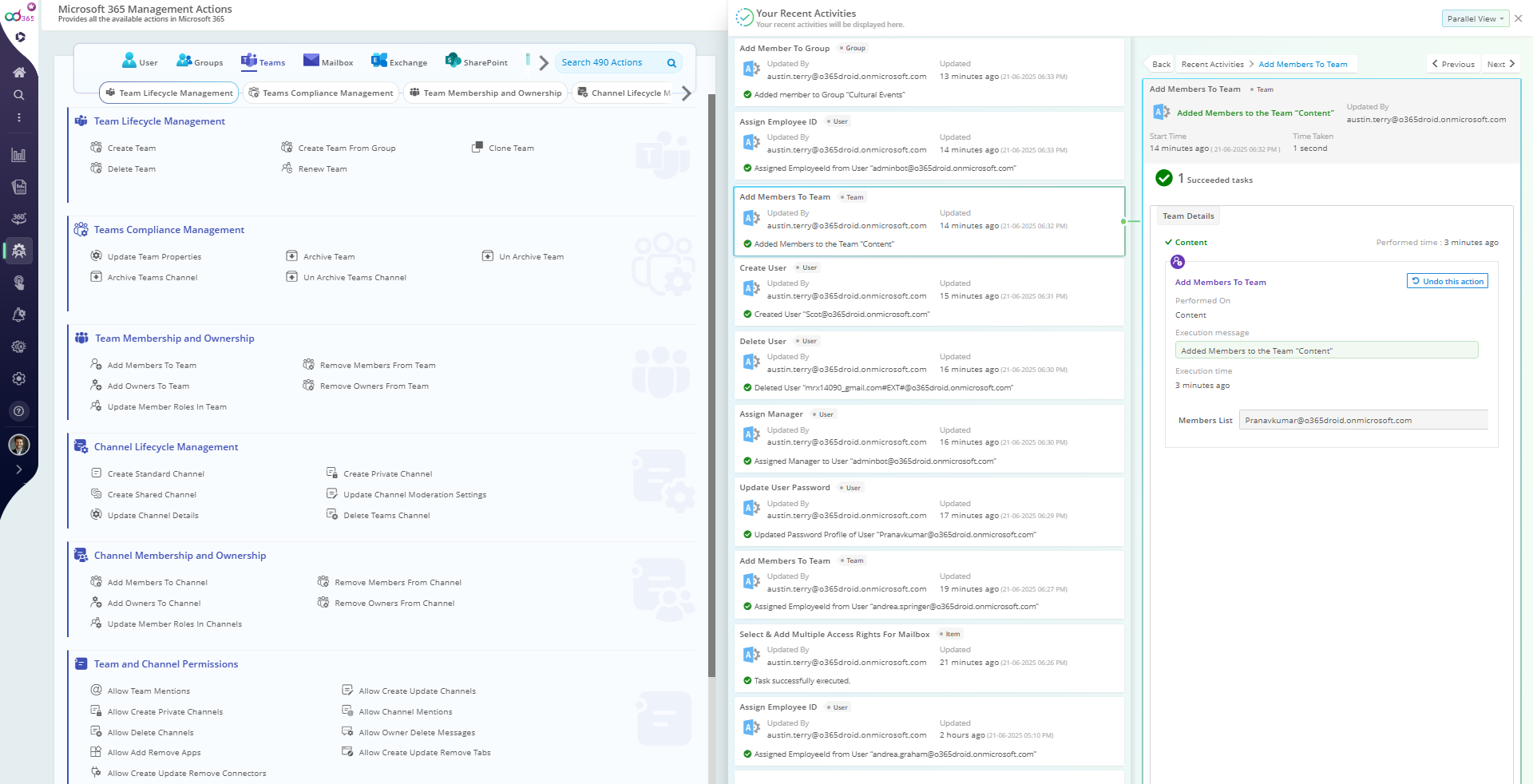
Achieve centralized control over your Microsoft 365 environment with 450+ management actions across major services including Teams, Exchange, Entra ID, and SharePoint.

450+ M365 management actions

Get a complete view of privileged accounts, risky configurations, critical events, inactive resources, and more.

Active Directory Security Dashboard

Tired of email clutter? Get all your essential reports, alerts, and reminders delivered directly to Teams with our new bot setup.

Receive Notifications in Teams

Understand the effectiveness of conditional access by reviewing sign-ins that passed, failed, or bypassed policy checks, along with key metrics.

Analyse Conditional Access Policy Impacts

Analyze broken links with unique permissions across SPO libraries and folders that deviate from inherited access.

Broken Links Analysis

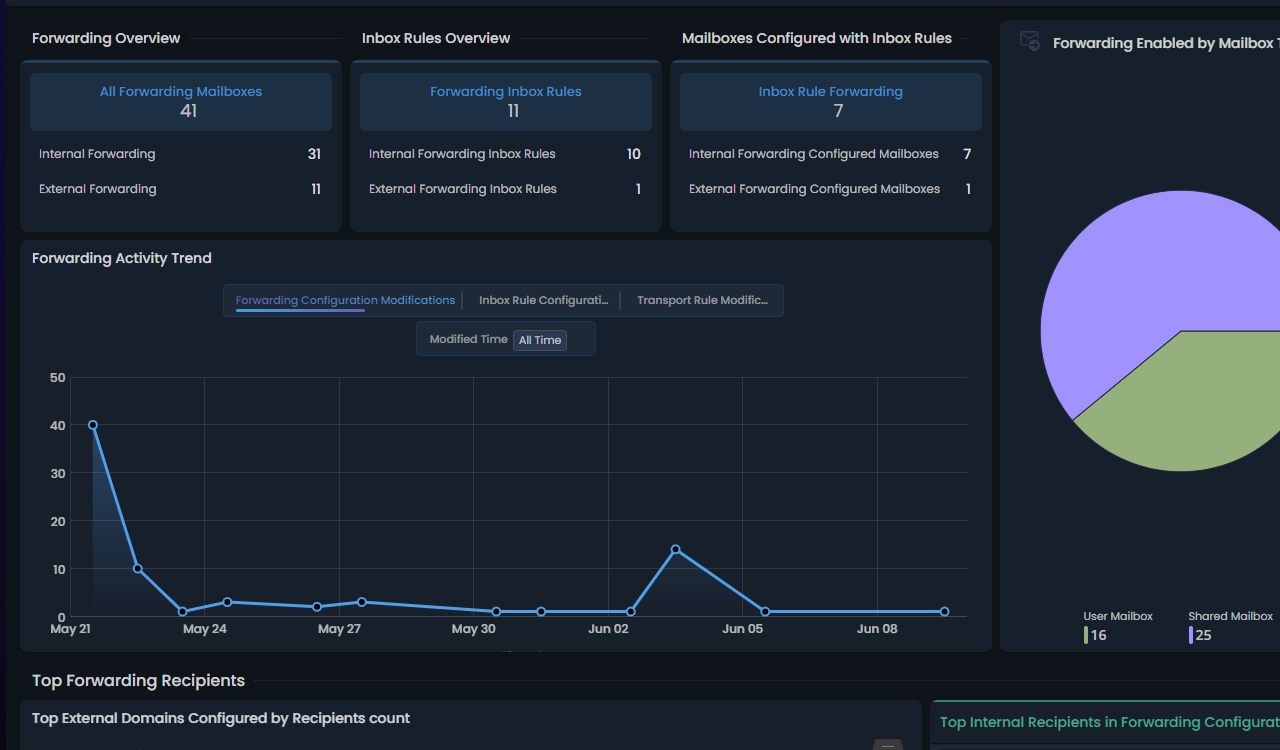
Get a complete view of external email forwarding, including top recipients, domains, and recent forwarding rule changes.
Mailbox External Forwarding Dashboard

Automate Active Directory user onboarding to quickly create accounts, assign the right access, and deliver a smooth start for every user.

Onboard Active Directory users

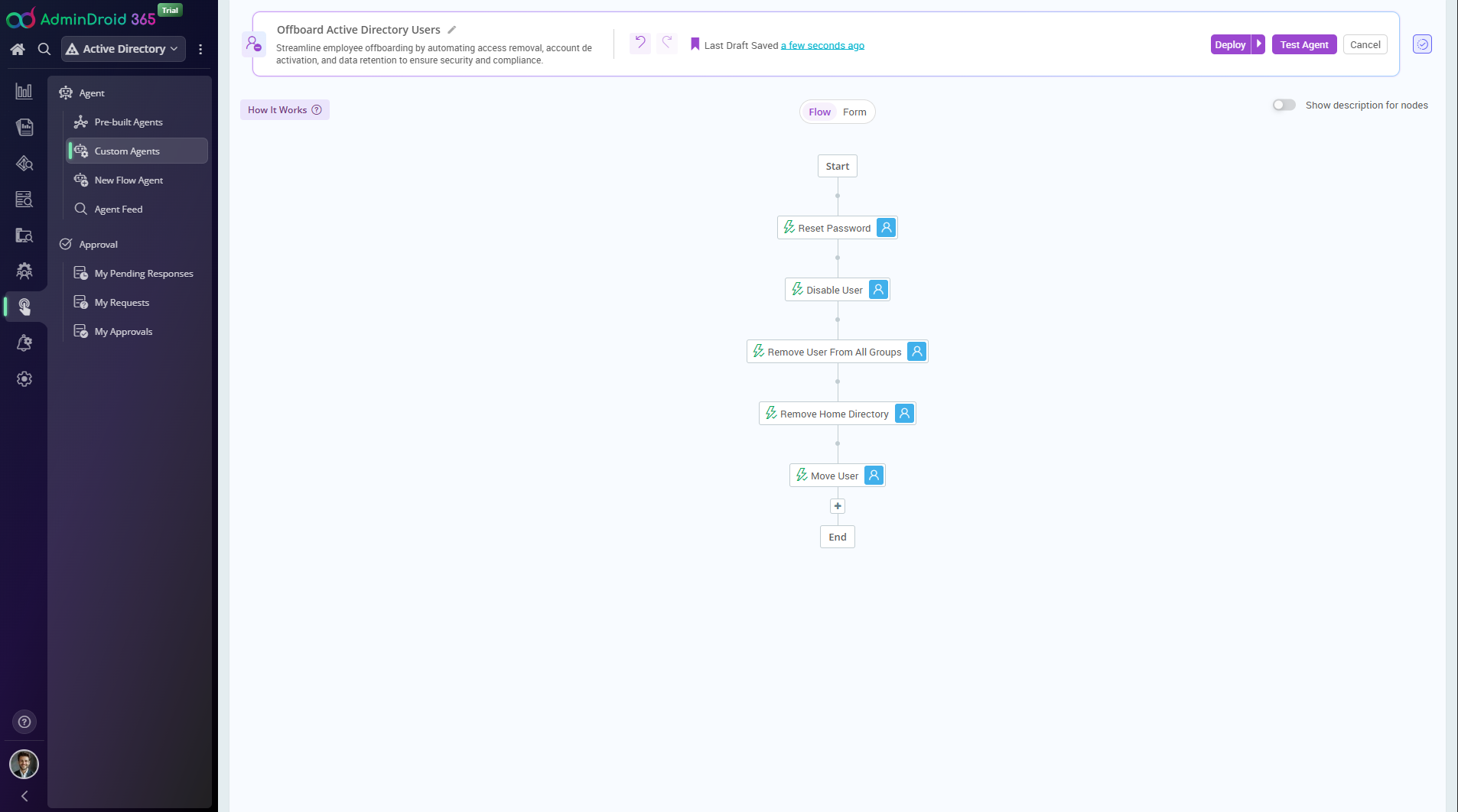
Streamline employee offboarding by automating access removal, account deactivation, and data retention to ensure security and compliance.

Offboard Active Directory users

Track all critical activities on AD-joined Windows computers, from login events to policy changes, to protect your environment.

Windows Audit

Get real-time visibility into server logins, service uptime, and privileged operations to safeguard Active Directory.

Server Activity Monitoring

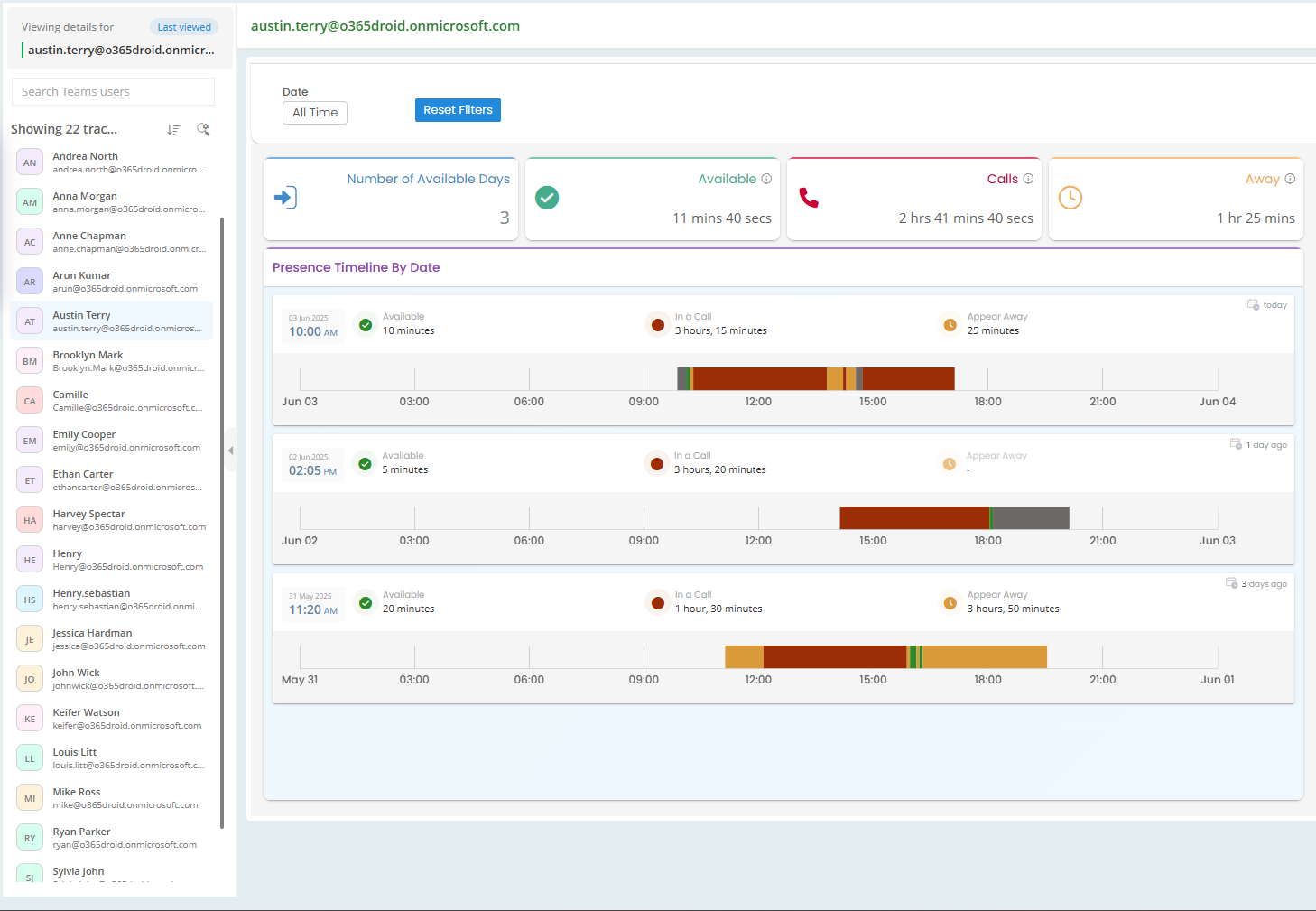
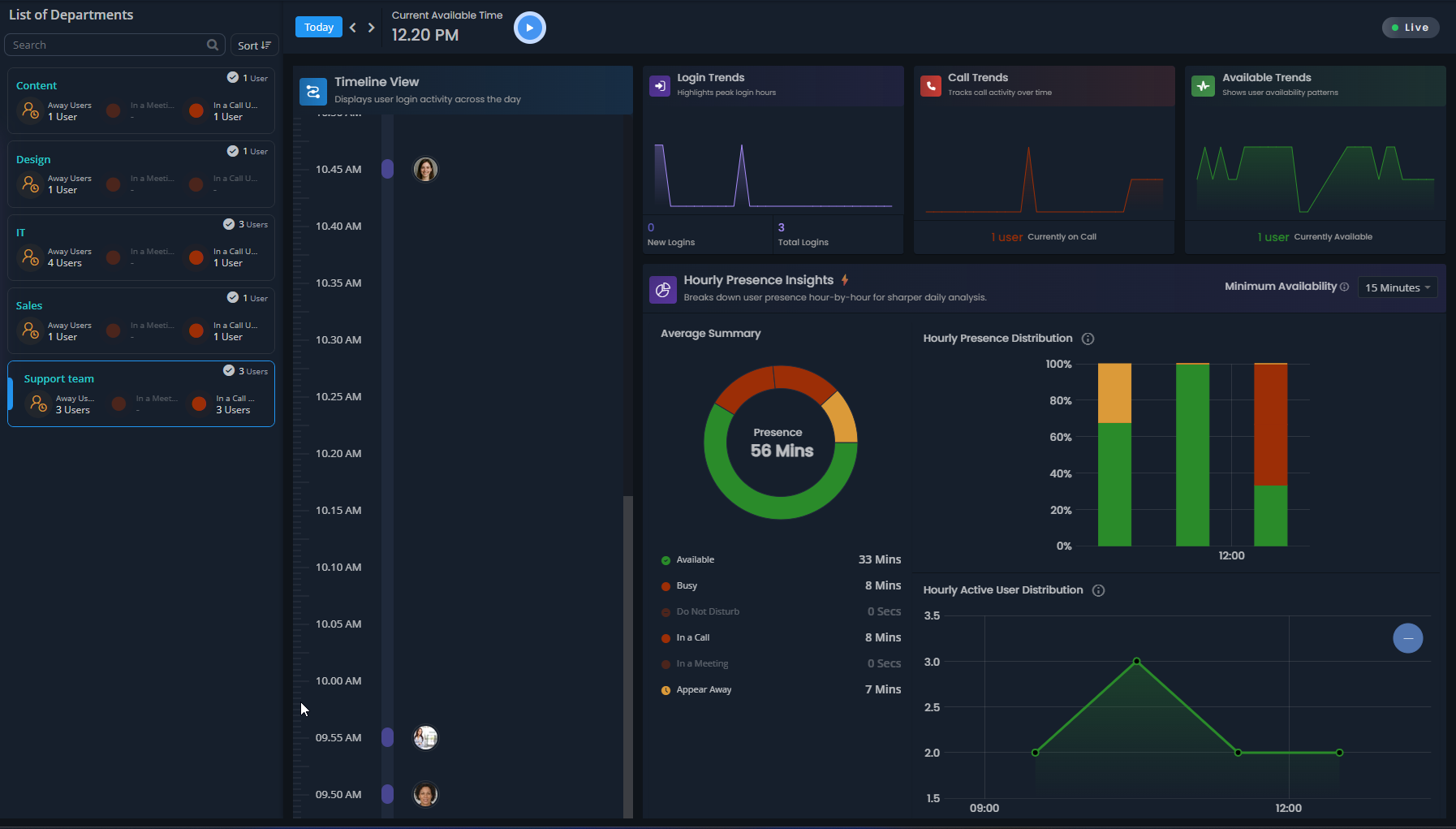
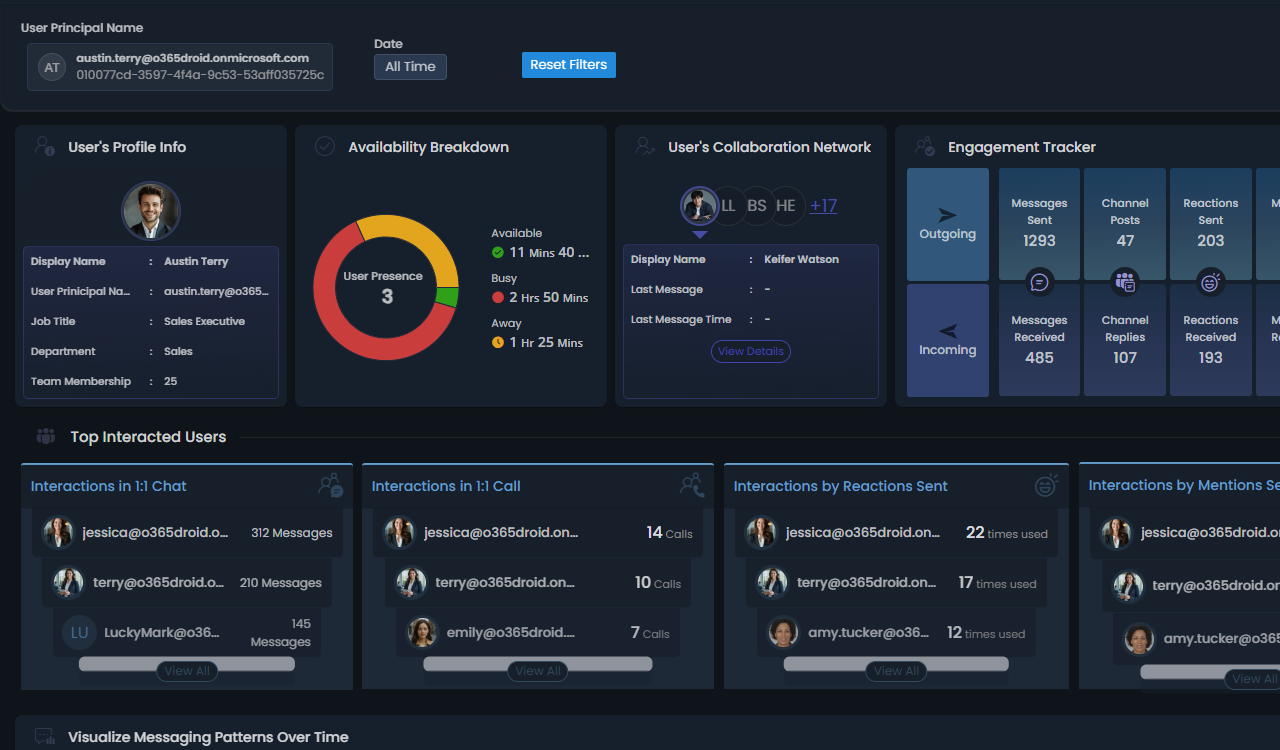
Tracks when users were active, away, busy or offline over time intervals.
User Live Teams Status Availability

Give selected users, groups, teams, or sites their own “ mini environment“ to manage and report on.
Create Virtual Tenant

Delegate or restrict access to specific Active Directory users, computers, groups, contacts, and OUs for management and reporting.

Create Virtual Domain

Gain a high-level view of your SharePoint environment, including sites, storage, users, groups, and key metrics.

SharePoint Overview

Set custom alerts for any property change such as sign-in status, license assignment, and more - so you never miss a critical update!

Alerts for Attribute Value Changes

Reverse any management action and restore configurations as they were before.

Undo Changes

Export reports as visually enriched files that include AI charts for quick insights.

Export reports with Charts

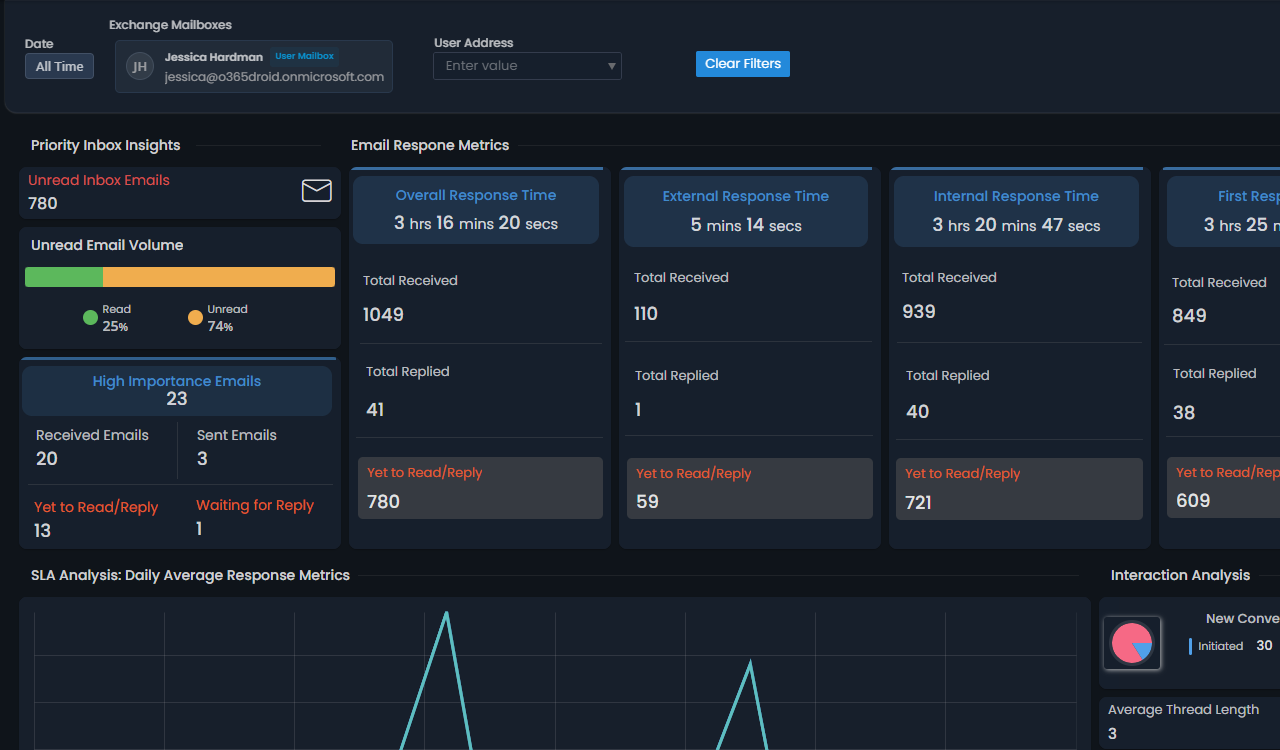
Turn every email into insight - know who responds fastest and serves best.

Email Response Time

Identify Active Directory accounts and systems at risk from DC Sync, Golden Ticket, and other critical attacks to tighten security.

AD Attack Surface Detection

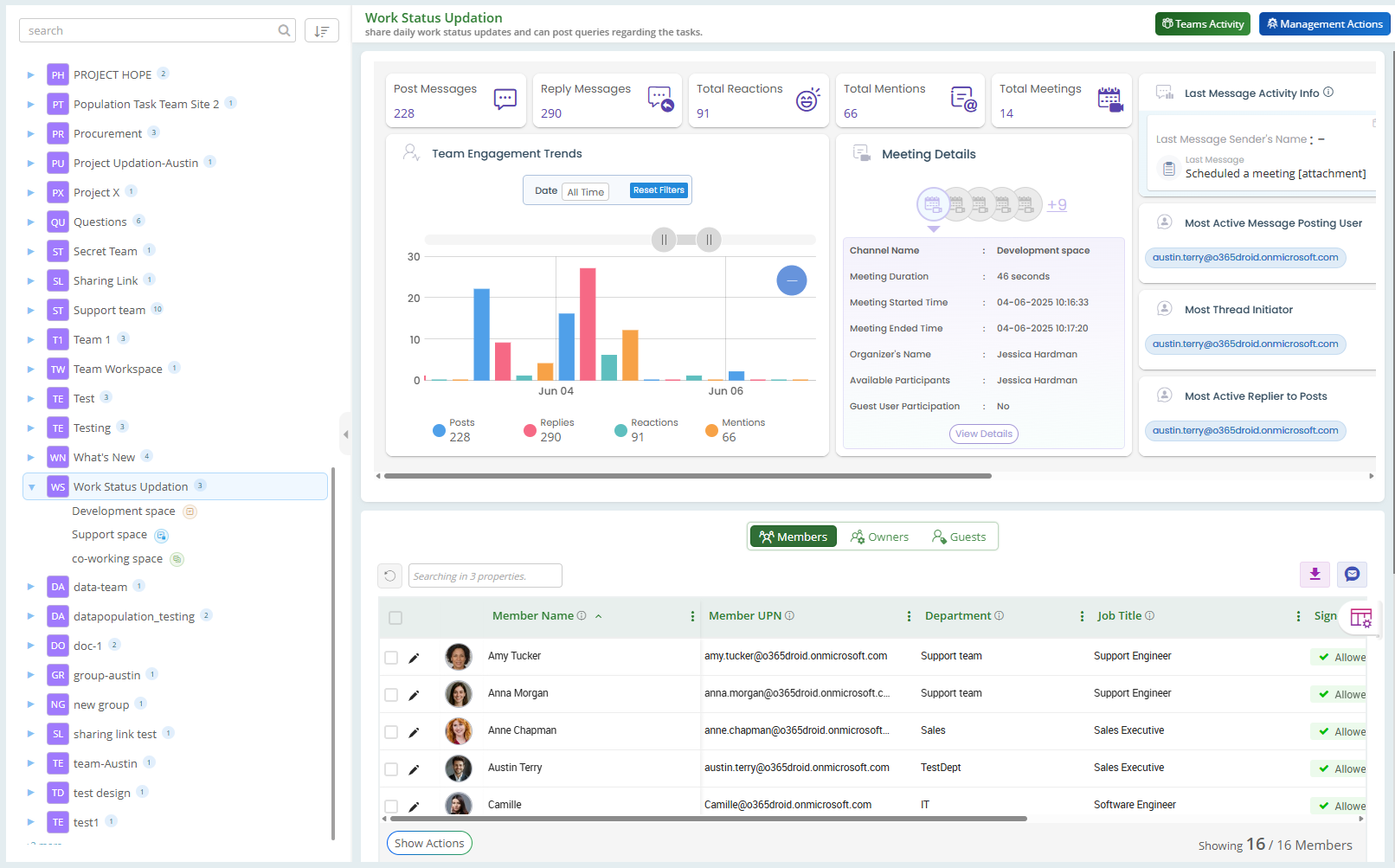
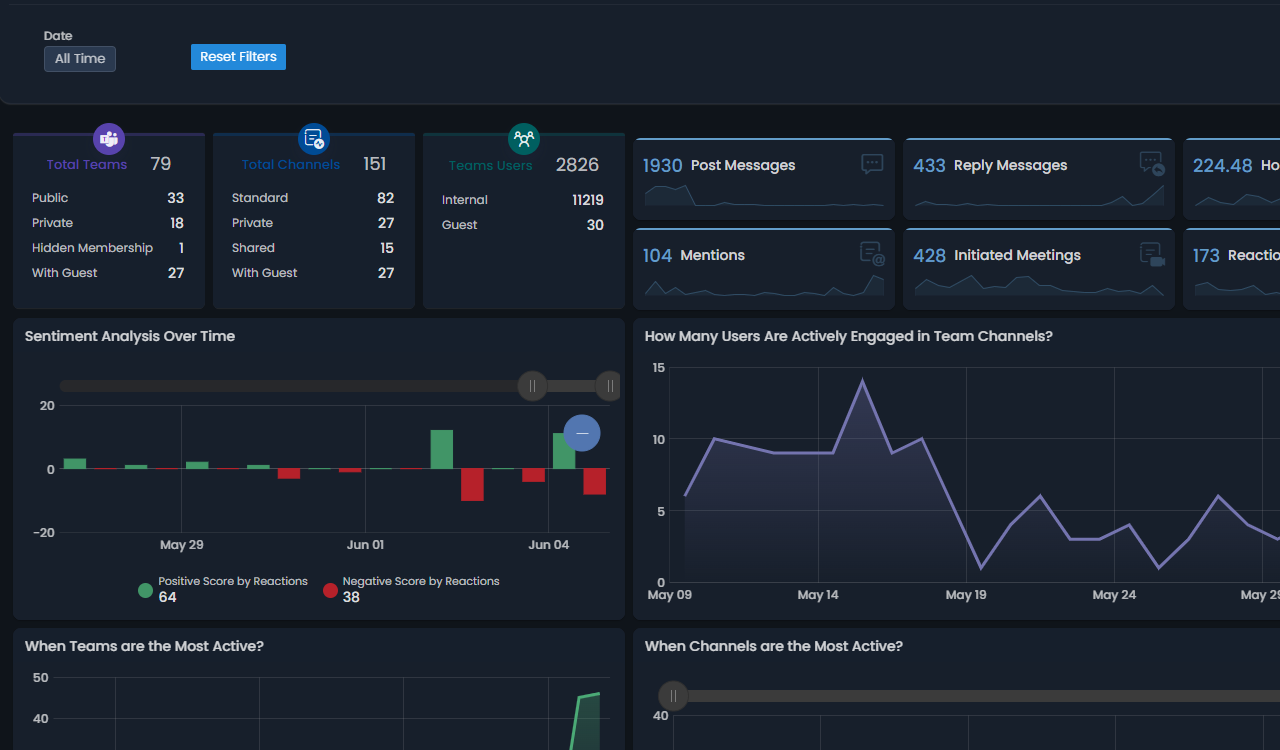
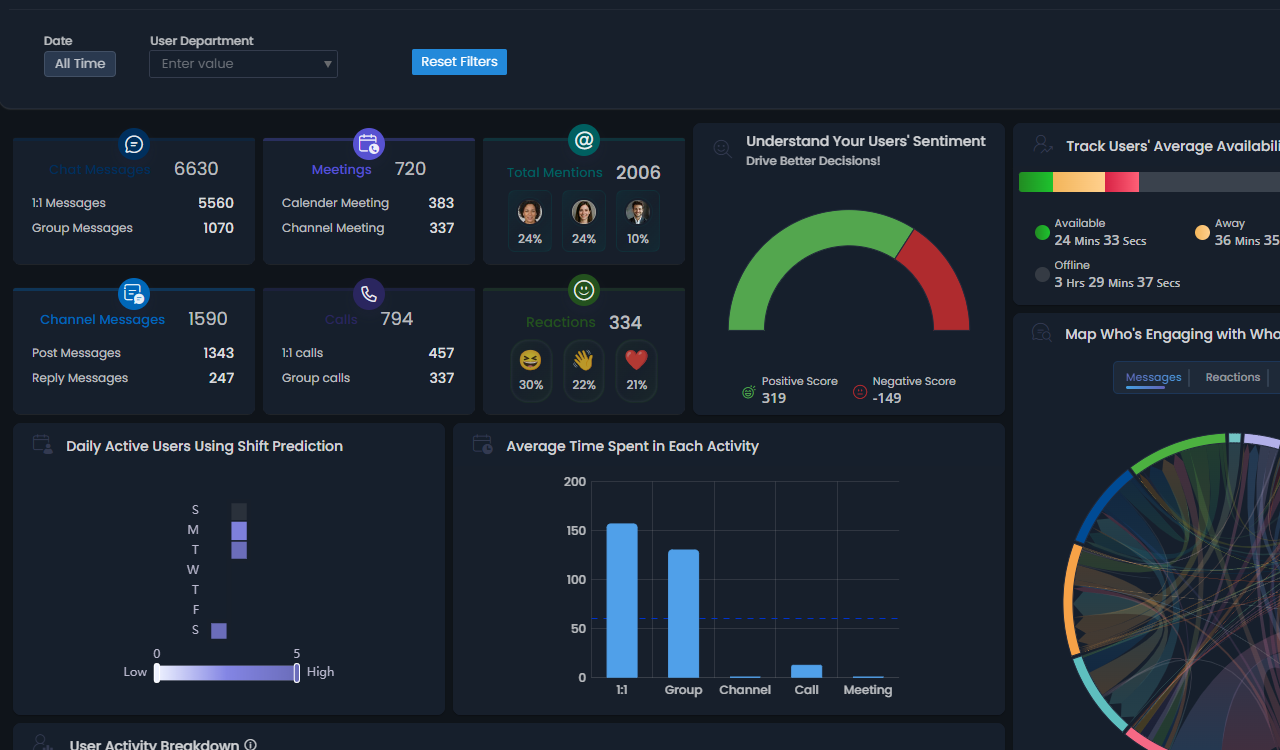
View complete details of a team, including engagement, meetings, chats, sentiment, membership activity, and more.

Teams explorer

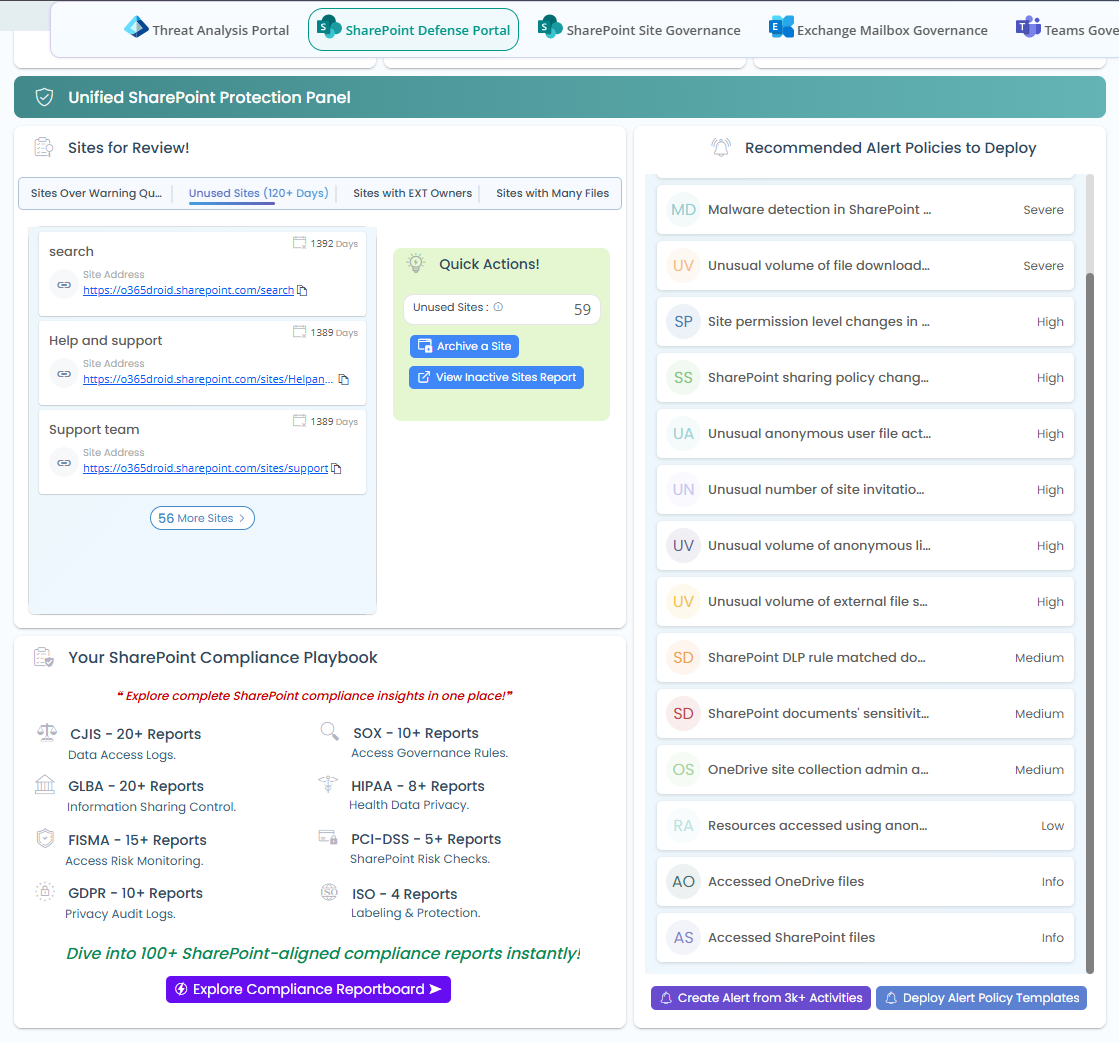
Review sites at risk, detect suspicious link exposures, and ensure compliance, all from one SharePoint defense portal.

SharePoint Defense Portal

Disable unused accounts across your organization with lightning speed to strengthen security

Disable stale AD user accounts

Intelligent Filtering automatically applies the right date range for every run – like showing only yesterday's failed logins in a daily schedule report.

Intelligent scheduling Assistant

Receive real-time notifications whenever break glass accounts are accessed or used.

Break Glass Account Activity Alert

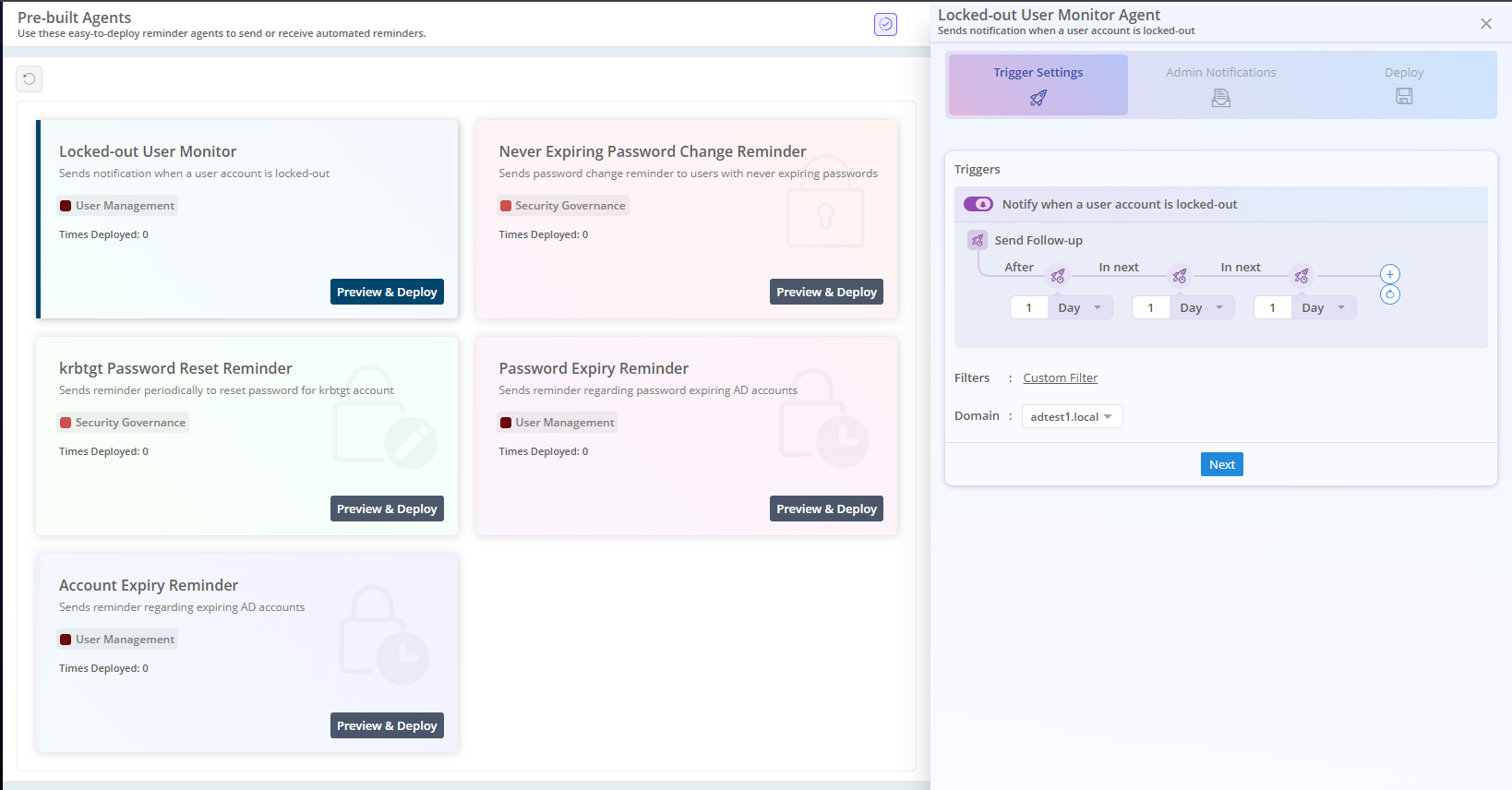
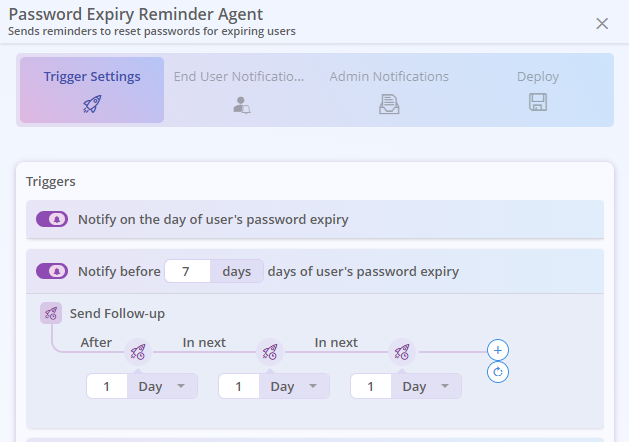
Send automated AD account expiry reminders to users and admins, enabling timely action and preventing access issues.
Active Directory Account Expiry Reminder

Identify what content drives engagement through daily trends per page and organization-wide views.
Site Page Traffic Breakdown

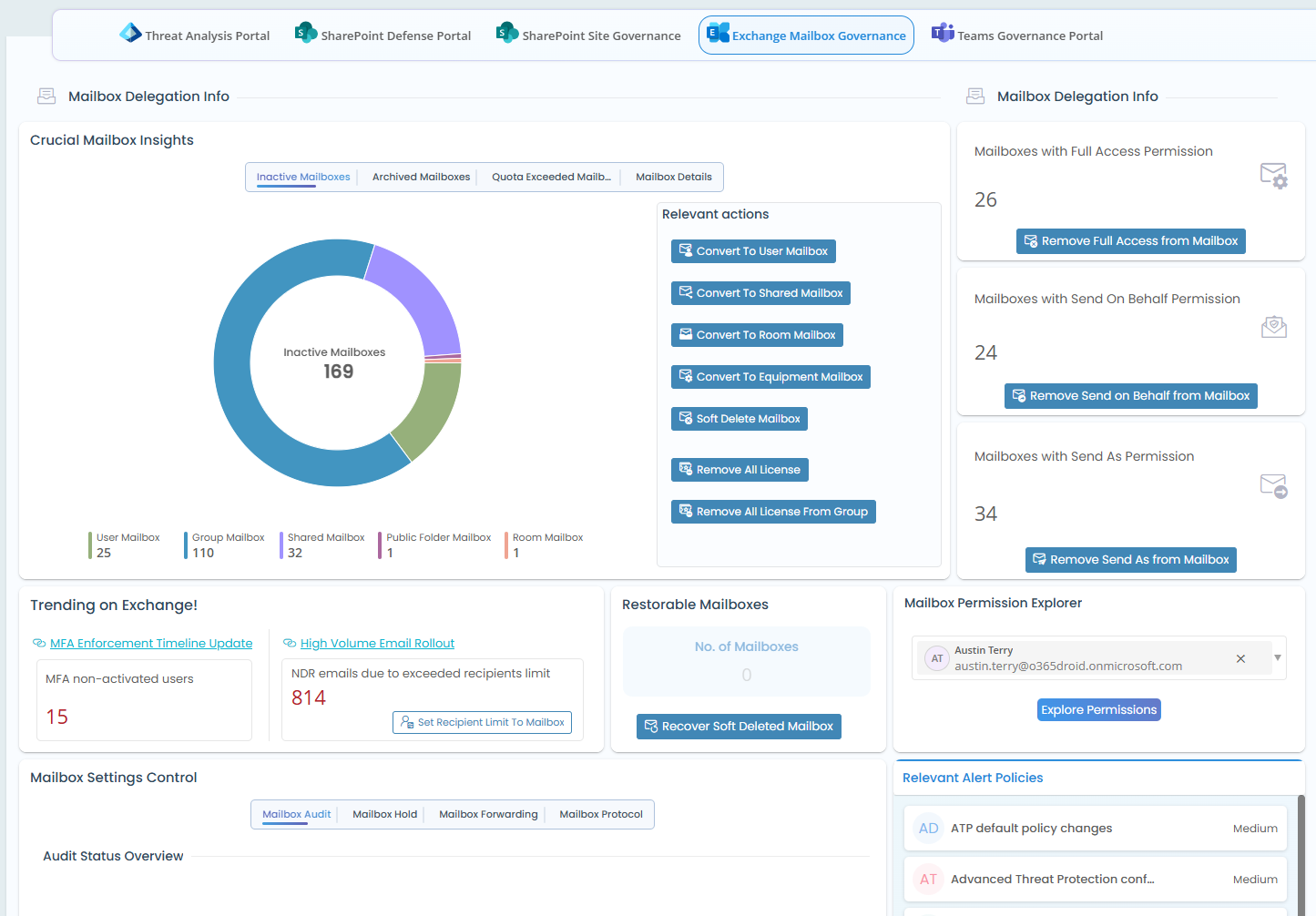
Manage, monitor, and govern Exchange mailboxes with actionable insights and administrative controls in one portal.
Mailbox Governance Portal

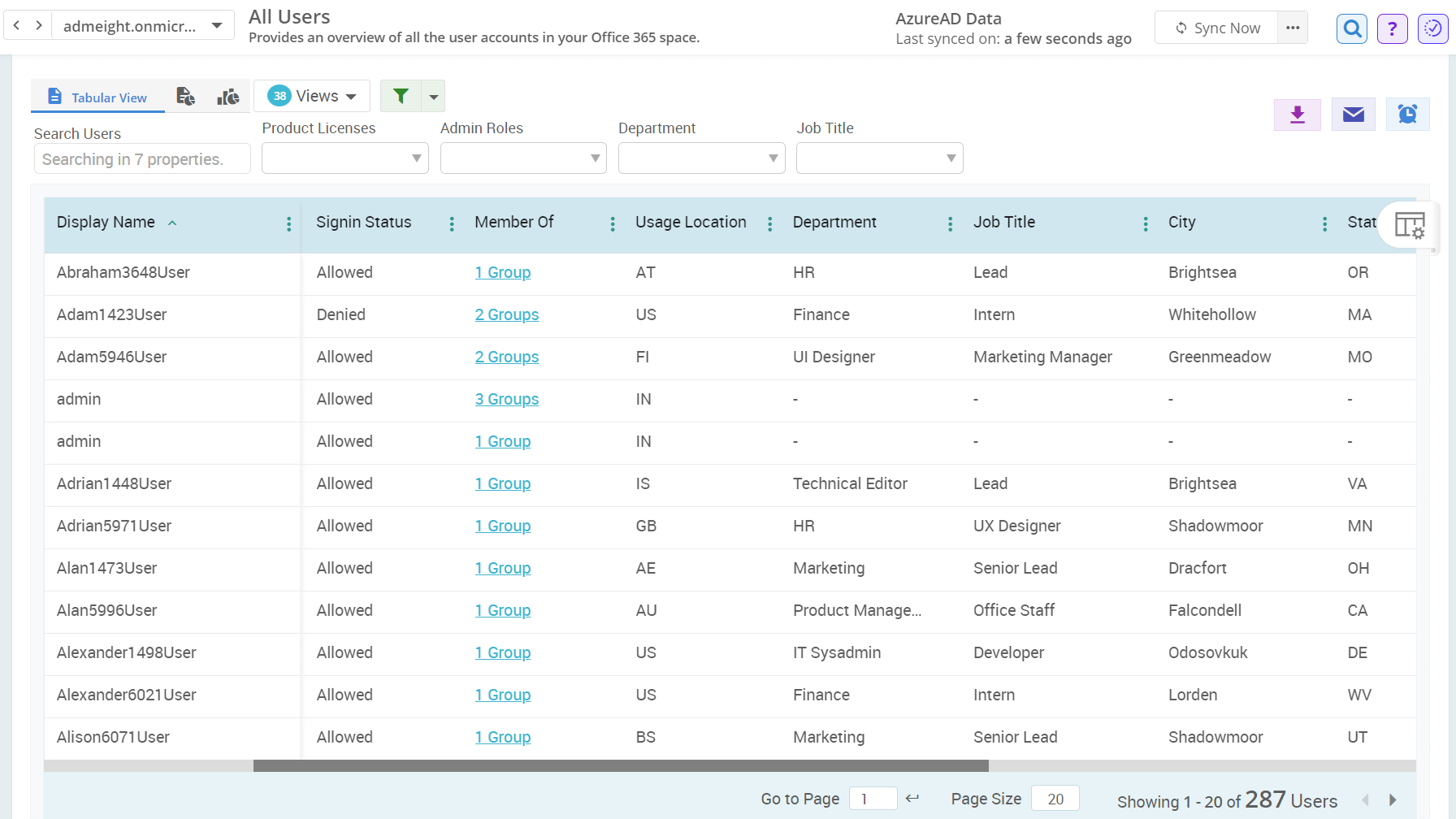
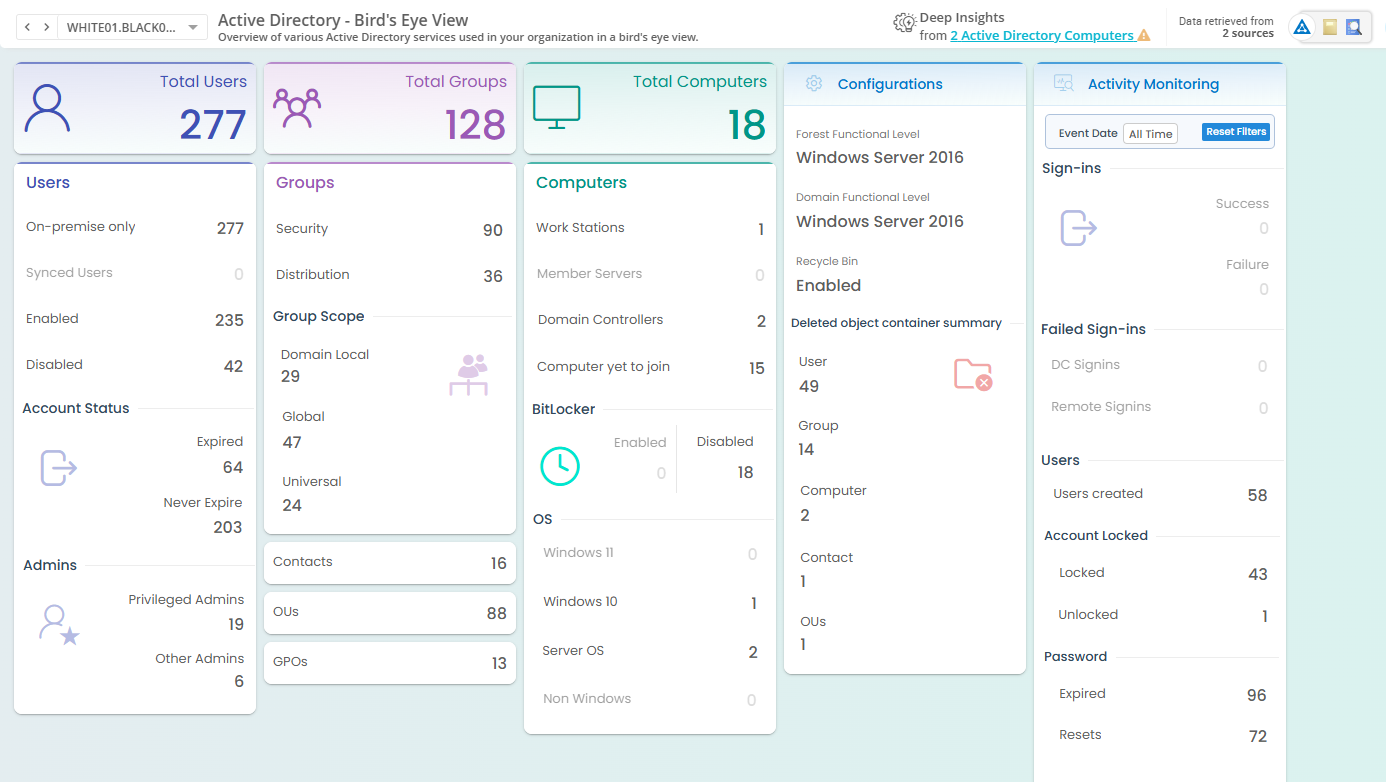
See all key details of your Active Directory objects in one place.

AD Environment at a glance

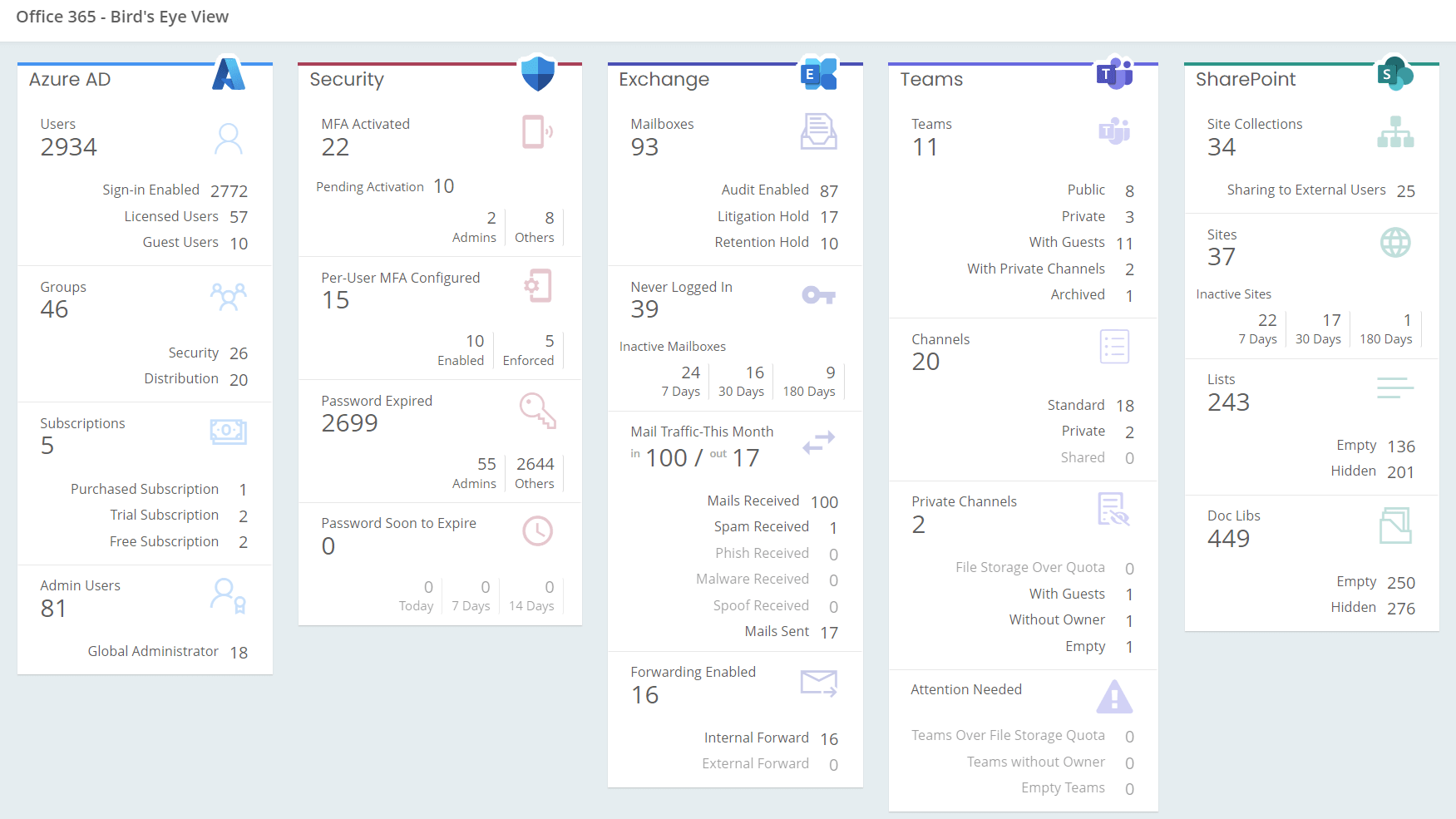
Get an instant overview of M365 resources in your tenant.

M365 Environment at a glance

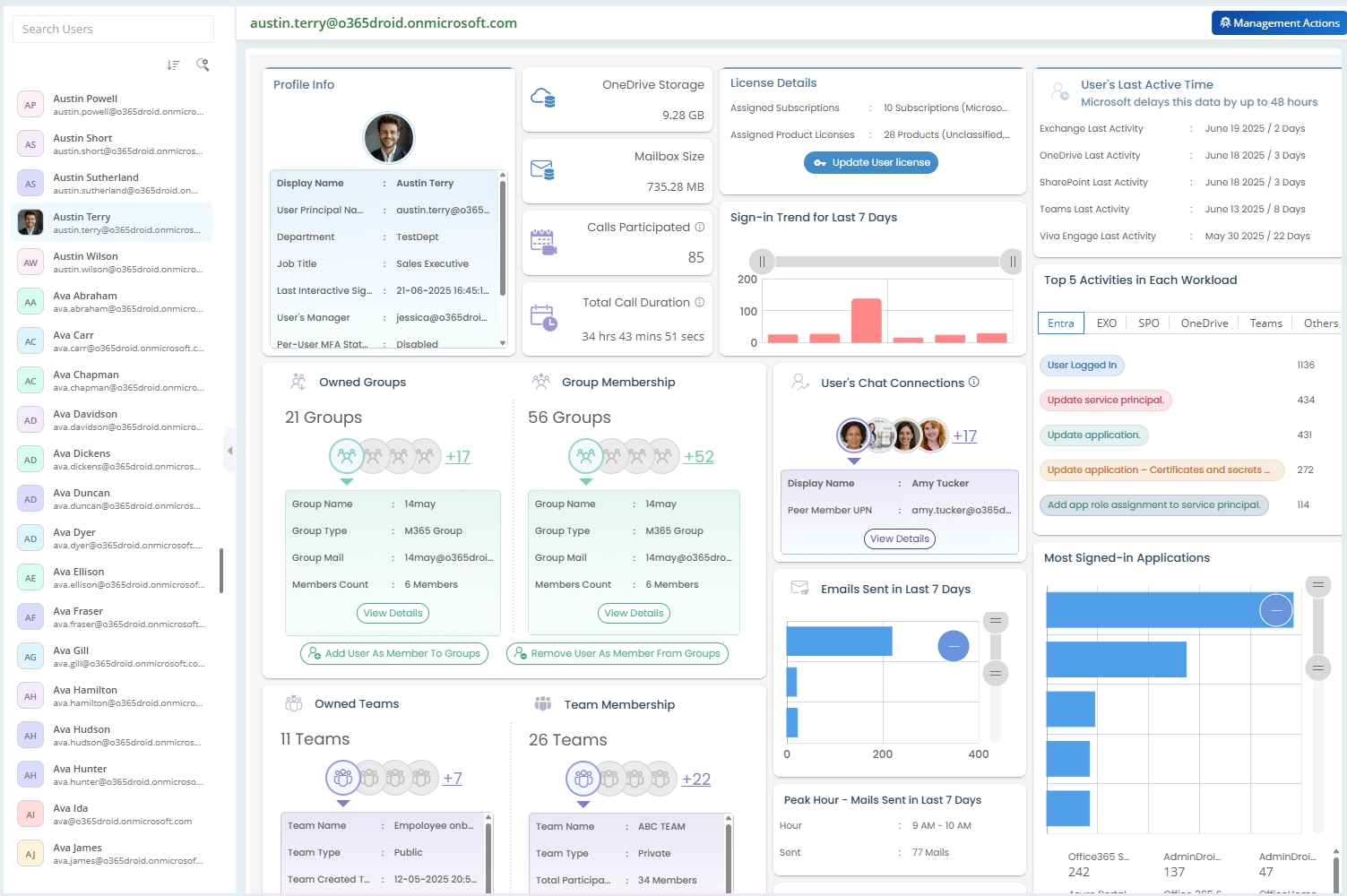
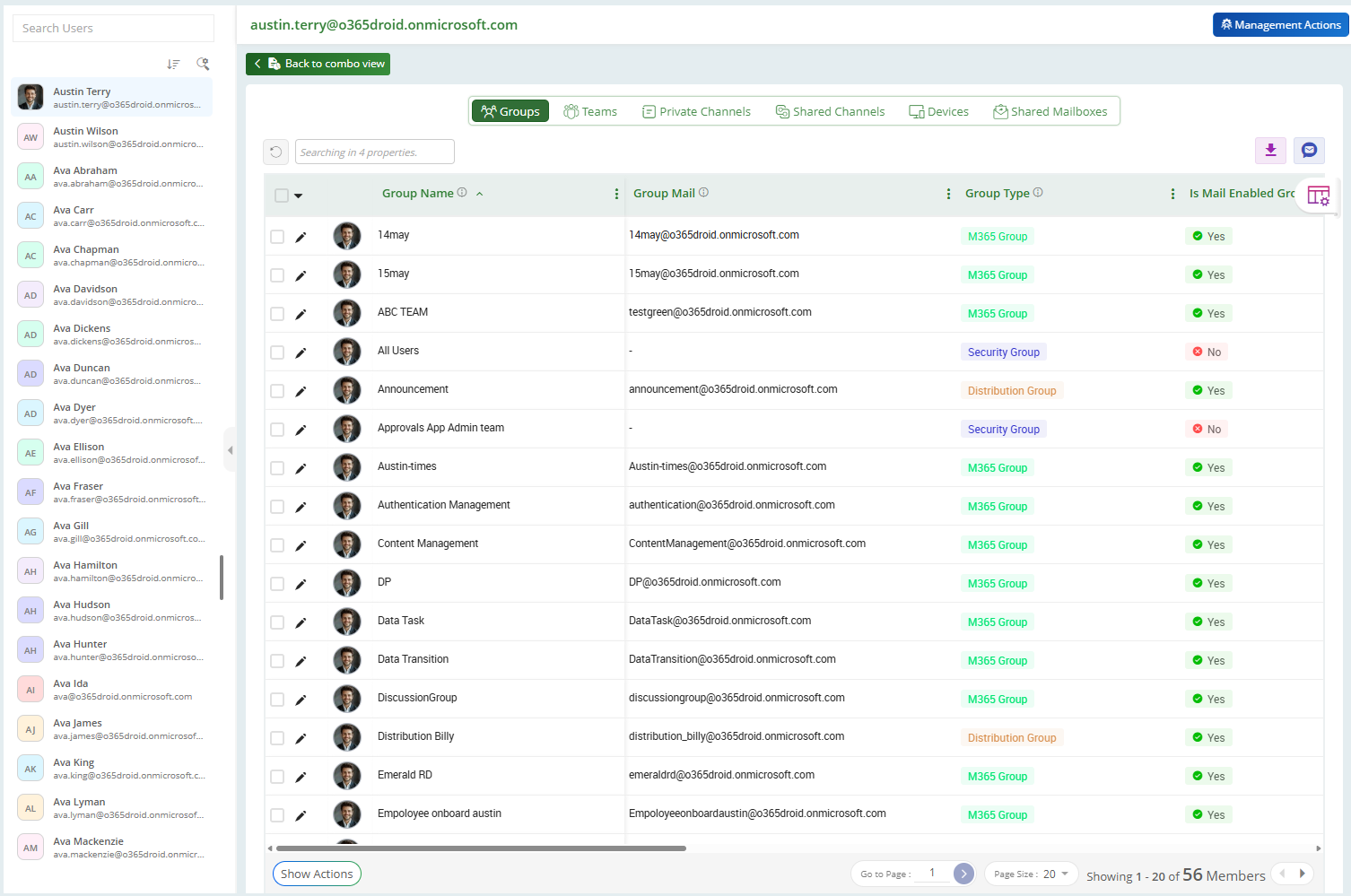
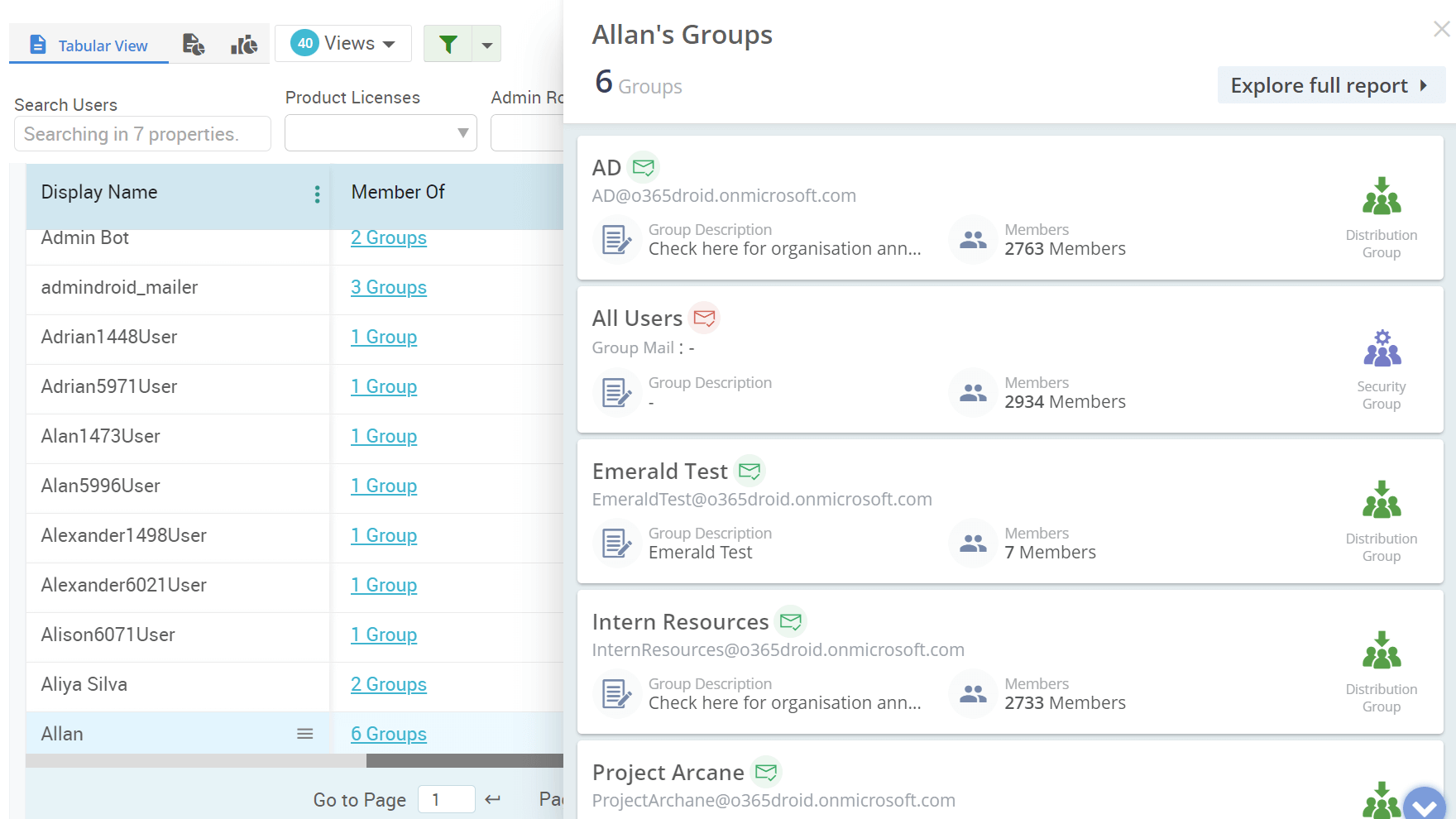
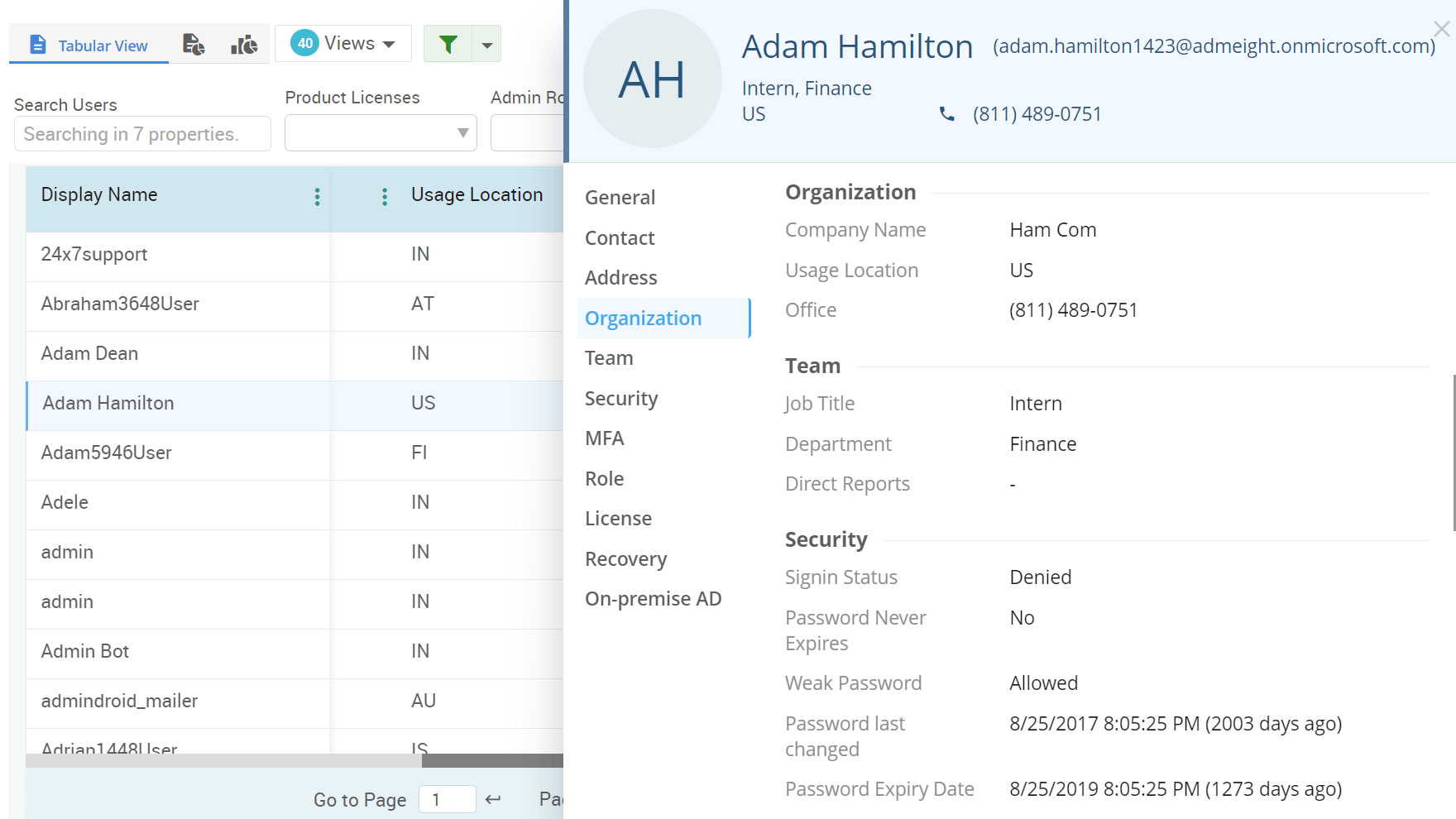
View complete M365 user details, covering license assignments, permissions, group memberships, and sign-in records for effective administration

User Explorer

Manage Microsoft Team creation requests and automate provisioning upon approval.

Request Microsoft Teams Creation

Track and review user access to SharePoint sites to ensure proper permissions and secure content sharing.

SharePoint Access Monitoring

Get reports on your terms. Choose the days that work best—specific days, weekdays, or even the last day of the month to receive timely insights automatically.

Flexible Scheduling

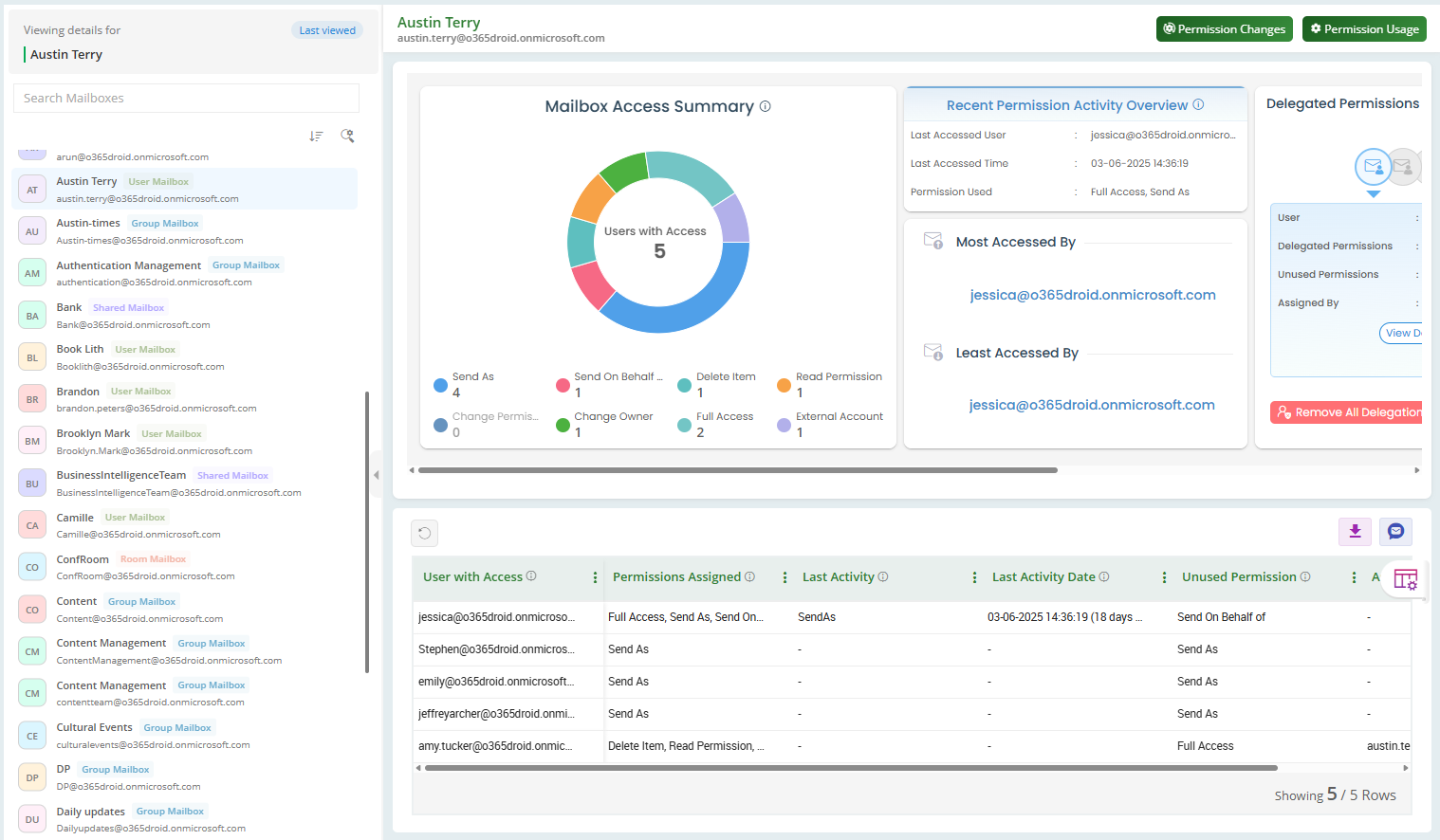
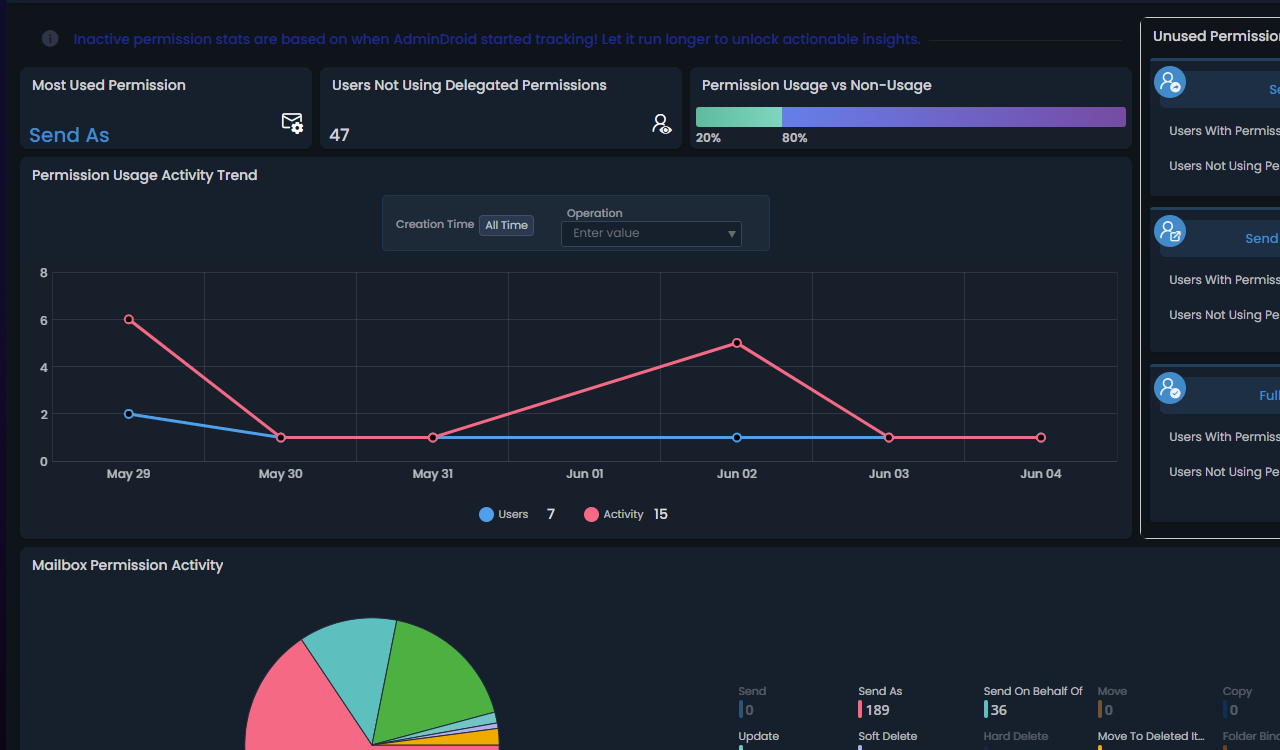
Identify and track mailbox permissions that are assigned to delegates but not actively used.

Unused Delegated Mailbox Access Monitoring

Manage any number of Microsoft 365 tenants right from a single browser tab.

Multi-Tenant Management

Easily manage any number of Active Directory domains in one unified portal

Multi-domain Management

Track dormant admin accounts with elevated permissions to mitigate security risks.

Inactive Privileged Account Monitoring

Analyse positive and negative sentiment trends in MS Teams across users, teams, channels and posts.

Teams sentiment analysis

Monitor external sharing activities to detect oversharing, prevent data leaks, and ensure secure collaboration.

External Sharing monitoring

Receive notifications when email forwarding is activated on a mailbox.

Mailbox forwarding monitor

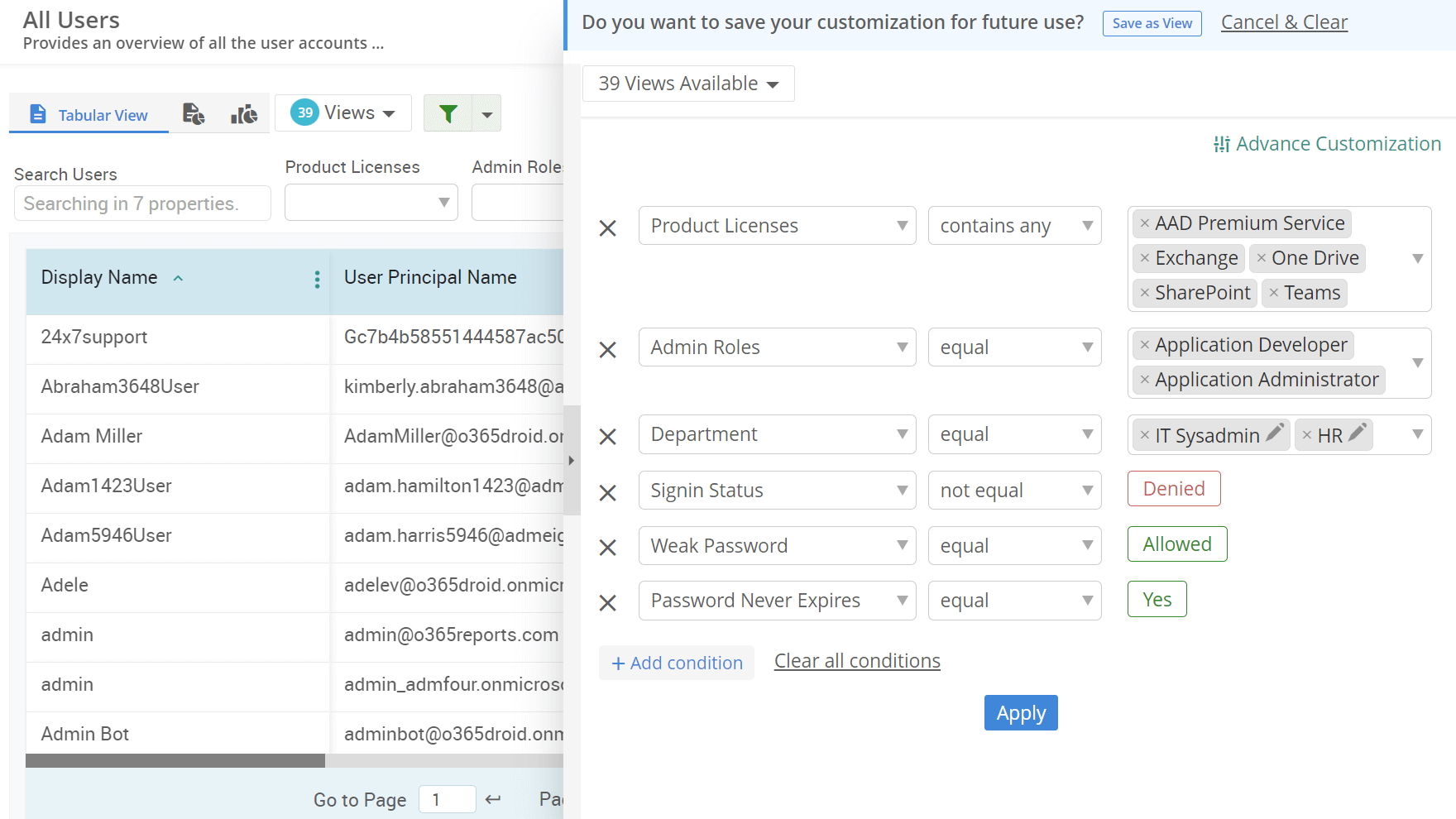
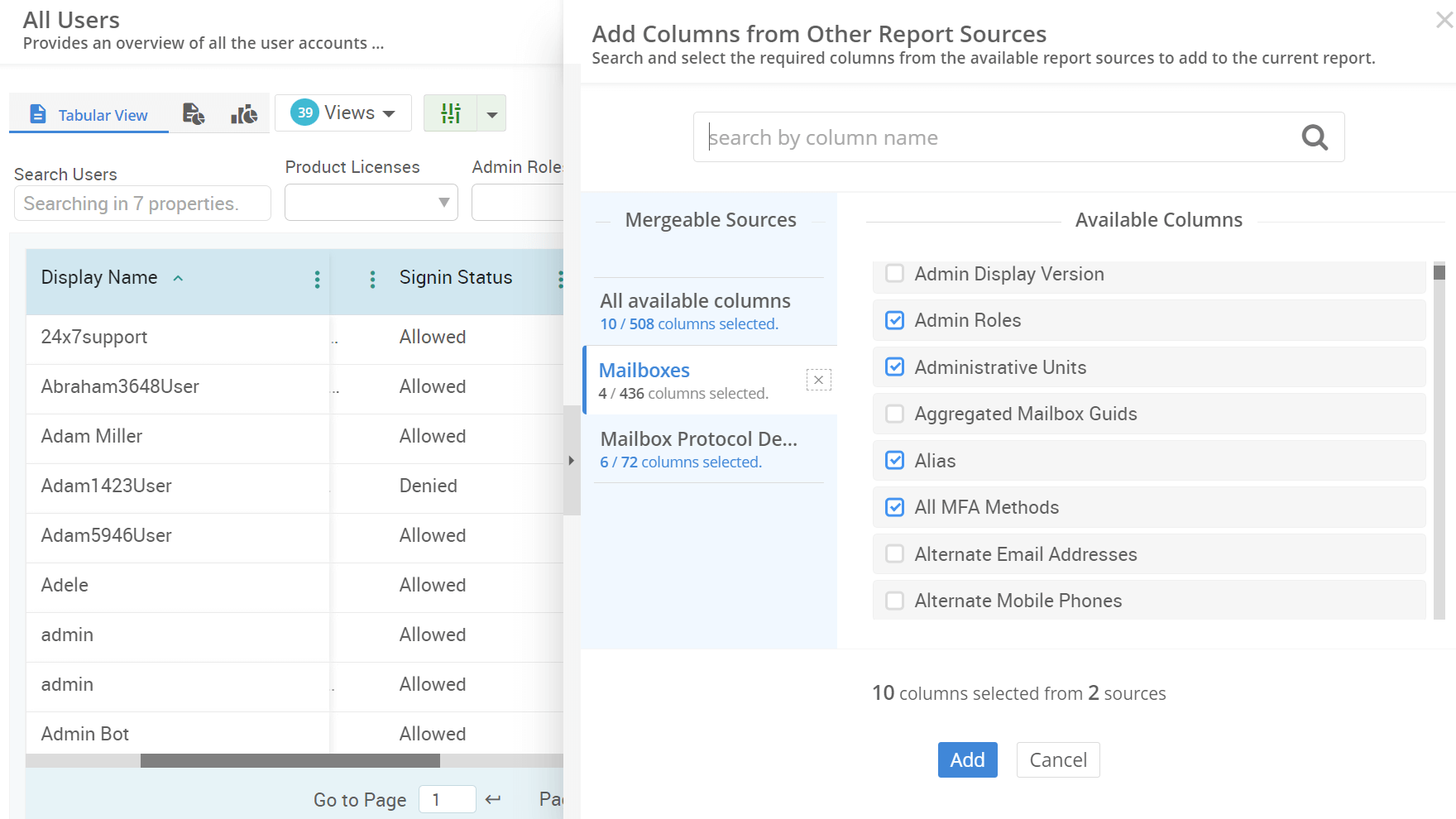
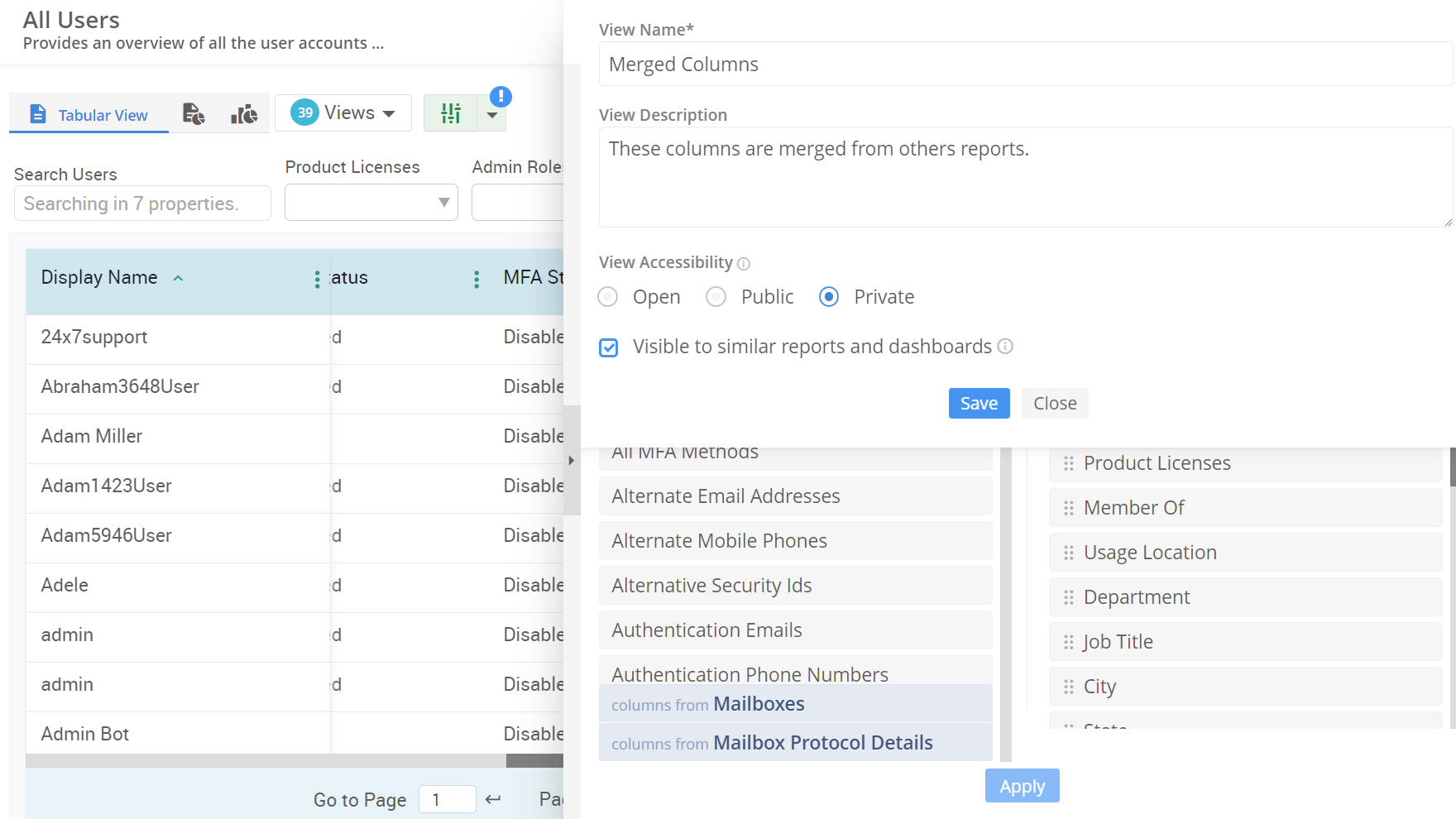
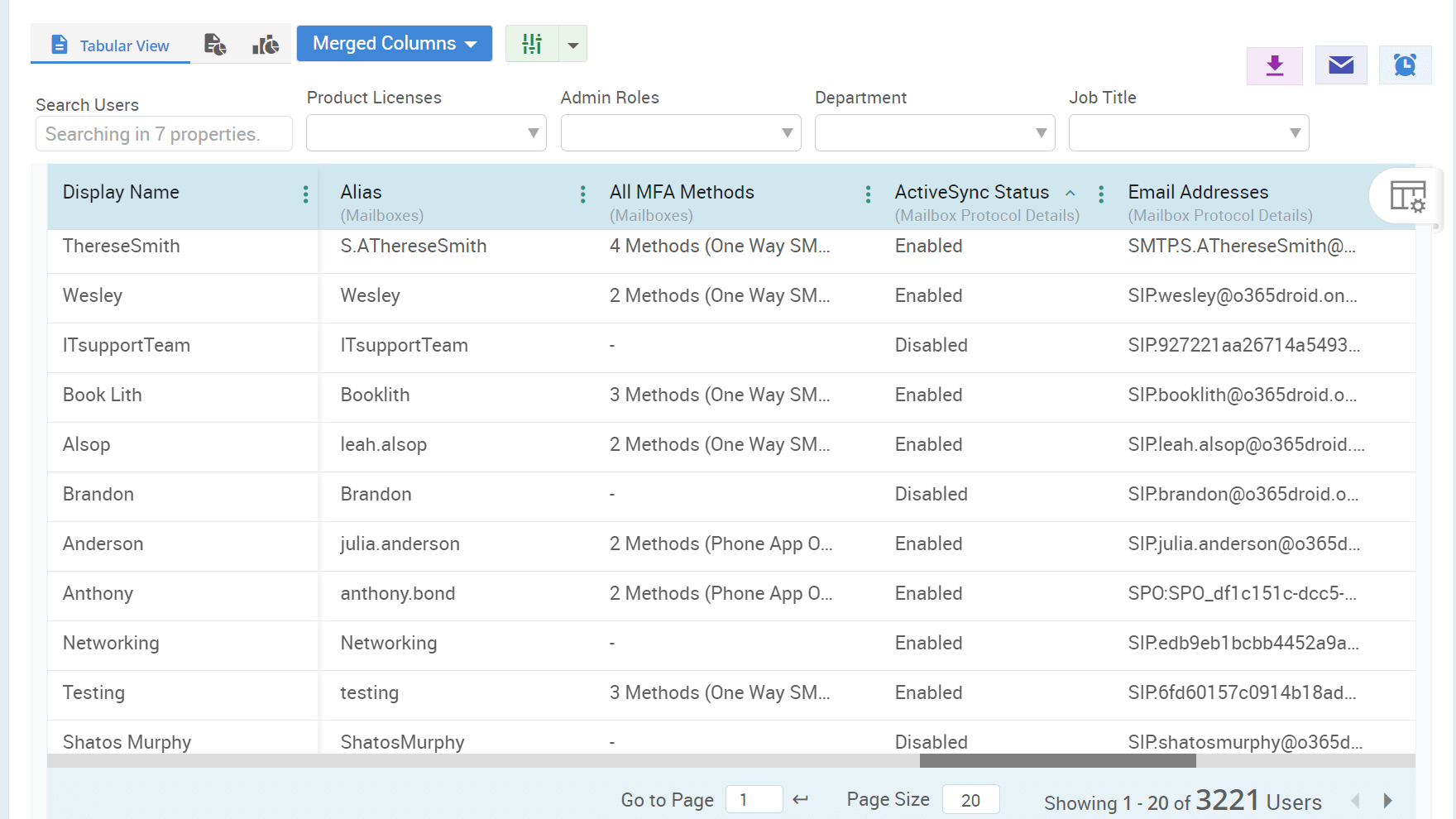
Make your report more useful by filtering with nested conditions, adding columns from other reports, and sorting the results the way you want.

Advanced Report Customization

Instanlty detect and alert on abnormal account lockout patterns in Active Directory that could signal brute-force attacks.

Anomalous Lockout Activity Radar

Spot inactive Teams quickly and take action to archive or disable them for a secure, clutter-free workspace.

Cleanup Inactive Teams

Visualize OneDrive storage with drillable tree maps and explore detailed folder and file usage.

OneDrive Storage Explorer

Detect and alert on unusual Active Directory logon failures in real time to prevent potential intrusions.

Suspicious Logon Failure Analyzer

Instantly uncover insights from your reports by typing your questions naturally.

Interactive AI in Reports

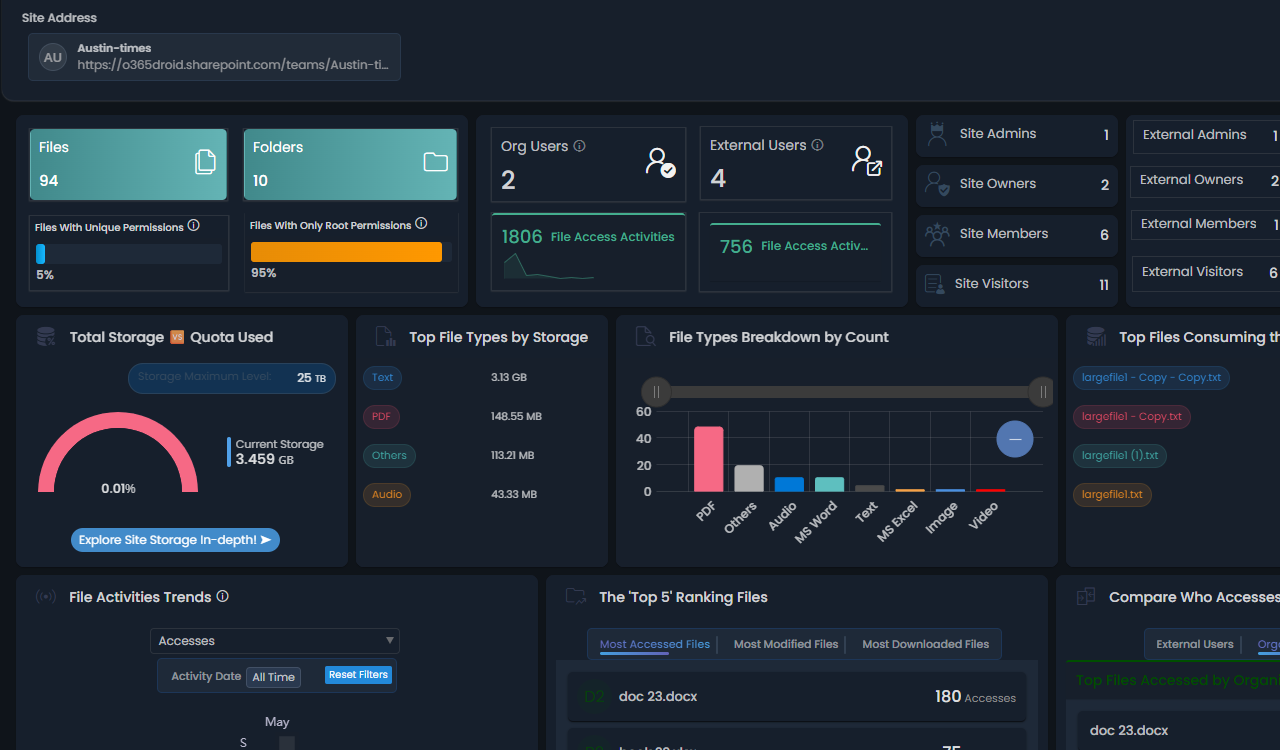
Retrieve comprehensive details about a site, including its files/ folders permission, sharing settings, and storage usage.

SharePoint site Explorer

Filter your report data smarter by combining conditions like AND, OR, and INVERT to narrow down result effortlessly.

Rule-Based Report Filtering

Optimize Teams calls by analyzing latency, jitter, packet loss, and network performance in real time.

Teams Call Quality Analysis

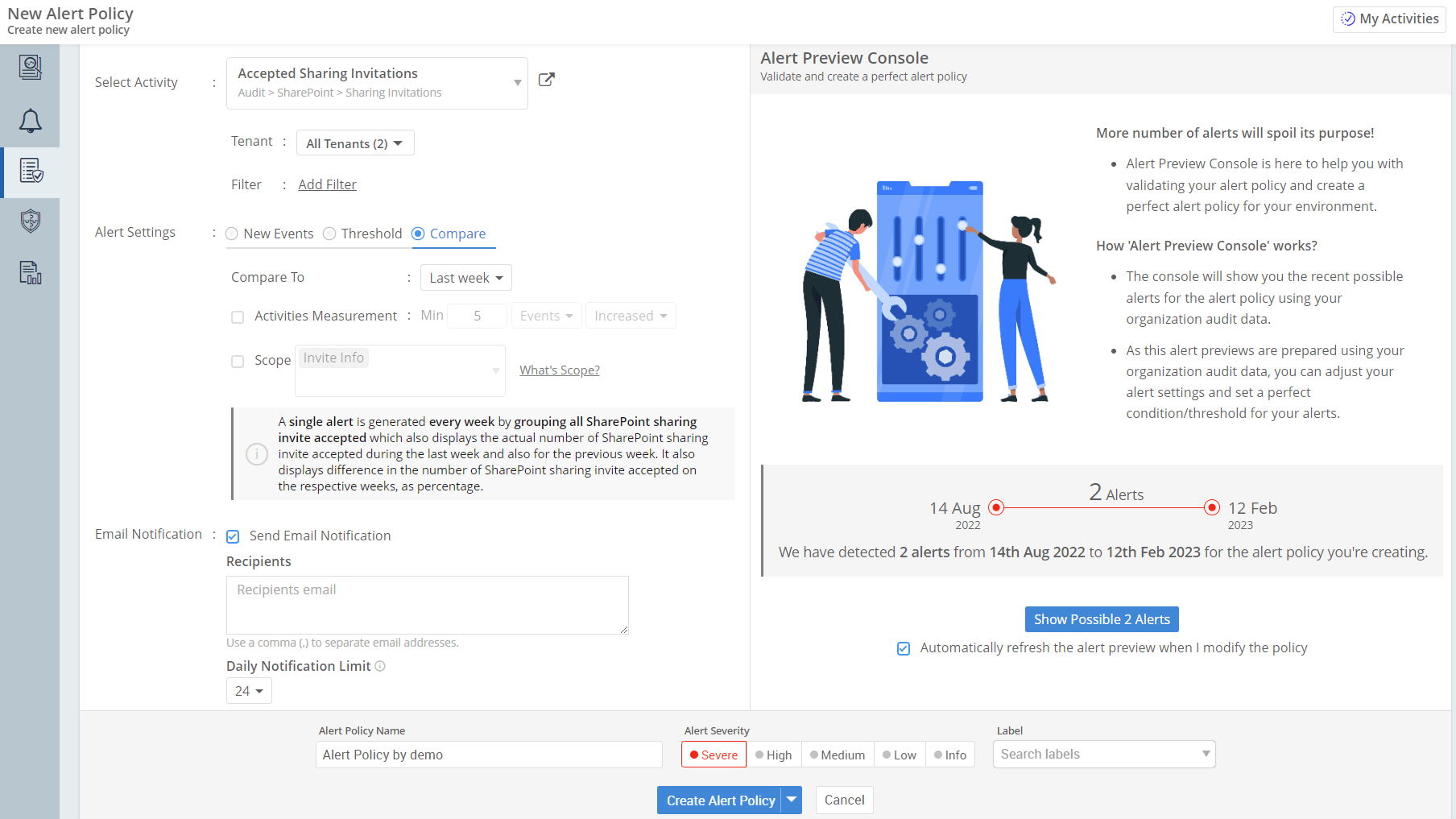
Test and refine alert logic using your past audit data for more accurate alert configuration.

Test alerts with existing audit data

See the full picture of Active Directory passwords, including status, upcoming expiries, recent changes & resets, key security metrics, and more.

AD Password Dashboard

Gain a complete view of mailbox permissions and delegated user activities.

Mailbox Permission Explorer

Examine every externally shared invitation, review their access permissions, and assess exposure risks.

Externally Shared Invitations Monitoring

Track and visualize traffic patterns across SharePoint Online sites to understand usage trends and engagement over time

SPO Site Traffic Trend

Stay informed about modifications to domain policies across AD computers to strengthen governance

Domain Policy Change Monitoring

Get full visibility into every device in your Entra environment and track every change to stay secure and in control.

Monitor Entra Devices

Implement a structured multi-stage approval process to ensure sensitive operations are performed only after authorization.

Hierarchical Approval Process

Multi-geo support to manage SharePoint sites, collections, lists, and libraries across different regions.

Multi-Geo Support for SharePoint

Get reminders for pending MFA activations to strengthen M365 security.

Pending MFA Activation Reminder Agent

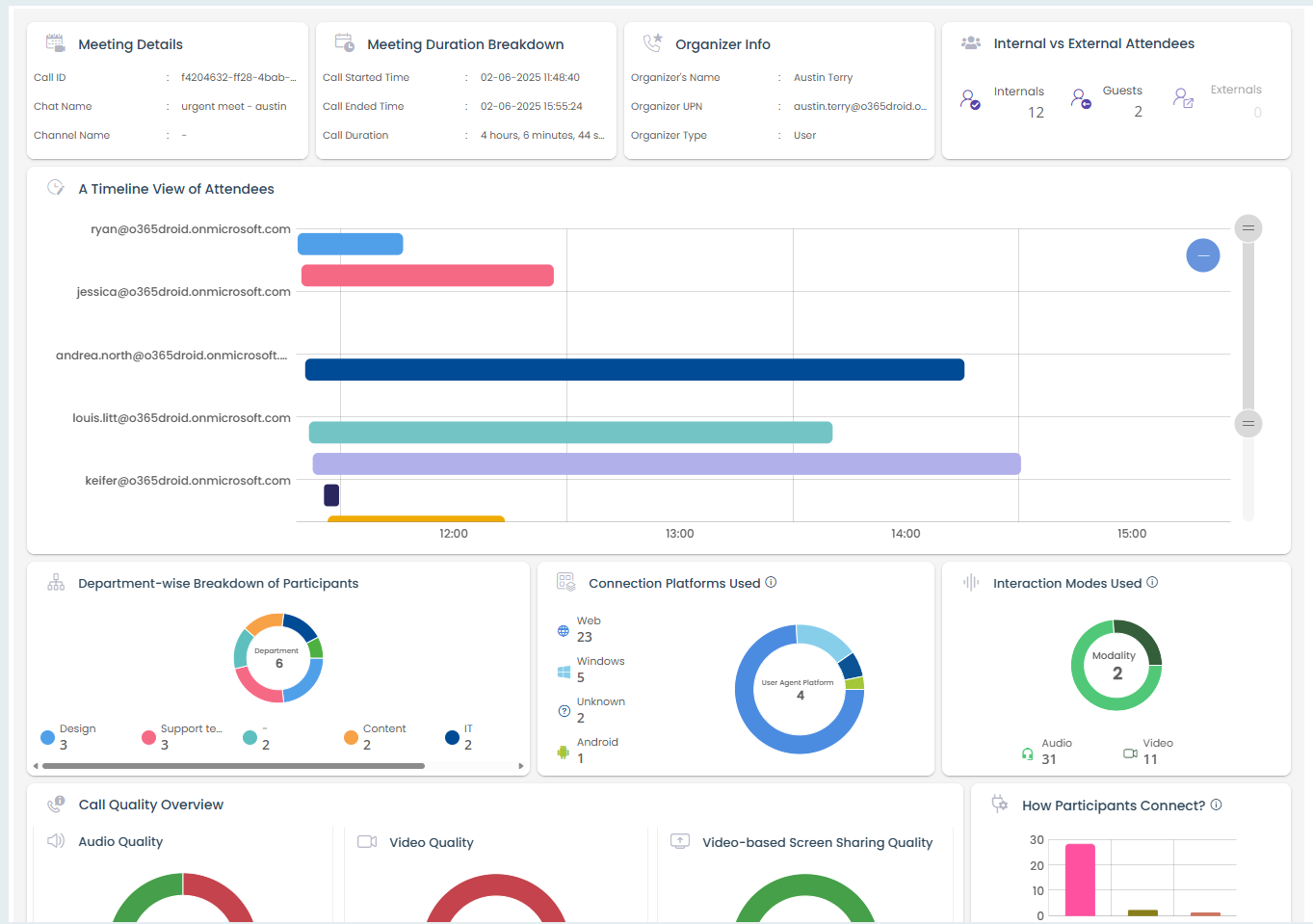
Deep dive into meetings detail, from who organized and attended to quality metrics.

Teams Meeting explorer

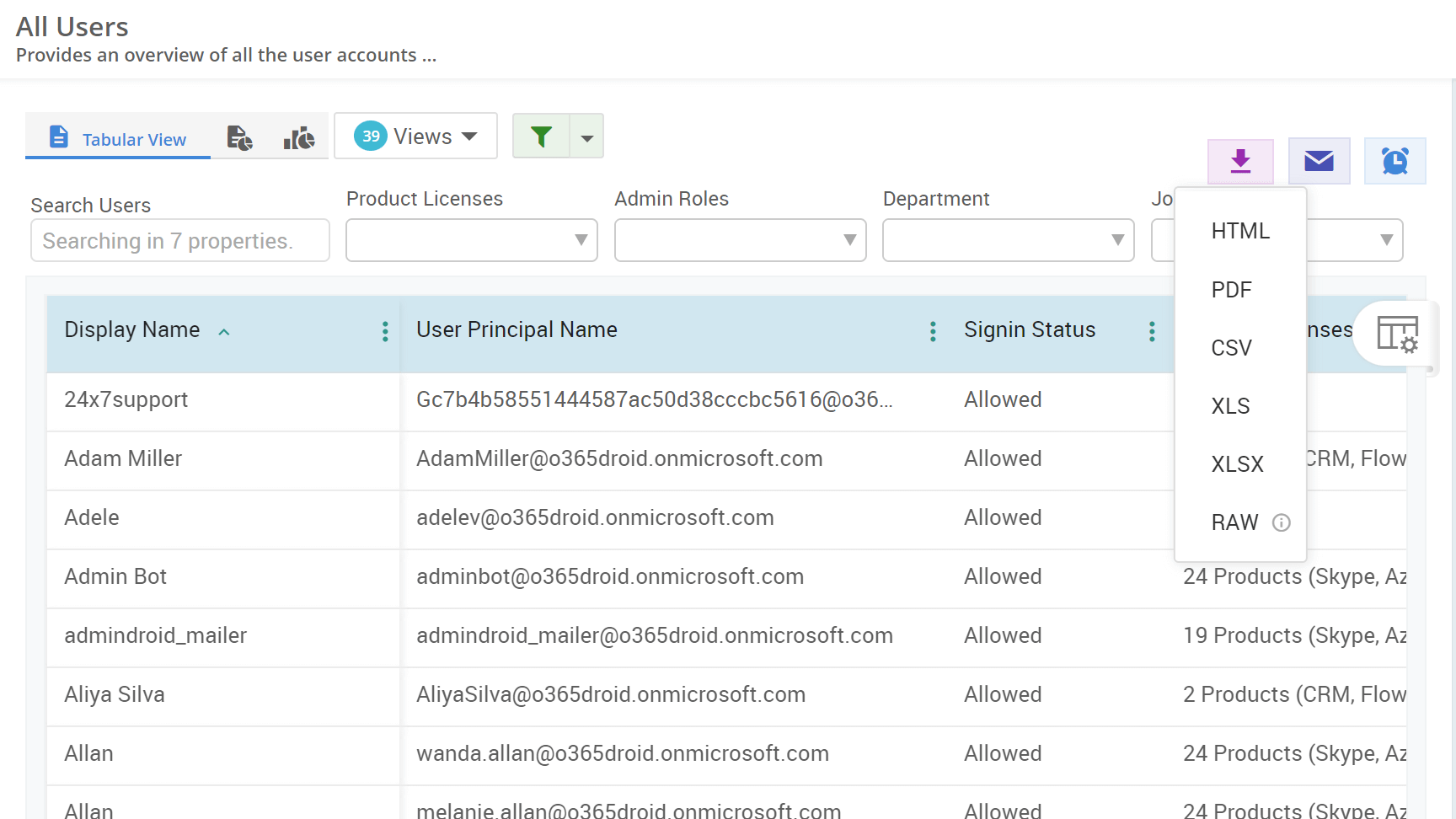
Download reports in popular formats like PDF, CSV, XLS, XLSX, RAW, etc., for offline access, easy sharing, and effective analysis

Export Reports in Multiple Formats

Explore storage like a map: drill into sites, libraries, and folders to discover how space is truly consumed.

Drillable Site Storage Usage Map

Get alerts on unauthorized permission changes on AdminSDHolder in Active Directory.

AdminSDHolder Exploit Detector

Design professional, branded email notifications in minutes. Add text, logos, buttons, and more for the perfect message!

Drag & Drop Email Customization

Keep a detailed record of PIM role activations to maintain accountability, monitor privileges, and ensure compliance.

PIM Role Activation History

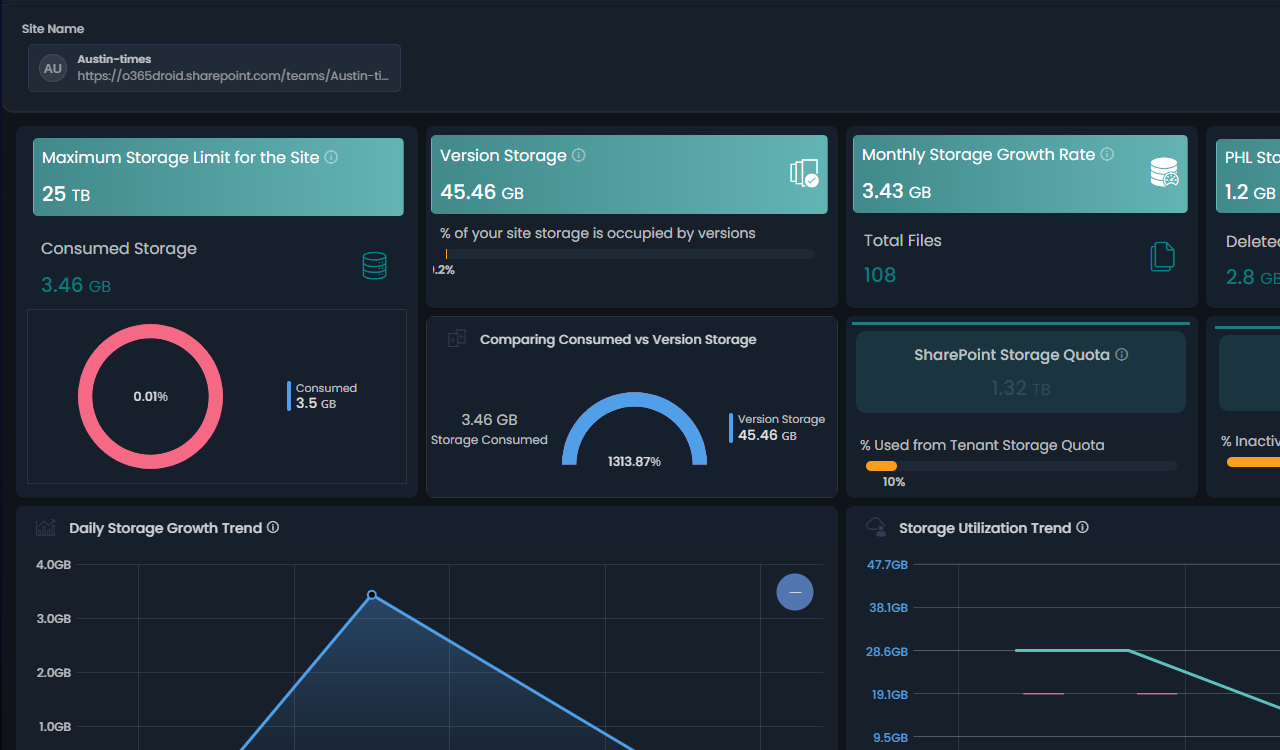
Track every aspect of your site's storage—daily growth, file and version growth, free space, library consumption, and more.

Site Storage Utilization Metrics

Notify admins to rotate krbtgt passwords on schedule to reduce Active Directory attack surface.

Krbtgt Password Reset Reminder

Get a set of reports that helps you maintain GDPR compliance by tracking user activity, monitoring configuration changes, and detecting suspicious events to protect personal data.

Microsoft 365 GDPR Compliance Portal

Get cutting-edge compliance reports to streamline your ISO audit process and ensure the security of your information systems.

Microsoft 365 ISO-27001 Compliance Portal

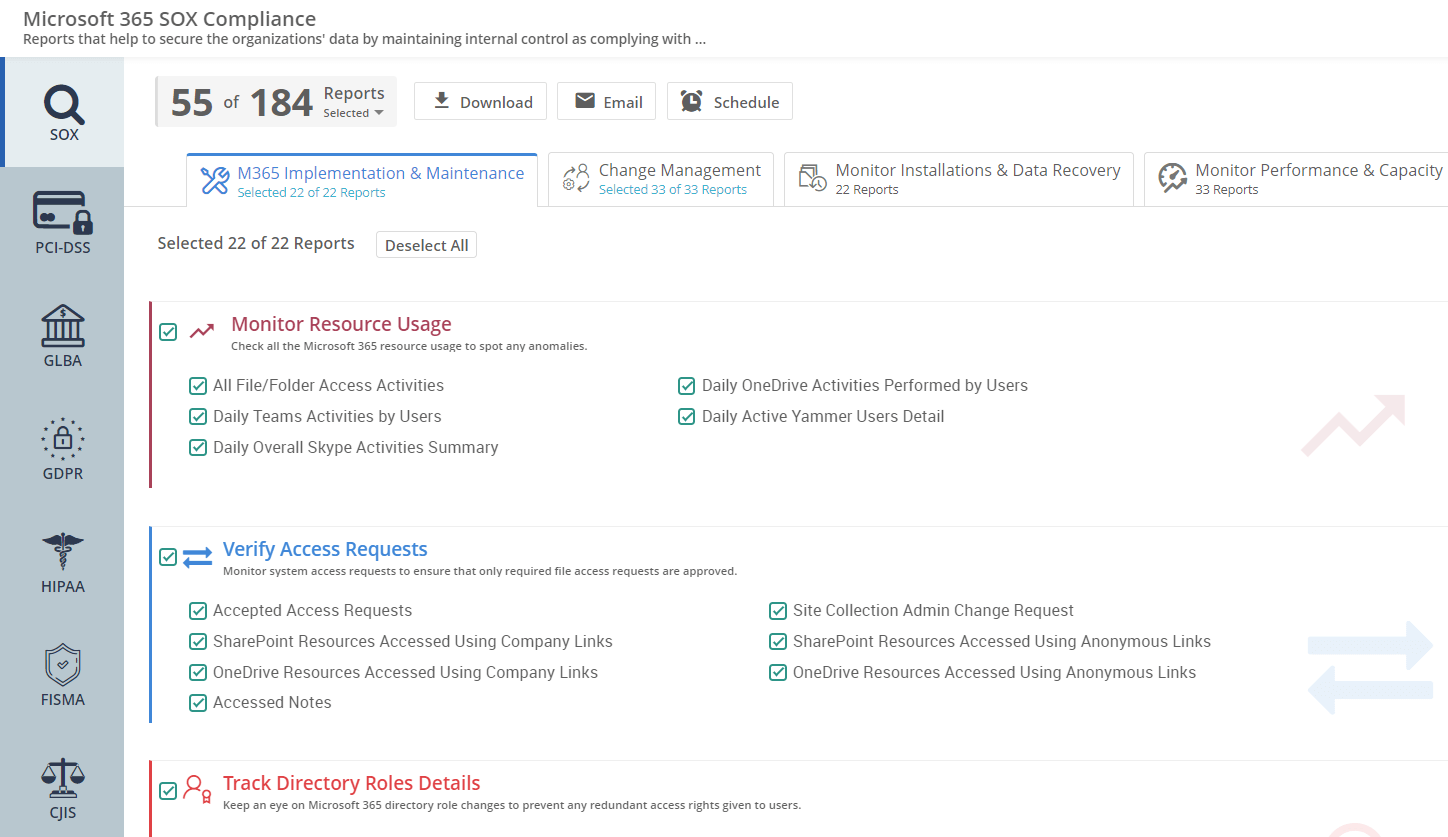
Get SOX reports for all Microsoft 365 services, designed to help secure your organization's data by maintaining internal controls.

Microsoft 365 SOX Compliance Portal

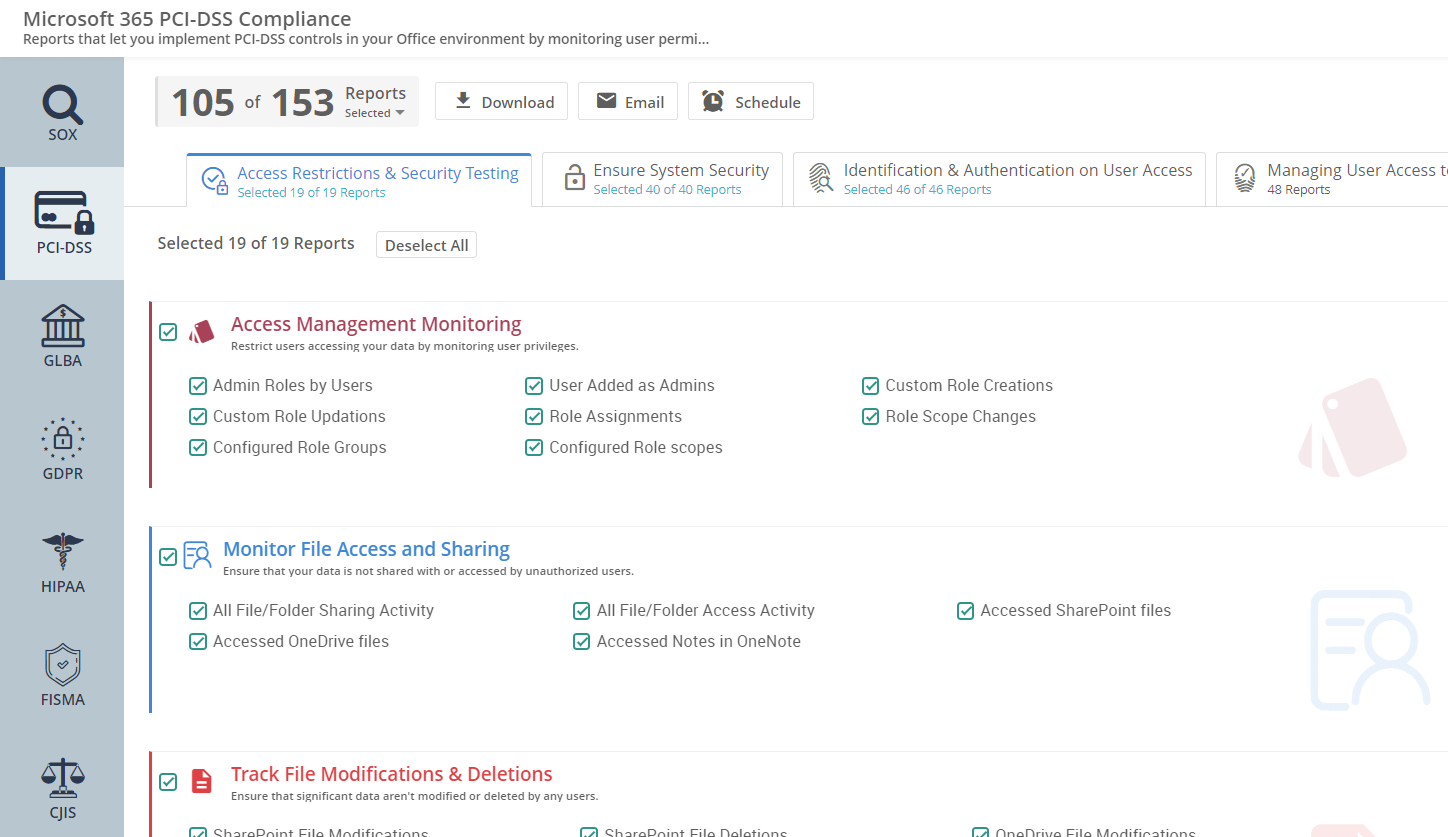
Get reports designed to help maintain PCI-DSS standards by keeping a close watch on user permissions and detecting unauthorized access across services.

Microsoft 365 PCI-DSS Compliance Portal

Monitor your environment with tailored reports and alerts on suspicious behavior to ensure effective HIPAA compliance

Microsoft 365 HIPAA Compliance Portal

Stay FISMA-compliant with reports that track threats, user access, configuration changes, and sharing activities.

Microsoft 365 FISMA Compliance Portal

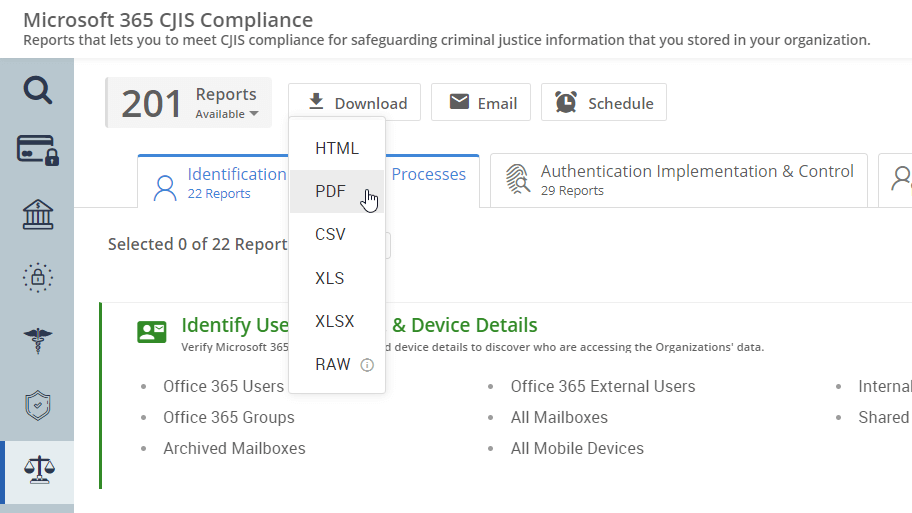
Ensure CJIS compliance using a drilled-down report set to monitor authentication, supervise inactive accounts, and analyze failed login activities.

Microsoft 365 CJIS Compliance Portal

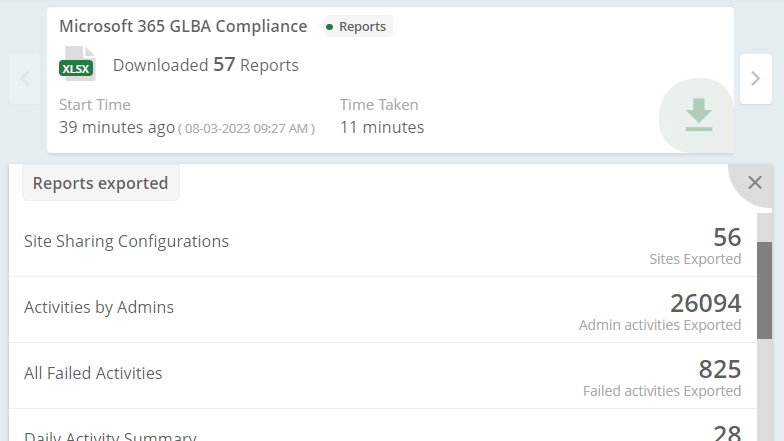
Get a comprehensive collection of reports all in one place to simplify your GLBA compliance audit.

Microsoft 365 GLBA Compliance Portal

Get immediate exposure when Kerberos tickets are issued with insecure RC4 encryption, a common sign of ticket-forging attacks.

Forged Kerberos Ticket Detector

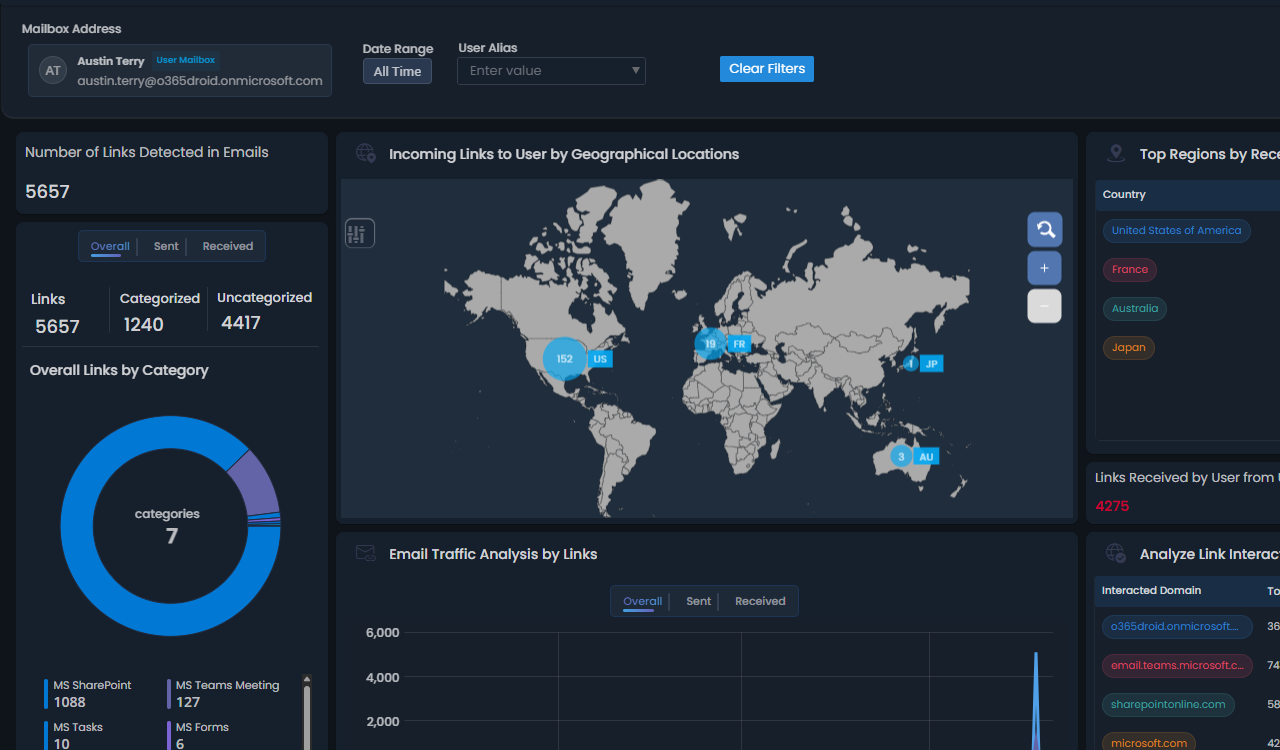
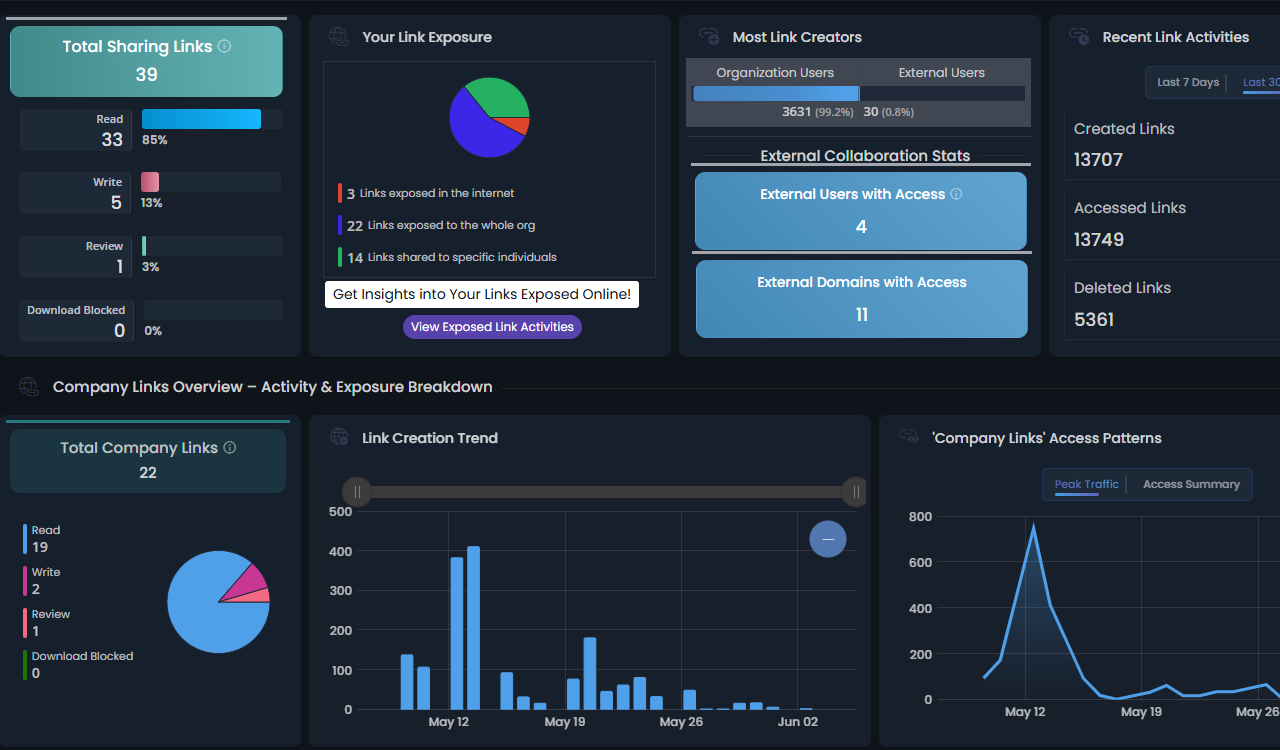
Analyze every SharePoint link in detail, track permissions, access, exposure, sharing type, and more.

SharePoint Sharing Links Analytics

Detect and investigate when sensitive mailboxes are accessed by unauthorized or delegated users.

Mailbox Non-Owner Access Tracking

Monitor risky sign-ins with visibility into risk severity, sign-in outcomes, suspicious geographic patterns, and more.

Risky sign-ins detection

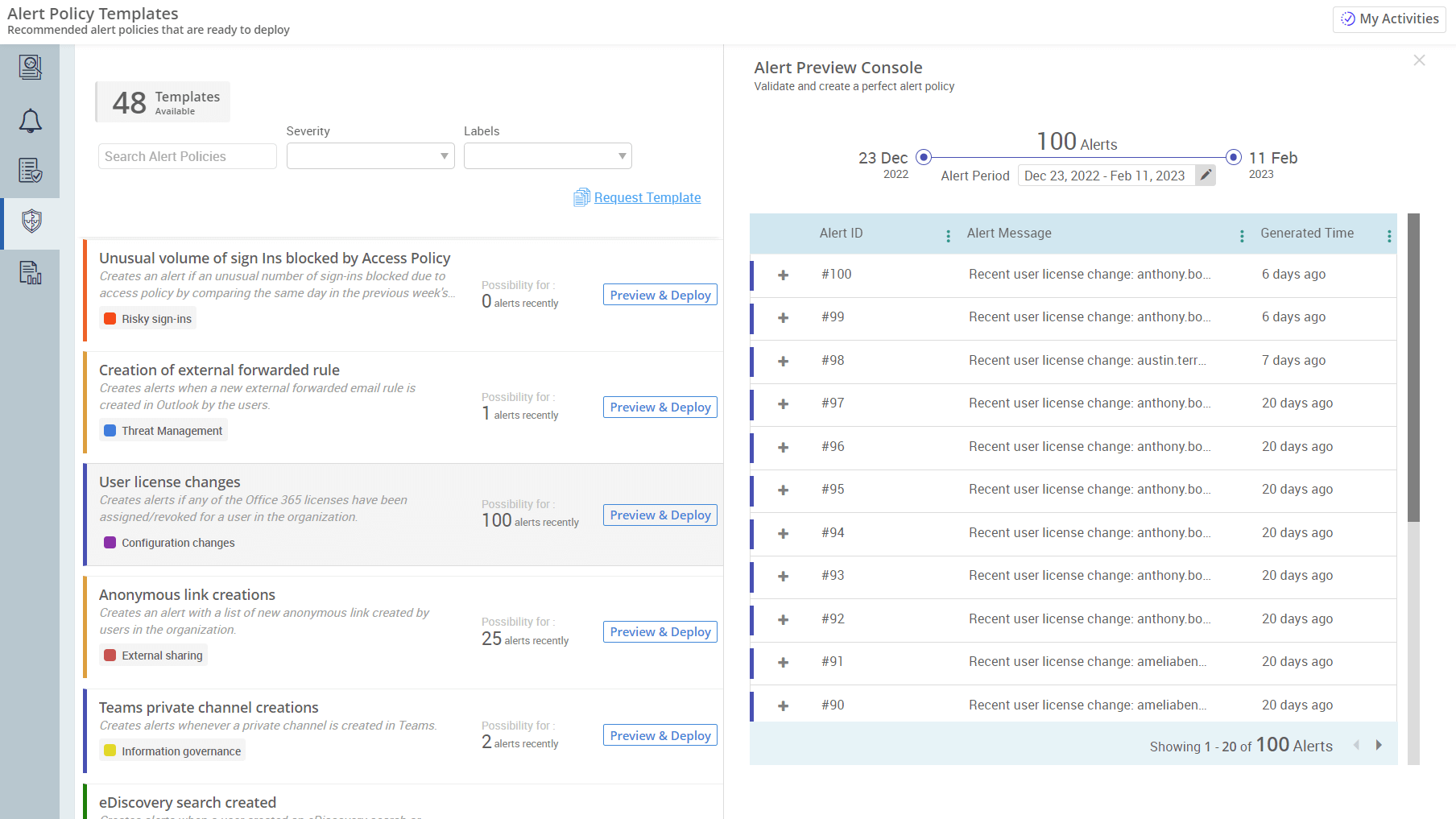
80+ pre-built alert policy templates are ready for immediate deployment to alert you on M365 critical activities and changes.

Pre-Built Alert Policies

Gain complete visibility over your most powerful Active Directory accounts, including roles, inactivity, newly added admins, and more.

AD Privileged Admin Dashboard

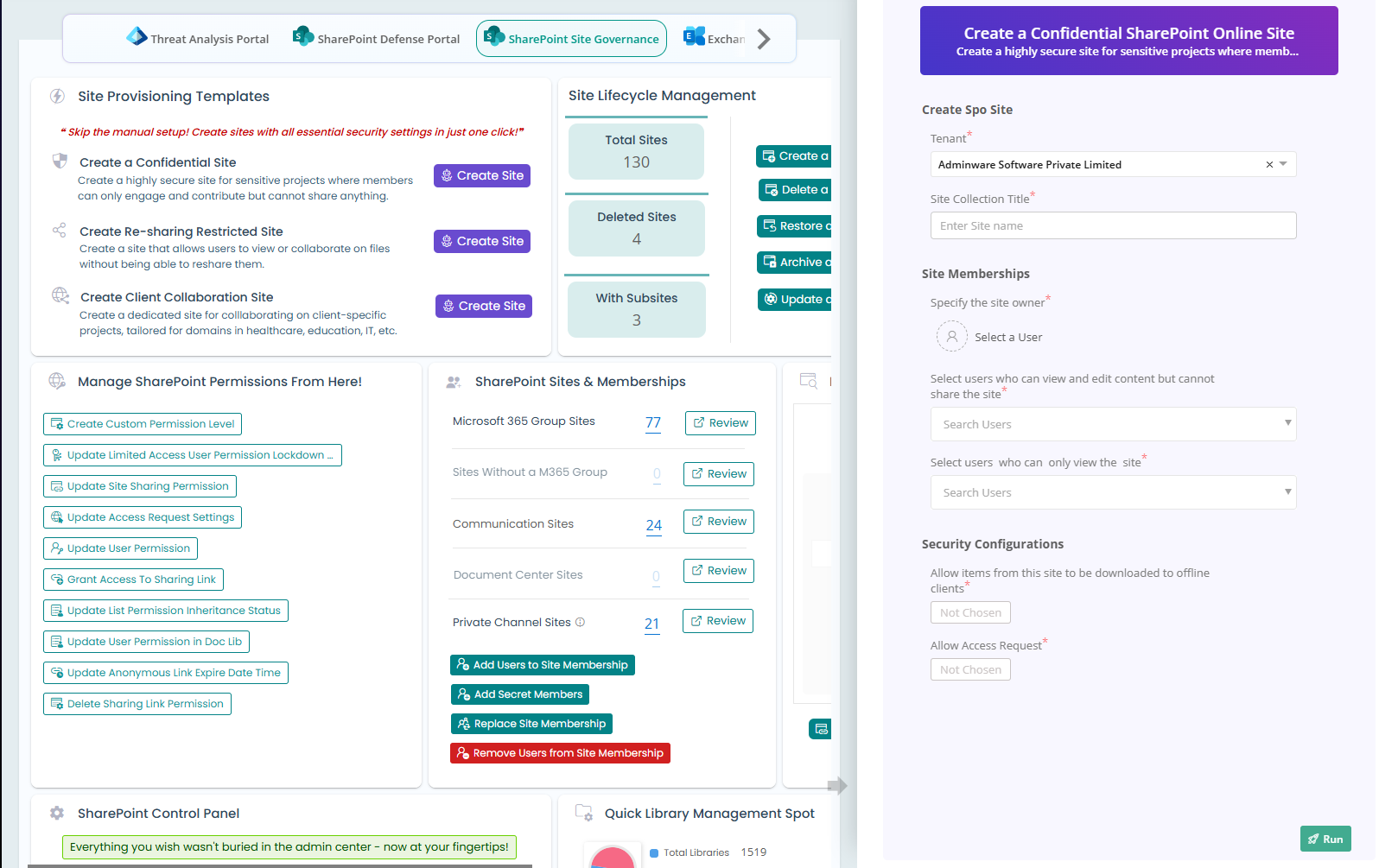
Manage the full lifecycle of SharePoint sites, from memberships to permissions, all in one place without switching tabs.

Site Governance Portal

Access curated report bundles to meet your specific requirements. For instance, monitor user inactivity with all related reports like inactive users in EXO, SPO, OneDrive, and more, organized in one place.

Curated report packages

Get instant notifications for Active Directory account lockouts and restore access quickly to avoid productivity disruptions.

Account Lockout Alert

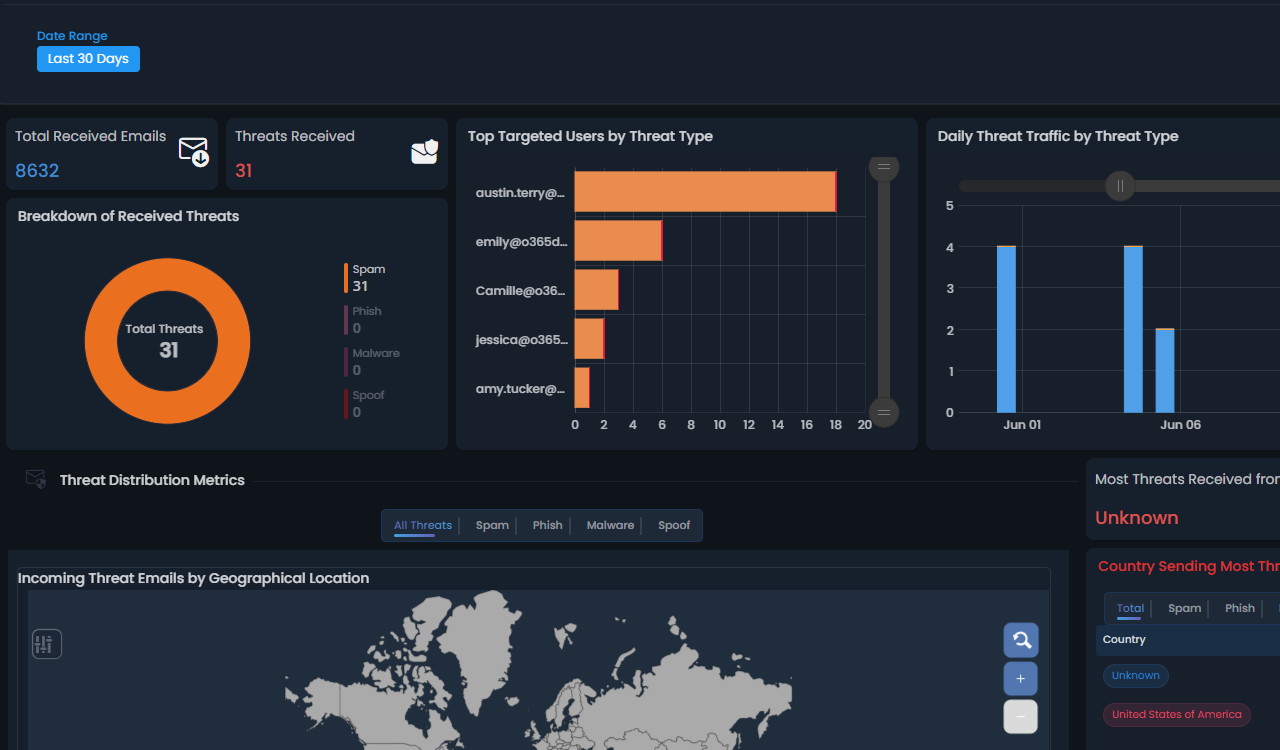
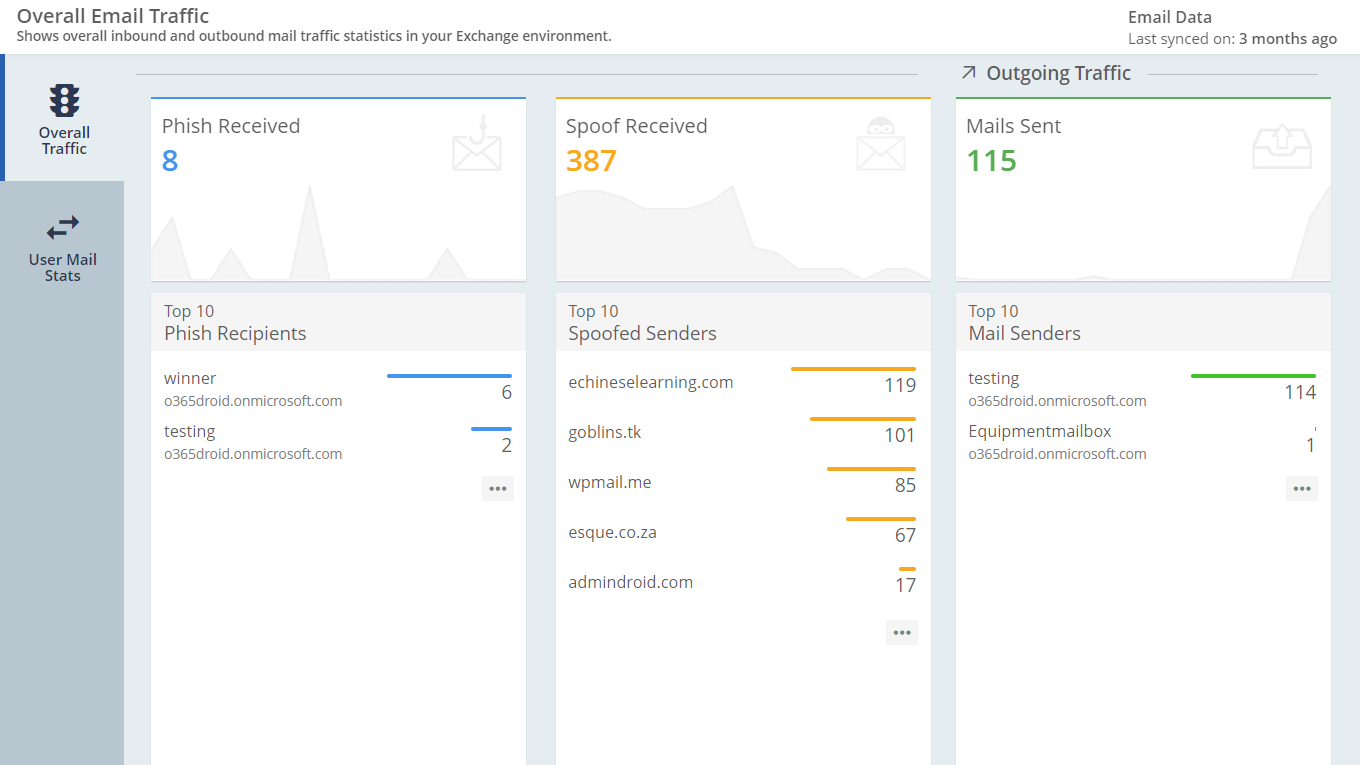
Get visibility into all incoming spoof emails originating from external domains and internal senders.

Email spoofing monitoring

Effortlessly detect potential Active Directory attacks, including AdminSDHolder attacks, golden/silver ticket attacks, password spray, brute force attempts, and more.

Active Directory Attack Monitoring

Securely delegate specific admin tasks to technicians while maintaining full control and least privilege.

Delegate management actions to technicians

Provide technicians access to chosen reports without exposing unnecessary data.

Delegate reports to technicians

Remind users with never-expiry passwords to change them regularly for stronger Active Directory security.

AD Password Rotation Reminder

Revoke Microsoft 365 licenses from disabled users to cut costs with this Reminder Agent.

Disabled User License Recovery Agent

Gain visibility into mailboxes on hold and email retention periods to stay ahead of compliance risks.

Track Mailbox Retention

Monitors M365 role changes and alerts when a user gains an admin role, so you can identify if it's legitimate or a potential privilege escalation.

M365 Privilege Escalation Alert

Detect and alert on unusual file behavior, including mass deletions, malware uploads, and unexpected download patterns.

Suspicious File Activity Monitoring

Move offboarded users and inactive users into an separate OU to keep your directory clean, secure, and well-organized.

Disable & Move Users to Inactive OU

Create a highly secure site for sensitive projects where members can only engage and contribute but cannot share anything.

Create a Confidential SharePoint Site

Create a dedicated site for collaborating on client-specific projects, tailored for domains in healthcare, education, IT, and more

Create Client Collaboration Site

Create a site that allows users to view or collaborate on files without being able to reshare them.

Create a Re-sharing Restricted Site

Manage distribution list creation requests and automate provisioning upon approval.

Request distribution list creation

Monitor the live status of approval requests to stay updated at every stage.

Approval Status Tracking

Identify unlicensed OneDrive accounts to delete or safely archive data before it causes data loss.

Monitoring Unlicensed OneDrive Accounts

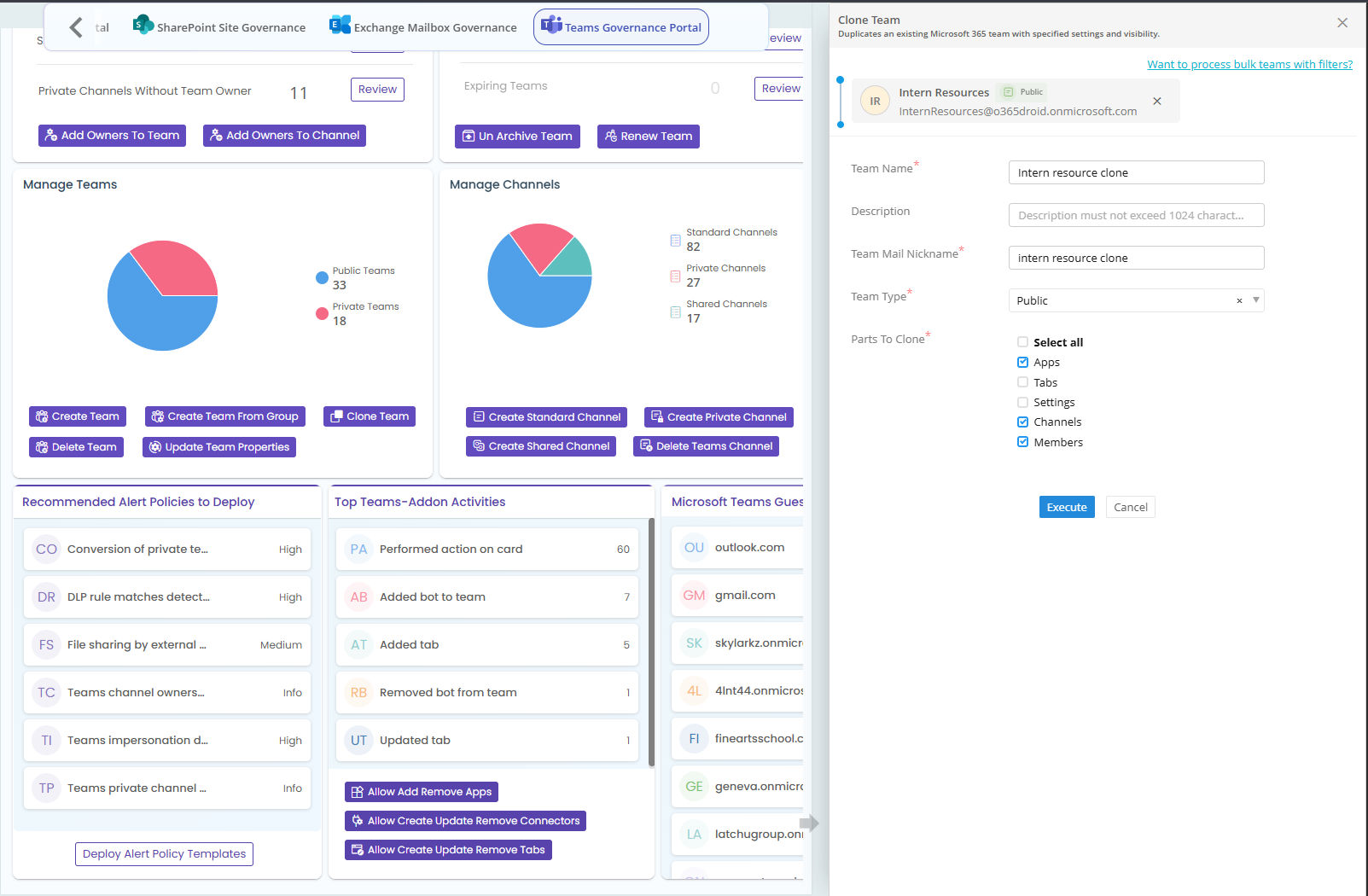
Deep-dive into your Teams and meetings info, manage memberships, and take instant action on critical Teams activities from a single portal.

Teams Governance Portal

Monitor and alert on membership changes in privileged admin groups in Active Directory.

Active Directroy Privilege Escalation Detection

Notifies you when users share too many files publicly on the internet in a day, letting you catch data exposure beforehand.

Excessive Internet Sharing Alert

Monitor every login to Domain Controllers to detect unauthorized access and protect Active Directory

DC Login Tracker

Use GDAP permissions to onboard multiple customer tenants using your Microsoft Partner account.

Bulk tenant onboarding via Partner account

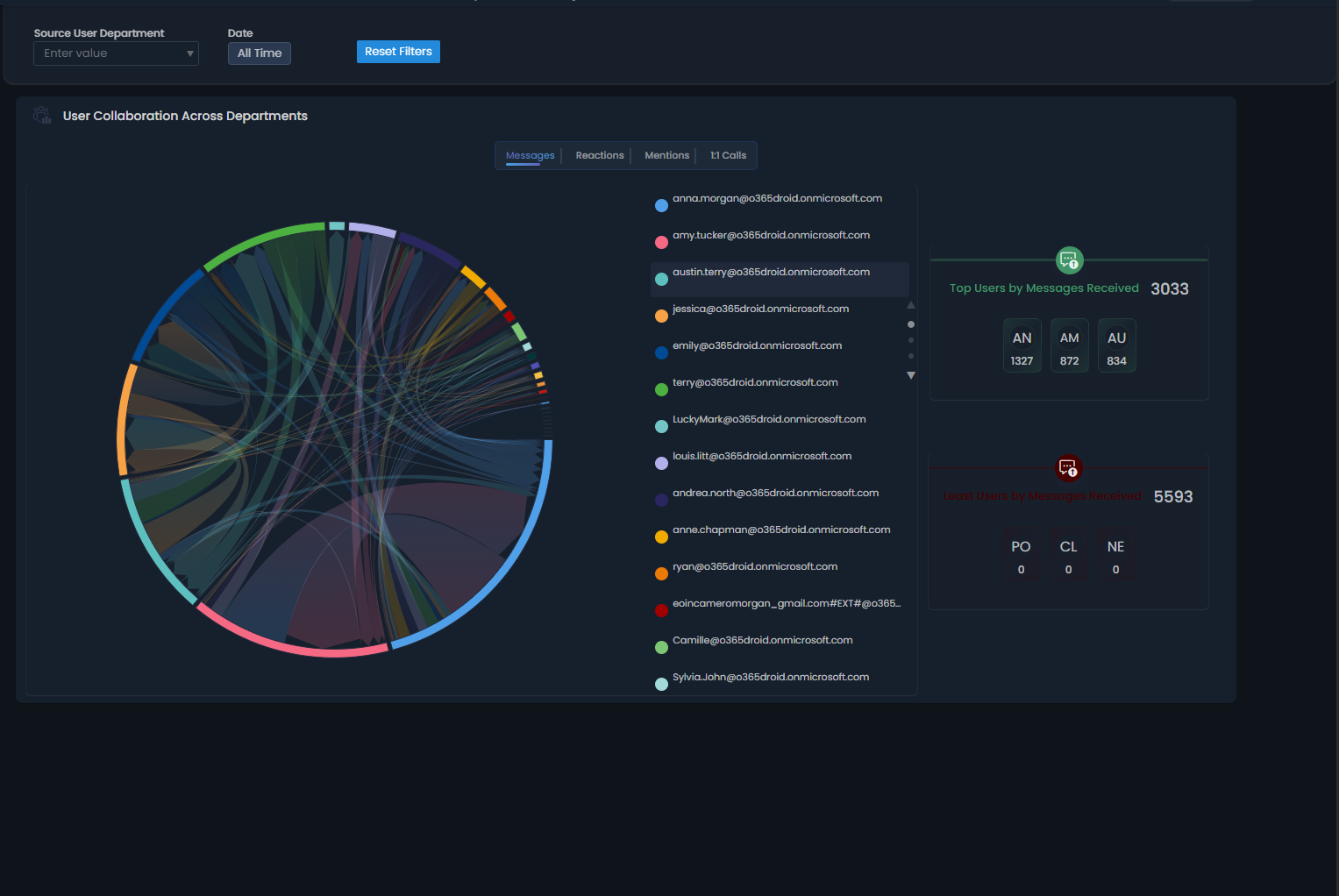
Keep track of how users in your organization engage internally and externally through chats, reactions, and mentions.

Teams Chat Activity Breakdown

Get a clear picture of all inactive sites in your SharePoint environment and see exactly how long they've been inactive.

Site inactivity Monitoring

Receive notifications whenever new access is granted to a mailbox

Mailbox access notifier

Monitor M365 login activity for anomalies to detect potential security threats and unusual user behavior.

Unusual Login Pattern Detection

Sends timely notifications about upcoming group expirations to ensure renewal happens on time and prevent service disruptions.

Group Expiration reminder

Get a clear overview of all OUs with their linked and inherited GPOs.

OU-GPO Mapping

Visualize data trends directly within report columns to spot anomalies at a glance.

See trends in Reports

Identify and audit users sending emails from delegated mailboxes to ensure compliance.

Audit 'Send As' Emails

Stop missing audit logs! Be notified immediately if Microsoft 365 audit data collection is turned off.

Unified Audit Log Disabled Alert

Simulate the AdminDroid portal experience of a delegated admin to understand their access and visibility.

View AdminDroid Portal as a Delegated Admin

Monitor all password change activities to detect suspicious behavior and ensure compliance.

Password Change Activity Tracking

Identify inactive mailboxes across your organization by evaluating critical activity metrics, including the last email sent, last received emai, most recent user email activityl and others

Inactive mailbox tracking

Automatically delete users with deletion protection. Provide the username and the flow completes the removal safely.

Delete Users Protected from Accidental Deletion

Identify inactive SharePoint or Teams sites to optimize storage, clean up unused resources, and improve governance.

Inactive sites tracking

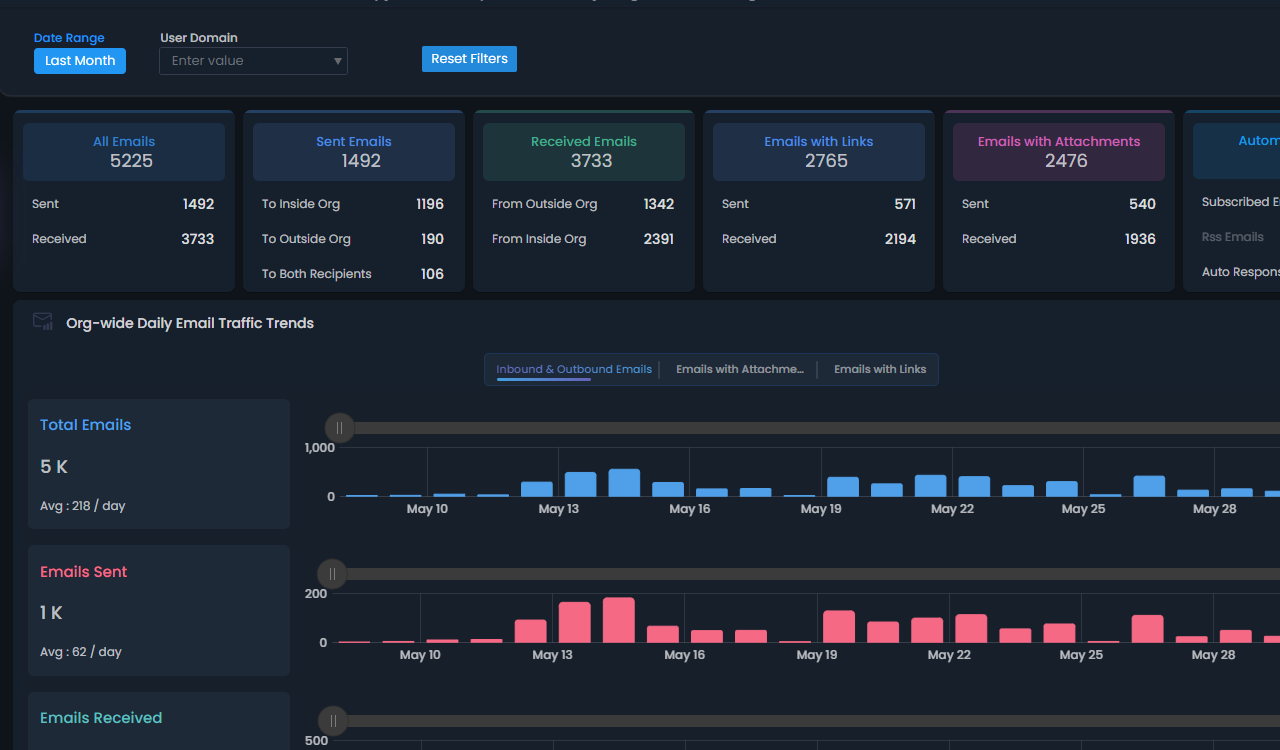
Monitor global email traffic by country for comprehensive Email insights.

Geo Email Traffic Monitor

View all Teams meeting feedback in one place, participant satisfaction, engagement, and areas for improvement.

Teams Meeting Feedback Analysis

Automate Active Directory account expiry extensions and instantly notify managers to prevent workflow disruptions.

Extend User Account Expiry

Gain visibility into all types of inactive content—unused, untouched, or unmodified files and folders, plus never-accessed items, and take quick action.

Inactive Content Monitoring

Quickly perform recommended management actions, right from the reports.

Perform Recommended Actions from Reports

Be notified immediately when a Team becomes ownerless,enabling quick action to keep all Teams secure and properly managed.

Ownerless Teams detector

Get alerts when files are shared externally to prevent data leaks and monitor suspicious sharing activity.

External File Sharing Alert

Keep track of ownership changes, ensure active owners are in place, and prevent Teams from becoming orphaned.

Teams ownership monitoring

External Email forwarding can be monitored efficiently like never before.

Mailbox Forwarding Rule Analysis

Notify Active Directory users about upcoming password expiry to avoid lockouts and reduce help desk requests.

Send Password Expiry Notification

Get automated reminders when site storage reaches full capacity, exceeds warning limit, or surpasses custom threshold, helping you manage site collections effectively.

SharePoint site storage notifier

Manage M365 group creation requests and automate provisioning upon approval.

Request Group Creation

Get notified the moment the Directory Services Restore Mode password changes to safeguard against unauthorized modifications.

DSRM Credential Watch

Get notified immediately when M365 user accounts lock out due to failed sign-ins and assess whether it's a threat or a user error.

M365 Account Lockout Alert

Easily access details of a manager and their direct reports for better organizational visibility.

Managers and Directory reports tracking

Automatically store scheduled report outputs in SharePoint.

Cloud storage for scheduled reports

Provides admins with a unified view of users requiring password resets, reminder status, and follow-up details.

Password Expiry Reminder Dashboard

Identify teams without owners, members to streamline team management and remove inactive Teams

Empty Teams Tracking

Personalize your AdminDroid portal with your company name, logo, and sign-in page, or sync Microsoft 365 branding instantly.

AdminDroid Portal Branding

Security is always our first priority

We never ask your Administrator password to collect data.

Your Office 365 data stored securely in your local environment.

SSO with Office 365: Sign in with the application seamlessly. No extra password to manage.

Data is collected by connecting to Microsoft API endpoints through encrypted SSL connection.

What do customers say about our product?
customer-images

AdminDroid helps with almost all topics in the Microsoft Cloud. AdminDroid simply helps us analyse, audit and report on our environments. The ease and elegance of use make AdminDroid almost indispensable for us.

Philippe Wettstein Chief Managed Services Officer ITpoint Systems AG
customer-images

Thanks to AdminDroid we were able to setup different views for worldwide branch offices and automate a lot of processes. The product support also helps fast and very straight forward. I can absolutely recommend AdminDroid for getting a better visibility inside the Microsoft 365 Tenant.

Filip Oldach Technical Lead Enterprise Solutions bitery GmbH & Co. KG
customer-images

We started using AdminDroid as an easy way to comply with some of our CIS20 objectives. Now it’s an important source of information to our security-team and servicedesk. Amazing to see how easy it is to find information about user activity in AzureAD that would otherwise take much longer using native Microsoft tooling.

Marc Punte System Administrator / System and network architect Ster
customer-images

AdminDroid has helped me to compile a clear sight picture of our entire Microsoft cloud presence, allowing me showcase some of our Microsoft cloud based configuration inconsistencies as well as licensing concerns. AdminDroid intuitiveness is superior to the sprawling, clunky Microsoft web based offering. I really appreciate that AdminDroid brings of our information together in a single pane.

Dean Hufford Infrastructure Engineer North Los Angeles County Regional Center
customer-images

The main thing I loved about AdminDroid was how easy it was to setup and get working. I had tried 4 other products, and not one got to the stage of pulling data, because of MFA issues. AdminDroid ran though the install, opened the page to Office 365 MFA permission request, and then proceeded to populate the local database.

James Rhodes Senior Network Engineer Belz Investco
customer-images

Just started checking out AdminDroid Office 365 Reporter and already in love. What a great reporting tool. Like GUI for #PowerShell #Office365 #cloudit

Chad Hudson Head of Information Security Datacor

360° Visibility Explorers for Microsoft 365

Wish you had one unified view to see a specific user, team, or site’s M365 access and activity?

Explore the full story - all in one view!
Unlock a 360° view across Users, Teams, SharePoint, and so on.

User Explorer User360 Membership Explorer User360 User Availability Explorer User360 Teams Call 360 Explorer Mailbox Permission 360 explorer Teams 360 Explorer SharePoint Permission 360 Explorer
  • User 360° - Track user sign-ins, emails, group memberships, ownerships, OneDrive storage, Teams availability, and every possible detail tied to user activity in one place.
  • Mailbox Permission 360° - Deep dive to track who has access to whose mailboxes, the level of control they hold, and how those permissions are used.
  • Teams 360° - Understand Microsoft Teams inside out by analysing interactions in Teams and channels, activity trends, knowing the members, owners, and guests, all at once.
  • Teams Calls 360° - From participants, duration, connection metrics, and call quality insights, go granular with every Teams call in detail.
  • SharePoint Permission 360° - Gain full visibility into permissions and storage with an intuitive tree view, allowing you to explore every file and folder in each site, along with sharing insights and permission inheritance details.
  • OneDrive Permission 360° - Drill into OneDrive permissions and storage with a structured tree view and see who can edit, view, or share your files and folders, while visualizing the OneDrive account storage usage alongside.

Microsoft 365 Governance Portal

Spotting the problem but not solving it? That’s a lost effort! Why not fix it in one go?

Govern Smart with Critical Insights and Instant Actions - All in One Place!
See it, click it, fix it - Govern continuously.

  • Finally, see what you couldn't before! Mailbox, Teams, and Site settings buried across multiple admin centers are now surfaced, sorted, and organized for easy action.
  • We bring you the red flags and the red buttons - side by side! Identify risky configurations, and privilege escalations, and resolve them instantly from the Threat Analysis Portal.
  • Manage the full lifecycle of SharePoint sites, Teams, and Mailboxes, from provisioning to permissions - all in one place, without switching tabs and tools.
  • Get instant exposure to SharePoint threats and non‑compliant configurations with focused alerts and insight‑driven actions.
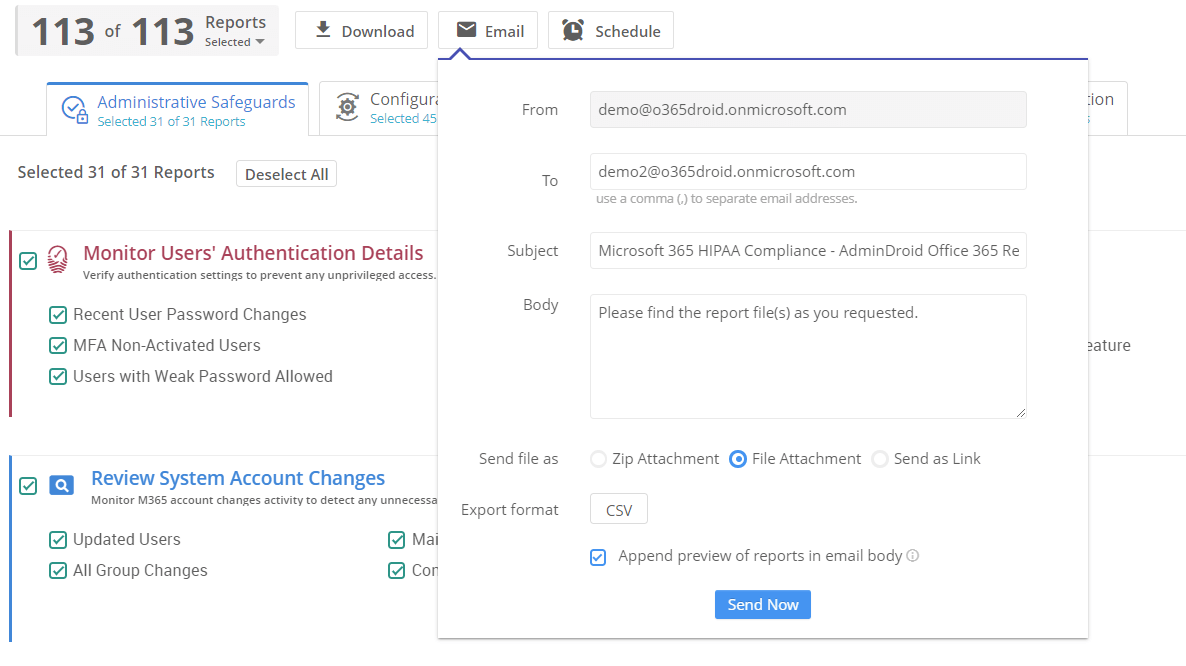
Emailing M365 Compliance Reports Sharepoint Defense portal Exchange Mailbox Governance SharePoint Site Governance Teams Governance Portal

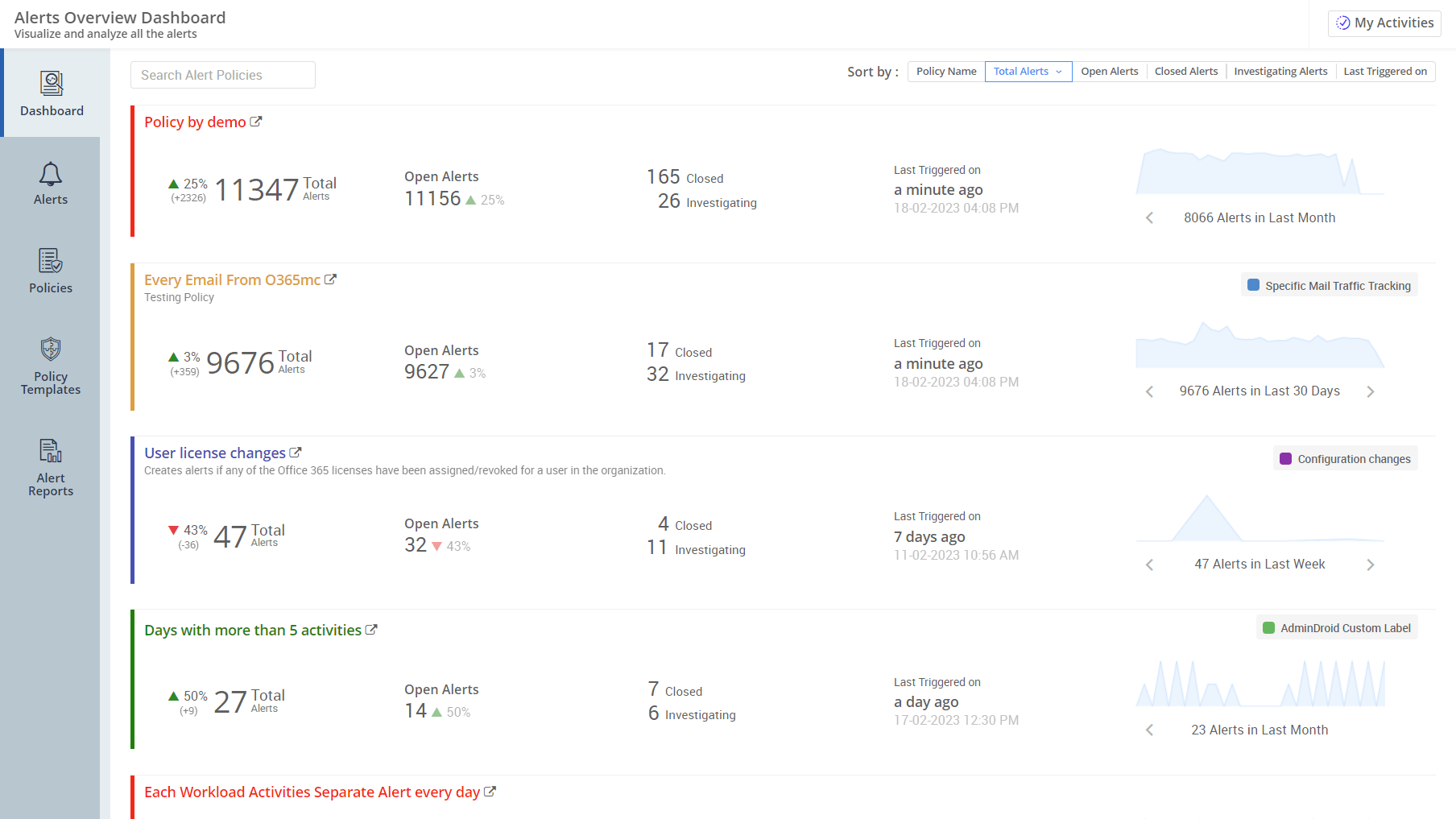
Microsoft 365 Alerting

Missed noticing a critical event in the chores of monitoring thousands of events daily?

Be alerted to every critical event in your M365 ecosystem
On time, every time - all without lifting a finger!

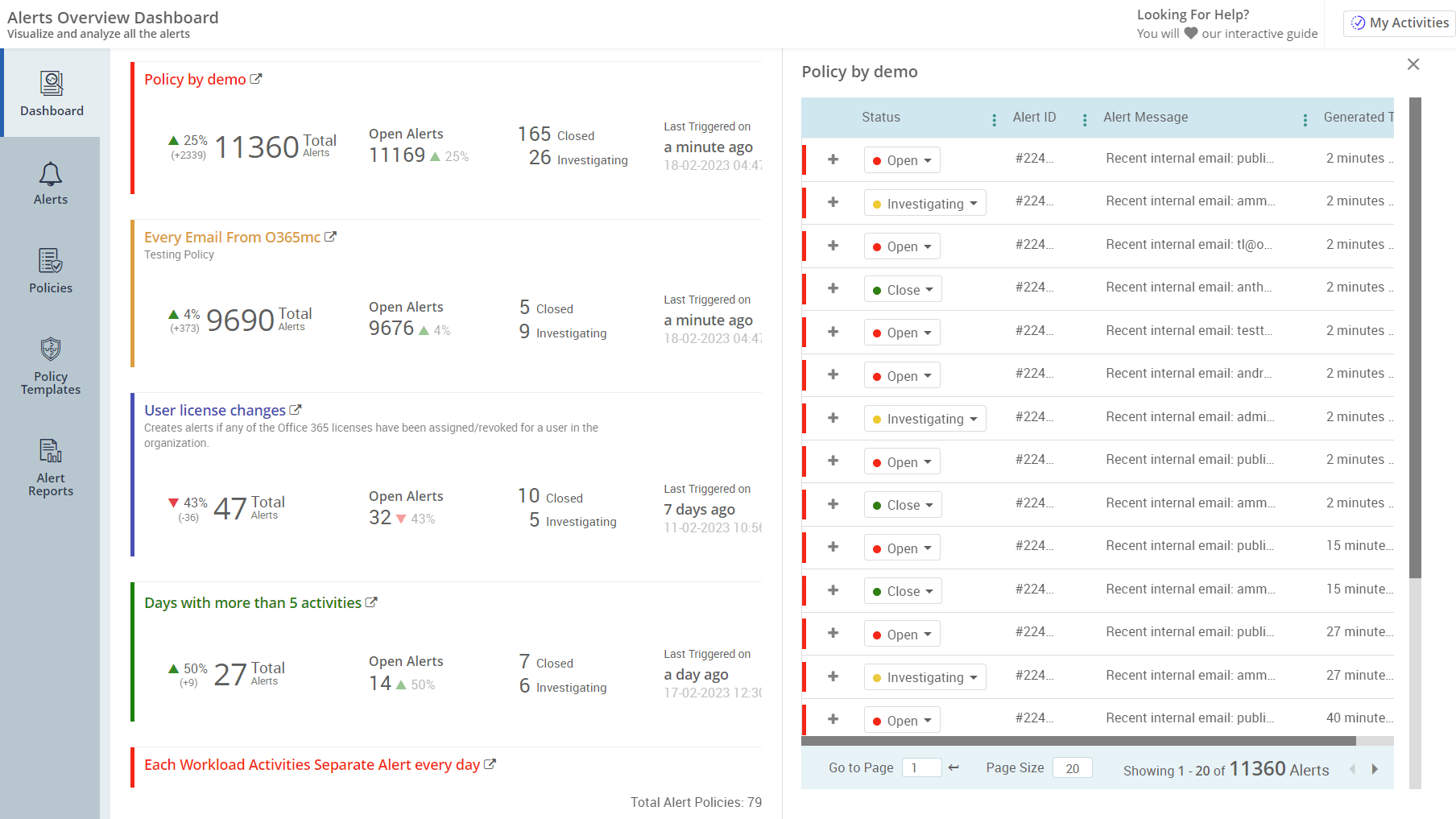
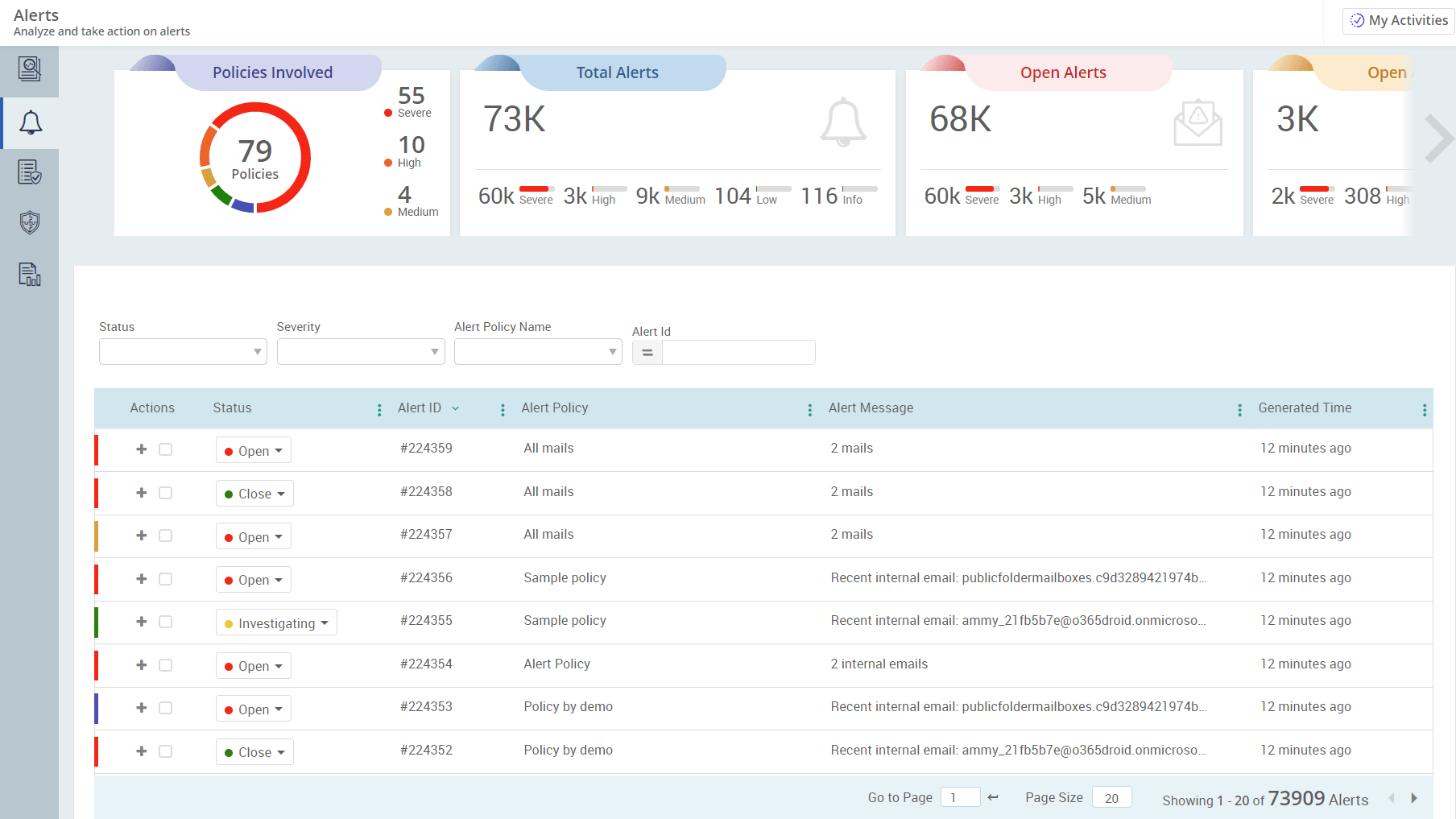
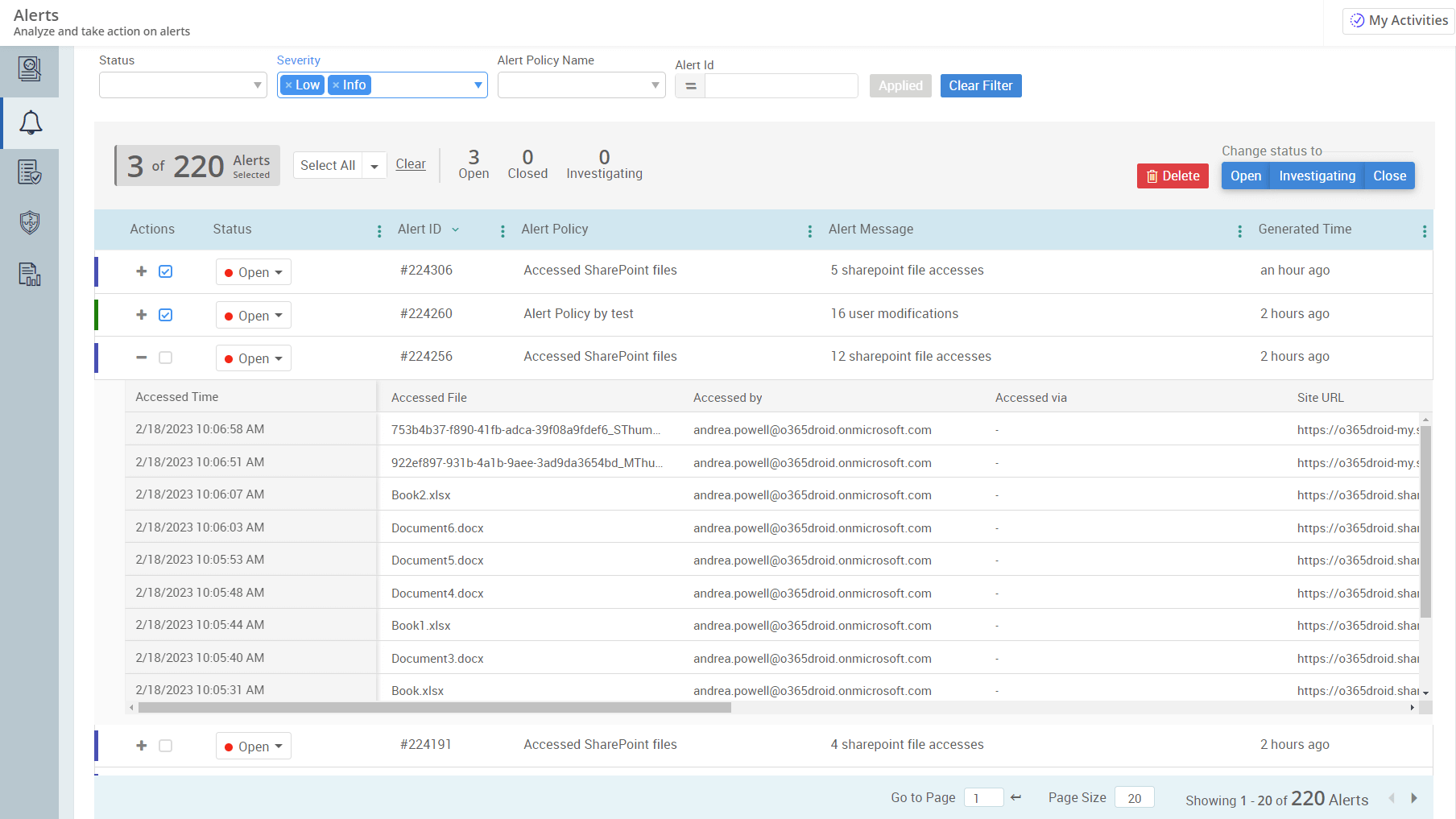
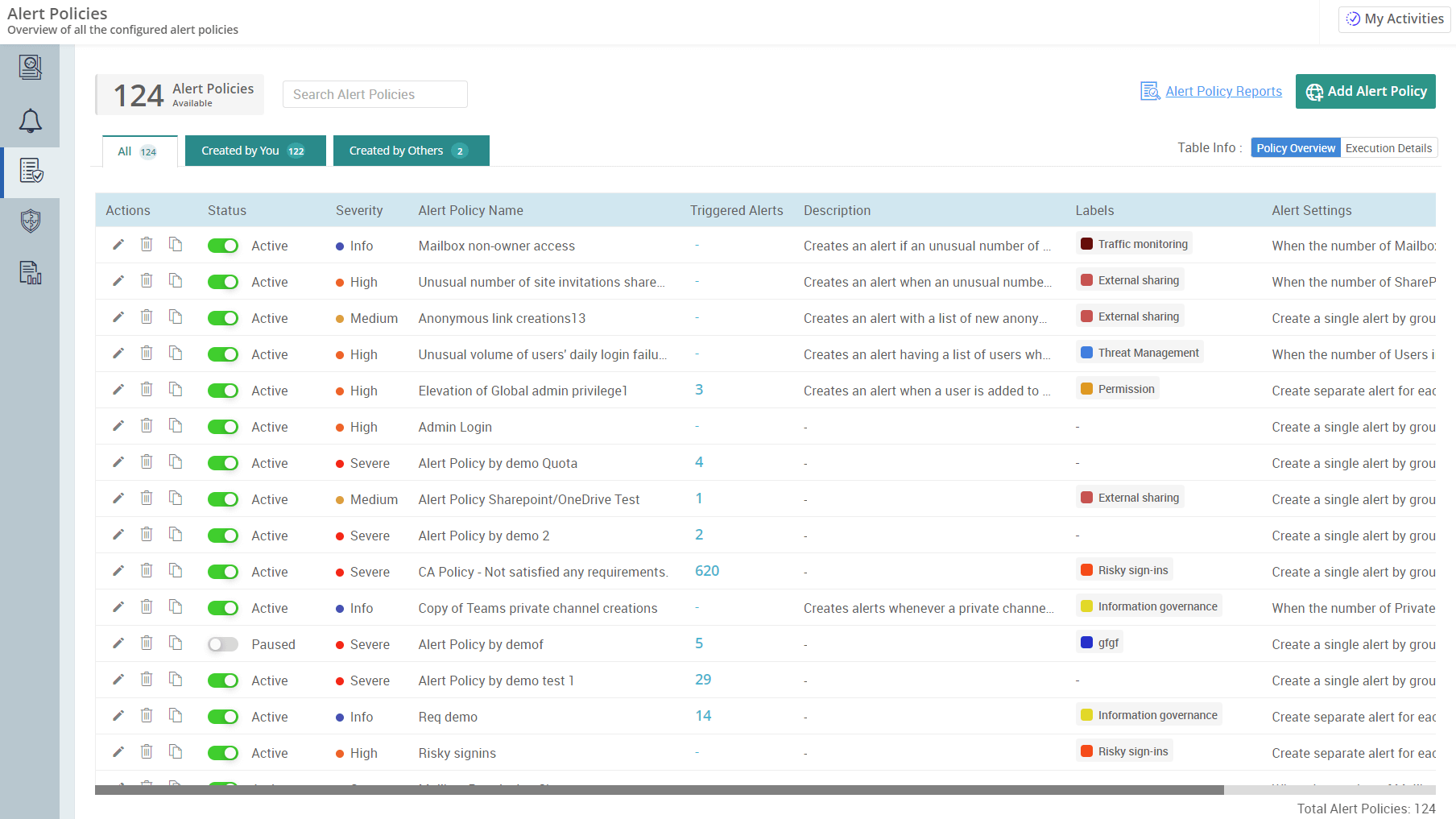
Overview of M365 Alert policies Detailed View of Triggered Alert Policies Microsoft 365 Alert Insights Microsoft 365 Alert Details Alert Policy Preview – Detailed View AdminDroid Alert Policy Creation Default M365 Alert Policy Templates
  • Get email alerts on 1400+ activities and get entire Microsoft 365 tenant under your radar.
  • Compare all activities with their past trend and quickly define thresholds for alert notification.
  • Along with 55+ ready-to-deploy alert policies, you can also quickly create customized policies from 600+ audit reports.
  • The Alerts Preview Console prevents creating inappropriate alert policies by illustrating sample alerts from your audit data.
  • Alert dashboard provides a quick and intuitive way to visualize alerts, status, and trends.

Microsoft 365 Automation

Too many portals, too many clicks, just to onboard one user?

Say Goodbye to Portal-Hopping. Automate User Onboarding and More.
Just automate it. One flow. All done.

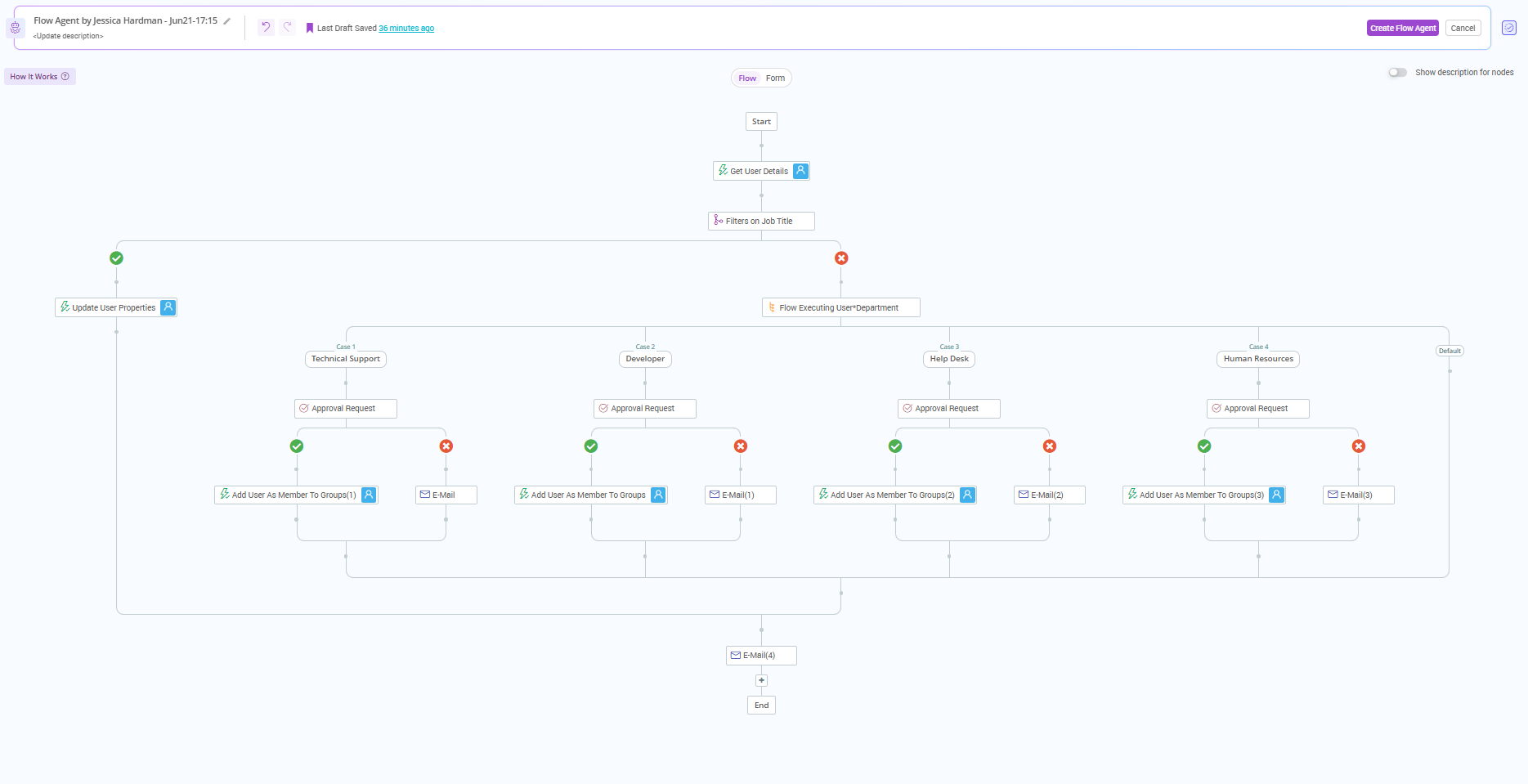
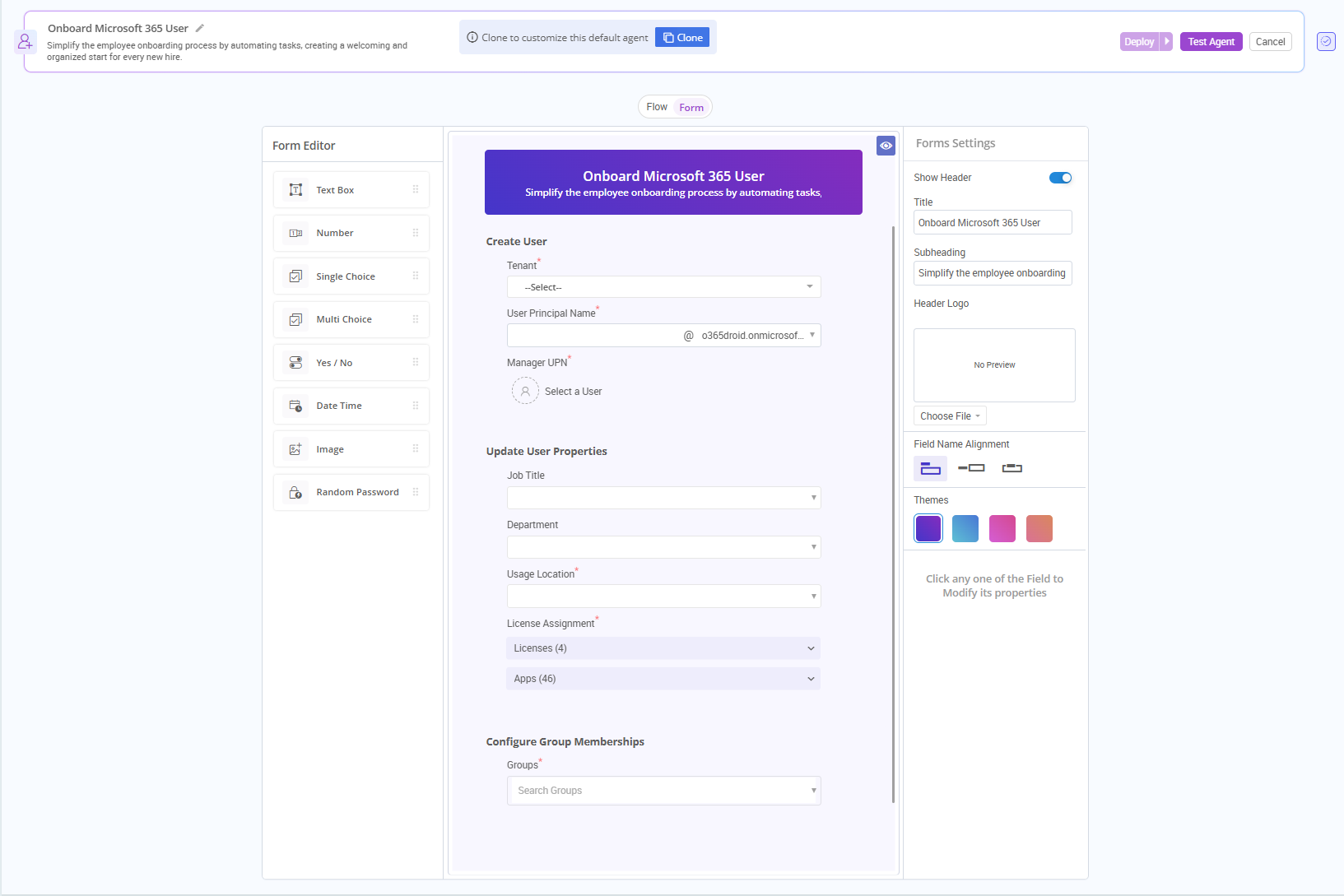
  • No Coding, No Complexity - Build a zero-code flow with simple drag-and-drop. Just pick your actions and execute them all in one click!
  • Smart Forms That Think for You - Auto-generated forms turn into reusable templates, perfect for handling repetitive tasks and bulk executions.
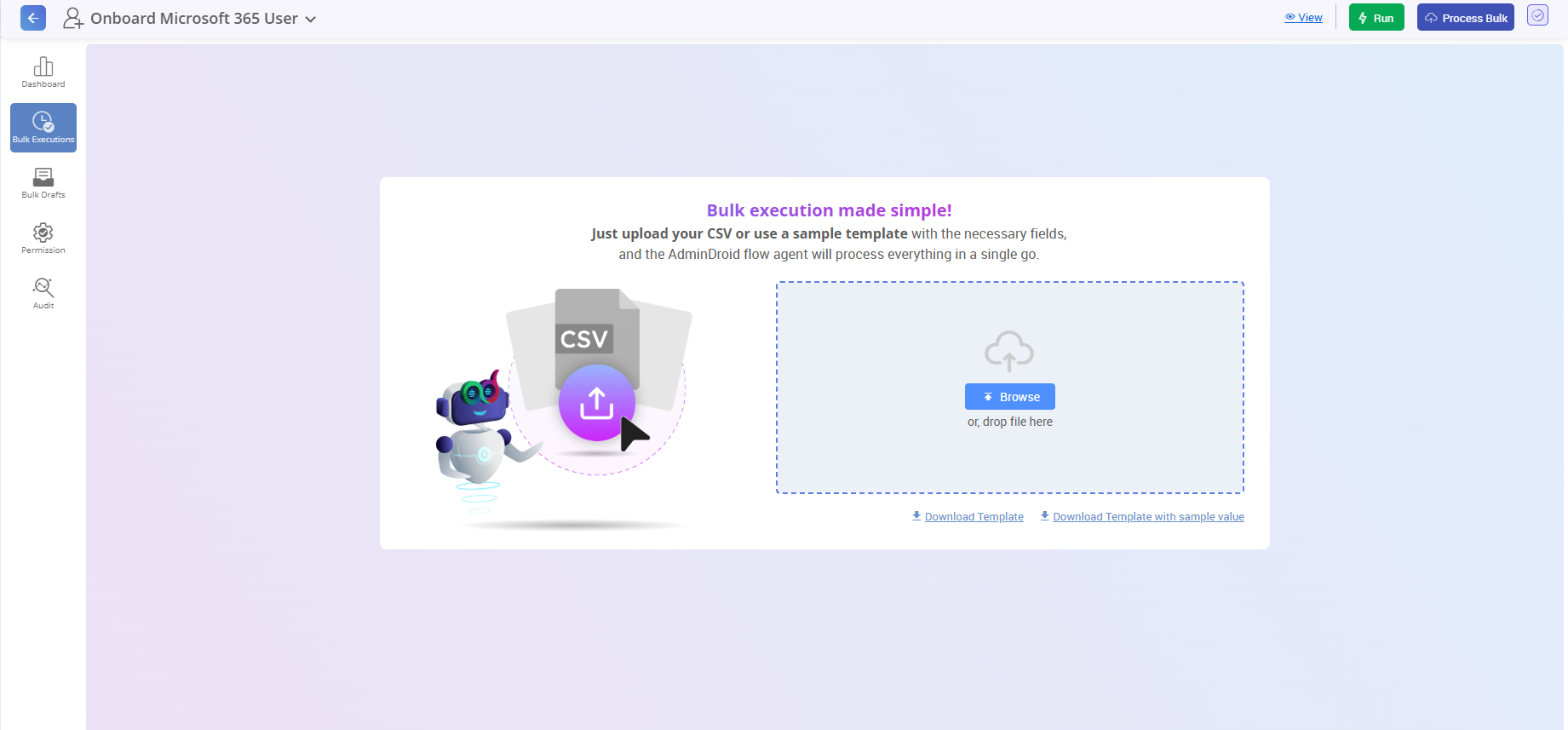
  • Scalable Bulk Execution, No Limits - Whether it’s 1, 25, or a million items, a single agent can handle it all in one go.
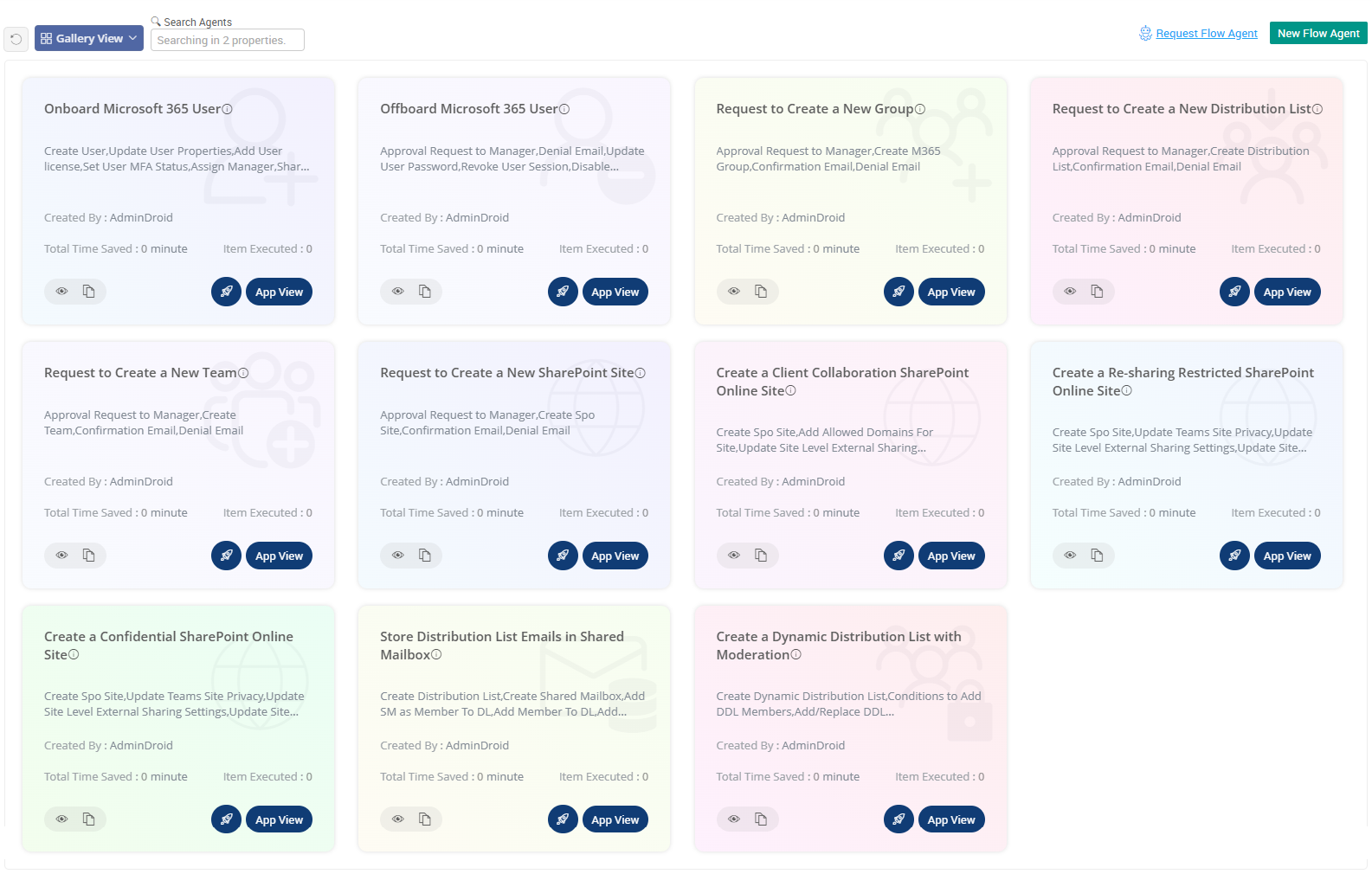
  • Pre-built Agents Ready to Roll - Use ready-to-run onboarding and offboarding flow agents loaded with expert‑picked actions. Need more? A library of agents is ready for other tasks too!
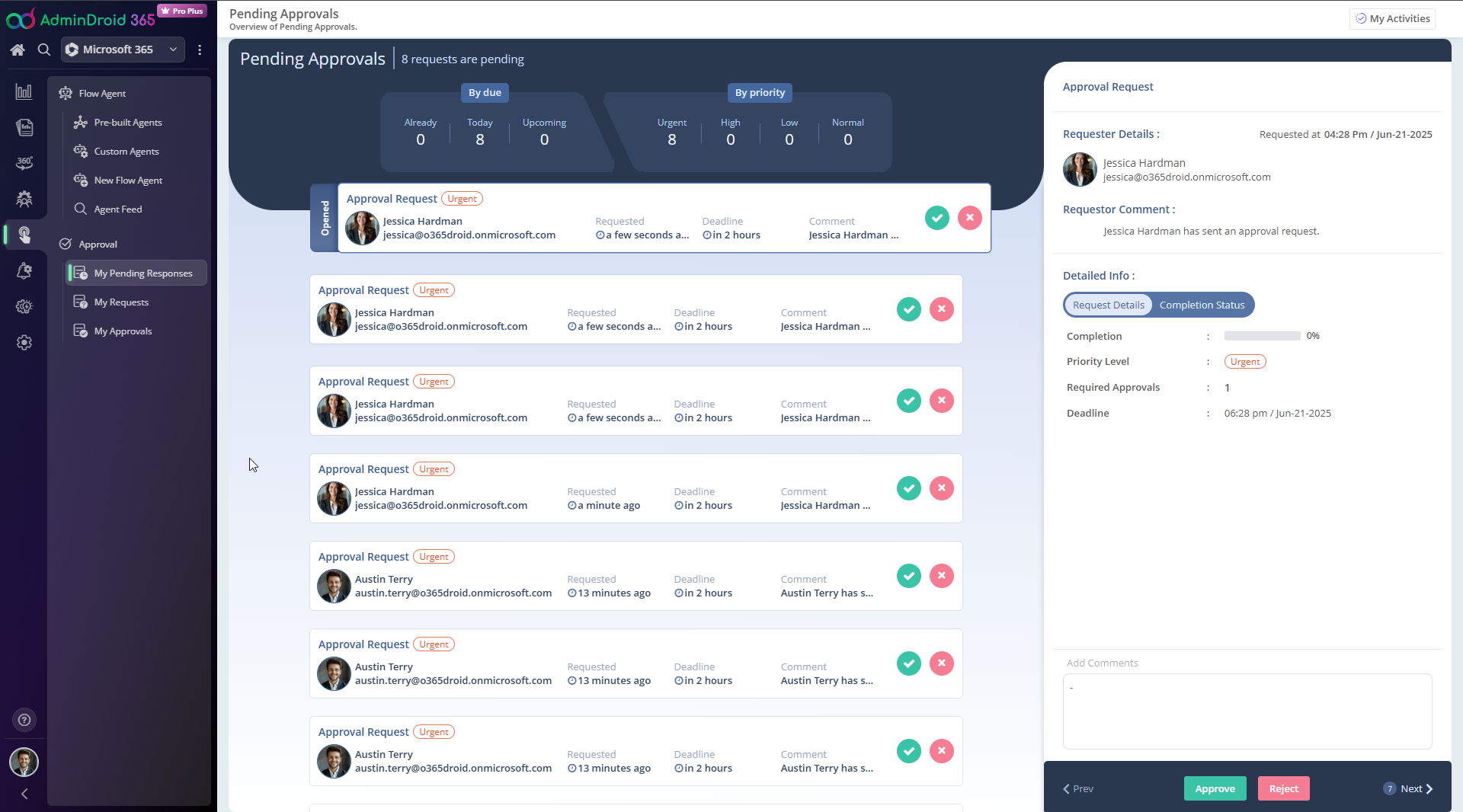
  • Keep Everything Under Control- Add approvals to prevent critical actions from running without proper review. Keep track of every decision with a clear, time-stamped history.
Custom Workflow Forms Bulk Execution Pre built Agents Approvals Execution Workflow app view

Microsoft 365 Reminders & Follow-ups

Tired of chasing users and admins repeatedly to act on critical M365 events?

Deploy smart agents that auto-remind, follow up, and close the loop.
Let the agents do the boring part while you focus on what matters.

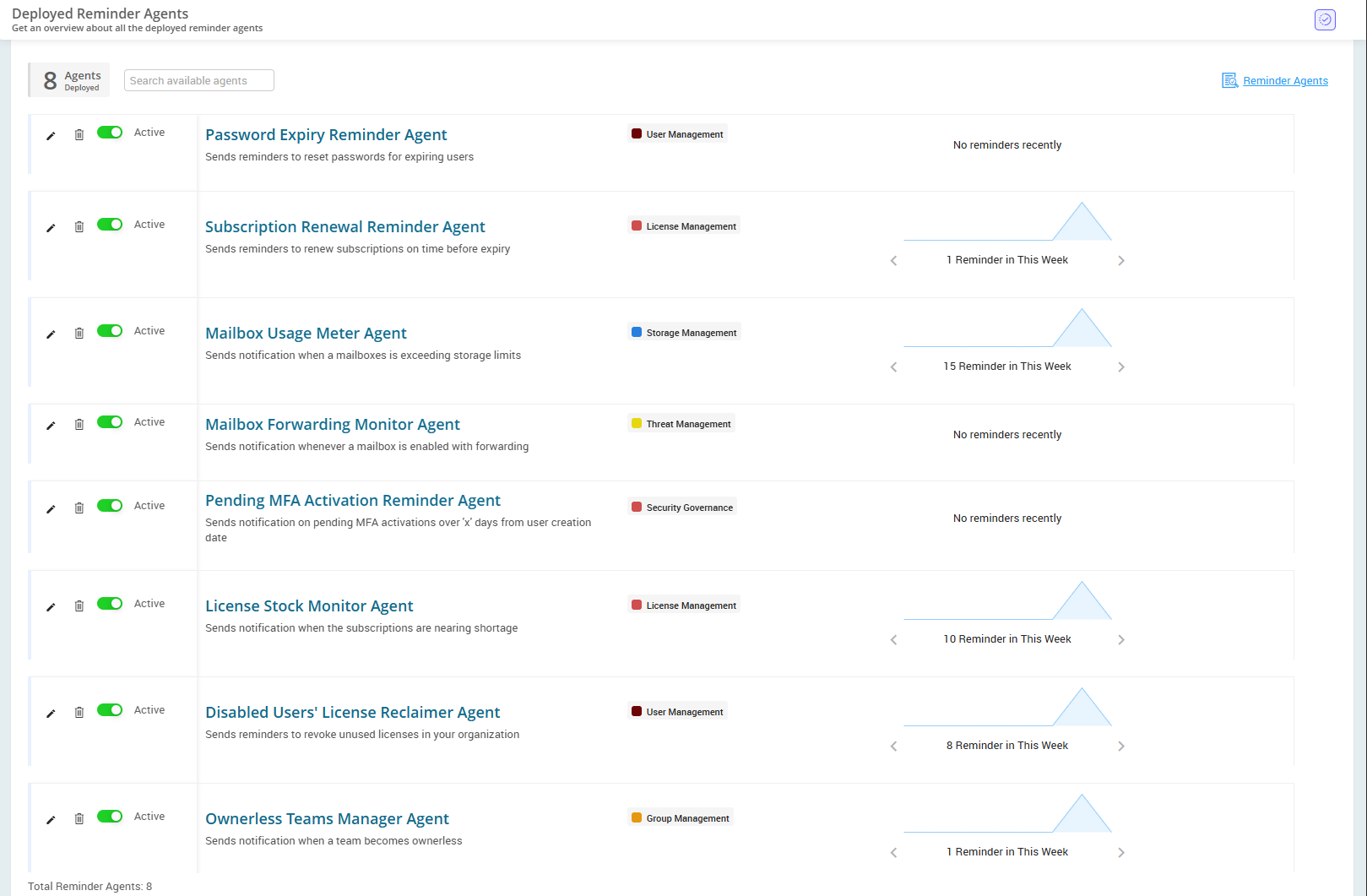
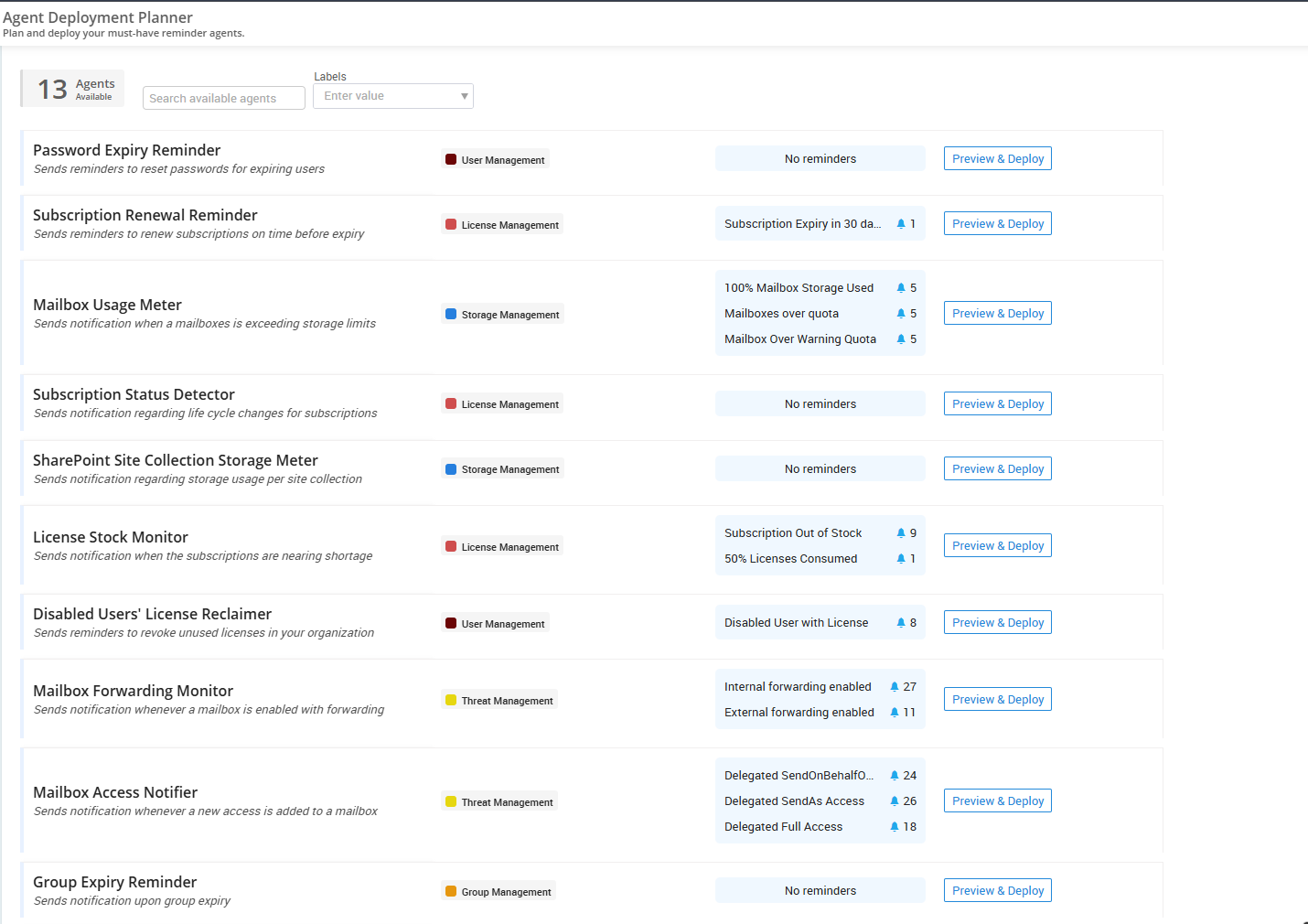
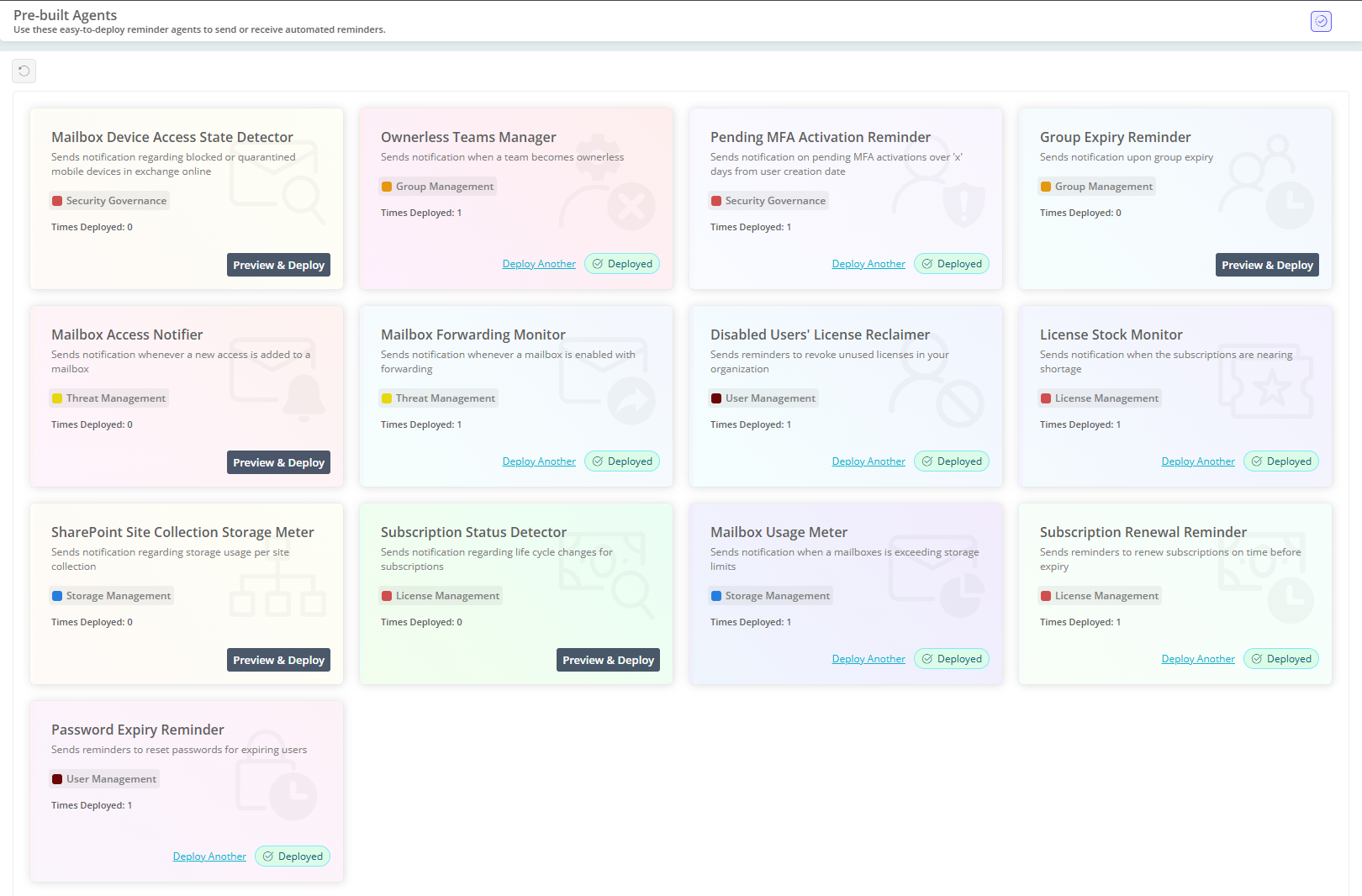
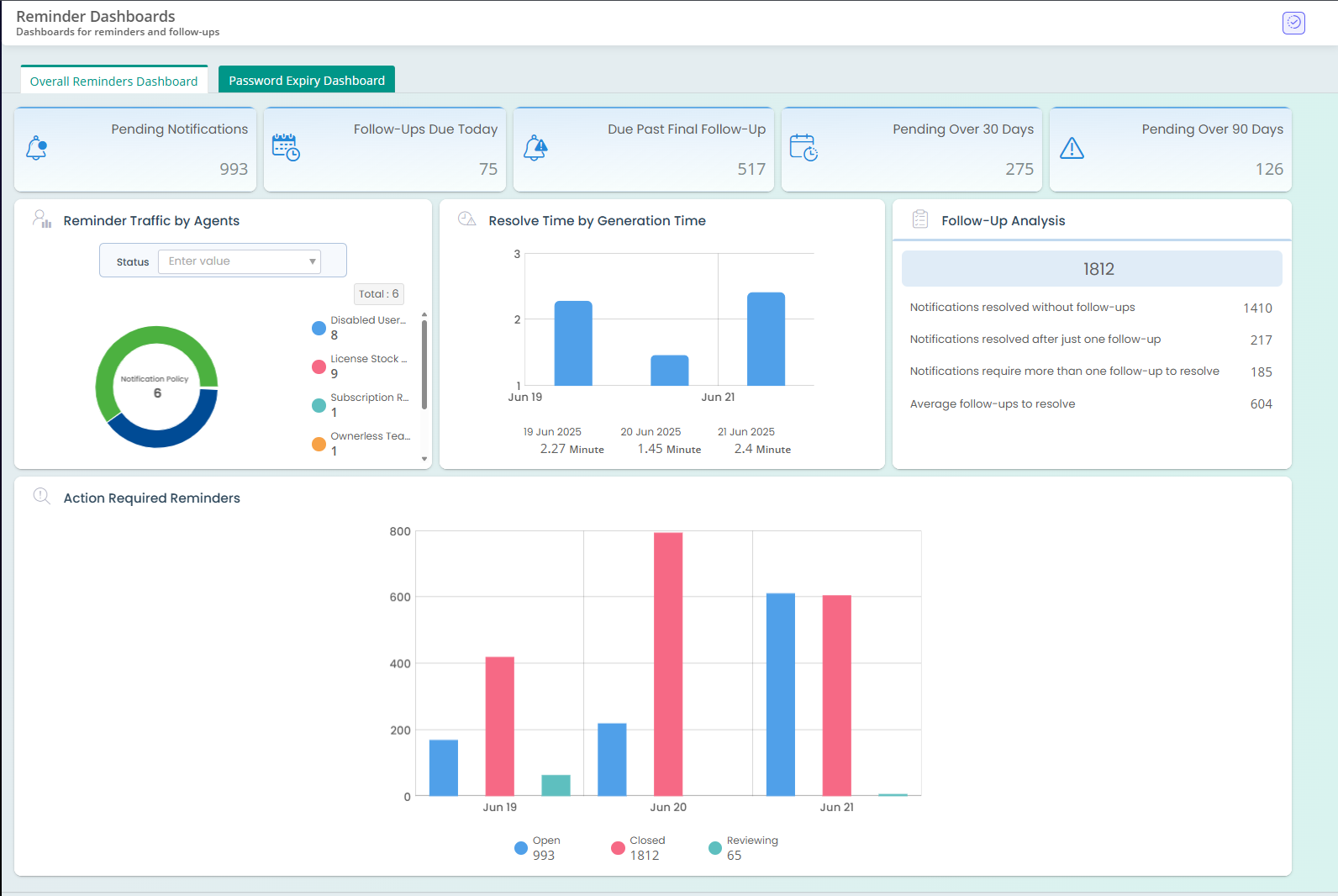
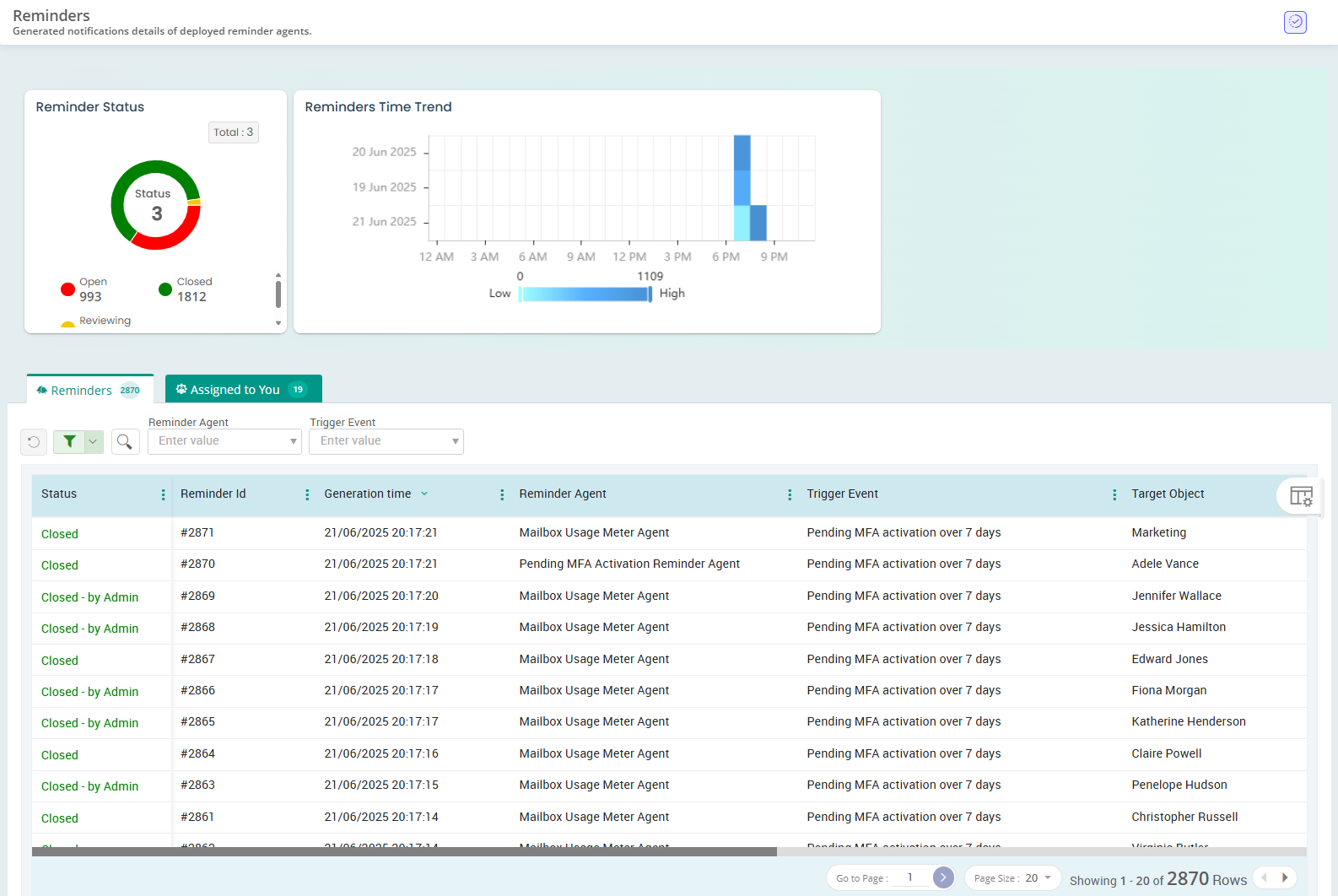
Deployed Agents Deployment Planner Pre built Agents Reminder Dashboard Reminders list view Reminders list view
  • Whether it’s expiring passwords, storage outages, license expiries, or pending MFA - pick and deploy a ready-made agent that follows up for you.
  • Choose when to alert, how often to follow up, and which channels to use (Email, Teams, or both).
  • Track results - analyse reminder traffic, see who acted, who didn’t, and how many nudges it took. Gain full visibility through built-in reports and dashboards.
  • Target the right people - notify end users directly, assign it to an admin, or notify both.

Hybrid Active Directory Companion

Struggling to manage and track changes across your Active Directory?

Your legacy AD environment finally got the solution it deserves!
Take full control of Active Directory with smart reports and management actions.

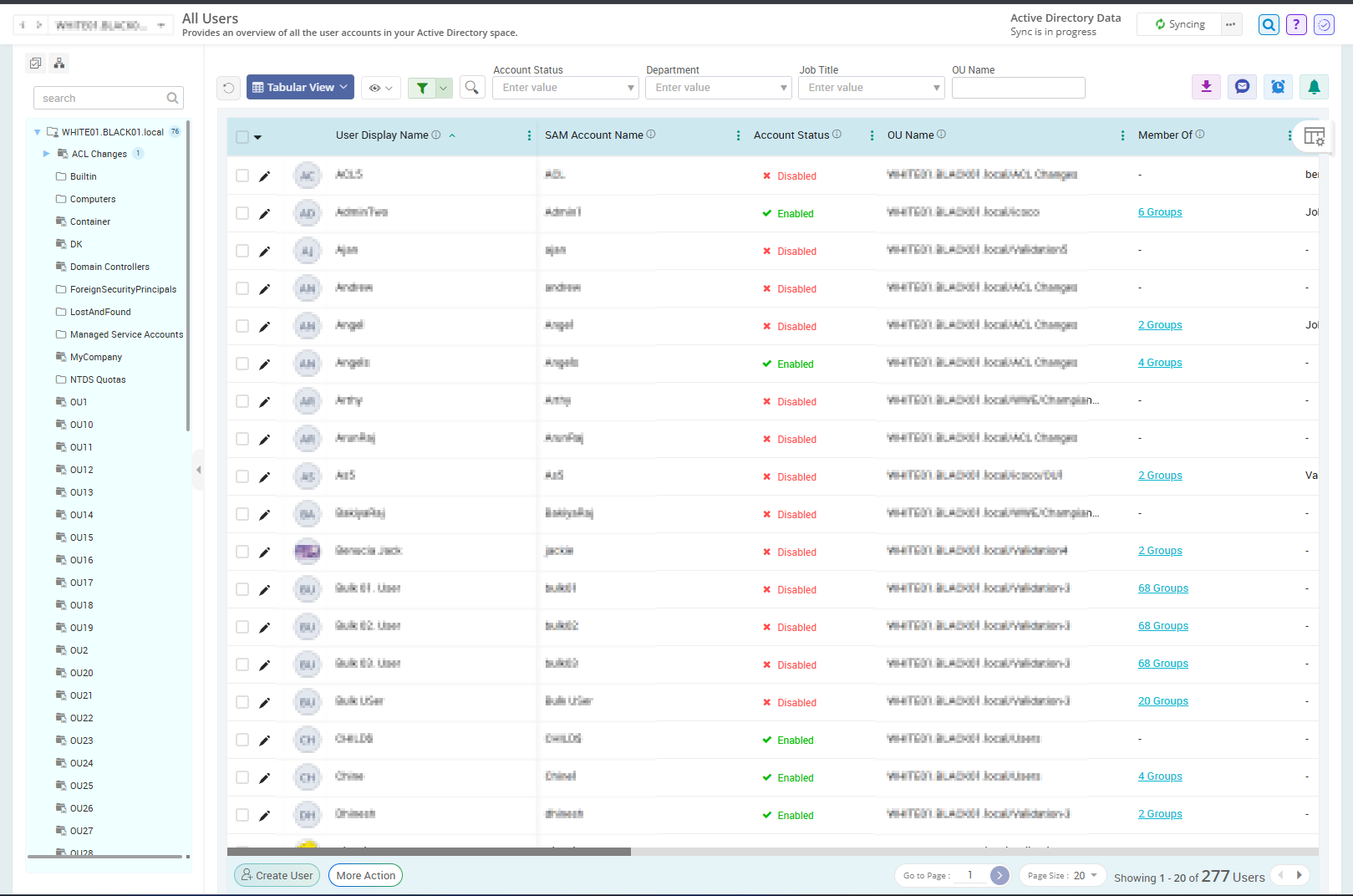
  • Visibility: Now visualize your AD like never before with 10+ interactive dashboards that surface AD object statistics instantly.
  • Report: Go beyond raw data logs with 200+ insightful reports that provide detailed information on users, groups, computers, OUs, and more.
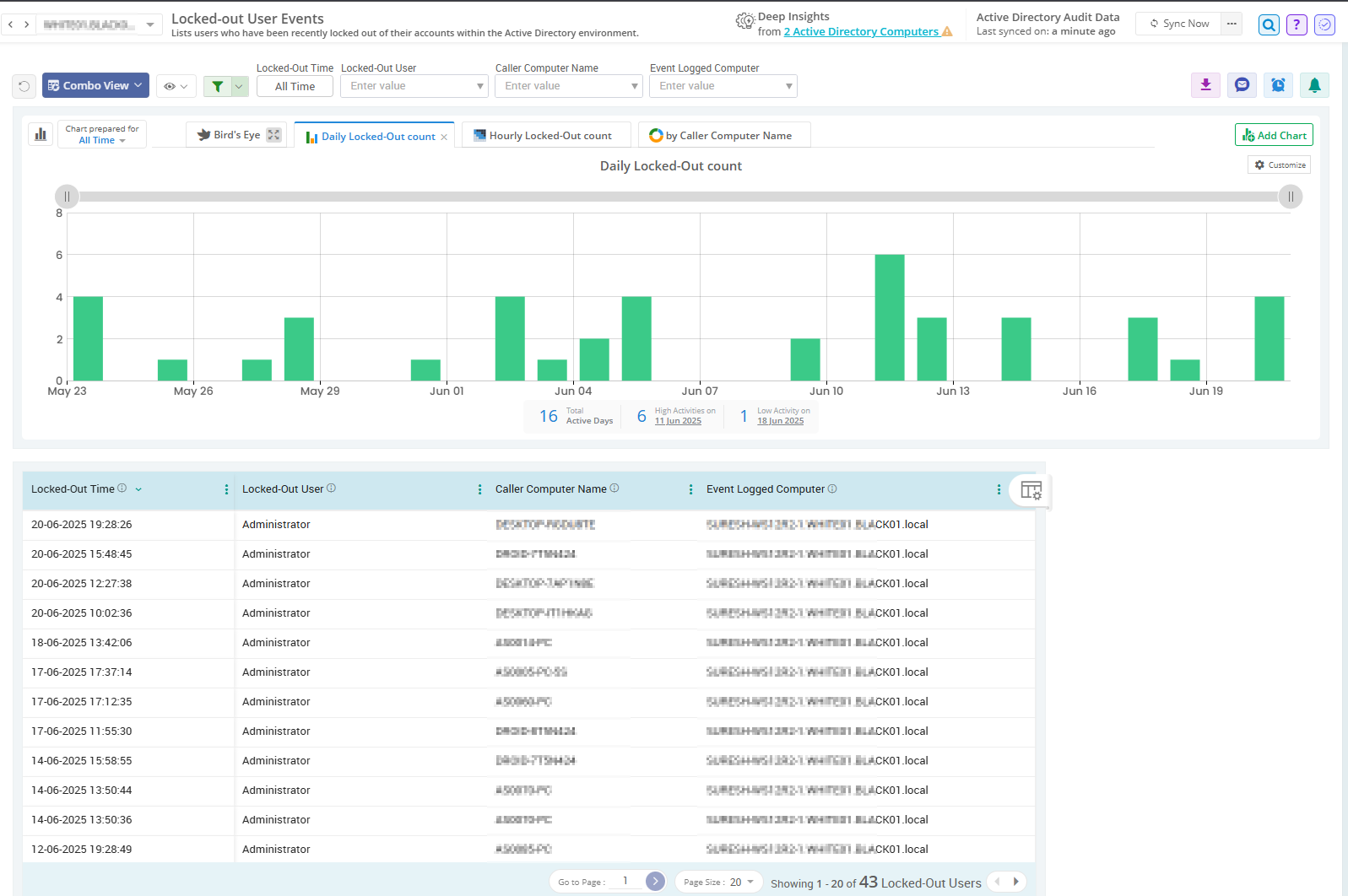
  • Audit: Track and verify every change across the AD environment, servers, and workstations with over 200 real‑time, detailed audit reports.
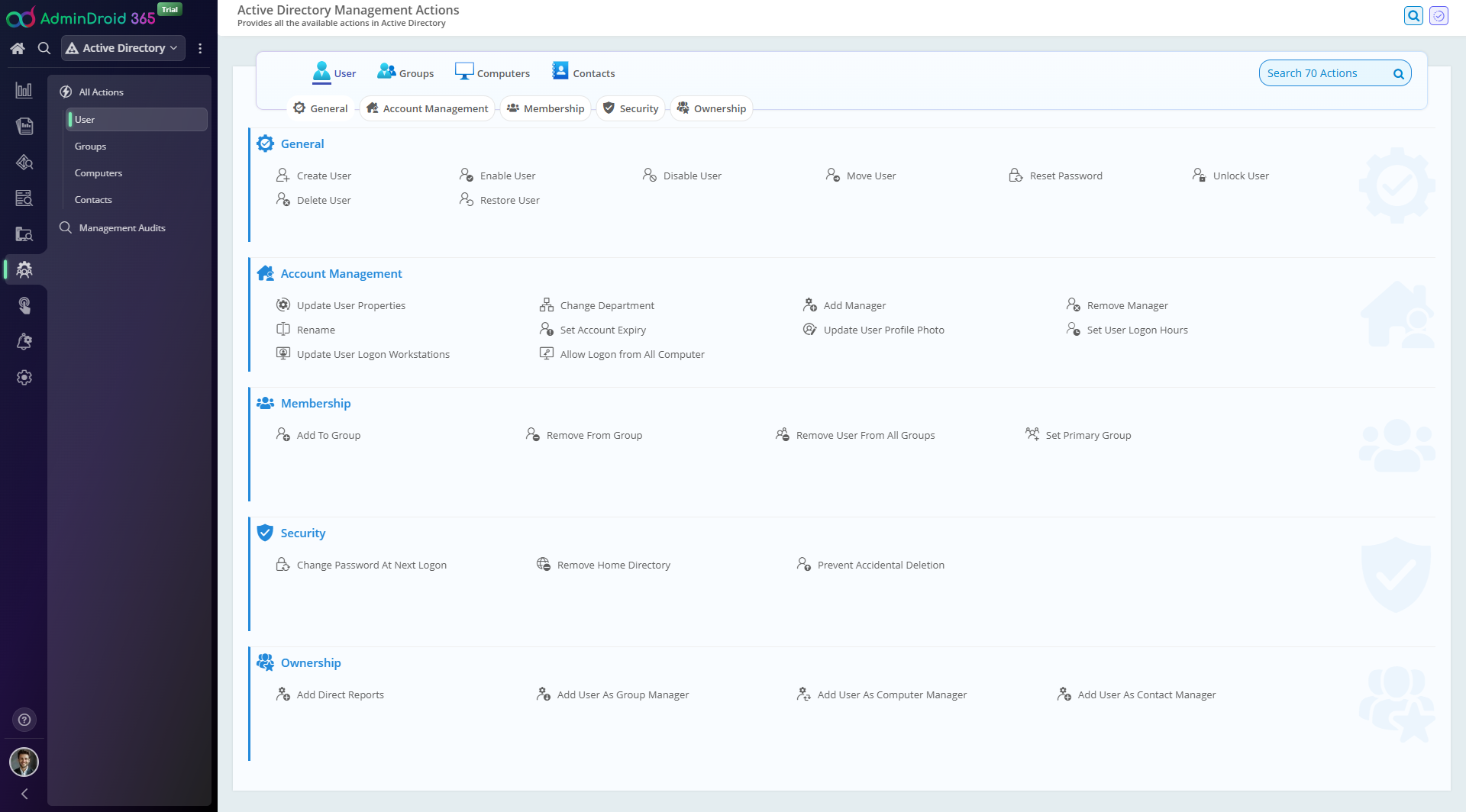
  • Management: Perform 50+ AD tasks for users, groups, computers, and contacts across multiple domains using a unified console.
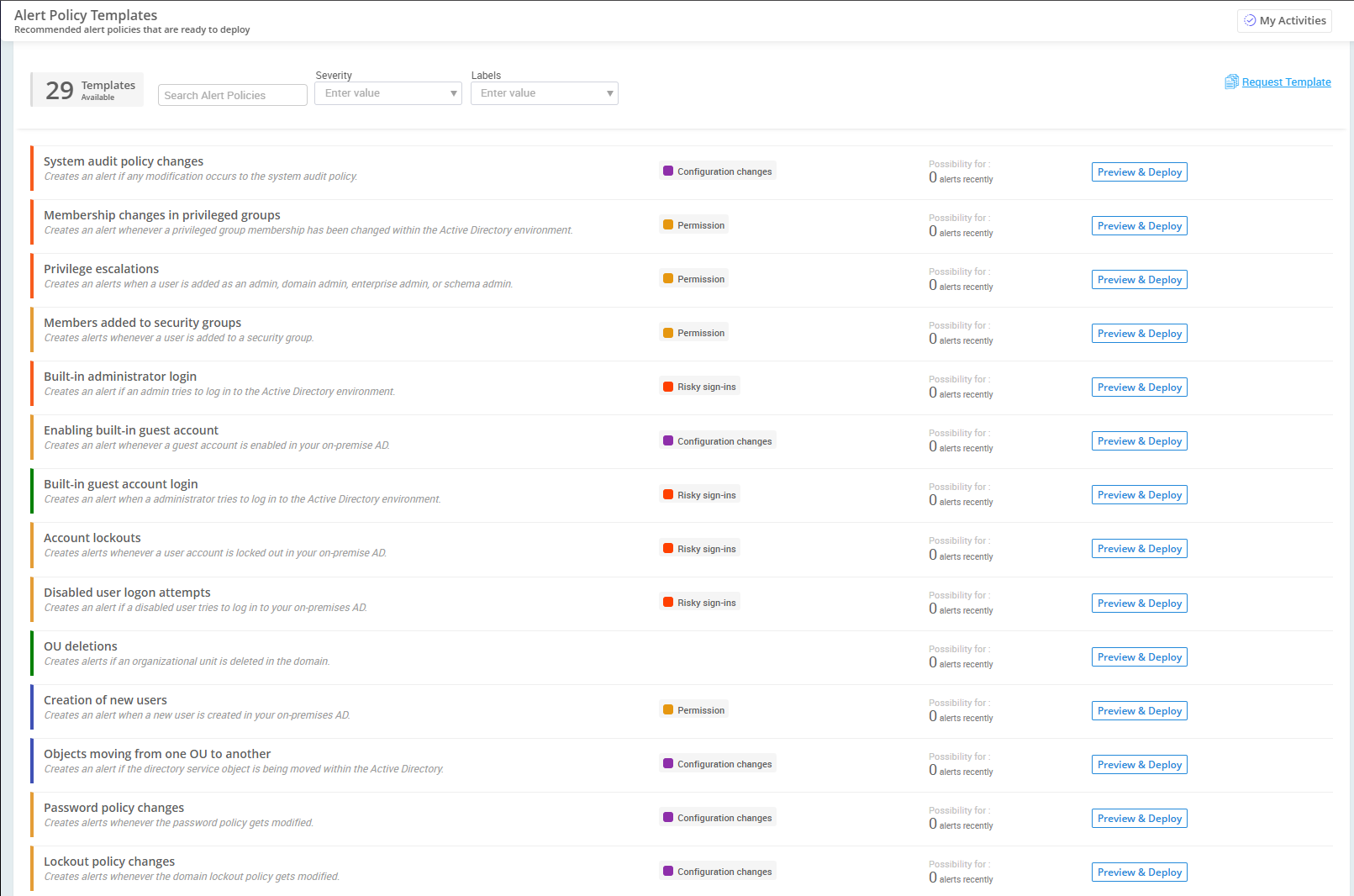
  • Alerts: Trigger real-time alerts for 200+ critical AD activities to ensure no important action slips through the cracks.
  • Automation: Convert repetitive AD management tasks into streamlined one-click workflows with customizable & ready-to-run flow agents.
  • Reminders: Automate timely reminders & follow-ups for essential actions like expirations and lockouts to ensure that no task is ever missed, delayed, or forgotten.
  • Delegation: Allow admins to access only what they need. Delegate specific users, groups, computers, contacts, reports, or management actions to ensure least-privilege access.
Active Directory Bird's Eye View Active-Directory All Users Report Locked-out user Events Audit report Active-Directory Management Actions Alert Policy Templates Custom-Agents (Automation) Reminder and Follow-up

Microsoft 365 Deep Insights

Need content-level deeper visibility into your M365 mailboxes, teams, and sites?

Not Just Scratching The Surface, Deep Insights From Your Digital Blackhole
Armed with 120+ reports and 10+ dashboards in each module

Attachment Traffic Analysis Domain Interaction Analysis Email Link Analytics Email Productivity Metrics Email Security Tracking Email Traffic Analysis Mailbox Forwarding Insights Mailbox Permission Usage Mailbox Storage Analysis OneDrive Storage Monitoring OneDrive User Activity Overview OneDrive Usage Insights Access Requests Monitoring SharePoint External Collaboration SharePoint Trending Insights Sharing Overview Site wise Usage Storage Tracking Calls and Meetings Overview Department Interactions in Teams Live Teams Availability Org-wide Team Activities Org-wide User Activities Teams User Activities Monitoring
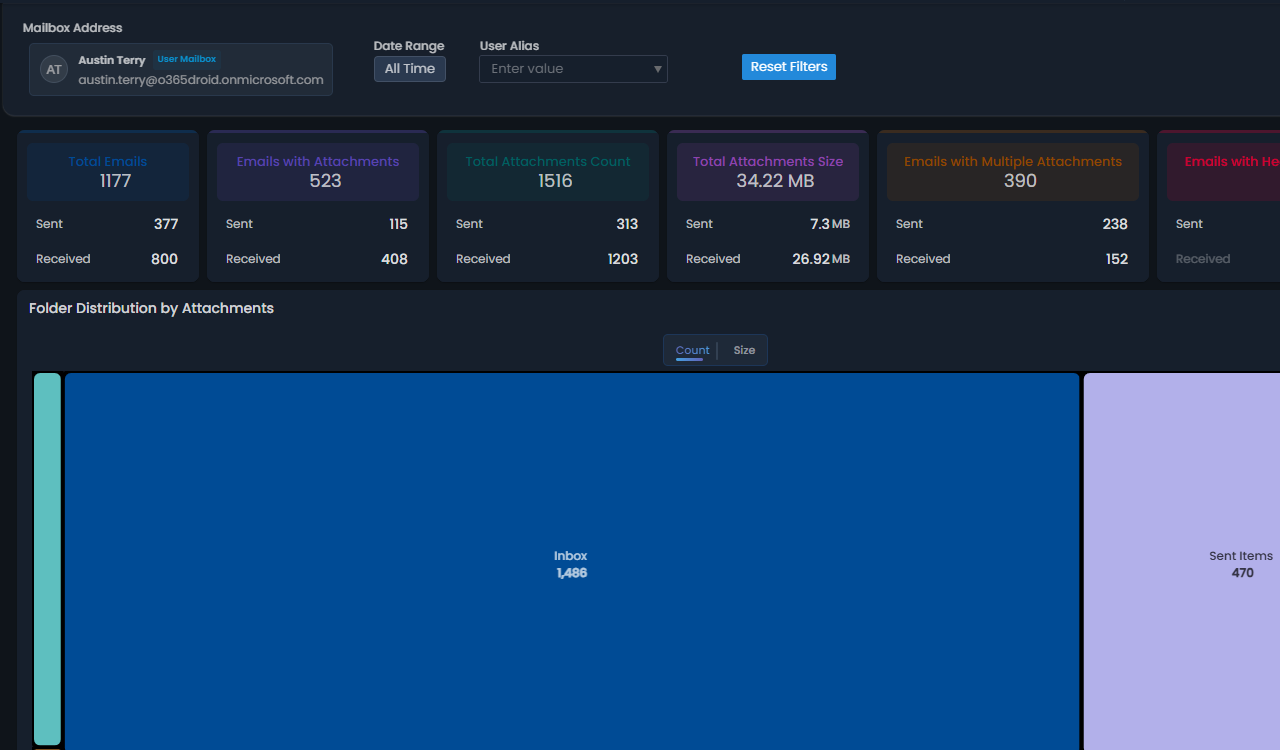
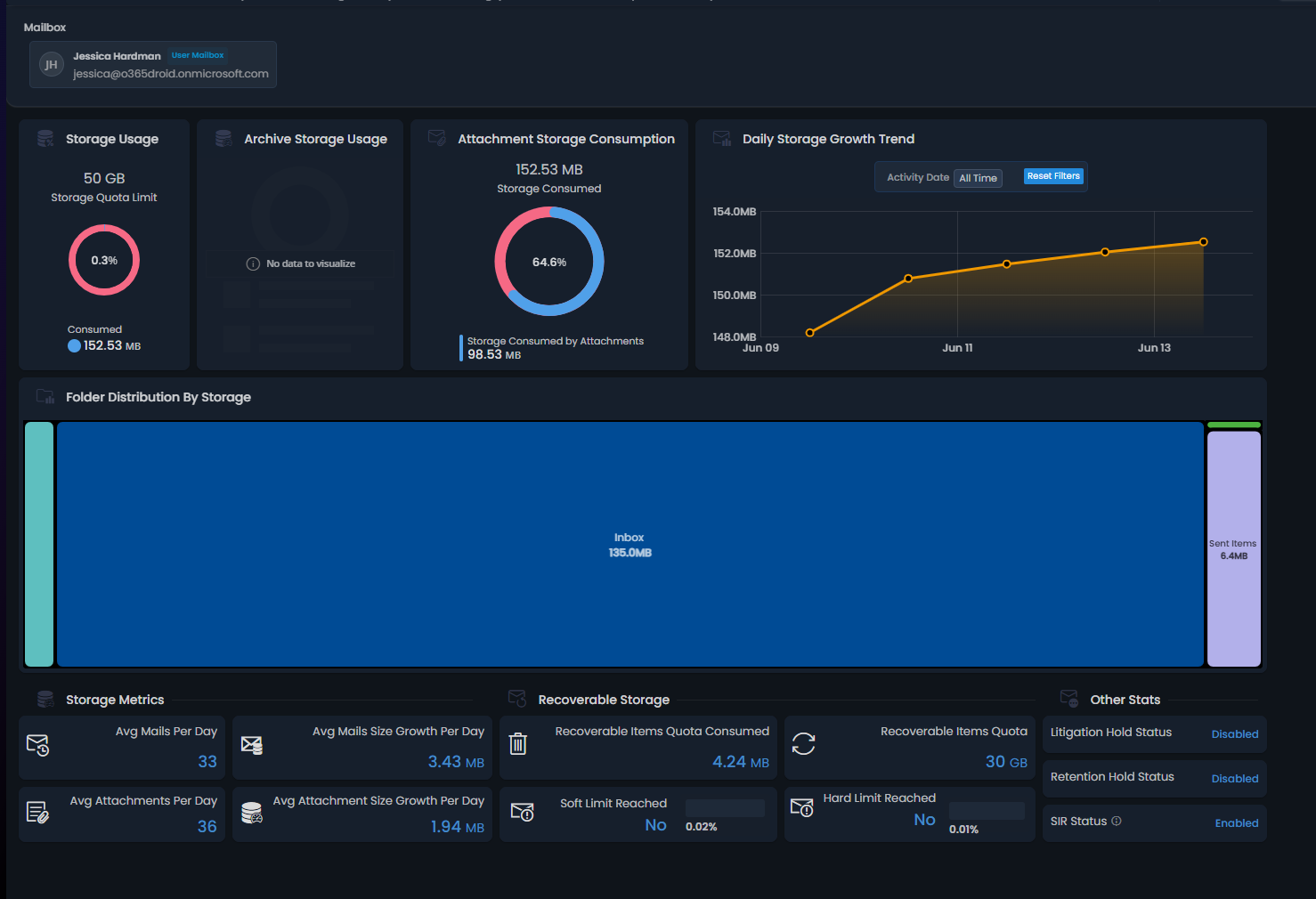
  • Mailbox Deep Insights - Get complete control over your mailboxes – from mailbox storage consumption and folder-wise distribution to proactive analysis of delegated permission usage patterns, all for enhanced mailbox management.
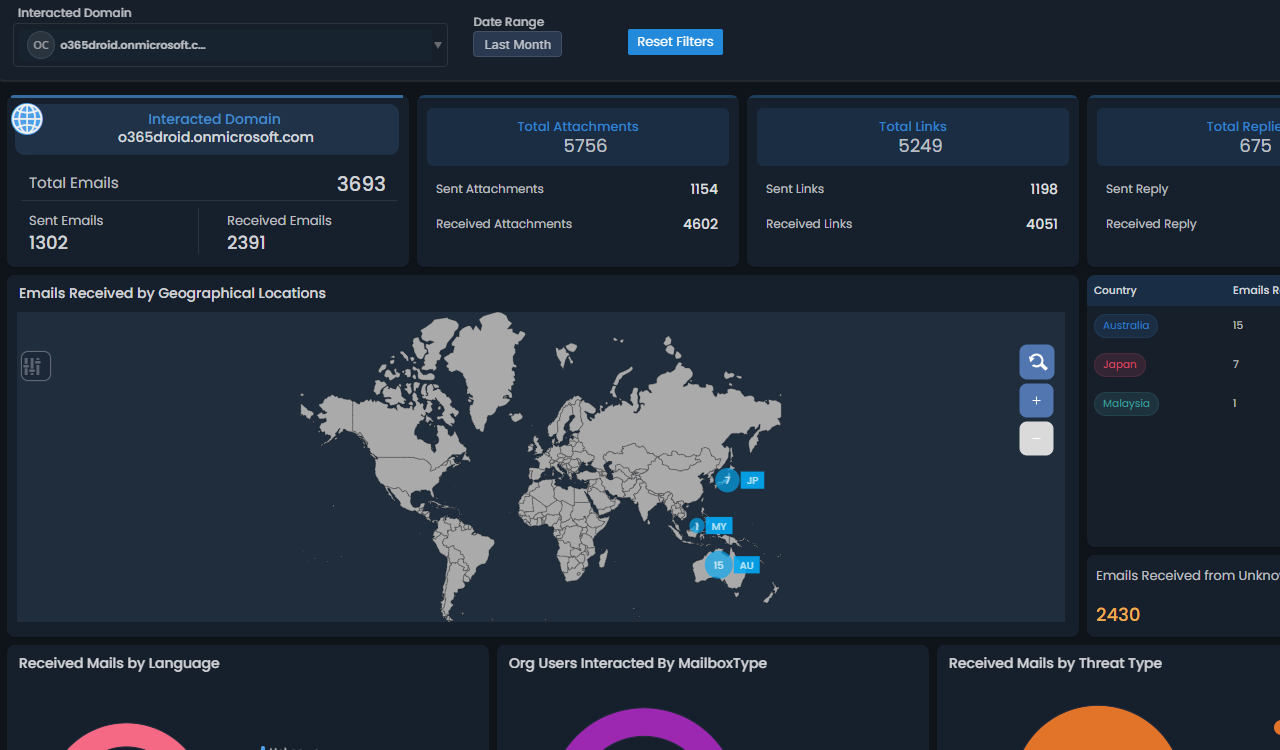
  • Email Deep Insights - Achieve comprehensive email transparency by monitoring geo-wide traffic flows, emails with attachments and links, domain interactions, email response metrics, and more critical insights.
  • Teams Deep Insights - Uncover employee engagement and interaction patterns across Teams chats, calls, and meetings, along with real-time availability statuses and sentiment trends.
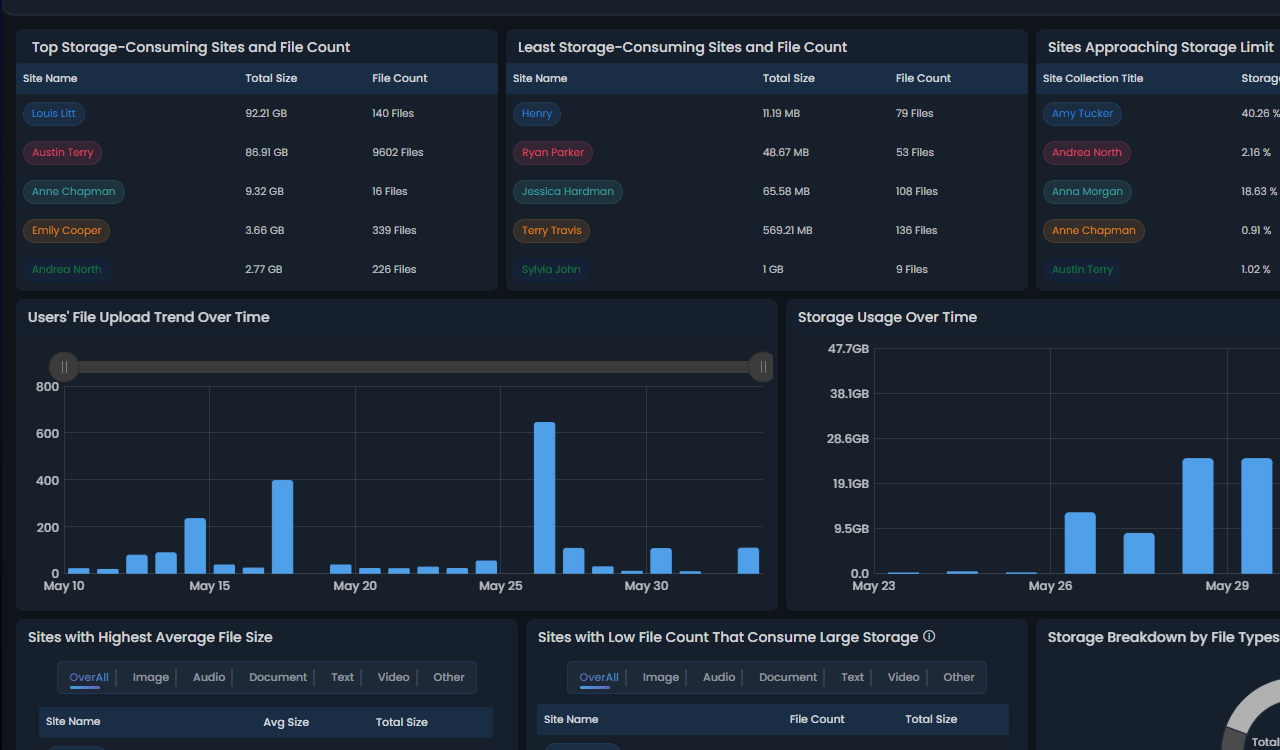
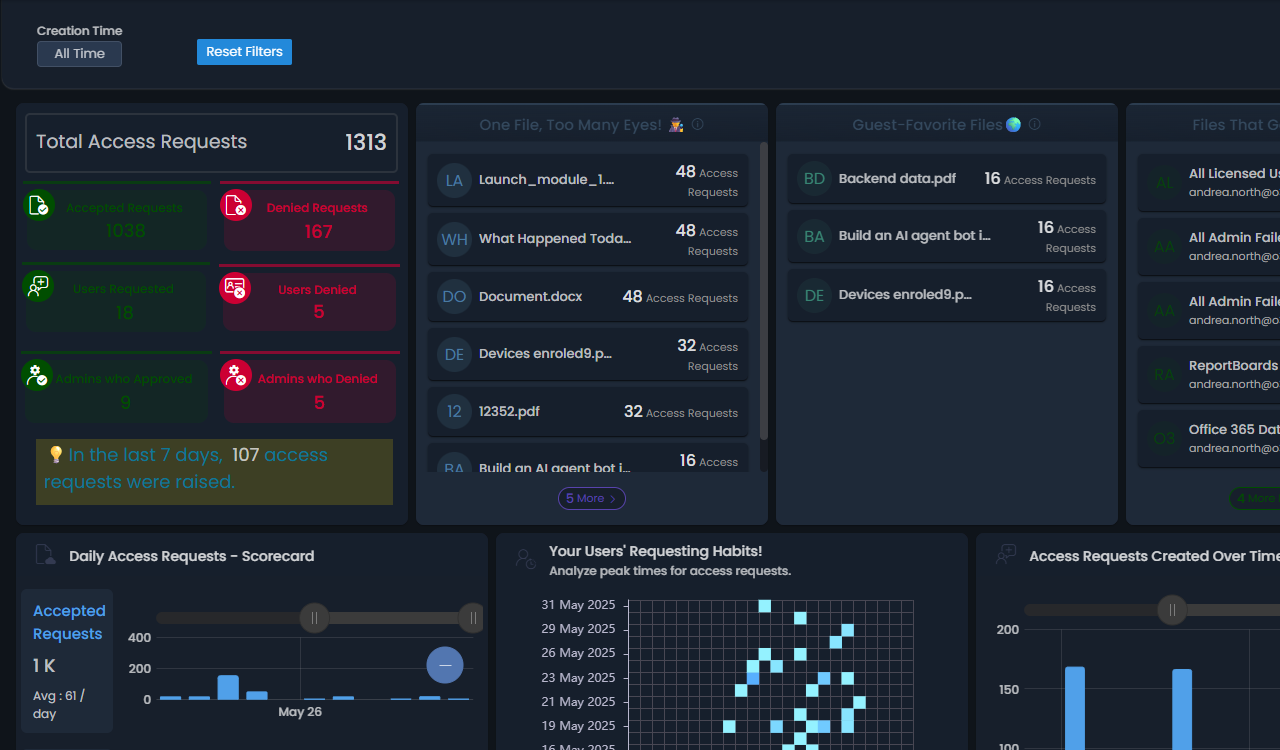
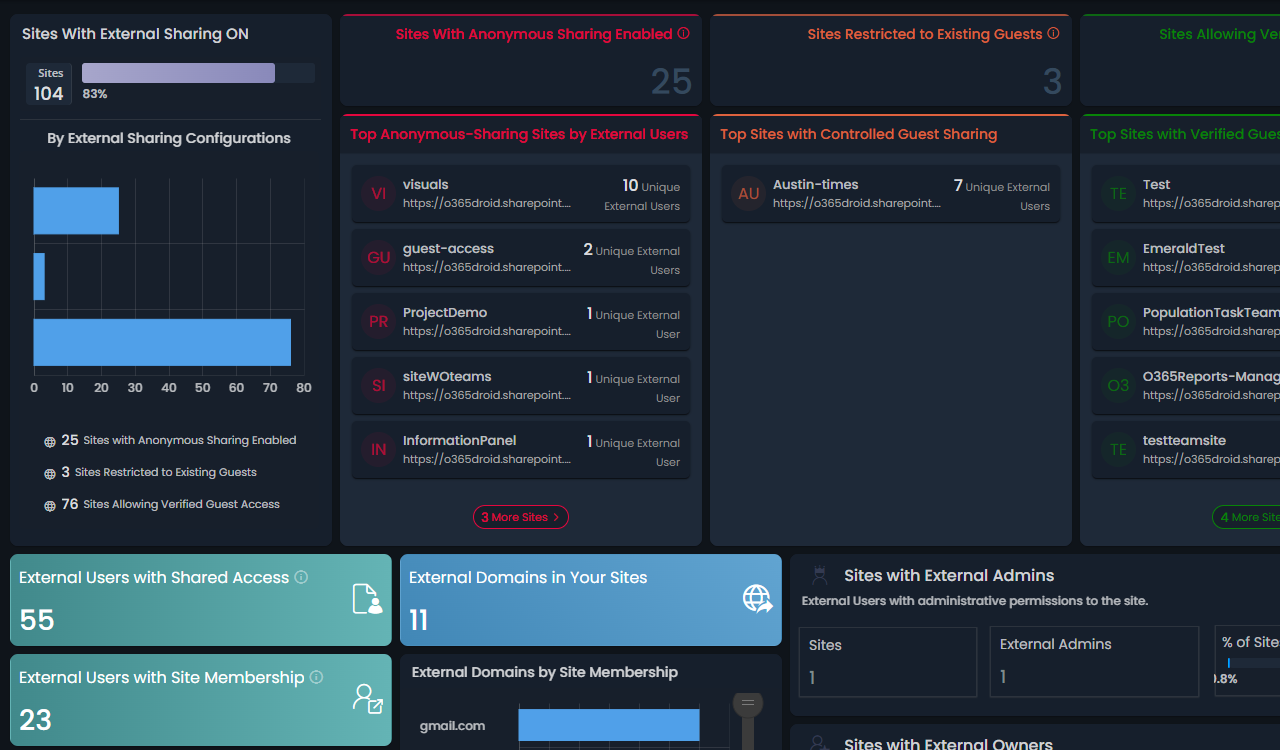
  • SharePoint Deep Insights - Explore SharePoint sites, document libraries, files, folders, and their permissions deeper, along with storage trends, external sharing monitoring, site traffic analysis, and much more.
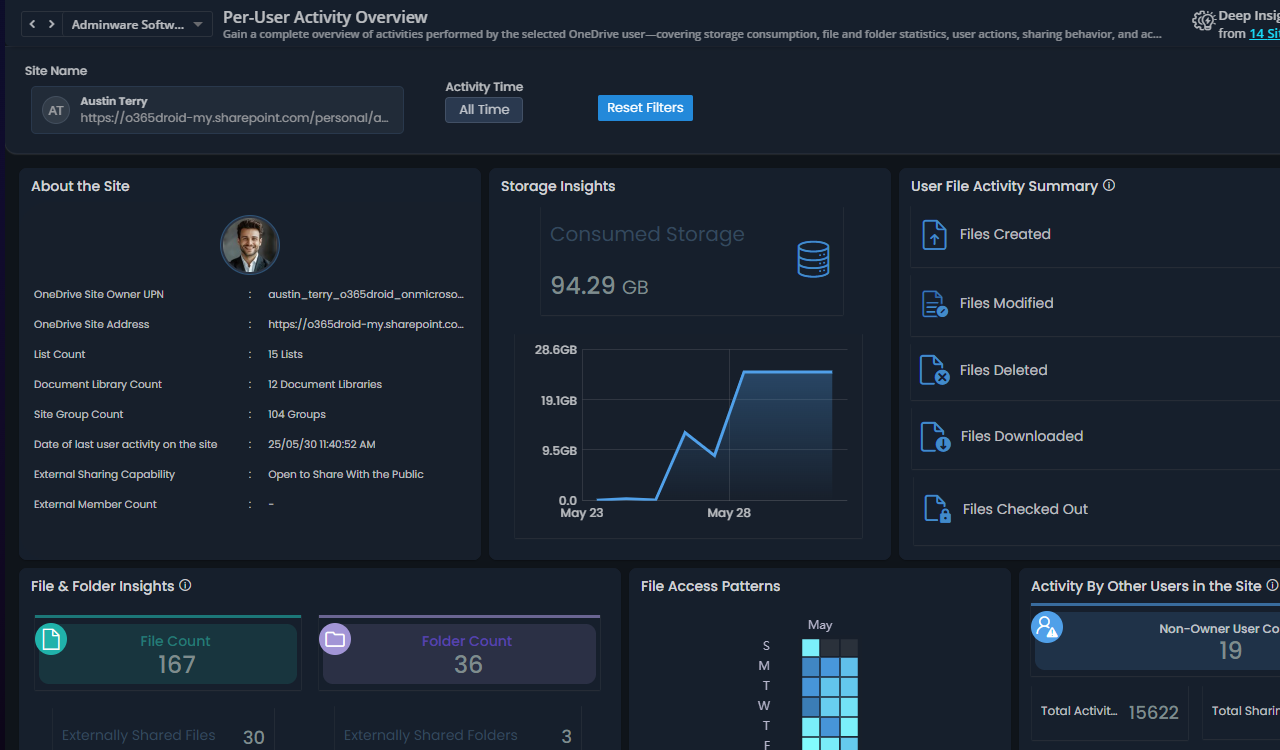
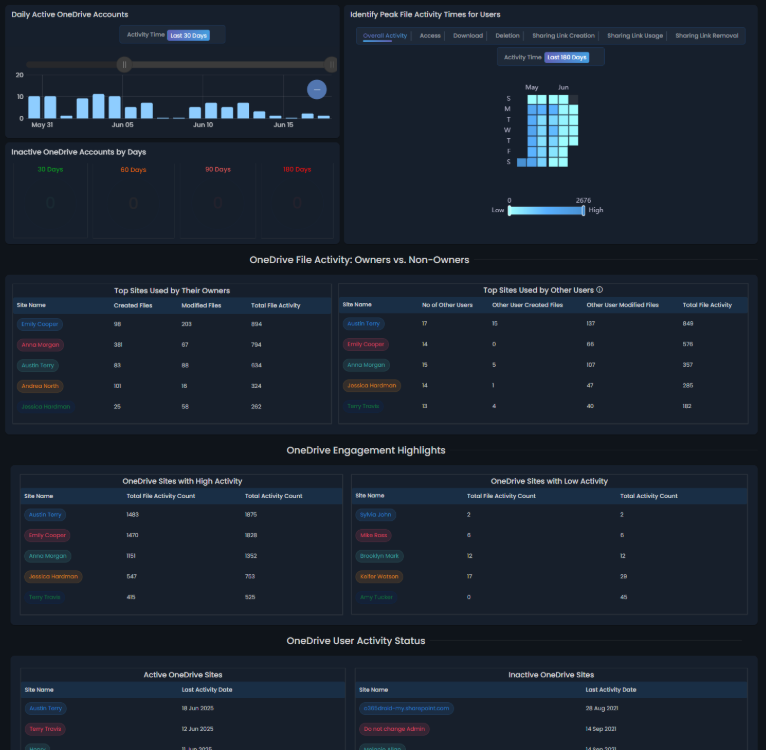
  • OneDrive Deep Insights - See every detail of users' OneDrive accounts, files, folders, and permissions, storage trends, external sharing, and inactivity monitoring.

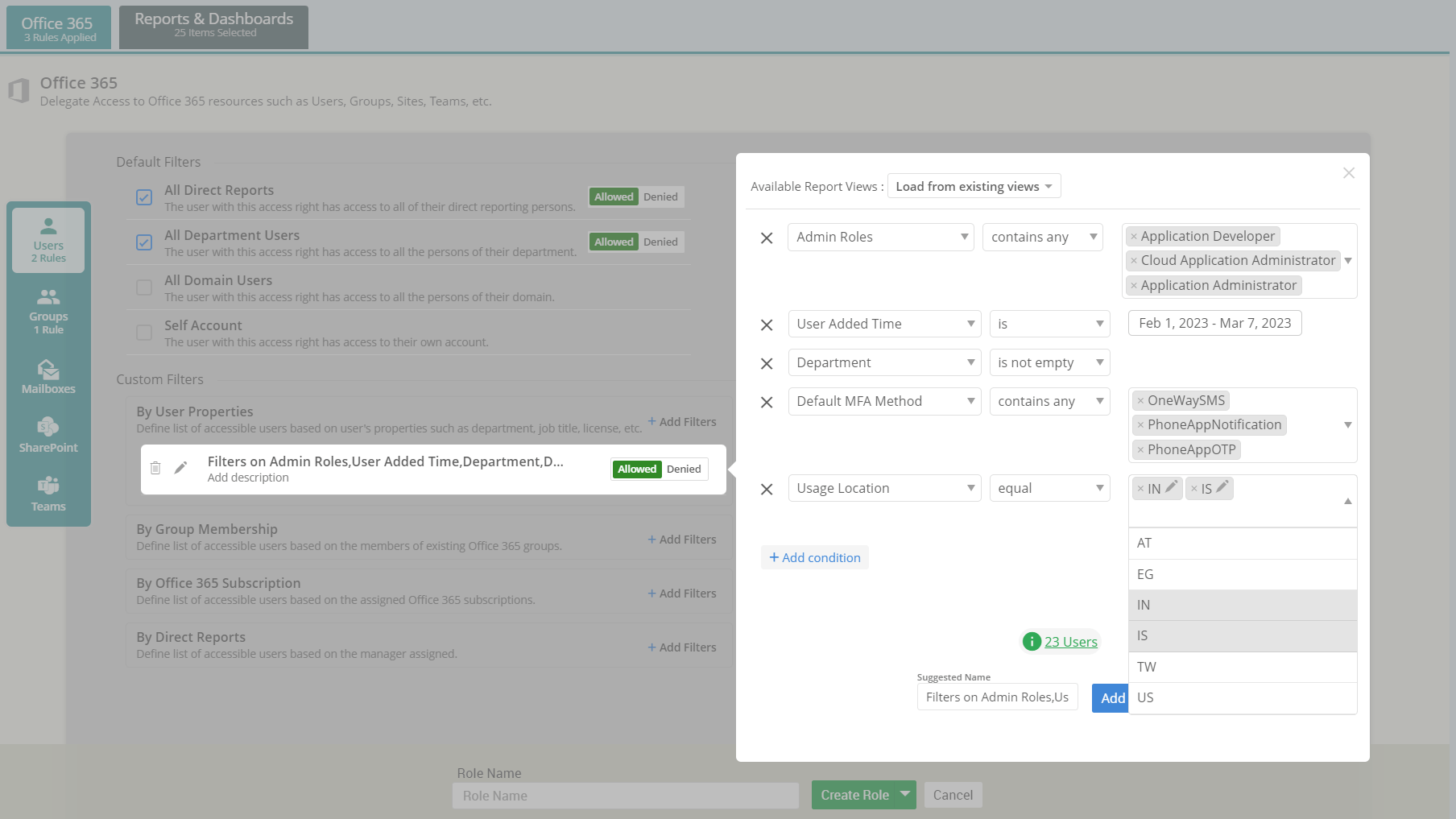
Microsoft 365 Delegation

Sensitive data all over AdminDroid?

Ensure no leakage with Granular Access Delegation

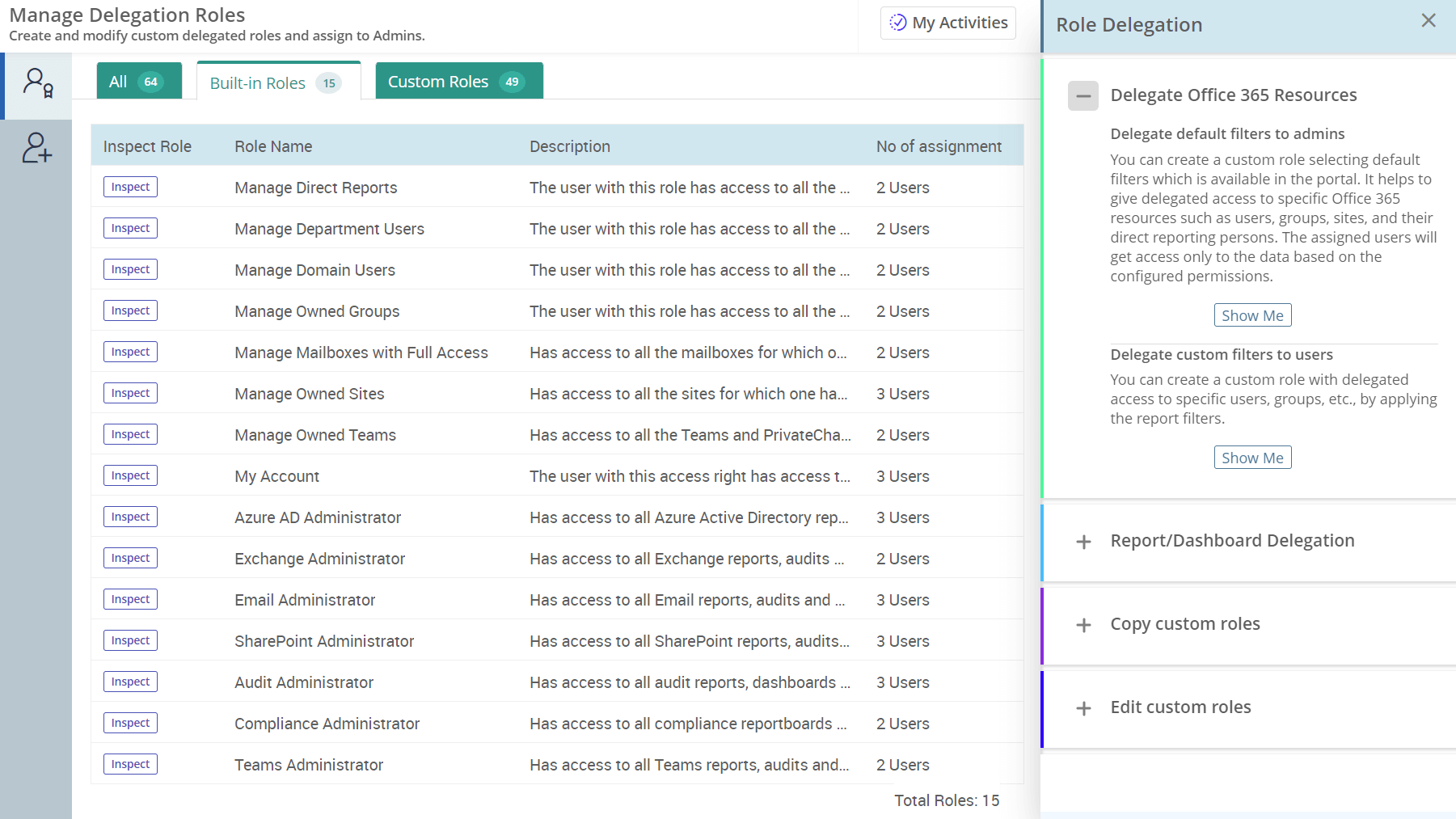
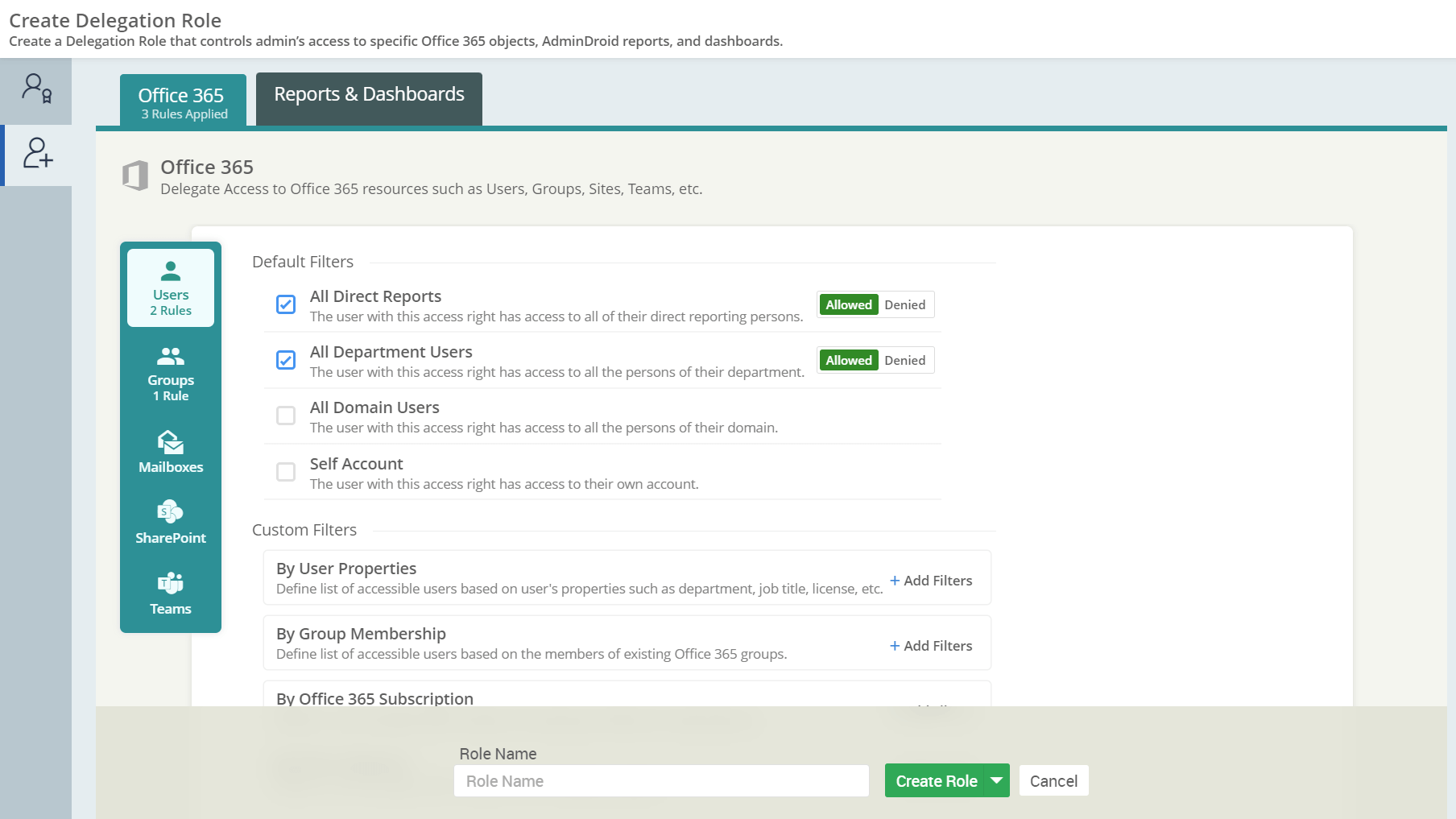
  • Granularly limit access to specific Microsoft 365 data, such as users, groups, teams, SharePoint sites, etc.
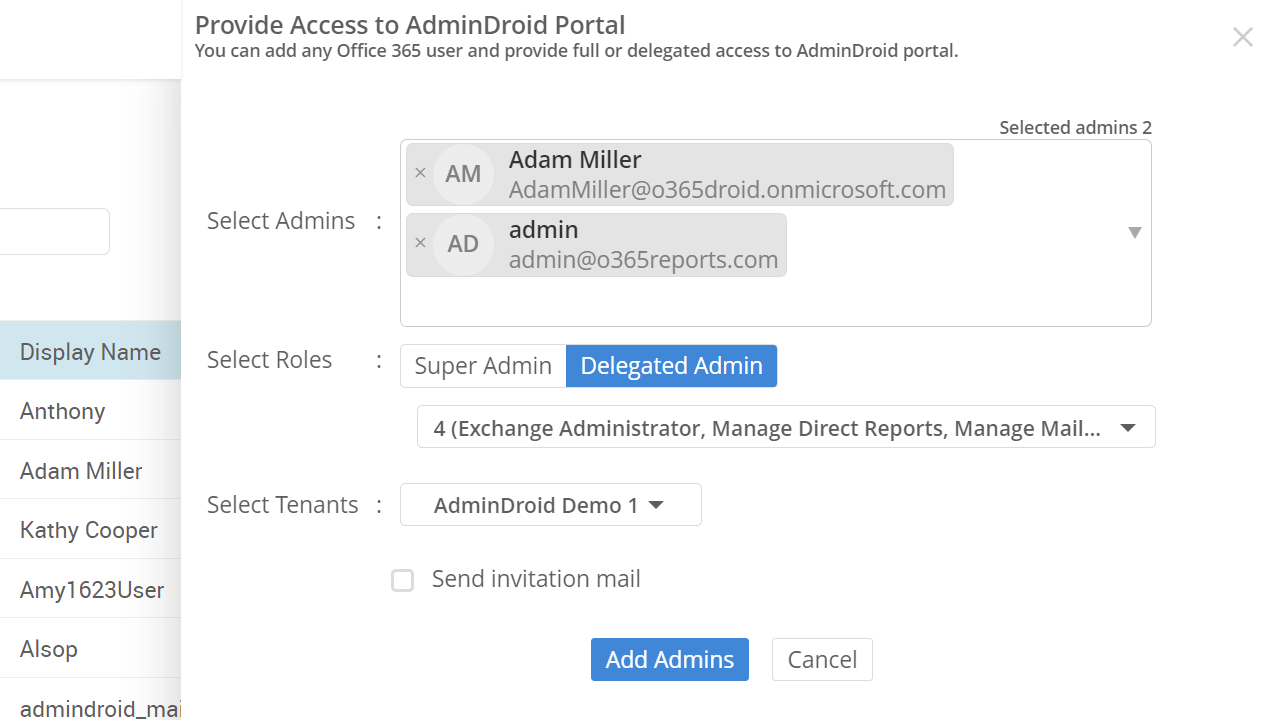
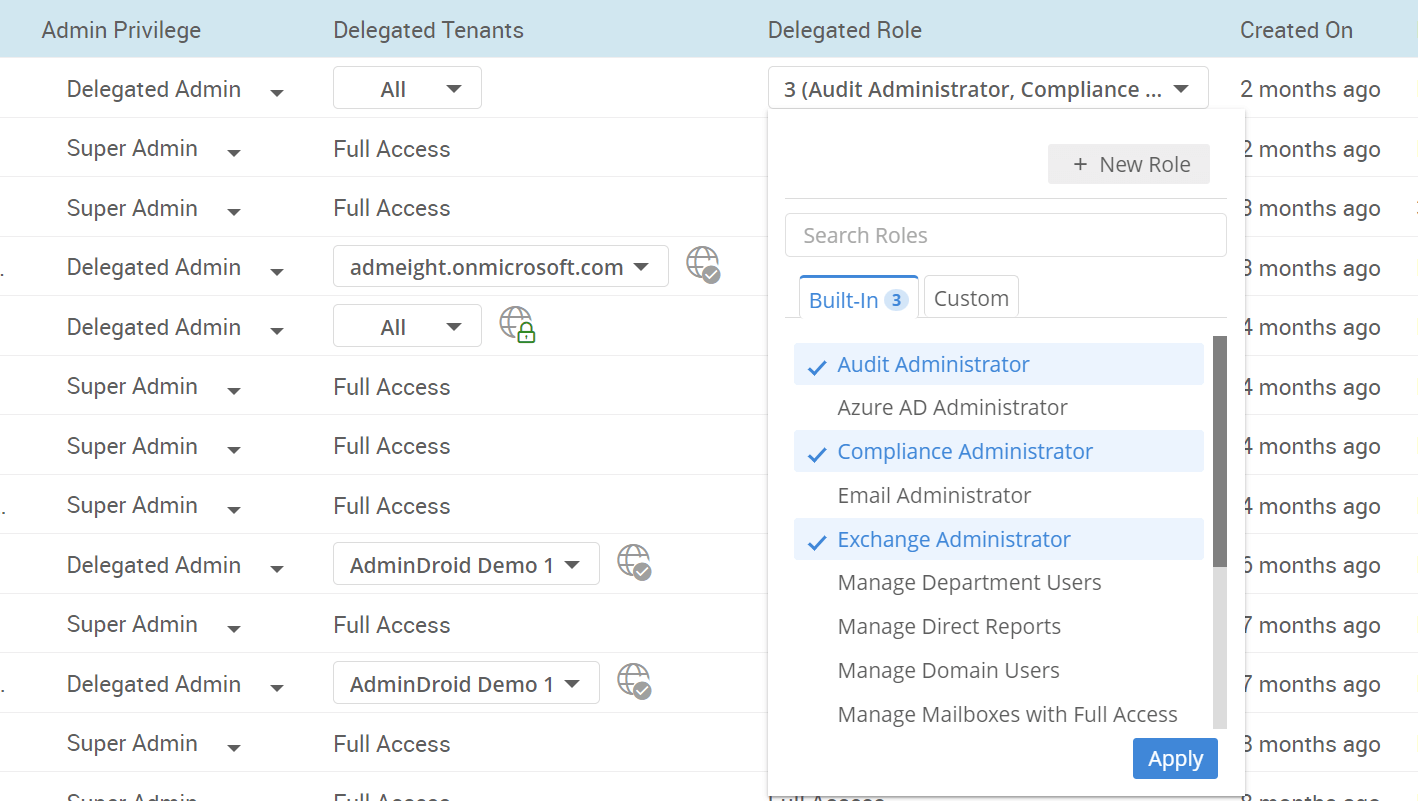
  • Utilize built-in admin roles or create custom roles based on the organization needs.
  • Quickly verify the delegated user's accessible resources with the "View as Delegated User" feature.
  • Restrict delegated admins from accessing sensitive or confidential data.
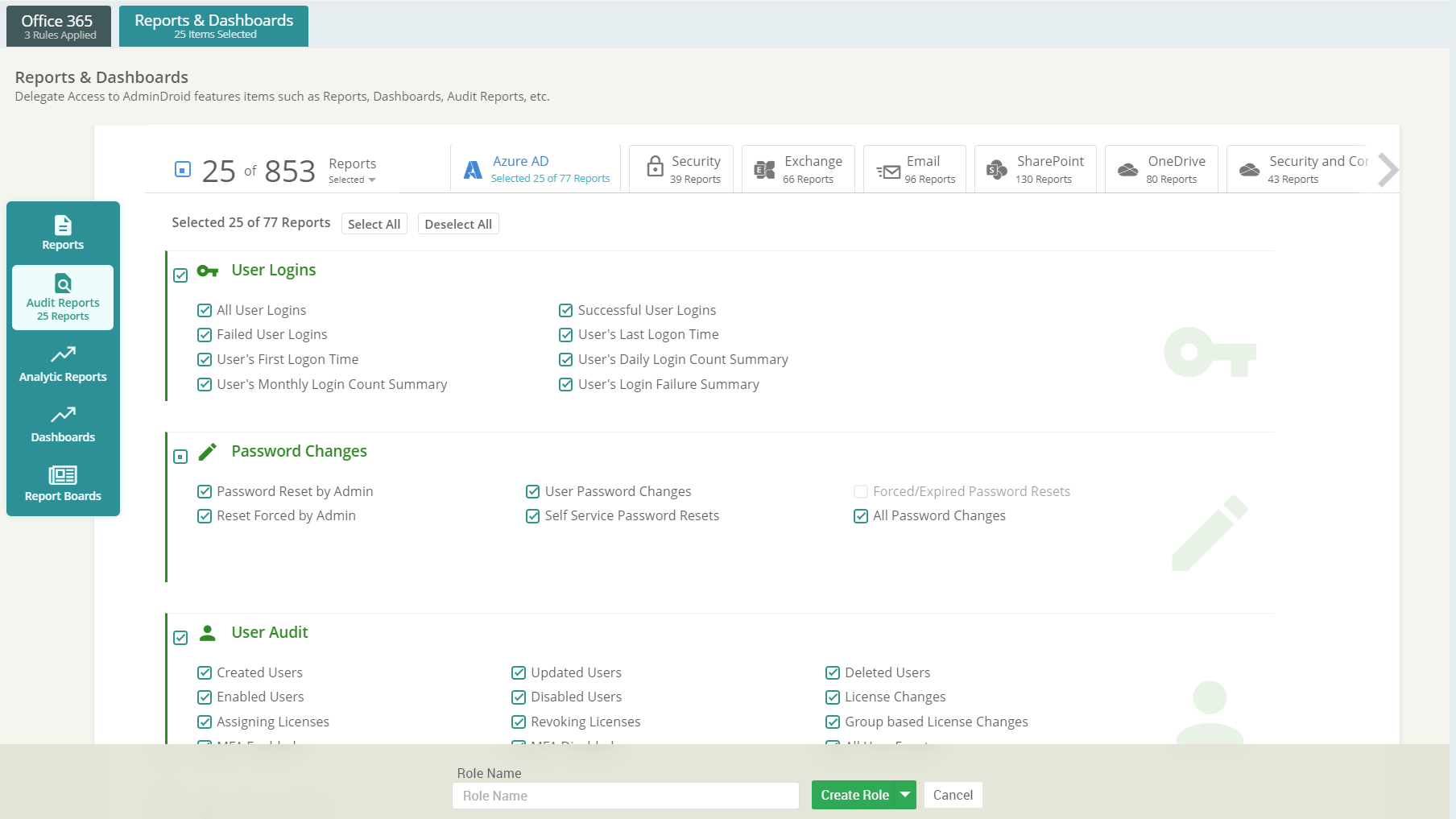
  • Easily tailor access levels with versatile delegation options based on Office 365 properties (such as specific departments, groups, teams) or AdminDroid features like reports, dashboards, etc.
  • Easily monitor the activity of admins within AdminDroid using the comprehensive Admin Activity reports.
Overview of Delegated Admin Roles M365 Delegated Admin Role Creation Delegated Admin Role Filters AdminDroid Reports & Dashboard Delegation Delegated Admin Selection Delegated Admin Role Assignment

Microsoft 365 Insights and Analytics

Tired of processing endless PowerShell outputs to get the insights you need?

We deliver the insights that you won’t find anywhere!
Powered by millions of records processed beneath the dashboards

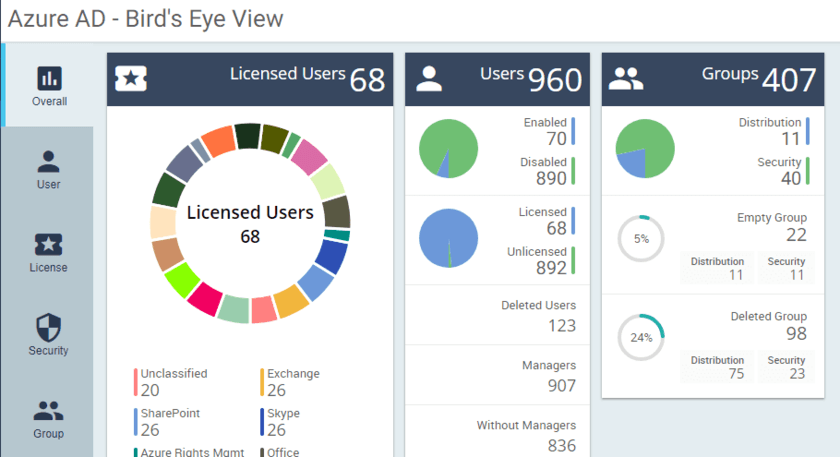
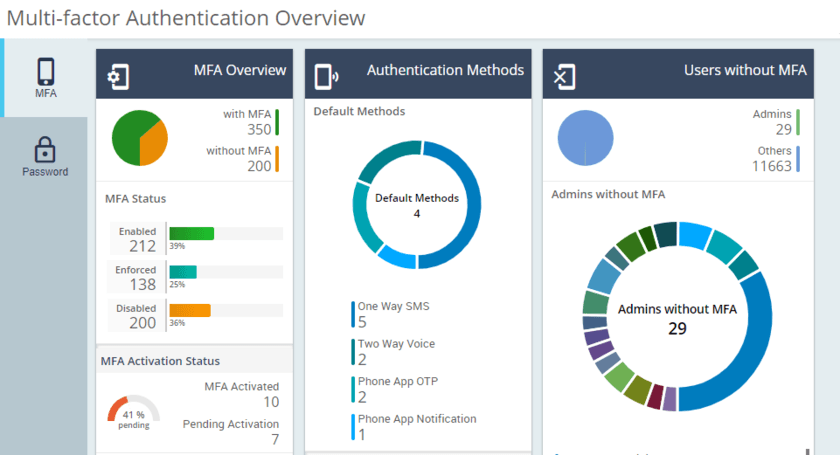
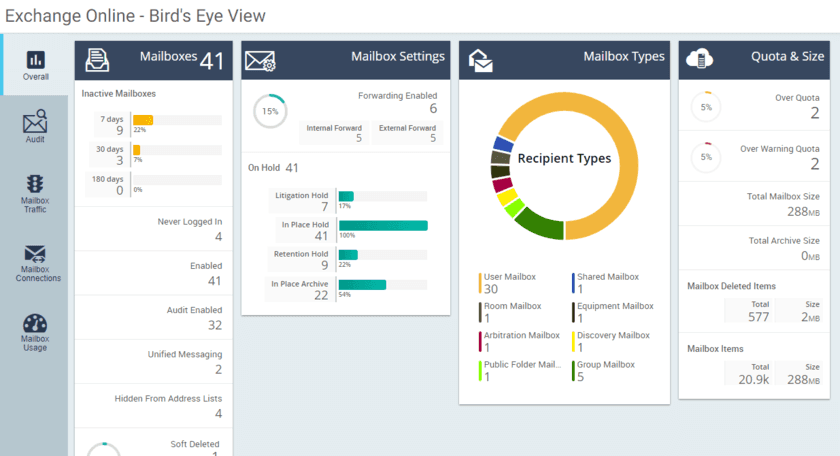
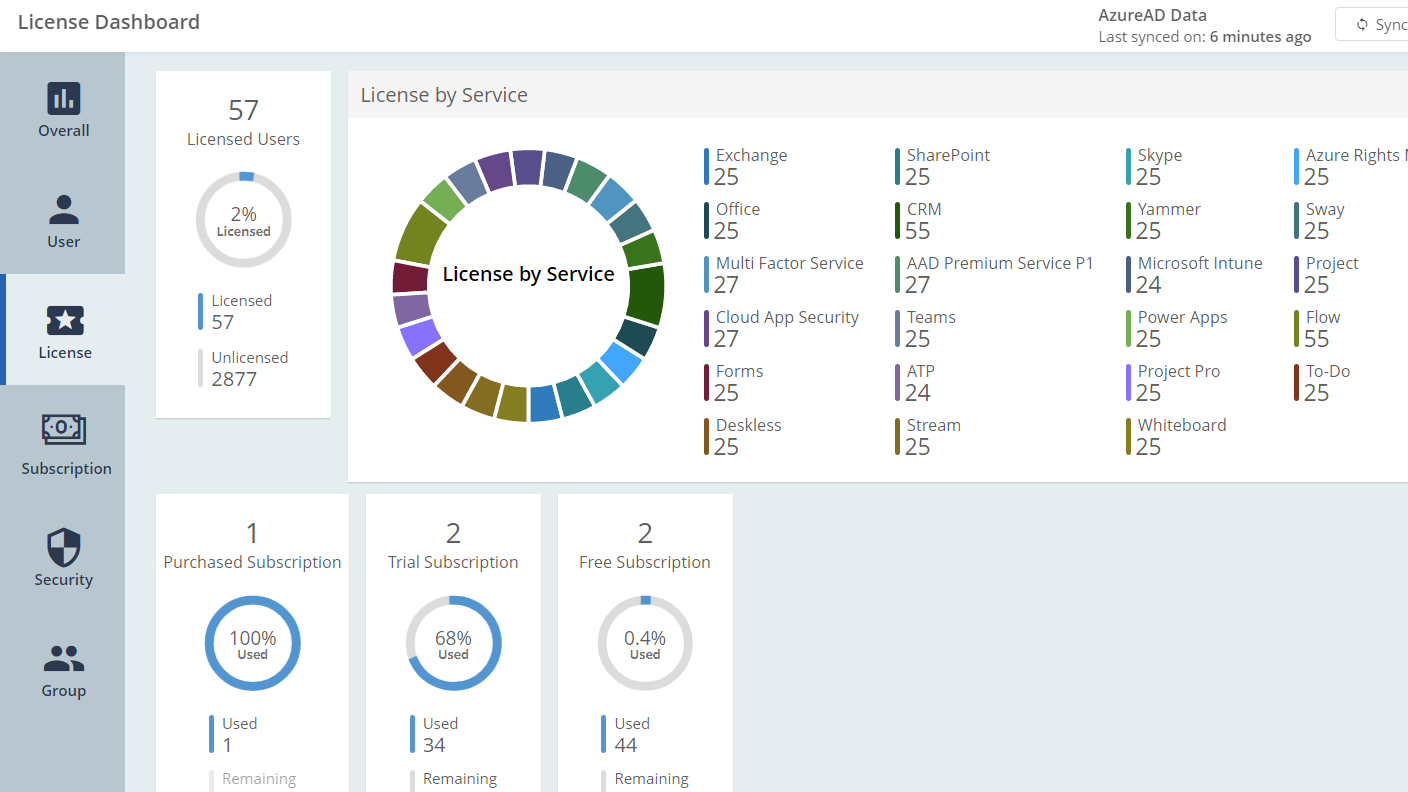
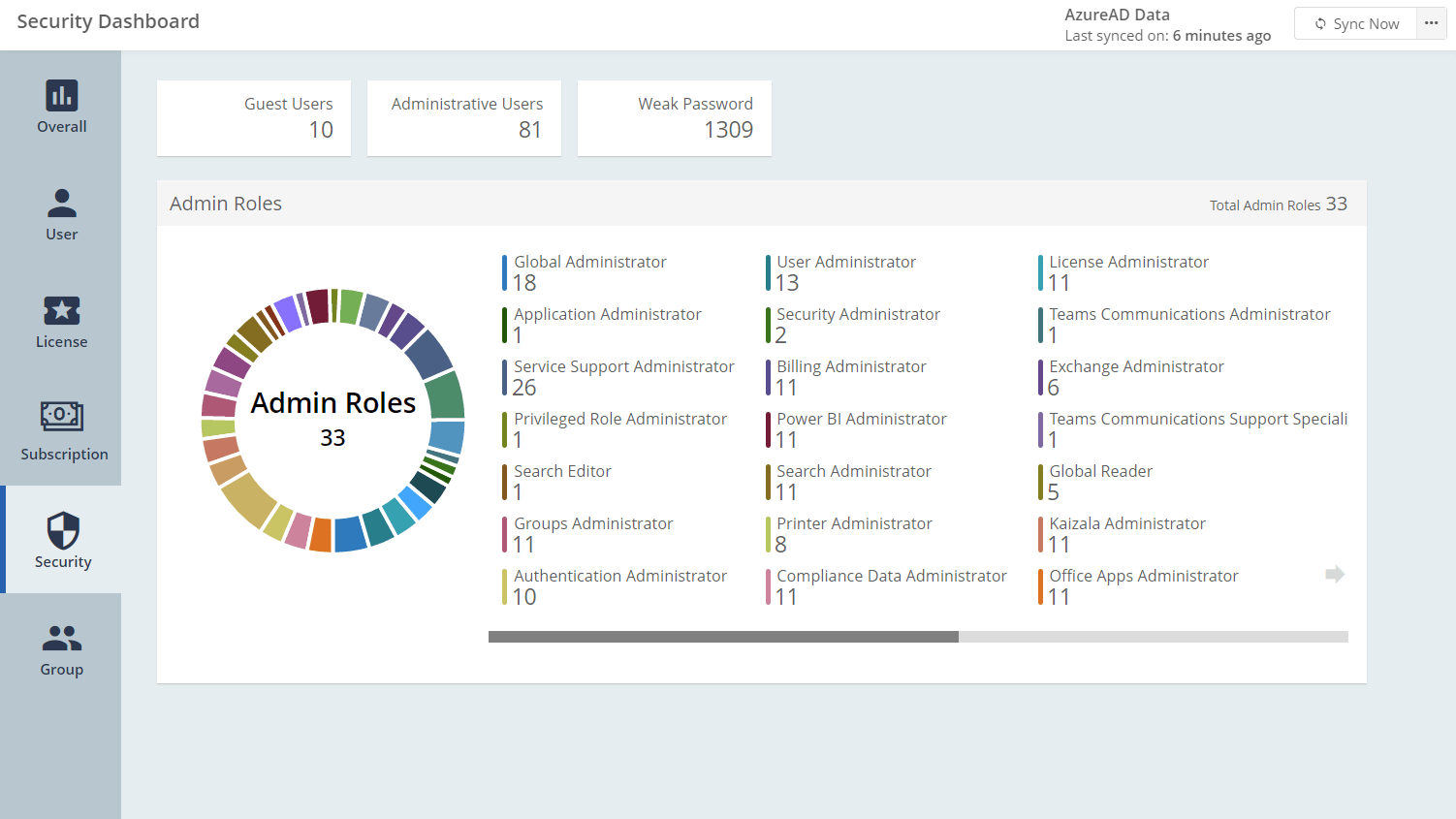
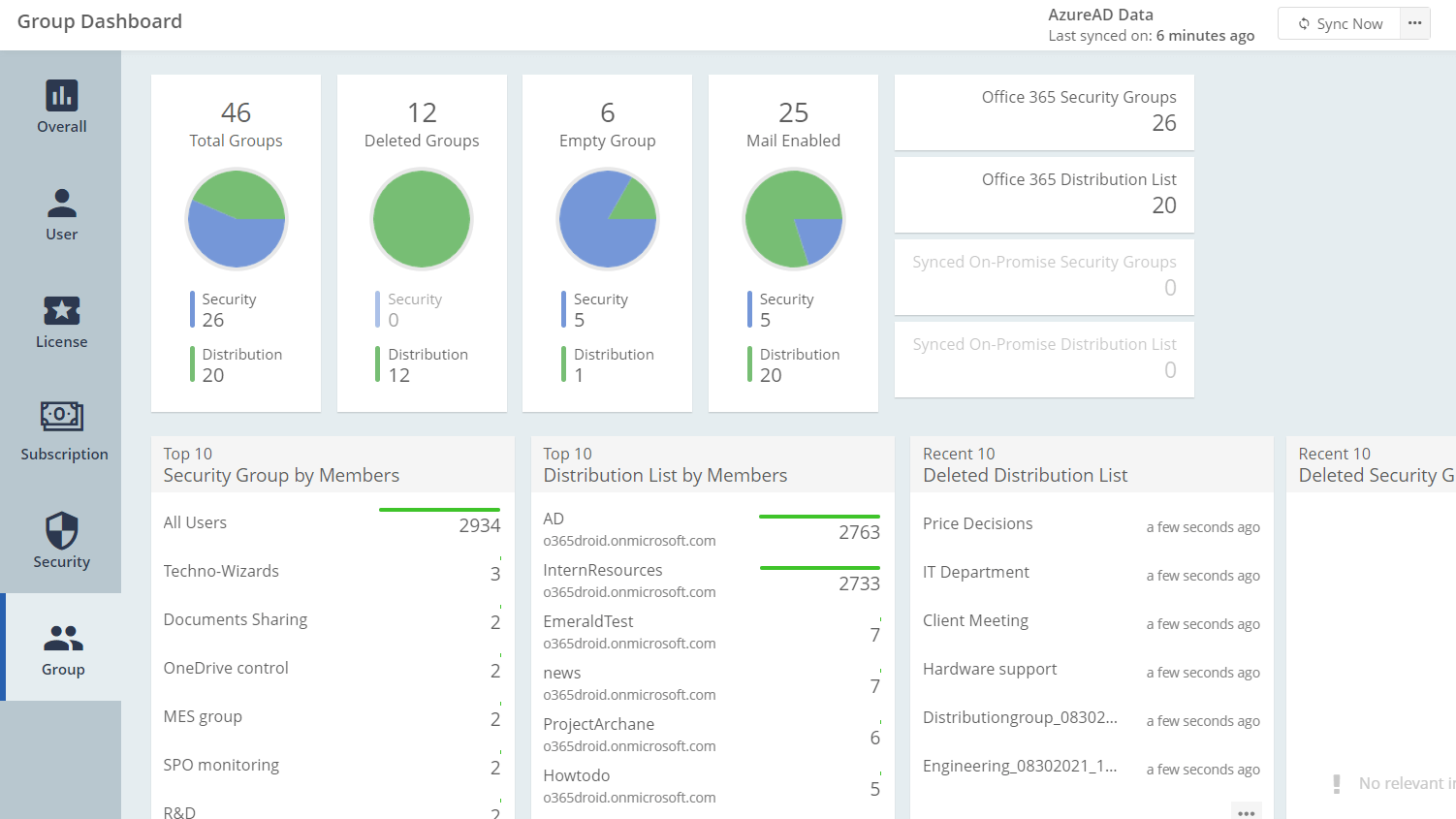
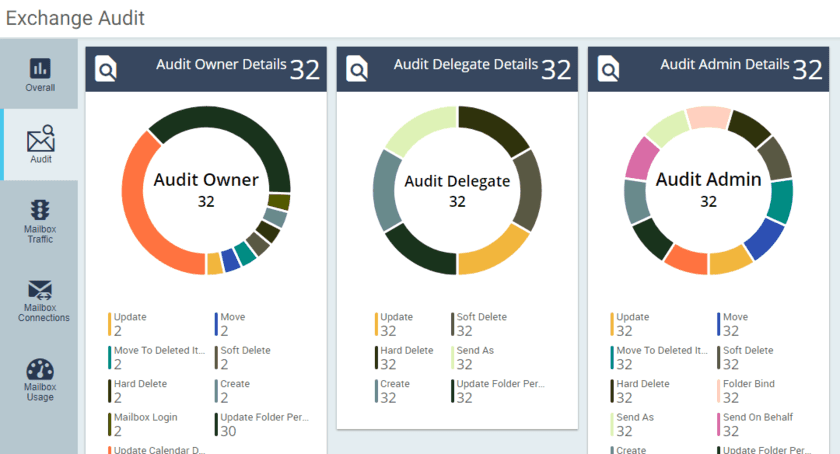
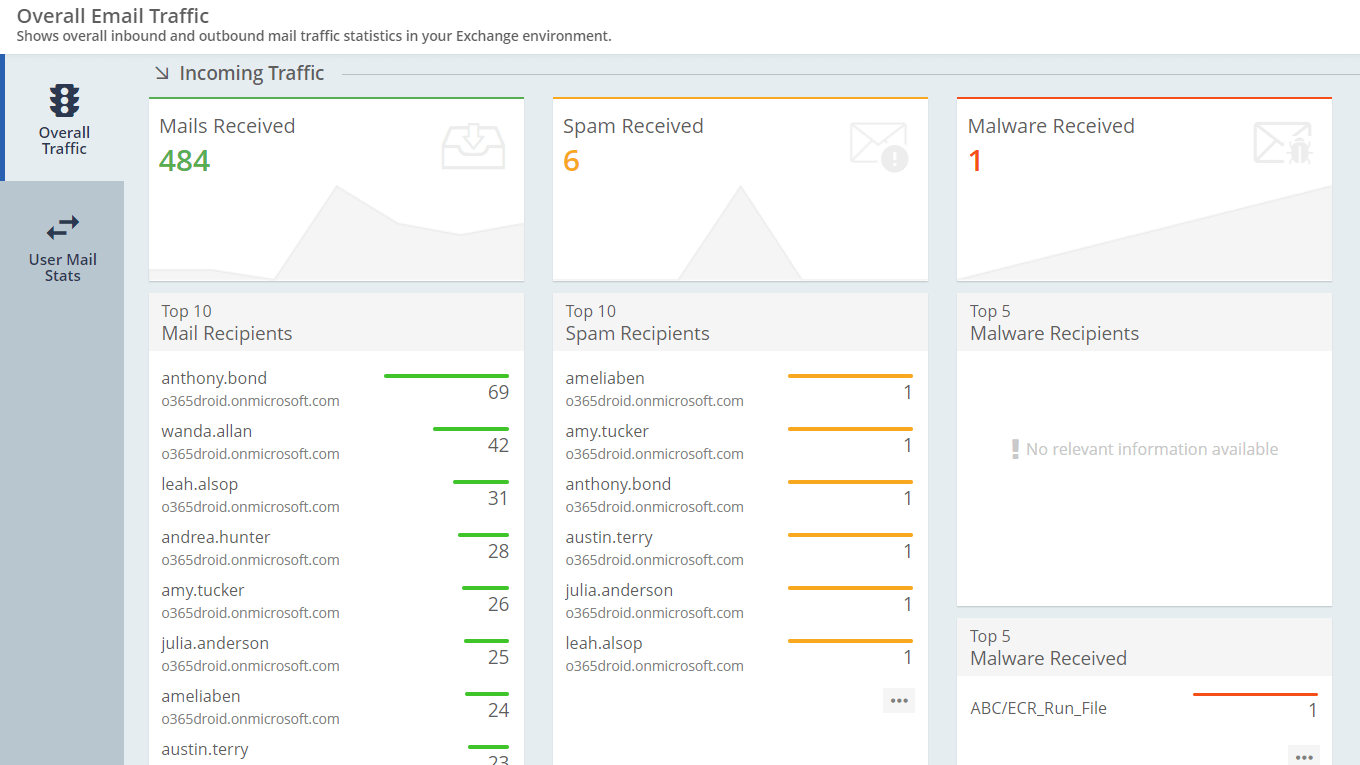
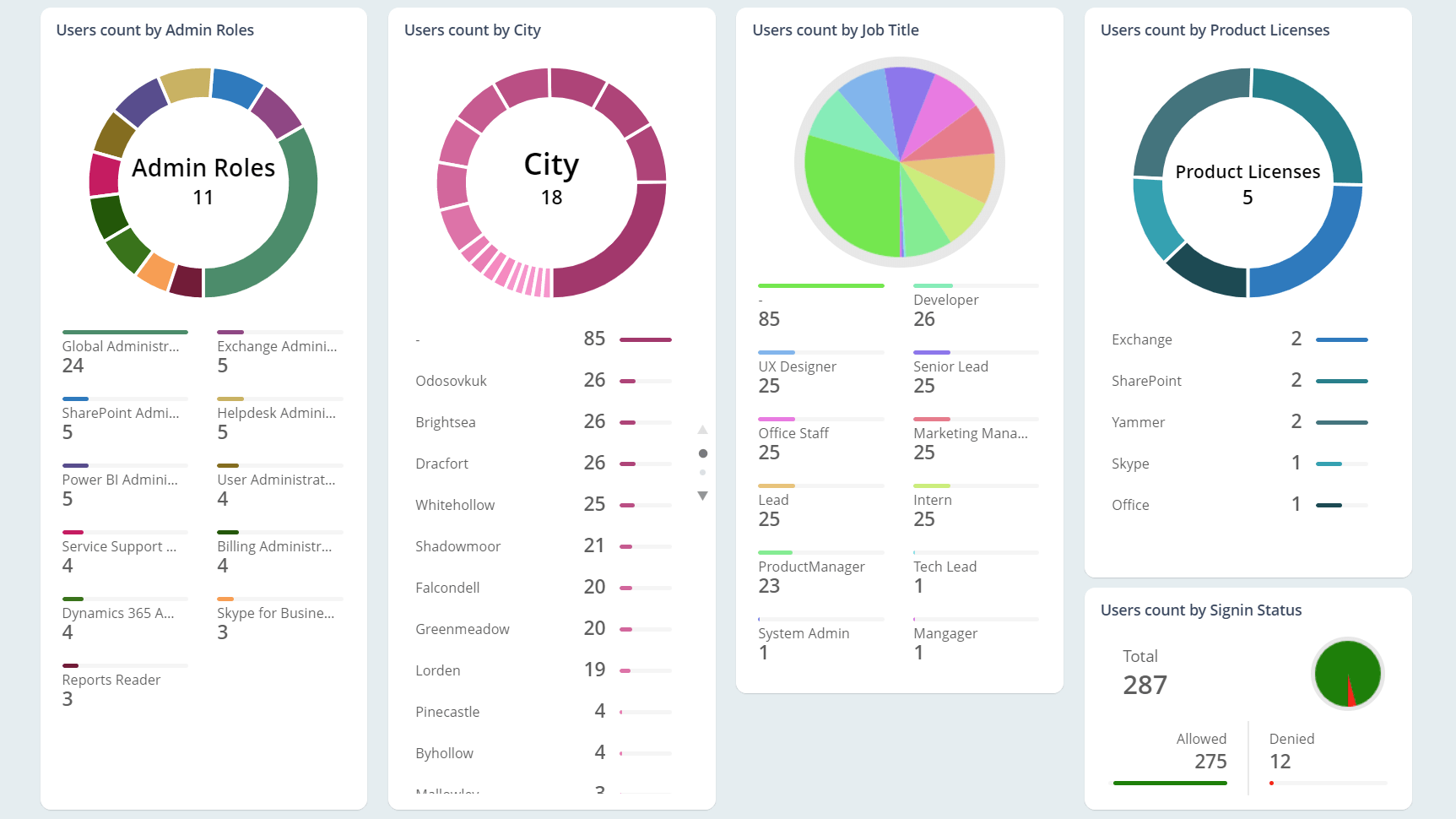
Azure AD Insights Multi-factor Authentication Overview Password Status Breakdown Exchange Online Insights SharePoint Online Insights Office 365 Subscriptions Office 365 User Insights Office 365 License Insights Office 365 Security Analytics Office 365 Group Insights Exchange audit Insights Exchange Online Mailbox Traffic Monitoring Exchange Online Mailbox Traffic Monitoring Exchange Online Mailbox Connnection Insights Exchange Online Mailbox Usage Analytics Office 365 Overall Insights Office 365 Birds Eye View Office 365 Insights with GEO Map Office 365 Detailed Charts View
  • Bird’s eye view of entire Microsoft 365 space. It included statistics of users, licenses, groups, mailboxes, sites, etc.
  • Save money by efficiently utilizing the purchased office 365 licenses.
  • Dedicated dashboards for Users, Groups, License, Security, Mail Traffic, Spam & Malware Trend.
  • Easily dig deeper into provided insights.

Microsoft 365 Management

Spending more time switching between admin centers than getting things done?

Take Total Control of Your Entire Microsoft 365 from One Unified Hub!
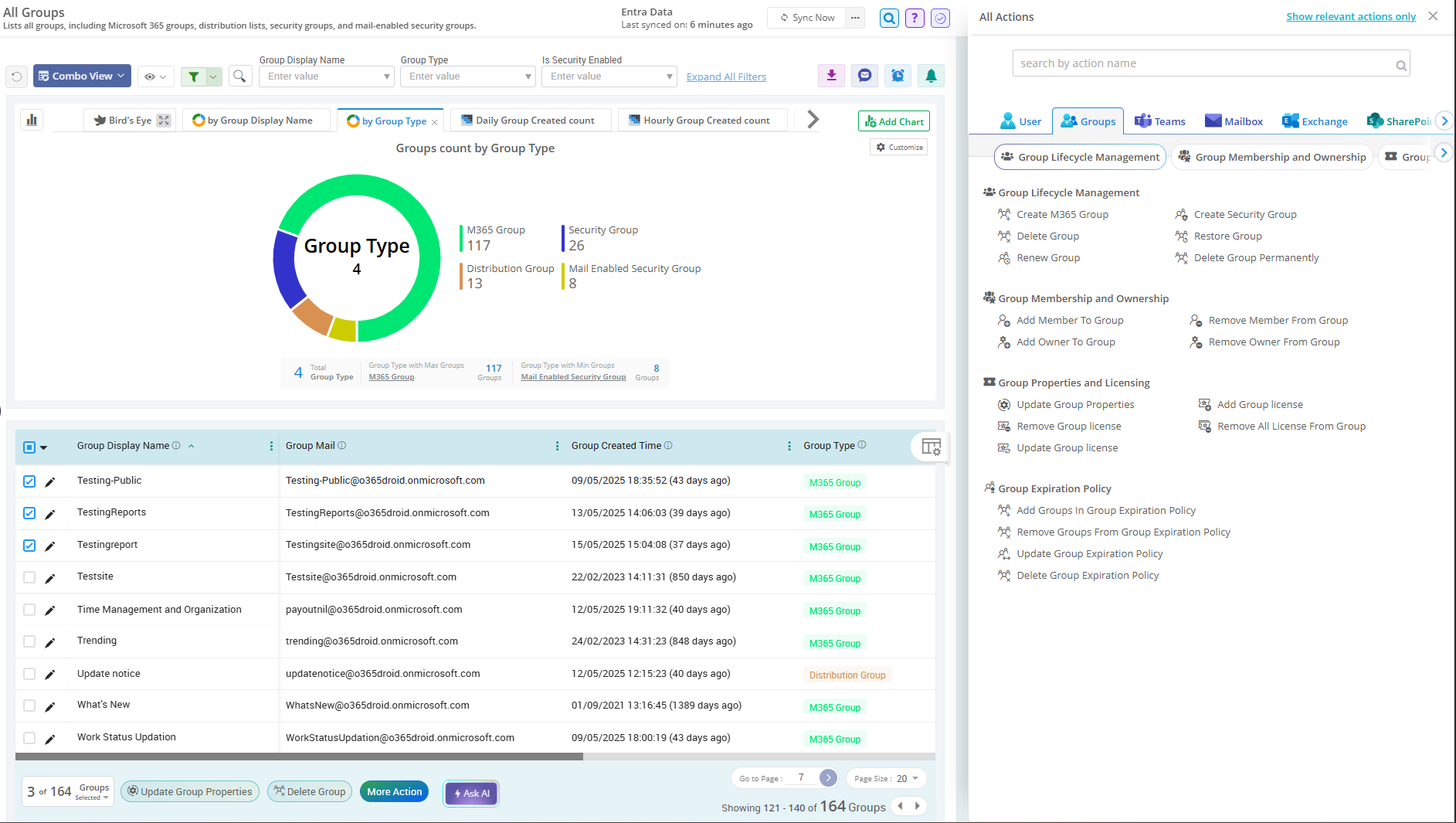
Managing license assignments to mailbox delegations, site permissions to teams membership, everything is easier than ever.

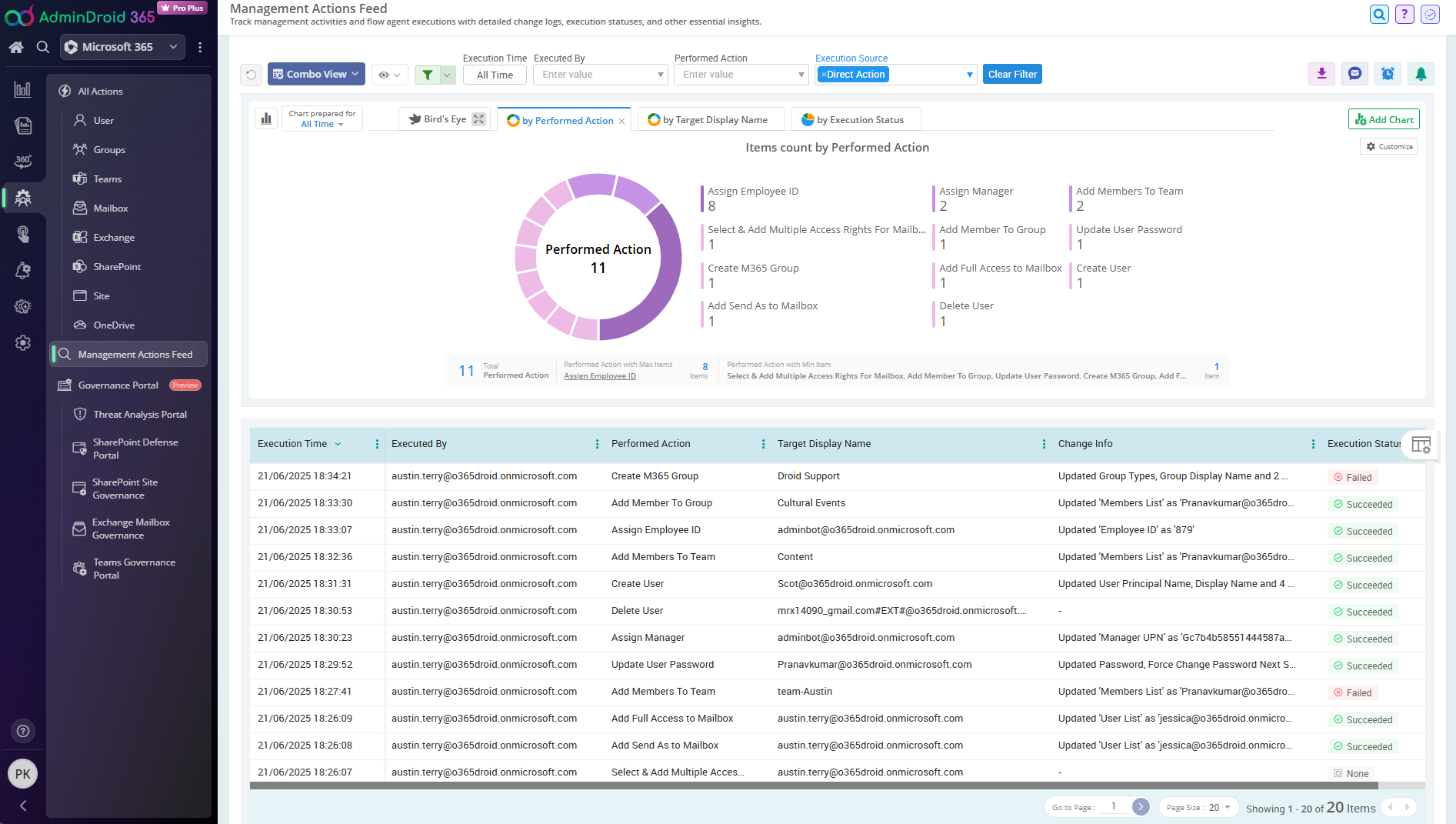
  • From A to Z: Execute 450+ mission-critical management actions , all from one powerful hub.
  • Execute any management action in bulk, with the flexibility to pause and resume anytime without losing progress.
  • Granularly delegate specific management actions to team members and get complete oversight of all performed actions.
  • Setup virtual tenants and limit admins to perform management actions only on specified users, groups, teams, and more.
  • Changed something by accident? Quickly revert it back with one click.
User Management Group Management Mailbox Management Teams Management Management Audit log

Microsoft 365 Reporting

Struggling to make informed decisions that streamline your M365 environment?

With our 3000+ research-backed reports, you know what to do!

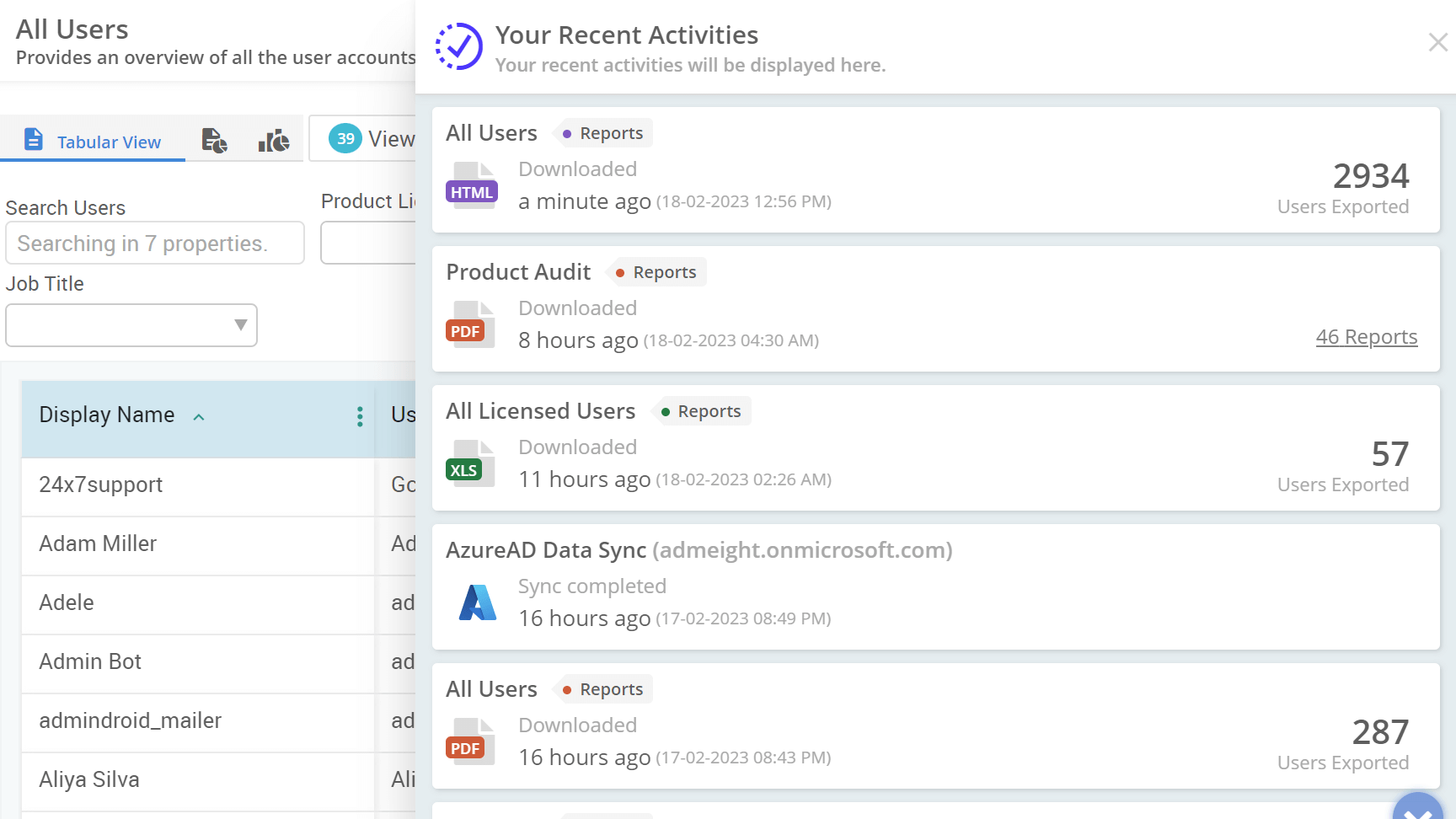
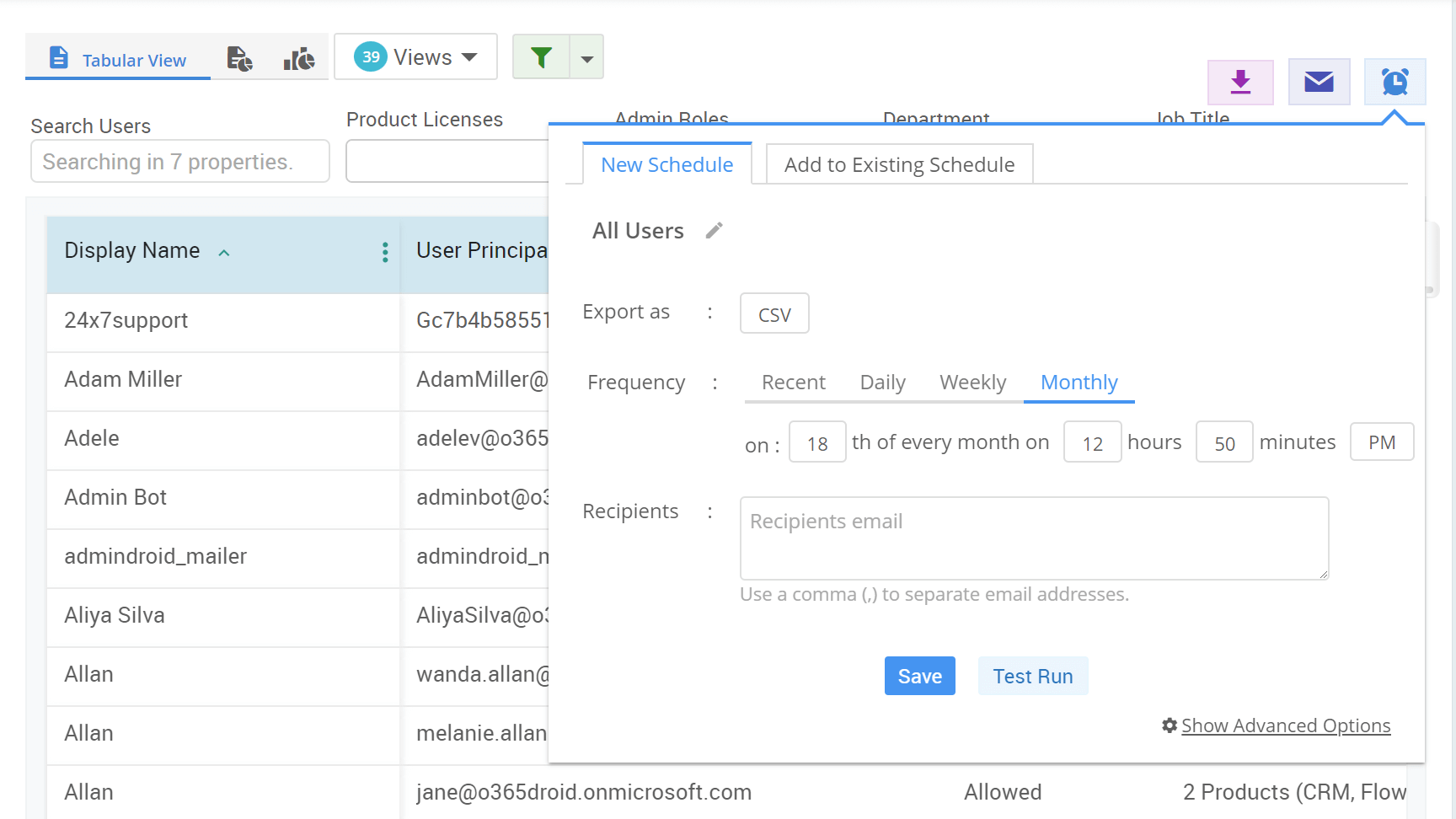
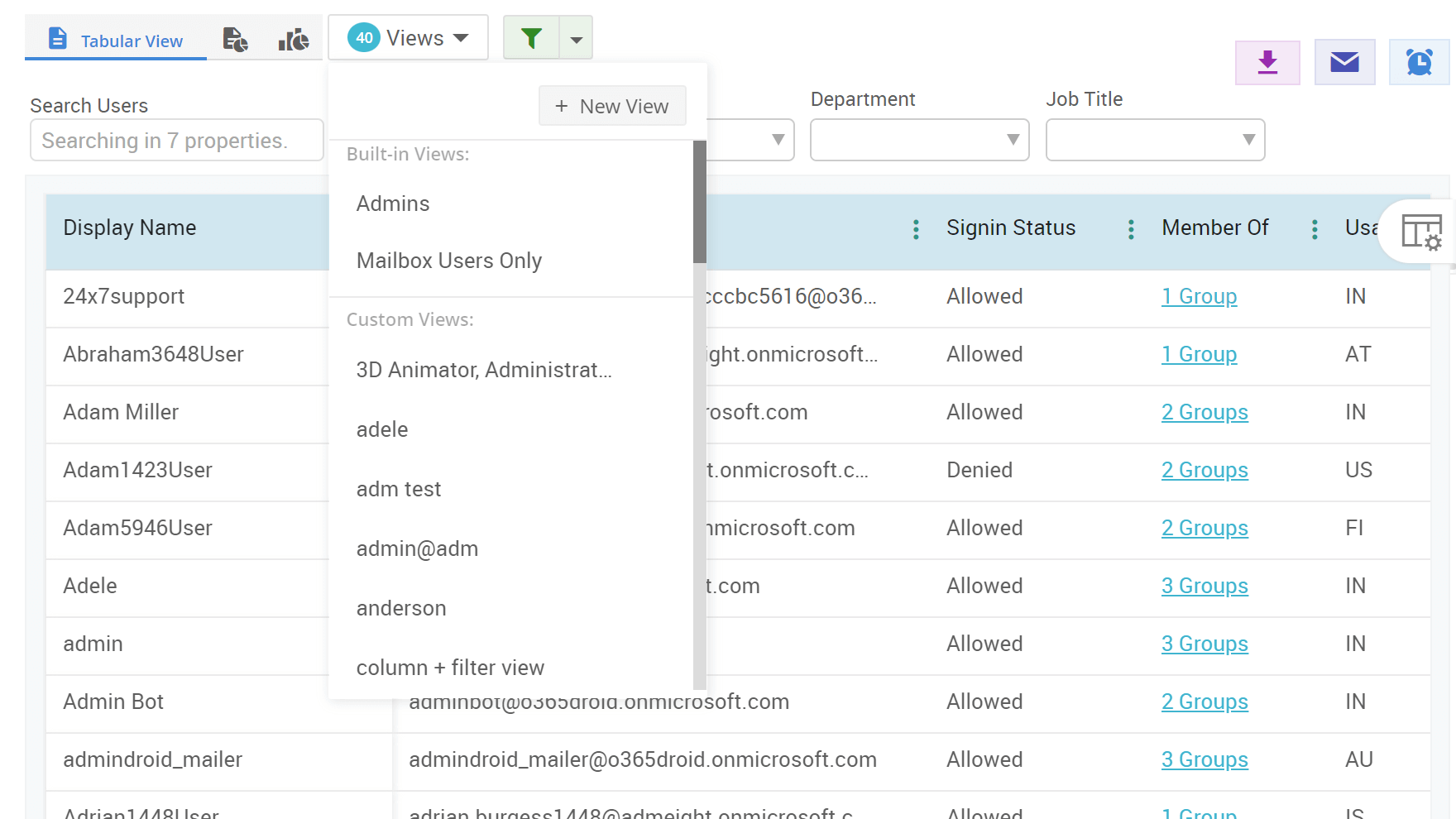
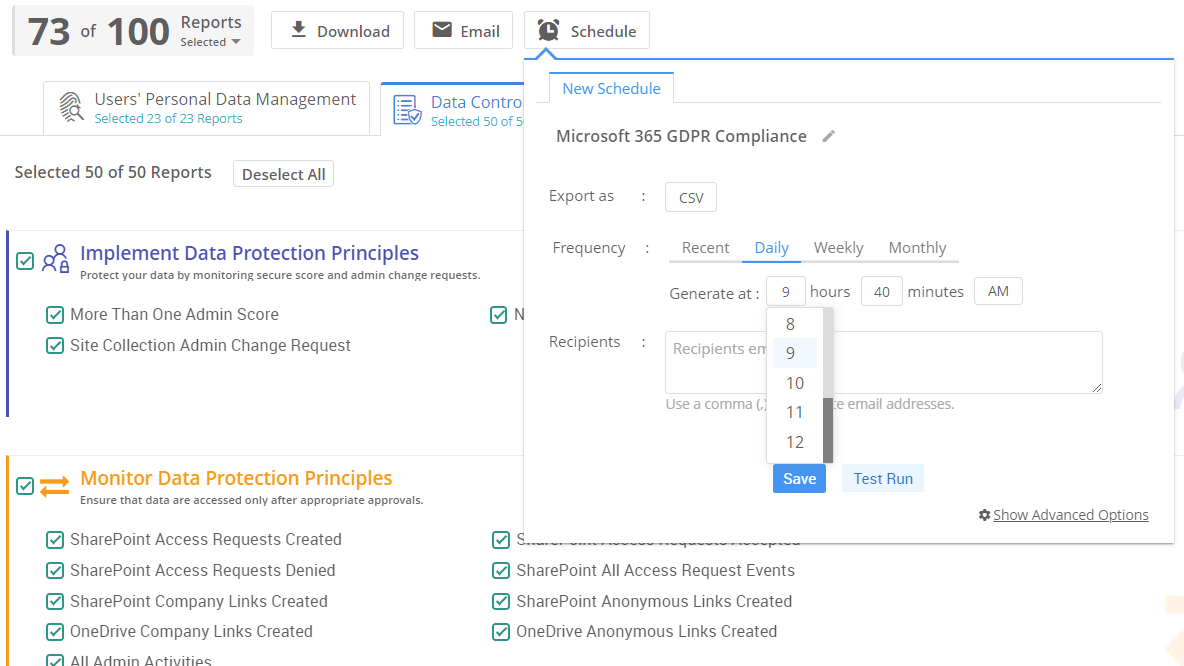
Export Office 365 Reports - HTML, PDF, CSV, XLS, XLSX Export Office 365 Reports - HTML, PDF, CSV, XLS, XLSX Microsoft 365 reports schedule reports Office 365 Reporting - Advanced Filters Office 365 Reporting - Saved Filters Office 365 Reporting - Custom Views Office 365 Reporting - Custom Views Office 365 Reporting - Custom Views Office 365 Reporting - Custom Views Office 365 Reporting - Custom Views SharePoint Online Data Synchronization Reports Tabular view Office 365 Reporting - Report Info Office 365 Reporting - Detailed Report Info
  • Provides advanced in-built reports that help to manage your Users, Licenses, Group, Mailbox, Sites, Documents, etc.
  • Take control of access permission and security settings on various critical Office 365 components like mailboxes, sites, documents etc.
  • Identify top trending mailboxes, sites, documents, and groups in your organization.
  • Visualize the internal and outgoing traffic in Exchange mailboxes and SharePoint sites.
  • Always be up-to-date with near-real-time reports that auto-refreshes at specific intervals.

Microsoft 365 Auditing

Hunting the action that caused critical reactions in your M365 ecosystem?

Get the whole picture behind every user action
Come up with perfect solution to every incident in M365!

  • Monitor each and every activity happening inside your Office 365 environment.
  • Timeless preservation of audit log information for a long period as per your company compliance policy.
  • Get clear information about anonymous users, external users, and guest users activities.
  • Easily monitor failed logins and brute-force attempts. Perform forensic research on compromised accounts.
  • Keep track of critical activities like anonymous link sharing, non-owner mailbox access.
  • Pass compliance audits such as HIPAA, SOX, FISMA, ISO 27001, GLBA, FERPA, PCI DSS, NERC, and others.
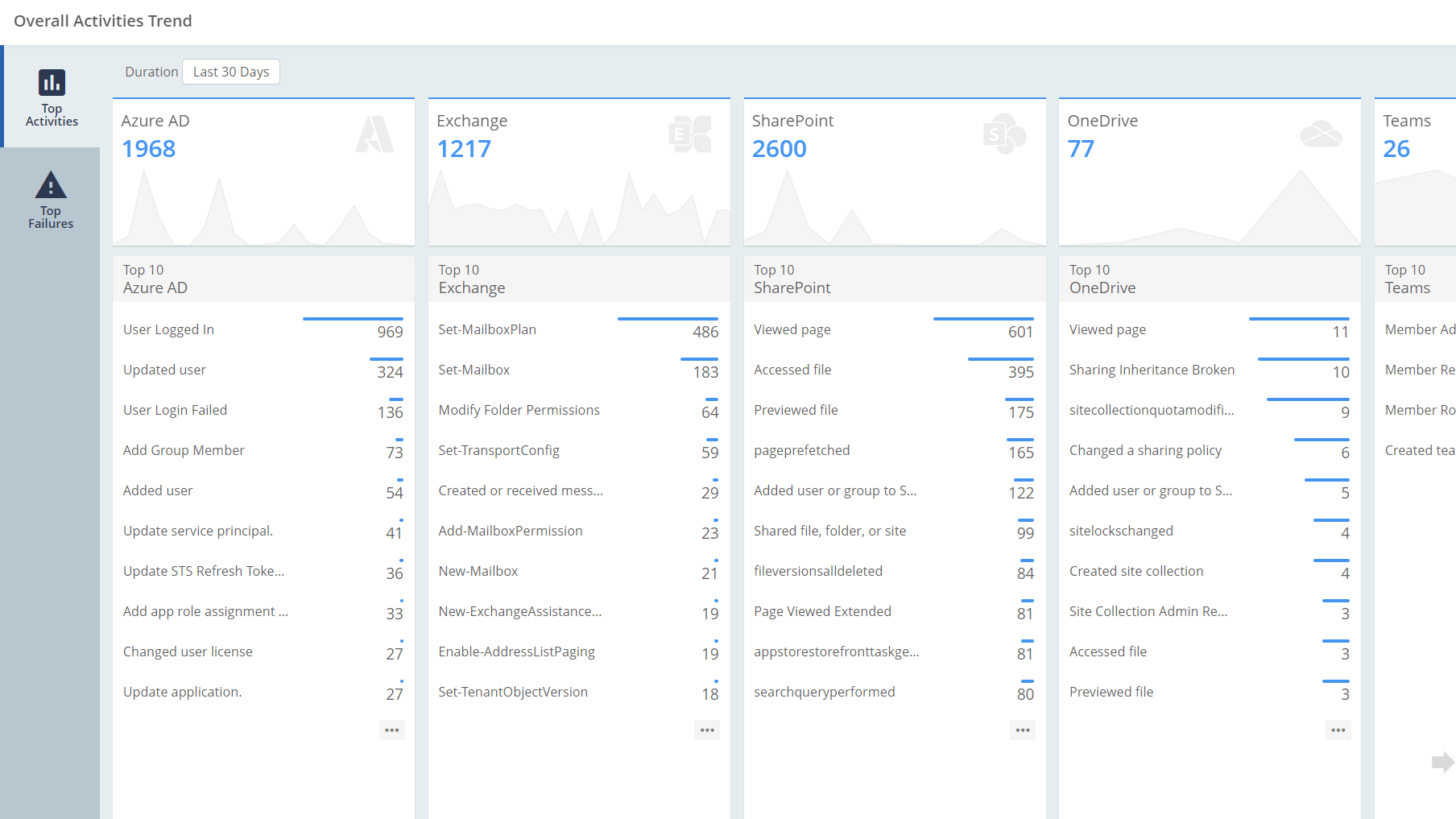
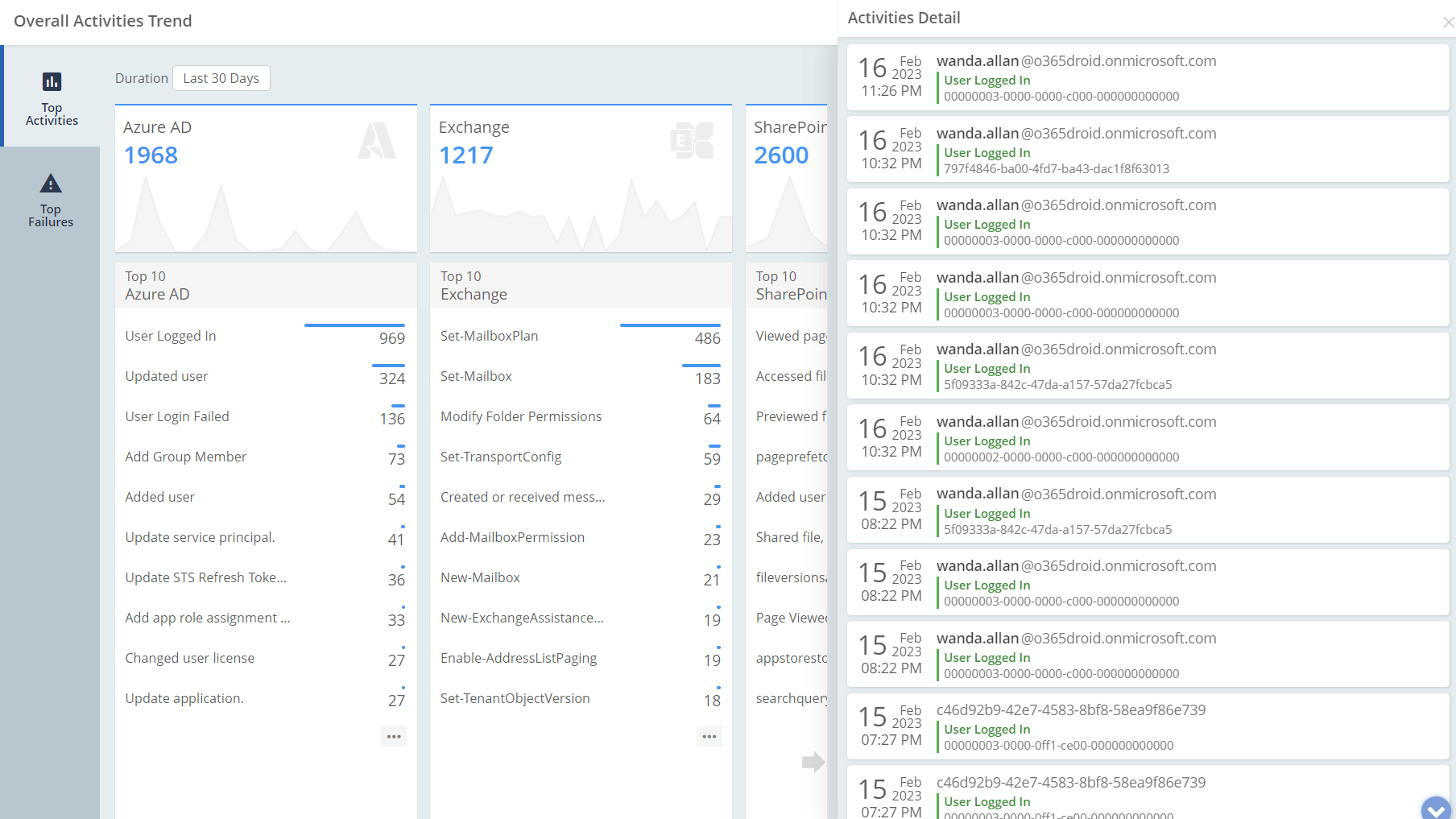
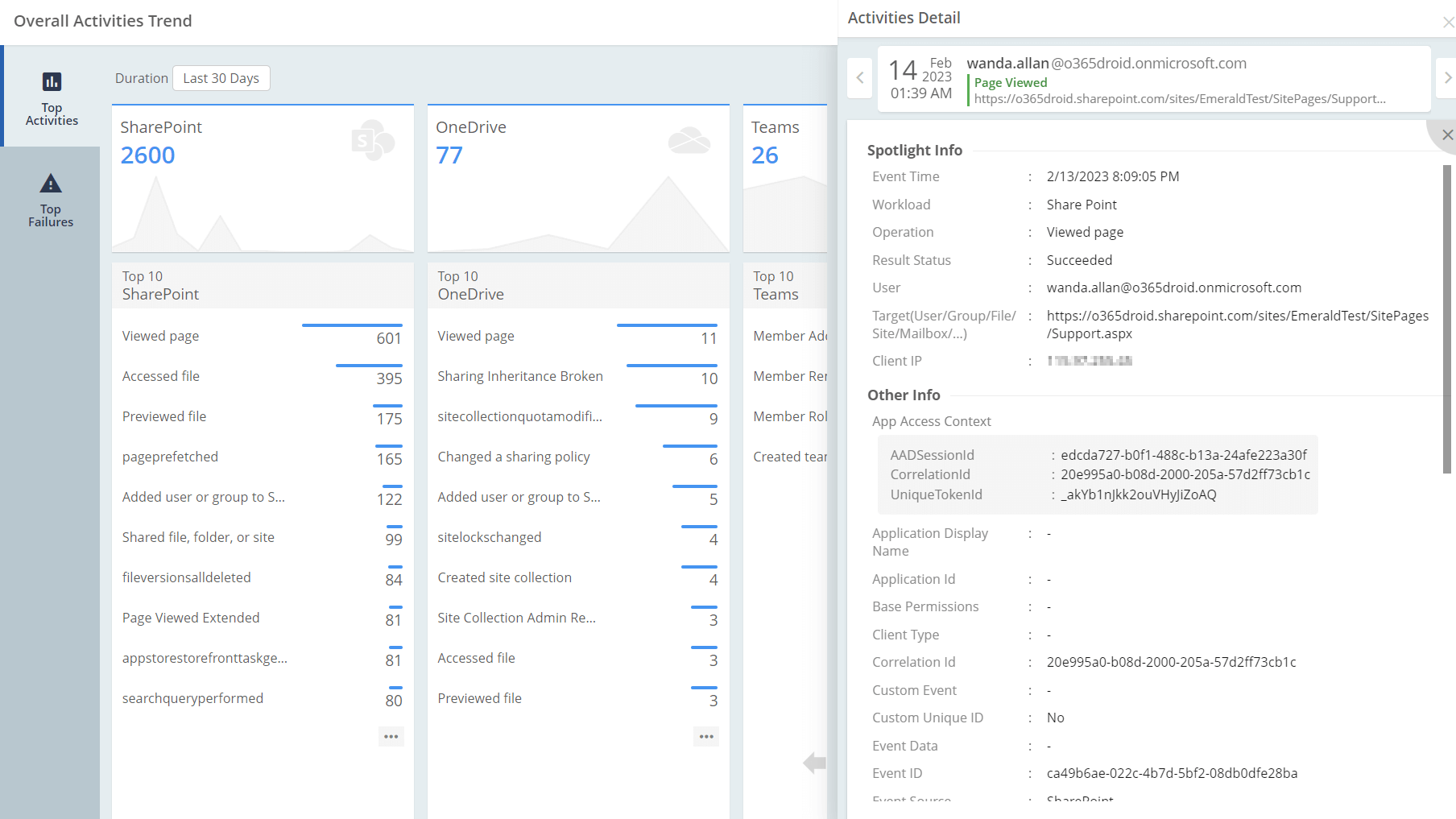
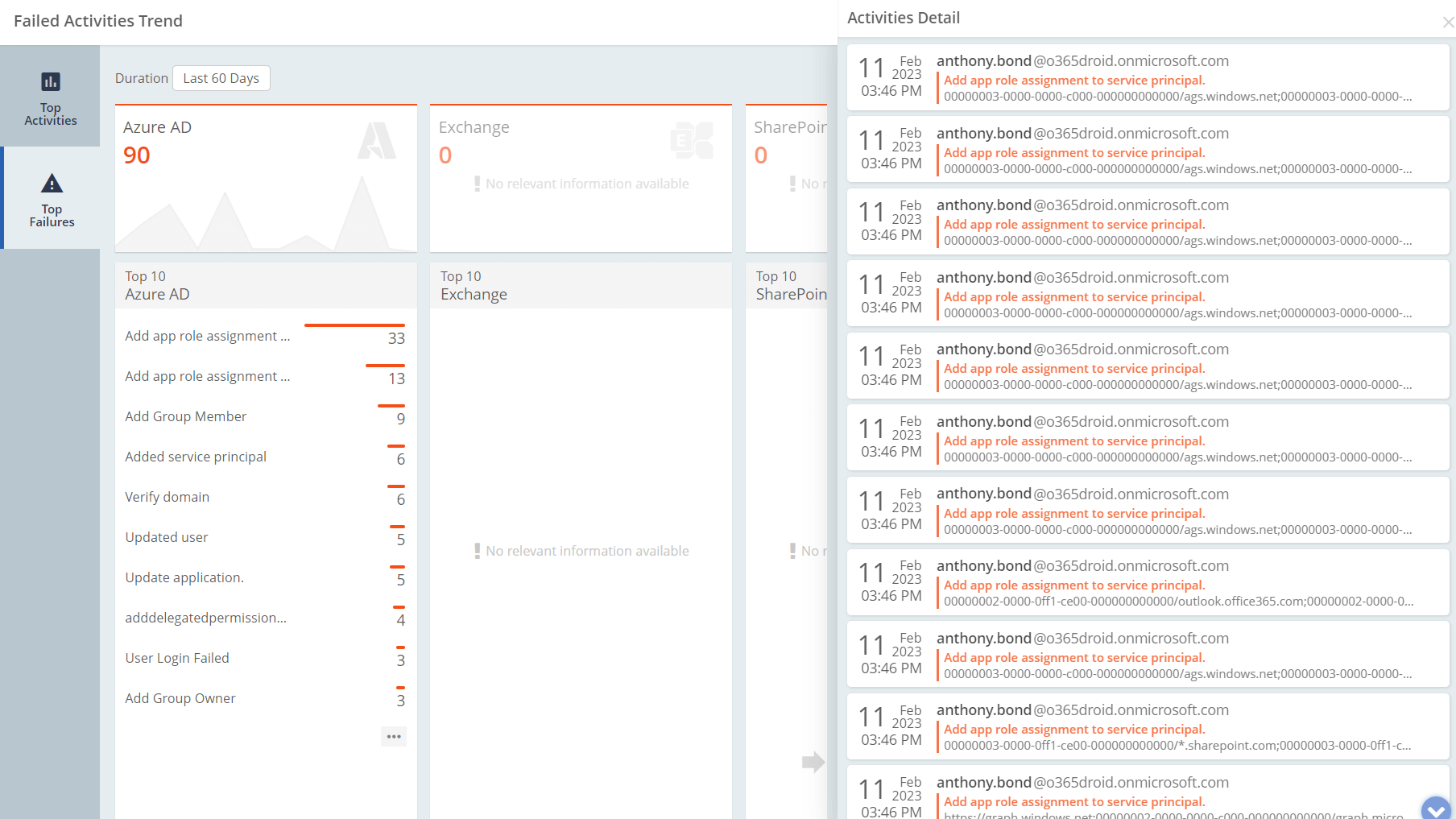
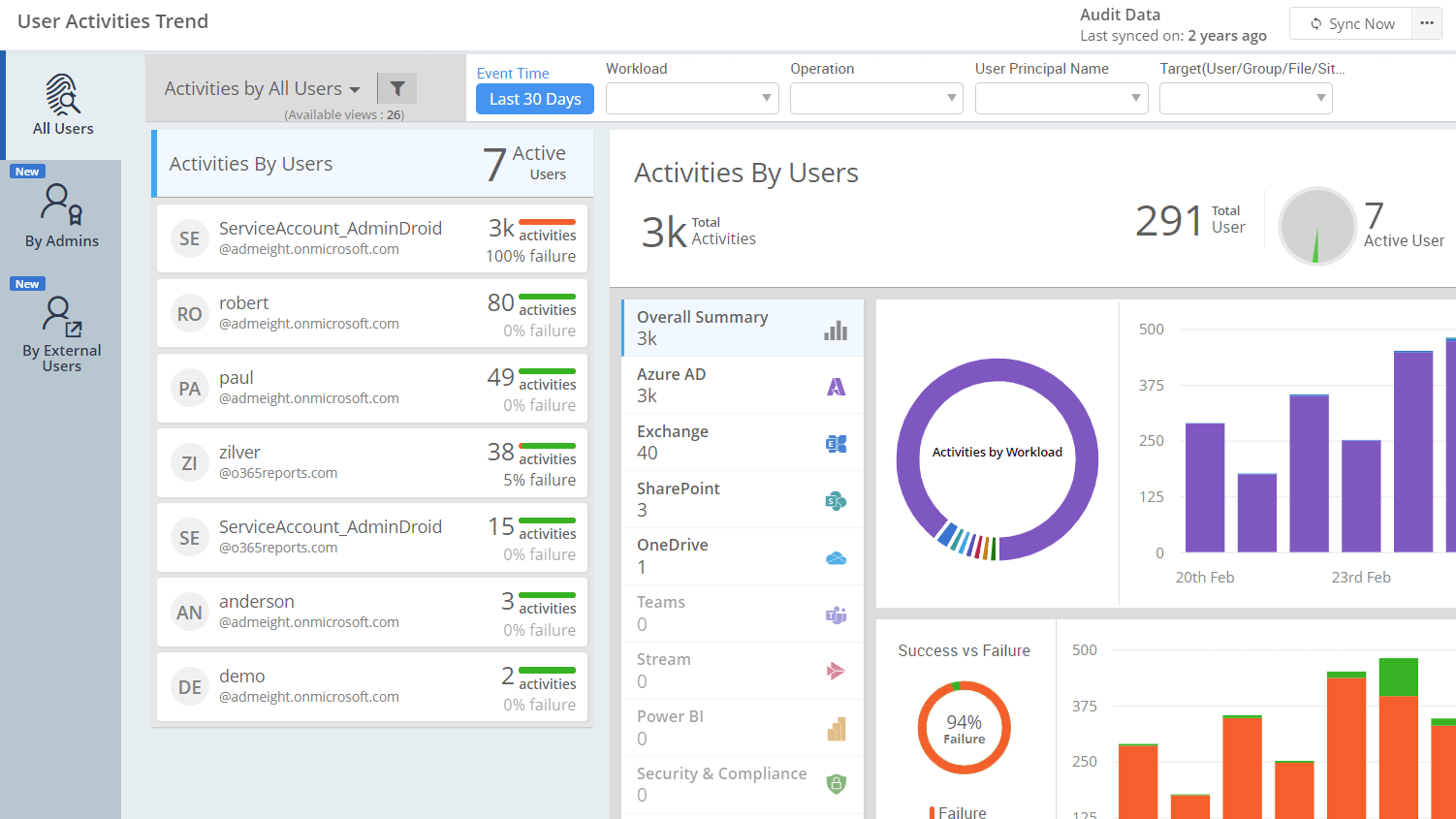
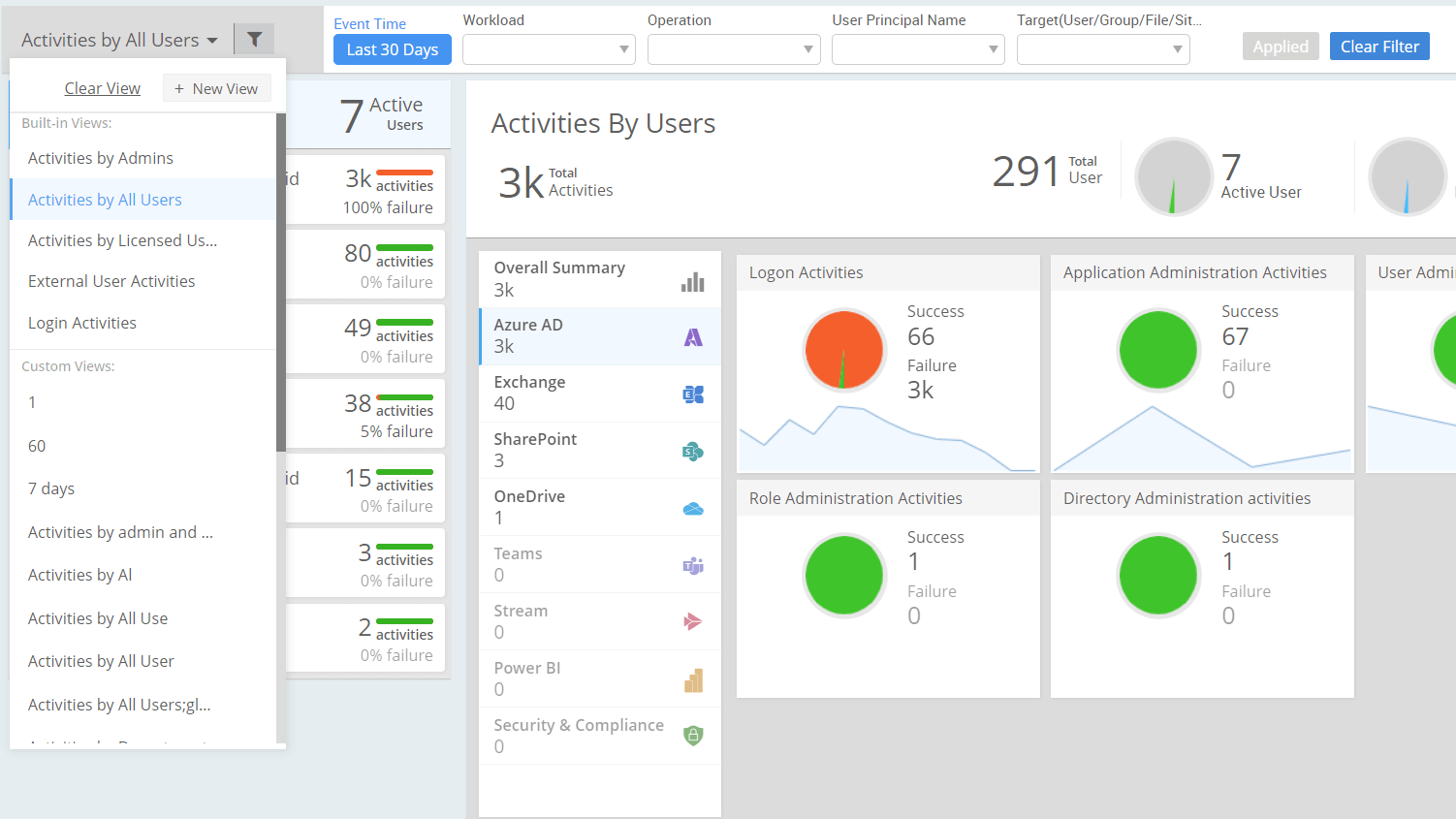
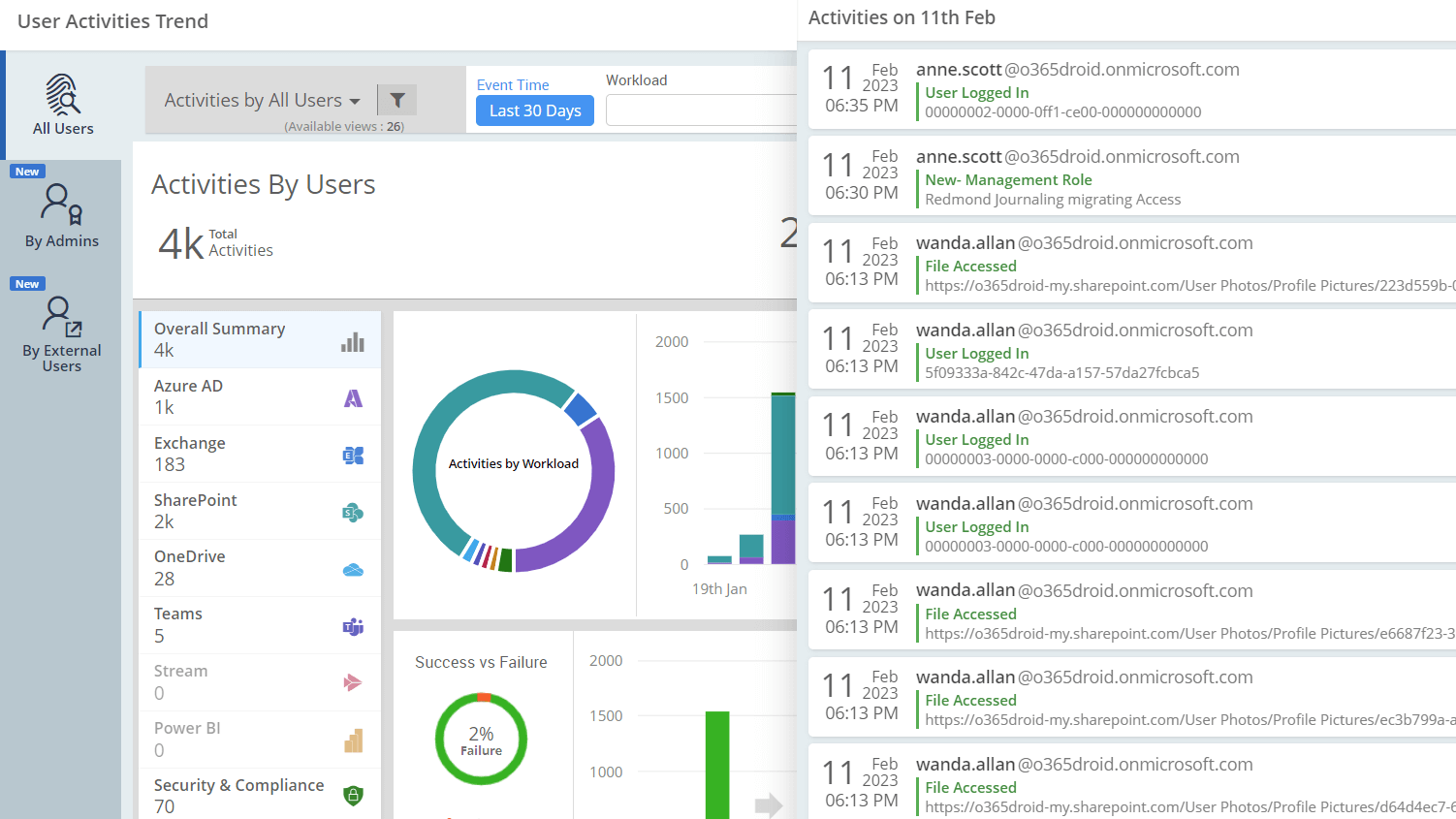
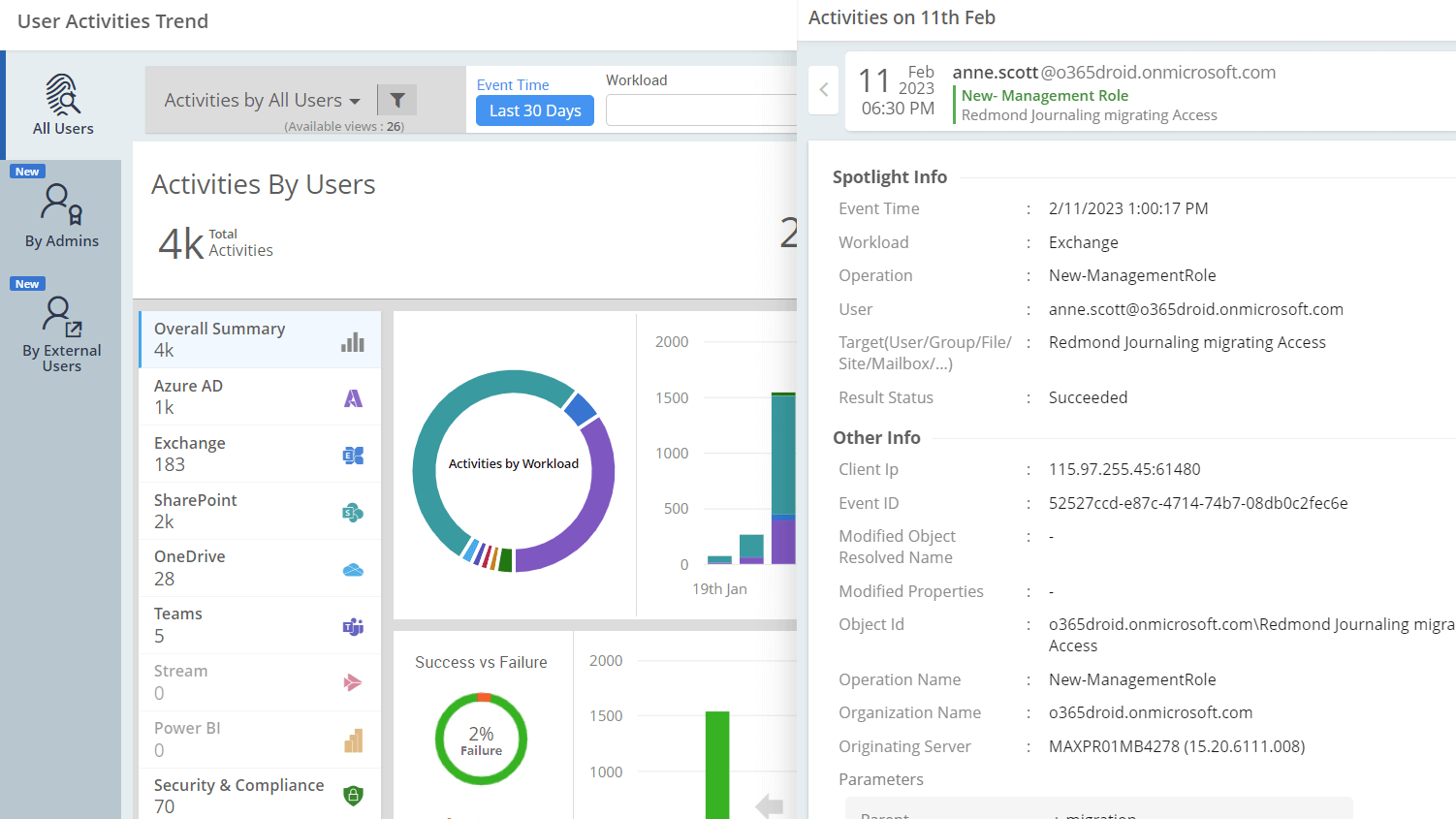
All User Activities Category based Activity Classification Office 365 Activities Trend User Email Activity Office 365 Activities Trend - Events View Office 365 Activity - Detailed View Office 365 Activity - Detailed failed activities

Microsoft 365 Advanced Usage Analytics

Struggling to see value in the purchased M365 licenses?

Don't miss out on the full benefits of Microsoft 365 services
Uncover implementable insights to experience the maximum power of M365

Filter O365 Audit Events Office 365 Audit Activities Insights Office 365 Usage and Adoption Analytics Detailed View of an Audit Event Detailed View of an Audit Event with detailed quick view Office 365 Usage and Adoption Overview
  • Easily measure how various O365 services are used and adopted across department, city, country, job title etc.
  • Monitor adoption trend, plan training and report your management with meaningful insights.
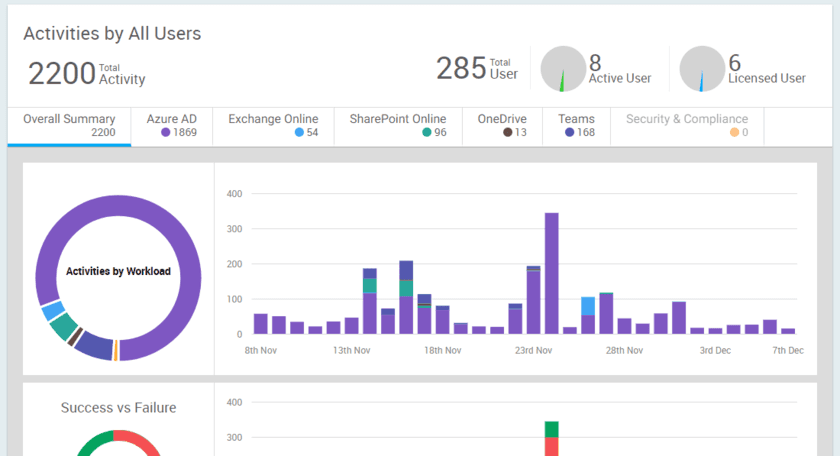
  • 360-degree visibility of activities and usage across all O365 applications in a single place.
  • Discover usage trends, activity trends, daily login trends and document sharing activities.
  • Keep informed about how much activities are occurring, which users are active, what are the top activities, failed activities, etc.

Microsoft 365 Regulatory Compliance

Finding compliance audit a daunting task?

Understand your organization's compliance posture effortlessly!
We've gathered all the puzzle pieces for you – sit back, review, and excel every compliance audit

  • Effortlessly achieve compliance audits with precise mapping of compliance controls and M365 reports.
  • Retain your organization data for over 90 days using AdminDroid and conveniently pass your compliance audits.
  • Utilize well-curated report packages to envision the activities to be monitored to ensure compliance.
  • Download or Schedule all the data in a single click instead of juggling multiple Microsoft 365 portals.
  • Use the pre-compiled PDFs to understand how NIST control groups are linked with the compliance controls and equivalent M365 reports.
M365 Compliance Report Export Details Microsoft 365 SOX Compliance Report Collection Compliance Report Downloading M365 PCI-DSS Compliance Report Selection Emailing M365 Compliance Reports Scheduling M365 Compliance Reports
Looking for assistance?

How about getting help from our technical experts? They will love to help you. Feel free to share your queries in the quick assist box below.

At least say a Hi!
Let us know where to write you back.
Please specify your email. Please enter valid email address.
Your query has been received successfully!
Our technical support engineers will get back to you soon.
For quick assistance, please refer to our Product FAQ document.
Not in need of our assistance? Please check whether our Product FAQ document can do good for now.